
TL;DR

Get the latest gadgets delivered free with Prime
- Fast, free delivery on millions of items
- Prime Video, Amazon Music and more included
- Member-only deals all year
SteamVR is experiencing a significant technical glitch affecting many users, leading to crashes and hardware malfunctions. The cause remains unclear, and developers are assessing the situation.
SteamVR is currently experiencing a widespread technical glitch that is causing crashes and hardware malfunctions for users worldwide. The issue, first reported on r/SteamVR, has disrupted virtual reality experiences for many, with affected users reporting system crashes, disconnects, and other technical problems. The developers have not yet issued an official statement, but the reports indicate a significant impact on the user base.
According to posts on r/SteamVR, the glitch appears to be affecting a broad spectrum of hardware configurations, including HTC Vive, Valve Index, and other compatible headsets. Users report that the problem manifests during various activities, such as launching VR applications, during gameplay, or when connecting devices. Several users have described system crashes, with some experiencing complete hardware disconnects or failure to restart properly.
While the exact cause remains unconfirmed, some early theories suggest compatibility issues introduced by recent software updates or driver conflicts. Valve, the developer behind SteamVR, has acknowledged the reports but has not yet provided a detailed explanation or timeline for a fix. The issue appears to be widespread, with posts from users across different regions and hardware setups.
A system-wide Glitch
Users are reporting crashes, device disconnects and startup failures across multiple SteamVR-compatible headsets. The disruption appears broad, but its root cause, full scope and repair timeline remain unconfirmed.
Reports continue while the developer community assesses possible triggers and workarounds.
Failures have been described during startup, application launch, gameplay and device connection.
Software updates, driver conflicts and hardware compatibility are theories—not confirmed findings.
The failure pattern
Community reports describe several related failure modes rather than one universally reproducible error. Symptoms appear at different points in the VR session lifecycle.
Launch crashes
SteamVR or a VR application may close unexpectedly during initialization, preventing the headset session from starting.
Hardware drops
Headsets and connected devices may disconnect, stop responding or fail to re-establish a stable link.
Mid-session failure
Some reports place the disruption during gameplay, turning an active session into a crash or forced restart.
Suspected, not proven
The bars below communicate the prominence of each theory in the incident narrative—not statistical probability. No definitive technical diagnosis has been published in the supplied reporting.
Working theories
Relative discussion signal based on the available report.
Users have reported crashes, disconnects and restart problems across multiple configurations.
The issue may affect several headset families, regions and stages of the VR experience.
The exact trigger, affected-user count, support statement and patch timeline require official verification.
What the evidence supports
A disciplined reading separates reported observations from likely explanations and future expectations.
| Claim | Community reports | Official confirmation | Current reading |
|---|---|---|---|
| SteamVR sessions are crashing | ✓ Reported | ~ Not detailed | Strong incident signal |
| Multiple headset types are affected | ✓ Reported | ~ Scope unclear | Broad, but not quantified |
| A recent update caused the issue | ~ Suspected | ✗ Unconfirmed | Working theory only |
| A patch will arrive imminently | ~ Expected | ✗ No timeline | Do not treat as guaranteed |
Assessment reflects the supplied account and community-source attribution. It should be updated when an official SteamVR advisory, release note or confirmed fix becomes available.
From update to disruption
This is the hypothesized incident chain under discussion. The first causal link remains unverified, while the later stages reflect reported user experiences.
Software change
A recent SteamVR, driver or firmware update may alter system compatibility.
Conflict emerges
Drivers, peripherals or headset-specific components fail to cooperate reliably.
Session breaks
Users encounter startup crashes, runtime failures or device disconnects.
Trust declines
Interrupted entertainment, work and social use raises platform-stability concerns.
Reduce risk now
- Monitor official SteamVR support channels and release notes.
- Record headset, driver, firmware and SteamVR version details before troubleshooting.
- Test changes one at a time so any improvement can be traced to a specific action.
- Consider rollback guidance only when it comes from a trusted source and the process is reversible.
Close the evidence gap
- Confirm the affected versions, devices and operating environments.
- Publish reproducible symptoms and safe temporary mitigations.
- Clarify whether recent updates or driver interactions are involved.
- Provide patch status and validation guidance when a fix is ready.
Reports versus confirmation
Quoted material captures the reported experience, but anonymous and unconfirmed statements should not be mistaken for an official technical diagnosis.
“My headset keeps crashing during startup after the latest update. Nothing seems to fix it.”
User report / Anonymous post attributed to r/SteamVR“We are aware of the reports and are investigating the issue.”
Unconfirmed statement / Attributed to SteamVR supportVerification note: The supplied source labels the support statement as unconfirmed. Treat it as provisional until it appears through an official Valve or SteamVR channel.
Impact on VR User Experience and Developer Response
This glitch significantly affects the VR community by disrupting the user experience and raising concerns about hardware stability and software reliability. For many, VR is a critical part of entertainment, work, and social interaction, and such disruptions can have broader implications for adoption and trust in the platform. The ongoing investigation by Valve and the VR developer community underscores the importance of addressing software stability in emerging technologies.
Products Worth Considering

DJI Mic 3 Wireless Microphone Kit (2 Transmitters, 1 Receiver, Charging Case)
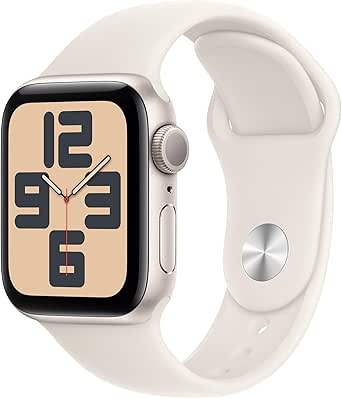
Apple Watch SE (2nd Gen) GPS 40mm with Starlight Aluminum Case and Sport Band (S/M)

Apple Watch Series 8 GPS, 41mm, Midnight Aluminum Case with Midnight Sport Band (S/M)
As an affiliate, we earn on qualifying purchases.
Recent Software Updates and Known Compatibility Issues
The current glitch follows recent updates to SteamVR, which introduced new features and compatibility enhancements. Historically, VR platforms have experienced similar issues following updates, often due to conflicts between drivers, firmware, or third-party software. Prior to this incident, SteamVR had a relatively stable track record, but recent reports suggest that the latest update may have inadvertently triggered the problem. The VR community has been actively discussing potential fixes and workarounds, but no official solutions have been confirmed.
“My headset keeps crashing during startup after the latest update. Nothing seems to fix it.”
— an anonymous user on r/SteamVR
Unconfirmed Causes and Potential Fixes
It is not yet clear what precisely caused the glitch, whether it stems from recent software updates, driver conflicts, or hardware compatibility issues. The scope of affected users and specific hardware configurations remains under investigation. The developer community is awaiting official statements and patches from Valve, but details are still emerging.
Next Steps for Valve and VR Users
Valve is expected to release a software patch or update to address the glitch in the coming days. Users are advised to monitor official channels for updates and to follow recommended troubleshooting steps, such as rolling back recent updates or disconnecting peripherals. The VR community is also sharing workarounds and temporary solutions while awaiting an official fix.
Key Questions
What exactly is causing the SteamVR glitch?
The exact cause is still unknown. It is suspected to involve recent software updates, driver conflicts, or hardware compatibility issues, but official confirmation is pending.
How widespread is the problem?
Reports on r/SteamVR indicate that the issue affects a broad range of hardware setups and regions, suggesting it is a widespread problem.
Will Valve release a fix soon?
Valve has acknowledged the reports and is investigating, with a likely patch or update expected in the near future. No specific timeline has been announced.
What should affected users do now?
Users should monitor official SteamVR channels for updates, consider temporarily rolling back recent updates, and follow community advice for troubleshooting while waiting for an official fix.
Source: r/SteamVR