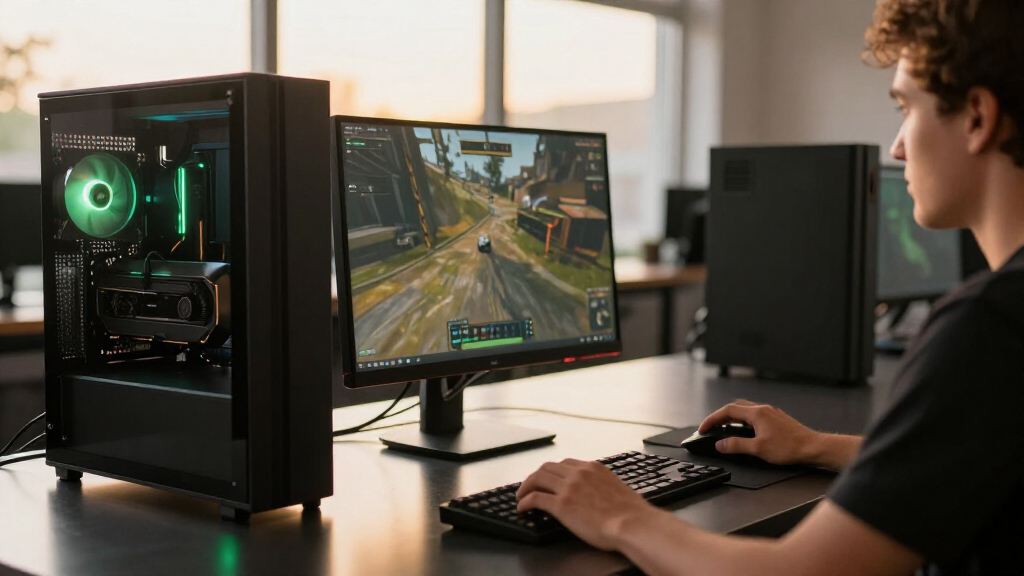

Among these best NVIDIA graphics cards, I’d choose the NVIDIA GeForce RTX 5080 Founders Edition as the best overall pick for high-end gaming, while the ASUS Prime RTX 5070 Ti suits buyers who want a step down in tier with 16GB of memory. For a more accessible current-generation option, the ASUS Dual RTX 5060 offers a compact design and GDDR7, though its 8GB memory calls for realistic expectations about demanding games. The lineup spans flagship performance, midrange choices, older cards with larger memory capacities, and entry-level models, so the right choice depends on your games, monitor, and PC case. Cooling design, memory capacity, and card size can matter as much as the GPU name. I’ll compare the tradeoffs and explain which cards fit different buyers below.

Get the latest gadgets delivered free with Prime
- Fast, free delivery on millions of items
- Prime Video, Amazon Music and more included
- Member-only deals all year
Complete the kit



Key Takeaways
- The RTX 5080 Founders Edition is my best overall choice for buyers seeking a high-end gaming card without moving to the most elaborate partner designs.
- RTX 5080 models serve different priorities: the ASUS TUF and MSI Ventus emphasize familiar air cooling, the MSI SUPRIM LIQUID uses liquid cooling, and the ASUS ROG Astral White puts premium styling front and center.
- The RTX 5070 Ti Prime combines a newer GPU tier with 16GB of GDDR7, making it a distinct middle ground between the RTX 5080 cards and 12GB RTX 5070 models.
- Older cards can still appeal for specific memory needs: the RTX 4060 Ti 16GB and RTX 3060 12GB offer more capacity than the RTX 5060’s 8GB, but memory alone does not make them faster overall.
- The GT 1030 DDR4 and RTX 3050 6GB are entry-level choices; they suit modest workloads better than buyers expecting current high-end gaming performance.
| NVIDIA GeForce RTX 5080 Founders Edition Graphics Card |  | Best Overall | Graphics processor: NVIDIA GeForce RTX 5080 | Memory: 16 GB GDDR7 | GPU clock speed: 2806 MHz (listed; source details conflict) | VIEW LATEST PRICE | See Our Full Breakdown |
| ASUS TUF Gaming GeForce RTX 5080 16GB GDDR7 OC Edition Graphics Card |  | Best for Rugged Cooling | GPU architecture: NVIDIA Blackwell | Memory: 16 GB GDDR7 | Boost clock: 2730 MHz | VIEW LATEST PRICE | See Our Full Breakdown |
| MSI GeForce RTX 5080 16G SUPRIM LIQUID SOC Graphics Card |  | Best for Liquid-Cooled Builds | GPU: NVIDIA GeForce RTX 5080 | Memory: 16 GB GDDR7 | Memory interface: 256-bit | VIEW LATEST PRICE | See Our Full Breakdown |
| MSI GeForce RTX 3060 Ventus 2X 12GB OC Graphics Card |  | Best for Budget-Conscious 1080p Builds | GPU: NVIDIA GeForce RTX 3060 | Memory: 12 GB GDDR6 | GPU clock speed: 1837 MHz | VIEW LATEST PRICE | See Our Full Breakdown |
| ASUS TUF Gaming GeForce RTX 5070 OC Edition 12GB GDDR7 Graphics Card |  | Best for a Midrange Blackwell Build | Graphics processor: NVIDIA GeForce RTX 5070 | Memory: 12 GB GDDR7 | Boost clock: 2640 MHz (OC mode); 2610 MHz (default mode) | VIEW LATEST PRICE | See Our Full Breakdown |
| ASUS Dual GeForce RTX 4060 Ti 16GB GDDR7 OC Edition Gaming Graphics Card |  | Best for Extra Memory in a Midrange Card | Architecture: NVIDIA Blackwell (as listed) | Memory: 16GB GDDR7 | Clock speed: 2632 MHz OC mode; 2602 MHz default mode | VIEW LATEST PRICE | See Our Full Breakdown |
| MSI GeForce RTX 3060 Ventus 2X 12G OC V1 Graphics Card |  | Best for Budget Builds That Need 12GB | GPU: NVIDIA GeForce RTX 3060 | Architecture: Ampere | Memory: 12GB GDDR6 | VIEW LATEST PRICE | See Our Full Breakdown |
| MSI GeForce RTX 3050 Ventus 2X 6G OC Graphics Card |  | Best Entry-Level Pick for Mixed Display Outputs | GPU: NVIDIA GeForce RTX 3050 | Architecture: Ampere | Memory: 6GB GDDR6 | VIEW LATEST PRICE | See Our Full Breakdown |
| ASUS Dual GeForce RTX 3050 6GB GDDR6 OC Edition Graphics Card |  | Best Compact RTX 3050 | GPU: NVIDIA GeForce RTX 3050 | Memory: 6GB GDDR6 | Boost clock: Up to 1500 MHz OC mode; 1470 MHz default mode | VIEW LATEST PRICE | See Our Full Breakdown |
| MSI GeForce RTX 5080 Ventus 3X OC Black Graphics Card, 16GB GDDR7 |  | Best Premium Performance Pick | GPU: NVIDIA GeForce RTX 5080 | Memory: 16GB GDDR7 | Memory interface: 256-bit | VIEW LATEST PRICE | See Our Full Breakdown |
| ASUS ROG Astral GeForce RTX 5080 16GB GDDR7 White OC Edition Graphics Card |  | Best Premium White RTX 5080 | GPU: NVIDIA GeForce RTX 5080 | Memory: 16GB GDDR7 | Clock speed: 2790 MHz OC mode; 2760 MHz default mode | VIEW LATEST PRICE | See Our Full Breakdown |
| ASUS Prime NVIDIA GeForce RTX 5070 Ti 16GB GDDR7 OC Edition Graphics Card |  | Best for 16GB GDDR7 in a More Compact Build | GPU: NVIDIA GeForce RTX 5070 Ti | Memory: 16GB GDDR7 | Boost clock: 2527 MHz OC mode; 2497 MHz default mode | VIEW LATEST PRICE | See Our Full Breakdown |
| MSI GeForce GT 1030 4GB DDR4 Low Profile OC Graphics Card |  | Best for Basic Display Upgrades | Chipset: NVIDIA GeForce GT 1030 | Video memory: 4GB DDR4 | Boost clock: 1430 MHz | VIEW LATEST PRICE | See Our Full Breakdown |
| ASUS Prime GeForce RTX 5070 OC Edition 12GB GDDR7 Graphics Card |  | Best Balanced RTX 5070 | GPU: NVIDIA GeForce RTX 5070 | Memory: 12GB GDDR7 | Boost clock: 2587 MHz OC mode; 2557 MHz default mode | VIEW LATEST PRICE | See Our Full Breakdown |
| ASUS Dual NVIDIA GeForce RTX 5060 8GB GDDR7 OC Edition |  | Best Compact Blackwell Entry | GPU: NVIDIA GeForce RTX 5060 | Memory: 8GB GDDR7 | Interface: PCIe 5.0 | VIEW LATEST PRICE | See Our Full Breakdown |
| NVIDIA graphics card | Memory | GPU | Interface | Boost clock |
|---|---|---|---|---|
| NVIDIA GeForce RTX 5080 Founde | 16 GB GDDR7 | — | PCI Express 4.0 | — |
| ASUS TUF Gaming GeForce RTX 50 | 16 GB GDDR7 | — | — | 2730 MHz |
| MSI GeForce RTX 5080 16G SUPRI | 16 GB GDDR7 | NVIDIA GeForce RTX 5080 | PCI Express x16 | — |
| MSI GeForce RTX 3060 Ventus 2X | 12 GB GDDR6 | NVIDIA GeForce RTX 3060 | PCI Express x16 | — |
| ASUS TUF Gaming GeForce RTX 50 | 12 GB GDDR7 | — | PCIe 5.0 x16 | 2640 MHz (OC mode); 2610 MHz (default mode) |
| ASUS Dual GeForce RTX 4060 Ti | 16GB GDDR7 | — | — | — |
| MSI GeForce RTX 3060 Ventus 2X | 12GB GDDR6 | NVIDIA GeForce RTX 3060 | — | 1807 MHz |
| MSI GeForce RTX 3050 Ventus 2X | 6GB GDDR6 | NVIDIA GeForce RTX 3050 | — | 1492 MHz |
| ASUS Dual GeForce RTX 3050 6GB | 6GB GDDR6 | NVIDIA GeForce RTX 3050 | PCIe 4.0, PCI-Express x16 | Up to 1500 MHz OC mode; 1470 MHz default mode |
| MSI GeForce RTX 5080 Ventus 3X | 16GB GDDR7 | NVIDIA GeForce RTX 5080 | PCI Express x16 | — |
| ASUS ROG Astral GeForce RTX 50 | 16GB GDDR7 | NVIDIA GeForce RTX 5080 | PCIe 5.0 x16 | — |
| ASUS Prime NVIDIA GeForce RTX | 16GB GDDR7 | NVIDIA GeForce RTX 5070 Ti | — | 2527 MHz OC mode; 2497 MHz default mode |
| MSI GeForce GT 1030 4GB DDR4 L | — | — | — | 1430 MHz |
| ASUS Prime GeForce RTX 5070 OC | 12GB GDDR7 | NVIDIA GeForce RTX 5070 | PCI Express x16, PCIe 5.0 | 2587 MHz OC mode; 2557 MHz default mode |
| ASUS Dual NVIDIA GeForce RTX 5 | 8GB GDDR7 | NVIDIA GeForce RTX 5060 | PCIe 5.0 | 2565 MHz OC mode; 2535 MHz default mode |
More Details on Our Top Picks
NVIDIA GeForce RTX 5080 Founders Edition Graphics Card
The RTX 5080 Founders Edition is my lead pick for buyers who want a high-end NVIDIA card for demanding games and creative work without the extra cooling hardware of the MSI SUPRIM LIQUID. Its Blackwell architecture, DLSS 4, and ray tracing support give it a current feature set, while 16 GB of GDDR7 and support for 4K output suit detailed, high-resolution workloads. Compared with the ASUS TUF RTX 5080, this listing gives less information about power needs, dimensions, and cooling, so buyers planning a tight build have fewer details to check in advance. The provided source also reports conflicting memory and clock-speed details; I would verify the exact configuration before buying. It makes the most sense as a straightforward premium choice for a desktop with room for a high-end GPU.
Pros:- Blackwell architecture with DLSS 4 and ray tracing support
- 16 GB of GDDR7 memory
- HDMI and DisplayPort outputs
- Supports resolutions up to 3840 × 2160
Cons:- Source data has conflicting memory and clock-speed details
- Requires a desktop system
- The supplied specs do not list dimensions or power requirements
Best for: Desktop gamers and creators seeking a high-end NVIDIA card with DLSS 4, ray tracing, and 4K output support.
Not ideal for: Small-system builders or buyers who need clearly listed card dimensions, cooling details, and power requirements before choosing.
- Graphics processor:NVIDIA GeForce RTX 5080
- Memory:16 GB GDDR7
- GPU clock speed:2806 MHz (listed; source details conflict)
- Video outputs:HDMI, DisplayPort
- Interface:PCI Express 4.0
- Maximum resolution:3840 × 2160
- Weight:2 pounds
- Model number:900-1G144-2545-000
Our verdict“Choose the Founders Edition if you want a premium RTX 5080 for 4K gaming and creative work and can confirm its exact configuration for your build.”
ASUS TUF Gaming GeForce RTX 5080 16GB GDDR7 OC Edition Graphics Card
The ASUS TUF Gaming RTX 5080 OC Edition suits buyers who want a factory-overclocked card with a stated focus on durable components and cooling. Its axial-tech fans, protective PCB coating, and included GPU bracket support a substantial card, while the listed 850W PSU and 12VHPWR requirements make the build demands clear. Compared with the Founders Edition, ASUS provides more installation and power detail, but its 348 mm length and 3.6-slot thickness demand a spacious case. The MSI SUPRIM LIQUID takes a different approach with liquid cooling, which may appeal to builders planning a custom cooling layout; the TUF is the more conventional air-cooled choice. I would skip it for compact cases or older power supplies, since fitting and powering it are central parts of the decision.
Pros:- Factory OC mode and 2730 MHz listed boost clock
- Axial-tech fan cooling
- Protective PCB coating and included GPU bracket
- Power supply and connector requirements are specified
Cons:- 348 mm length and 3.6-slot thickness limit case compatibility
- Requires an 850W PSU and 12VHPWR connector
- Large size can make installation more involved
Best for: Enthusiast desktop builders with a large case and an 850W power supply who want an air-cooled RTX 5080 with reinforced construction.
Not ideal for: Compact PC builders or owners whose power supply lacks the required 12VHPWR connector and capacity.
- GPU architecture:NVIDIA Blackwell
- Memory:16 GB GDDR7
- Boost clock:2730 MHz
- System requirements:850W PSU, 12VHPWR connector
- Dimensions:348 mm length, 3.6 slots
- Weight:4.3 lbs
Our verdict“Pick the ASUS TUF if your case and power supply can handle its size and you want a reinforced, air-cooled RTX 5080.”
MSI GeForce RTX 5080 16G SUPRIM LIQUID SOC Graphics Card
The MSI RTX 5080 SUPRIM LIQUID SOC is the specialist choice here: its liquid cooling sets it apart from the air-cooled ASUS TUF RTX 5080 and the Founders Edition. That design is suited to builders who want a liquid-cooled GPU setup and can plan around its hardware, while the listed three DisplayPort 2.1a outputs, HDMI 2.1b, and 8K maximum resolution offer broad display connectivity. It shares the RTX 5080’s 16 GB GDDR7 capacity, so the decision rests more on cooling approach and build fit than on memory capacity. The tradeoff is added system planning: this card requires a desktop PCI Express x16 slot, and the supplied information does not specify radiator dimensions or power requirements. Buyers should confirm those details against their case before choosing it.
Pros:- Liquid cooling distinguishes it from the air-cooled RTX 5080 alternatives
- 16 GB of GDDR7 memory
- Three DisplayPort 2.1a outputs and one HDMI 2.1b output
- Listed support for resolutions up to 7680 × 4320
Cons:- Requires a desktop with a PCI Express x16 slot
- Liquid-cooling hardware adds case-planning needs
- Supplied specs do not state power requirements or radiator dimensions
Best for: Enthusiast desktop builders planning a liquid-cooled RTX 5080 system with multiple high-bandwidth displays.
Not ideal for: Buyers seeking a simple drop-in upgrade or anyone whose case cannot accommodate the required liquid-cooling hardware.
- GPU:NVIDIA GeForce RTX 5080
- Memory:16 GB GDDR7
- Memory interface:256-bit
- Core clock:2745 MHz
- Outputs:3 × DisplayPort 2.1a, 1 × HDMI 2.1b
- Maximum resolution:7680 × 4320
- Interface:PCI Express x16
- Cooling:Liquid cooling
- Warranty:3 years
Our verdict“Choose the SUPRIM LIQUID SOC if liquid cooling and its display connections fit your planned RTX 5080 build.”
MSI GeForce RTX 3060 Ventus 2X 12GB OC Graphics Card
The MSI RTX 3060 Ventus 2X is the practical pick for a desktop upgrade where the RTX 5080 cards would be excessive. Its 12 GB of GDDR6 memory, ray tracing support, and Tensor Cores give it a broader feature set than the listed RTX 3050 models, while its two-fan design and 9.25-inch length are easier to plan around than the much larger ASUS TUF RTX 5070. The tradeoff is that this is an older Ampere-generation card, so it lacks the Blackwell architecture and DLSS 4 listed for the RTX 5080 options. Its maximum-resolution figure describes display support, not a guarantee of high frame rates at that resolution. I would choose it for a more modest gaming build, not for buyers prioritizing the newest NVIDIA features or demanding 4K performance.
Pros:- 12 GB of GDDR6 memory
- Ray tracing and Tensor Cores
- Three DisplayPort 1.4a outputs and one HDMI 2.1 output
- Two-fan design with listed dimensions of 9.25 × 4.88 inches
Cons:- Ampere architecture lacks the Blackwell and DLSS 4 features listed for RTX 5080 models
- Older-generation option than the RTX 5070 and RTX 5080 cards in this roundup
- Maximum display resolution does not indicate performance at that resolution
Best for: Desktop gamers upgrading a modest system who want 12 GB of memory, ray tracing support, and a card smaller than the high-end RTX 5080 options.
Not ideal for: Buyers building around Blackwell features, DLSS 4, or high-performance 4K gaming.
- GPU:NVIDIA GeForce RTX 3060
- Memory:12 GB GDDR6
- GPU clock speed:1837 MHz
- Memory clock speed:1807 MHz
- Video outputs:3 × DisplayPort 1.4a, 1 × HDMI 2.1
- Maximum display resolution:7680 × 4320
- Interface:PCI Express x16
- Fans:2
- Warranty:3 years
Our verdict“Choose the RTX 3060 Ventus 2X for a modest desktop upgrade centered on its 12 GB memory and established display connections.”
ASUS TUF Gaming GeForce RTX 5070 OC Edition 12GB GDDR7 Graphics Card
The ASUS TUF RTX 5070 OC Edition offers a middle path between the older RTX 3060 Ventus 2X and the substantially larger RTX 5080 cards. Its Blackwell architecture and 12 GB of GDDR7 bring it into the newer generation, while the listed 2640 MHz OC-mode boost clock and triple-fan cooling suit builders looking for a factory-tuned card. Compared with the RTX 3060, it has newer architecture and GDDR7 memory; compared with the ASUS TUF RTX 5080, it has less memory and a lower position in the product lineup. The 3.125-slot design still needs meaningful case space, and the source specifies a PCIe x16 slot but does not list power requirements. I would shortlist it for a roomy desktop where Blackwell matters more than a compact build.
Pros:- Blackwell graphics processor with 12 GB GDDR7
- 2640 MHz boost clock in OC mode
- Triple Axial-tech fans and phase-change GPU thermal pad
- Protective PCB coating and reinforced mounting
Cons:- 3.125-slot design needs substantial case space
- Requires a compatible desktop PCIe x16 slot
- Supplied specs do not list power supply requirements
Best for: Desktop gamers who want a Blackwell RTX 5070 with GDDR7 and triple-fan cooling, and have room for a 3.125-slot card.
Not ideal for: Small-case builders or buyers who need power supply requirements clearly listed before selecting a GPU.
- Graphics processor:NVIDIA GeForce RTX 5070
- Memory:12 GB GDDR7
- Boost clock:2640 MHz (OC mode); 2610 MHz (default mode)
- Video outputs:3 × DisplayPort 2.1a, 2 × HDMI 2.1b
- Interface:PCIe 5.0 x16
- Cooling fans:3 Axial-tech fans
- Maximum resolution:7680 × 4320 pixels
- Dimensions:13 × 5.5 inches
- Warranty:3 years
Our verdict“Pick the ASUS TUF RTX 5070 if you want a newer-generation card with triple-fan cooling and have a case sized for its thick design.”
ASUS Dual GeForce RTX 4060 Ti 16GB GDDR7 OC Edition Gaming Graphics Card
I’d choose this ASUS Dual for a system that needs 16GB of graphics memory without moving to the RTX 5080 tier. Its listed Blackwell architecture and DLSS 4 support point to newer NVIDIA features, while the 2.5-slot cooler, Axial-tech fans, and dual BIOS let buyers choose between performance and quieter operation. Against the MSI GeForce RTX 5080 Ventus 3X OC Black, this is the more space-conscious, less ambitious option, not a substitute for flagship-class performance. The tradeoff is that its 2.5-slot footprint still needs room in the case, and OC mode may draw more power. I’d also verify the model’s exact GPU and memory details before buying, since the supplied title and architecture description identify it differently from the RTX 4060 Ti name.
Pros:- 16GB of GDDR7 memory offers more capacity than the 6GB RTX 3050 models in this roundup.
- Dual BIOS provides performance and quieter operating modes.
- Axial-tech fans and a 2.5-slot cooler are designed to manage heat.
- Dual ball bearings and 0dB technology add durability and low-load fan-stop operation.
Cons:- The 2.5-slot design may not fit compact cases.
- OC mode may increase power draw.
- The supplied model name and architecture description warrant specification verification.
Best for: PC builders who want 16GB of graphics memory, DLSS 4 support, and selectable performance or quiet BIOS modes in a midrange-focused build.
Not ideal for: Small-form-factor builders with tight clearance, or buyers who need clearly verified GPU specifications before choosing a card.
- Architecture:NVIDIA Blackwell (as listed)
- Memory:16GB GDDR7
- Clock speed:2632 MHz OC mode; 2602 MHz default mode
- Design:2.5-slot
- Cooling:Axial-tech fans with dual ball bearings
- Features:0dB technology; dual BIOS
Our verdict“Pick this ASUS if you want 16GB of memory and flexible cooling modes, but confirm the exact GPU specification and check case clearance first.”
MSI GeForce RTX 3060 Ventus 2X 12G OC V1 Graphics Card
The RTX 3060 Ventus 2X suits buyers who want 12GB of GDDR6 memory and NVIDIA ray tracing and Tensor Core features without stepping up to newer-generation cards. That memory capacity gives it more breathing room than either RTX 3050 6GB option here, particularly for workloads that use larger assets. Its twin-fan cooler and three DisplayPort outputs also make it a practical fit for a multi-display desktop. The tradeoff is its older Ampere architecture: the newer ASUS RTX 4060 Ti listing includes DLSS 4 and a newer architecture, while this card’s description only specifies the earlier generation. A stated maximum resolution of 7680 × 4320 describes display support, not a promise of demanding games running smoothly at that resolution.
Pros:- 12GB of GDDR6 memory exceeds the capacity of the RTX 3050 cards in this batch.
- Ray Tracing and Tensor Cores support NVIDIA graphics and AI features.
- Three DisplayPort outputs and one HDMI 2.1 output suit multi-monitor setups.
- Ventus 2X twin-fan cooling uses a familiar dual-fan layout.
Cons:- Ampere is an older architecture than the Blackwell-based card listed in this batch.
- The stated maximum display resolution should not be mistaken for high-resolution gaming performance.
- The product details do not specify power draw or physical dimensions.
Best for: Budget-conscious gamers and desktop users who value 12GB of VRAM, use several DisplayPort monitors, and do not need the latest NVIDIA architecture.
Not ideal for: Buyers seeking the newest NVIDIA features, strong performance at very high gaming resolutions, or a clearly stated current-generation GPU.
- GPU:NVIDIA GeForce RTX 3060
- Architecture:Ampere
- Memory:12GB GDDR6
- Memory interface:192-bit
- Boost clock:1807 MHz
- Outputs:3 × DisplayPort 1.4a; 1 × HDMI 2.1
- Cooling:Ventus 2X twin fan
- Maximum resolution:7680 × 4320
Our verdict“Choose this RTX 3060 when 12GB of memory and multi-monitor connections matter more than having the newest NVIDIA generation.”
MSI GeForce RTX 3050 Ventus 2X 6G OC Graphics Card
I’d put this RTX 3050 Ventus 2X on the shortlist for an entry-level NVIDIA build that needs two HDMI 2.1 outputs alongside DisplayPort. Like the ASUS Dual RTX 3050, it has 6GB of GDDR6 and dedicated ray tracing and Tensor Cores, so neither is a high-memory choice for demanding games or graphics workloads. The MSI’s standout difference is its three-output mix, which may better suit desktops with multiple HDMI displays. Its specified 1492 MHz boost clock and 96-bit memory interface also make clear that this is a modest-tier card; the 7680 × 4320 output figure indicates display compatibility, not a guarantee of comfortable gaming at that resolution. Buyers should weigh the limited VRAM against the more capable 12GB RTX 3060 Ventus 2X.
Pros:- Two HDMI 2.1a outputs support HDMI-connected displays.
- Dedicated ray tracing and Tensor Cores provide NVIDIA feature support.
- Dual-fan cooling uses a conventional layout.
- Includes one DisplayPort 1.4a output alongside the HDMI ports.
Cons:- 6GB of VRAM can restrict demanding games and graphics workloads.
- The 96-bit memory interface and 1492 MHz boost clock mark it as an entry-level option.
- The maximum-resolution listing does not indicate gaming performance at that resolution.
Best for: First-time PC builders or office-and-light-gaming users who need an NVIDIA card with two HDMI displays and a standard dual-fan layout.
Not ideal for: Gamers running demanding modern titles, high-resolution textures, or workloads that benefit from more than 6GB of graphics memory.
- GPU:NVIDIA GeForce RTX 3050
- Architecture:Ampere
- Memory:6GB GDDR6
- Memory interface:96-bit
- Memory speed:14 Gbps
- Boost clock:1492 MHz
- Outputs:1 × DisplayPort 1.4a; 2 × HDMI 2.1a
- Dimensions:7.4 × 4.3 inches
Our verdict“Choose this MSI for a modest NVIDIA build with two HDMI monitors, but favor the RTX 3060 Ventus 2X if your work or games need more VRAM.”
ASUS Dual GeForce RTX 3050 6GB GDDR6 OC Edition Graphics Card
This ASUS Dual is the compact pick for builders who want an RTX 3050 in a two-slot card and need a stated case-friendly size. Its two Axial-tech fans, IP5X dust resistance, and 0dB operation give it practical cooling features, while DLSS 3 and ray tracing add NVIDIA-specific features absent from basic display cards. Compared with the MSI RTX 3050 Ventus 2X 6G OC, this model lists a DVI-D port as well as HDMI and DisplayPort, which may help with older displays; the MSI instead offers two HDMI ports. Both have only 6GB of memory, so I’d keep expectations modest for demanding games and larger creative projects. The ASUS’s compactness helps with fit, not raw performance.
Pros:- Two-slot design and listed dimensions suit many space-limited builds.
- Two Axial-tech fans support active cooling.
- Supports DLSS 3 and ray tracing.
- HDMI, DisplayPort, and DVI-D provide a varied output selection.
Cons:- 6GB of GDDR6 may constrain demanding games and graphics workloads.
- The listed maximum resolution is lower than the MSI RTX 3050 Ventus 2X specification.
- No performance or noise measurements are provided.
Best for: Small-case builders and users connecting a mix of newer HDMI or DisplayPort screens with an older DVI-D display.
Not ideal for: Players or creators who need more than 6GB of VRAM, or buyers who specifically need two HDMI outputs.
- GPU:NVIDIA GeForce RTX 3050
- Memory:6GB GDDR6
- Boost clock:Up to 1500 MHz OC mode; 1470 MHz default mode
- Cooling:Two Axial-tech fans
- Interface:PCIe 4.0, PCI-Express x16
- Video outputs:HDMI 2.1; DisplayPort 1.4a; DVI-D
- Dimensions:7.9 × 4.7 inches
- Maximum resolution:3840 × 2160
Our verdict“Pick this ASUS when compact fit and DVI-D connectivity matter more than extra VRAM or multiple HDMI outputs.”
MSI GeForce RTX 5080 Ventus 3X OC Black Graphics Card, 16GB GDDR7
For buyers building around a high-end NVIDIA GPU, the MSI RTX 5080 Ventus 3X OC is the strongest performance-oriented option in this batch by model tier. It pairs an RTX 5080 with 16GB of GDDR7 and a 256-bit interface, while its three DisplayPort 2.1a outputs target newer high-bandwidth display setups. Compared with the ASUS Dual RTX 4060 Ti listing, this is the clear step-up choice for users prioritizing a flagship-class GPU rather than a smaller midrange card. That capability comes with a larger system commitment: it requires a compatible desktop PCIe x16 slot, and the supplied details do not state card dimensions or power requirements, so case and PSU fit need checking. Its three-fan thermal design is practical, but this is not the pick for a compact or restrained build.
Pros:- RTX 5080 GPU places it above the RTX 3050 and RTX 3060 options in this batch by product tier.
- 16GB of GDDR7 memory supports demanding graphics workloads.
- Three DisplayPort 2.1a outputs and HDMI 2.1b support modern display setups.
- Three-fan Ventus thermal design is aimed at cooling a high-performance GPU.
Cons:- Requires a desktop with a compatible PCI Express x16 slot.
- Card dimensions and power requirements are not provided in the supplied specifications.
- Its high-end GPU tier may be unnecessary for basic gaming and everyday desktop use.
Best for: Enthusiasts building a high-end desktop for demanding gaming or graphics work who have room for a full-size card and compatible power supply.
Not ideal for: Small-case builders, users without a compatible PCI Express x16 desktop slot, or buyers seeking a low-power entry-level card.
- GPU:NVIDIA GeForce RTX 5080
- Memory:16GB GDDR7
- Memory interface:256-bit
- GPU clock speed:2640 MHz
- Outputs:3 × DisplayPort 2.1a; 1 × HDMI 2.1b
- Maximum resolution:7680 × 4320
- Interface:PCI Express x16
- Cooling:Ventus 3X thermal design
Our verdict“Choose the MSI RTX 5080 Ventus 3X OC for a high-end desktop build with modern displays, after confirming case clearance and power compatibility.”
ASUS ROG Astral GeForce RTX 5080 16GB GDDR7 White OC Edition Graphics Card
I’d choose the ROG Astral RTX 5080 for a high-end white build where cooling hardware and a distinctive finish matter as much as GPU class. Its four Axial-tech fans, vapor chamber, and phase-change thermal pad give it a more elaborate cooling setup than the ASUS Prime RTX 5070 Ti, while its RTX 5080 GPU places it in a higher performance tier. The 16GB of GDDR7 and support for DLSS 4 suit demanding games and high-resolution displays, and the display selection includes two HDMI 2.1b and three DisplayPort 2.1b ports. The cost of that premium design is physical: at 3.8 slots and 6.3 pounds, it needs a roomy case and careful support. I’d skip it for a compact build or anyone prioritizing value over cooling and appearance.
Pros:- RTX 5080 GPU with 16GB of GDDR7 and DLSS 4 support
- Four-fan cooling combines a vapor chamber with a phase-change thermal pad
- Five video outputs, including DisplayPort 2.1b and HDMI 2.1b
- Reinforced metal frame and protective PCB coating
Cons:- 3.8-slot thickness can rule it out for many cases
- 6.3-pound weight calls for careful installation and support
- Its premium cooling and styling may be unnecessary for buyers who do not need an RTX 5080
Best for: Enthusiasts building a spacious white gaming PC who want an RTX 5080, extensive cooling hardware, and several modern display connections.
Not ideal for: Small-case builders and buyers seeking a lighter, simpler card; its 3.8-slot width and 6.3-pound weight demand substantial clearance and support.
- GPU:NVIDIA GeForce RTX 5080
- Memory:16GB GDDR7
- Clock speed:2790 MHz OC mode; 2760 MHz default mode
- AI performance:1899 AI TOPS
- Video outputs:2 x HDMI 2.1b; 3 x DisplayPort 2.1b
- Interface:PCIe 5.0 x16
- Cooling:Four Axial-tech fans, vapor chamber, and phase-change GPU thermal pad
- Form factor:3.8-slot; 14.1 x 5.9 inches; 6.3 pounds
Our verdict“Choose the ROG Astral if you want a heavily cooled, white RTX 5080 for a roomy enthusiast build and can accommodate its size and weight.”
ASUS Prime NVIDIA GeForce RTX 5070 Ti 16GB GDDR7 OC Edition Graphics Card
The ASUS Prime RTX 5070 Ti is a sensible middle ground for buyers who want 16GB of GDDR7 without stepping up to the bulkier ROG Astral RTX 5080. Its 2.5-slot design and 2.6-pound weight make it easier to fit into a range of builds, though the 12-inch length still calls for a clearance check. Three Axial-tech fans, a phase-change thermal pad, and dual BIOS profiles give builders practical ways to manage cooling and noise. Compared with the Prime RTX 5070, this Ti model offers more memory, which can better suit memory-heavy games and creative workloads. The tradeoff is that it still needs a 750W power supply and a compatible 16-pin connector, so it is not a casual upgrade for every older PC. Its outputs include three DisplayPort 2.1a and two HDMI 2.1b ports.
Pros:- 16GB of GDDR7 memory
- Three fans and a phase-change thermal pad for GPU cooling
- Dual BIOS provides Quiet and Performance profiles
- 2.5-slot form factor is slimmer and lighter than the ROG Astral RTX 5080
Cons:- Calls for a minimum 750W power supply and compatible 16-pin connector
- 12-inch length still limits case compatibility
- Its 2.5-slot width is not suitable for the smallest builds
Best for: PC builders who want a 16GB GDDR7 card for demanding games or mixed gaming and creative work, but need a less bulky option than an RTX 5080.
Not ideal for: Upgraders with a lower-wattage power supply, no compatible 16-pin connector, or a case that cannot fit a 12-inch, 2.5-slot card.
- GPU:NVIDIA GeForce RTX 5070 Ti
- Memory:16GB GDDR7
- Boost clock:2527 MHz OC mode; 2497 MHz default mode
- Video outputs:3 x DisplayPort 2.1a; 2 x HDMI 2.1b
- Cooling:Three Axial-tech fans and phase-change thermal pad
- Form factor:2.5 slots; 12 inches long; 2.6 pounds
- Power supply requirement:Minimum 750W with a 16-pin 12V-2×6 (12VHPWR) connector
- Maximum resolution:7680 x 4320 pixels
Our verdict“Pick the Prime RTX 5070 Ti if you want 16GB of GDDR7 and a slimmer card than the RTX 5080 options, and your power supply meets its requirements.”
MSI GeForce GT 1030 4GB DDR4 Low Profile OC Graphics Card
The MSI GT 1030 is the lineup’s basic display and low-profile upgrade, not a peer to its RTX gaming cards. Its compact form can suit older or space-constrained desktops that need a discrete GPU with DisplayPort 1.4a and HDMI 2.0b, while the 4GB of DDR4 provides local video memory for lightweight tasks. Compared with the ASUS Dual RTX 5060, this card is far less suited to modern gaming and demanding graphics workloads; its 64-bit memory interface is a key limitation. I’d choose it for straightforward display output or modest older-PC use, not as a way to drive demanding new games. The listed specs do not include dimensions or a power requirement, so builders should check physical and electrical compatibility for their particular system before buying.
Pros:- Low-profile design can suit space-constrained desktop cases
- Offers both DisplayPort 1.4a and HDMI 2.0b
- 4GB of video memory for basic graphics and display workloads
Cons:- 64-bit memory interface limits bandwidth for more demanding graphics work
- DDR4 memory and GT 1030 chipset are not comparable to the newer RTX cards for modern gaming
- Does not provide the Blackwell and DLSS 4 features of the ASUS Dual RTX 5060
Best for: Owners of older, space-limited desktop PCs who need a low-profile discrete card for basic display output and light graphics tasks.
Not ideal for: Gamers targeting demanding modern titles or people running memory-intensive creative applications; its 64-bit interface and DDR4 memory are far behind the RTX options here.
- Chipset:NVIDIA GeForce GT 1030
- Video memory:4GB DDR4
- Boost clock:1430 MHz
- Memory interface:64-bit
- DisplayPort:1 x DisplayPort 1.4a
- HDMI:1 x HDMI 2.0b
Our verdict“Choose the GT 1030 for basic display needs in a compatible low-profile PC, not for modern gaming or demanding GPU workloads.”
ASUS Prime GeForce RTX 5070 OC Edition 12GB GDDR7 Graphics Card
I’d place the ASUS Prime RTX 5070 between the compact RTX 5060 and the higher-tier Prime RTX 5070 Ti for buyers who want a current-generation card without moving up to the Ti model. It pairs 12GB of GDDR7 with DLSS 4, making it a better fit for demanding gaming than the ASUS Dual RTX 5060’s 8GB, while its 2.5-slot layout keeps it more manageable than the 3.8-slot ROG Astral RTX 5080. Three Axial-tech fans, a phase-change thermal pad, and Quiet and Performance BIOS profiles provide useful cooling and noise choices. Its stated maximum resolution is 3840 x 2160, and the three-fan arrangement still needs room for a 12-inch card. Buyers with especially compact cases should check clearance rather than relying on the SFF-ready label alone.
Pros:- 12GB of GDDR7 and DLSS 4 support
- Three Axial-tech fans and a phase-change thermal pad
- Dual BIOS offers Quiet and Performance profiles
- Slimmer and lighter than the ROG Astral RTX 5080
Cons:- Three-fan, 2.5-slot design may not fit very compact cases
- 12GB of memory is less than the 16GB on the Prime RTX 5070 Ti
- Maximum resolution specification is 3840 x 2160
Best for: Gamers seeking a current-generation RTX card with 12GB of GDDR7 for a mainstream desktop build, plus configurable cooling profiles.
Not ideal for: Owners of especially small cases or buyers who need more than 12GB of memory; the 2.5-slot, three-fan card still requires room.
- GPU:NVIDIA GeForce RTX 5070
- Memory:12GB GDDR7
- Boost clock:2587 MHz OC mode; 2557 MHz default mode
- AI performance:1005 AI TOPS
- Interface:PCI Express x16, PCIe 5.0
- Cooling and BIOS:Three Axial-tech fans; phase-change thermal pad; Quiet and Performance profiles
- Form factor:2.5-slot; 12 x 5 inches; 2.3 pounds
- Maximum resolution:3840 x 2160
Our verdict“Choose this Prime RTX 5070 for a balanced Blackwell gaming build with 12GB of GDDR7, provided your case can fit its three-fan layout.”
ASUS Dual NVIDIA GeForce RTX 5060 8GB GDDR7 OC Edition
The ASUS Dual RTX 5060 is the lineup’s clearest fit for builders who want Blackwell and DLSS 4 in a compact card rather than the 16GB capacity of the Prime RTX 5070 Ti. Its 2.5-slot, small-form-factor-ready design is easier to place in a space-conscious build than the ROG Astral RTX 5080, and its Axial-tech fan design directs airflow downward. The feature set is current, with PCIe 5.0, HDMI 2.1b, and DisplayPort 2.1b, plus 0dB technology. The compromise is 8GB of GDDR7: that gives this card less memory headroom than the RTX 5070 and 5070 Ti for demanding games and heavier graphics tasks. I’d favor it for a compact gaming PC with realistic memory demands, not for buyers planning intensive workloads or seeking a high-end upgrade.
Pros:- Blackwell architecture and DLSS 4 support
- 2.5-slot design is small-form-factor ready
- Axial-tech fan design aims airflow downward
- HDMI 2.1b and DisplayPort 2.1b outputs
Cons:- 8GB of GDDR7 provides less memory headroom than the RTX 5070 models
- A compact design does not make it a substitute for higher-tier cards in demanding workloads
Best for: Small-form-factor PC builders who want a compact Blackwell card with DLSS 4 and modern display connections for gaming and general graphics use.
Not ideal for: Buyers running memory-heavy games or demanding creative workloads, or anyone seeking the greater memory capacity of the RTX 5070 and 5070 Ti.
- GPU:NVIDIA GeForce RTX 5060
- Memory:8GB GDDR7
- Interface:PCIe 5.0
- AI performance:623 AI TOPS
- Boost clock:2565 MHz OC mode; 2535 MHz default mode
- Video outputs:HDMI 2.1b and DisplayPort 2.1b
- Design and cooling:2.5-slot, small-form-factor ready; Axial-tech fan design
- Technology:DLSS 4 and 0dB Technology
Our verdict“Pick the ASUS Dual RTX 5060 for a compact Blackwell build with DLSS 4, but choose an RTX 5070 or higher if 8GB of memory is too limiting.”
How We Picked
I ranked these cards by how well their GPU tier, memory, cooling approach, and physical design match recognizable buyer needs. The comparison gives more weight to the graphics processor and practical fit than to factory overclock labels, since an OC badge alone does not establish a meaningful performance advantage. I also separated cards within the same tier by their distinct tradeoffs: conventional air cooling, liquid cooling, compact form, memory capacity, and premium styling.
The order favors versatile choices first, then models that make sense for narrower priorities or tighter performance expectations. Product names and listed specifications establish the lineup, but they do not provide independent benchmark results, noise measurements, or case dimensions. I avoid claims about frame rates or quiet operation that cannot be confirmed from those details; buyers should check the exact card dimensions, power requirements, and current compatibility before choosing.
| NVIDIA graphics card | Interface | GPU |
|---|---|---|
| NVIDIA GeForce RTX 5080 Founde | PCI Express 4.0 | — |
| ASUS TUF Gaming GeForce RTX 50 | — | — |
| MSI GeForce RTX 5080 16G SUPRI | PCI Express x16 | NVIDIA GeForce RTX 5080 |
| MSI GeForce RTX 3060 Ventus 2X | PCI Express x16 | NVIDIA GeForce RTX 3060 |
| ASUS TUF Gaming GeForce RTX 50 | PCIe 5.0 x16 | — |
| ASUS Dual GeForce RTX 4060 Ti | — | — |
| MSI GeForce RTX 3060 Ventus 2X | — | NVIDIA GeForce RTX 3060 |
| MSI GeForce RTX 3050 Ventus 2X | — | NVIDIA GeForce RTX 3050 |
| ASUS Dual GeForce RTX 3050 6GB | PCIe 4.0, PCI-Express x16 | NVIDIA GeForce RTX 3050 |
| MSI GeForce RTX 5080 Ventus 3X | PCI Express x16 | NVIDIA GeForce RTX 5080 |
| ASUS ROG Astral GeForce RTX 50 | PCIe 5.0 x16 | NVIDIA GeForce RTX 5080 |
| ASUS Prime NVIDIA GeForce RTX | — | NVIDIA GeForce RTX 5070 Ti |
| MSI GeForce GT 1030 4GB DDR4 L | — | — |
| ASUS Prime GeForce RTX 5070 OC | PCI Express x16, PCIe 5.0 | NVIDIA GeForce RTX 5070 |
| ASUS Dual NVIDIA GeForce RTX 5 | PCIe 5.0 | NVIDIA GeForce RTX 5060 |
Factors to Consider When Choosing Best NVIDIA Graphics Cards
I’d start with the job the card needs to do, then check whether the rest of the PC can support it. These broader checks help prevent choosing by model number or memory capacity alone.
Match the GPU tier to your monitor
Your monitor sets a practical ceiling on how much graphics performance you can use. A flagship RTX 5080 makes the most sense when you play demanding games at high resolutions or want more headroom for future titles. For a modest 1080p setup, an RTX 3050 or RTX 5060 may be a closer fit, depending on your games and quality targets. Avoid buying a premium card simply because it tops a list if your display and games cannot make use of its capabilities. Also account for features such as ray tracing, which can increase the workload. Choose around the experience you want to improve, not just the GPU generation.
Treat memory capacity as one part of performance
Video memory stores textures and other data used by games and creative applications, so capacity can affect whether demanding workloads fit comfortably. Yet a 16GB older card is not automatically a better performer than a newer 8GB card: the GPU itself, memory speed, and software workload also shape results. The RTX 4060 Ti 16GB and RTX 3060 12GB are worth examining when capacity is a priority, while the RTX 5060 offers a newer tier with 8GB. Check the requirements of the specific games or applications you use, especially at higher resolutions. If your workload regularly exceeds a card’s memory, a larger-capacity model may be the more practical fit. Don’t use the memory number as a substitute for comparing the whole GPU.
Check case clearance and power before ordering
Graphics cards can vary widely in length, thickness, and cooling layout, even when they use the same GPU. Measure the available space in your case, including room for front fans, radiators, and power cables. A compact dual-fan card may be easier to fit than a larger premium design, while a liquid-cooled option brings radiator placement into the equation. Confirm that your power supply meets the card maker’s stated requirements and has the right connectors. These checks matter especially when upgrading an older PC, where case space and power delivery may have been chosen for a much smaller card. A card that does not fit or connect is the wrong upgrade regardless of its GPU tier.
Choose cooling for your case and comfort needs
Cooling design affects installation, airflow planning, and the number of parts that need space inside your system. Air-cooled cards keep the setup more straightforward, while a liquid-cooled model can suit a build planned around radiator support. Neither design guarantees a particular noise level or temperature without measurements under the same conditions. Consider how much room your case has and whether you want to add radiator placement to the build process. A larger cooler may also compete with nearby slots or components. Look for independent thermal and noise testing of the exact card model if those qualities are central to your decision.
Compare exact models, not just GPU names
Partner cards built around the same NVIDIA GPU can differ in dimensions, cooling hardware, factory settings, and appearance. In this lineup, several RTX 5080 choices range from the Founders Edition to air-cooled TUF and Ventus models, a liquid-cooled SUPRIM, and a white ROG Astral. Those distinctions may affect fit and build style more than everyday performance. An OC label does not tell you how much faster a card will be in your games. Compare the manufacturer’s full specification sheet and independent testing for the exact model you plan to buy. Pick a premium finish or cooling system when it serves your build, rather than assuming it changes the GPU tier.
Frequently Asked Questions
Should I choose an RTX 5070 Ti with 16GB or an RTX 5080?
I’d choose based on the performance tier your games and monitor call for, rather than memory capacity alone. The RTX 5070 Ti Prime provides 16GB of GDDR7 and sits below the RTX 5080 models in this lineup. The RTX 5080 is the stronger fit for buyers prioritizing a higher-end GPU tier. If you play at a resolution or use applications that benefit from more memory, the 5070 Ti’s capacity may be appealing, but it does not make the card equivalent to a 5080. Check independent benchmarks for your actual games before deciding between them.
Is an older RTX 3060 with 12GB a better choice than the RTX 5060 with 8GB?
Not by memory capacity alone. The RTX 3060’s 12GB can suit workloads that need more video memory, while the RTX 5060 represents a newer GPU tier with GDDR7. Performance depends on the whole card and the task, so compare reliable benchmarks for the games or applications you use. The 3060 is an older-generation option, and its larger memory figure does not guarantee higher frame rates. I’d prioritize the 5060 for newer-generation features and the 3060 only when its capacity or a specific tested workload makes it a better match.
Can I install an RTX 5080 in a small PC case?
Possibly, but the GPU name does not tell you whether a particular model will fit. The RTX 5080 cards in this roundup use different designs, and their dimensions and cooling arrangements can vary. Measure the case’s GPU clearance and account for power cable space, nearby components, and airflow. A liquid-cooled version also needs a compatible place for its radiator. Check the exact manufacturer specifications for the model you plan to install, then compare them with your case manual before ordering.
Do I need a liquid-cooled RTX 5080 for gaming?
No; the liquid-cooled MSI SUPRIM LIQUID is one cooling approach among several RTX 5080 options here. Air-cooled Founders Edition, TUF, Ventus, and ROG Astral models may be simpler to install if your case lacks radiator space. Liquid cooling can suit a build designed around it, but the radiator adds a fit and setup requirement. The product list alone does not establish which model runs quieter or cooler, so consult independent testing if those qualities matter to you. Choose the cooling layout that fits your case and preferences.
Which card makes sense for an older PC used for basic display or light gaming?
The GT 1030 DDR4 is the most modest option in this roundup and may suit a basic display upgrade or light workloads, subject to system compatibility. For gaming, the RTX 3050 6GB models are a more capable entry-level direction, though they are not in the same class as the RTX 5070 or RTX 5080 cards. Before buying, check the PC’s power supply, slot clearance, motherboard support, and the requirements of the games you want to run. Older systems may also benefit from confirming driver and operating system support. Set expectations around the actual workload rather than treating any card labeled NVIDIA as a high-end gaming upgrade.
Conclusion
For a versatile high-end gaming recommendation, I’d pick the RTX 5080 Founders Edition. Buyers seeking strong current-generation performance with 16GB should look at the ASUS Prime RTX 5070 Ti as my best value-oriented balance in this lineup, while premium-build shoppers can compare the MSI SUPRIM LIQUID and white ASUS ROG Astral RTX 5080. Beginners building for modest gaming should start with the RTX 3050 6GB options and verify their PC’s power and fit; the GT 1030 is better reserved for basic display needs. For buyers with specific memory needs, the RTX 4060 Ti 16GB or RTX 3060 12GB deserve a closer look. Match the card to your monitor, workload, case, and power supply, then verify the exact model before choosing.
Halloween Picks
halloween
As an affiliate, we earn on qualifying purchases.