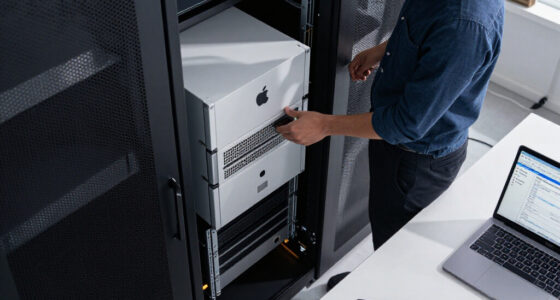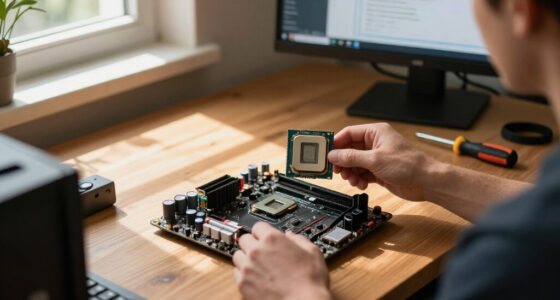

The best AI desktop computers balance local AI capability, everyday speed, memory, and room for future needs. I’d put the HP OmniDesk Desktop AI PC with Core Ultra 7 265 first for its strong general-purpose configuration, while the GMKtec EVO-X3 stands out for its 128GB of memory and the Mac Studio with M5 Max for demanding creative work. The tradeoff is that a business tower offers easier expansion, a mini PC saves space, and an all-in-one keeps the setup simple, but each brings different limits. AI labels alone do not tell you how well a system will run your specific software or models. Read on for how I rank these 12 options and which one fits your needs.

Get the latest gadgets delivered free with Prime
- Fast, free delivery on millions of items
- Prime Video, Amazon Music and more included
- Member-only deals all year
Complete the kit



Key Takeaways
- The HP OmniDesk Core Ultra 7 265 configurations lead as balanced desktop picks: the listed 32GB RAM and 1TB SSD versions offer a more capable starting point for multitasking than the 16GB model.
- The GMKtec EVO-X3 is the memory standout: 128GB makes it appealing for workloads that need substantial local memory, though its compact design is not the same as an easily upgraded tower.
- Business desktops trade compactness for flexibility: the Dell Pro Tower and HP OmniDesk business models better suit office deployments and buyers who value conventional desktop serviceability.
- Apple options serve a different software ecosystem: Mac Studio is the premium creative-workstation choice, while Mac mini is the smaller desktop route for buyers whose apps fit macOS.
- AI PC claims do not replace workload checks: the listed configurations vary in memory, storage, form factor, and operating system, so buyers should match those details to their software before choosing.
| HP OmniDesk Desktop AI PC, Intel Core Ultra 7 265, 16 GB RAM, 1 TB SSD, Windows 11 Home |  | Best Mainstream AI Desktop | Processor: Intel Core Ultra 7 265 | Memory: 16GB DDR5, 5600 MT/s | Storage: 1TB PCIe Gen4 NVMe M.2 SSD | VIEW LATEST PRICE | See Our Full Breakdown |
| HP OmniDesk Business AI Desktop Computer, Intel Core Ultra 5 225, 32GB DDR5 RAM, 1TB SSD |  | Best Value for Multitasking | Processor: Intel Core Ultra 5 225 | Memory: 32GB DDR5, 4800 MHz | Maximum memory: 64GB | VIEW LATEST PRICE | See Our Full Breakdown |
| Dell Pro Tower Business Desktop with Intel Core Ultra 5 235, 32GB DDR5 RAM, and 1TB PCIe SSD |  | Best for Business IT | Processor: Intel Core Ultra 5 235, 14 cores and 14 threads, up to 5.0GHz | NPU: 13 TOPS | Memory: 32GB DDR5 | VIEW LATEST PRICE | See Our Full Breakdown |
| Apple Mac Studio Desktop Computer with M5 Max |  | Best Premium Creative AI Desktop | Chip: Apple M5 Max | Unified memory: Up to 128GB | Memory bandwidth: Up to 614GB/s | VIEW LATEST PRICE | See Our Full Breakdown |
| AMD Ryzen AI Halo Personal AI Desktop Computer |  | Best for Local AI Development | Processor: AMD Ryzen AI Max+ 395, 16 cores and 32 threads | Graphics: AMD Radeon 8060S, 40 RDNA 3.5 compute units | NPU: AMD XDNA 2, up to 50 TOPS | VIEW LATEST PRICE | See Our Full Breakdown |
| Apple Mac mini Desktop Computer with M6 Chip (2026) |  | Best Compact AI Desktop | Chip: Apple M6 | Memory: Up to 32GB unified memory | Memory bandwidth: 170GB/s | VIEW LATEST PRICE | See Our Full Breakdown |
| GMKtec EVO-X3 AI Mini PC with AMD Ryzen AI Max+ 395, 128GB LPDDR5X, 2TB PCIe 4.0 SSD |  | Best for Local AI Workloads | Processor: AMD Ryzen AI Max+ 395, 16 cores and 32 threads, up to 5.1GHz | Graphics: AMD Radeon 8060S, 40 compute units, up to 2900MHz | Memory: 128GB LPDDR5X, 8000MT/s | VIEW LATEST PRICE | See Our Full Breakdown |
| HP OmniStudio 27-inch All-in-One Desktop, AMD Ryzen AI 7 445, 16GB RAM, 512GB SSD, FHD, Windows 11 Home |  | Best All-in-One for Everyday AI | Processor: AMD Ryzen AI 7 445 | Graphics: AMD Radeon 840M | Memory: 16GB DDR5, 5600 MT/s | VIEW LATEST PRICE | See Our Full Breakdown |
| HP OmniDesk M03 Business Desktop PC, Intel Core Ultra 7 265, Windows 11 Pro |  | Best for Business Essentials | Processor: Intel Core Ultra 7 265 | Operating system: Windows 11 Pro 64-bit | Memory: 16GB DDR5; maximum 64GB | VIEW LATEST PRICE | See Our Full Breakdown |
| HP OmniDesk M03 Business Desktop PC, Intel Core Ultra 7 265, 32GB DDR5 RAM, 1TB SSD, Windows 11 Pro |  | Best Ready-to-Work Business Tower | Processor: Intel Core Ultra 7 265, 20 cores and 20 threads | Processor speed: 2.4GHz base, up to 5.3GHz turbo | Memory: 32GB DDR5, 4800MHz; maximum 64GB | VIEW LATEST PRICE | See Our Full Breakdown |
| GEEKOM IT13 Max Mini PC, Intel Core Ultra 9 185H, 24GB LPDDR5, 500GB SSD |  | Best Compact AI Desktop | Processor: Intel Core Ultra 9 185H | Memory: 24GB LPDDR5, 5600 MT/s | Storage: 500GB SSD | VIEW LATEST PRICE | See Our Full Breakdown |
| HP OmniDesk AI Business Desktop, Intel Core Ultra 7 265, 32GB RAM, 1TB SSD |  | Best for Business Multitasking | Processor: Intel Core Ultra 7 265, 20 cores and 20 threads | Memory: 32GB DDR5, 5600MHz | Storage: 1TB PCIe Gen 4 NVMe SSD | VIEW LATEST PRICE | See Our Full Breakdown |
| AI desktop computer | Processor | Memory | Storage | Graphics |
|---|---|---|---|---|
| HP OmniDesk Desktop AI PC | Intel Core Ultra 7 265 | 16GB DDR5, 5600 MT/s | 1TB PCIe Gen4 NVMe M.2 SSD | Intel Graphics |
| HP OmniDesk Business AI Deskto | Intel Core Ultra 5 225 | 32GB DDR5, 4800 MHz | 1TB SSD | Intel Graphics |
| Dell Pro Tower Business Deskto | Intel Core Ultra 5 235, 14 cores and 14 threads, up to 5.0GHz | 32GB DDR5 | 1TB PCIe SSD | Intel Graphics |
| Apple Mac Studio Desktop Compu | — | — | — | — |
| AMD Ryzen AI Halo Personal AI | AMD Ryzen AI Max+ 395, 16 cores and 32 threads | — | 2TB M.2 SSD | AMD Radeon 8060S, 40 RDNA 3.5 compute units |
| Apple Mac mini Desktop Compute | — | Up to 32GB unified memory | — | — |
| GMKtec EVO-X3 AI Mini PC with | AMD Ryzen AI Max+ 395, 16 cores and 32 threads, up to 5.1GHz | 128GB LPDDR5X, 8000MT/s | 2TB PCIe 4.0 SSD | AMD Radeon 8060S, 40 compute units, up to 2900MHz |
| HP OmniStudio 27-inch All-in-O | AMD Ryzen AI 7 445 | 16GB DDR5, 5600 MT/s | 512GB PCIe NVMe M.2 SSD | AMD Radeon 840M |
| HP OmniDesk M03 Business Deskt | Intel Core Ultra 7 265 | 16GB DDR5; maximum 64GB | 512GB M.2 PCIe SSD | Intel integrated graphics |
| HP OmniDesk M03 Business Deskt | Intel Core Ultra 7 265, 20 cores and 20 threads | 32GB DDR5, 4800MHz; maximum 64GB | 1TB SSD | Intel Graphics |
| GEEKOM IT13 Max Mini PC | Intel Core Ultra 9 185H | 24GB LPDDR5, 5600 MT/s | 500GB SSD | — |
| HP OmniDesk AI Business Deskto | Intel Core Ultra 7 265, 20 cores and 20 threads | 32GB DDR5, 5600MHz | 1TB PCIe Gen 4 NVMe SSD | Intel Graphics |
More Details on Our Top Picks
HP OmniDesk Desktop AI PC, Intel Core Ultra 7 265, 16 GB RAM, 1 TB SSD, Windows 11 Home
The HP OmniDesk pairs an Intel Core Ultra 7 265 with a 1TB PCIe Gen4 SSD, making it a sensible everyday desktop for AI-assisted productivity, office work, and general multitasking. Its fast storage and included keyboard and mouse help it serve as a ready-to-use workstation, while Wi-Fi 6E and two display outputs suit a typical desk setup. Compared with the HP OmniDesk Business AI Desktop, this model has the stronger listed processor but half the memory, so it is less appealing for keeping many demanding apps open at once. The tradeoff is also clear for graphics-heavy tasks: its integrated Intel Graphics are not a substitute for a discrete GPU, and the listed memory ceiling is 16GB. I’d choose it for broad everyday use, not heavy local AI model work.
Pros:- Core Ultra 7 265 processor suits demanding everyday computing and AI-assisted productivity.
- 1TB PCIe Gen4 NVMe SSD provides quick access to applications and files.
- Supports two displays through DisplayPort 1.4a and HDMI 2.1.
- Includes a wired keyboard and mouse and has EPEAT Gold and ENERGY STAR certifications.
Cons:- 16GB of DDR5 memory is limiting for heavier multitasking and local AI workloads.
- Integrated Intel Graphics are not suited to demanding GPU-based creative work or gaming.
Best for: Home-office users who want a capable Core Ultra desktop for everyday AI-assisted work, two displays, and common productivity apps.
Not ideal for: Users running memory-heavy creative workloads or local AI models, since it has 16GB of memory and integrated graphics.
- Processor:Intel Core Ultra 7 265
- Memory:16GB DDR5, 5600 MT/s
- Storage:1TB PCIe Gen4 NVMe M.2 SSD
- Graphics:Intel Graphics
- Operating system:Windows 11 Home
- Wireless:Wi-Fi 6E, Bluetooth 5.3
- Display outputs:DisplayPort 1.4a, HDMI 2.1
- Dimensions and weight:13.27 × 6.1 × 12.4 inches; 11.8 pounds
Our verdict“Choose the HP OmniDesk for a well-equipped everyday AI desktop, but pick the HP OmniDesk Business AI Desktop if you need 32GB of memory for heavier multitasking.”
HP OmniDesk Business AI Desktop Computer, Intel Core Ultra 5 225, 32GB DDR5 RAM, 1TB SSD
The HP OmniDesk Business AI Desktop puts 32GB of DDR5 memory and a 1TB SSD ahead of a higher-tier processor, a useful balance for office users who juggle browser tabs, video calls, and productivity tools. Its Core Ultra 5 225 is a step down from the Core Ultra 7 265 in the HP OmniDesk Desktop AI PC, but the extra memory makes this configuration better suited to heavier day-to-day multitasking. Ten USB ports, including USB-C, plus HDMI and DisplayPort provide room for peripherals and two display connections. It runs Windows 11 Home rather than Pro, and its maximum memory is 64GB, so it is not the strongest fit for managed business environments or long-term expansion. The included 64GB USB drive is handy, but the real reason to choose this model is its memory-forward configuration.
Pros:- 32GB DDR5 memory supports busy multitasking more comfortably than the 16GB HP OmniDesk configuration.
- 1TB SSD offers room for applications and working files.
- Ten USB ports, including USB-C, provide broad peripheral connectivity.
- Includes HDMI and DisplayPort outputs plus a 64GB USB drive.
Cons:- Windows 11 Home lacks the business management features available on the Dell Pro Tower.
- Core Ultra 5 225 is a lower-tier processor than the Core Ultra 7 265 in the HP OmniDesk Desktop AI PC.
- Memory expansion is capped at 64GB.
Best for: Office workers and home-office users who keep many applications open and want 32GB of memory without moving to a larger business configuration.
Not ideal for: Organizations that require Windows 11 Pro management features, or users prioritizing the stronger Core Ultra 7 processor over memory capacity.
- Processor:Intel Core Ultra 5 225
- Memory:32GB DDR5, 4800 MHz
- Maximum memory:64GB
- Storage:1TB SSD
- Graphics:Intel Graphics
- Operating system:Windows 11 Home
- Ports:10 USB ports, including USB-C 3.2 Gen 1
- Wireless:Wi-Fi 6, Bluetooth 5.1
Our verdict“Pick this HP when 32GB of memory and abundant USB connectivity matter more than a higher-tier processor or Windows 11 Pro.”
Dell Pro Tower Business Desktop with Intel Core Ultra 5 235, 32GB DDR5 RAM, and 1TB PCIe SSD
The Dell Pro Tower stands apart from the two HP OmniDesk systems by pairing 32GB of DDR5 memory with Windows 11 Pro. That makes it the more natural choice for business users who need Pro’s security and management features alongside a capable setup for office multitasking. Its Core Ultra 5 235 includes a 13 TOPS NPU, while DisplayPort 1.4a and HDMI 2.1 support two-screen workflows. The compact tower design also offers a more serviceable format than the Mac Studio, though the supplied information does not specify its upgrade limits. One practical compromise is wireless networking: it relies on the included USB Wi-Fi adapter, unlike the HP OmniDesk Business AI Desktop’s built-in Wi-Fi. Integrated graphics also constrain GPU-heavy AI and creative work, so I’d treat this as a business productivity PC rather than a local AI workstation.
Pros:- Windows 11 Pro supports business security and management workflows.
- 32GB of DDR5 memory and a 1TB PCIe SSD suit professional multitasking.
- Core Ultra 5 235 includes a 13 TOPS NPU for supported AI tasks.
- DisplayPort 1.4a and HDMI 2.1 enable a dual-display setup.
Cons:- Intel Graphics are a limitation for GPU-intensive AI and creative applications.
- Wireless networking uses the included USB Wi-Fi adapter rather than built-in Wi-Fi.
- Its processor is less powerful on paper than the Core Ultra 7 265 in the HP OmniDesk Desktop AI PC.
Best for: Small-business teams and IT-managed office users who want Windows 11 Pro, 32GB of memory, and a tower that can be maintained or upgraded.
Not ideal for: Users who need strong GPU acceleration for local AI or creative workloads, or buyers who want built-in wireless networking without an adapter.
- Processor:Intel Core Ultra 5 235, 14 cores and 14 threads, up to 5.0GHz
- NPU:13 TOPS
- Memory:32GB DDR5
- Storage:1TB PCIe SSD
- Graphics:Intel Graphics
- Operating system:Windows 11 Pro 64-bit
- Networking:Gigabit Ethernet; included USB Wi-Fi adapter
- Display outputs:DisplayPort 1.4a and HDMI 2.1, up to 4K at 60Hz
Our verdict“Choose the Dell Pro Tower for a Windows 11 Pro business desktop with 32GB of memory, but not for GPU-heavy AI work.”
Apple Mac Studio Desktop Computer with M5 Max
The Mac Studio is the premium creative-workstation pick here: its M5 Max chip, unified memory options up to 128GB, and bandwidth up to 614GB/s are aimed at demanding professional workflows, including on-device AI tasks. It is dramatically smaller than the HP and Dell towers, yet offers Thunderbolt 5 and support for up to five external displays. That makes it a stronger fit for a multi-display studio than the Dell Pro Tower, which is better aligned with Windows business management and conventional office work. The main tradeoffs are practical: the configuration determines how much memory and storage you get, and a display is not included. Buyers who need a Windows desktop or a clearly specified memory configuration should compare carefully; the listed maximum alone does not identify the unit’s actual configuration.
Pros:- M5 Max platform is designed for demanding creative and on-device AI workloads.
- Unified memory is configurable up to 128GB, with bandwidth up to 614GB/s.
- Four Thunderbolt 5 ports and support for up to five external displays suit studio setups.
- Compact 7.76-inch-square footprint takes less desk space than the tower PCs.
Cons:- Display must be supplied separately.
- Memory and storage depend on the selected configuration.
- macOS may not suit teams that rely on Windows-only software or administration.
Best for: Creative professionals who want a compact macOS workstation for demanding production and on-device AI workflows across several displays.
Not ideal for: Windows-dependent businesses, buyers who need a monitor included, or anyone who requires a clearly specified memory and storage configuration before purchase.
- Chip:Apple M5 Max
- Unified memory:Up to 128GB
- Memory bandwidth:Up to 614GB/s
- Ports:Four Thunderbolt 5, two USB-C, two USB-A, HDMI, SDXC card slot, headphone jack
- External displays:Up to five
- Wireless:Wi-Fi 7, Bluetooth 6
- Dimensions and weight:7.76 × 7.76 × 3.74 inches; 5.94 pounds
Our verdict“Choose the Mac Studio for a compact, high-performance creative AI workstation with multiple displays, provided macOS and a separate monitor fit your setup.”
AMD Ryzen AI Halo Personal AI Desktop Computer
The Ryzen AI Halo is the most specialized AI desktop in this group: 128GB of unified memory, a Ryzen AI Max+ 395, and Radeon 8060S graphics target local model development and inference rather than ordinary office computing. The product description says it supports models up to 200 billion parameters, while ROCm support and preloaded development tools give technical users a more direct starting point than the Windows HP and Dell towers. Its 50 TOPS XDNA 2 NPU is another part of that AI-focused design. Compared with the Mac Studio, this compact Linux system offers a specified 128GB memory configuration, but its memory bandwidth is lower and it has only HDMI listed for video output. The small chassis may limit expansion, and Linux makes it a poor fit for buyers who expect a familiar Windows desktop experience.
Pros:- 128GB unified LPDDR5x memory is suited to large local AI workloads.
- Product description states support for models up to 200 billion parameters.
- Ryzen AI Max+ 395 combines 16 CPU cores with Radeon 8060S graphics and a 50 TOPS NPU.
- ROCm support, preloaded development tools, 10GbE, and Wi-Fi 7 cater to technical workflows.
Cons:- Linux may require more setup for buyers accustomed to Windows desktop software.
- Compact 6 × 6 × 2-inch design may restrict internal expansion.
- Only HDMI 2.1b is listed for video output, limiting documented display connectivity.
Best for: AI developers who want a compact Linux system for local inference and experimentation with large models, plus ROCm tools and high-capacity unified memory.
Not ideal for: General office buyers who prefer Windows, users who need multiple listed display outputs, or those seeking a tower with generous internal expansion.
- Processor:AMD Ryzen AI Max+ 395, 16 cores and 32 threads
- Graphics:AMD Radeon 8060S, 40 RDNA 3.5 compute units
- NPU:AMD XDNA 2, up to 50 TOPS
- Unified memory:128GB LPDDR5x, 8000 MT/s
- Memory bandwidth:256GB/s
- Storage:2TB M.2 SSD
- Operating system:Linux
- Networking:10GbE, Wi-Fi 7, Bluetooth 5.4
- Dimensions:6 × 6 × 2 inches
Our verdict“Choose the Ryzen AI Halo for Linux-based local AI development and large-model experimentation, not as a general-purpose office tower.”
Apple Mac mini Desktop Computer with M6 Chip (2026)
The Mac mini makes the strongest case for buyers who want on-device AI in a genuinely small desktop. Its 5-inch-square footprint is easier to place than the HP OmniDesk M03 tower, while support for up to three external displays gives it room to serve as a multi-screen work setup. Wi-Fi 7, Bluetooth 6, 2.5Gb Ethernet, and a mix of front and rear connections help keep a compact workspace practical. Apple lists memory configurations up to 32GB, which suits many everyday creative and AI-assisted tasks, but leaves less headroom than the GMKtec EVO-X3’s 128GB for memory-heavy local models. I’d choose the Mac mini for a tidy, multi-display Apple desktop, not as a workstation for the largest local AI workloads.
Pros:- Small 5 x 5-inch footprint fits tight desks
- Supports up to three external displays
- Wi-Fi 7, Bluetooth 6, and 2.5Gb Ethernet
- Front and rear ports provide flexible access
Cons:- Memory configurations top out at 32GB
- Integrated desktop design offers less memory headroom than the GMKtec EVO-X3
Best for: Apple users building a space-conscious desktop for everyday AI-assisted work, creative apps, and up to three displays
Not ideal for: People running large local AI models or memory-intensive workloads that call for more than 32GB of unified memory
- Chip:Apple M6
- Memory:Up to 32GB unified memory
- Memory bandwidth:170GB/s
- Wireless:Wi-Fi 7, Bluetooth 6
- Ethernet:2.5Gb
- Ports:Three Thunderbolt 4, one HDMI, two USB-C, headphone jack
- External displays:Up to three
- Dimensions and weight:5 x 5 x 1.97 inches; 1.47 pounds
Our verdict“Choose the Mac mini if compact size, Apple’s M6 platform, and multi-display support matter more than maximum local-AI memory capacity.”
GMKtec EVO-X3 AI Mini PC with AMD Ryzen AI Max+ 395, 128GB LPDDR5X, 2TB PCIe 4.0 SSD
The EVO-X3 is the lineup’s clearest fit for buyers who want a compact machine with substantial resources for local AI and creative workloads. Its 128GB of fast LPDDR5X memory gives it much more capacity for large models and demanding projects than the Mac mini M6, whose memory tops out at 32GB. The Ryzen AI Max+ 395 pairs a 50-TOPS NPU with Radeon 8060S integrated graphics, while the 2TB SSD provides generous room for models and working files. OCuLink eGPU expansion offers a route to more graphics power, but adding or removing that device requires shutting the PC down. Memory is onboard rather than user-upgradeable, and its listed display support is limited to two displays, so this is a specialized AI workstation—not the most flexible multi-screen pick.
Pros:- 128GB LPDDR5X memory supports larger local workloads
- Ryzen AI Max+ 395 includes an NPU rated up to 50 TOPS
- Radeon 8060S graphics and OCuLink eGPU expansion
- 2TB SSD, USB4, Wi-Fi 7, and 2.5G LAN
Cons:- LPDDR5X memory is onboard and not user-upgradeable
- OCuLink devices must be connected or disconnected with the PC powered off
- Supports two displays, fewer than the Mac mini M6
Best for: AI developers, creators, and technically confident users who need high-capacity memory for local models and demanding workloads
Not ideal for: Buyers who want upgradeable system memory, three or more displays, or effortless hot-plug external GPU use
- Processor:AMD Ryzen AI Max+ 395, 16 cores and 32 threads, up to 5.1GHz
- Graphics:AMD Radeon 8060S, 40 compute units, up to 2900MHz
- Memory:128GB LPDDR5X, 8000MT/s
- Storage:2TB PCIe 4.0 SSD
- AI performance:Up to 126 TOPS; NPU up to 50 TOPS
- External GPU connection:OCuLink PCIe Gen4 x4
- Display output:HDMI 2.1 and USB4; dual displays, up to 8K output
- Networking:Wi-Fi 7, Bluetooth 5.4, 2.5G LAN
- Cooling:Three fans and three copper heat pipes
Our verdict“Pick the EVO-X3 for memory-heavy local AI and creative work, provided its fixed RAM and shutdown-required eGPU connection suit your setup.”
HP OmniStudio 27-inch All-in-One Desktop, AMD Ryzen AI 7 445, 16GB RAM, 512GB SSD, FHD, Windows 11 Home
The OmniStudio is the simplest route here to a complete desktop workspace: its 27-inch screen, FHD infrared camera, speakers, and wired keyboard and mouse are built into or included with the system. Windows Hello facial recognition and camera noise reduction suit video calls and shared home-office use, while the Ryzen AI 7 445 brings an AI-focused processor to everyday productivity. Compared with the HP OmniDesk M03 tower, this all-in-one takes less setup and avoids choosing a separate monitor, but its 16GB memory ceiling limits room for heavier AI work or future expansion. The display is Full HD rather than a higher-resolution panel, so fine text and detailed creative work won’t look as sharp as on a higher-resolution screen. I’d favor it for an uncomplicated desk, not for upgrade flexibility.
Pros:- 27-inch display and desktop components in one setup
- FHD infrared camera supports Windows Hello
- 16GB DDR5 memory and NVMe storage for everyday multitasking
- Wired keyboard and mouse are included
Cons:- Full HD resolution is modest for a 27-inch display
- Memory is listed with a maximum capacity of 16GB
- Less upgrade flexibility than the HP OmniDesk M03 tower
Best for: Home-office users and families who want a ready-to-use, video-call-friendly Windows desktop with a built-in large display
Not ideal for: Local AI enthusiasts, memory-intensive creators, or buyers who need a higher-resolution screen and upgrade headroom
- Processor:AMD Ryzen AI 7 445
- Graphics:AMD Radeon 840M
- Memory:16GB DDR5, 5600 MT/s
- Storage:512GB PCIe NVMe M.2 SSD
- Display:27-inch Full HD, 1920 × 1080
- Operating system:Windows 11 Home
- Camera:FHD infrared camera with HDR auto-switch
- Connectivity:Wi-Fi 6, Bluetooth, RJ-45
- Dimensions and weight:24.11 × 7.28 × 19.19 inches; 13.1 pounds
Our verdict“Choose the OmniStudio for a tidy, ready-to-use home office with built-in video-call features, rather than for demanding local AI workloads.”
HP OmniDesk M03 Business Desktop PC, Intel Core Ultra 7 265, Windows 11 Pro
This OmniDesk M03 suits offices that value Windows 11 Pro and a configurable tower more than dedicated graphics or a built-in AI workstation. The Core Ultra 7 265 and 16GB of DDR5 memory cover general business multitasking, while HDMI, DisplayPort, Ethernet, Wi-Fi 6, and Bluetooth make it straightforward to fit into a conventional desk setup. Compared with the 32GB HP OmniDesk M03 configuration in this roundup, this listing starts with half the memory and 512GB of storage, though the stated maximum of 64GB leaves room for memory upgrades. Its integrated graphics are a meaningful limit for GPU-heavy AI, 3D, and creative work; the GMKtec EVO-X3 is the better fit for those tasks. The listing also says the original seal was opened for RAM and SSD upgrades, so buyers should check the configuration details carefully.
Pros:- Core Ultra 7 265 supports business multitasking
- Windows 11 Pro provides business-oriented operating system features
- HDMI, DisplayPort, Ethernet, Wi-Fi 6, and Bluetooth
- Memory can be configured up to 64GB
Cons:- Integrated graphics are a limitation for GPU-heavy AI work
- This configuration has 16GB RAM and a 512GB SSD
- Original seal was opened for RAM and SSD upgrades
Best for: Small-business buyers who need Windows 11 Pro, standard office connectivity, and a tower with stated memory-upgrade headroom
Not ideal for: Users running graphics-intensive AI or creative applications, or buyers who want a factory-sealed configuration
- Processor:Intel Core Ultra 7 265
- Operating system:Windows 11 Pro 64-bit
- Memory:16GB DDR5; maximum 64GB
- Storage:512GB M.2 PCIe SSD
- Graphics:Intel integrated graphics
- Connectivity:Wi-Fi 6, Bluetooth, RJ-45 Ethernet
- Video outputs:HDMI, DisplayPort
- Included accessories:Wireless keyboard and mouse
- Warranty:Upgraded RAM and SSD covered by a 3-year MichaelElectronics2 warranty; other hardware covered by a 1-year MichaelElectronics2 manufacturer warranty
Our verdict“Choose this M03 for a Windows 11 Pro office tower with upgrade options, but look to the 32GB M03 or EVO-X3 for more demanding workloads.”
HP OmniDesk M03 Business Desktop PC, Intel Core Ultra 7 265, 32GB DDR5 RAM, 1TB SSD, Windows 11 Pro
This M03 configuration is the more work-ready of the two HP business towers here: 32GB of DDR5 memory and a 1TB SSD give multitasking and file storage more breathing room than the 16GB/512GB M03 configuration. Its 20-core Core Ultra 7 265 and Windows 11 Pro make it a practical fit for office applications and AI-assisted productivity, while HDMI and listed DisplayPort outputs support a multi-monitor desk. The tradeoff is that it still relies on Intel integrated graphics, so the GMKtec EVO-X3 is a stronger match for local model work that leans on high-capacity memory and graphics. The listing also notes an opened original seal for upgrades and gives upgraded components a separate PCOnline US warranty. Its rear video-port details are inconsistent, so I would confirm the port layout before planning a display setup.
Pros:- 20-core Core Ultra 7 265 processor
- 32GB DDR5 memory and 1TB SSD
- Windows 11 Pro with Wi-Fi 6 and Bluetooth
- Keyboard, mouse, and 64GB USB flash drive included
Cons:- Intel integrated graphics are not suited to demanding GPU workloads
- Original seal was opened for upgrades
- Listed rear video-port details are inconsistent
Best for: Office teams and power users who want a Windows 11 Pro tower with 32GB memory and 1TB storage ready for multitasking
Not ideal for: AI creators who need a dedicated GPU, or buyers who require certain rear video ports without verifying the configuration
- Processor:Intel Core Ultra 7 265, 20 cores and 20 threads
- Processor speed:2.4GHz base, up to 5.3GHz turbo
- Memory:32GB DDR5, 4800MHz; maximum 64GB
- Storage:1TB SSD
- Operating system:Windows 11 Pro
- Graphics:Intel Graphics
- Wireless connectivity:Wi-Fi 6, Bluetooth
- Video outputs:HDMI and three DisplayPort listed in product description
- Dimensions and weight:13.27 x 6.10 x 12.40 inches; 11.78 pounds
Our verdict“Pick this M03 over the 16GB model for a better-equipped office tower, but choose the EVO-X3 if local AI performance is the priority.”
GEEKOM IT13 Max Mini PC, Intel Core Ultra 9 185H, 24GB LPDDR5, 500GB SSD
The GEEKOM IT13 Max is the space-saving pick for buyers who want an AI-capable Windows or Linux desktop without a tower. Its Intel Core Ultra 9 185H and 24GB of fast LPDDR5 memory suit everyday productivity and moderate creative workloads, while support for up to four displays gives it a flexible multi-screen setup. Compared with the HP OmniDesk AI Business Desktop, it takes up far less room and adds dual Ethernet, but has less memory and storage than that 32GB, 1TB configuration.
The compact chassis brings real limits: memory is onboard, so you cannot upgrade it later, and the 500GB SSD leaves less room for large projects. Integrated graphics also make it a weaker choice than a dedicated-graphics workstation for demanding 3D or local AI tasks. Quiet cooling and a three-year warranty add practical appeal, but this is best for efficient desktop work, not maximum expansion or graphics performance.
Pros:- Compact 1.4-pound chassis fits where a tower would be impractical
- Core Ultra 9 processor and 24GB LPDDR5 memory support capable everyday multitasking
- Supports up to four displays and includes dual Ethernet ports
- Supports Windows 11 and major Linux distributions, with a three-year warranty
Cons:- Onboard memory cannot be upgraded
- 500GB SSD offers less capacity than the 1TB HP OmniDesk alternatives
- Integrated graphics are a constraint for demanding 3D and graphics workloads
Best for: Home-office users, developers, and Linux enthusiasts who need a compact system with multi-display support and dual Ethernet.
Not ideal for: Buyers planning to upgrade memory, store large media libraries, or run graphics-heavy workloads that benefit from a dedicated GPU.
- Processor:Intel Core Ultra 9 185H
- Memory:24GB LPDDR5, 5600 MT/s
- Storage:500GB SSD
- Operating system:Windows 11; supports major Linux distributions
- Display support:Up to four simultaneous displays; up to 8K via USB-C and 4K via HDMI
- Network ports:Dual Ethernet
- Dimensions and weight:4.6 x 4.4 x 1.9 inches; 1.4 pounds
- Warranty:3 years
Our verdict“Choose the GEEKOM IT13 Max if compact size, multi-display flexibility, and Linux support matter more than upgradeable memory or larger storage.”
HP OmniDesk AI Business Desktop, Intel Core Ultra 7 265, 32GB RAM, 1TB SSD
The HP OmniDesk AI Business Desktop prioritizes work-ready capacity over compactness: 32GB of DDR5 memory and a 1TB PCIe Gen 4 SSD give business users room for many open applications and sizable local files. Its Core Ultra 7 265 has 20 cores and 20 threads, and Windows 11 Pro makes this a stronger fit for managed workplace setups than the compact GEEKOM IT13 Max. HDMI, DisplayPort, Ethernet, Wi-Fi 6, and Bluetooth 5.4 offer practical connection options, while the included keyboard and mouse let buyers start with a basic desktop setup.
The tradeoff is that this is a conventional tower, not a small-footprint mini PC, and its Intel Graphics are suited to everyday business display work rather than demanding graphics tasks. The GEEKOM is easier to place in a tight workspace and supports more simultaneous displays, but this HP provides more memory and twice the listed storage. Its bundled peripherals are wired, which may add clutter for buyers who prefer a wireless desk.
Pros:- 32GB DDR5 memory supports heavier multitasking than 16GB desktop configurations
- 1TB PCIe Gen 4 NVMe SSD provides fast storage and more capacity than the GEEKOM IT13 Max
- Windows 11 Pro suits business and managed-workstation environments
- Includes Wi-Fi 6, Bluetooth 5.4, HDMI, DisplayPort, keyboard, and mouse
Cons:- Integrated Intel Graphics limit demanding creative and 3D workloads
- Larger and heavier than compact mini PCs such as the GEEKOM IT13 Max
- Bundled keyboard and mouse are wired
Best for: Small-business teams and office professionals who need Windows 11 Pro, generous memory, and ample fast storage for multitasking.
Not ideal for: Buyers with limited desk space, a preference for wireless bundled peripherals, or workloads requiring dedicated graphics.
- Processor:Intel Core Ultra 7 265, 20 cores and 20 threads
- Memory:32GB DDR5, 5600MHz
- Storage:1TB PCIe Gen 4 NVMe SSD
- Graphics:Intel Graphics
- Operating system:Windows 11 Pro
- Wireless connectivity:Wi-Fi 6 (802.11ax), Bluetooth 5.4
- Ports:USB-A, USB-C, HDMI, DisplayPort 1.4, Ethernet RJ-45, audio
- Dimensions and weight:13.27 x 12.4 x 6.1 inches; 12.72 lb
Our verdict“Pick the HP OmniDesk if business-ready Windows 11 Pro, 32GB of memory, and 1TB of storage matter more than compact size or dedicated graphics.”

How We Picked
I ranked these systems by how well their listed configurations support practical AI desktop use, not by an AI label alone. I weighed processor class, installed memory and storage, form factor, operating system, and the likely fit for local workloads, office use, creative tasks, and everyday computing. Where product details were limited, I avoided assuming specific upgrade options or performance results.
The order favors versatile configurations that can serve several kinds of buyers, then gives specialized options their own place. A tower with 32GB of RAM and a 1TB SSD ranks ahead of a similarly positioned system with less memory when the extra capacity better suits multitasking. Compact systems, Apple desktops, and the all-in-one are ranked for the needs they serve rather than treated as direct substitutes. I also account for tradeoffs: a small footprint can restrict flexibility, while premium hardware may be unnecessary for routine work.
| AI desktop computer | Graphics | Operating system |
|---|---|---|
| HP OmniDesk Desktop AI PC | Intel Graphics | Windows 11 Home |
| HP OmniDesk Business AI Deskto | Intel Graphics | Windows 11 Home |
| Dell Pro Tower Business Deskto | Intel Graphics | Windows 11 Pro 64-bit |
| Apple Mac Studio Desktop Compu | — | — |
| AMD Ryzen AI Halo Personal AI | AMD Radeon 8060S, 40 RDNA 3.5 compute units | Linux |
| Apple Mac mini Desktop Compute | — | — |
| GMKtec EVO-X3 AI Mini PC with | AMD Radeon 8060S, 40 compute units, up to 2900MHz | — |
| HP OmniStudio 27-inch All-in-O | AMD Radeon 840M | Windows 11 Home |
| HP OmniDesk M03 Business Deskt | Intel integrated graphics | Windows 11 Pro 64-bit |
| HP OmniDesk M03 Business Deskt | Intel Graphics | Windows 11 Pro |
| GEEKOM IT13 Max Mini PC | — | Windows 11; supports major Linux distributions |
| HP OmniDesk AI Business Deskto | Intel Graphics | Windows 11 Pro |
Factors to Consider When Choosing Best AI Desktop Computers
Choosing an AI desktop starts with the work you plan to run, not the word “AI” on the box. I’d compare the whole setup—software compatibility, memory, storage, physical space, and future service needs—before paying extra for a processor tier or a compact design.
Match the AI workload to the hardware
“AI use” can mean anything from built-in operating-system features to running models locally, and those jobs place different demands on a computer. Before buying, check the requirements of the exact applications and models you expect to use, including supported operating systems and any stated accelerator requirements. A processor’s AI branding does not guarantee that every model will run well or that your preferred software can use its AI features. Cloud-based tools may put less pressure on local hardware than offline model work. If your use is mostly office work with occasional AI assistance, a balanced desktop may be a better fit than paying for specialized capacity you rarely use.
Choose memory for the work you actually do
Memory affects how many applications and large projects can stay active at once, and local AI workflows can be particularly memory-hungry. The roundup ranges from 16GB configurations to the EVO-X3’s listed 128GB, so the gap is meaningful rather than cosmetic. Do not assume that two desktops with the same processor have the same headroom: installed memory can change how comfortable a system feels under heavy multitasking. Check whether memory is upgradeable before relying on a future upgrade, especially in compact computers where components may be fixed or access may be limited. If you cannot confirm an upgrade path, choose a configuration that meets your foreseeable needs from the start.
Decide between a tower, mini PC, and all-in-one
Form factor shapes more than desk appearance; it affects connectivity, maintenance, cooling, and the options available later. A tower is usually the safer direction when you want a conventional desktop layout or may need access to internal components, while a mini PC keeps a small workspace tidy. An all-in-one combines the display and computer, reducing cable clutter but tying the screen and system together. Think about where the computer will sit, how many displays or peripherals you need, and whether you expect to service or replace parts. Avoid choosing the smallest system just for its footprint if you will miss the flexibility of a larger desktop.
Treat operating-system compatibility as a buying criterion
The Windows and macOS options here are not interchangeable just because both can support AI-related work. Check whether your essential applications, plugins, development tools, and connected devices work on the platform you prefer. Buyers who already rely on Apple software may find the Mac mini or Mac Studio easier to fit into an existing setup; business users may favor Windows compatibility and deployment choices. Switching platforms can add costs and time through software changes, file workflows, or peripheral replacements. Confirm compatibility before comparing processor names, especially if your work depends on a specific professional application.
Buy storage for projects, not just the operating system
AI models, source files, video projects, and datasets can consume storage quickly, so capacity should reflect your actual library rather than a vague future estimate. The products listed span 500GB, 512GB, 1TB, and 2TB SSD configurations, which gives buyers a practical way to compare starting capacity. A smaller drive can be workable if you already use external or network storage, but that adds another device and may affect how conveniently files are accessed. Check the connection options and expansion details for the exact configuration instead of assuming every model supports the same upgrades. Leave room for applications and temporary project files as well as saved data.
Pay for headroom when it avoids a real limitation
A higher-tier desktop makes sense when the extra capability matches regular work, such as large local workloads, demanding creative projects, or sustained multitasking. It is harder to justify for browsing, email, and occasional AI features, where a balanced configuration may already meet the need. Compare the cost of buying more capacity now with the limits of upgrading later, but verify that the model actually allows upgrades. Also factor in the rest of the setup: a computer cannot improve a workflow if the required display, storage, or software is missing. The best choice is the least expensive configuration that comfortably supports your real workload and expected growth.
Frequently Asked Questions
Do I need a desktop with an AI processor to use AI tools?
No. Many AI services run in a web browser or in the cloud, so a computer without a dedicated AI-oriented processor can still access them. The benefit of local AI hardware depends on the software you plan to run and whether it can use the processor’s AI features. If you want offline model use or AI functions integrated into desktop applications, check the software’s system requirements before buying. For occasional cloud-based assistance, memory, general responsiveness, and compatibility may matter more to your day-to-day experience.
Is 16GB of RAM enough for an AI desktop?
It can be enough for everyday computing and some AI features, but it leaves less room for heavy multitasking or larger local workloads than a 32GB configuration. The exact need depends on the applications and models you use, so consult their memory requirements rather than relying on a broad AI label. In this roundup, the HP all-in-one and one OmniDesk configuration list 16GB, while several other desktops list 32GB or more. If memory cannot be upgraded, selecting a larger configuration at purchase may reduce the chance of hitting limits later.
Should I choose a mini PC or a business tower?
Choose a mini PC when desk space and a compact setup matter most, and your workload fits the machine’s listed configuration. A business tower is generally a stronger starting point if you prefer a conventional desktop, expect more peripherals, or value access for servicing and future changes. The product descriptions alone do not confirm every upgrade path, so check the exact model’s service and expansion details before deciding. Also compare the complete setup, including display and external storage needs, rather than judging the computer by its size alone.
Would a Mac desktop work for local AI development?
It can, provided the tools, frameworks, and models you need support macOS and the specific Mac configuration. The Mac Studio is the more workstation-oriented Apple option in this lineup, while the Mac mini serves buyers seeking a smaller desktop setup. Confirm software compatibility, memory needs, and model requirements before choosing either; product names alone do not establish how a particular workload will perform. If your work depends on Windows-only applications or hardware, a Windows tower may be a more straightforward fit.
How much storage should I choose for AI projects?
Start with the size of your current projects, model files, datasets, and applications, then leave additional room for temporary files and future work. The systems here list SSD capacities from 500GB to 2TB, so the right starting point varies with how much data you keep locally. External or network storage can stretch a smaller internal drive, but it adds another part of the workflow and may not suit every project. Verify the exact computer’s expansion options before counting on an internal upgrade. For frequent large local projects, more built-in capacity can make file management simpler.
Conclusion
For the best overall balance, I’d choose the HP OmniDesk with Core Ultra 7 265 and 32GB of RAM, which pairs capable listed specifications with a familiar desktop format. The best value fit for office work is the HP OmniDesk Business model with Core Ultra 5 225 and 32GB, while the Dell Pro Tower is a sensible alternative for buyers who prioritize a business tower configuration. For a premium creative workstation, the Mac Studio with M5 Max is the specialist pick; choose the GMKtec EVO-X3 instead if unusually high listed memory is the defining need. Beginners who want an integrated display and fewer setup decisions should look at the HP OmniStudio all-in-one. Before ordering, match the operating system and configuration to your software, memory needs, and plans for local AI work.
Halloween Picks
halloween
As an affiliate, we earn on qualifying purchases.