The best gaming mice balance shape, control, and connection for the games you play, rather than chasing the biggest spec sheet. My best overall pick is the Razer Viper V3 Pro, a lightweight wireless option aimed at competitive play; the Logitech G502 HERO stands out for wired versatility and programmable controls, while the Redragon M908 suits MMO players who want many thumb-accessible buttons. The main tradeoffs are lightweight speed versus extra controls, wireless convenience versus wired simplicity, and a streamlined shape versus an ergonomic one. No single mouse fits every hand or grip, so shape deserves as much attention as sensor specifications. Read on for the full breakdown and guidance on choosing among all 15 picks.

Get the latest gadgets delivered free with Prime
- Fast, free delivery on millions of items
- Prime Video, Amazon Music and more included
- Member-only deals all year
Complete the kit



Key Takeaways
- Competitive play favors lighter, simpler designs: The Viper V3 Pro and Viper V4 Pro prioritize low weight and direct control, while the G502 models add bulk and more buttons.
- Extra controls come with a shape and weight tradeoff: The wired G502 HERO and Redragon M908 offer more programmable inputs than the streamlined Viper models, which can help in games with many commands.
- Wireless options serve different budgets and needs: The G305 LIGHTSPEED keeps the feature set compact, while premium models such as the Basilisk V3 Pro 35K add a more feature-rich experience.
- Wired does not mean limited: The Basilisk V3 and G502 HERO provide capable gaming controls without wireless charging or battery upkeep, though their cables remain part of the setup.
- Shape is a major dividing line in this lineup: The Viper family favors a streamlined profile, while Basilisk and G502 designs suit players seeking a more contoured, control-rich mouse.
| Logitech G703 LIGHTSPEED Wireless Gaming Mouse with HERO 25K Sensor, Black |  | Best for Comfortable Wireless Play | Connectivity: LIGHTSPEED wireless | Sensor: HERO 25K optical | Maximum DPI: 25,600 | VIEW LATEST PRICE | See Our Full Breakdown |
| Razer Basilisk V3 X HyperSpeed Customizable Wireless Gaming Mouse – Black |  | Best for Long Battery Life and Macros | Connectivity: Razer HyperSpeed wireless and Bluetooth | Sensor: Razer 5G Advanced 18K optical | Maximum DPI: 18,000 | VIEW LATEST PRICE | See Our Full Breakdown |
| Razer Viper V4 Pro Wireless Esports Gaming Mouse, 49 g, Black |  | Best for Lightweight Competitive Play | Weight: 49 g | Sensor: Razer Focus Pro 50K Optical Sensor Gen-3 | Maximum DPI: 50,000 | VIEW LATEST PRICE | See Our Full Breakdown |
| Logitech G PRO X3 SUPERSTRIKE Wireless Gaming Mouse, Black |  | Best for Customizable Click Feel | Connectivity: LIGHTSPEED wireless | Sensor: HERO 2 optical | Maximum DPI: Up to 48,000 in feature listing; 40,000 in specifications | VIEW LATEST PRICE | See Our Full Breakdown |
| Redragon M612 Wired RGB Optical Gaming Mouse 8000 DPI Remappable Keys |  | Best for Wired Macro Control | Connectivity: USB wired | DPI range: 500–8000 | Preset DPI levels: 500, 1000, 2000, 3000, and 4000 | VIEW LATEST PRICE | See Our Full Breakdown |
| Logitech G502 HERO Wired Gaming Mouse |  | Best for Customizable Control | Connectivity: USB wired | Sensor: Optical HERO | Maximum sensitivity: 25,600 DPI | VIEW LATEST PRICE | See Our Full Breakdown |
| Redragon M908 Wired MMO RGB Gaming Mouse, 12,400 DPI |  | Best for MMO Hotkeys | Connectivity: USB wired | Sensor: Pixart PAW3327 optical | Maximum sensitivity: 12,400 DPI | VIEW LATEST PRICE | See Our Full Breakdown |
| Razer Viper V3 HyperSpeed Wireless Gaming Mouse, 82g, Black |  | Best for Wireless Competitive Play | Connectivity: Razer HyperSpeed Wireless | Sensor: Focus Pro 30K optical | Weight: 82 g | VIEW LATEST PRICE | See Our Full Breakdown |
| Logitech G PRO X2 SUPERSTRIKE Wireless Gaming Mouse, Black and White |  | Best for Click Customization | Connectivity: LIGHTSPEED wireless and USB | Sensor: HERO 2 | Weight: 61 g | VIEW LATEST PRICE | See Our Full Breakdown |
| Razer Basilisk V3 Ergonomic Wired Gaming Mouse |  | Best for Ergonomic Wired Control | Connectivity: USB wired | Design: Right-handed ergonomic shape with thumb rest | Maximum sensitivity: 26,000 DPI | VIEW LATEST PRICE | See Our Full Breakdown |
| Logitech G305 LIGHTSPEED Wireless Gaming Mouse, HERO 12K Sensor, White |  | Best Value Wireless Pick | Connectivity: USB wireless | Sensor: HERO optical | Sensitivity: 200–12,000 DPI | VIEW LATEST PRICE | See Our Full Breakdown |
| Razer Viper V3 Pro Wireless Gaming Mouse – 54g, Black |  | Best for Competitive Lightweight Play | Connectivity: 2.4 GHz wireless | Sensor: Focus Pro 35K optical | Maximum sensitivity: 35,000 DPI | VIEW LATEST PRICE | See Our Full Breakdown |
| Logitech G502 X Plus Wireless RGB Gaming Mouse – Black |  | Best for Programmable Controls | Connectivity: USB and wireless | Sensor: HERO 25K | Maximum sensitivity: 25,600 DPI | VIEW LATEST PRICE | See Our Full Breakdown |
| Razer Basilisk V3 Wired Ergonomic Gaming Mouse | | Best Wired Ergonomic Pick | Connectivity: USB wired | Design: Right-handed ergonomic shape with thumb rest | Buttons: 11 programmable | VIEW LATEST PRICE | See Our Full Breakdown |
| Razer Basilisk V3 Pro 35K Wireless Gaming Mouse, Black |  | Best Premium Multi-Connection Pick | Connectivity: 2.4 GHz wireless, Bluetooth, wired USB-C | Sensor: Razer Focus Pro 35K Optical Sensor Gen-2 | Maximum sensitivity: 35,000 DPI | VIEW LATEST PRICE | See Our Full Breakdown |
| gaming mice | Connectivity | Sensor | Buttons | Weight |
|---|---|---|---|---|
| Logitech G703 LIGHTSPEED Wirel | LIGHTSPEED wireless | HERO 25K optical | 6 programmable | 95 g; optional 10 g weight |
| Razer Basilisk V3 X HyperSpeed | Razer HyperSpeed wireless and Bluetooth | Razer 5G Advanced 18K optical | — | — |
| Razer Viper V4 Pro Wireless Es | HyperSpeed Wireless Gen-2 and wired USB | Razer Focus Pro 50K Optical Sensor Gen-3 | — | 49 g |
| Logitech G PRO X3 SUPERSTRIKE | LIGHTSPEED wireless | HERO 2 optical | 5 | 59 g |
| Redragon M612 Wired RGB Optica | USB wired | — | 11 programmable | 126 g |
| Logitech G502 HERO Wired Gamin | USB wired | Optical HERO | 11 programmable | — |
| Redragon M908 Wired MMO RGB Ga | USB wired | Pixart PAW3327 optical | 18 programmable, including 12 side buttons | 175 g |
| Razer Viper V3 HyperSpeed Wire | Razer HyperSpeed Wireless | Focus Pro 30K optical | 6 programmable | 82 g |
| Logitech G PRO X2 SUPERSTRIKE | LIGHTSPEED wireless and USB | HERO 2 | 5 | 61 g |
| Razer Basilisk V3 Ergonomic Wi | USB wired | — | — | — |
| Logitech G305 LIGHTSPEED Wirel | USB wireless | HERO optical | 6 programmable | 3.4 oz (99 g) |
| Razer Viper V3 Pro Wireless Ga | 2.4 GHz wireless | Focus Pro 35K optical | 6 | 54 g |
| Logitech G502 X Plus Wireless | USB and wireless | HERO 25K | 13 programmable | 13.44 ounces |
| Razer Basilisk V3 Wired Ergono | USB wired | — | 11 programmable | — |
| Razer Basilisk V3 Pro 35K Wire | 2.4 GHz wireless, Bluetooth, wired USB-C | Razer Focus Pro 35K Optical Sensor Gen-2 | — | — |
More Details on Our Top Picks
Logitech G703 LIGHTSPEED Wireless Gaming Mouse with HERO 25K Sensor, Black
The Logitech G703 makes the most sense for players who want a familiar, grippy shape and dependable wireless tracking rather than the lightest possible mouse. Its 95 g weight and rubber side grips favor a planted feel, while the HERO sensor tracks without smoothing, filtering, or acceleration. Compared with the much lighter Razer Viper V4 Pro, the G703 is less suited to rapid fingertip movements but may appeal to players who prefer a fuller mouse in hand. Six programmable buttons cover common game commands without the extra controls of the Basilisk V3 X HyperSpeed. Battery life reaches up to 35 hours with default RGB lighting; POWERPLAY charging is an optional add-on, not part of the package. I’d skip it if low weight or long stretches between charges are priorities.
Pros:- HERO sensor offers tracking up to 25,600 DPI without smoothing, filtering, or acceleration.
- LIGHTSPEED wireless connectivity avoids a cable across the desk.
- Rubber side grips and a 95 g body provide a secure, substantial feel.
- Six programmable buttons and optional 10 g weight allow some customization.
Cons:- Up to 35 hours of battery life with default RGB is shorter than the Basilisk V3 X HyperSpeed’s stated runtime.
- POWERPLAY wireless charging requires a separately sold system.
- At 95 g, it is considerably heavier than the Viper V4 Pro for fast, low-effort movements.
Best for: Players who want a grippy, medium-weight wireless mouse with straightforward programmable controls for everyday gaming.
Not ideal for: Competitive players prioritizing an ultralight shell, or wireless users who want extended battery life without frequent charging.
- Connectivity:LIGHTSPEED wireless
- Sensor:HERO 25K optical
- Maximum DPI:25,600
- Tracking speed:400+ IPS
- Weight:95 g; optional 10 g weight
- Buttons:6 programmable
- Battery life:Up to 35 hours with default RGB lighting
- Charging:USB; compatible with separately sold POWERPLAY system
Our verdict“Choose the G703 if you want a grippy, substantial wireless mouse, but pick the Viper V4 Pro for a much lighter competitive feel.”
Razer Basilisk V3 X HyperSpeed Customizable Wireless Gaming Mouse – Black
For players who want an ergonomic shape, extra commands, and fewer charging interruptions, the Basilisk V3 X HyperSpeed stands apart from the simpler G703. Its nine programmable controls and Hypershift support make it easier to assign macros or secondary actions, while the right-handed form suits players who prefer a shaped grip over the symmetrical Viper V4 Pro. The strongest practical advantage is battery life: the supplied AA battery is rated for up to 285 hours on HyperSpeed wireless or 535 hours on Bluetooth. That makes it a better fit for long sessions away from a charging cable than the G703. The tradeoff is a battery-powered design that eventually requires replacement, and its 18K sensor and conventional weight are less focused on high-end esports specifications than the Viper V4 Pro.
Pros:- Nine programmable controls and Hypershift support layered commands and macros.
- Long stated battery life on both HyperSpeed wireless and Bluetooth.
- Ergonomic right-handed shape suits several grip styles.
- Offers both low-latency wireless and Bluetooth connectivity.
Cons:- Uses an AA battery that must eventually be replaced.
- Right-handed shape is a poor match for left-handed users.
- Its 18K sensor is less technically ambitious than the Viper V4 Pro’s 50K sensor and 8000 Hz polling.
Best for: Right-handed players who want a comfortable ergonomic shape, programmable macros, and long wireless use between battery changes.
Not ideal for: Left-handed users, esports players seeking a lightweight symmetrical mouse, or buyers who prefer rechargeable batteries over AA replacements.
- Connectivity:Razer HyperSpeed wireless and Bluetooth
- Sensor:Razer 5G Advanced 18K optical
- Maximum DPI:18,000
- Programmable controls:9
- Battery life:Up to 285 hours on HyperSpeed; up to 535 hours on Bluetooth
- Battery:One included AA battery
- Polling rate:1000 Hz
- Compatibility:PC and Mac
Our verdict“Pick the Basilisk V3 X HyperSpeed for ergonomic control, macros, and long battery life; choose the Viper V4 Pro for lighter, faster competitive play.”
Razer Viper V4 Pro Wireless Esports Gaming Mouse, 49 g, Black
The Razer Viper V4 Pro is the clearest pick here for players who value quick, low-effort mouse movement above extra buttons or a fuller grip. At 49 g, its symmetrical body is optimized for claw and fingertip styles, making it a sharper esports choice than the 95 g G703. The sensor’s 50,000 DPI ceiling and 930 IPS tracking are paired with up to 8000 Hz polling, though that rate cuts stated battery life to 45 hours; at 1000 Hz, the figure rises to 180 hours. This gives buyers a real choice between maximum polling and longer use between charges. The Basilisk V3 X HyperSpeed offers more programmable controls and longer stated battery life, but it is built for ergonomic versatility rather than minimal weight. Advanced customization also depends on Synapse 4.
Pros:- 49 g symmetrical design supports quick, low-effort repositioning.
- Sensor tracks up to 930 IPS with a 50,000 DPI maximum.
- Up to 8000 Hz polling offers a high polling option for competitive play.
- Includes grip tape, wireless dongle, and USB-C cable.
Cons:- Battery life falls to up to 45 hours at 8000 Hz, versus up to 180 hours at 1000 Hz.
- Advanced customization requires Razer Synapse 4.
- Its claw- and fingertip-focused form offers less ergonomic support for players who prefer a larger palm grip.
Best for: Competitive PC or Mac players with claw or fingertip grips who want a very light wireless mouse and high polling options.
Not ideal for: Players who need many programmable buttons, prefer a palm-filling ergonomic shape, or want long battery life while using 8000 Hz polling.
- Weight:49 g
- Sensor:Razer Focus Pro 50K Optical Sensor Gen-3
- Maximum DPI:50,000
- Tracking speed:930 IPS
- Maximum acceleration:90 G
- Maximum polling rate:8000 Hz
- Battery life:Up to 180 hours at 1000 Hz; up to 45 hours at 8000 Hz
- Connectivity:HyperSpeed Wireless Gen-2 and wired USB
- Compatibility:PC and Mac with Razer Synapse 4
Our verdict“Choose the Viper V4 Pro for lightweight, high-polling competitive play, but favor the Basilisk V3 X HyperSpeed for more controls and longer battery life.”
Logitech G PRO X3 SUPERSTRIKE Wireless Gaming Mouse, Black
The Logitech G PRO X3 SUPERSTRIKE takes a different route from the Viper V4 Pro: rather than focusing on the lowest weight, it makes click response adjustable. Its haptic inductive trigger system offers 10 actuation and five reset points, giving players room to tune how clicks feel and register. The 59 g body, HERO 2 sensor, and LIGHTSPEED wireless with up to 8 kHz polling keep it in the competitive category, while up to 135 hours of battery life is a stronger stated runtime than the Viper V4 Pro at 8000 Hz. It has only five buttons, so buyers who want extensive macros may prefer the Basilisk V3 X HyperSpeed’s nine controls. Logitech G HUB is needed for advanced features, and POWERPLAY compatibility requires a separate mouse pad.
Pros:- Haptic click system provides 10 actuation and five reset points.
- 59 g weight and LIGHTSPEED wireless support responsive competitive play.
- Up to 8 kHz polling and over 930 IPS tracking speed.
- USB-C charging and up to 135 hours of stated battery life.
Cons:- Five buttons offer fewer direct commands than the Basilisk V3 X HyperSpeed.
- Advanced customization requires Logitech G HUB.
- POWERPLAY charging needs a separately sold mouse pad.
Best for: Competitive players who want a lightweight wireless mouse and fine control over click actuation and reset behavior.
Not ideal for: Macro-heavy players who need numerous buttons, or buyers who want advanced customization without companion software.
- Connectivity:LIGHTSPEED wireless
- Sensor:HERO 2 optical
- Maximum DPI:Up to 48,000 in feature listing; 40,000 in specifications
- Tracking speed:Over 930 IPS
- Weight:59 g
- Polling rate:Up to 8 kHz
- Click system:Haptic inductive trigger with 10 actuation and 5 reset points
- Buttons:5
- Battery and charging:Up to 135 hours; USB-C charging
Our verdict“Choose the PRO X3 SUPERSTRIKE if adjustable click response matters more than extra buttons; pick the Basilisk V3 X HyperSpeed for macro-heavy play.”
Redragon M612 Wired RGB Optical Gaming Mouse 8000 DPI Remappable Keys
The Redragon M612 is the practical choice for players who want a large set of assignable commands without adding wireless charging or battery management to the setup. Its 11 programmable buttons, including macro and rapid-fire keys, give it more direct control options than the six-button G703 or five-button PRO X3 SUPERSTRIKE. Five preset DPI levels make quick sensitivity changes simple, and software extends adjustment across its 500–8000 DPI range. The tradeoff is a heavier, wider body at 126 g and a wired connection, so it is less suited to players who prioritize fast, unrestricted movement. Its claw-grip-oriented shape and textured coating are aimed at a particular hold style rather than the lighter, symmetrical design of the Viper V4 Pro. This is a feature-heavy wired pick, not an esports-weight mouse.
Pros:- Eleven programmable buttons provide extensive command and macro options.
- DPI can be adjusted from 500 to 8000, with five preset levels for quick changes.
- Textured coating and claw-grip-focused shape add purchase during play.
- Wired USB connection avoids battery charging and replacement.
Cons:- At 126 g, it is much heavier than the Viper V4 Pro and may feel slow during broad movements.
- USB cable limits freedom of movement compared with the G703 and other wireless options.
- Its wide, claw-oriented design may not suit smaller hands or palm-grip preferences.
Best for: Players who want many programmable commands, macro access, and adjustable sensitivity in a wired mouse for a claw grip.
Not ideal for: Wireless users, low-sensitivity players who make broad mouse movements, or anyone seeking a lightweight symmetrical esports shape.
- Connectivity:USB wired
- DPI range:500–8000
- Preset DPI levels:500, 1000, 2000, 3000, and 4000
- Buttons:11 programmable
- Weight:126 g
- Dimensions:5.43 × 3.43 in
- Lighting:RGB backlighting with 5 modes
- Compatibility:Windows and macOS
Our verdict“Choose the M612 for wired macro control and abundant buttons, but select the Viper V4 Pro if low weight and unrestricted movement matter more.”
Logitech G502 HERO Wired Gaming Mouse
The G502 HERO suits players who want to tailor both their controls and the mouse’s balance. Its 11 programmable buttons give action-game shortcuts and productivity commands room to breathe, while five removable weights let you tune the feel rather than accept a fixed setup. The dual-mode wheel is another useful distinction: switch from tactile scrolling to fast free-spin for navigating long menus or documents. Compared with the Razer Basilisk V3, it offers a similar button-rich, right-handed approach, but its removable weights make balance adjustment a more explicit part of the package.
The tradeoff is a wired connection and a feature-heavy shape that favors control over a light, simple feel. Left-handed players should skip it, and RGB synchronization depends on Logitech software. I’d choose it for configurable all-around play, not for wireless freedom or minimalist competitive setups.
Pros:- 11 programmable buttons accommodate game commands and macros.
- Five removable weights allow balance and feel adjustments.
- Dual-mode wheel supports both tactile scrolling and fast free-spin.
- HERO sensor supports sensitivity up to 25,600 DPI.
Cons:- Wired USB connection restricts movement compared with wireless options.
- Right-handed shape is unsuitable for left-handed use.
- RGB synchronization requires Logitech Gaming Software.
Best for: Right-handed players who want many programmable controls, adjustable weight, and a wired mouse for varied game genres.
Not ideal for: Left-handed players, or competitive players who prioritize a lightweight wireless design and uncluttered controls.
- Connectivity:USB wired
- Sensor:Optical HERO
- Maximum sensitivity:25,600 DPI
- Buttons:11 programmable
- Weight adjustment:Up to five 3.6 g weights
- Scroll wheel:Dual-mode, hyper-fast scrolling
- Hand orientation:Right-handed
Our verdict“Choose the G502 HERO if you want a wired, right-handed mouse with extensive controls and adjustable weight more than a lightweight or wireless design.”
Redragon M908 Wired MMO RGB Gaming Mouse, 12,400 DPI
The Redragon M908 is the specialist here for players who want a bank of commands under their thumb. Its 12 side buttons, part of an 18-button layout, can keep MMO abilities and macros close without relying on keyboard combinations. Five onboard profiles help separate game setups, while eight removable weights let you adjust its substantial 175 g body. That makes it a very different proposition from the Logitech G502 HERO: the G502 is a more flexible all-around choice, while the M908 gives MMO hotkeys much more space.
That dedicated layout comes with a clear cost: 175 g is heavy beside the 61 g Logitech G PRO X2 SUPERSTRIKE, and the M908 is wired and right-handed. Programming is aimed at Windows; Mac support is limited to basic use. I’d pick it for command-heavy games, not fast, low-weight aim or a simple desktop setup.
Pros:- 12 side buttons provide extensive thumb-accessible control.
- Five onboard profiles can store different configurations.
- Eight removable weights allow adjustment to its 175 g body.
- Sensitivity is software-adjustable from 200 to 12,400 DPI.
Cons:- At 175 g, it is considerably heavier than lightweight options such as the Logitech G PRO X2 SUPERSTRIKE.
- Wired connection and right-handed design limit placement and user fit.
- Mac use is limited to basic functions rather than full button programming.
Best for: Windows MMO and strategy players who want many thumb-accessible commands, saved profiles, and adjustable weight.
Not ideal for: Players seeking a lightweight mouse for fast competitive aiming, or Mac users who need full programming support.
- Connectivity:USB wired
- Sensor:Pixart PAW3327 optical
- Maximum sensitivity:12,400 DPI
- Buttons:18 programmable, including 12 side buttons
- Memory profiles:5 onboard
- Weight:175 g
- Compatibility:Windows for programming; Mac for basic use
Our verdict“Pick the M908 for MMO hotkeys and saved Windows profiles, but skip it if you want a light mouse or broad Mac configuration support.”
Razer Viper V3 HyperSpeed Wireless Gaming Mouse, 82g, Black
The Razer Viper V3 HyperSpeed makes sense for players who want wireless freedom without moving to a rechargeable-battery setup. Its 82 g weight supports quick repositioning, and the ambidextrous shape is suited to claw or fingertip grips. The Focus Pro 30K sensor and five on-mouse DPI stages offer high tracking capability with adjustments available directly on the mouse. Compared with the Logitech G PRO X2 SUPERSTRIKE, the Viper is heavier and has fewer advanced click features, but its stated battery life of up to 280 hours on one AA battery can suit players who prefer long intervals between replacements.
The compromises are a six-button layout and reliance on a replaceable AA cell rather than a rechargeable battery. It is a focused option for movement and aim, not MMO command banks like the Redragon M908. I’d choose it for wireless competitive play where grip flexibility and battery endurance matter more than extra buttons or a particularly light build.
Pros:- 82 g design supports quick movements without a cable.
- Ambidextrous shape accommodates claw and fingertip grips.
- Focus Pro 30K sensor tracks on a range of surfaces, including glass.
- Stated battery life reaches up to 280 hours from one AA battery.
Cons:- Requires a replaceable AA battery rather than a rechargeable battery.
- Six programmable buttons offer less command access than the Logitech G502 HERO or Redragon M908.
- At 82 g, it is heavier than the 61 g Logitech G PRO X2 SUPERSTRIKE.
Best for: Claw- or fingertip-grip players who want an ambidextrous wireless mouse, on-mouse DPI changes, and long stated battery life.
Not ideal for: Players who need many programmable buttons, prefer a rechargeable battery, or want an especially light mouse.
- Connectivity:Razer HyperSpeed Wireless
- Sensor:Focus Pro 30K optical
- Weight:82 g
- Battery:One AA battery, included
- Battery life:Up to 280 hours
- Buttons:6 programmable
- Compatibility:Windows 10/11 and Mac
Our verdict“Choose the Viper V3 HyperSpeed for ambidextrous wireless aiming and long AA battery life, not for extensive shortcuts or the lightest possible build.”
Logitech G PRO X2 SUPERSTRIKE Wireless Gaming Mouse, Black and White
The Logitech G PRO X2 SUPERSTRIKE is the most specialized competitive pick in this group: its adjustable click actuation, rapid trigger reset, and haptic feedback let players tune how clicks register and feel. At 61 g, it is also lighter than the Razer Viper V3 HyperSpeed, while LIGHTSPEED wireless and polling rates up to 8 kHz target responsive play. Its five-button layout keeps the design focused rather than trying to match the Logitech G502 HERO or Redragon M908 for shortcut-heavy control.
The feature set brings compromises. Advanced click options require Logitech G HUB, and the supplied data conflicts on maximum sensitivity and battery type: the description cites up to 44,000 DPI and a rechargeable battery, while the specifications list 26,000 DPI and an included AA battery. I’d choose it for click tuning and low weight, but verify the exact configuration before buying.
Pros:- Customizable click actuation, rapid trigger reset, and haptic feedback offer fine control over click response.
- 61 g weight is lighter than the Razer Viper V3 HyperSpeed.
- LIGHTSPEED wireless supports polling rates up to 8 kHz.
- HERO 2 sensor is specified for high tracking speed and sensitivity.
Cons:- Advanced features require Logitech G HUB software.
- Five buttons provide fewer shortcuts than the Logitech G502 HERO and Redragon M908.
- Provided product details conflict on maximum DPI and battery type.
Best for: Competitive players who want adjustable click behavior, haptic feedback, high polling capability, and a lightweight wireless mouse.
Not ideal for: Buyers who want a straightforward setup, many programmable buttons, or certainty about battery and maximum-DPI specifications without checking the exact listing.
- Connectivity:LIGHTSPEED wireless and USB
- Sensor:HERO 2
- Weight:61 g
- Buttons:5
- Polling rate:Up to 8 kHz
- Battery life:60–90 hours in description; 60 hours in specifications
- Maximum sensitivity:Conflicting source data: up to 44,000 DPI in description; 26,000 DPI in specifications
- Hand orientation:Right-handed
Our verdict“Choose the PRO X2 SUPERSTRIKE for customizable click response and low weight, provided you confirm the battery and sensitivity details for the version being sold.”
Razer Basilisk V3 Ergonomic Wired Gaming Mouse
The Razer Basilisk V3 favors a supported, right-handed grip over a compact or ambidextrous shape. Its thumb rest and 11 programmable buttons suit players who want accessible commands without the Redragon M908’s dense grid of 12 side buttons. The HyperScroll tilt wheel adds a useful choice between tactile scrolling and free-spin, while 11 Chroma zones provide more lighting areas than a basic single-zone setup. Compared with the Logitech G502 HERO, it takes a similar feature-rich wired approach, with a thumb rest and high-sensitivity optical sensor as key reasons to consider it.
The tradeoff is its right-handed wired design, which won’t suit left-handed players or anyone who wants wireless movement. Its ergonomic shape is also less adaptable to users seeking a neutral ambidextrous fit, such as the Razer Viper V3 HyperSpeed. I’d choose this model for a supported right-hand grip and flexible wheel, not for portability or a lightweight competitive setup.
Pros:- Ergonomic right-handed shape includes a thumb rest.
- 11 programmable buttons support macros and secondary commands.
- HyperScroll tilt wheel offers tactile and free-spin modes.
- 11-zone Chroma RGB provides customizable lighting.
Cons:- USB connection limits movement compared with wireless mice.
- Right-handed shape does not suit left-handed players.
- Ergonomic form may be less suitable than an ambidextrous mouse for users who prefer a neutral grip.
Best for: Right-handed players who prefer a thumb-rest shape, programmable controls, and a scroll wheel that can switch between tactile and free-spin modes.
Not ideal for: Left-handed players, wireless users, or those who prefer a lightweight ambidextrous shape.
- Connectivity:USB wired
- Design:Right-handed ergonomic shape with thumb rest
- Maximum sensitivity:26,000 DPI
- Programmable buttons:11
- Scroll wheel:HyperScroll tilt wheel with free-spin and tactile modes
- Lighting:11 Razer Chroma RGB zones
- Switch durability:Up to 70 million clicks
Our verdict“Choose the Basilisk V3 if a right-handed thumb-rest shape and versatile scroll wheel matter more than wireless freedom or ambidextrous fit.”
Logitech G305 LIGHTSPEED Wireless Gaming Mouse, HERO 12K Sensor, White
The G305 makes wireless gaming approachable without piling on specialist features. Its LIGHTSPEED connection reports at 1 ms, while the HERO sensor reaches 12,000 DPI—plenty for general competitive and casual play. Compared with the premium Razer Viper V3 Pro, it is heavier and less advanced, but its compact ambidextrous shape and receiver storage make it a practical everyday choice. The main tradeoff is power: it runs on a replaceable AA battery rather than a rechargeable built-in battery. Logitech lists up to 250 hours of gameplay, which can mean less frequent battery changes, though the listed wireless range is only 1.0 meter. I’d choose it for a straightforward wireless setup, not for cutting-edge sensor tuning or ultra-light flicks.
Pros:- LIGHTSPEED wireless connection with a 1 ms report rate
- HERO sensor adjustable from 200 to 12,000 DPI
- Compact ambidextrous shape with six programmable buttons
- Up to 250 hours of gameplay from one AA battery
Cons:- Requires replacing or recharging a separate AA battery
- Listed wireless range is limited to 1.0 meter
- At 99 g, it is heavier than the 54 g Razer Viper V3 Pro
Best for: Players who want a compact wireless mouse with programmable buttons and long battery life without needing esports-grade sensitivity.
Not ideal for: Competitive players who prioritize an ultra-light shell, advanced high-polling features, or a rechargeable battery.
- Connectivity:USB wireless
- Sensor:HERO optical
- Sensitivity:200–12,000 DPI
- Report rate:1 ms
- Buttons:6 programmable
- Battery:1 AA; up to 250 hours
- Weight:3.4 oz (99 g)
- Hand orientation:Ambidextrous
- Color:White
Our verdict“Choose the G305 for a compact, long-lasting wireless gaming mouse; skip it if minimum weight or rechargeable power matters most.”
Razer Viper V3 Pro Wireless Gaming Mouse – 54g, Black
For players who value fast repositioning above extra controls, the Viper V3 Pro is the specialist pick here. Its 54 g weight and Focus Pro 35K sensor are aimed at precise, rapid movement, while optional HyperPolling supports up to 8000 Hz for players with compatible equipment. That makes it a more competition-focused choice than the Logitech G305, which is heavier and uses a less advanced sensor. The Viper’s 95-hour battery life is substantial, but shorter than the G305’s stated runtime, and this model has no wired mode. Razer also advises keeping the dongle close and in line of sight for best performance, so placement matters. I’d favor it for a right-handed player seeking a light wireless mouse, not for someone who needs flexible connection options or a large button layout.
Pros:- Very light 54 g design supports quick repositioning
- Focus Pro 35K sensor offers 1-DPI step adjustments
- Up to 8000 Hz polling with HyperPolling and HyperSpeed
- Gen-3 optical switches are rated for 90 million clicks
Cons:- Wireless performance benefits from a nearby dongle with clear line of sight
- No wired mode is available
- Up to 95 hours of battery life is less than the G305’s stated 250 hours
Best for: Right-handed FPS and esports players who want a very light wireless mouse, fine sensor adjustments, and high-polling capability.
Not ideal for: Players who need wired fallback, a longer stated battery runtime, or an ambidextrous shape.
- Connectivity:2.4 GHz wireless
- Sensor:Focus Pro 35K optical
- Maximum sensitivity:35,000 DPI
- Polling rate:Up to 8000 Hz
- Buttons:6
- Battery life:Up to 95 hours
- Weight:54 g
- Hand orientation:Right-handed
- Color:Black
Our verdict“Pick the Viper V3 Pro for lightweight competitive wireless play, but look elsewhere if you want wired backup or a longer battery run time.”
Logitech G502 X Plus Wireless RGB Gaming Mouse – Black
The G502 X Plus is built for players who want a broad set of controls within reach, rather than the featherweight feel of an esports mouse. Its 13 programmable buttons and LIGHTFORCE hybrid switches make it better suited to games with macros and frequent secondary commands than the six-button G305. The HERO 25K sensor and up-to-120-hour battery life add strong everyday gaming credentials, while customizable LIGHTSYNC lighting gives it a more elaborate setup presence. Those extras come with a substantial weight tradeoff: the listed 13.44-ounce figure is far above the Viper V3 Pro’s 54 g, so quick, repeated flicks may feel less effortless. It also lacks a wired mode according to the supplied product details. I’d choose it for control flexibility and customization, not for players who want the lightest possible mouse.
Pros:- 13 programmable buttons support a wide range of game commands
- LIGHTFORCE hybrid optical-mechanical switches
- HERO 25K sensor provides high-resolution tracking
- Up to 120 hours of battery life and customizable LIGHTSYNC RGB
Cons:- Listed weight is much higher than the 54 g Razer Viper V3 Pro
- No wired mode is listed for use as a connection fallback
- Its extensive controls and lighting may be unnecessary for players seeking a simple mouse
Best for: Players who use macros, multiple in-game commands, and customizable lighting, and prefer a feature-rich mouse over an ultra-light design.
Not ideal for: FPS players who prioritize a lightweight mouse, or buyers who want wired operation as a fallback.
- Connectivity:USB and wireless
- Sensor:HERO 25K
- Maximum sensitivity:25,600 DPI
- Buttons:13 programmable
- Switches:LIGHTFORCE hybrid optical-mechanical
- Battery life:Up to 120 hours
- Weight:13.44 ounces
- Lighting:LIGHTSYNC RGB, 8 LEDs
- Compatibility:Mac and PC
Our verdict“Choose the G502 X Plus when programmable controls matter more than a light shell; choose the Viper V3 Pro for fast, low-weight play.”
Razer Basilisk V3 Wired Ergonomic Gaming Mouse
The Basilisk V3 is the wired choice for right-handed players who want a supportive shape and more commands than a basic gaming mouse offers. Its thumb rest and 11 programmable buttons suit games where macros or secondary actions are useful, while the dual-mode tilt wheel can shift between tactile scrolling and free-spin movement. Compared with Logitech’s G502 X Plus, the Basilisk V3 keeps the same broad-control focus but avoids relying on a wireless battery. That wired connection is also its clearest compromise: the cable limits desk freedom, and the right-handed shape excludes left-handed users. Its sensor reaches 26,000 DPI, though high sensitivity alone won’t make it a better fit than the lighter, ambidextrous G305 for players who favor compact simplicity. I’d pick this model for ergonomic control and a dependable corded setup.
Pros:- Ergonomic right-handed shape includes a thumb rest
- 11 programmable buttons support macros and secondary actions
- Dual-mode tilt wheel switches between free-spin and tactile scrolling
- 26,000 DPI optical sensor and 11-zone Chroma RGB lighting
Cons:- Wired connection restricts cable-free movement
- Right-handed shape is not suited to left-handed users
- Larger feature set is less suited to players who want a compact, lightweight mouse
Best for: Right-handed players who want a thumb-rest design, programmable controls, and a versatile scroll wheel for a wired setup.
Not ideal for: Left-handed players, cable-free setups, or competitive players who prefer a very light mouse such as the Razer Viper V3 Pro.
- Connectivity:USB wired
- Design:Right-handed ergonomic shape with thumb rest
- Buttons:11 programmable
- Scroll wheel:Dual-mode HyperScroll tilt wheel
- Sensor sensitivity:Up to 26,000 DPI
- Switches:Gen 2 optical mouse switches
- Cable length:5.0 meters
- Lighting:11-zone Razer Chroma RGB
- Compatibility:Laptops and personal computers
Our verdict“Pick the Basilisk V3 for wired ergonomic comfort and flexible controls, but skip it if you need a left-handed or wireless mouse.”
Razer Basilisk V3 Pro 35K Wireless Gaming Mouse, Black
The Basilisk V3 Pro 35K is the most flexible option here for players who want an ergonomic, control-heavy mouse without committing to a single connection type. It supports 2.4 GHz wireless, Bluetooth, and wired USB-C, giving it more setup flexibility than the wireless-only Viper V3 Pro. Its 13 customizable controls, four-way scroll wheel, and Focus Pro 35K sensor suit players who want both extensive inputs and fine tracking adjustments. Battery life varies by connection: up to 140 hours on 2.4 GHz or 210 hours over Bluetooth. The tradeoff is its listed 0.43 kg weight, which is far heavier than the Viper’s 54 g and likely a poor match for fast, repeated flicks. Access to 8000 Hz polling also requires separately sold accessories, and some customization relies on Razer Synapse.
Pros:- Three connection options: 2.4 GHz, Bluetooth, and wired USB-C
- Up to 140 hours on 2.4 GHz or 210 hours over Bluetooth
- 13 customizable controls and a multi-mode, four-way tilt wheel
- Focus Pro 35K sensor supports tracking on a broad range of surfaces, including glass
Cons:- Listed 0.43 kg weight is far above the 54 g Viper V3 Pro
- 8000 Hz polling requires separately sold Mouse Dock Pro and HyperPolling Wireless Dongle
- Some customization and sensor features require Razer Synapse
Best for: Right-handed players seeking a feature-rich ergonomic mouse with wireless, Bluetooth, and USB-C options for gaming and general computer use.
Not ideal for: Players who prioritize minimum weight, want 8000 Hz polling without buying extra accessories, or prefer to avoid Synapse software.
- Connectivity:2.4 GHz wireless, Bluetooth, wired USB-C
- Sensor:Razer Focus Pro 35K Optical Sensor Gen-2
- Maximum sensitivity:35,000 DPI
- Controls:13 customizable
- Battery life:Up to 140 hours on 2.4 GHz; up to 210 hours on Bluetooth
- Scroll wheel:Four-way tilt; tactile, free-spin, and Smart-Reel modes
- Lighting:13-zone Chroma RGB with underglow
- Switches:Gen-3 optical, rated for 90 million clicks
- Design and weight:Right-handed ergonomic; 0.43 kg
Our verdict“Choose the Basilisk V3 Pro 35K for an ergonomic mouse with broad connectivity and extensive controls, not for lightweight esports movement.”
How We Picked
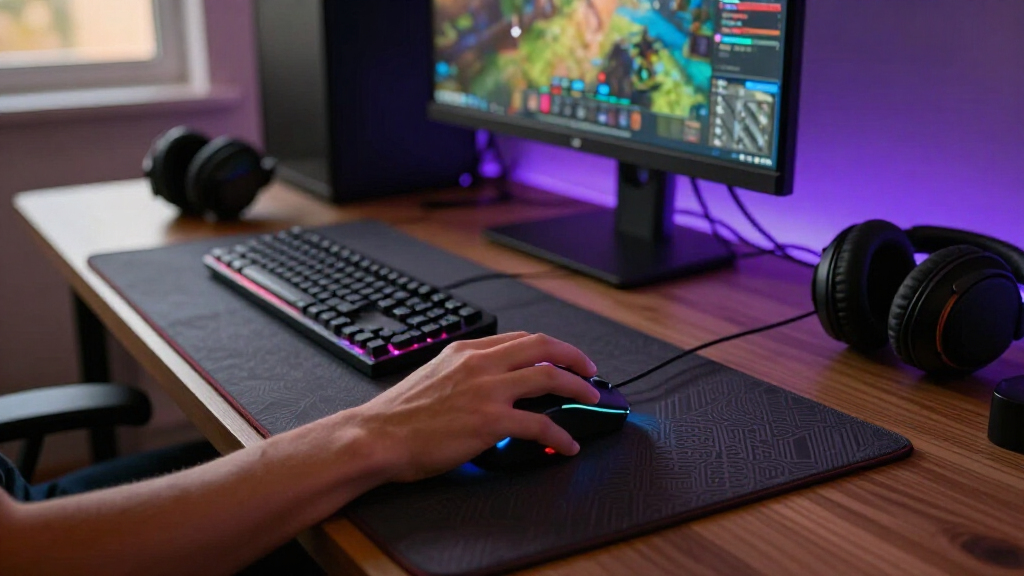
I ranked these mice by how well their design serves a distinct gaming need: competitive precision, flexible all-around use, button-heavy genres, beginner-friendly control, or wireless convenience. I weighed shape and grip suitability alongside weight, connection type, programmable controls, sensor positioning, and the practical demands of battery or cable upkeep. A high sensitivity figure alone did not earn a higher place; useful control and a clear role mattered more.
The ranking favors mice that fit a broad range of gaming setups without forcing a major compromise, then places more specialized or feature-heavy options lower for buyers whose needs are narrower. Similar models are separated by what they offer beyond the shared design: wired versus wireless operation, the number and placement of controls, and how strongly each caters to competitive speed or ergonomic comfort. Since hand size and grip style vary, I treat fit as a deciding factor rather than claiming one shape suits everyone.
Factors to Consider When Choosing Best Gaming Mice
Before choosing a model, I would narrow the field by how you hold a mouse, which games you play, and whether you want a cable-free setup. These factors often affect everyday comfort and control more than headline sensor figures.
Match the Shape to Your Grip and Hand
A mouse can have strong specifications and still feel awkward if its width, height, or hump does not match your hand. Palm grip usually benefits from fuller support, while claw and fingertip grips often leave more room for a compact or low-profile design. Compare the Viper-style streamlined shapes with the more contoured Basilisk and G502 families, but use dimensions and return policies rather than product-family labels alone. A common mistake is choosing by appearance without checking where the buttons and wheel sit under your fingers. If you are between sizes, prioritize a comfortable natural grip over a shape that requires constant finger adjustment.
Choose Weight for Your Games, Not by a Trend
Lower weight can make quick repositioning feel easier, especially in aim-focused games, but it is not a universal advantage. A heavier mouse may feel steadier to some players and can accommodate more buttons or a larger ergonomic shell. The Viper V3 Pro and V4 Pro represent the lighter competitive direction, while the G502 and M908 show the control-rich alternative. Do not assume a lighter mouse will improve aim on its own; sensitivity, mousepad friction, and practiced movement shape the result. If possible, compare how a mouse balances during repeated lifts, not just its listed weight.
Decide Whether Extra Buttons Will Get Used
Programmable buttons can reduce keyboard reaches for abilities, macros, or inventory actions, which is especially useful in MMO and strategy games. They can also make a mouse harder to grip cleanly if the layout crowds the thumb or invites accidental presses. The M908 is designed around a dense button layout, while the G502 models offer a more general mix of controls. Before paying for more inputs, list the commands you would actually move to the mouse and check whether they can be reached without changing your grip. For shooters that rely on fast, clean movement, fewer well-placed controls may be the better choice.
Compare Wireless Convenience With Upkeep
Wireless removes cable drag and makes a desk easier to arrange, but it adds battery management and another device to keep charged or supplied with power. Wired models avoid that routine and stay ready to use, though cable flexibility and routing can affect movement. Wireless choices here range from the compact G305 to feature-rich models such as the Basilisk V3 Pro 35K. Check the specific model’s power system, charging method, and included accessories before assuming two wireless mice are equally convenient. For a fixed desktop setup, a cable may be a worthwhile trade; for frequent repositioning, wireless can simplify the space.
Treat Sensitivity Numbers as One Part of Control
A higher maximum DPI figure does not automatically produce better tracking or better aim. Most buyers should focus on whether the mouse offers reliable tracking at their chosen sensitivity and whether its software makes settings easy to adjust. Sensor capability matters, but so do surface compatibility, lift-off behavior, button feel, and the ability to save or manage profiles. Avoid paying extra solely for a larger number if the rest of the mouse does not fit your hand or play style. The more useful question is whether the controls let you make repeatable movements comfortably.
Set a Feature Budget Before Choosing Premium
Premium mice make the most sense when their added features solve a real problem, such as a preferred wireless setup, a specific control layout, or a design that fits your grip. They are harder to justify if you mainly play casually and will not use advanced customization. A less elaborate wired mouse may deliver the controls you need with fewer charging or software decisions. Compare the exact model names carefully, since products within the same family can differ in connection, buttons, lighting, and sensor specifications. Put the money toward a feature you will use regularly rather than the most ambitious spec sheet.
Frequently Asked Questions
Is a lightweight mouse a better choice for competitive shooters?
It can help with quick repositioning and repeated lifts, but lower weight alone does not guarantee better aim. A stable shape that fits your grip may matter more than saving a few grams. The Viper V3 Pro and V4 Pro are the lineup’s lighter competitive-focused options, while the G502 models offer more controls at the cost of a heavier, fuller design. If you play shooters, check whether the buttons stay out of your way during fast movement. Choose the lightest option that still feels comfortable and controlled in your hand.
Should I choose the Logitech G502 HERO or a wireless G502?
Choose the G502 HERO if you prefer a wired setup and want to avoid battery or charging upkeep. A wireless G502 model makes more sense if cable-free movement matters enough to justify managing power and wireless connectivity. Both belong to a more control-rich, ergonomic style than the streamlined Viper mice, so neither is the obvious choice for someone seeking the lightest possible shape. Check the exact wireless model’s features rather than assuming every G502 version is the same. Your desk setup and tolerance for a cable should settle the choice.
Is the Redragon M908 a good choice if I mostly play shooters?
The M908’s many programmable controls are most useful when a game calls for frequent commands that you want under your thumb. For a shooter focused on aiming and rapid movement, that button density may be unnecessary and may feel less streamlined than a Viper model. It is better suited to players who will assign useful actions to its controls and are comfortable with a more feature-heavy mouse. Think about whether extra buttons improve your actual play or simply add complexity. If you cannot name the commands you would map, a simpler design is likely a better fit.
Do I need a wireless gaming mouse for responsive play?
No. A wired mouse such as the G502 HERO or Basilisk V3 avoids battery upkeep and can be a dependable choice for a stationary gaming setup. Wireless models are appealing when you want less cable drag or a cleaner desk, but they require attention to power and connectivity. The relevant choice is not wireless versus wired in the abstract; it is whether cable freedom improves your setup enough to justify those extra routines. Match the connection to your habits instead of assuming one type is automatically better for gaming.
Which kind of gaming mouse is easiest for a beginner to choose?
A beginner may find a straightforward, comfortable shape easier to live with than a mouse chosen for a long list of advanced features. Start by identifying whether you want a cable-free setup and whether you prefer a contoured shape or a more streamlined one. The G305 offers a compact wireless option, while the wired Basilisk and G502 models provide ergonomic designs with additional controls. Avoid treating extra buttons or high sensitivity figures as requirements; most new players benefit more from a mouse they can grip comfortably. If possible, check the dimensions and return terms before committing to a shape.
Conclusion
For an all-around competitive wireless pick, I recommend the Razer Viper V3 Pro; the Viper V4 Pro is another strong fit for players who prioritize a light, streamlined design. For value-minded shoppers who want wireless basics, consider the Logitech G305 LIGHTSPEED, while beginners who prefer familiar, extra controls may be better served by the Logitech G502 HERO or Razer Basilisk V3. My premium pick for a feature-rich wireless setup is the Razer Basilisk V3 Pro 35K, and the Redragon M908 is the clearest choice for MMO players who need many programmable inputs. Choose by grip and game first: those factors separate the right mouse for you more reliably than a headline specification.