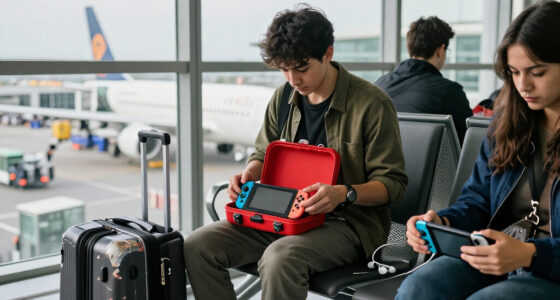
The best handheld gaming consoles balance the games you want to play with screen quality, portability, controls, and setup effort. My best overall pick is the ASUS ROG Xbox Ally, which stands out for its PC-style gaming hardware and larger SSD; the Retroid Pocket 5 is a compelling alternative for Android gaming in a more portable design. For retro play on a bigger screen, the Mangmi Pocket Max offers a large, high-refresh AMOLED display. The main tradeoff is between broader game access and power on larger devices versus simpler, lighter retro handhelds. Read on for how all 15 options differ and which one best matches your gaming habits.

Get the latest gadgets delivered free with Prime
- Fast, free delivery on millions of items
- Prime Video, Amazon Music and more included
- Member-only deals all year
Complete the kit



Key Takeaways
- The ASUS ROG Xbox Ally is the most capable all-rounder here, but its larger body and PC-style complexity make it a different proposition from compact retro systems.
- The Retroid Pocket 5 offers a middle ground: an Android platform and 1080p touchscreen in a more portable format than the 7-inch Mangmi Pocket Max or abxylute OnePro.
- Screen size changes the use case: the Mangmi Pocket Max and abxylute OnePro suit couch or streaming play, while 4-inch-class models favor pocketable retro gaming.
- Retro handhelds are not interchangeable: several listings share 4-inch screens and similar storage figures, so controls, software support, and exact model identity matter more than color.
- Cloud gaming depends on more than the console: the abxylute OnePro is most appealing when a buyer already has reliable Wi-Fi and access to games through streaming services.

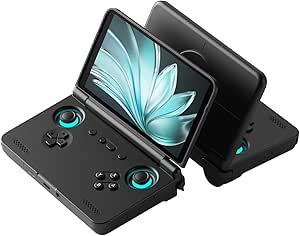


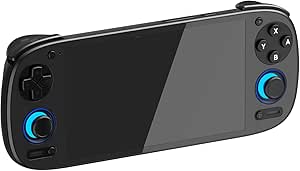


| handheld gaming console | Display | Storage | Battery | Operating system |
|---|---|---|---|---|
| JUNHETEK R36MAX Retro Handheld | 4-inch IPS | 64GB | 4000mAh rechargeable lithium-ion | — |
| Retroid Pocket Flip 2 Android | 5.5-inch 1080p AMOLED, 60Hz, 500 nits | 128GB UFS 3.1 | — | Android 13 |
| Handheld Linux Game Console wi | 4-inch IPS | — | 4000mAh; advertised for over five hours of gameplay | — |
| GB45V Retro Handheld Game Cons | 4.5-inch IPS LCD, 1024 × 768, 4:3 | 128GB card | 4000mAh; up to 6 hours | Linux |
| Mangmi Pocket Max Android Gami | 7-inch AMOLED, 1920 × 1080, 144Hz | 128GB UFS 3.1; microSD expansion | — | Android 13 |
| Anbernic RG476H Retro Handheld | 4.7-inch LTPS In-Cell touchscreen, 1280 × 960, up to 120Hz | 128GB UFS 2.2 | 5000mAh; claimed up to six hours | Android 13 |
| Retroid Pocket 5 Android Handh | 5.5-inch 1080p touchscreen | 128GB; microSD expansion supported | 5000mAh | Android 13 |
| abxylute OnePro Cloud Gaming H | 7-inch 1080p touchscreen, 60Hz | 64GB | — | — |
| R36MAX 2 Retro Handheld Gaming | 4.5-inch IPS, 1024 × 768; listing also specifies 4 inches | 128GB TF card; expansion supported up to 256GB | 4000mAh; advertised up to six hours | Linux |
| RG35XX Pro Handheld Retro Gami | 3.5-inch IPS, 640 × 480 | 64GB SD card | 3200mAh; stated play time up to eight hours | — |
| MANGMI AIR X Android Handheld | 5.5-inch FHD IPS touchscreen, 1920 × 1080, 400 nits | 64GB, expandable via microSD | 5000mAh; up to 8 hours of gameplay | Android 14 |
| ASUS ROG Xbox Ally Gaming Hand | 7-inch 1080p IPS touchscreen, 120Hz, 500 nits | 512GB SSD | 60Wh; fast charging listed at 0% to 50% in 30 minutes | Windows 11 Home |
| RG56PRO Retro Handheld Game Co | 5.5-inch IPS LCD, 1280 × 720 | 128GB TF card | 5000mAh; up to 8 hours listed, with 6 hours average also stated | Linux |
| Anbernic RG40XX H Retro Handhe | 4-inch IPS LCD, 640 × 480 | 64GB | 3200mAh; up to 8 hours of gameplay listed | Linux |
| R36MAX Retro Handheld Game Con | 4-inch IPS OCA, 720 × 720 | 64GB TF card; expansion up to 256GB | 4000mAh; up to 5 hours of gameplay | Linux |
More Details on Our Top Picks
JUNHETEK R36MAX Retro Handheld Game Console, 4-Inch IPS Screen, 64GB, Black
The JUNHETEK R36MAX is a straightforward choice for players who want a compact, dedicated retro handheld rather than an Android device that needs apps and setup. Its 4-inch IPS screen, 64GB of storage, and support for more than 30 emulators make it a capable pick for a broad range of older systems. The dual sticks, D-pad, face buttons, and shoulder triggers offer more control options than the button-only Linux console in this lineup. Compared with the GB45V, though, the R36MAX has a smaller display and less storage, and it does not come with a stated preloaded game library or carrying case. Its single-player design and nonstandard rechargeable battery also limit flexibility. I’d choose it for a simple, self-contained retro setup, not for shared play or a larger-screen experience.
Pros:- 4-inch IPS display provides a clear, colorful screen in a compact format.
- 64GB of built-in storage avoids reliance on an included TF card.
- Support for more than 30 emulators covers a wide range of retro platforms.
- Dual analog sticks and shoulder triggers suit games that need more than basic buttons.
Cons:- Designed for one player, so it is not a shared-play console.
- The rechargeable battery is described as nonstandard, which may make replacement less convenient.
- Smaller screen and less storage than the GB45V.
Best for: Players seeking a compact retro handheld with built-in storage and controls for several classic game styles.
Not ideal for: Players who want multiplayer, a large display, or an Android handheld that can access Google Play.
- Display:4-inch IPS
- Storage:64GB
- Emulator support:30+ emulators
- Controls:Dual analog sticks, D-pad, X/Y/A/B buttons, L1/L2/R1/R2 triggers
- Battery:4000mAh rechargeable lithium-ion
- Platform:XX36 Open Source Console
- Weight:8.8 ounces
- Dimensions:5.5 x 3.2 x 1 inches
Our verdict“Choose the R36MAX if you want a compact, control-rich retro handheld and can do without multiplayer or a larger screen.”
Retroid Pocket Flip 2 Android Handheld Game Console, 5.5-Inch AMOLED 1080p Display, Black
The Retroid Pocket Flip 2 suits buyers who want an Android gaming handheld that protects its screen when closed. Its clamshell design is the key distinction from the slab-style Mangmi Pocket Max: it is easier to pack away without leaving the display exposed. The Snapdragon 865, 8GB of RAM, and 128GB of storage give it a stronger modern-app foundation than the simpler Linux retro consoles here, while Google Play access opens the door to Android games and emulation apps. The 5.5-inch 1080p AMOLED display is sharp, but its 60Hz refresh rate falls well short of the Mangmi’s 144Hz panel. Games are not preloaded, so setup and app selection are part of the purchase. I’d pick this for portability and screen protection, not for the largest or fastest display.
Pros:- Clamshell body helps protect the display during travel.
- 5.5-inch 1080p AMOLED display delivers detailed visuals.
- Google Play access supports Android games and downloadable gaming apps.
- Hall-effect sticks and active cooling are useful for extended play.
Cons:- Games are not preloaded, so buyers need to install and configure their own apps.
- The 60Hz display is less fluid than the Mangmi Pocket Max’s 144Hz screen.
- The 5,000mAh battery is smaller than the Mangmi Pocket Max’s 8,000mAh battery.
Best for: Android gaming and emulation fans who want a screen-protecting clamshell design for carrying their handheld.
Not ideal for: Players who want a preloaded retro library, a refresh rate above 60Hz, or a seven-inch screen.
- Operating system:Android 13
- Processor:Qualcomm Snapdragon 865
- Memory:8GB LPDDR4x
- Storage:128GB UFS 3.1
- Display:5.5-inch 1080p AMOLED, 60Hz, 500 nits
- Controls:Hall-effect analog sticks
- Battery and charging:5,000mAh; 27W fast charging
- Connectivity:Wi-Fi 6, Bluetooth 5.1, USB-C DisplayPort, 3.5mm audio jack
- Weight:10.72 ounces
Our verdict“Pick the Flip 2 if a compact, screen-protecting Android handheld matters more to you than a larger, faster display.”
Handheld Linux Game Console with 4-Inch IPS Display and 64GB Storage
This Linux handheld is aimed at players who want a small retro console with a simple, self-contained setup. The 4-inch IPS screen and included 64GB TF card give it the basics for portable play, while storage can expand up to 128GB. At eight ounces, it is lighter than the JUNHETEK R36MAX, but its stated 12 emulators are fewer than the R36MAX’s 30-plus. The difference matters for buyers who want broader platform coverage; the R36MAX is the stronger bet for variety and its dual analog sticks add control flexibility. This model’s 4000mAh battery is advertised for over five hours of play, but the three-hour charging time calls for planning between sessions. It is a practical entry point for uncomplicated retro gaming, with fewer stated emulator options and button-only controls.
Pros:- Includes a 64GB TF card, with expansion supported up to 128GB.
- Four-inch IPS display provides a compact screen for portable gaming.
- Advertised playtime exceeds five hours from the 4000mAh battery.
- At eight ounces, it is light to carry.
Cons:- Lists 12 emulators, fewer than the JUNHETEK R36MAX’s 30-plus.
- Button controls do not offer the dual analog sticks found on the R36MAX.
- A full charge takes three hours.
Best for: Budget-conscious retro players who want a lightweight Linux handheld with included, expandable storage.
Not ideal for: Players seeking broad emulator coverage, dual analog sticks, multiplayer, or quick charging.
- Platform:Linux
- Display:4-inch IPS
- Emulators:12
- Included storage:64GB TF card
- Expandable storage:Up to 128GB
- Battery:4000mAh; advertised for over five hours of gameplay
- Charging time:3 hours
- Weight:8 ounces
Our verdict“Choose this Linux console for a light, basic retro setup with expandable storage, but favor the R36MAX if emulator range and analog controls matter more.”
GB45V Retro Handheld Game Console, 4.5-Inch IPS Display, 128GB, Black
The GB45V makes the most sense for retro players who want more screen space and a substantial included game card without assembling a setup from scratch. Its 4.5-inch, 1024 × 768 IPS display is larger than the 4-inch panels on both the JUNHETEK R36MAX and the basic Linux console, giving games more room to read and play. The 128GB card, listed with over 23,000 preloaded games, and included carrying case make it the most ready-to-go retro package in this group. Its Linux system supports more than 30 emulators, and dual sticks plus removable arcade-style attachments add control choice. That convenience comes with caveats: compatibility and saves vary by game and emulator, and the claimed battery runtime can change with settings. I’d choose it for a bundled retro library, not guaranteed uniform performance.
Pros:- 4.5-inch 1024 × 768 IPS display is larger than the 4-inch screens on the JUNHETEK R36MAX and Linux console.
- 128GB card is listed with over 23,000 preloaded games.
- Supports 30+ emulators with dual analog sticks and a D-pad.
- Includes a carrying case and supports USB-C charging.
Cons:- Compatibility, performance, and save features vary across games and emulators.
- Battery life depends on the game, brightness, and settings.
- Vibration works only in supported games.
Best for: Retro gaming fans who want a larger screen, a high-capacity preloaded card, and a case in one package.
Not ideal for: Buyers who prefer selecting and configuring every game themselves, or who need predictable emulator compatibility and save behavior.
- Display:4.5-inch IPS LCD, 1024 × 768, 4:3
- Processor:RK3326 quad-core, 1.5GHz
- Storage:128GB card
- Operating system:Linux
- Emulator support:30+ emulators
- Listed preloaded games:23,000+
- Battery:4000mAh; up to 6 hours
- Controls:Dual analog sticks, D-pad, ABXY buttons; removable ball-top joystick attachments
- Included accessories:Carrying case and 128GB card
Our verdict“Choose the GB45V if you want the most complete retro bundle here, while accepting that individual game and emulator behavior can vary.”
Mangmi Pocket Max Android Gaming Handheld, 7-Inch 144Hz AMOLED Display, Snapdragon 865, 8GB RAM, 128GB Storage
The Mangmi Pocket Max is the pick for players who want one large-screen device for Android games, emulation, cloud gaming, and PC streaming. Its 7-inch 1080p AMOLED display is a substantial step up in size from the Retroid Pocket Flip 2’s 5.5-inch screen, while the 144Hz refresh rate gives supported games and interfaces more room for smooth motion. Both Android models use a Snapdragon 865 and 8GB of RAM, but the Mangmi adds an 8,000mAh battery, microSD expansion, and USB-C video output. That broader display and battery capacity make it less pocket-friendly than the clamshell Retroid. The plastic construction is another compromise, and no runtime figure is provided, so battery capacity alone cannot promise a particular session length. I’d favor it for home streaming and big-screen play over everyday compact carrying.
Pros:- Seven-inch 1080p AMOLED screen offers more space than the Retroid Pocket Flip 2’s 5.5-inch display.
- 144Hz refresh rate is higher than the Flip 2’s 60Hz panel.
- Supports Android games, emulation, cloud gaming, and PC streaming.
- 8,000mAh battery, microSD expansion, and USB-C video output support flexible play setups.
Cons:- Larger, slab-style design is less convenient to carry than the Flip 2’s clamshell form.
- Plastic construction may feel less substantial than buyers seeking a premium-material device expect.
- Battery runtime is not specified.
Best for: Android gamers and streamers who want a large display, broad connectivity, and controls suited to emulation.
Not ideal for: Commuters who prioritize a pocketable clamshell, or buyers who need a stated battery runtime or premium materials.
- Operating system:Android 13
- Processor and graphics:Snapdragon 865; Adreno 650
- Memory:8GB LPDDR4X
- Storage:128GB UFS 3.1; microSD expansion
- Display:7-inch AMOLED, 1920 × 1080, 144Hz
- Controls:RGB TMR joysticks, Hall-effect triggers, 6-axis gyro
- Battery and charging:8000mAh; 27W fast charging
- Connectivity:Wi-Fi 6, Bluetooth 5.1, USB-C video output, 3.5mm audio
- Cooling:Active cooling
Our verdict“Choose the Pocket Max for a large, fast Android screen and streaming flexibility, not for compact travel or a guaranteed runtime.”
Anbernic RG476H Retro Handheld Game Console, 4.7-Inch Screen, Android 13, 128GB, Black
The Anbernic RG476H brings a 120Hz-capable touchscreen and Hall effect controls to a compact Android handheld. Its 4.7-inch, 1280 × 960 display is sharper than the RG35XX Pro’s 640 × 480 panel, while Android 13 gives you access to apps and compatible gaming services rather than limiting the device to a Linux-focused setup. Active cooling is another distinction among these smaller handhelds, though it adds a fan to a device meant for portable play. You get 128GB of storage, but no games or game card are included, so setup and game sourcing are part of the purchase. The 5000mAh battery is rated for up to six hours, making this less appealing for long sessions away from a charger than the abxylute OnePro, which claims over eight hours.
Pros:- 1280 × 960 touchscreen supports refresh rates up to 120Hz
- Hall effect joystick and triggers, plus a gyroscope and vibration motor
- Active cooling uses a fan and heat pipe
- Supports wireless screen mirroring and TV output
Cons:- No game card or pre-installed games are included
- Claimed battery life is up to six hours
- The fan adds an active-cooling component to a compact handheld
Best for: Retro players who want Android app access, Hall effect controls, and a compact screen with a high refresh-rate option.
Not ideal for: Buyers who want a ready-to-play game library or long sessions without charging; games are not included and battery life is rated for up to six hours.
- Processor:Unisoc T820
- Memory:8GB LPDDR4X
- Storage:128GB UFS 2.2
- Operating system:Android 13
- Display:4.7-inch LTPS In-Cell touchscreen, 1280 × 960, up to 120Hz
- Battery:5000mAh; claimed up to six hours
- Controls:Hall effect joystick and triggers, six-axis gyroscope, vibration motor
- Connectivity:Wi-Fi, Bluetooth, USB Type-C, 3.5mm headphone jack
Our verdict“Choose the RG476H if you want a compact Android handheld with a high-refresh display and advanced controls, and are comfortable sourcing games and charging between longer sessions.”
Retroid Pocket 5 Android Handheld Game Console, 128GB, 5.5-Inch 1080p Touchscreen, Black
The Retroid Pocket 5 is the most balanced pick here for buyers who want one Android handheld for emulation, apps, and cloud gaming. Its Snapdragon 865 processor and Adreno 650 GPU pair with a 5.5-inch 1080p touchscreen, giving games and streaming interfaces more screen space and detail than the Anbernic RG476H’s 4.7-inch display. Wi-Fi 6, Bluetooth 5.1, and microSD expansion add flexibility for downloads and streaming, while the Android platform avoids tying you to one game source. That flexibility comes with setup work: games are not preloaded, and you will need to select and configure your own apps or services. The 5000mAh battery is a useful capacity, but battery protection mode may call for an initial charge of at least eight hours. Compared with the abxylute OnePro, this is better suited to local Android gaming; the OnePro puts more emphasis on a larger screen and remote play.
Pros:- 5.5-inch 1080p touchscreen
- Snapdragon 865 processor and Adreno 650 GPU
- Supports emulators, app stores, and cloud gaming
- microSD expansion and Wi-Fi 6 connectivity
Cons:- Games are not preloaded, so setup and sourcing are up to the buyer
- Battery protection mode may require an initial charge of at least eight hours
Best for: Android handheld buyers who want a sharp mid-size screen, microSD expansion, and a mix of emulation, apps, and cloud gaming.
Not ideal for: Players who expect games ready to launch out of the box or want a larger 7-inch display for streaming and remote play.
- Processor:Snapdragon 865
- GPU:Adreno 650
- Memory:8GB
- Storage:128GB; microSD expansion supported
- Operating system:Android 13
- Display:5.5-inch 1080p touchscreen
- Battery:5000mAh
- Connectivity:Wi-Fi 6, Bluetooth 5.1
Our verdict“Pick the Retroid Pocket 5 for a versatile Android handheld with a sharp screen and expandable storage, provided you are willing to set up your own games and apps.”
abxylute OnePro Cloud Gaming Handheld, 7-inch 1080p Touchscreen, 64GB, Black Transparent
The abxylute OnePro is built around a different handheld use case from the Retroid Pocket 5: streaming games from services and systems you already use, rather than making local Android gaming the main draw. Its 7-inch 1080p touchscreen gives remote-play menus and streamed games more room than the Retroid’s 5.5-inch display, and the ergonomic grip, anti-slip back, and Hall effect joysticks suit longer sessions in hand. The claimed battery life of over eight hours also exceeds the six-hour claims of the Anbernic RG476H and R36MAX. But this is a Wi-Fi-dependent choice: a weak or inconsistent connection can undermine the main reason to buy it. Its 64GB storage is modest beside the Retroid Pocket 5’s 128GB, and listed software-update support is unknown. I’d choose it for streaming-first play, not as the strongest fit for a large locally stored library.
Pros:- 7-inch 1080p touchscreen offers a roomy view for streamed games
- Supports cloud gaming and remote play from multiple services and devices
- Hall effect joysticks and an ergonomic, anti-slip grip
- 430g weight and claimed battery life over eight hours
Cons:- Streaming performance depends on a stable Wi-Fi connection
- 64GB storage is less than the Retroid Pocket 5’s 128GB
- Software-update support is listed as unknown
Best for: Players with reliable Wi-Fi who want a large-screen handheld for Xbox, GeForce NOW, PlayStation, PC, or other remote-play sessions.
Not ideal for: Travelers who often play without internet or buyers who want generous local storage and known software-update support.
- Platform:Android
- Storage:64GB
- Display:7-inch 1080p touchscreen, 60Hz
- Connectivity:Wi-Fi, HDMI, USB
- Controls:Gamepad with Hall effect joysticks and ABXY buttons
- Claimed battery life:Over eight hours
- Weight:430g
- Included accessories:Carrying case and cable
Our verdict“Choose the OnePro if a large screen and remote play matter more than offline gaming or a large local library.”
R36MAX 2 Retro Handheld Gaming Console, 4.5-Inch IPS Display, Detachable Grip, 128GB
The R36MAX 2 makes the most sense for retro players who want a Linux handheld with storage included, rather than the Android flexibility of the Retroid Pocket 5. It comes with a 128GB TF card, supports more than 30 emulator formats, and can take storage up to 256GB. Its 4.5-inch IPS screen and detachable grip offer a more spacious hold than the RG35XX Pro’s 3.5-inch display, while Hall effect joysticks provide a modern control feature on a retro-focused device. The tradeoff is a modest RK3326 processor and Linux setup, which make this a more specialized option than the Android models in this list. Battery life is advertised at up to six hours, and the product details conflict on screen size, listing both 4.5 and 4 inches. That discrepancy makes the screen description less certain than the Retroid Pocket 5’s clearly specified 5.5-inch panel.
Pros:- Includes a 128GB TF card and supports expansion up to 256GB
- Supports more than 30 emulator formats
- Detachable grip and Hall effect 3D joysticks
- IPS display with 1024 × 768 resolution and USB-C charging
Cons:- Advertised battery life is up to six hours
- Product details conflict on whether the screen is 4.5 or 4 inches
- Linux and the RK3326 platform are more specialized than the Retroid Pocket 5’s Android setup
Best for: Retro-focused buyers who want a Linux handheld with a large included memory card, expandable storage, and a detachable grip.
Not ideal for: Players who want Android apps or cloud-gaming flexibility, or buyers who need a consistent, clearly specified screen size and longer claimed battery life.
- Processor:RK3326 64-bit quad-core Cortex-A35, up to 1.5GHz
- GPU:Mali-G31MP2
- Operating system:Linux
- Display:4.5-inch IPS, 1024 × 768; listing also specifies 4 inches
- Storage:128GB TF card; expansion supported up to 256GB
- Battery:4000mAh; advertised up to six hours
- Controls:Hall effect 3D joysticks and detachable grip
- Charging:USB-C; approximately two hours
Our verdict“Pick the R36MAX 2 if you want a retro-first Linux handheld with included storage and a detachable grip, and can accept the screen-size discrepancy.”
RG35XX Pro Handheld Retro Gaming Console, Transparent Teal
The RG35XX Pro is the compact, straightforward choice for buyers who want a small Linux handheld for retro games, rather than the larger Android experience offered by the Retroid Pocket 5 or abxylute OnePro. Its 3.5-inch IPS screen keeps the device pocket-friendly, and the included 64GB SD card plus support for more than 30 emulators give you a starting point for building a retro library. Dual joysticks add control options, while HDMI output lets you connect to a TV and use wired or wireless controllers. The main compromise is screen detail: at 640 × 480, it falls well short of the 1080p screens on the Retroid and OnePro. Its 3200mAh battery is rated for up to eight hours, but actual play time can vary. This is a smaller-screen pick for portable retro play, not a roomy streaming device.
Pros:- Compact 3.5-inch IPS display with tempered-glass protection
- Includes a 64GB SD card and supports more than 30 emulators
- Dual joysticks and HDMI output
- Wi-Fi, Bluetooth, and support for wired or wireless controllers
Cons:- 640 × 480 resolution is much lower than the 1080p Retroid Pocket 5 and abxylute OnePro displays
- Included storage is 64GB, below the 128GB offered by the R36MAX 2
- Up to eight hours is a stated play-time figure and can vary with use
Best for: Retro players who prioritize a pocket-friendly Linux handheld with an included SD card, dual joysticks, and TV output.
Not ideal for: Buyers who want a large, high-resolution display for modern games or streaming, or more built-in storage than the included 64GB card.
- Platform:Linux
- Processor:H700 quad-core ARM Cortex-A53, 1.5GHz
- Graphics:Dual-core G31 MP2
- Display:3.5-inch IPS, 640 × 480
- Storage:64GB SD card
- Supported emulators:More than 30
- Connectivity:HDMI, USB, Wi-Fi, Bluetooth
- Battery:3200mAh; stated play time up to eight hours
Our verdict“Choose the RG35XX Pro if portability and retro play matter more than screen resolution, storage capacity, or a large streaming display.”
MANGMI AIR X Android Handheld Game Console, 5.5-Inch FHD IPS, 4GB RAM, 64GB Storage, Black
The MANGMI AIR X suits players who want an Android handheld for touchscreen games, cloud streaming, and screen mirroring rather than a dedicated retro device. Its 5.5-inch 1080p display is sharper than the RG56PRO’s 720p panel, while Hall-effect joysticks and triggers offer controls designed to resist stick drift. The Snapdragon 662 and 4GB of RAM make this a more modest option than the Windows-based ASUS ROG Xbox Ally, which is aimed at PC storefronts and higher-performance play. Active cooling and a 5000mAh battery add practical support for longer sessions, though the stated battery life is only up to eight hours and will vary. I’d choose it for Android flexibility, not for the broadest PC game compatibility.
Pros:- 5.5-inch 1080p touchscreen with 400-nit brightness and 100% sRGB color gamut
- Hall-effect joysticks and triggers are designed to avoid traditional stick-drift wear
- Supports Android gaming, cloud streaming, and wireless screen mirroring
- Active cooling and a 5000mAh battery support extended play sessions
Cons:- Snapdragon 662 and 4GB RAM are less suited to demanding games than the ROG Xbox Ally’s PC-oriented hardware
- Battery life is listed as up to eight hours and varies with use
- The product information does not specify a software update period
Best for: Android players who want a handheld for mobile games, cloud streaming, and occasional TV screen mirroring.
Not ideal for: Players seeking a Windows PC game library or high-performance PC gaming; the Snapdragon 662 and 4GB RAM are a more limited platform than the ROG Xbox Ally.
- Processor:Qualcomm Snapdragon 662 octa-core, up to 2.1 GHz
- Operating system:Android 14
- Display:5.5-inch FHD IPS touchscreen, 1920 × 1080, 400 nits
- Memory:4GB RAM
- Storage:64GB, expandable via microSD
- Controls:RGB Hall-effect joysticks and linear Hall triggers
- Battery:5000mAh; up to 8 hours of gameplay
- Cooling:Single-fan active cooling
Our verdict“Choose the MANGMI AIR X if Android games and cloud streaming matter more to you than Windows game-store access.”
ASUS ROG Xbox Ally Gaming Handheld, 7-inch 120Hz Display, AMD Ryzen Z2 A, 16GB RAM, 512GB SSD
The ASUS ROG Xbox Ally is the pick here for players who want one handheld to reach Xbox, Steam, Epic, and other Windows PC game stores. That flexibility sets it apart from the Android-based MANGMI AIR X and Linux retro models in this group, but Windows can bring more setup and interface friction than a focused console-style system. Its 7-inch 120Hz touchscreen with FreeSync Premium is the largest, smoothest specified screen among these five, while 16GB of memory and a 512GB SSD give it more room for PC games than the smaller-storage options. The 60Wh battery supports fast charging, although the included SSD may fill quickly with a large library. Product details also disagree on weight, so buyers should not rely on a single listed figure.
Pros:- Windows 11 provides access to games from multiple PC storefronts
- 7-inch 1080p display supports 120Hz refresh and FreeSync Premium
- 16GB LPDDR5 memory and a 512GB SSD offer a strong starting point for PC gaming
- 60Wh battery supports fast charging, with a listed 0-to-50% charge time of 30 minutes
Cons:- Windows can require more interface and setup effort than the Linux retro handhelds
- The 512GB SSD may be restrictive for a large PC game collection
- Listed weight differs between the product description and item details
Best for: PC players who want handheld access to games across Xbox, Steam, Epic, and other Windows storefronts.
Not ideal for: Buyers who want a lightweight, simple retro handheld or a large installed game library without managing storage; its Windows setup and 512GB SSD may be limiting.
- Operating system:Windows 11 Home
- Processor:AMD Ryzen Z2 A
- Graphics:AMD RDNA 2
- Display:7-inch 1080p IPS touchscreen, 120Hz, 500 nits
- Memory:16GB LPDDR5 6400MHz
- Storage:512GB SSD
- Battery:60Wh; fast charging listed at 0% to 50% in 30 minutes
- Connectivity:Wi-Fi 6E, Bluetooth 5.4, USB
Our verdict“Pick the ROG Xbox Ally if access to multiple PC game stores matters more than a simpler console-style experience.”
RG56PRO Retro Handheld Game Console with EVA Hard Case, 128GB
The RG56PRO is the most bundle-oriented retro pick in this group: it pairs a Linux system and 128GB TF card with a listed library of more than 31,000 games, plus an EVA hard case. That makes it a more immediately packed option than the Anbernic RG40XX H, whose supplied storage is 64GB, and its 5.5-inch screen gives games more room than the RG40XX H’s 4-inch display. The tradeoff is that its 1280 × 720 resolution is less sharp than the 1080p MANGMI AIR X, and the product description does not spell out how the game library is organized or which titles suit each buyer. Dual joysticks, Hall-effect shoulder controls, HDMI output, and active cooling broaden its appeal, but battery runtime varies by settings and use.
Pros:- 128GB TF card and a listed library of more than 31,000 games
- 5.5-inch IPS screen is larger than the RG40XX H’s 4-inch display
- Dual 3D joysticks and Hall-effect shoulder controls provide varied input options
- HDMI output, active cooling, and an included EVA hard case
Cons:- 1280 × 720 display is less sharp than the MANGMI AIR X’s 1080p screen
- Battery life varies, with product information listing up to eight hours and six hours average
- Two-player play depends on compatible games and devices
Best for: Retro-focused buyers who want a larger preloaded collection, dual joysticks, and a protective case in the box.
Not ideal for: Players who prioritize a high-resolution screen, a modern Android game platform, or clear information about the included game library.
- Processor:Rockchip RK3562 quad-core, up to 2.0 GHz
- Operating system:Linux
- Display:5.5-inch IPS LCD, 1280 × 720
- Storage:128GB TF card
- Included game library:More than 31,000 games listed
- Controls:Dual 3D joysticks and Hall-effect L1/L2/R1/R2 controls
- Connectivity:Wi-Fi, HDMI, USB Type-C
- Battery:5000mAh; up to 8 hours listed, with 6 hours average also stated
- Included case:EVA hard case
Our verdict“Choose the RG56PRO if a large retro bundle and included case matter more than screen resolution or Android flexibility.”
Anbernic RG40XX H Retro Handheld Game Console, 4-Inch IPS Screen, 64GB, Black
The Anbernic RG40XX H makes the most sense when a lighter, straightforward retro handheld matters more than a large display or extensive memory. At about 200g, it is easier to carry than the 5.5-inch RG56PRO, while its 4-inch IPS screen keeps the device compact for portable play. The 640 × 480 resolution and 1GB of RAM put it firmly in the modest Linux-handheld category; the MANGMI AIR X is a better match for Android apps and sharper 1080p visuals. This model can connect to Wi-Fi and Bluetooth devices, output to an external display, and work with wired or 2.4GHz wireless controllers. Those options are useful at home, but they do not change its limited memory or make the screen a substitute for a larger handheld display.
Pros:- Compact 4-inch IPS display and approximately 200g weight
- Wi-Fi, Bluetooth, and HD output offer flexible connection options
- Supports wired and 2.4GHz wireless controllers
- 3200mAh battery is rated for up to eight hours of gameplay
Cons:- 1GB of RAM limits its appeal beyond lightweight Linux handheld use
- 640 × 480 resolution is much lower than the MANGMI AIR X’s 1080p screen
- Eight-hour battery life is a maximum estimate, not a guaranteed runtime
Best for: Retro players who want a compact, roughly 200g handheld with external display and controller options.
Not ideal for: Players who want a high-resolution screen, Android apps, or more memory for demanding software; its 640 × 480 display and 1GB RAM are modest.
- Operating system:Linux
- Processor:Quad-core ARM Cortex-A53
- GPU:Quad-core PowerVR SGX544MP
- Display:4-inch IPS LCD, 640 × 480
- Memory:1GB RAM
- Storage:64GB
- Battery:3200mAh; up to 8 hours of gameplay listed
- Connectivity:Wi-Fi, Bluetooth, HD output
- Weight:About 200g (7.2oz)
Our verdict“Choose the RG40XX H if portability and retro play matter more than screen sharpness, memory, or Android features.”
R36MAX Retro Handheld Game Console, 4-Inch IPS Screen, Blue
The blue R36MAX is a simple Linux retro option for players who value emulator support and expandable storage over a large screen or long sessions away from an outlet. It lists support for more than 20 emulators and a 64GB TF card, with expansion up to 256GB; that gives buyers more room to organize games than the Anbernic RG40XX H’s listed 64GB storage, though the RG40XX H offers Wi-Fi, Bluetooth, and HD output. The R36MAX’s 4-inch 720 × 720 IPS display is fully laminated and covered by scratch-resistant tempered glass, but its battery is rated for only up to five hours and charging takes about four hours. Compared with the RG56PRO, it is a less feature-rich retro package, but its storage expansion and headphone jack suit a focused portable setup.
Pros:- Supports more than 20 emulators
- 64GB TF card storage expands up to 256GB
- 4-inch IPS display has full lamination and scratch-resistant tempered glass
- Includes Type-C OTG, a 3.5mm headphone jack, and a built-in speaker
Cons:- Battery life is rated for up to five hours, shorter than the RG40XX H’s stated maximum
- Charging takes approximately four hours
- Product information does not list Wi-Fi, Bluetooth, or HDMI output
Best for: Retro players who want a compact Linux device with broad emulator support, expandable storage, and a headphone jack.
Not ideal for: Commuters or travelers who need long unplugged sessions, or buyers who want Wi-Fi, Bluetooth, HDMI, or a larger display.
- Processor:1.5GHz 64-bit RK3326
- GPU:Mali-G31 MP2, 520MHz
- Operating system:Linux
- Emulator support:More than 20 emulators
- Display:4-inch IPS OCA, 720 × 720
- Storage:64GB TF card; expansion up to 256GB
- Battery:4000mAh; up to 5 hours of gameplay
- Ports:Type-C OTG and 3.5mm headphone jack
Our verdict“Pick the R36MAX if expandable retro storage and simple controls outweigh short battery life and limited connectivity.”
How We Picked
I compared the 15 handhelds by the factors that most affect daily play: game access, performance class, screen and controls, portability, and setup demands. A device with a larger screen or more capable hardware can suit demanding games and streaming, but it may be less convenient to carry and operate than a compact retro-focused model. I also weighed storage capacity and platform flexibility against the likelihood that buyers will need to configure software, manage game libraries, or depend on a network connection.
The ranking favors products with a clear role and a useful balance of capability and usability. The ASUS ROG Xbox Ally ranks first for its broad gaming potential and listed hardware; the Retroid Pocket 5 and Mangmi Pocket Max follow as distinct Android options for portability and screen size. Retro models rank lower for overall versatility, not because they cannot suit their intended audience, but because their listings provide less evidence of broad game access or standout hardware. Where product names and specifications overlap, I treat them as separate listings and avoid assuming unlisted software capabilities.
| handheld gaming console | Operating system |
|---|---|
| JUNHETEK R36MAX Retro Handheld | — |
| Retroid Pocket Flip 2 Android | Android 13 |
| Handheld Linux Game Console wi | — |
| GB45V Retro Handheld Game Cons | Linux |
| Mangmi Pocket Max Android Gami | Android 13 |
| Anbernic RG476H Retro Handheld | Android 13 |
| Retroid Pocket 5 Android Handh | Android 13 |
| abxylute OnePro Cloud Gaming H | — |
| R36MAX 2 Retro Handheld Gaming | Linux |
| RG35XX Pro Handheld Retro Gami | — |
| MANGMI AIR X Android Handheld | Android 14 |
| ASUS ROG Xbox Ally Gaming Hand | Windows 11 Home |
| RG56PRO Retro Handheld Game Co | Linux |
| Anbernic RG40XX H Retro Handhe | Linux |
| R36MAX Retro Handheld Game Con | Linux |
Factors to Consider When Choosing Best Handheld Gaming Consoles
Before choosing a handheld, decide what you expect it to play and where you plan to use it. Platform and game access usually matter more than a single headline spec; screen size, connectivity, and setup needs then help narrow the shortlist.
Start With the Games, Not the Hardware
Write down the games or services you already use before comparing processor names and screen resolutions. A Windows handheld, an Android device, and a retro-focused console can have very different libraries and setup requirements, even when all look like portable gaming systems. Check whether the specific games you care about run locally, stream from a service, or require a separate device. Do not assume a retro console includes licensed access to every game associated with older systems. If your library spans PC storefronts and modern releases, broader software support may justify a larger device. For a short list of classic games, a simpler handheld can avoid paying for power you will not use.
Choose Screen Size Around Where You Play
A 7-inch display can make small text and detailed scenes easier to see, but the larger body takes up more bag space and may feel less convenient for long one-handed sessions. A 4-inch-class screen is easier to carry and can suit older games designed for lower resolutions, though menus and modern interfaces may feel cramped. Think about whether you mostly play at a desk, on a sofa, during travel, or in short breaks. High resolution and refresh rate can improve how games look and move, but they matter less if the software cannot take advantage of them. Compare screen size with weight and grip details when available, rather than treating display specs as a standalone measure. A bigger panel is a preference, not an automatic upgrade.
Check Controls and Ergonomics Before Settling on a Form Factor
Controls affect comfort as much as performance, especially for games that use both analog sticks, shoulder buttons, or rapid inputs. A clamshell model protects its screen when closed, while a conventional slab can provide a more familiar layout; neither shape suits every hand or game. Detachable grips may help some players find a more comfortable hold, but they can add parts to carry and manage. Product listings do not always specify stick quality, button travel, or long-session comfort, so look for clear layout images and dimensions before choosing. If you mainly play platformers or turn-based games, a basic control set may be enough. For action games, prioritize a layout that includes the controls you need rather than relying on appearance alone.
Treat Storage as a Library-Planning Decision
Storage figures only make sense alongside your intended games, operating system, and expansion options. A 64GB device may suit a small collection, but system files and larger games can leave less room than the headline capacity suggests. A 128GB model offers more breathing room, while the ASUS ROG Xbox Ally lists a 512GB SSD for a different class of PC gaming library. Check whether storage can be expanded and which card formats are supported before assuming an upgrade will be simple. Avoid filling a device with games you do not expect to play soon; a smaller, curated library can be easier to maintain. For streaming-focused use, connection quality and service access may matter more than local storage.
Match Performance to Heat, Battery, and Portability Expectations
More capable hardware can run a wider range of demanding games, but it can also call for a larger chassis, active cooling, and more frequent charging. A powerful handheld is not automatically the best travel option if its size or battery demands do not match your routine. Compact retro devices generally make a different promise: simpler play and easy carrying rather than modern PC performance. Product listings here do not provide comparable battery-life figures, so avoid choosing based on an assumed number of hours. Think about whether you can charge during your usual sessions and whether fan noise would bother you in quiet spaces. For portable play, the best performance level is the one you can comfortably carry and keep charged.
Account for Setup and Network Dependence
Some handhelds are closer to ready-to-play consoles, while Android and PC-based systems can involve account sign-ins, downloads, settings, and library organization. That flexibility can be useful, but it may frustrate someone who expects to start playing with minimal configuration. Cloud-focused devices add another dependency: stable Wi-Fi, a compatible service, and access to the games being streamed. Test your network where you plan to play, not only near your router, before making streaming the main use case. Offline access also varies by game and platform, so confirm it for the titles you want. Choosing a system around your tolerance for setup can prevent a capable device from becoming an unused one.
Frequently Asked Questions
Should I choose the ASUS ROG Xbox Ally or an Android handheld?
Choose the ASUS ROG Xbox Ally if access to PC-style gaming and its listed 512GB SSD matter more than compact size and simple setup. An Android handheld such as the Retroid Pocket 5 is better suited to buyers who want a smaller device and Android-based gaming or apps. The Mangmi Pocket Max is another Android option, but its 7-inch screen favors a larger viewing area over easy pocketability. Check the specific games and services you plan to use before choosing, since the platforms do not offer identical libraries. If you mainly want retro play, either type may be more device than you need.
Is a cloud gaming handheld a good choice if I travel often?
It can be, but frequent travel makes network access the deciding factor. The abxylute OnePro is built around cloud gaming, so its usefulness depends on reliable Wi-Fi and compatible streaming services where you play. Hotel, transit, and public networks may introduce lag, restrictions, or sign-in hurdles. If you need games to work offline, choose a device and game library that support local play instead. A cloud handheld can still make sense for home use or trips with dependable connectivity, but do not treat it as a fully self-contained console.
Are the 4-inch retro handhelds interchangeable?
No. Several listings have similar screen sizes and storage, but those figures do not confirm that they share the same software, controls, or game compatibility. Compare the exact model name, control layout, included accessories, and available information about its operating system before buying. Color variants can also be separate listings, so check that the chosen version matches the intended product. For a retro handheld, clear setup instructions and a usable interface can matter more day to day than small differences in headline specifications. If a listing leaves compatibility unclear, do not assume it supports a particular game system.
Do I need 128GB of storage, or is 64GB enough?
That depends on how many games you plan to keep installed and whether the handheld runs larger modern titles. For a small retro collection or a streaming-first setup, 64GB may be workable, though operating-system files reduce the space available for games. A 128GB model gives more room for a varied local library without frequent cleanup. The ASUS ROG Xbox Ally lists a 512GB SSD, reflecting its different focus on PC gaming. Check whether storage expansion is supported before buying, and base your choice on the games you will actually keep on the device.
Which kind of handheld is easiest for a beginner to use?
A beginner should prioritize a clear interface, straightforward game access, and controls that match the games they want to play—not simply the lowest number of features. A dedicated retro-focused device may be simpler than a Windows handheld, though setup and game compatibility can still vary between models. Android devices add app flexibility but can require more account management and configuration. PC-style systems offer broader gaming possibilities at the cost of extra settings and platform decisions. Before buying, check what is included, how games are added, and whether the device supports the buyer’s existing library.
Conclusion
My best overall pick is the ASUS ROG Xbox Ally for buyers who want PC-style gaming in a handheld and can live with a larger, more involved device. For a best value-style choice focused on portable Android play, I would start with the Retroid Pocket 5; the product list does not provide enough comparable pricing information to name a price-based value winner. The best premium-style option for a large display is the Mangmi Pocket Max, while the best beginner fit is a retro handheld chosen for clear setup details and a game library that matches the buyer’s needs. For cloud gaming, the abxylute OnePro makes the most sense when dependable Wi-Fi is part of the plan. Pick the R36MAX, RG35XX Pro, RG56PRO, or other compact retro models only after checking the exact controls and software support; their appeal is portability and focused retro play, not broad modern-game versatility.