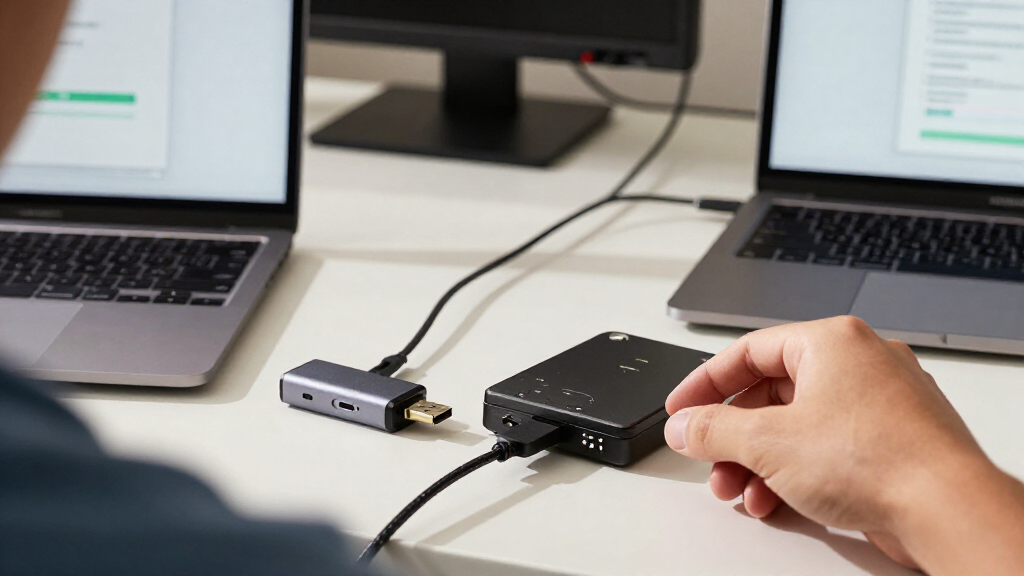
USB data recovery adapters connect a bare hard drive or SSD to a computer so you can access its files without installing it inside a PC. My best overall pick is the YINNCEEN USB 3.0 to SATA/IDE Adapter, which pairs broad drive compatibility with a 12V power supply for many desktop drives. The FEMORO USB 3.0 and USB-C Reader stands out for newer computers, while the SABRENT EC-SSHD is a simpler fit for 2.5-inch SATA drives. The main tradeoff is breadth versus simplicity: SATA/IDE kits handle more drive types but need extra cables and power, while compact SATA-only adapters are easier to manage but cover fewer recovery cases. Read on for the full breakdown and guidance on matching an adapter to your drive.

Get the latest gadgets delivered free with Prime
- Fast, free delivery on millions of items
- Prime Video, Amazon Music and more included
- Member-only deals all year
Complete the kit



Key Takeaways
- Broad compatibility is the main separator: SATA/IDE kits can serve both older IDE drives and SATA drives, while the SABRENT EC-SSHD is limited to 2.5-inch SATA devices.
- Desktop drives need their own power: Several all-in-one kits include a 12V supply, a practical advantage when accessing 3.5-inch drives that cannot run from USB bus power alone.
- USB-C is about connection fit, not automatic speed: FEMORO, ULXUUUN, and other USB-C-equipped options suit newer computers, but the connector alone does not prove faster transfers.
- The Manhattan adapter favors simplicity over speed: Its USB 2.0 connection may work for occasional access, but it is a weaker choice for moving large data sets than USB 3.0 models.
- Recovery still depends on the drive’s condition: These adapters provide a connection, not a repair service; a mechanically damaged or unstable drive may need professional recovery rather than repeated read attempts.
| YINNCEEN USB 3.0 to SATA/IDE Hard Drive Adapter with 12V Power Supply |  | Best for Straightforward Mixed-Drive Recovery | Drive compatibility: 2.5-inch and 3.5-inch SATA/IDE HDDs and SSDs | Maximum drive capacity: 6TB | Host interface: USB 3.0; backward compatible with USB 2.0 and USB 1.1 | VIEW LATEST PRICE | See Our Full Breakdown |
| Unitek USB 3.0 SATA and IDE Hard Drive Adapter |  | Best for High-Capacity SATA Recovery | Model: Y-3324 | Host connector: USB-A 3.0 | Compatible drives: 2.5-inch and 3.5-inch SATA/IDE HDDs and SSDs; CD/DVD optical drives | VIEW LATEST PRICE | See Our Full Breakdown |
| Unitek USB 3.0 IDE/SATA Adapter for 2.5- and 3.5-Inch Drives |  | Best for Mixed-Drive Bench Work | Host interface: USB 3.0 Type-A; backward compatible with USB 2.0 and USB 1.1 | Drive interfaces: SATA III, 40-pin IDE, 44-pin IDE | Drive compatibility: 2.5- and 3.5-inch IDE/SATA HDDs and SSDs; optical drives | VIEW LATEST PRICE | See Our Full Breakdown |
| Manhattan SATA/IDE to USB 2.0 Hard Drive Adapter Cable |  | Best for Older USB 2.0 Setups | Drive interfaces: SATA, enhanced SATA, IDE, enhanced IDE | Host connection: USB Type-A 2.0 | Maximum USB transfer rate: 480Mbps | VIEW LATEST PRICE | See Our Full Breakdown |
| Alxum USB 3.0 SATA/IDE Hard Drive Adapter with 12V 2A Power Supply |  | Best for Multi-Drive Recovery Sessions | Interfaces: IDE, USB 1.1, USB 2.0, USB 3.0 | Compatible drives: 2.5-inch and 3.5-inch SATA/IDE hard drives and optical drives | Maximum storage capacity: 18TB | VIEW LATEST PRICE | See Our Full Breakdown |
| FIDECO USB 3.0 to SATA and IDE Hard Drive Adapter | 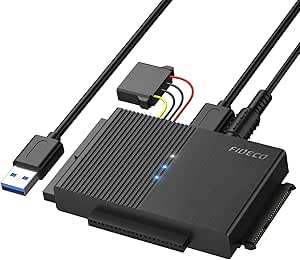 | Best for Broad Legacy Compatibility | Model: PL319 | Supported drives: 2.5-inch and 3.5-inch SATA HDDs; 2.5-inch SATA SSDs; 2.5-inch and 3.5-inch IDE HDDs | Compatible optical drives: DVD-ROM, CD-ROM, CD-RW, DVD-RW, DVD+RW | VIEW LATEST PRICE | See Our Full Breakdown |
| USB 3.0 IDE/SATA Hard Drive Adapter with 12V/2A Power Supply |  | Best for Connecting Multiple Drives | Drive compatibility: 2.5-inch and 3.5-inch IDE/SATA HDDs and SSDs | Ports: 1 SATA III port and 2 IDE ports | Simultaneous drives: Up to 3 | VIEW LATEST PRICE | See Our Full Breakdown |
| FEMORO USB 3.0 and USB-C SATA/IDE Hard Drive Reader |  | Best for USB-C Laptop Owners | Interfaces: IDE, USB 3.0 Type-A, USB-C | Compatible drives: 2.5-inch and 3.5-inch SATA HDDs/SSDs, IDE drives, SATA/IDE Blu-ray drives | Maximum storage capacity: 20 TB | VIEW LATEST PRICE | See Our Full Breakdown |
| Unitek USB 3.0 SATA and IDE Hard Drive Adapter |  | Best for Comparing SATA and IDE Drives | Model: Y-3322D | Supported drives: 2.5-inch and 3.5-inch IDE/SATA HDDs and SSDs; optical drives | Simultaneous drive access: One IDE and one SATA drive | VIEW LATEST PRICE | See Our Full Breakdown |
| ULXUUUN USB 3.0 SATA and IDE Hard Drive Adapter with USB-C |  | Best for 5.25-Inch Drive Recovery | Compatible drives: 2.5-inch and 3.5-inch SATA/IDE HDDs and SSDs; 5.25-inch drives | IDE connectors: 40-pin and 44-pin | Interface: USB 3.0 and USB-C | VIEW LATEST PRICE | See Our Full Breakdown |
| SATA and IDE to USB Hard Drive Adapter for 2.5-Inch and 3.5-Inch Drives |  | Best Overall for Mixed-Era Drives | Drive interfaces: IDE 40-pin/44-pin and SATA 6.0 Gb/s | Host interface: USB 3.0 | Maximum transfer rate: 5 Gbps | VIEW LATEST PRICE | See Our Full Breakdown |
| USB 3.0 and USB-C SATA/IDE Hard Drive Adapter |  | Best for High-Capacity Recovery | Host interfaces: USB 3.0 Type-A and USB-C | Supported drives: 2.5- and 3.5-inch SATA HDDs/SSDs, IDE HDDs, compatible SATA/IDE internal Blu-ray drives | Maximum supported capacity: 20 TB | VIEW LATEST PRICE | See Our Full Breakdown |
| EYOOLD USB 3.0 IDE/SATA Hard Drive Adapter |  | Best for Broad OS Compatibility | Supported drives: 2.5- and 3.5-inch SATA HDDs/SSDs, IDE HDDs, optical drives | IDE connectors: 40-pin and 44-pin | Host connector: USB Type-C; USB-A connector included | VIEW LATEST PRICE | See Our Full Breakdown |
| SABRENT USB 3.0 to 2.5-Inch SATA Adapter Cable for SSDs and HDDs (EC-SSHD) |  | Best Compact Pick for Laptop Drives | Compatible drives: 2.5-inch SATA I/II/III SSDs and laptop HDDs | Host connector: USB Type-A | Maximum transfer speed: Up to 5 Gbps | VIEW LATEST PRICE | See Our Full Breakdown |
| USB 3.0 SATA and IDE Hard Drive Adapter with USB-C and 12V Power Adapter |  | Best for Hands-On Drive Troubleshooting | Compatible drives: 2.5- and 3.5-inch SATA/IDE HDDs and SSDs; compatible optical drives | Drive connectors: SATA III, 40-pin IDE, 44-pin IDE | Host connection: USB 3.0 and USB-C | VIEW LATEST PRICE | See Our Full Breakdown |
More Details on Our Top Picks
YINNCEEN USB 3.0 to SATA/IDE Hard Drive Adapter with 12V Power Supply
I’d choose the YINNCEEN when the job is to retrieve files from a mix of older IDE and newer SATA drives without needing to connect several drives at once. It covers 2.5- and 3.5-inch drives, includes the 12V power supply and IDE power cable, and connects through USB 3.0. That makes it a more direct fit for a single-drive recovery session than the Alxum, which is aimed at connecting multiple drives and adds a Windows-only backup function.
The tradeoff is its 6TB drive-capacity limit, which is lower than the Unitek Y-3324’s stated 24TB SATA support. Its 5Gbps figure is a maximum interface rate, not a promise of that speed from an aging drive. A 3.5-inch disk needs external power, and some IDE drives may need their jumper settings checked before they appear.
Pros:- Supports both SATA and 40-pin or 44-pin IDE drives, including 2.5- and 3.5-inch models.
- Includes a 12V/2A supply and IDE power cable for compatible desktop drives.
- USB 3.0 connection supports transfer rates up to 5Gbps.
- Works with Windows, macOS, and Linux.
Cons:- Maximum stated drive capacity is 6TB, below the Unitek Y-3324’s 24TB SATA support.
- 3.5-inch drives require the external power supply.
- Some older IDE drives may need jumper settings adjusted.
Best for: Home users recovering files from one 2.5- or 3.5-inch SATA or IDE drive who want the power supply and IDE cable included.
Not ideal for: Technicians handling drives larger than 6TB or needing to attach multiple drives at once; the Unitek Y-3324 better fits those needs.
- Drive compatibility:2.5-inch and 3.5-inch SATA/IDE HDDs and SSDs
- Maximum drive capacity:6TB
- Host interface:USB 3.0; backward compatible with USB 2.0 and USB 1.1
- Maximum transfer rate:Up to 5Gbps
- Drive connectors:SATA III, 40-pin IDE, 44-pin IDE
- Power supply:12V, 2A
- Operating systems:Windows XP/Vista/7/8/8.1/10, macOS 10 or higher, Linux
- Features:Plug and play, hot swap, on/off switch, activity indicator
Our verdict“Choose the YINNCEEN for single-drive recovery across common SATA and IDE formats, but pick the Unitek Y-3324 for higher-capacity SATA drives.”
Unitek USB 3.0 SATA and IDE Hard Drive Adapter
The Unitek Y-3324 is my pick when a recovery job involves a large SATA disk: its stated 24TB SATA capacity is far above the YINNCEEN’s 6TB limit. It also supports one SATA drive and one IDE drive at the same time, which can help when copying files between generations of hardware. Support for optical drives adds another useful recovery path if an older CD or DVD drive is part of the task.
This flexibility comes with setup details to manage. A 3.5-inch IDE drive needs the included 4-pin power cable, and the quoted 6Gbps SATA and 5Gbps IDE figures are interface ceilings rather than guaranteed recovery speeds. Unlike the Alxum, this model’s description does not list a one-touch backup function; its strengths are capacity, simultaneous mixed-drive access, and a stated two-year warranty.
Pros:- Supports SATA drives up to a stated 24TB capacity.
- Can connect one SATA drive and one IDE drive simultaneously.
- Works with HDDs, SSDs, and CD/DVD optical drives.
- Includes a 12V/2A adapter and 4-pin power cable, with a stated two-year warranty.
Cons:- 3.5-inch IDE drives require the 4-pin power cable.
- Maximum transfer figures are interface limits, not guaranteed real-world recovery speeds.
- The listed features do not include a one-touch backup function.
Best for: IT support staff and experienced home users retrieving data from large SATA drives while accessing an IDE drive or optical drive in the same session.
Not ideal for: Buyers who only need a simple, low-capacity single-drive adapter or who want a listed one-touch backup workflow; the YINNCEEN is a simpler alternative.
- Model:Y-3324
- Host connector:USB-A 3.0
- Compatible drives:2.5-inch and 3.5-inch SATA/IDE HDDs and SSDs; CD/DVD optical drives
- Maximum SATA drive capacity:Up to 24TB
- Maximum transfer rates:Up to 6Gbps for SATA; up to 5Gbps for IDE
- Simultaneous drive support:One SATA drive and one IDE drive
- Power adapter:12V, 2A
- Dimensions and weight:3.8 × 0.7 × 2.75 inches; 300g
- Warranty:2 years
Our verdict“Pick the Unitek Y-3324 when high-capacity SATA support and simultaneous SATA-plus-IDE access matter more than a simpler single-drive setup.”
Unitek USB 3.0 IDE/SATA Adapter for 2.5- and 3.5-Inch Drives
For recovery work that involves comparing or copying between an old IDE disk and a SATA disk, this Unitek’s clearest advantage is its stated support for one IDE and one SATA drive at once. It also handles 2.5- and 3.5-inch drives and optical drives, with 40-pin and 44-pin IDE connections. Compared with the YINNCEEN, it makes the simultaneous mixed-drive workflow explicit; compared with the Unitek Y-3324, the supplied description gives no maximum SATA capacity figure, so I would not choose it on capacity alone.
The included 12V/2A supply, USB cable, and 4-pin power cable provide the pieces needed for powered drives, while the switch and activity LED help with basic operation. It still requires a USB-A host, and the adapter’s maximum transfer rate is stated as up to 6Gbps via SATA III—not a guarantee of that rate from the drive or the full setup.
Pros:- Supports one IDE drive and one SATA drive simultaneously.
- Handles 2.5- and 3.5-inch drives as well as optical drives.
- Includes a 12V/2A power adapter, 4-pin power cable, and USB 3.0 data cable.
- Hot-swapping, an on/off switch, and an activity LED support hands-on recovery work.
Cons:- Requires a USB-A host connection.
- No maximum supported drive capacity is specified in the supplied product data.
- The power adapter should be connected for stable operation with powered drives.
Best for: Repair technicians and careful home archivists who need to access an IDE source and SATA destination from one USB-A computer.
Not ideal for: Laptop users with only USB-C ports or buyers who need a documented high-capacity limit; the Unitek Y-3324 lists support up to 24TB for SATA.
- Host interface:USB 3.0 Type-A; backward compatible with USB 2.0 and USB 1.1
- Drive interfaces:SATA III, 40-pin IDE, 44-pin IDE
- Drive compatibility:2.5- and 3.5-inch IDE/SATA HDDs and SSDs; optical drives
- Simultaneous connections:One IDE drive and one SATA drive
- Maximum transfer rate:Up to 6Gbps via SATA III
- Power adapter:12V, 2A
- Included accessories:USB 3.0 data cable, 4-pin power cable, 12V/2A power adapter
- Features:Plug and play, hot-swapping, on/off switch, LED indicator
Our verdict“Choose this Unitek for a USB-A bench setup that needs simultaneous IDE and SATA access, not for USB-C-only computers or capacity-led buying.”
Manhattan SATA/IDE to USB 2.0 Hard Drive Adapter Cable
The Manhattan is the niche choice here: it connects SATA and IDE drives through USB 2.0, so it suits a legacy computer or a recovery task where speed is secondary to broad connector coverage. It can attach SATA and IDE drives simultaneously and includes a power adapter and 4-pin cable. That makes it more versatile across drive formats than a SATA-only cable such as the SABRENT EC-SSHD listed elsewhere in this roundup, though the Manhattan is much slower than the USB 3.0 YINNCEEN and both Unitek adapters.
Its 480Mbps USB ceiling can stretch out large transfers, and the stated SATA rate is only 1.5Gbps. The supplied data also says some systems may need compatible software support, so it is not the most straightforward pick for every modern computer. I’d reserve it for modest retrieval jobs, older hosts, or cases where its included software and mixed-drive support match the setup.
Pros:- Supports SATA and IDE drives, including 40-pin and 44-pin IDE connectors.
- Can connect SATA and IDE drives simultaneously.
- Includes a power adapter, 4-pin power cable, USB cable, and software CD.
- Supports hot-swapping and one-touch backup.
Cons:- USB 2.0 limits the stated maximum transfer rate to 480Mbps.
- The stated maximum SATA transfer rate is 1.5Gbps.
- Some systems may require compatible software support.
Best for: Owners of older USB-A computers retrieving modest amounts of data from SATA or IDE drives where connector range matters more than transfer speed.
Not ideal for: Anyone copying large drive images or trying to minimize recovery time; the USB 3.0 YINNCEEN and Unitek models offer higher stated interface rates.
- Drive interfaces:SATA, enhanced SATA, IDE, enhanced IDE
- Host connection:USB Type-A 2.0
- Maximum USB transfer rate:480Mbps
- Maximum SATA transfer rate:1.5Gbps
- Drive ports:SATA L-type, IDE 40-pin, IDE 44-pin
- Supported drive size:Up to 5.25 inches
- Power output:12V / 2A
- Included:Power adapter, 4-pin power cable, USB cable, instructions, software CD
Our verdict“Choose the Manhattan for legacy USB 2.0 systems and smaller mixed-format recovery jobs, but use a USB 3.0 adapter for large transfers.”
Alxum USB 3.0 SATA/IDE Hard Drive Adapter with 12V 2A Power Supply
The Alxum stands apart when recovery involves several source drives: it supports up to two IDE drives and one SATA drive at the same time. That is more simultaneous capacity than the single-IDE-plus-SATA arrangement listed for the Unitek Y-3324 and the other Unitek adapter here. USB 3.0 supports a stated maximum of 5Gbps, and the adapter also handles optical drives, which can help when retrieving files from older media hardware.
The tradeoff is that its one-touch backup function is Windows-only and requires the included software, so Mac and Linux users should treat it as a drive connection adapter rather than a one-button backup tool. The stated 18TB capacity is below the Unitek Y-3324’s 24TB SATA limit, and actual transfer speed depends on the connected drive. Its multi-drive layout is useful for a busy recovery bench but unnecessary for a single-disk job.
Pros:- Supports up to two IDE drives and one SATA drive simultaneously.
- Works with 2.5- and 3.5-inch SATA/IDE drives and optical drives.
- USB 3.0 supports a stated maximum transfer rate of 5Gbps.
- Includes one-touch backup software for Windows.
Cons:- One-touch backup requires included software and does not support macOS or Linux.
- Maximum stated storage capacity is 18TB, below the Unitek Y-3324’s 24TB SATA figure.
- Actual transfer speeds depend on the connected drive.
Best for: Windows-based repair shops and archivists who need to connect several IDE and SATA drives during a single recovery session.
Not ideal for: Mac or Linux users relying on one-touch backup, or buyers focused on the largest stated SATA capacity; the backup feature excludes those systems and the Unitek Y-3324 lists 24TB support.
- Interfaces:IDE, USB 1.1, USB 2.0, USB 3.0
- Compatible drives:2.5-inch and 3.5-inch SATA/IDE hard drives and optical drives
- Maximum storage capacity:18TB
- Maximum transfer rate:Up to 5Gbps
- Simultaneous drive support:Up to two IDE drives and one SATA drive
- Backup function:One-touch backup with included software; Windows only
- Power supply:12V, 2A
- Weight:30.01g
Our verdict“Pick the Alxum for a Windows recovery bench that needs three drives connected at once, but skip it if you need cross-platform one-touch backup.”
FIDECO USB 3.0 to SATA and IDE Hard Drive Adapter
I’d choose the FIDECO PL319 when the recovery job involves a mix of older IDE hardware and newer SATA drives, including compatible optical drives. Its support for both 2.5-inch and 3.5-inch drives, plus plug-and-play use across Windows, Mac OS, and Linux, makes it a flexible option for moving files from assorted computers. The included 12V adapter also provides the power that 3.5-inch drives need, though it means this is less convenient than a simple bus-powered cable.
Compared with the Unitek Y-3322D, FIDECO lists broad operating-system compatibility but does not specify simultaneous access to a SATA and IDE drive. Its stated 5 Gbps USB 3.0 ceiling is useful for transfers, but the drive and host set the real pace. A newly attached drive may also need initialization before the computer recognizes it, which can complicate recovery if the disk contains important data.
Pros:- Supports 2.5-inch and 3.5-inch SATA and IDE drives, plus select optical drives
- USB 3.0 interface supports transfer rates up to 5 Gbps and is backward compatible with USB 2.0
- Includes a 12V, 3A power adapter for drives that need external power
- Lists compatibility with Windows, Mac OS, and Linux without driver installation
Cons:- Requires the included power adapter for stable operation with powered drives
- A new drive may need initialization before it appears to the computer
- Simultaneous SATA-and-IDE access is not specified, unlike the Unitek Y-3322D
Best for: People recovering files from a varied collection of SATA and IDE hard drives or optical drives who want stated support for Windows, Mac OS, and Linux.
Not ideal for: Users who need to compare or copy between a SATA drive and an IDE drive at the same time, or who want a setup without a separate power adapter.
- Model:PL319
- Supported drives:2.5-inch and 3.5-inch SATA HDDs; 2.5-inch SATA SSDs; 2.5-inch and 3.5-inch IDE HDDs
- Compatible optical drives:DVD-ROM, CD-ROM, CD-RW, DVD-RW, DVD+RW
- Interface:USB 3.0; USB 2.0 backward compatibility
- Maximum transfer speed:5 Gbps
- Power adapter:12 V, 3 A
- Operating systems:Windows 10/8.1/8/7/Vista/XP, Mac OS 9/10, Linux
- Dimensions and weight:2.36 x 1.57 x 0.79 inches; 80 g
Our verdict“Choose the FIDECO PL319 for varied SATA, IDE, and optical-drive recovery across several operating systems, but not for simultaneous multi-drive work.”
USB 3.0 IDE/SATA Hard Drive Adapter with 12V/2A Power Supply
For recovery work that involves comparing files across several disks, this adapter’s standout feature is simultaneous access to as many as three drives. It supports SATA and IDE hardware and lists a maximum capacity of 20TB per drive, so it can suit a multi-disk migration better than the FIDECO PL319, which does not specify concurrent drive access. The included cables and 12V/2A supply also cover the basic connection needs for 3.5-inch drives.
The tradeoff is that its extra connection flexibility does not promise faster recovery: the stated 5 Gbps USB 3.0 rate is a ceiling, and actual speed depends on the drive and host. Three-drive access may also be more than a single-disk recovery calls for. I’d skip it if the task is simply pulling files from one laptop drive and portability matters more than connecting several disks.
Pros:- Can access up to three drives simultaneously
- Supports 2.5-inch and 3.5-inch SATA and IDE HDDs and SSDs
- Lists support for drives up to 20TB per drive
- Includes a USB 3.0 cable, IDE power cable, and 12V/2A power adapter
Cons:- Actual transfer speeds depend on the connected drive and computer
- 3.5-inch drives require the external power supply
- The multi-drive setup is less useful for simple single-disk recovery
Best for: Technicians and home users who need to inspect, copy, or migrate data among multiple SATA and IDE drives in one work session.
Not ideal for: Someone recovering files from a single 2.5-inch drive who wants a compact, minimal setup or does not need multiple connections.
- Drive compatibility:2.5-inch and 3.5-inch IDE/SATA HDDs and SSDs
- Ports:1 SATA III port and 2 IDE ports
- Simultaneous drives:Up to 3
- Maximum drive capacity:20TB per drive
- Interface:USB 3.0, backward compatible with USB 2.0/1.1
- Maximum transfer rate:5 Gbps
- Power supply:12V/2A
- Operating systems:Windows 10/8/7/Vista, Linux, Mac OS 9.0–10.13.3
Our verdict“Pick this adapter when accessing several SATA and IDE drives at once matters more than keeping a recovery setup minimal.”
FEMORO USB 3.0 and USB-C SATA/IDE Hard Drive Reader
The FEMORO reader makes sense when the recovery computer has USB-C and the drives span both SATA and IDE generations. It includes a USB-C adapter alongside its USB 3.0 cable, a 12V/2A supply, and the needed IDE power cable, so buyers have more of the connection kit in one package than with a basic adapter. Its listed support for drives up to 20 TB also gives it room for larger recovery targets.
Compared with the Unitek Y-3322D, FEMORO emphasizes USB-C convenience and a stated capacity limit, while Unitek specifies simultaneous access to one IDE and one SATA drive. FEMORO has its own constraints: some vintage or damaged IDE disks may not read, and 2.5-inch and 3.5-inch IDE drives cannot be used together. The plastic enclosure is functional, but this is not the pick for a rugged field kit.
Pros:- Includes USB-C adapter as well as a USB 3.0 cable
- Supports SATA and IDE HDDs and SSDs, plus SATA/IDE Blu-ray drives
- Lists support for drives up to 20 TB
- Includes a 12V/2A supply and 4-pin power cable
Cons:- Some vintage or damaged IDE drives may not be readable
- Cannot use 2.5-inch and 3.5-inch IDE drives together
- Plastic enclosure may be less suited to rough transport
Best for: USB-C laptop owners who need one kit for SATA and IDE disk recovery and value having the adapter and power cables included.
Not ideal for: Users who need to connect 2.5-inch and 3.5-inch IDE drives together, or who need dependable access to damaged or unusually old IDE disks.
- Interfaces:IDE, USB 3.0 Type-A, USB-C
- Compatible drives:2.5-inch and 3.5-inch SATA HDDs/SSDs, IDE drives, SATA/IDE Blu-ray drives
- Maximum storage capacity:20 TB
- Transfer interface:USB 3.0, backward compatible with USB 2.0
- Power supply:12V/2A
- Included components:Reader, USB 3.0 cable, USB-C adapter, 4-pin power cable, power supply, manual
- Enclosure material:Plastic
- After-sales support:12 months
Our verdict“Choose FEMORO if you want a USB-C-ready kit for mixed SATA and IDE recovery, provided your workflow does not require both IDE sizes at once.”
Unitek USB 3.0 SATA and IDE Hard Drive Adapter
The Unitek Y-3322D is a strong fit when recovery means checking files across two different drive generations: it can access one IDE and one SATA drive simultaneously. That makes it more directly suited to side-by-side copying than the FIDECO PL319, whose supplied details do not specify concurrent access. It also supports optical drives, hot swapping, and both USB-A and USB-C connections, with LED indicators and an on/off switch that make connection status easier to track.
Its scope is still limited to two drives at once, unlike the adapter that supports up to three. The USB-C connection relies on the included adapter, and 3.5-inch IDE drives need the 4-pin power cable and external 12V/2A supply. The product information does not state a warranty duration, so buyers who prioritize clear warranty terms may prefer another option.
Pros:- Can access one IDE drive and one SATA drive simultaneously
- Supports 2.5-inch and 3.5-inch SATA/IDE drives and optical drives
- Works with USB-A and USB-C setups and supports up to 5 Gbps
- Includes a 12V/2A adapter, hot-swap support, and activity indicators
Cons:- Limited to one IDE and one SATA drive at a time
- 3.5-inch IDE drives require the 4-pin power cable and external adapter
- Warranty duration is not specified
Best for: People transferring or comparing files between one SATA drive and one IDE drive, especially when their computer may use USB-A or USB-C.
Not ideal for: Users who need three-drive access, a clearly stated warranty period, or a setup without external power for 3.5-inch IDE disks.
- Model:Y-3322D
- Supported drives:2.5-inch and 3.5-inch IDE/SATA HDDs and SSDs; optical drives
- Simultaneous drive access:One IDE and one SATA drive
- Connection:USB Type-C; USB-A connector with included USB-C adapter
- Maximum transfer speed:5 Gbps
- USB compatibility:USB 3.0, USB 2.0, USB 1.1
- Power adapter:12V/2A
- Dimensions and weight:3.8 x 2.7 x 0.63 inches; 280 g
Our verdict“Choose the Unitek Y-3322D for simultaneous SATA-and-IDE file work, but look elsewhere if you need access to more than two drives.”
ULXUUUN USB 3.0 SATA and IDE Hard Drive Adapter with USB-C
The ULXUUUN adapter stands apart for buyers who need to recover data from a 5.25-inch drive as well as the more familiar 2.5-inch or 3.5-inch SATA and IDE disks. It also offers USB-C alongside USB 3.0, hot swapping, and both 40-pin and 44-pin IDE connectors. That gives it a broader stated size range than the FEMORO reader, which lists 2.5-inch and 3.5-inch drives but not 5.25-inch models.
This extra range comes with a hands-on power requirement: 3.5-inch drives need the included 12V/2A adapter and 4-pin cable. The 5 Gbps figure is a maximum interface rate, not a promise of recovery speed. New drives may also need initialization and formatting before use, so I would not treat this as a guaranteed plug-in solution for every disk containing existing files.
Pros:- Lists support for 2.5-inch, 3.5-inch, and 5.25-inch drives
- Includes USB-C and USB 3.0 connectivity
- Supports 40-pin and 44-pin IDE connections
- Offers hot swapping and includes a 12V/2A adapter with a 4-pin power cable
Cons:- 3.5-inch drives require the external power adapter and 4-pin cable
- New drives may need initialization and formatting before use
- The stated 5 Gbps maximum does not guarantee real-world transfer speed
Best for: Repair technicians and archival users who need USB-C connectivity and a stated path for connecting 5.25-inch drives alongside common SATA and IDE disks.
Not ideal for: People seeking a simple, bus-powered adapter for a single 2.5-inch drive or anyone who wants to avoid drive initialization steps.
- Compatible drives:2.5-inch and 3.5-inch SATA/IDE HDDs and SSDs; 5.25-inch drives
- IDE connectors:40-pin and 44-pin
- Interface:USB 3.0 and USB-C
- Maximum transfer rate:5 Gbps
- Power adapter:12V/2A
- Nominal power:24 W
- Included accessories:4-pin power cable, USB-C and USB cable, user manual
- Hot swapping:Supported
Our verdict“Pick ULXUUUN when 5.25-inch drive support is the deciding need, but choose a simpler adapter for routine recovery from one 2.5-inch disk.”
SATA and IDE to USB Hard Drive Adapter for 2.5-Inch and 3.5-Inch Drives
For recovery work that may involve both an older IDE disk and a newer SATA drive, this adapter offers a useful middle ground: 40-pin and 44-pin IDE plus SATA, with support for 2.5-inch and 3.5-inch drives. The included 12V power adapter handles desktop drives that cannot run from USB alone, while USB 3.0 and UASP support provide a faster path for compatible SATA devices. Compared with the SABRENT EC-SSHD, it is much more versatile, though the SABRENT is simpler if you only need to read 2.5-inch SATA drives. Its 6 TB capacity ceiling is also more restrictive than the 20 TB limit listed for the USB 3.0 and USB-C adapter. Expect to supply power to 3.5-inch drives, and a new disk may need initialization before it appears in the file browser.
Pros:- Supports 40-pin and 44-pin IDE alongside SATA
- Works with 2.5-inch and 3.5-inch drives and optical drives
- Includes a 12V/2A supply for 3.5-inch drives
- USB 3.0 supports up to 5 Gbps, with UASP support
Cons:- 3.5-inch drives need the separate power adapter and an outlet
- Capacity support is limited to 6 TB, below the 20 TB USB 3.0 and USB-C model
- New drives may need initialization in Disk Management before access
Best for: Home users and repairers recovering files from a mix of older IDE and newer SATA 2.5-inch or 3.5-inch drives.
Not ideal for: People working with drives larger than 6 TB or seeking a small, bus-powered adapter for 2.5-inch SATA drives only.
- Drive interfaces:IDE 40-pin/44-pin and SATA 6.0 Gb/s
- Host interface:USB 3.0
- Maximum transfer rate:5 Gbps
- Maximum supported capacity:6 TB
- Drive sizes:2.5-inch and 3.5-inch
- Supported media:SATA/IDE HDDs and SSDs, DVD/CD optical drives
- Power:USB bus power for 2.5-inch drives; included 12V/2A adapter for 3.5-inch drives
- Operating systems:Windows, Mac OS, Linux
Our verdict“Choose this adapter for a broad mix of older and newer drives, but pick the USB-C model if you need support beyond 6 TB.”
USB 3.0 and USB-C SATA/IDE Hard Drive Adapter
The standout reason to choose this adapter is its stated 20 TB drive capacity, which gives it more headroom than the 6 TB SATA/IDE options here, including the EYOOLD adapter. It also accepts both USB-A and USB-C, so it can connect to older desktops and newer laptops without making the host port the deciding factor. Support for SATA and IDE drives, plus compatible internal Blu-ray drives, gives it a wide recovery range. The tradeoff is that its 5 Gbps ceiling applies to SATA; IDE is listed at 133 Mbps, so aging drives will remain the bottleneck. Unlike the SABRENT EC-SSHD, it is not a simple cable for one laptop drive: it needs external power, and its plastic housing and converter setup make it a more involved choice for occasional single-drive access.
Pros:- Supports drives up to 20 TB
- Provides both USB 3.0 Type-A and USB-C host connections
- Connects SATA and IDE HDDs/SSDs and compatible internal Blu-ray drives
- Includes a 12V/2A power supply and connection cables
Cons:- IDE transfer rate is limited to 133 Mbps
- External power is required for drives
- Its converter and cable setup is less streamlined than a single-drive SATA adapter
Best for: Technicians and home archivists who need to access large-capacity SATA drives as well as older IDE disks across USB-A and USB-C computers.
Not ideal for: Laptop owners who only need a lightweight, bus-powered connection for a single 2.5-inch SATA drive.
- Host interfaces:USB 3.0 Type-A and USB-C
- Supported drives:2.5- and 3.5-inch SATA HDDs/SSDs, IDE HDDs, compatible SATA/IDE internal Blu-ray drives
- Maximum supported capacity:20 TB
- SATA transfer rate:Up to 5 Gbps
- IDE transfer rate:Up to 133 Mbps
- Power supply:12V/2A
- Supported drive quantity:3
- Operating systems:Windows, macOS, Linux
Our verdict“Pick this model when high-capacity SATA access and broad host-port compatibility matter more than a compact, bus-powered setup.”
EYOOLD USB 3.0 IDE/SATA Hard Drive Adapter
The EYOOLD makes sense when the recovery computer itself may be old: its listed compatibility spans Windows XP through Windows 11 and Mac OS, while the USB-C host connection and included USB-A connector give it options for different machines. Its drive support is similarly broad, covering SATA and 40-pin or 44-pin IDE disks, SSDs, and optical drives. Compared with the B0DRHVTPB4 USB-C SATA/IDE adapter, it gives up the higher 20 TB capacity ceiling and is rated for 6 TB, but it is a more targeted choice for older systems and mixed drive formats. The advertised 5 Gbps speed and UASP support apply only where the drive and host allow them; actual recovery speed depends on the source drive. A 3.5-inch disk still needs the included external supply.
Pros:- Supports 40-pin and 44-pin IDE as well as SATA drives
- Works with HDDs, SSDs, and optical drives
- Lists compatibility from Windows XP through Windows 11
- Includes a 12V/2A adapter and USB-A/USB-C connectors
Cons:- Capacity support is limited to 6 TB, unlike the 20 TB USB-C alternative
- 3.5-inch drives need external power
- Actual transfer speed depends on the connected drive and host setup
Best for: Users recovering files with a mix of older Windows PCs and newer USB-C computers who need access to IDE, SATA, or optical drives.
Not ideal for: People handling drives above 6 TB or anyone who wants to power 3.5-inch drives directly from the computer.
- Supported drives:2.5- and 3.5-inch SATA HDDs/SSDs, IDE HDDs, optical drives
- IDE connectors:40-pin and 44-pin
- Host connector:USB Type-C; USB-A connector included
- Maximum transfer speed:Up to 5 Gbps
- Maximum supported capacity:6 TB
- Power adapter:12V, 2A
- Operating systems:Windows 11/10/8.1/8/7/Vista/XP and Mac OS
- Model:SA39-ADAPTER-US
Our verdict“Choose the EYOOLD for mixed-format recovery on computers spanning older Windows versions and newer USB-C systems, provided 6 TB capacity is enough.”
SABRENT USB 3.0 to 2.5-Inch SATA Adapter Cable for SSDs and HDDs (EC-SSHD)
When the recovery job is limited to a laptop SSD or 2.5-inch hard drive, the SABRENT’s focused design is an advantage: it connects directly over USB-A, draws power from the computer, and avoids the external supply included with the larger SATA/IDE adapters. Its UASP support can improve transfer performance on compatible systems, while hot swapping makes it practical for checking more than one drive. Compared with the broad-format B0969H82M2, this is far less capable—it cannot connect IDE, 3.5-inch drives, or slim SATA optical drives—but it is also a simpler fit for a small laptop recovery task. USB-C-only computer owners may need another adapter, and some higher-power or older drives can call for a powered hub. It does not support M.2 storage.
Pros:- USB-powered for most 2.5-inch SATA drives
- Supports SATA I/II/III and UASP on compatible systems
- Plug-and-play and hot-swappable
- Works with Windows, macOS, and Linux
Cons:- Does not support IDE, M.2, 3.5-inch drives, or slim SATA optical drives
- USB-A connection may require an adapter for USB-C-only computers
- Some high-power or older drives may need a powered USB hub
Best for: Laptop owners and repairers who need a straightforward way to connect 2.5-inch SATA SSDs or HDDs for file recovery.
Not ideal for: Anyone recovering from IDE, M.2, 3.5-inch, or slim SATA optical drives, or using a USB-C-only computer without an adapter.
- Compatible drives:2.5-inch SATA I/II/III SSDs and laptop HDDs
- Host connector:USB Type-A
- Maximum transfer speed:Up to 5 Gbps
- UASP:Supported on compatible systems
- Power:USB bus-powered; 5 V, 2.5 W nominal
- Operating systems:Windows, macOS, Linux
- Model:EC-SSHD
Our verdict“Choose this cable for convenient access to 2.5-inch SATA laptop drives, but use a multi-interface adapter for desktop or IDE recovery.”
USB 3.0 SATA and IDE Hard Drive Adapter with USB-C and 12V Power Adapter
This BKELHS adapter is aimed at recovery sessions where changing drives and checking connections is part of the job. Its on/off switch and activity indicator make power state and drive activity easier to monitor than on the SABRENT EC-SSHD, which is a simpler SATA cable without IDE support. The BKELHS also accepts SATA and both 40-pin and 44-pin IDE drives, with USB-A/USB-C connectivity and an included 12V/2A supply for drives needing external power. Its 5 Gbps ceiling is suitable for USB 3.0 transfers, but it does not list a maximum supported capacity, so buyers with especially large drives should favor the B0DRHVTPB4, which specifies 20 TB. Older IDE disks may need jumper settings, and 3.5-inch models require the power adapter and 4-pin cable.
Pros:- Supports SATA and 40-pin/44-pin IDE drives
- Includes USB-A/USB-C connectivity and a 12V/2A power adapter
- On/off switch and activity indicator help monitor connection state
- USB 3.0 transfer rate reaches up to 5 Gbps and supports USB 2.0/1.1
Cons:- Maximum supported drive capacity is not specified
- Some 3.5-inch and older drives need external power and the 4-pin cable
- Older IDE drives may require jumper configuration
Best for: Repairers who regularly connect and disconnect SATA and IDE drives and want a visible power switch and activity indicator during recovery.
Not ideal for: Buyers who need a documented high-capacity limit, or those who only need a simple bus-powered connection for one 2.5-inch SATA drive.
- Compatible drives:2.5- and 3.5-inch SATA/IDE HDDs and SSDs; compatible optical drives
- Drive connectors:SATA III, 40-pin IDE, 44-pin IDE
- Host connection:USB 3.0 and USB-C
- Maximum transfer rate:5 Gbps
- USB backward compatibility:USB 2.0 and USB 1.1
- Input voltage:12 V DC
- Included power accessories:12V/2A power adapter and 4-pin power cable
- Brand and model:BKELHS
Our verdict“Pick this adapter for hands-on SATA/IDE troubleshooting with useful power controls, but choose the 20 TB model if capacity limits need to be explicit.”
How We Picked
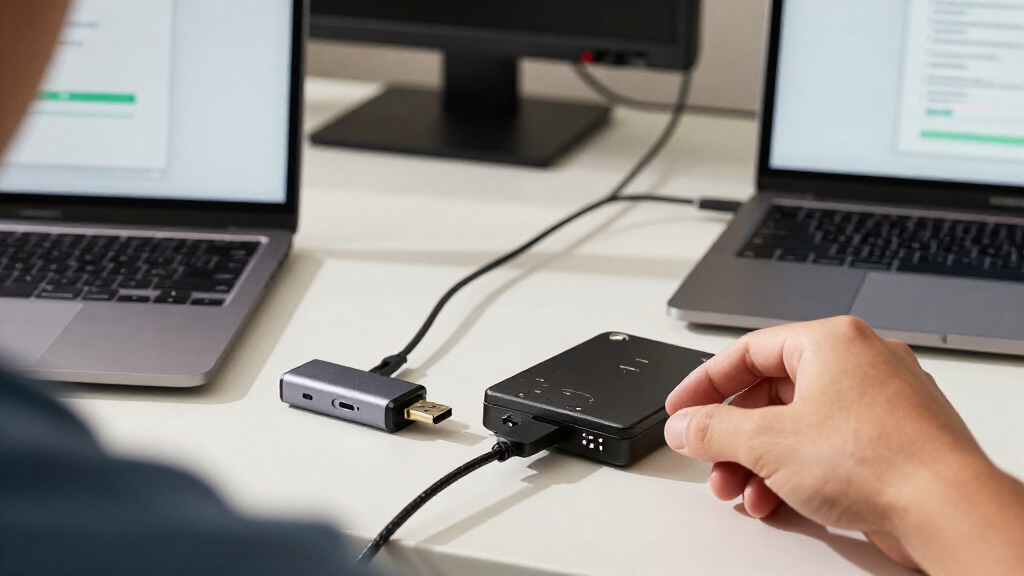
I compared these adapters by how well their connection types and included power options match real recovery jobs. The main criteria were support for SATA and IDE drives, compatibility with 2.5-inch and 3.5-inch drives, USB connection type, included power supply, and how much extra hardware a buyer must manage. I also considered whether a model’s narrower design could be an advantage for someone handling only one common drive type.
The ranking favors practical versatility and a clear fit for the stated job, not the longest feature list. Broad SATA/IDE kits with suitable external power rank ahead for mixed or older drive collections; adapters with USB-C gain ground when they solve a port mismatch, while USB 2.0 and SATA-only designs rank lower for buyers needing broad coverage. Several entries have similar generic feature sets, so I avoid treating small naming differences as proof of better performance. Product details can vary by listing, so buyers should confirm included cables, power supplies, and drive support before ordering.
Factors to Consider When Choosing USB Data Recovery Adapters
Before choosing an adapter, identify the drive and the recovery situation—not just the connector on your computer. The right setup can make a healthy drive accessible, but it cannot fix physical damage or guarantee safe recovery from a failing disk.
Match the Drive Interface, Not Just Its Age
Check the drive label or connector before buying: SATA and IDE/PATA use different interfaces, and the age of a drive is only a clue. IDE drives have a wide pin connector, while SATA uses a narrow data connector alongside a separate power connection. A combined SATA/IDE adapter gives more flexibility if you handle drives from different computers, but it adds cables and possible setup steps. If you are sure the source is a 2.5-inch SATA drive, a simpler SATA-only cable may reduce clutter. A frequent mistake is assuming every older drive uses IDE; some older machines still contain SATA drives. When the model is unclear, look up its interface before choosing.
Plan for 3.5-Inch Drive Power
A 3.5-inch desktop hard drive generally needs external power, so check that the adapter includes a compatible power supply rather than relying on the USB connection. Many 2.5-inch drives can draw power from USB, though requirements vary by device and adapter. An included 12V supply makes a kit more useful for desktop drives, but it also means another cable and power brick to store. Confirm the supply is part of the package and matches the adapter listing; product titles can leave bundle details unclear. Avoid repeatedly connecting a drive that clicks, spins up and down, or disappears, since power cycling may not help a failing disk. For damaged drives, professional assessment can be safer than continued DIY attempts.
Treat USB-C as a Port Solution, Not a Speed Guarantee
A USB-C plug can connect directly to many recent laptops, which can remove the need for a separate dongle. It does not, by itself, establish the adapter’s transfer rate: the adapter, cable, computer port, and drive all affect throughput. Some products use USB-C alongside USB-A, while others may rely on a particular cable or connector, so verify what is actually included. If your computer has only USB-C ports, a compatible connector may matter more than a claimed speed advantage. For large recovery transfers, USB 3.0 is generally a more suitable starting point than USB 2.0, but a weak or damaged drive can remain the bottleneck. Choose for reliable connection and compatibility first, then treat speed as a secondary factor.
Decide Whether Broad Compatibility Is Worth the Extra Kit
All-in-one SATA/IDE kits make sense for repair benches, family archives, and anyone who may encounter several drive generations. Their flexibility comes with a tradeoff: more leads, adapters, and power components create more chances to misplace a part or connect the wrong cable. A compact SATA-only adapter is easier to pack and quicker to set up if your recovery jobs involve only 2.5-inch SATA drives. Do not pay for IDE support unless you have a likely use for it or want a fallback for unknown drives. Conversely, a single-purpose cable can leave you stuck when an old backup drive uses a different interface. Think about the range of drives you expect to access over time, not only the one currently on your desk.
Separate File Access From Data Recovery
An adapter lets a computer communicate with a drive; it does not repair file-system damage, restore deleted files, or fix mechanical faults on its own. If the drive mounts normally, copy the most valuable files to a separate healthy disk before attempting experiments. For a drive with unusual noises, severe slowness, or repeated disconnects, stop and seek specialized help rather than running repeated scans. Avoid writing new files to a source drive when deleted data is the goal, because new data can overwrite recoverable information. Software may be needed for deleted or corrupted files, but it should be used with a careful plan and preferably a sector-level copy. This distinction helps prevent buyers from expecting a cable to solve problems it only exposes.
Check Package Details and Your Work Setup
Listings with similar names may include different power supplies, cables, or drive connectors, so verify the contents rather than relying on the product title alone. If you will handle loose drives often, look for a stable setup that keeps the drive and connections from being bumped during transfer. A bare drive should sit on a nonconductive surface with room for airflow; do not place it on fabric or stack it on other equipment. Consider whether you need an indicator, a switch, or a direct USB-C connection only after confirming the basic drive interface and power needs. A tidy, well-matched kit can reduce setup mistakes, but extra accessories do not make a failing disk safer to operate. Keep a separate destination drive ready so recovered files do not go back onto the source.
Frequently Asked Questions
Can a USB data recovery adapter recover files from a drive that will not spin?
An adapter cannot make a drive spin or repair a failed motor, damaged heads, or faulty electronics. First confirm that the adapter has the right power supply and that the cables are seated correctly, but avoid repeated power attempts if the drive makes unusual sounds or keeps restarting. A drive that remains completely silent may have a power or hardware fault, and an adapter alone cannot identify which one. If the files matter, stop testing and contact a data recovery service. These adapters are most useful when the drive is functional enough for a computer to access it.
Do I need an adapter with both SATA and IDE support?
You need both interfaces only if you expect to access drives from both connector families. SATA/IDE kits are a practical choice for mixed collections, older computers, and repair work where the drive type is not always known in advance. For a known 2.5-inch SATA SSD or HDD, a SATA-only option can be smaller and simpler. Check the connector itself rather than guessing from the computer’s age, since older systems can contain SATA drives. If you choose a combined kit, verify that its package includes the cables and power components required for each drive type.
Will a USB-C adapter recover data faster than a USB 3.0 USB-A model?
Not automatically. USB-C describes the connector shape, while the adapter’s underlying USB standard, cable, computer port, and drive determine the usable transfer rate. A USB-C model can be more convenient if your laptop lacks USB-A ports, but that convenience does not guarantee faster reads. For a slow or damaged drive, the drive itself may set the pace regardless of the adapter. Compare the stated USB standard and included cable details, and avoid choosing by connector shape alone.
Can I connect a 3.5-inch desktop hard drive without a power brick?
Usually not with these adapter types: a 3.5-inch drive generally requires external power beyond what a computer’s USB port supplies. Choose a kit that explicitly includes a suitable power adapter and confirm that the supply is included in the package you plan to buy. A 2.5-inch drive may work from USB power, but power needs can vary, especially with older or unusual devices. If a 3.5-inch drive is not detected, check power and connections before assuming the data is lost. Do not substitute an unverified power supply, since the wrong supply can damage equipment.
Should I keep trying an adapter if the drive disconnects during copying?
Repeated disconnects can point to a loose connection, insufficient power, a cable issue, or a failing drive. Check the setup once, including the external supply for a desktop drive, and try a stable computer port without hubs if available. If the drive continues to disappear, makes unusual noises, or slows sharply, stop rather than retrying large transfers. When the drive is still readable, prioritize the most valuable files and copy them to a different healthy device; do not save them back to the source. For irreplaceable data, a recovery specialist is a safer next step than repeated scans.
Conclusion
For most buyers handling a mix of drive types, I recommend the YINNCEEN USB 3.0 to SATA/IDE Adapter as the best overall fit because it combines broad interface support with external power. The Manhattan USB 2.0 adapter is the value-minded choice for occasional access when speed is not the priority, while the FEMORO USB 3.0 and USB-C Reader is the better premium-style pick for a newer computer setup that needs USB-C and broad drive support. Beginners with a known 2.5-inch SATA drive may prefer the more straightforward SABRENT EC-SSHD, though it is not the choice for IDE or 3.5-inch drives. For frequent recovery work across old and new drives, choose a powered SATA/IDE kit and verify every included connector; for a single compatible SATA drive, keep the setup simple. If the drive shows signs of physical failure, an adapter is not a substitute for professional recovery.
Halloween Picks
halloween
As an affiliate, we earn on qualifying purchases.