TL;DR

Get the latest gadgets delivered free with Prime
- Fast, free delivery on millions of items
- Prime Video, Amazon Music and more included
- Member-only deals all year
A spare Android phone can run lightweight home-server tasks such as small web apps, scripts and file utilities using tools including Termux and Podroid. It can save the cost of buying a mini PC for modest needs, but Android background restrictions, storage limits and media transcoding can affect reliability.
XDA Developers published a guide Oct. 24 on using an older Android phone as a lightweight home server, running services such as small web apps, scripts and browser-based utilities without first buying a mini PC or Raspberry Pi. The approach can make use of hardware already on hand, though the guide cautions that Android’s background-app controls and the phone’s storage and processing limits can affect what runs reliably.
The guide recommends starting with Termux, which provides a terminal and access to software packages on Android. It can be used to install Nginx for a website, run Python or Node.js applications, and manage the phone remotely over SSH. The guide says these tasks do not require replacing Android or rooting the phone, though users still need to configure the apps and network access for their needs.
For software distributed through Docker, the article points to Podroid, which runs an Alpine Linux virtual machine on the phone with Docker available inside it. The guide names OmniTools and BentoPDF as examples of browser-accessible utilities that could be hosted this way. It also says Jellyfin can run on Android with the right setup, but recommends using media files compatible with playback devices to avoid demanding video transcoding.
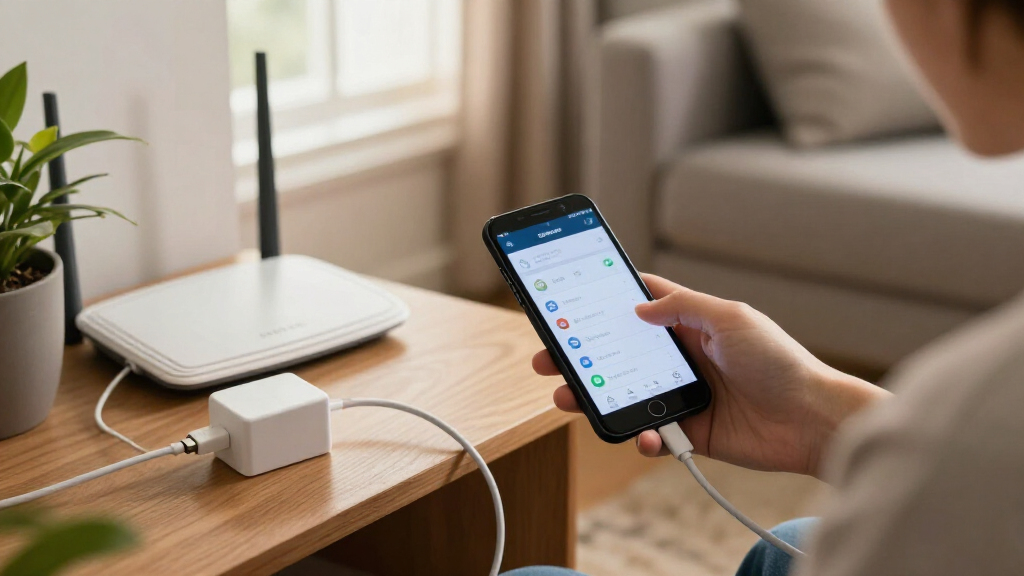
A phone has its own screen, Wi-Fi, internal storage and battery, so a basic setup may need little beyond the device and its charger. But storage capacity matters: a few scripts or small applications are a different workload from a large media library or years of backups. The guide advises testing a phone with modest services before deciding whether it can meet a household’s needs.
Turn an Old Android Phone Into an Always-on Home Server
A spare Android phone can host lightweight apps, scripts and browser-based utilities. Start with hardware you already own, then test whether its background behavior, storage and performance fit your household’s needs.
Two ways to host small services
The guide presents Android as an entry point for modest home-server tasks. Pick the route that matches the software you want to run and the phone you have.
Termux
A terminal and package environment for tools such as Nginx, Python and Node.js. SSH can provide remote management. Getting started does not require replacing Android or rooting the phone.
Podroid
Runs an Alpine Linux virtual machine on the phone with Docker available inside. The guide names OmniTools and BentoPDF as examples of browser-accessible utilities to host.
Jellyfin
Jellyfin can run on Android with the right setup. Use media files compatible with playback devices to avoid demanding video transcoding.
“You don’t need to replace Android or root the phone to get started.”
— XDA Developers“The files should be compatible with the device playing them so the server doesn’t have to transcode them.”
— XDA DevelopersProve it stays available
Android may limit background activity to conserve battery. A service that works while you are using the phone may not remain reachable after the screen has been off for hours.
Start small
Install one or two lightweight services and confirm they work on your home network.
Let it idle
Check access after several hours with the screen off. Review battery restrictions; allow unrestricted use or a wake lock if needed.
Restart the phone
See whether services return automatically. Some setups may need supported boot scripts or an unlock before starting.
Check real use
Watch for interruptions, storage pressure and slow performance before adding more services.
Capacity depends on the phone
The guide gives no minimum processor, memory or storage threshold, and provides no benchmark comparisons. The workload, Android version, setup and handset all matter.
What to know before you begin
Can an old Android phone run a home server?
It can host lightweight services such as small websites, scripts and browser utilities. What works depends on the device and workload.
Do I need to root the phone?
The guide says you can get started with Termux without rooting the phone or replacing Android.
Will services run with the screen off?
Not necessarily. Check battery settings and test whether services stay reachable after several idle hours.
Can it keep the server online during an outage?
The phone battery may keep the device running briefly, but the router also needs backup power for network access.
A Server Without a New Purchase
For someone who wants to run only a handful of services, reusing an old phone can offer a low-cost way to test the idea before spending money on a mini PC or Raspberry Pi. The device is already equipped with basic components needed for small workloads, and its compact size can make it easy to place near a power outlet. That is a practical option, not a guarantee that every phone can replace a dedicated server.
The battery can keep the phone running during a short power cut, but it cannot keep the whole home network online by itself. The router also needs power for services to remain accessible over Wi-Fi. And a phone’s low-power hardware may be less suitable for sustained or demanding jobs, particularly where video conversion or large-scale storage is involved.
As an affiliate, we earn on qualifying purchases.
What the Phone Can Run
The guide frames the phone as an entry point for small, always-available services, rather than a universal replacement for home-server equipment. Termux offers a way to run command-line tools and applications directly on Android. Podroid provides a separate virtualized environment for Docker-based software. Which route makes sense depends on the service and the phone’s hardware.
Android is designed to manage background activity to conserve battery, which can interrupt server apps when the screen is off. XDA Developers advises checking app battery restrictions, allowing unrestricted battery use where available and using a wake lock if the setup requires one. Users should test access after the phone has been idle for several hours, then restart it and check whether services return automatically. Supported boot scripts may help, but some setups could require the phone to be unlocked before services start.
“You don’t need to replace Android or root the phone to get started.”
— XDA Developers
USB-C OTG adapter with Ethernet port for Android phone
As an affiliate, we earn on qualifying purchases.
As an affiliate, we earn on qualifying purchases.
Limits Depend on the Device
The guide does not set out minimum processor, memory or storage requirements, so there is no single threshold for which Android phones will work well as servers. Results will depend on the handset, Android version, software setup and the number and type of services being run. It also does not provide performance tests comparing phones with mini PCs or Raspberry Pi devices.
Reliability is not automatic: Android may stop background apps, and startup behavior after a restart can vary. The article does not establish how long a phone can safely remain plugged in under continuous server use, or whether a particular device’s battery condition makes it suitable for that role. Those details need to be checked for the individual phone and setup.
portable USB-C flash drive for Android phone server storage
As an affiliate, we earn on qualifying purchases.
As an affiliate, we earn on qualifying purchases.
Test Before Adding Services
The recommended next step is to try one or two lightweight services on the spare phone and check whether they stay available with the screen off. Users should also test access over their home network, restart the device, and confirm what starts automatically and what requires manual action. Those checks can show whether background limits or storage become a problem.
If the phone handles the intended workload, it can remain in service without an immediate hardware purchase. If performance, reliability or capacity falls short, the test gives the owner a clearer basis for choosing dedicated equipment. The guide’s approach is to buy only when the phone’s limits become a real obstacle.
As an affiliate, we earn on qualifying purchases.
Key Questions
Can an old Android phone run a home server?
It can run lightweight services, such as small websites, scripts and browser-based utilities, using software including Termux or Podroid. What works depends on the phone and workload.
Do I need to root the phone?
The XDA Developers guide says you can get started with Termux without rooting the phone or replacing Android.
Will the services keep running with the screen off?
Not necessarily. Android may restrict background apps, so check battery settings and test whether the services remain reachable after the phone has been idle for several hours.
Can I use the phone as a Jellyfin server?
The guide says Jellyfin can run on Android with the right setup. It recommends media files compatible with the playback device to avoid transcoding, which can demand more from the phone.
Will the phone keep my server online during a power cut?
The phone’s battery can keep the device running through a short outage, but the router also needs backup power for the services to remain accessible over Wi-Fi.
Source: XDA Developers
Halloween Picks
halloween
As an affiliate, we earn on qualifying purchases.