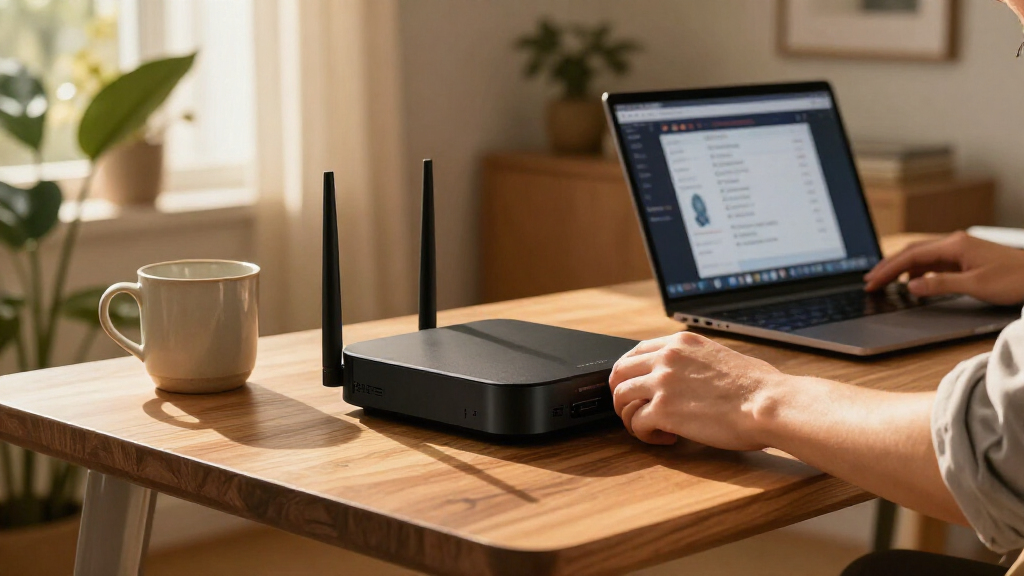
Home network security appliances add controls such as firewall policies, VPN access, and threat filtering between your home network and the internet. I rank the Firewalla Purple SE as the best overall fit for many households because it puts security management within reach of non-specialists, while the Netgate 1100 stands out for hands-on control and the FortiGate 40F for buyers seeking a more advanced security platform. The central tradeoff is between easy management and fine-grained control, with licensing, setup effort, and network compatibility shaping the choice. Some appliances work best as a router, while others fit into an existing network as a security gateway. Continue for a ranked comparison and guidance on matching an appliance to your home.

Get the latest gadgets delivered free with Prime
- Fast, free delivery on millions of items
- Prime Video, Amazon Music and more included
- Member-only deals all year
Complete the kit



Key Takeaways
- Firewalla Purple SE leads for approachable home security management; Netgate 1100 and the GL.iNet gateways suit buyers who want more hands-on control over VPN and firewall behavior.
- FortiGate 40F and 60F offer a more security-platform-oriented approach than simple VPN gateways, but buyers should account for setup demands and the role of security subscriptions.
- The SonicWall and Cisco Meraki options are not interchangeable: platform management, licensing expectations, and intended network scale matter as much as appliance hardware.
- Port count and WAN options affect network layout, not just speed. The TP-Link ER7206 is a practical fit for multi-WAN routing needs, while compact gateways may require another router or switch.
- Older or simpler models can still suit specific networks, but buyers should check current software support, management requirements, and compatibility before choosing the Meraki MX64 or UniFi Security Gateway.
| TP-Link ER7206 Multi-WAN Gigabit VPN Router |  | Best for Multi-WAN Flexibility | WAN ports: Up to 4, including 1 Gigabit SFP WAN, 1 Gigabit WAN, and 2 Gigabit WAN/LAN ports | LAN ports: 1 Gigabit LAN port | VPN connections: Up to 100 IPsec, 50 OpenVPN, 50 L2TP, and 50 PPTP | VIEW LATEST PRICE | See Our Full Breakdown |
| Netgate 1100 pfSense+ Security Gateway |  | Best Compact pfSense Gateway | Model: Netgate SG-1100 | Operating system: pfSense+ (FreeBSD) | Processor: Dual-core ARM Cortex-A53, 1.2 GHz | VIEW LATEST PRICE | See Our Full Breakdown |
| SonicWall TZ280 Next-Generation Firewall Appliance |  | Best for High-Throughput Inspection | Firewall inspection throughput: Up to 2.5 Gbps | Threat prevention throughput: 1 Gbps | IPsec VPN throughput: 1.2 Gbps | VIEW LATEST PRICE | See Our Full Breakdown |
| Cisco Meraki MX64 Network Security Appliance |  | Best for Centralized Small-Network Management | Model: MX64 | Firewall throughput: 250 Mbps | Recommended maximum clients: 50 | VIEW LATEST PRICE | See Our Full Breakdown |
| Fortinet FortiGate 40F Firewall Appliance (FG-40F), 5 Gigabit Ethernet Ports |  | Best Fanless Threat-Protection Pick | Model: FG-40F | Ports: 5 Gigabit Ethernet RJ45 ports: 1 WAN and 4 internal | IPS throughput: Up to 1 Gbps | VIEW LATEST PRICE | See Our Full Breakdown |
| Firewalla Purple SE Cybersecurity Firewall |  | Best for Family Network Controls | Model: Purple SE | IPS throughput: Up to 500 Mbps | Operating system: Linux | VIEW LATEST PRICE | See Our Full Breakdown |
| GL.iNet GL-MT5000 Brume 3 Wired VPN Security Gateway |  | Best for Fast, Customizable VPN Routing | Model: GL-MT5000 | Connectivity: Wired Ethernet; no Wi-Fi | Ethernet ports: 3 × 2.5GbE | VIEW LATEST PRICE | See Our Full Breakdown |
| GL.iNet Brume 2 Wired VPN Security Gateway (GL-MT2500A) |  | Best Compact VPN Gateway | Model: GL-MT2500A | Connectivity: Wired Ethernet; no Wi-Fi | WAN port: 2.5 Gbps | VIEW LATEST PRICE | See Our Full Breakdown |
| Cisco Meraki MX68-HW Wired Network Security Appliance | | Best for Cloud-Managed Multi-Site Networks | Model: MX68-HW | Ports: 10 × GbE, including 2 WAN and 2 PoE+; 1 × USB 2.0 | Stateful firewall throughput: 450 Mbps | VIEW LATEST PRICE | See Our Full Breakdown |
| SonicWall TZ270 Gen7 Firewall Appliance |  | Best for Small-Business Threat Inspection | Model: TZ270 | Firewall throughput: 2 Gbps | Threat prevention throughput: 750 Mbps | VIEW LATEST PRICE | See Our Full Breakdown |
| Fortinet FortiGate-60F Network Security Appliance with 1-Year FortiGuard UTP and FortiCare Premium |  | Best for Managed Business Protection | Brand: Fortinet | Model: 60F-1YR-UTP | Model number: FG-60F-BDL-950-12 | VIEW LATEST PRICE | See Our Full Breakdown |
| Ubiquiti UniFi Security Gateway (USG) |  | Best for UniFi Homes and VLAN Segmentation | Brand: Ubiquiti Networks | Model: USG | Ports: 4 | VIEW LATEST PRICE | See Our Full Breakdown |
| home network security appliance | Model | Operating system | Ports | Connectivity |
|---|---|---|---|---|
| TP-Link ER7206 Multi-WAN Gigab | — | — | — | — |
| Netgate 1100 pfSense+ Security | Netgate SG-1100 | pfSense+ (FreeBSD) | 3 switched 1 GbE ports | Ethernet, Micro USB, USB, wired |
| SonicWall TZ280 Next-Generatio | — | SonicOS 8 | 8 × 1GbE and 2 × 1G SFP | — |
| Cisco Meraki MX64 Network Secu | MX64 | — | — | — |
| Fortinet FortiGate 40F Firewal | FG-40F | FortiOS | 5 Gigabit Ethernet RJ45 ports: 1 WAN and 4 internal | Wired Ethernet |
| Firewalla Purple SE Cybersecur | Purple SE | Linux | — | — |
| GL.iNet GL-MT5000 Brume 3 Wire | GL-MT5000 | OpenWrt | — | Wired Ethernet; no Wi-Fi |
| GL.iNet Brume 2 Wired VPN Secu | GL-MT2500A | — | — | Wired Ethernet; no Wi-Fi |
| Cisco Meraki MX68-HW Wired Net | MX68-HW | — | 10 × GbE, including 2 WAN and 2 PoE+; 1 × USB 2.0 | — |
| SonicWall TZ270 Gen7 Firewall | TZ270 | — | — | — |
| Fortinet FortiGate-60F Network | 60F-1YR-UTP | FortiOS | 13 | Ethernet, Wi-Fi |
| Ubiquiti UniFi Security Gatewa | USG | — | 4 | Ethernet |
More Details on Our Top Picks
TP-Link ER7206 Multi-WAN Gigabit VPN Router
The ER7206 is my pick for homes or small offices that need multiple internet connections and centralized wired-network management. It supports up to four WAN connections, giving you options for load balancing or a backup link if your primary service fails. Its multiple VPN types and high listed connection limits also suit households with remote workers or several site-to-site links. Compared with the Netgate 1100, the ER7206 places more emphasis on multi-WAN routing and Omada management; the Netgate is a more compact pfSense+ gateway with a different software ecosystem. The tradeoff is that the ER7206 has no built-in Wi-Fi, and Omada’s centralized approach depends on compatible devices or a controller. It may be more router than a simple single-connection home needs.
Pros:- Supports up to four WAN connections for load balancing or connection redundancy
- Offers IPsec, OpenVPN, L2TP, and PPTP VPN options with high listed connection limits
- Includes advanced firewall features and Omada SDN remote management
- Gigabit Ethernet and SFP WAN options support varied wired setups
Cons:- Does not provide built-in wireless networking
- Centralized Omada management depends on compatible devices or a controller
- Its multi-WAN and management features may be unnecessary for a simple home network
Best for: Homes with two or more internet connections, wired access points, and a preference for centralized Omada management
Not ideal for: Buyers seeking an all-in-one Wi-Fi router or a basic gateway for a single internet connection
- WAN ports:Up to 4, including 1 Gigabit SFP WAN, 1 Gigabit WAN, and 2 Gigabit WAN/LAN ports
- LAN ports:1 Gigabit LAN port
- VPN connections:Up to 100 IPsec, 50 OpenVPN, 50 L2TP, and 50 PPTP
- Maximum clients:Up to 700
- Maximum associated client devices:150,000
- Data transfer rate:1 Gbps
- Memory:512 MB RAM
- Management:Omada SDN, cloud access, and app control
Our verdict“Choose the ER7206 if multi-WAN resilience and Omada-managed wired security matter more than built-in Wi-Fi and simple setup.”
Netgate 1100 pfSense+ Security Gateway
The Netgate 1100 makes sense for buyers who want a small, silent firewall with pfSense+ already installed and lifetime software updates included. Its three switched Gigabit Ethernet ports keep a modest wired setup straightforward, while the fanless design suits a desk or media cabinet where noise and space matter. Against the TP-Link ER7206, it trades multi-WAN breadth and Omada integration for a compact pfSense+ platform and included update policy. Its listed throughput reaches 940 Mbps, but the 1 GB of RAM and small form factor make it a less natural fit for heavier workloads or growing networks. There is no wireless networking specified, so Wi-Fi still requires a separate access point. I’d favor it when the software ecosystem and quiet operation matter more than expansion.
Pros:- pfSense+ is preloaded, with software updates included for the product lifetime
- Compact, fanless design runs silently and uses little space
- Three switched Gigabit Ethernet ports support a small wired setup
- TAC Lite technical support is included
Cons:- Only 1 GB of RAM may constrain heavier workloads
- No wireless networking is specified
- Three ports limit direct wired expansion compared with the SonicWall TZ280
Best for: Technically comfortable home users who want a compact, quiet pfSense+ firewall for a small wired network
Not ideal for: Households wanting built-in Wi-Fi, extensive port capacity, or a gateway intended for heavier network workloads
- Model:Netgate SG-1100
- Operating system:pfSense+ (FreeBSD)
- Processor:Dual-core ARM Cortex-A53, 1.2 GHz
- Ports:3 switched 1 GbE ports
- Data transfer rate:Up to 940 Mbps
- Memory:1 GB RAM
- Connectivity:Ethernet, Micro USB, USB, wired
- Warranty:1 year hardware warranty
Our verdict“Pick the Netgate 1100 for a quiet, compact pfSense+ gateway with included lifetime software updates, provided its port count and wired-only setup fit your network.”
SonicWall TZ280 Next-Generation Firewall Appliance
The TZ280 is aimed at security-conscious small businesses and branch offices that need strong inspection throughput and room for wired connections. Its listed firewall inspection rate reaches 2.5 Gbps, with 1 Gbps threat prevention and 1.2 Gbps IPsec VPN throughput; that makes it a more performance-focused choice than the Cisco Meraki MX64, whose listed firewall throughput is 250 Mbps. Eight Gigabit Ethernet ports plus two SFP ports also give it more wired flexibility than the five-port Meraki. The central tradeoff is the service model: security services, firmware updates, and support require a separate subscription. Hardware alone does not deliver the full ongoing protection many buyers expect from a security appliance. I’d choose it over the Meraki when throughput and port count take priority over an included management-and-service package.
Pros:- Firewall inspection throughput is listed up to 2.5 Gbps
- Threat prevention and IPsec VPN throughput are listed at 1 Gbps and 1.2 Gbps
- Eight 1GbE ports and two 1G SFP ports provide substantial wired connectivity
- Supports VPN and secure SD-WAN features with zero-touch deployment
Cons:- Security services, firmware updates, and support require a separate subscription
- Hardware-only purchase does not include the ongoing services needed for full threat protection
- May be more appliance and management overhead than a typical home network requires
Best for: Small-business owners or branch-office administrators who need high inspection throughput, VPN capacity, and multiple wired ports
Not ideal for: Home buyers who want security services, firmware updates, and support included without a separate subscription
- Firewall inspection throughput:Up to 2.5 Gbps
- Threat prevention throughput:1 Gbps
- IPsec VPN throughput:1.2 Gbps
- Ports:8 × 1GbE and 2 × 1G SFP
- Operating system:SonicOS 8
- Included services:Hardware only; subscription sold separately
- Weight:1.8 pounds
Our verdict“Choose the TZ280 when high inspection capacity and abundant wired ports justify budgeting separately for its security and support subscriptions.”
Cisco Meraki MX64 Network Security Appliance
The MX64 is best suited to a small network where centralized web management and Layer 7 traffic visibility are more valuable than high throughput. Its traffic analysis and shaping can help an administrator see and manage application use, while five Gigabit Ethernet ports keep a modest wired layout practical. Compared with the Fortinet FortiGate 40F, the MX64 has a much lower listed firewall throughput—250 Mbps versus up to 1 Gbps IPS throughput for the FortiGate—so I would not choose it for a fast connection or a network expected to grow. It supports up to 50 clients, and its license is sold separately. That licensing requirement affects the ongoing ownership decision, not just initial setup. This is a focused management pick, not the performance leader in this group.
Pros:- Web-based centralized management supports remote administration
- Layer 7 traffic analysis and shaping provide application-level visibility
- Five Gigabit Ethernet ports serve a modest wired network
- Desktop or wall mounting offers flexible placement
Cons:- Listed firewall throughput is limited to 250 Mbps
- Licensing is sold separately
- Recommended client capacity is limited to 50
Best for: Administrators of small homes or offices with up to 50 clients who value centrally managed controls and Layer 7 traffic analysis
Not ideal for: Homes with fast broadband, heavy traffic, or buyers who want licensing included with the appliance
- Model:MX64
- Firewall throughput:250 Mbps
- Recommended maximum clients:50
- Ethernet ports:5 × 10/100/1000Base-T
- VPN support:25
- Management:Web-based, centrally managed
- Mounting:Desktop or wall mountable
- Licensing:Sold separately
Our verdict“Choose the MX64 for centralized management and application-level visibility on a small network, not for high-throughput broadband or large client counts.”
Fortinet FortiGate 40F Firewall Appliance (FG-40F), 5 Gigabit Ethernet Ports
The FortiGate 40F suits small businesses and advanced home users who want a fanless wired appliance with substantial listed IPS capacity. Its five Gigabit Ethernet ports provide a simple layout for a WAN connection and several internal devices, while the 1 Gbps IPS figure and 600 Mbps threat-protection throughput make it a stronger performance fit than the Cisco Meraki MX64 for faster networks. The compromise is licensing: no subscription is included, so buyers should account for separate access to FortiGuard services rather than assuming the appliance alone provides the full ongoing protection package. It is also wired-only, so wireless access requires a separate access point. Compared with the multi-WAN-focused TP-Link ER7206, the FortiGate’s appeal is its FortiOS security platform and stated threat-protection performance, not WAN flexibility.
Pros:- Fanless desktop design supports quiet placement
- Five Gigabit Ethernet ports include one WAN and four internal ports
- IPS throughput is listed up to 1 Gbps
- FortiOS management and FortiGuard threat-protection features target security-focused networks
Cons:- No subscription is included
- Wired-only connectivity requires a separate wireless access point
- The five-port layout is less expansive than the SonicWall TZ280’s eight Ethernet and two SFP ports
Best for: Small-business operators or security-minded home users who need a quiet wired firewall with FortiOS and high listed IPS throughput
Not ideal for: Buyers who need built-in Wi-Fi, multi-WAN flexibility, or an appliance bundle with a subscription included
- Model:FG-40F
- Ports:5 Gigabit Ethernet RJ45 ports: 1 WAN and 4 internal
- IPS throughput:Up to 1 Gbps
- Threat protection throughput:Up to 600 Mbps
- Operating system:FortiOS
- Connectivity:Wired Ethernet
- Form factor:Fanless desktop
- Included subscription:None
Our verdict“Choose the FortiGate 40F for a quiet wired setup with strong listed IPS capacity, if you are prepared to source the required security subscription separately.”
Firewalla Purple SE Cybersecurity Firewall
The Firewalla Purple SE is a strong fit for households that want threat blocking alongside practical controls for everyday internet use. Its intrusion prevention, content filtering, and parental controls address more home-focused needs than the GL.iNet Brume 2, which centers on VPN routing. It can work as a router or as a bridge in front of an existing router, giving buyers a way to add protection without immediately replacing their network setup. The main limit is its 500 Mbps IPS ceiling, which can constrain protected traffic on faster connections. Setup also depends on the Firewalla app, and router mode calls for separate Wi-Fi access points. I’d choose it for family controls and accessible threat protection, not as an all-in-one Wi-Fi router or a high-throughput gateway.
Pros:- Combines intrusion prevention and network threat blocking with family-oriented controls.
- Can operate as a router or bridge to protect an existing network.
- Includes content filtering and parental controls for managing household access.
Cons:- IPS functionality is limited to 500 Mbps.
- Router mode requires a modem and separate Wi-Fi access points.
- App-based setup and existing-router configuration may take extra effort.
Best for: Families who want network threat blocking, parental controls, and content filtering on an existing home network.
Not ideal for: Households with internet service above the appliance’s 500 Mbps IPS capacity, or buyers seeking a single box with built-in modern Wi-Fi.
- Model:Purple SE
- IPS throughput:Up to 500 Mbps
- Operating system:Linux
- RAM:3 GB
- Network connections:Ethernet and Wi-Fi
- Wi-Fi generation:Wi-Fi 5
- Operating modes:Router or transparent bridge
- Setup requirement:Firewalla app
Our verdict“Choose the Purple SE if family controls and threat blocking matter more than built-in Wi-Fi or protection beyond 500 Mbps.”
GL.iNet GL-MT5000 Brume 3 Wired VPN Security Gateway
For a wired home network built around VPN throughput and hands-on control, the GL.iNet GL-MT5000 Brume 3 is the most performance-focused pick in this group. It supports hardware-accelerated WireGuard and OpenVPN up to 1,100 Mbps, well above the Brume 2’s stated VPN speeds, and its three 2.5GbE ports leave more room for fast WAN links and multi-WAN setups. OpenWrt, deep packet inspection, SQM, and QoS give technically confident owners tools to shape traffic and extend the gateway. That flexibility is also the catch: this is not a plug-in Wi-Fi router, and tuning its features can require networking knowledge. The Firewalla Purple SE is a more direct fit for household parental controls, while the Brume 3 favors VPN capacity and customization. I’d skip it if simple setup or wireless coverage is the main goal.
Pros:- Hardware-accelerated WireGuard and OpenVPN throughput reaches up to 1,100 Mbps.
- Three 2.5GbE ports support fast wired links and multi-WAN configurations.
- OpenWrt, deep packet inspection, SQM, and QoS offer extensive network control.
- VPN traffic obfuscation adds another option for managing VPN connections.
Cons:- Has no Wi-Fi, so wireless access requires separate equipment.
- Advanced OpenWrt configuration can be demanding for less experienced users.
- Provides fewer built-in family-oriented controls than the Firewalla Purple SE.
Best for: Technically confident home users who want high-throughput VPN routing, multi-WAN options, and OpenWrt customization on a wired network.
Not ideal for: Buyers who need built-in Wi-Fi, guided family controls, or a security appliance that requires little configuration.
- Model:GL-MT5000
- Connectivity:Wired Ethernet; no Wi-Fi
- Ethernet ports:3 × 2.5GbE
- VPN throughput:Up to 1,100 Mbps
- VPN protocols:WireGuard and OpenVPN
- Operating system:OpenWrt
- Memory:1 GB DDR4 RAM
- Storage:8 GB eMMC
- USB:USB 3.0 Type-C
Our verdict“Pick the Brume 3 for fast VPNs and network customization if you already have Wi-Fi equipment and can manage a more technical setup.”
GL.iNet Brume 2 Wired VPN Security Gateway (GL-MT2500A)
The GL.iNet Brume 2 is a compact choice for adding VPN routing to a wired network without paying for capabilities its owner may not use. It arrives with OpenVPN and WireGuard, and it can run a VPN client and server at the same time—a useful distinction for someone who wants to route home traffic through a VPN while retaining remote access. Its 2.5 Gbps WAN port supports a faster incoming connection, but VPN throughput is capped at up to 150 Mbps for OpenVPN and 355 Mbps for WireGuard. That makes the Brume 3 a better match for faster VPN-heavy networks, with its stated 1,100 Mbps VPN throughput and three 2.5GbE ports. The Brume 2 has only one gigabit LAN port and no Wi-Fi, so it suits a small wired setup rather than a full home-network replacement.
Pros:- Runs VPN server and client functions at the same time.
- Includes OpenVPN and WireGuard support.
- Has a 2.5 Gbps WAN port, USB 3.0, and 8 GB eMMC storage.
- Supports IPv6 security and Cloudflare encryption.
Cons:- VPN throughput is lower than the GL-MT5000 Brume 3, particularly for OpenVPN.
- Has no Wi-Fi and only one gigabit LAN port.
- A 2.5 Gbps WAN connection does not mean VPN traffic can reach that speed.
Best for: Home users who want a small wired gateway for VPN client and server use, and whose VPN traffic fits its stated throughput.
Not ideal for: Households needing built-in Wi-Fi, multiple fast LAN connections, or VPN throughput near gigabit speeds.
- Model:GL-MT2500A
- Connectivity:Wired Ethernet; no Wi-Fi
- WAN port:2.5 Gbps
- LAN port:10/100/1000 Mbps
- VPN protocols:OpenVPN and WireGuard
- VPN speeds:Up to 150 Mbps OpenVPN; up to 355 Mbps WireGuard
- VPN operation:Can run a VPN server and client simultaneously
- Storage:8 GB eMMC
- USB:USB 3.0
Our verdict“Choose the Brume 2 for compact, flexible VPN server and client use on a modest wired network, not for high-speed VPN throughput.”
Cisco Meraki MX68-HW Wired Network Security Appliance
The Cisco Meraki MX68-HW stands apart from the home-focused Firewalla Purple SE and VPN-oriented Brume models: it is built for centralized administration across distributed sites. Cloud management can make remote policy changes and oversight simpler when a small organization has more than one location, while firewall, VPN, content filtering, intrusion prevention, and 4G failover bring several security and continuity functions into one wired appliance. Its stated limits—450 Mbps stateful firewall throughput, 200 Mbps VPN throughput, and a recommended maximum of 50 clients—make the intended scale clear. A separate Enterprise or Advanced Security license is required, adding an ongoing operational dependency absent from the listed product details for the Firewalla. I’d shortlist it for managed branch or small-office networks, but most households may find its licensing model and cloud-managed business focus unnecessary.
Pros:- Cloud management supports remote administration across distributed locations.
- Combines firewall, VPN, content filtering, and intrusion prevention.
- 4G failover can help maintain connectivity when the primary link fails.
- Includes ten Gigabit Ethernet ports, including PoE+ ports.
Cons:- Requires an Enterprise or Advanced Security license.
- Recommended maximum is 50 clients, limiting suitability for larger networks.
- Stated VPN throughput is 200 Mbps, below the Brume 3’s listed VPN capacity.
Best for: Small organizations or households with multiple managed sites that need remote administration, VPN, filtering, and failover.
Not ideal for: Buyers seeking a self-contained consumer appliance without a separate security license, or networks that exceed its stated client and throughput guidance.
- Model:MX68-HW
- Ports:10 × GbE, including 2 WAN and 2 PoE+; 1 × USB 2.0
- Stateful firewall throughput:450 Mbps
- VPN throughput:200 Mbps
- Recommended maximum clients:50
- Management:Cloud-managed
- Security features:Firewall, VPN, content filtering, and intrusion prevention
- Failover:4G failover
- License requirement:Enterprise or Advanced Security
Our verdict“Choose the MX68-HW when cloud-managed oversight and failover across small distributed sites justify its licensing requirement.”
SonicWall TZ270 Gen7 Firewall Appliance
The SonicWall TZ270 is the strongest fit here for a small business or branch that needs a dedicated firewall with room for segmented wired networks. Its 2 Gbps firewall throughput, stated 750 Mbps threat-prevention throughput, eight Gigabit Ethernet interfaces, and support for up to 64 VLANs make it more suited to business traffic separation than the Firewalla Purple SE’s family-oriented controls. SD-WAN, site-to-site VPN, and Zero-Touch deployment also address branch connectivity and remote setup. However, the appliance is sold without a service subscription, so buyers must account for the separate service needs behind its security functions. The MX68-HW offers cloud management and 4G failover, while the TZ270 emphasizes interfaces, VLAN capacity, and threat inspection. I’d choose the SonicWall for a small managed business network, not as a simple household security add-on.
Pros:- Provides 2 Gbps firewall throughput and 750 Mbps threat-prevention throughput.
- Eight Gigabit Ethernet ports support multiple wired devices and network segments.
- Supports up to 64 VLANs for separating business traffic.
- Includes SD-WAN, site-to-site VPN, and Zero-Touch deployment.
Cons:- Sold without a service subscription, so security-service requirements need separate planning.
- Designed for entry-level business and branch deployments rather than simple home use.
- Provides wired Ethernet and USB connectivity rather than built-in Wi-Fi.
Best for: Small businesses, retail sites, and branch offices that need threat inspection, VLAN segmentation, and site-to-site VPN.
Not ideal for: Home users who want an easy consumer setup, or buyers expecting security services to be included without a separate subscription.
- Model:TZ270
- Firewall throughput:2 Gbps
- Threat prevention throughput:750 Mbps
- Ethernet interfaces:8 Gigabit Ethernet ports
- Concurrent connections:Up to 750,000
- VLAN support:Up to 64 VLANs
- Features:SD-WAN, site-to-site VPN, Zero-Touch deployment, and TLS 1.3 decryption
- Included subscription:None
- Warranty:1 year
Our verdict“Pick the TZ270 for a small business that needs wired segmentation and threat inspection and can plan for its separate service requirements.”
Fortinet FortiGate-60F Network Security Appliance with 1-Year FortiGuard UTP and FortiCare Premium
The FortiGate-60F is the stronger fit for a household or small office that wants a security appliance backed by a defined package of threat services and support. Its included one-year FortiGuard UTP adds web filtering and anti-botnet protection, while FortiCare Premium gives buyers a support path that the Ubiquiti UniFi Security Gateway listing does not specify. That bundled service makes the 60F more business-oriented than a basic wired gateway, but it also means buyers should check what happens when the included term ends. The supplied data lists 13 ports and a 1 Gbps transfer rate, but does not spell out security throughput or deployment requirements. Compared with the smaller Fortinet FortiGate 40F, this is the choice to examine for a medium-sized environment, though the available specs alone do not establish its real-world capacity advantage.
Pros:- Includes one year of FortiGuard UTP and FortiCare Premium
- Web filtering and anti-botnet protection address threats beyond basic routing
- Designed for medium-sized business environments
- 13 listed ports provide more connection options than the four-port UniFi Security Gateway
Cons:- The provided data does not specify detailed security throughput
- Deployment requirements and setup complexity are not described
- The included protection and support are limited to a one-year term
Best for: Small-business owners or technically supported households seeking web filtering, anti-botnet protection, and included vendor support for the first year.
Not ideal for: Buyers who want a simple plug-in home router, need clearly documented security throughput before choosing, or do not want to manage recurring security-service costs.
- Brand:Fortinet
- Model:60F-1YR-UTP
- Model number:FG-60F-BDL-950-12
- Operating system:FortiOS
- Ports:13
- Connectivity:Ethernet, Wi-Fi
- Listed data transfer rate:1 Gbps
- Installed RAM:2 GB
- Included services:1 year of FortiGuard UTP and FortiCare Premium
Our verdict“Choose the FortiGate-60F if bundled threat protection and vendor support matter more than a simple home-router setup.”
Ubiquiti UniFi Security Gateway (USG)
The UniFi Security Gateway makes the most sense for buyers already using UniFi Controller software or planning to organize a wired home network into separate groups. Its support for VLANs, QoS, and VPN communications gives it more network-management flexibility than a basic router, while centralized UniFi management can make it easier to coordinate with compatible devices. Unlike the Fortinet FortiGate-60F, this listing does not bundle a year of named threat-protection services or premium support, so it is less compelling for buyers who want that kind of managed security package. Its four ports and wired-only design also call for a separate Wi-Fi access point. The listed 3 Gbps data-transfer figure should not be treated as a security-throughput guarantee; the supplied specs do not clarify performance with advanced firewall features enabled.
Pros:- Integrates with UniFi Controller for centralized device management
- VLAN support helps separate trusted devices, guests, and smart-home equipment
- Includes QoS and VPN capabilities
- Gigabit LAN ports support wired connections up to 10/100/1000 Mbps
Cons:- Wired-only, so wireless coverage requires a separate access point
- Four ports offer fewer listed connections than the FortiGate-60F
- The supplied specifications do not describe bundled threat services or firewall performance under load
Best for: UniFi users and technically comfortable homeowners who want wired routing, VLAN separation, and centralized management of compatible network devices.
Not ideal for: Buyers who need built-in Wi-Fi, a bundled threat-protection subscription, or a security appliance with clearly documented firewall throughput.
- Brand:Ubiquiti Networks
- Model:USG
- Ports:4
- LAN port bandwidth:10/100/1000 Mbps
- Listed data transfer rate:3 Gbps
- Maximum upstream data transfer rate:1000 Mbps
- Installed RAM:512 MB
- Connectivity:Ethernet
- Network type:Wired
Our verdict“Choose the USG if UniFi management and wired network segmentation are your priorities and you already have Wi-Fi covered.”
How We Picked
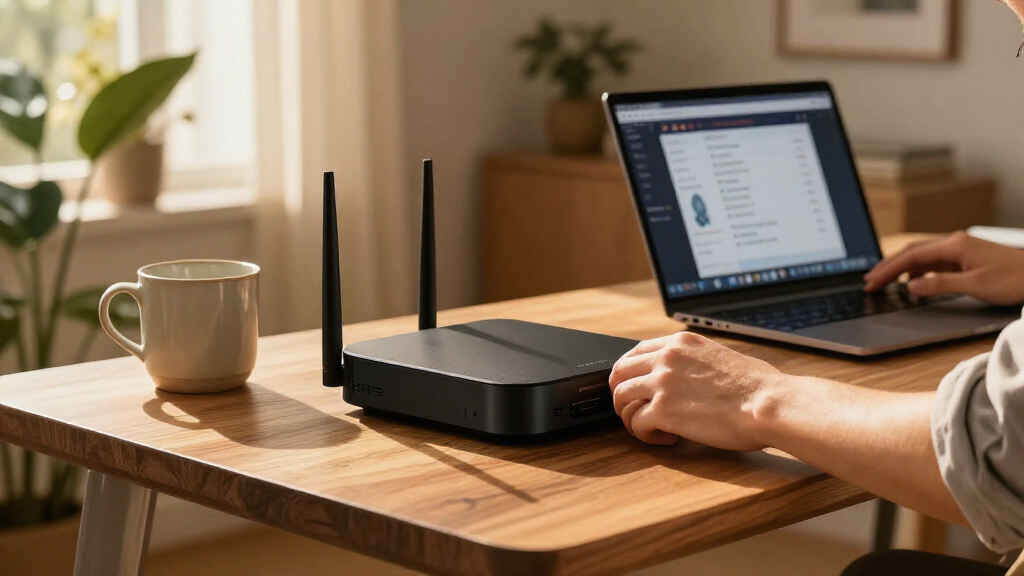
I ranked these appliances by how well they address the central home-network needs: blocking unwanted traffic, supporting secure remote access, and fitting into a realistic home setup. I compared their intended roles, available interfaces, management approach, and the practical gap between basic routing and more involved security platforms. A device that offers advanced controls is not automatically a better home pick if it brings a steep setup burden or management requirements that do not match the buyer.
Ease of operation, flexibility, and ongoing obligations shaped the order alongside hardware capability. The Firewalla Purple SE takes the overall position for its home-friendly management focus; Netgate and Fortinet rank well for buyers who value more control or layered security capabilities. Compact VPN gateways, multi-WAN routers, and business-oriented appliances earn places for specific needs, while their narrower fit, added complexity, or support and licensing considerations keep them below the broadest recommendations.
| home network security appliance | Operating system | Connectivity |
|---|---|---|
| TP-Link ER7206 Multi-WAN Gigab | — | — |
| Netgate 1100 pfSense+ Security | pfSense+ (FreeBSD) | Ethernet, Micro USB, USB, wired |
| SonicWall TZ280 Next-Generatio | SonicOS 8 | — |
| Cisco Meraki MX64 Network Secu | — | — |
| Fortinet FortiGate 40F Firewal | FortiOS | Wired Ethernet |
| Firewalla Purple SE Cybersecur | Linux | — |
| GL.iNet GL-MT5000 Brume 3 Wire | OpenWrt | Wired Ethernet; no Wi-Fi |
| GL.iNet Brume 2 Wired VPN Secu | — | Wired Ethernet; no Wi-Fi |
| Cisco Meraki MX68-HW Wired Net | — | — |
| SonicWall TZ270 Gen7 Firewall | — | — |
| Fortinet FortiGate-60F Network | FortiOS | Ethernet, Wi-Fi |
| Ubiquiti UniFi Security Gatewa | — | Ethernet |
Factors to Consider When Choosing Home Network Security Appliances
Choosing a home security appliance starts with the network you already have, not the longest feature list. I would map the router, Wi-Fi access points, and internet connections first, then decide how much ongoing management I am willing to take on.
Decide Whether It Will Replace Your Router
Some appliances can take over routing, while others are designed to sit alongside a router or serve a narrower VPN role. Replacing the router may simplify the network, but it can also mean rebuilding Wi-Fi, DHCP, and device settings. A gateway placed behind an existing router may be easier to add, though double NAT or overlapping firewall rules can complicate things. Before buying, check whether the appliance supports the network mode you intend to use and whether your current router can be set to bridge or access-point mode. A common mistake is to buy a capable firewall without planning how traffic will pass through it. I would sketch the connection path from modem to router, appliance, switches, and access points before choosing a form factor.
Match Security Depth to Your Management Appetite
More policy controls can help separate smart-home devices, work computers, and guest traffic, but they also create more decisions to maintain. A household that wants basic alerts and straightforward controls may get less value from an enterprise-style interface than from a simpler appliance. Buyers comfortable with network rules can benefit from granular policies, VPN options, and custom traffic handling. Think about who will update rules when a device changes or a service stops working; security that nobody maintains can become a source of outages. Avoid treating a long list of security features as proof that a device is automatically safer. Choose the level of control you can actually operate consistently.
Account for Subscriptions and Support Terms
Security appliances can depend on subscriptions for threat intelligence, filtering, centralized management, or support. The appliance itself may still route traffic without those services, but its protection and management experience can change when coverage expires. Compare what is included with the exact model and term, and check whether renewals are optional or required for the functions you expect to use. This matters especially when comparing platforms with bundled security services against self-managed options. A frequent purchasing error is comparing hardware alone while overlooking the cost and administration attached to keeping protection current. I would choose a recurring service only when its added capability matches a clear household need.
Plan for Throughput Under Real Security Workloads
Advertised port speed does not tell the whole story about how much traffic an appliance can inspect while security features are active. VPN encryption, intrusion prevention, content filtering, and logging can all change performance compared with basic routing. Consider your internet plan, the number of people streaming or gaming at once, and whether remote VPN use is routine. If the appliance is undersized, it can become a bottleneck even when its Ethernet ports appear suitable. On the other hand, buying for a network far larger than yours can add cost and complexity without a practical benefit. Look for performance details tied to the features you plan to enable, not just headline interface speeds.
Check Port Layout, Wi-Fi Needs, and Expansion
A security appliance with only a few ports may need a separate switch, while a multi-WAN model can support more than one internet connection. Neither layout is inherently better; the right choice depends on where wired devices and access points connect. Most wired security gateways do not replace a wireless access point, so confirm whether your Wi-Fi equipment remains in service after installation. Also think ahead about adding cameras, a home office, or a separate network for smart devices. Buying only for today’s port count can lead to extra hardware and cable changes later. A simple network diagram can expose those needs before they become setup surprises.
Verify Software Support and Management Fit
Support status affects how long an appliance can remain a sensible security choice. Check firmware availability, the manufacturer’s support policy, and any cloud-account or controller requirements before buying, particularly for older or discontinued models. Cloud management may make remote administration easier, but some buyers prefer local control or want fewer external dependencies. Consider how updates are delivered and whether the system gives enough visibility to diagnose blocked traffic. A model that looks appealing on specifications can be a poor fit if its software lifecycle or management model conflicts with your expectations. Treat ongoing maintenance as part of the purchase decision, not an afterthought.
Frequently Asked Questions
Can I add a security appliance without replacing my current Wi-Fi router?
Often, yes, but the best arrangement depends on the appliance’s operating modes and your router’s capabilities. You can place a gateway in front of the existing router, use the appliance behind it, or put the router into access-point or bridge mode. Each arrangement changes which device handles routing and firewall rules. Avoid leaving two routers performing NAT unless you have a reason and understand the effect on services such as gaming or remote access. Check the manuals for both devices and plan the traffic path before connecting them.
Do I need a subscription for a home firewall to protect my network?
Not every firewall needs a paid subscription for basic routing and rule enforcement, but some security features depend on vendor services. Threat updates, web filtering, centralized management, or support may be tied to an active term. Read the feature and renewal details for the exact model rather than assuming all protections are included permanently. If you want only VPN access and custom rules, a self-managed appliance may be enough. If you expect automatic threat intelligence or vendor-backed support, include renewal obligations in your decision.
Is a business-oriented firewall too complicated for a typical home?
It can be a good fit when someone in the household wants detailed network separation, policy controls, or security reporting. The tradeoff is a steeper setup and maintenance burden than a home-focused appliance may require. You may need to learn concepts such as VLANs, firewall zones, and rule order to use its advanced functions safely. If your goal is straightforward protection with little ongoing administration, a simpler product may be the better match. Choose advanced hardware for the control you will use, not for features that will remain untouched.
What should I check before buying a used or older network security appliance?
Check whether the manufacturer still provides firmware updates and security support for that exact model. Confirm whether its management features require a current license, cloud account, or controller, and find out what happens when those services end. Older hardware may also have less performance headroom for current internet plans or encrypted traffic. Make sure the unit can be reset, activated, and configured without credentials from a prior owner. If support status is unclear, a newer supported appliance is usually the lower-risk choice for a device that protects the whole network.
Should I prioritize VPN features or threat filtering for home use?
Prioritize based on the risk and use case you need to address. VPN features can help secure remote access to home resources or connect a household to a VPN service, while threat filtering focuses on inspecting or restricting network traffic. They solve different problems, and one does not replace the other. Check whether the appliance’s VPN mode matches your intended use and whether enabling filtering affects throughput. For many households, simple firewall policies and current device updates matter more than adding every available security feature.
Conclusion
For most households, I would choose the Firewalla Purple SE as the best overall because it is aimed at manageable home security rather than specialist administration. The TP-Link ER7206 is my best value-oriented routing pick for homes that need multi-WAN flexibility, while the FortiGate 40F is the best premium direction for buyers prepared to manage a more advanced security platform and its service requirements. Beginners should favor the Firewalla’s home-focused approach over a highly configurable firewall they may not want to maintain. For hands-on firewall control, look to the Netgate 1100; for compact VPN gateway duties, compare the GL.iNet Brume options. Match the appliance to your network layout and support expectations, and verify current software coverage before committing to older models such as the Meraki MX64 or UniFi Security Gateway.
Halloween Picks
halloween
As an affiliate, we earn on qualifying purchases.