
TL;DR
Open a free Amazon Business account
Business pricing, bulk buying and tax-exempt orders.
Create a free accountAs an affiliate, we earn on qualifying purchases.
Many users still rely on weak, reused passwords, despite knowing the risks. This habit remains a major vulnerability, but employing passphrases, password managers, and multi-factor authentication can significantly improve security.
The Password Habit That Still Breaks Modern Security
TL;DR Weak and reused passwords remain the open door behind many modern breaches. Passphrases, password managers, MFA, and passwordless options shrink the attack surface dramatically, but only when they become the default habit.
Approximate share of breaches involving weak or stolen passwords.
Users who admit reusing passwords despite understanding the risk.
One cracked login can become every cracked account.
The attacker does not need to beat modern security everywhere. They only need one reused password.
Average number of passwords a user may juggle.
Breaches tied to simple passwords in cited reporting.
Common passwords can be tested at massive scale.
Reported growth in passwordless adoption last year.
Why Reuse Is Still the Security Hole
Reusing passwords across gaming, email, banking, and social accounts turns one leak into a chain reaction. It is convenient for memory and catastrophic for containment.
One Key, Many Doors
A password like “Gamer2024” used everywhere means a breach on one service can unlock accounts that were never directly attacked.
Familiar Beats Secure
Simple strings such as “123456,” “password,” and “qwerty” persist because they are fast to type and easy to remember.
Awareness Is Not Adoption
Knowing the risk does not break the pattern. Better security needs tools that reduce the mental load of remembering dozens of logins.
The Risk Stack
The old password model fails when convenience, breach exposure, and phishing pressure overlap. The strongest fix is not one better password; it is a better system.
Attack Surface by Habit
Password Strength Spectrum
How to Break the Pattern
Do not rely on willpower. Replace the fragile habit with a workflow that creates unique credentials, stores them safely, and adds a second proof of identity.
Adopt a Manager
Let a reputable password manager generate and store unique credentials.
Use Passphrases
Choose long, memorable phrases for critical master and recovery accounts.
Enable MFA
Add a code, biometric check, authenticator app, or hardware key wherever possible.
Replace Exposed Logins
Update credentials after breach alerts and prioritize email, banking, and gaming accounts.
Watch for Phishing
Verify links, domains, and login prompts before handing over credentials.
Passwords vs. Passwordless
Passwordless authentication reduces dependence on memory and shared secrets. Biometrics and hardware tokens are strongest when paired with MFA and recovery discipline.
| Feature | Traditional Passwords | Passwordless Authentication | Security Signal |
|---|---|---|---|
| Ease of Use | Requires remembering or storing passwords | Uses biometrics, device prompts, or hardware keys | ✓ Lower friction |
| Security Level | Low when weak or reused | Stronger because there is no typed secret to reuse | ✓ Stronger baseline |
| Phishing Exposure | Susceptible to fake login pages and keylogging | More resistant, especially with hardware-backed methods | ~ Depends on setup |
| Convenience | Cumbersome across many accounts | Fast login on supported devices and services | ✓ Better daily flow |
| Legacy Risk | Often free but risky when unmanaged | Requires service support and recovery planning | ~ Transition required |
What To Do Right Now
The best security upgrade is immediate and boring in the right way: stop reusing passwords, protect the accounts that control recovery, and make MFA non-negotiable.
Personal Account Checklist
- Start using a reputable password manager for every account.
- Create long passphrases for your master password, email, banking, and gaming accounts.
- Turn on MFA wherever it is available, especially for recovery-critical services.
- Replace old, weak, or reused credentials after breach notifications.
- Hover over links and inspect login domains before entering credentials.
Organization Checklist
- Require MFA for employees, administrators, and high-risk workflows.
- Encourage password managers instead of complex memorization rules.
- Adopt passphrase-friendly policies aligned with modern guidance.
- Train users to spot phishing without shaming honest mistakes.
- Plan for passwordless adoption with clear recovery procedures.
Why do weak passwords persist?
People manage too many accounts. Simple reuse becomes a mental shortcut when stronger unique passwords feel hard to remember.
Are password managers safe?
Reputable managers encrypt stored credentials and are far safer than writing passwords down or reusing the same login everywhere.
What makes a good passphrase?
Length, randomness, and memorability. A phrase such as “BlueHorse!Jumps7River” is much harder to crack than a short common word.
Can biometrics replace passwords?
Biometrics improve convenience and security, but they work best with MFA, device security, and reliable recovery options.
Trace the Breach Chain
Most account takeovers are not mysterious. They move through predictable links, and every strong habit breaks one of those links.
Weak Pick
Common password chosen for speed.
Reuse
The same login spreads across sites.
Breach
One service leaks credentials.
Testing
Attackers try the pair elsewhere.
Account Loss
Email, games, or payments open up.
Barrier
MFA, managers, and passphrases stop the chain.
Key Takeaways
- Reusing passwords remains the biggest security flaw, despite widespread awareness.
- Weak, common passwords like ‘123456’ still dominate in breaches.
- Switching to passphrases and using password managers drastically reduces risk.
- Adding MFA creates a strong barrier even if passwords are stolen.
- Passwordless options are rapidly replacing traditional passwords, but only if you adopt them now.

Password Reset Disk for Windows 7, 8.1, 10, 11, Windows Password Recovery USB, Password Reset Tool
- Compatible Windows Versions: Windows 7, 8.1, 10, 11
- Easy Boot from USB: Simple steps to boot from USB
- Password Reset Process: Resets Windows login password
As an affiliate, we earn on qualifying purchases.
As an affiliate, we earn on qualifying purchases.
Why Reusing Passwords Is the Biggest Security Hole
Reusing passwords across multiple sites is like using the same key for your house, your car, and your locker. If one gets stolen, everything’s open. According to an anonymous researcher, over 60% of users admit to reusing passwords, despite knowing the risks. For example, a gamer might use ‘Gamer2024’ for Steam, email, and social media. When hackers crack one, they can access all.
This habit is so common because it’s easier to remember one strong password than dozens. But it’s the Achilles’ heel of personal security. When a breach occurs—say, a retailer leaks millions of passwords—those reused credentials become a gold mine for hackers.

Yubico – YubiKey 5C NFC – Multi-Factor authentication (MFA) Security Key and passkey, Connect via USB-C or NFC, FIDO Certified – Protect Your Online Accounts
- Security Type: Multi-factor authentication (MFA)
- Connectivity: USB-C and NFC
- Account Compatibility: Supports 1000+ accounts
As an affiliate, we earn on qualifying purchases.
As an affiliate, we earn on qualifying purchases.
The Power of Weak Passwords: Why ‘123456’ Still Dominates
Weak passwords like ‘password,’ ‘123456,’ or ‘qwerty’ still top the charts. Despite knowing better, many keep using them because they’re easy to type and remember. A report by TechWreckReport found that over 20% of breaches involve these simple passwords. Imagine a Steam user, tired after hours of gaming, just picks ‘password’ because it’s quick.
Hackers have tools that test billions of common passwords in seconds. Using a password like ‘iloveyou’ or ‘admin’ practically invites a breach. These choices are like leaving your front door wide open.
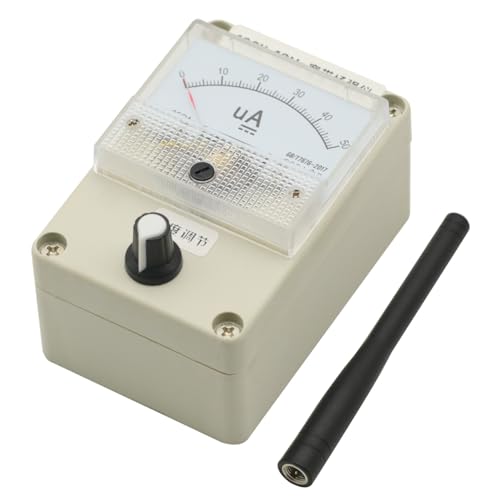
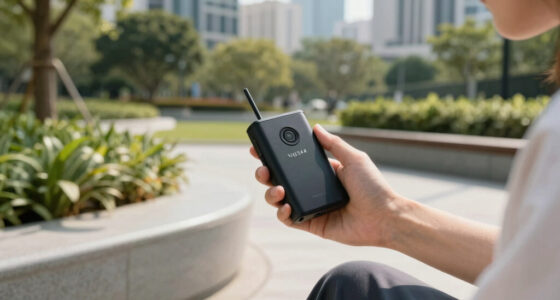
100Khz-1000Mhz Broadband Passive Field Strength Meter RF Signal Level Meter with Antenna
- Design: Simple, clean, and professional appearance
- Frequency Range: 100KHz to 1000MHz coverage
- Antenna Compatibility: Optimized for 400-470MHz, adaptable with different antennas
As an affiliate, we earn on qualifying purchases.
As an affiliate, we earn on qualifying purchases.
How To Break The Reuse & Weak Password Habit
- Switch to Passphrases: Think ‘CorrectHorseBatteryStaple’—long, memorable, and tough to crack.
- Use a Password Manager: Tools like LastPass or Bitwarden store your unique passwords securely, so you don’t have to remember them.
- Enable Multi-Factor Authentication (MFA): Add a fingerprint or a code sent to your phone for an extra layer of security.
- Regularly Update Passwords: Change them after breaches or periodically, especially for banking and email.
- Educate Yourself: Recognize phishing attempts that try to steal your passwords with fake links or emails.

Kensington VeriMark NFC+ USB‑C Security Key, FIDO2/WebAuthn Hardware Authenticator for Passwordless Login, Works with Windows, macOS & Chrome OS, K64739WW
- Authentication Methods: USB-C and NFC support
- Device Compatibility: Works with Windows, macOS, iOS, Android, ChromeOS
- Management Software: Optional Kensington software available
As an affiliate, we earn on qualifying purchases.
As an affiliate, we earn on qualifying purchases.
Passwordless Tech Is Changing the Game
Passwordless authentication—like fingerprint scans, facial recognition, or hardware tokens—is gaining ground. These methods eliminate the need for weak or reused passwords altogether. For example, Steam Deck now supports biometric logins, making it more secure than typing in a password.
According to TechWreckReport, industry adoption of passwordless options increased by 30% in the last year. These tech upgrades make hacking your account much harder, especially if you combine biometrics with MFA. Think of it as upgrading from a flimsy lock to a high-tech security system.
Comparison Table: Passwords vs. Passwordless Security
| Feature | Traditional Passwords | Passwordless Authentication |
|---|---|---|
| Ease of Use | Requires remembering or storing passwords | |
| Security Level | Low if weak or reused | |
| Vulnerability | Susceptible to phishing, keylogging, breaches | |
| Convenience | Can be cumbersome with many passwords | |
| Cost | Often free, but risky |
What You Can Do Right Now to Secure Your Accounts
- Start using a reputable password manager today. It encrypts your passwords and makes unique, complex ones easy to handle.
- Switch to passphrases for your most important accounts—think of a sentence that’s easy to remember but hard to guess.
- Turn on MFA wherever possible. Many services offer it now—do not skip this step.
- Replace old, weak passwords immediately after a breach or regular intervals.
- Stay alert for phishing attempts—hover over links, don’t click on suspicious emails.
Frequently Asked Questions
Why do people still use weak passwords despite knowing the risks?
Many find strong, unique passwords hard to remember. Reusing simple passwords is a mental shortcut, especially when managing dozens of accounts feels overwhelming.Are password managers safe to use?
Yes, reputable password managers encrypt your data, making it far safer than writing passwords down or reusing them. Just choose a well-reviewed, trusted tool.What’s a good way to create a strong password or passphrase?
Combine random words into a sentence, like ‘BlueHorse!Jumps7River.’ Longer passphrases with mixed characters are tougher for hackers to crack.Can biometrics fully replace passwords?
Biometrics add convenience and security but should be used with other protections like MFA. They’re great for quick access but not foolproof alone.How can organizations improve user password habits?
By enforcing MFA, encouraging password managers, and educating about phishing. Regular prompts for password updates also help.Conclusion
Breaking the habit of password reuse and choosing stronger, unique credentials is your best shield against cyber threats. Every time you rely on a simple, reused password, you’re leaving a door open for hackers. Switch to passphrases, embrace password managers, and activate MFA—that’s how you stay ahead.Pool season Picks
robotic pool cleaners
As an affiliate, we earn on qualifying purchases.