Choosing the right thermal cameras for electronics repair requires balancing sensor resolution with connectivity and portability. My top overall recommendation is the TOPDON TC002C Duo, which stands out for its high 256×192 resolution and versatile USB-C compatibility across both iOS and Android devices. For those needing a standalone unit with rugged durability, the Klein Tools TI250 offers superior build quality and battery life compared to phone-tethered models. The primary tradeoff in this category is between the convenience of compact, phone-attached sensors and the independent operation and larger displays of handheld units. Continue reading to understand which thermal imager fits your specific bench setup and diagnostic workflow.

Get the latest gadgets delivered free with Prime
- Fast, free delivery on millions of items
- Prime Video, Amazon Music and more included
- Member-only deals all year
Complete the kit



Key Takeaways
- Phone-tethered cameras (like TOPDON and AMPBANK) offer the best portability but drain your phone battery and rely on app stability.
- Standalone units (like Klein Tools) provide longer continuous operation and ruggedness but lack the software integration of mobile apps.
- Resolution is the single most important spec for PCB work; anything below 160×120 native resolution struggles to isolate individual chips.
- USB-C compatibility is now standard, but verify physical connector clearance if your phone has a thick protective case.
- Frame rate matters more than resolution when diagnosing intermittent shorts, as faster refresh rates catch transient heat spikes.
| TOPDON TC002C Duo Thermal Imaging Camera for USB-C Devices | 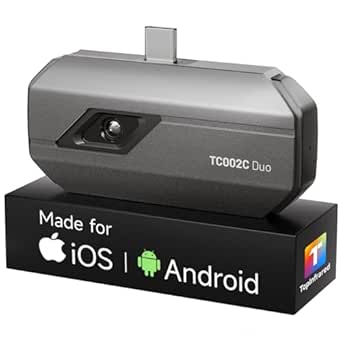 | Best Overall for Cross-Platform Phone Use | Thermal resolution: 256 × 192; enhanced to 512 × 384 with TISR | Refresh rate: 25 Hz | Thermal sensitivity: 40 mK | VIEW LATEST PRICE | See Our Full Breakdown |
| TBK R2202 Thermal Imaging Camera for PCB Repair |  | Best for Dedicated PCB Bench Work | Infrared resolution: 256 × 192 pixels | Temperature range: -20°C to 550°C | Spectral range: 7.5–13.5 μm | VIEW LATEST PRICE | See Our Full Breakdown |
| Klein Tools TI250 Rechargeable Thermal Imaging Camera |  | Best Standalone Handheld | Resolution: Over 19,200 pixels | Color palettes: 3 | Emissivity range: 0.01 to 0.99 | VIEW LATEST PRICE | See Our Full Breakdown |
| Klein Tools TI223 Mobile Thermal Imaging Camera | 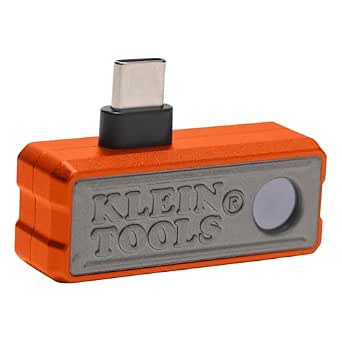 | Best for Phone-Based Inspection and Recording | Resolution: 19,200 pixels | Temperature range: -4°F to 752°F (-20°C to 400°C) | Compatibility: iOS and Android | VIEW LATEST PRICE | See Our Full Breakdown |
| RISION Magic Thermal Camera, 320×240 QuadIR, Hot/Cold Spot Track, Live Temp |  | Best for Detailed Live Analysis | Native thermal resolution: 160 × 120 | Enhanced thermal resolution: 320 × 240 QuadIR | Refresh rate: 25 Hz | VIEW LATEST PRICE | See Our Full Breakdown |
| Flagfront Thermal Camera, 240 x 240 TISR Resolution for Home Inspection |  | Best Rugged Handheld for Bench-to-Field Use | Enhanced resolution: 240 × 240 TISR | Refresh rate: 25 Hz | Temperature range: -4°F to 1022°F | VIEW LATEST PRICE | See Our Full Breakdown |
| LAUREII IIT ShortCam AS21 Thermal Imaging Camera |  | Best for Close-Up PCB Inspection | Model: AS21 ShortCam Mini | Infrared resolution: 256 × 192 | Temperature range: -20°C to 550°C (-4°F to 1022°F) | VIEW LATEST PRICE | See Our Full Breakdown |
| AMPBANK M192 Thermal Camera for Any USB-C iPhone & Android |  | Best Phone-Based Repair Pick | Native infrared resolution: 192 × 192 | Enhanced resolution modes: 240 × 240 and up to 384 × 384 TISR | Refresh rate: 25 Hz | VIEW LATEST PRICE | See Our Full Breakdown |
| TOPDON TC004 Mini Thermal Imaging Camera |  | Best Standalone Camera for Long Sessions | Thermal resolution: 128 × 128; enhanced to 240 × 240 with TISR | Field of view: 40° × 30° | Refresh rate: 25 Hz | VIEW LATEST PRICE | See Our Full Breakdown |
| AccuMEMS GT14S Thermal Imaging Camera with Edge Enhancement and Thermometer Mode |  | Best for Temperature Spot Checks | Model: GT14S-US | Manufacturer: AccuMEMS | Temperature range: -4°F to 1202°F in the specs; product description also states 1022°F maximum | VIEW LATEST PRICE | See Our Full Breakdown |
| GT14S Thermal Imaging Camera, Thermometer Mode, Ultra-Light 240g |  | Best for Portability and Long Runtime | Weight: 240g | Battery Life: 14 hours | Temperature Range: -4°F to 1022°F | VIEW LATEST PRICE | See Our Full Breakdown |
| HSFTOOLS HF96 Thermal Camera with AI Scene Detection and Laser Pointer |  | Best Balanced Performance | Thermal Resolution: 240 × 240 | Temperature Range: -4°F to 1022°F | Accuracy: ±3.6°F | VIEW LATEST PRICE | See Our Full Breakdown |
| HP96 Thermal Imaging Camera,3.5″ Touch Screen, Intelligent Scene Detection | 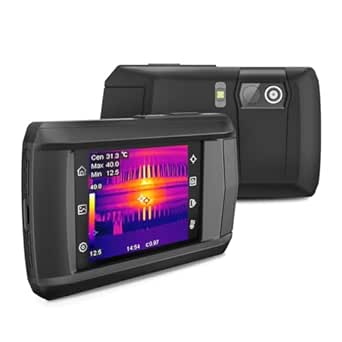 | Best for Ease of Use | Display: 3.5-inch Touchscreen | Native Resolution: 96 × 96 | Enhanced Resolution: 240 × 240 | VIEW LATEST PRICE | See Our Full Breakdown |
| FOXWELL RT280 Thermal Imaging Camera, 320 × 240 LCD, 240 × 180 TISR |  | Best for Rugged Durability | Display: 2.8-inch LCD | Enhanced Resolution: 240 × 180 | Storage: 8 GB | VIEW LATEST PRICE | See Our Full Breakdown |
| Thermal Master P1 USB-C Thermal Camera for Phones | 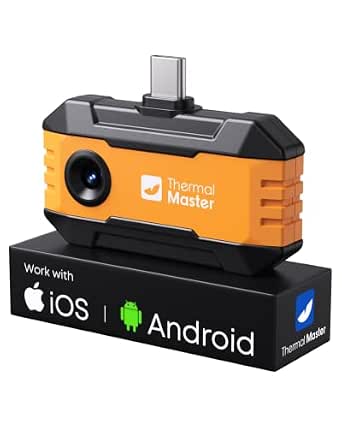 | Best for Smartphone Integration | Enhanced Resolution: 320 × 240 | Zoom: 1–15× | Temperature Range: -4°F to 1112°F | VIEW LATEST PRICE | See Our Full Breakdown |
| thermal cameras for electronics repair | Temperature range |
|---|---|
| TOPDON TC002C Duo Thermal Imag | -4°F to 1022°F |
| TBK R2202 Thermal Imaging Came | -20°C to 550°C |
| Klein Tools TI250 Rechargeable | -4°F to 752°F (-20°C to 400°C) |
| Klein Tools TI223 Mobile Therm | -4°F to 752°F (-20°C to 400°C) |
| RISION Magic Thermal Camera | -4°F to 1112°F (-20°C to 600°C) |
| Flagfront Thermal Camera | -4°F to 1022°F |
| LAUREII IIT ShortCam AS21 Ther | -20°C to 550°C (-4°F to 1022°F) |
| AMPBANK M192 Thermal Camera fo | -4°F to 842°F (-20°C to 450°C) |
| TOPDON TC004 Mini Thermal Imag | -4°F to 842°F (-20°C to 450°C) |
| AccuMEMS GT14S Thermal Imaging | -4°F to 1202°F in the specs; product description also states 1022°F maximum |
| GT14S Thermal Imaging Camera | -4°F to 1022°F |
| HSFTOOLS HF96 Thermal Camera w | -4°F to 1022°F |
| HP96 Thermal Imaging Camera,3. | -4°F to 662°F |
| FOXWELL RT280 Thermal Imaging | -4°F to 1022°F |
| Thermal Master P1 USB-C Therma | -4°F to 1112°F |
More Details on Our Top Picks
TOPDON TC002C Duo Thermal Imaging Camera for USB-C Devices
The TC002C Duo is a strong fit for repairers who want a phone-connected camera that can move between supported iOS, Android, and Windows USB-C devices. Its 256 × 192 native resolution, enhanced to 512 × 384 with TISR, gives a useful view for spotting heat differences around components, while the 25 Hz refresh rate keeps live scanning responsive. Compared with the Klein Tools TI223, it offers a wider stated temperature range and a 5 m measurement distance, but depends on the TopInfrared app and is temporarily incompatible with Mac and Android 16 devices. The tiny, 1.1-ounce body is easy to keep with a repair kit; the tradeoff is that the phone itself remains part of the setup. Its ±2°C or 2% accuracy also makes it better for locating anomalies than treating every reading as a lab-grade measurement.
Pros:- Supports USB-C iOS, Android, and Windows devices
- TISR enhances the 256 × 192 thermal image to 512 × 384
- 25 Hz refresh rate supports responsive live scanning
- Compact 1.1-ounce body and photo and video capture
Cons:- Temporarily incompatible with Mac and Android 16 devices
- Requires a compatible USB-C device and the TopInfrared app
- Specified measurement accuracy is ±2°C or 2%, which may limit confidence in precise component readings
Best for: Repair technicians who want one compact imager to use with supported USB-C iOS, Android, or Windows devices.
Not ideal for: Mac users and Android 16 users, as well as bench technicians who want a standalone camera rather than an app-dependent phone accessory.
- Thermal resolution:256 × 192; enhanced to 512 × 384 with TISR
- Refresh rate:25 Hz
- Thermal sensitivity:40 mK
- Temperature range:-4°F to 1022°F
- Measurement accuracy:±2°C or 2%
- Compatibility:USB-C iOS, Android, and Windows smartphones and tablets; Mac and Android 16 temporarily unsupported
- Dimensions and weight:2.8 × 1.7 × 0.55 in; 1.1 oz
Our verdict“Choose the TC002C Duo if broad supported-device compatibility and a lightweight phone-connected workflow matter more than standalone operation.”
TBK R2202 Thermal Imaging Camera for PCB Repair
The TBK R2202 is the most explicitly board-focused pick here: its adjustable lens and recommended 5–25 cm working distance suit close inspection of heat patterns on a PCB. Automatic temperature-anomaly analysis can help flag a suspicious area before a technician narrows in on a component. Against the TOPDON TC002C Duo, the R2202 reads more like a dedicated bench or field tool than a pocketable phone accessory, but its listed 2.42-pound weight and 6 × 6 × 11-inch dimensions make it much less convenient to carry. The foldable design helps with storage and positioning, and Android and Windows support gives it a workable range of setups. Apple phone users should skip it, and conflicting weight information in the product data makes its handling harder to judge in advance.
Pros:- Designed for circuit-board heat-pattern and temperature-anomaly diagnosis
- Automatic temperature-anomaly analysis
- Adjustable lens and foldable design for positioning and storage
- Works with Android devices and Windows PCs
Cons:- Not compatible with Apple phones
- Listed weight conflicts with other product information
- Bulkier and heavier than compact phone-connected options such as the TOPDON TC002C Duo
Best for: PCB repair technicians who work at a bench with Android devices or a Windows PC and want close-range heat-anomaly analysis.
Not ideal for: Apple phone users, mobile repairers who prioritize a lightweight pocket tool, and buyers who need clear, consistent weight information before choosing equipment.
- Infrared resolution:256 × 192 pixels
- Temperature range:-20°C to 550°C
- Spectral range:7.5–13.5 μm
- Field of view:25° × 18°
- Recommended working distance:5–25 cm
- Compatibility:Android devices and Windows PCs; not compatible with Apple phones
- Design and dimensions:Foldable with adjustable lens height; 6 × 6 × 11 in
- Listed weight:2.42 lb; product information lists conflicting weights
Our verdict“Pick the R2202 for close PCB inspection at an Android or Windows bench, but pass if portability or Apple phone support is a priority.”
Klein Tools TI250 Rechargeable Thermal Imaging Camera
The Klein Tools TI250 is the clearest choice for repairers who prefer a handheld imager over a camera tethered to a phone. Its over 19,200 pixels, adjustable emissivity, temperature crosshairs, and alarms support a more deliberate scan of boards and electrical components, while image capture helps document findings. That setup contrasts with the Klein Tools TI223, which is smaller and smartphone-connected; the TI250 avoids phone compatibility and case-fit concerns, but is heavier and lacks the TI223’s stated differential temperature mode and video and time-lapse capture. Its temperature ceiling of 752°F is lower than the TOPDON TC002C Duo’s 1022°F, though ample for many electronics troubleshooting tasks. The main ownership tradeoff is its non-removable rechargeable battery, so it cannot be swapped during a long repair session.
Pros:- Standalone handheld format avoids phone and app compatibility requirements
- Over 19,200 pixels for viewing heat patterns
- Adjustable emissivity from 0.01 to 0.99
- Temperature crosshairs, alarms, and image capture support inspection and reporting
Cons:- Rechargeable lithium-ion battery is non-removable
- Temperature range tops out at 752°F, below the TOPDON TC002C Duo’s stated upper limit
- Heavier than compact phone-connected options such as the Klein Tools TI223
Best for: Bench technicians who want a self-contained handheld imager with emissivity adjustment, alarms, and image capture for repair records.
Not ideal for: Technicians who need a replaceable battery, a pocket-sized phone attachment, or a stated temperature range above 752°F.
- Resolution:Over 19,200 pixels
- Color palettes:3
- Emissivity range:0.01 to 0.99
- Temperature range:-4°F to 752°F (-20°C to 400°C)
- Connectivity:USB-C
- Battery:Rechargeable lithium-ion; non-removable
- Weight and dimensions:8.6 oz; 3.18 × 3.11 × 1.03 in
- Included components:Thermal imager, charging cable, carrying case, and instructions
Our verdict“Choose the TI250 if you want a dedicated handheld for repeatable bench scans and can work around its fixed battery.”
Klein Tools TI223 Mobile Thermal Imaging Camera
The Klein Tools TI223 suits repairers who want thermal inspection and documentation on a supported phone. Its spot, high/low, and differential modes help compare temperatures across a board, while image, video, and time-lapse capture give technicians several ways to record an intermittent or changing fault. At 1.12 ounces, it is far easier to carry than the handheld Klein Tools TI250, but it depends on an iOS or Android device and the phone’s connector access. The stated 19,200-pixel resolution and 752°F upper limit are useful for general electronics troubleshooting, although the TOPDON TC002C Duo has a higher stated temperature ceiling and broader USB-C platform support. A phone case thicker than 1/5 inch can block fit, so check the setup before relying on it at the bench.
Pros:- Works with iOS and Android devices
- Spot, high/low, and differential temperature modes
- Records images, video, and time-lapse footage
- Lightweight 1.12-ounce phone-connected design
Cons:- Requires a compatible iOS or Android device
- Phone case clearance is limited to 1/5 inch
- Temperature range tops out at 752°F, below the TOPDON TC002C Duo’s stated upper limit
Best for: Phone-first repairers who want to scan components and save thermal photos, video, or time-lapse records on iOS or Android.
Not ideal for: Technicians with thick phone cases, unsupported devices, or a preference for a standalone handheld camera.
- Resolution:19,200 pixels
- Temperature range:-4°F to 752°F (-20°C to 400°C)
- Compatibility:iOS and Android
- Phone case clearance:Up to 1/5 inch thick
- Temperature modes:Spot, high/low, and differential
- Color palettes:Ironbow, rainbow, and grayscale
- Capture:Images, video, and time-lapse footage
- Dimensions and weight:1.77 × 1.23 × 0.75 in; 1.12 oz
Our verdict“Choose the TI223 if phone-based capture and multiple temperature modes matter more than standalone use or a higher temperature ceiling.”
RISION Magic Thermal Camera, 320×240 QuadIR, Hot/Cold Spot Track, Live Temp
The RISION Magic is aimed at repairers who want more on-screen analysis than a simple thermal view. Its app offers spot, line, and area measurements, temperature thresholds, live graphs, and picture-in-picture fusion with the phone’s visible camera—tools that can help relate a hot region to a specific connector or component. The listed 320 × 240 QuadIR image is upscaled from native 160 × 120, so buyers should distinguish enhanced output from native sensor resolution. Compared with the TOPDON TC002C Duo’s native 256 × 192 sensor, RISION offers a wider 52° × 39° field of view and more stated analysis tools, but its ±3.6°F accuracy differs from TOPDON’s stated ±2°C or 2% specification. It supports USB-C iOS, Android, and Windows, but not Mac, and relies on its app for the feature set.
Pros:- Spot, line, and area analysis with temperature thresholds and live graphs
- Visible-camera fusion can help identify the physical source of a thermal feature
- 25 Hz refresh rate and 52° × 39° field of view
- Supports USB-C iOS, Android, and Windows devices
Cons:- 320 × 240 QuadIR output is upscaled from a native 160 × 120 resolution
- Not compatible with Mac devices
- Advanced analysis depends on the RISION View app and a compatible device
Best for: Repair technicians who want live temperature graphs, multiple measurement regions, and visible-light alignment while tracking board-level heat patterns.
Not ideal for: Buyers who require a clearly stated native resolution of 320 × 240, Mac support, or a workflow independent of a phone app.
- Native thermal resolution:160 × 120
- Enhanced thermal resolution:320 × 240 QuadIR
- Refresh rate:25 Hz
- Field of view:52° × 39°
- Temperature range:-4°F to 1112°F (-20°C to 600°C)
- Accuracy and thermal sensitivity:±3.6°F; 40 mK
- Compatibility:USB-C iOS, Android, and Windows devices; Mac not supported
- App analysis features:Spot, line, and area analysis; temperature thresholds; live graphs; picture-in-picture
Our verdict“Choose the RISION Magic for app-based live analysis and scene alignment, but not if native 320 × 240 sensor resolution is a requirement.”
Flagfront Thermal Camera, 240 x 240 TISR Resolution for Home Inspection
The Flagfront’s appeal for electronics repair is its balance of a 25 Hz live image, temperature alarms, and a stated 6.6-foot drop rating with IP54 dust and water resistance. Those protections make it a more sensible pick for repair work that moves between a workbench, vehicle, and job site than the phone-dependent AMPBANK M192. Its 50° field of view can scan a board or power supply quickly, while adjustable emissivity and distance settings give you some control over readings from different surfaces. The tradeoff is that the description does not specify the sensor’s native resolution or image storage, so the 240 × 240 TISR claim is harder to compare directly with the LAUREII AS21’s stated 256 × 192 infrared resolution. I’d choose it for robust general troubleshooting, not detailed component analysis.
Pros:- 25 Hz refresh rate supports smoother live scanning
- Temperature alarms and high, low, and center readings help flag unusual heat
- IP54 rating and stated 6.6-foot drop resistance suit demanding work areas
- Adjustable emissivity and distance support more tailored temperature readings
Cons:- Native infrared resolution is not provided, making detail comparisons difficult
- No image storage or computer connectivity details are specified
- A 50° field of view is useful for broad scans but less tailored to close-up component work
Best for: Repair technicians who need a self-contained thermal imager for electronics checks across a bench and less controlled work areas.
Not ideal for: PCB specialists who need a clearly specified native sensor resolution, close-focus performance, or documented image export and storage.
- Enhanced resolution:240 × 240 TISR
- Refresh rate:25 Hz
- Temperature range:-4°F to 1022°F
- Temperature accuracy:Within 2%
- Field of view:50°
- Color palettes:6 selectable palettes
- Protection:IP54; stated drop resistance up to 6.6 feet
- Power:Rechargeable lithium-ion battery included
Our verdict“Choose the Flagfront for rugged, general-purpose electronics troubleshooting, but pick a camera with documented close-focus or native resolution details for fine PCB diagnosis.”
LAUREII IIT ShortCam AS21 Thermal Imaging Camera
For electronics repair, the ShortCam AS21 has the most purpose-built close-up setup in this group: its 5–25 cm focus range, detachable adjustable lens, and 30 cm gooseneck help aim at small components in cramped assemblies. Its stated 256 × 192 infrared resolution also gives a clearer basis for judging sensor detail than the Flagfront, whose native resolution is not listed. The camera connects over USB-C and includes Windows-compatible software, so it can suit a technician who wants a desktop view while probing a board. That flexibility comes with setup friction: driver installation is required, and Windows is the only listed operating system. Compared with the standalone TOPDON TC004 Mini, the AS21 is better suited to controlled close inspection, but less convenient for quick cordless checks around a shop.
Pros:- 256 × 192 stated infrared resolution supports component-level inspection
- Close focus range is specified at 5–25 cm
- Detachable adjustable lens and flexible 30 cm gooseneck help reach tight angles
- USB-C connection supports desktop use with listed Windows software
Cons:- Driver installation adds setup work before use
- Software compatibility is listed only for Windows 7, 10, and 11
- USB-connected operation is less convenient for roaming inspections than a standalone camera
Best for: PCB repair technicians and electronics hobbyists who inspect small components at a fixed bench and use a Windows computer.
Not ideal for: Mobile repairers who want a standalone handheld camera, or Mac and non-Windows users seeking stated software support.
- Model:AS21 ShortCam Mini
- Infrared resolution:256 × 192
- Temperature range:-20°C to 550°C (-4°F to 1022°F)
- Field of view:25° × 18°
- Focus range:5–25 cm
- Connectivity:USB 2.0 / USB-C
- Software compatibility:Windows 7, 10, and 11
- Gooseneck length:30 cm
- Weight:36 g camera; 200 g body
Our verdict“Pick the AS21 for close, computer-assisted PCB work if your repair setup is Windows-based and you can accommodate a tethered camera.”
AMPBANK M192 Thermal Camera for Any USB-C iPhone & Android
The AMPBANK M192 makes the most sense for technicians who want a pocketable camera that uses a phone or tablet as its screen and analysis workspace. Its 192 × 192 infrared sensor is enhanced through selectable TISR modes, while the included extension cable can help position the camera near a board without forcing the phone into the same tight space. The app also offers adjustable emissivity, alarms, and PC analysis software with report and data-export functions—more workflow support than the Flagfront’s listed feature set. The main caveat is device dependence: this is not a standalone imager, and the listing says it is not compatible with Mac. The advertised 384 × 384 result is processed enhancement, not the native sensor resolution, so buyers focused on actual sensor detail should compare it carefully with the LAUREII AS21.
Pros:- Compact 30 g camera connects directly to compatible USB-C devices
- TISR modes offer enhanced output up to 384 × 384 from a 192 × 192 sensor
- Extension cable helps position the imager in awkward repair spaces
- PC analysis software supports thermal reports and Excel data export
Cons:- Requires a compatible host device and the ThermCam app
- Mac compatibility is explicitly not supported
- 384 × 384 is enhanced resolution rather than the sensor’s native resolution
Best for: Electronics technicians and DIY repairers who already use a compatible USB-C phone or tablet and want app-based analysis and report export.
Not ideal for: Mac users, buyers needing a self-contained camera, or PCB specialists who prioritize higher stated native resolution over enhanced imaging.
- Native infrared resolution:192 × 192
- Enhanced resolution modes:240 × 240 and up to 384 × 384 TISR
- Refresh rate:25 Hz
- Thermal sensitivity:40 mK
- Temperature range:-4°F to 842°F (-20°C to 450°C)
- Temperature accuracy:±2°C or 2%
- Connectivity:USB-C; supports listed iOS, Android, and Windows USB-C devices
- Dimensions and weight:70 × 44 × 14 mm; 30 g
- Color palettes:10
Our verdict“Choose the M192 if you want phone-led electronics diagnostics with app and report tools, and its USB-C and operating-system limits fit your setup.”
TOPDON TC004 Mini Thermal Imaging Camera
The TC004 Mini is the strongest fit here for repairers who want a standalone handheld that can stay on through a long diagnostic session. Its stated battery life reaches 15 hours, and temperature alerts can automatically capture photos, which helps preserve evidence of intermittent heating without requiring a phone at the bench. The camera’s 128 × 128 sensor is enhanced to 240 × 240 with TISR; that gives it a lower native-resolution starting point than the LAUREII AS21, so I’d favor the AS21 for close inspection of dense boards. The TOPDON counters with a 40° × 30° view, IP54 protection, and stated resistance to drops up to 2 meters. Its accuracy specification is ±3.6°F or 2%, and the charging head is not included.
Pros:- Standalone operation avoids dependence on a phone or computer
- Up to 15 hours of stated battery life supports extended work sessions
- Temperature alerts can trigger automatic photo capture
- IP54 protection and 2-meter drop resistance suit workshop use
Cons:- Native thermal resolution is 128 × 128 before TISR enhancement
- Temperature accuracy is specified as ±3.6°F or 2%
- Charging head is not included, and the manual must be downloaded
Best for: Repair technicians who need a self-contained camera for extended troubleshooting, repeated scans, and automatic capture of temperature alerts.
Not ideal for: Technicians who need clearly higher native resolution for dense PCB work or want the strongest stated temperature accuracy in this lineup.
- Thermal resolution:128 × 128; enhanced to 240 × 240 with TISR
- Field of view:40° × 30°
- Refresh rate:25 Hz
- Temperature range:-4°F to 842°F (-20°C to 450°C)
- Temperature accuracy:±3.6°F or 2%
- Storage:512 MB eMMC; up to 8,000 photos
- Battery life:Up to 15 hours
- Protection:IP54; drop resistance up to 2 meters
- Weight:1.03 pounds
Our verdict“Pick the TC004 Mini for long, self-contained inspection sessions and automatic alert photos, rather than for the finest component-level image detail.”
AccuMEMS GT14S Thermal Imaging Camera with Edge Enhancement and Thermometer Mode
The GT14S stands apart by pairing thermal imaging with a point-and-shoot thermometer mode, giving electronics repairers a direct way to check temperatures alongside a wider heat map. Its 50° field of view and center, hot, and cold spot modes are useful when scanning a power supply, connector, or board for a suspicious heat source. It also offers adjustable emissivity and distance settings, seven palettes, and up to 14 hours of battery life. Compared with the TOPDON TC004 Mini, the GT14S lists a broader upper temperature limit, but the supplied product information conflicts: one description says 1022°F while the specs say 1202°F. The listing also omits image resolution and storage details, making it harder to judge fine-component clarity or document findings. I’d treat it as a temperature-checking tool, not a proven high-detail imager.
Pros:- Combines thermal imaging with point-and-shoot thermometer readings
- Center, hot, and cold spot modes help locate temperature outliers
- 50° field of view supports broad scanning across equipment
- Up to 14 hours of stated battery life and rechargeable 2500 mAh battery
Cons:- Product information conflicts on the maximum temperature, listing 1022°F and 1202°F
- Display or thermal image resolution is not specified
- Image storage capacity is not provided
Best for: Repairers who want a handheld thermal camera with direct spot-temperature readings for checking connectors, power components, and hot-running equipment.
Not ideal for: PCB technicians who need documented image resolution, image storage, or an unambiguous maximum temperature specification.
- Model:GT14S-US
- Manufacturer:AccuMEMS
- Temperature range:-4°F to 1202°F in the specs; product description also states 1022°F maximum
- Field of view:50°
- Image frequency:25 Hz
- Thermal sensitivity:NETD < 50 mK
- Color palettes:7
- Battery:2500 mAh rechargeable; up to 14 hours
- Weight:240 g
Our verdict“Choose the GT14S when spot-temperature readings matter more than documented image detail, and verify the temperature limit before relying on it near its upper range.”
GT14S Thermal Imaging Camera, Thermometer Mode, Ultra-Light 240g
This model stands out primarily for its ultra-lightweight design and exceptional battery life, making it a strong contender for technicians who prioritize portability over raw resolution. At just 240 grams, it is significantly lighter than the HSFTOOLS HF96, reducing hand fatigue during long diagnostic sessions on complex electronics assemblies. The 14-hour runtime is a major advantage, allowing for full-day inspections without needing to find a power source, whereas many competitors offer half that duration. However, this focus on battery and weight comes with a tradeoff: the resolution is likely lower than premium models, and the interface may feel less intuitive than the touchscreen options available in this category. It is better suited for quick scans and general troubleshooting rather than detailed micro-inspection of tiny SMD components. If you need a reliable, grab-and-go tool for broad area scanning, this is a solid choice, but it lacks the advanced software integration found in higher-tier devices.
Pros:- Extremely light at 240g, reducing user fatigue during extended use
- Outstanding 14-hour battery life supports full-day workflows
- Dual mode includes a dedicated thermometer for quick point readings
Cons:- Lower resolution compared to high-end desktop or smartphone-linked units
- Basic interface lacks the advanced scene detection of AI-driven competitors
Best for: Field technicians who need a lightweight, long-lasting tool for quick general inspections and HVAC checks.
Not ideal for: Micro-electronics repair specialists who require high-resolution imaging for identifying tiny component failures.
- Weight:240g
- Battery Life:14 hours
- Temperature Range:-4°F to 1022°F
- Thermal Sensitivity:< 50mK
- Field of View:50°
- Modes:Thermal Imaging and Thermometer
Our verdict“Choose the GT14S if you value endurance and portability over high-definition detail.”
HSFTOOLS HF96 Thermal Camera with AI Scene Detection and Laser Pointer
The HSFTOOLS HF96 offers a compelling middle ground, combining AI scene detection with a practical laser pointer for targeted measurements. Compared to the GT14S, the HF96 provides a more robust feature set for identifying specific anomalies like hotspots on circuit boards, thanks to its automated tracking capabilities. The 240 × 240 resolution (enhanced) is sufficient for most board-level diagnostics, though it falls short of the native high-resolution sensors found in premium smartphone add-ons. One notable drawback is the ±3.6°F accuracy, which may be too loose for precision soldering tasks where tighter tolerances are required. The inclusion of Windows software is a significant plus for creating professional reports, a feature absent in many budget-friendly handhelds. This camera is ideal for technicians who want smart assistance without the steep learning curve of complex desktop systems.
Pros:- AI scene detection automates hotspot and cold spot identification
- Includes a laser pointer for precise targeting of measurement points
- Comes with Windows software for detailed image analysis and reporting
Cons:- Temperature accuracy of ±3.6°F is lower than professional-grade standards
- No moisture detection capabilities despite AI features
Best for: Intermediate technicians who want AI-assisted hotspot detection and PC software for reporting.
Not ideal for: Users who need high-precision temperature readings below ±2°F or Mac-based software compatibility.
- Thermal Resolution:240 × 240
- Temperature Range:-4°F to 1022°F
- Accuracy:±3.6°F
- Refresh Rate:25 Hz
- Battery Life:11 hours
- Storage:4 GB
Our verdict“The HF96 is the best choice for technicians seeking smart automation and reporting tools in a handheld form factor.”
HP96 Thermal Imaging Camera,3.5″ Touch Screen, Intelligent Scene Detection
With its 3.5-inch touchscreen and intuitive interface, the HP96 is designed for users who prefer smartphone-like navigation over physical buttons. This stands in contrast to the FOXWELL RT280, which uses a traditional button layout that can feel dated. The IntellFault technology automatically identifies common issues like water leaks or insulation gaps, speeding up the diagnostic process significantly. However, the 4-hour battery life is a significant limitation compared to the 11+ hours offered by the HSFTOOLS HF96, meaning you may need to carry a power bank for long shifts. The 240×240 super-resolution is impressive for a 96×96 native sensor, but it still lacks the clarity of true high-res sensors. This camera is best for those who prioritize a smooth, touch-based user experience and quick visual assessments over extended battery endurance or raw sensor fidelity.
Pros:- Intuitive 3.5-inch touchscreen interface simplifies operation
- IntellFault technology automates detection of common thermal anomalies
- IP54 rating and drop resistance make it durable for field use
Cons:- Short 4-hour battery life limits continuous usage time
- Native 96×96 sensor relies on software interpolation for higher resolution
Best for: Users who prioritize a modern touchscreen interface and automated fault detection for quick diagnostics.
Not ideal for: Professionals needing all-day battery life without frequent recharging or high-resolution native sensors.
- Display:3.5-inch Touchscreen
- Native Resolution:96 × 96
- Enhanced Resolution:240 × 240
- Battery Life:4 hours
- Temperature Range:-4°F to 662°F
- Durability:IP54, 6.6ft drop test
Our verdict“The HP96 is ideal for tech-savvy users who want a smart, easy-to-use interface and don’t mind charging frequently.”
FOXWELL RT280 Thermal Imaging Camera, 320 × 240 LCD, 240 × 180 TISR
The FOXWELL RT280 emphasizes ruggedness and storage capacity, making it a reliable workhorse for demanding environments. Its IP54 rating and 6.6-foot drop resistance surpass the protection levels of the Thermal Master P1, which is more delicate. The 8 GB storage allows for extensive documentation of repairs, a feature crucial for warranty claims or detailed analysis. However, the Windows-only software is a major restriction for users on macOS or Linux platforms, limiting its versatility compared to cloud-connected alternatives. The 240 × 180 TISR resolution provides decent detail for board-level inspection, but it does not match the crispness of higher-end smartphone thermal cameras. This device is best suited for industrial technicians who need a tough, standalone unit with ample local storage and do not rely on Mac-based workflows.
Pros:- Rugged IP54 design withstands drops and harsh environments
- Large 8 GB storage holds over 20,000 images and videos
- Includes PC software for generating professional thermal reports
Cons:- Software is exclusively compatible with Windows, excluding Mac users
- Physical button interface is less intuitive than touchscreen models
Best for: Industrial technicians needing a rugged, standalone unit with large onboard storage for documentation.
Not ideal for: Mac users or those who require cloud-based connectivity and cross-platform software support.
- Display:2.8-inch LCD
- Enhanced Resolution:240 × 180
- Storage:8 GB
- Temperature Range:-4°F to 1022°F
- Protection:IP54
- Software:Windows Compatible
Our verdict“Pick the RT280 if you need a durable, high-capacity standalone camera and work exclusively on Windows PCs.”
Thermal Master P1 USB-C Thermal Camera for Phones
The Thermal Master P1 leverages the processing power and display of your smartphone, offering a 320×240 enhanced resolution that rivals dedicated handhelds. Compared to the HSFTOOLS HF96, the P1 provides a sharper image on a larger, familiar screen, making it easier to spot fine traces on a PCB. The 15× zoom is a standout feature, allowing for detailed inspection of tiny components without moving physically closer. However, this device draws power from your phone, which can rapidly deplete your mobile battery during long sessions. It also requires a compatible USB-C device, adding a layer of dependency that standalone cameras like the FOXWELL RT280 avoid. This is the best option for technicians who already own a high-quality smartphone and want a compact, high-resolution tool for precise electronics work.
Pros:- High 320×240 enhanced resolution for detailed PCB inspection
- 15× digital zoom allows precise targeting of small components
- Extremely lightweight at 0.6 ounces, easily pocketable
Cons:- Drains the connected smartphone’s battery during use
- Requires a compatible USB-C device to function
Best for: Technicians with compatible USB-C phones who want high-resolution imaging and zoom in a compact package.
Not ideal for: Users without a compatible smartphone or those concerned about draining their phone battery during long jobs.
- Enhanced Resolution:320 × 240
- Zoom:1–15×
- Temperature Range:-4°F to 1112°F
- Power Source:Connected Device
- Weight:0.6 ounces
- Compatibility:USB-C Phones and Tablets
Our verdict“The Thermal Master P1 is the best choice for smartphone users who prioritize resolution and zoom over standalone battery life.”
How We Picked
I evaluated these thermal imagers based on their ability to resolve small electronic components on dense PCBs. Native sensor resolution was the primary filter; I prioritized models with at least 160×120 pixels, as lower resolutions blur adjacent components together. I also examined thermal sensitivity (NETD), where lower values indicate better contrast between slightly different temperatures, helping to spot subtle shorts without overheating the board.
Connectivity and software features played a secondary but decisive role. I favored cameras with robust mobile apps that offer real-time temperature measurement and image export, as these features streamline documentation for repair logs. Build quality and battery life were assessed for standalone units, while app compatibility and physical size determined the ranking for mobile-attached devices.
Factors to Consider When Choosing Thermal Cameras For Electronics Repair
Selecting a thermal camera for electronics repair involves more than just picking the highest specs. The right choice depends on whether you work in a fixed bench environment or need mobile diagnostics, and how much detail you need to see.
Native Resolution vs. Interpolated Resolution
Manufacturers often advertise high numbers like 320×240 or 640×480, but you must check if this is native or interpolated. Native resolution refers to the actual number of sensor elements; interpolated resolution is digitally upscaled. For electronics repair, native resolution is non-negotiable because you are trying to isolate tiny SMD components. A 160×120 native sensor will provide sharper, more accurate details than a 320×240 interpolated sensor. Interpolation can create artificial blurring that hides the exact location of a short circuit. Always prioritize native specs when comparing models like the RISION Magic or FOXWELL RT280.
Thermal Sensitivity (NETD)
Net Equivalent Temperature Difference (NETD) measures the smallest temperature difference a camera can detect. Lower numbers are better; a NETD of <50mK is excellent for spotting subtle power leakage. High NETD values (e.g., >100mK) may fail to distinguish between a warm component and a slightly hotter shorted one. This metric is critical when diagnosing intermittent faults that generate minimal heat. Low NETD allows you to see thermal gradients clearly without cranking up the current, reducing the risk of damaging sensitive parts.
Mobile vs. Standalone Form Factors
Mobile-attached cameras (like the AMPBANK M192) rely on your smartphone for processing and display, offering compactness and app-based analysis tools. Standalone units (like the Klein Tools TI250) have their own screens and batteries, making them more robust for field use or busy benches. Mobile units are cheaper and update software frequently, but they drain your phone battery and can disconnect during use. Standalone units are more reliable for long sessions but often lack advanced software features like AI scene detection. Choose based on whether you prioritize portability and software or independence and durability.
Frame Rate and Latency
Frame rate determines how smoothly the thermal image updates. For static hotspots, a low frame rate (9Hz) is acceptable. However, for diagnosing intermittent shorts or testing power supply ripple, a higher frame rate (25Hz or 30Hz) is necessary to catch transient heat spikes. Latency is also important; high latency makes it difficult to correlate physical probing with thermal changes. If you frequently diagnose dynamic circuits, prioritize models with higher refresh rates to avoid missing brief thermal events.
Software Features and Documentation
A camera is only as good as its software. Look for apps that allow real-time temperature measurement, spot analysis, and image export (JPEG/PNG or RAW). Features like isotherms (color coding temperatures above/below a threshold) help quickly identify hotspots on complex boards. Some apps offer report generation, which is valuable for professional repair shops needing client documentation. Verify that the app supports your specific phone OS version before buying, as compatibility issues can render the hardware useless.
Frequently Asked Questions
Can I use any thermal camera for electronics repair?
No, most general-purpose thermal cameras lack the resolution needed for electronics. Standard building inspection cameras often have resolutions like 80×60 or 160×120 with poor sensitivity, which is insufficient for resolving individual SMD components on a PCB. You need a camera with at least 160×120 native resolution and a NETD under 50mK to accurately identify shorted components. Using a low-resolution camera will result in blurred images where multiple components appear hot, making diagnosis impossible.Do phone-attached thermal cameras work with cases?
It depends on the connector design and the thickness of the case. Most USB-C thermal cameras have a short plug that may not reach the phone’s port if a thick rugged case is attached. Slim cases usually work fine, but you should check the camera’s physical dimensions against your case. Some models, like the TOPDON TC002C Duo, have a slightly protruding connector that offers more clearance, but testing with your specific case is always recommended before relying on it for repairs.Is a higher resolution always better for PCB repair?
Higher native resolution is generally better, but only if the lens and sensitivity support it. A 320×240 native sensor provides significantly more detail than 160×120, allowing you to see pin-level heat patterns. However, an interpolated 320×240 image is inferior to a native 160×120 image. Additionally, higher resolution sensors often have smaller pixel pitches, which can reduce sensitivity. For most repair tasks, a high-quality native 160×120 or 256×192 sensor is the sweet spot for performance and price.Can thermal cameras detect short circuits on all components?
Thermal cameras detect heat, not electrical shorts directly. A short circuit must generate heat to be visible. If the short is high-resistance, it may generate very little heat and remain invisible to the camera. In such cases, techniques like voltage injection or using a thermal spray can help make the fault visible. Thermal imaging is most effective for low-resistance shorts where significant current flows and generates noticeable heat differentials.How does ambient temperature affect thermal repair diagnostics?
Ambient temperature affects the baseline heat signature of the board. In a warm environment, the contrast between a hot component and the rest of the board decreases, making faults harder to spot. Ideally, perform diagnostics in a cool, stable environment. If the board is already warm from operation, allow it to cool slightly before injecting current. A large temperature differential between the fault and the background is key to clear thermal imaging results.Conclusion
For most professional technicians, the TOPDON TC002C Duo represents the best overall balance of resolution, connectivity, and software features for electronics repair. If you need a rugged, standalone tool for field work or busy benches, the Klein Tools TI250 is the superior choice despite its higher price. Beginners or hobbyists on a tight budget should consider the AMPBANK M192, which offers decent performance at a lower cost, provided you have a compatible phone. For those requiring the highest detail for complex board-level diagnostics, the RISION Magic with its 320×240 native sensor is the premium pick. Match your choice to your workflow: mobile apps for documentation and portability, or standalone units for reliability and endurance.
Fall Picks
fall essentials
As an affiliate, we earn on qualifying purchases.