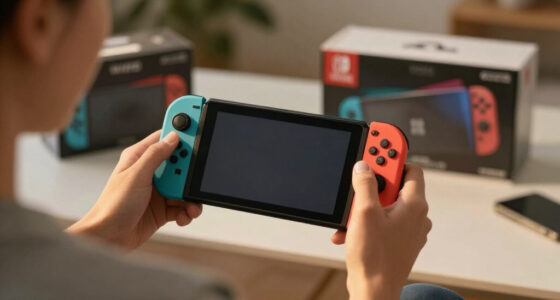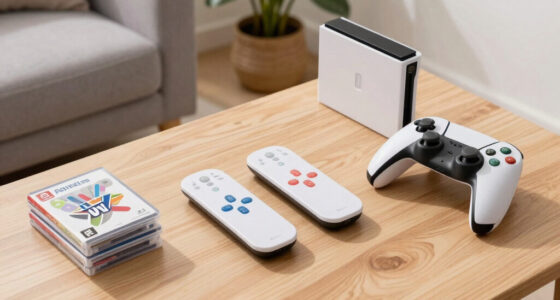

The best gaming system for most players is the Nintendo Switch 2, thanks to its mix of TV and handheld play, while the CyberPowerPC Gamer Master stands out for PC gaming and the PlayStation 5 Slim for straightforward living-room play. These options serve different needs: a desktop offers flexibility and upgrade potential, a console simplifies setup, and a handheld or activity system favors portability or shared play. The right choice depends on the games you want, where you’ll play, and whether you want to manage PC settings or just start playing. Storage, accessories, and online services can also change how well a system fits your routine. Read on for the full breakdown and a guide to matching each system type to your priorities.

Get the latest gadgets delivered free with Prime
- Fast, free delivery on millions of items
- Prime Video, Amazon Music and more included
- Member-only deals all year
Complete the kit



Key Takeaways
- The lineup spans distinct kinds of play. Gaming desktops, traditional consoles, VR, handhelds, and family activity systems should be compared by use case, not treated as interchangeable.
- The Switch 2 is the most adaptable console-style pick. Its hybrid format gives players both TV and portable play, while the original Switch remains a separate option for buyers who want its established format.
- The PC choices differ more by configuration than category. The Alienware Aurora pairs a Core Ultra 7 265KF with an RTX 5070, while the CyberPowerPC and KOTIN use Ryzen 7 8700F and RTX 5060 Ti configurations.
- Digital-only and smaller-storage systems require planning. The Xbox Series S has a 512GB SSD, while several PCs and the Series X list 1TB storage; game libraries and installation sizes affect how quickly free space runs out.
- Special-purpose systems can be the right choice for a narrower audience. The Meta Quest 3S centers VR, Nex Playground targets active family play, and the Board interactive tabletop system offers a shared screen-based game format.
| ZYNEEX S5 Gaming Desktop PC, Ryzen 5 5500, RTX 3050 6GB, 16GB DDR4 RAM, 1TB NVMe SSD |  | Best Entry-Level Gaming Desktop | Processor: AMD Ryzen 5 5500, 6 cores / 12 threads, up to 4.2 GHz | Graphics: GeForce RTX 3050, 6GB GDDR6 | Memory: 16GB DDR4-3200; maximum 64GB | VIEW LATEST PRICE | See Our Full Breakdown |
| Meta Quest 3S 128GB VR Headset with GOLF+ |  | Best Standalone VR System | Processor: Snapdragon XR2 Gen 2 | Memory: 8GB RAM | Storage: 128GB | VIEW LATEST PRICE | See Our Full Breakdown |
| Nintendo Switch 2 System |  | Best Hybrid Gaming System | Platform: Nintendo Switch 2 | Display: 7.9-inch 1080p LCD touchscreen with HDR and support for up to 120 fps | TV output: Up to 4K; maximum 60 fps at 4K | VIEW LATEST PRICE | See Our Full Breakdown |
| Olialia Gaming Desktop PC with RTX 3060 Ti and AMD Ryzen 5 5500 |  | Best Midrange Graphics Desktop | Processor: AMD Ryzen 5 5500, 6 cores / 12 threads, up to 4.2 GHz | Graphics: NVIDIA GeForce RTX 3060 Ti | Memory: 16GB DDR4; maximum 64GB | VIEW LATEST PRICE | See Our Full Breakdown |
| Alienware Aurora Gaming Desktop with Intel Core Ultra 7 265KF and NVIDIA GeForce RTX 5070 |  | Best Premium Gaming Desktop | Processor: Intel Core Ultra 7 265KF | Graphics: NVIDIA GeForce RTX 5070, 12GB GDDR7 | Memory: 32GB DDR5 | VIEW LATEST PRICE | See Our Full Breakdown |
| Byte Depot Gamer Xtreme Gaming Desktop PC |  | Best for Ready-to-Play PC Gaming | Processor: Intel Core i7 Quad-Core, 3.4GHz base, 3.9GHz turbo | Graphics: NVIDIA GeForce RTX 3050 | Memory: 32GB DDR RAM | VIEW LATEST PRICE | See Our Full Breakdown |
| CyberPowerPC Gamer Master Gaming Desktop, AMD Ryzen 7 8700F, GeForce RTX 5060 Ti 8GB, 16GB DDR5, 1TB SSD |  | Best Desktop for Stronger Gaming Performance | Processor: AMD Ryzen 7 8700F, 8 cores, 4.1GHz | Chipset: AMD B850 | Graphics: NVIDIA GeForce RTX 5060 Ti, 8GB | VIEW LATEST PRICE | See Our Full Breakdown |
| Xbox Series X X25 Special Edition Gaming Console, 1TB SSD |  | Best Special-Edition Console | Platform: Xbox Series X | Storage: 1TB SSD | Resolution: 4K | VIEW LATEST PRICE | See Our Full Breakdown |
| Xbox Series S Digital Gaming Console, 512GB SSD |  | Best Compact Console | Storage: 512GB custom NVMe SSD | Processing power: 4 teraflops | Maximum frame rate: Up to 120 FPS with supported content and display | VIEW LATEST PRICE | See Our Full Breakdown |
| ASUS ROG Xbox Ally Gaming Handheld (White) |  | Best Handheld for Multiple PC Game Stores | Processor: AMD Ryzen Z2 A | Memory: 16GB LPDDR5, 6400MHz | Storage: 512GB SSD | VIEW LATEST PRICE | See Our Full Breakdown |
| PlayStation 5 Slim Console – 1TB | 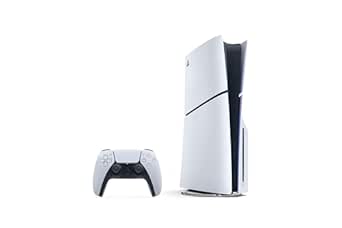 | Best for Disc-Based PlayStation Gaming | Model: PlayStation 5 Slim, CFI-2100 | Storage: 1TB (1024GB) SSD | Disc drive: Included | VIEW LATEST PRICE | See Our Full Breakdown |
| KOTIN Gaming Desktop PC with Ryzen 7 8700F and GeForce RTX 5060 Ti |  | Best Expandable Midrange Gaming Desktop | Processor: AMD Ryzen 7 8700F, 8 cores, up to 5 GHz | Graphics: GeForce RTX 5060 Ti, 8GB GDDR7 | Memory: 16GB DDR5 | VIEW LATEST PRICE | See Our Full Breakdown |
| Nex Playground Active Play System for Kids and Families | 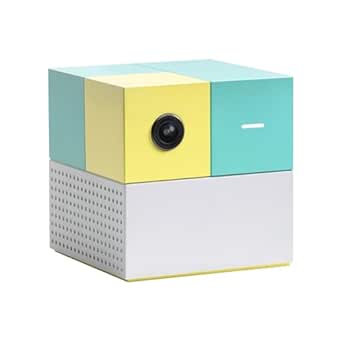 | Best for Controller-Free Family Play | Players: Up to 4 | Controller: None required; built-in motion-tracking camera | Included games: Fruit Ninja, Starri, Whac-a-Mole, Go Keeper, Party Fowl | VIEW LATEST PRICE | See Our Full Breakdown |
| Nintendo Switch Console with Neon Blue and Neon Red Joy-Con | 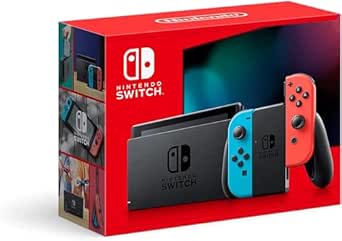 | Best for Portable and Shared Gaming | Platform: Nintendo Switch | Screen: 6.2-inch LCD | Storage: 32GB, expandable with microSDXC | VIEW LATEST PRICE | See Our Full Breakdown |
| Board 24-Inch Interactive Tabletop Game Console |  | Best for Large-Group Tabletop Play | Screen: 24-inch LCD | Platform: Android | Players: 1–8 | VIEW LATEST PRICE | See Our Full Breakdown |
| gaming system | Storage | Processor | Memory |
|---|---|---|---|
| ZYNEEX S5 Gaming Desktop PC | 1TB NVMe SSD | AMD Ryzen 5 5500, 6 cores / 12 threads, up to 4.2 GHz | 16GB DDR4-3200; maximum 64GB |
| Meta Quest 3S 128GB VR Headset | 128GB | Snapdragon XR2 Gen 2 | 8GB RAM |
| Nintendo Switch 2 System | 256GB internal; expandable with microSD Express cards | — | — |
| Olialia Gaming Desktop PC with | 512GB SSD | AMD Ryzen 5 5500, 6 cores / 12 threads, up to 4.2 GHz | 16GB DDR4; maximum 64GB |
| Alienware Aurora Gaming Deskto | 2TB SSD | Intel Core Ultra 7 265KF | 32GB DDR5 |
| Byte Depot Gamer Xtreme Gaming | 1TB M.2 NVMe SSD | Intel Core i7 Quad-Core, 3.4GHz base, 3.9GHz turbo | 32GB DDR RAM |
| CyberPowerPC Gamer Master Gami | 1TB PCIe 4.0 NVMe SSD | AMD Ryzen 7 8700F, 8 cores, 4.1GHz | 16GB DDR5, 4800 MT/s; maximum 192GB |
| Xbox Series X X25 Special Edit | 1TB SSD | — | — |
| Xbox Series S Digital Gaming C | 512GB custom NVMe SSD | — | — |
| ASUS ROG Xbox Ally Gaming Hand | 512GB SSD | AMD Ryzen Z2 A | 16GB LPDDR5, 6400MHz |
| PlayStation 5 Slim Console | 1TB (1024GB) SSD | — | — |
| KOTIN Gaming Desktop PC with R | 1TB PCIe Gen4 NVMe SSD | AMD Ryzen 7 8700F, 8 cores, up to 5 GHz | 16GB DDR5 |
| Nex Playground Active Play Sys | 64GB | — | — |
| Nintendo Switch Console with N | 32GB, expandable with microSDXC | — | — |
| Board 24-Inch Interactive Tabl | 64GB | — | — |
More Details on Our Top Picks
ZYNEEX S5 Gaming Desktop PC, Ryzen 5 5500, RTX 3050 6GB, 16GB DDR4 RAM, 1TB NVMe SSD
The ZYNEEX S5 is the accessible desktop pick for players who want a dedicated graphics card and room for everyday multitasking without moving to a more demanding system. Its RTX 3050 6GB and Ryzen 5 5500 are aimed at 1080p gaming; the stated display limit makes it less suited to high-resolution play than the Olialia desktop with its RTX 3060 Ti. In return, the ZYNEEX gives you a 1TB NVMe SSD, twice the listed capacity of the Olialia’s 512GB drive, for a larger starting game library. Wi-Fi, Bluetooth, and Windows 11 Home are included, which keeps setup simple. The tradeoff is 16GB of RAM and a 1080p ceiling, so buyers seeking more graphics headroom should look at stronger desktop options in this roundup.
Pros:- RTX 3050 graphics provide a dedicated GPU for 1080p gaming.
- 1TB NVMe SSD offers fast storage and more room than the Olialia desktop’s 512GB SSD.
- Six-core, 12-thread Ryzen 5 5500 supports multitasking alongside gaming.
- Wi-Fi, Bluetooth, and Windows 11 Home are included.
Cons:- Listed maximum display resolution is 1920 × 1080, limiting its fit for higher-resolution gaming.
- Ships with 16GB DDR4 RAM, though the system supports up to 64GB.
- RTX 3050 offers less graphics headroom than the RTX 3060 Ti in the Olialia desktop.
Best for: First-time PC gamers who want a ready-to-use Windows desktop for 1080p games, school or work tasks, and a sizable initial game library.
Not ideal for: Players targeting high-resolution gaming or more graphics headroom; its listed maximum display resolution is 1920 × 1080 and its RTX 3050 is less capable than the Olialia’s RTX 3060 Ti.
- Processor:AMD Ryzen 5 5500, 6 cores / 12 threads, up to 4.2 GHz
- Graphics:GeForce RTX 3050, 6GB GDDR6
- Memory:16GB DDR4-3200; maximum 64GB
- Storage:1TB NVMe SSD
- Operating system:Windows 11 Home
- Connectivity:Wi-Fi and Bluetooth
- Video outputs:DisplayPort, HDMI, and DVI
- Form factor:Black tower
Our verdict“Choose the ZYNEEX S5 for straightforward 1080p PC gaming and generous starting storage, not for high-resolution play.”
Meta Quest 3S 128GB VR Headset with GOLF+
The Meta Quest 3S is the choice here for players who want untethered virtual reality rather than a conventional console or desktop. Its Snapdragon XR2 Gen 2 processor runs games on the headset itself, while full-color passthrough lets virtual elements appear alongside the room around you. That makes it a very different proposition from the Nintendo Switch 2: the Switch moves between handheld and TV play, while the Quest centers on immersive headset gaming. This bundle adds GOLF+ and in-game credits, giving golf fans a clear starting point. The limits are practical: about 2.5 hours of battery life means sessions need charging breaks, and 128GB can constrain a large installed library. Choose it for VR’s distinct perspective, not as an all-purpose replacement for a shared-screen system.
Pros:- Standalone wireless design avoids a PC or console connection during play.
- Full-color passthrough supports mixed-reality experiences in the surrounding room.
- Snapdragon XR2 Gen 2 processor and 8GB RAM power the headset’s games and apps.
- Includes GOLF+ and 1,800 in-game credits.
Cons:- Average battery life is about 2.5 hours, limiting uninterrupted play.
- 128GB storage may require frequent decisions about which games and apps to keep installed.
- A headset-focused format is less suited to shared-screen play than the Nintendo Switch 2.
Best for: VR-curious players and golf fans who want wireless headset gaming, room-aware mixed reality, and the included GOLF+ content.
Not ideal for: Players who want long uninterrupted sessions, a large stored game collection, or a traditional TV-and-controller system like the Nintendo Switch 2.
- Processor:Snapdragon XR2 Gen 2
- Memory:8GB RAM
- Storage:128GB
- Display:LCD, 1832 × 1920 per eye
- Refresh rate:60Hz
- Field of view:110 degrees
- Battery life:About 2.5 hours
- Weight:515g
- Included content:GOLF+ and 1,800 in-game credits
Our verdict“Pick the Quest 3S if you want wireless VR and the included golf game; skip it if battery runtime or a conventional shared-screen setup matters most.”
Nintendo Switch 2 System
The Nintendo Switch 2 earns its place by adapting to how and where you play: it works as a handheld, tabletop system, or TV console. That flexibility sets it apart from the stationary ZYNEEX S5 and Olialia desktops, which are better fits for Windows PC gaming at a desk. The Switch 2’s 7.9-inch 1080p touchscreen gives portable play a larger canvas, while its dock can output up to 4K with compatible games and TVs. Its 256GB of built-in storage is expandable with microSD Express cards, though those cards are sold separately. Joy-Con 2 mouse controls add another way to play in supported titles. Buyers should check compatibility for older Switch games, and online chat features require internet, a Nintendo Account, and a Switch Online membership.
Pros:- Three play modes make it usable at home, on a table, or on the go.
- 7.9-inch 1080p touchscreen supports HDR and up to 120 fps.
- Dock supports up to 4K output with compatible games and TVs.
- 256GB internal storage can be expanded with microSD Express cards.
Cons:- Some Nintendo Switch games may not be supported or fully compatible.
- MicroSD Express cards are sold separately for expanded storage.
- Online GameChat features require internet, a Nintendo Account, and a Nintendo Switch Online membership.
Best for: Players who want one system for handheld gaming, tabletop multiplayer, and TV play, especially those with compatible Nintendo Switch games.
Not ideal for: Buyers focused on desktop PC gaming or those unwilling to check older-game compatibility or purchase a microSD Express card for added storage.
- Platform:Nintendo Switch 2
- Display:7.9-inch 1080p LCD touchscreen with HDR and support for up to 120 fps
- TV output:Up to 4K; maximum 60 fps at 4K
- Storage:256GB internal; expandable with microSD Express cards
- Play modes:TV, tabletop, and handheld
- Controllers:Joy-Con 2 with mouse controls in compatible games
- Connectivity:Wi-Fi
- GameChat:Voice chat, screen sharing, and video chat with a compatible USB-C camera
Our verdict“Choose the Switch 2 for flexible handheld-to-TV gaming, particularly if portability matters more than a desktop PC setup.”
Olialia Gaming Desktop PC with RTX 3060 Ti and AMD Ryzen 5 5500
The Olialia desktop is the more graphics-focused choice between the two Ryzen 5 5500 PCs here. Its RTX 3060 Ti is positioned for 1080p and 1440p gaming, giving it more resolution headroom than the ZYNEEX S5 and its RTX 3050. The difference is visible in the rest of the configuration: Olialia pairs that stronger GPU with a 512GB SSD, half the ZYNEEX’s listed capacity, so a large game library may call for added storage sooner. Its tempered-glass case and six adjustable RGB fans give it a more display-oriented look, while Windows 11 and several video outputs make setup familiar. It arrives with 16GB RAM and supports up to 64GB, but buyers should weigh the need for potential memory or storage upgrades against the GPU advantage.
Pros:- RTX 3060 Ti is suited to 1080p and 1440p gaming, with more graphics headroom than the ZYNEEX S5.
- Six adjustable RGB fans and ventilated panels support airflow.
- Dual tempered-glass panels show off the internal components and lighting.
- Includes Windows 11 Home, multiple display outputs, and a one-year manufacturer warranty.
Cons:- 512GB SSD provides less starting capacity than the ZYNEEX S5’s 1TB NVMe SSD.
- Ships with 16GB RAM, despite supporting up to 64GB.
- The Ryzen 5 5500 is shared with the ZYNEEX S5, so the main performance distinction is the graphics card.
Best for: PC gamers who want a prebuilt system with more graphics capability for 1080p or 1440p play and value a glass-sided RGB case.
Not ideal for: Players who prioritize a large ready-to-use game library or prefer the ZYNEEX S5’s 1TB NVMe SSD over stronger graphics performance.
- Processor:AMD Ryzen 5 5500, 6 cores / 12 threads, up to 4.2 GHz
- Graphics:NVIDIA GeForce RTX 3060 Ti
- Memory:16GB DDR4; maximum 64GB
- Storage:512GB SSD
- Operating system:Windows 11 Home
- Cooling:Six adjustable RGB case fans and RGB CPU cooler
- Ports:HDMI, DisplayPort, VGA, USB 3.0/2.0, and Ethernet
- Warranty:One-year manufacturer warranty
Our verdict“Choose Olialia over the ZYNEEX S5 when 1440p-capable graphics matter more to you than having 1TB of storage from the start.”
Alienware Aurora Gaming Desktop with Intel Core Ultra 7 265KF and NVIDIA GeForce RTX 5070
The Alienware Aurora is the premium desktop in this group, with a GeForce RTX 5070, 32GB of DDR5 memory, and a 2TB SSD. Those higher-end parts give it a more substantial starting configuration than the ZYNEEX S5 and Olialia systems, which pair Ryzen 5 processors with 16GB of DDR4 and smaller graphics or storage configurations. The Aurora also adds AlienFX lighting and Command Center profiles for managing performance modes and game settings. Its airflow-focused design and reduced-acoustics emphasis may appeal to players who want a powerful desktop without putting appearance aside. This is a large, heavy tower with a listed 1000W power draw, though, and the optional 240mm heat exchanger is not standard. A display is also not included.
Pros:- RTX 5070 graphics with 12GB GDDR7 is a stronger configuration than the RTX 3050 and RTX 3060 Ti desktops in this batch.
- 32GB DDR5 memory and a 2TB SSD provide more starting capacity than the other reviewed desktops.
- AlienFX lighting and Command Center add configurable lighting and performance profiles.
- Airflow-focused chassis and one-year onsite service are included.
Cons:- The 240mm heat exchanger is optional rather than included as standard.
- The 33.9-pound tower takes up space and is less convenient to move than a console or handheld.
- A display is not included, and the listed power consumption is 1000 watts.
Best for: PC gamers seeking a high-spec desktop with RTX 5070 graphics, 32GB DDR5 memory, 2TB storage, and configurable lighting and performance profiles.
Not ideal for: Buyers with limited space, those seeking a complete system that includes a display, or players who want the optional 240mm heat exchanger included as standard.
- Processor:Intel Core Ultra 7 265KF
- Graphics:NVIDIA GeForce RTX 5070, 12GB GDDR7
- Memory:32GB DDR5
- Storage:2TB SSD
- Operating system:Windows 11 Home
- Wireless connectivity:Wi-Fi 802.11ax and Bluetooth
- USB ports:10
- Dimensions and weight:18.05 × 7.76 × 16.46 inches; 33.9 pounds
- Warranty:One-year onsite service
Our verdict“Pick the Aurora for a premium, high-spec PC gaming setup with substantial memory and storage, provided its size and separate display requirement suit your space.”
Byte Depot Gamer Xtreme Gaming Desktop PC
The Byte Depot Gamer Xtreme is a straightforward choice for someone who wants a desktop that arrives with Windows, a keyboard, and a mouse rather than building a setup piece by piece. Its 32GB of RAM and 1TB NVMe SSD provide generous memory and quick loading, while Windows 11 Pro adds features aimed at work and security as well as play. Compared with the CyberPowerPC Gamer Master, though, its quad-core processor and RTX 3050 are less suited to demanding new games and heavier multitasking; the CyberPowerPC has an eight-core CPU and a newer graphics card. I’d pick this Byte Depot for a more basic gaming and everyday-use setup, not for pushing high settings in demanding titles. The power supply wattage is unspecified, which also leaves less detail for buyers planning upgrades.
Pros:- 32GB RAM supports multitasking without an immediate memory upgrade.
- 1TB M.2 NVMe SSD provides fast startup and game loading.
- Windows 11 Pro and Wi-Fi 6 are included.
- Gaming keyboard and mouse come with the desktop.
Cons:- The quad-core processor is less capable in heavily threaded work than the CyberPowerPC’s eight-core Ryzen 7.
- The RTX 3050 may struggle with demanding games at high graphics settings.
- Power supply wattage is not specified, making upgrade planning harder.
Best for: First-time PC gamers who want a Windows desktop, ample memory, and basic peripherals included for everyday and lighter gaming.
Not ideal for: Players targeting demanding modern games at high settings or buyers who need strong multi-core performance for streaming, rendering, or other heavy workloads.
- Processor:Intel Core i7 Quad-Core, 3.4GHz base, 3.9GHz turbo
- Graphics:NVIDIA GeForce RTX 3050
- Memory:32GB DDR RAM
- Storage:1TB M.2 NVMe SSD
- Operating system:Windows 11 Pro
- Connectivity:Wi-Fi 6, Bluetooth 5.2, Gigabit LAN
- Video outputs:1 HDMI, 1 DisplayPort
- Included accessories:Gaming keyboard and mouse
Our verdict“Choose the Byte Depot for an out-of-the-box PC setup with generous RAM, but look to the CyberPowerPC Gamer Master for stronger gaming and processor performance.”
CyberPowerPC Gamer Master Gaming Desktop, AMD Ryzen 7 8700F, GeForce RTX 5060 Ti 8GB, 16GB DDR5, 1TB SSD
The CyberPowerPC Gamer Master is the strongest fit here for buyers who want a capable dedicated gaming desktop without stepping up to the listed Alienware system. Its eight-core Ryzen 7 8700F and RTX 5060 Ti give it a more performance-focused foundation than the Byte Depot Gamer Xtreme, whose quad-core CPU and RTX 3050 are better suited to lighter demands. The 1TB PCIe 4.0 SSD and broad selection of USB ports add practical flexibility, and the included keyboard and mouse help get a setup started. The main compromise is 16GB of DDR5 memory: it is less generous than the Byte Depot’s 32GB, so heavy multitasking may call for an upgrade. The graphics card’s 8GB of memory is another limit for workloads that need more video memory.
Pros:- Eight-core Ryzen 7 8700F suits gaming and multi-threaded workloads.
- GeForce RTX 5060 Ti offers a stronger gaming platform than the Byte Depot’s RTX 3050.
- Memory can be expanded up to 192GB.
- Includes Wi-Fi 6, Bluetooth 5.3, and keyboard and mouse.
Cons:- 16GB of installed memory may constrain heavy multitasking.
- The graphics card has 8GB of video memory.
- Windows 11 Home lacks the Pro edition included with the Byte Depot.
Best for: PC gamers who want an eight-core processor and a more capable graphics card, with room to expand system memory later.
Not ideal for: Buyers who need 32GB of memory out of the box or want a graphics card with more than 8GB of video memory.
- Processor:AMD Ryzen 7 8700F, 8 cores, 4.1GHz
- Chipset:AMD B850
- Graphics:NVIDIA GeForce RTX 5060 Ti, 8GB
- Memory:16GB DDR5, 4800 MT/s; maximum 192GB
- Storage:1TB PCIe 4.0 NVMe SSD
- Operating system:Windows 11 Home
- Connectivity:Wi-Fi 6, Bluetooth 5.3, Ethernet
- Ports:2 USB-C 3.2, 4 USB-A 3.2, 2 USB-A 2.0, 1 HDMI, 2 DisplayPort
Our verdict“Choose the CyberPowerPC Gamer Master for a stronger gaming-focused desktop, provided you are comfortable starting with 16GB of RAM.”
Xbox Series X X25 Special Edition Gaming Console, 1TB SSD
The Xbox Series X X25 Special Edition pairs the standard Series X platform with a distinctive translucent OG Green case, commemorative detailing, and an included copy of Halo: Campaign Evolved. That makes it the most collectible console in this group, while its 1TB SSD and support for 4K gaming at up to 120 FPS keep it relevant as a play system rather than a display piece alone. Unlike the all-digital Xbox Series S, it belongs to the Series X family and offers 1TB of storage; the S is the smaller, lower-capacity digital option. The X25’s defining tradeoff is its limited run of 25,000 individually numbered consoles, which may make it harder to find. Buyers who care more about portability or a compact footprint should look at the ASUS ROG Xbox Ally or Series S instead.
Pros:- Translucent OG Green case reveals the internal fan.
- Green illuminated X and commemorative front marking set it apart from standard consoles.
- Supports 4K resolution and up to 120 FPS.
- Includes a wireless controller and Halo: Campaign Evolved.
Cons:- The edition is limited to 25,000 individually numbered consoles.
- Its special design offers less practical value to buyers who do not care about collectible hardware.
- Less portable than the ASUS ROG Xbox Ally handheld.
Best for: Xbox fans and collectors who want a Series X console with a distinctive commemorative design and an included Halo campaign.
Not ideal for: Players who prioritize a compact setup, handheld play, or an all-digital console over special-edition styling.
- Platform:Xbox Series X
- Storage:1TB SSD
- Resolution:4K
- Maximum frame rate:Up to 120 FPS
- Color and design:Translucent OG Green with illuminated X and XBOX 25 front marking
- Included accessories:Wireless controller
- Included software:Halo: Campaign Evolved
- Edition size:25,000 individually numbered consoles
Our verdict“Pick the X25 if you want Series X gaming with a collectible Halo-themed design, rather than a compact or handheld system.”
Xbox Series S Digital Gaming Console, 512GB SSD
The Xbox Series S is the compact, all-digital pick for players who want access to Xbox games without a disc drive or a bulky desktop. Its 512GB NVMe SSD and Quick Resume support shorter waits and easy switching between compatible games, while backward compatibility reaches digital titles from four Xbox generations. Compared with the Xbox Series X X25, the Series S gives up the special-edition design and has half the listed storage, but its compact form and digital-only approach suit a simpler living-room setup. Its 4-teraflop processing power also makes it a different performance proposition from the dedicated PCs in this roundup. There’s no way to play physical discs, and the stated 120 FPS ceiling depends on supported games and a compatible display. Game purchases and Game Pass are separate.
Pros:- Compact design fits small entertainment centers and secondary rooms.
- Quick Resume and the NVMe SSD help reduce waiting when switching games.
- Backward compatibility includes digital games from four Xbox generations.
- Controller, HDMI cable, power cable, and batteries are included.
Cons:- Digital-only design cannot play physical games or discs.
- 512GB storage is less than the Xbox Series X X25’s 1TB.
- Up to 120 FPS depends on the game and a compatible display; games and Game Pass are sold separately.
Best for: Players with limited space who buy digital games and want a small console for current and backward-compatible Xbox titles.
Not ideal for: Collectors with physical game libraries or players who want the larger 1TB storage and 4K positioning of the Xbox Series X X25.
- Storage:512GB custom NVMe SSD
- Processing power:4 teraflops
- Maximum frame rate:Up to 120 FPS with supported content and display
- Game format:Digital games only; no physical disc drive
- Backward compatibility:Digital Xbox Series X|S, Xbox One, Xbox 360, and original Xbox games
- Audio and video:Dolby Vision, Dolby Atmos, and 3D Spatial Sound support
- Included accessories:Xbox Wireless Controller, high-speed HDMI cable, power cable, and two AA batteries
Our verdict“Choose the Series S for compact, digital Xbox gaming, but opt for the Series X X25 if you need more storage or want a physical-game option.”
ASUS ROG Xbox Ally Gaming Handheld (White)
The ASUS ROG Xbox Ally is the most portable system in this group, and its Windows 11 software gives it a broader PC game-store mix than either Xbox console. Xbox Game Pass, Steam, and Epic Games are supported, with Xbox Game Bar integration providing a familiar route into play. The 7-inch 1080p touchscreen with a 120Hz refresh rate and FreeSync Premium is built for handheld sessions, while its 1.47-pound weight and Xbox-inspired grips support play away from a desk. Unlike the CyberPowerPC Gamer Master, this is not a desktop built around a dedicated graphics card, so PC game performance varies by title. Its 512GB SSD is also smaller than the CyberPowerPC’s 1TB drive, and buyers should factor in that cloud gaming and some subscription features require Game Pass.
Pros:- Windows 11 supports Xbox Game Pass, Steam, and Epic Games.
- 7-inch 1080p touchscreen runs at 120Hz with FreeSync Premium.
- Xbox-inspired grips and 1.47-pound weight suit portable play.
- Dual USB-C ports support connectivity and docked use.
Cons:- Native PC game performance can vary by title and optimization.
- 512GB SSD offers less storage than the CyberPowerPC Gamer Master’s 1TB drive.
- Cloud gaming and certain features require a Game Pass subscription.
Best for: PC gamers who want a handheld Windows system for Xbox, Steam, and Epic games, with the option to play on a TV when docked.
Not ideal for: Players who prioritize desktop-level gaming performance, a large built-in game library, or more than 512GB of storage.
- Processor:AMD Ryzen Z2 A
- Memory:16GB LPDDR5, 6400MHz
- Storage:512GB SSD
- Display:7-inch 1080p touchscreen, 120Hz, FreeSync Premium
- Brightness:500 nits
- Battery:60Wh
- Weight:1.47 lbs
- Operating system and ports:Windows 11; dual USB Type-C
- Included extra:3-month Xbox Game Pass Premium
Our verdict“Choose the ROG Xbox Ally if portability and access to multiple PC game stores matter more than desktop-class performance or generous storage.”
PlayStation 5 Slim Console – 1TB
I’d pick the PlayStation 5 Slim for players who want a living-room console with a disc drive and access to supported PS4 games. Its 1TB SSD helps keep loading times short and gives installed games room to coexist, while compatible titles can use ray tracing, haptic feedback, adaptive triggers, and 3D audio. Compared with the Nintendo Switch, this is the better fit for a fixed TV setup and PlayStation’s game library, but it gives up portable play. The included disc drive also offers a physical-game option that the Xbox Series S does not. There are setup and accessory caveats: an internet connection is required to pair the drive, and the vertical stand is sold separately. Buyers planning around new PlayStation releases should also note the stated digital-only format policy from January 2028.
Pros:- 1TB SSD combines quick loading with room for installed games
- Included disc drive supports compatible physical games
- Compatible games can use ray tracing, haptic feedback, adaptive triggers, and 3D audio
- Plays supported PS4 games
Cons:- Internet connection is required to pair the disc drive during setup
- Vertical stand is sold separately
- New PlayStation games from January 2028 are stated to be digital-only
Best for: PlayStation fans who want a disc drive, supported PS4 game compatibility, and a console primarily used with a TV
Not ideal for: Players who need handheld gaming, want a vertical stand included, or plan to rely on physical copies of PlayStation games released from January 2028 onward
- Model:PlayStation 5 Slim, CFI-2100
- Storage:1TB (1024GB) SSD
- Disc drive:Included
- Resolution:4K
- Connectivity:Wi-Fi, Bluetooth 5.1, HDMI, USB, Ethernet
- Audio:3D audio via built-in TV speakers or analog/USB stereo headphones
- Included game:Astro’s Playroom
Our verdict“Choose the PS5 Slim if you want a disc-equipped PlayStation for TV gaming, but skip it if portability or future physical releases are priorities.”
KOTIN Gaming Desktop PC with Ryzen 7 8700F and GeForce RTX 5060 Ti
This KOTIN desktop suits buyers who want a Windows gaming system that can also handle streaming and creative tasks. The Ryzen 7 8700F and GeForce RTX 5060 Ti with 8GB GDDR7 provide dedicated graphics and support for ray tracing and DLSS 4, giving it a stronger PC-game feature set than a console such as the PlayStation 5 Slim. Its 1TB Gen4 SSD, Wi-Fi 7, and six-heat-pipe air cooler add useful everyday flexibility, while four memory slots and three M.2 slots leave room for upgrades. The main compromise is the starting 16GB of DDR5: demanding games alongside streaming or creative apps may call for a memory upgrade. Buyers with older VGA or DVI monitors will also need an adapter, and the one-year limited warranty is a finite support window.
Pros:- RTX 5060 Ti supports ray tracing and DLSS 4
- Four DDR5 DIMM slots and three M.2 slots support future upgrades
- Wi-Fi 7, Bluetooth, and a 1TB PCIe Gen4 SSD are included
- Six-heat-pipe air cooler and five 120mm ARGB fans provide active cooling
Cons:- 16GB of DDR5 may constrain demanding multitasking
- VGA and DVI monitors need an HDMI or DisplayPort adapter
- Includes a one-year limited warranty
Best for: PC gamers who want dedicated RTX graphics, current wireless connectivity, and clear paths to add memory or storage later
Not ideal for: Buyers who need more than 16GB of memory out of the box, use VGA or DVI displays without adapters, or prefer a console’s simpler setup
- Processor:AMD Ryzen 7 8700F, 8 cores, up to 5 GHz
- Graphics:GeForce RTX 5060 Ti, 8GB GDDR7
- Memory:16GB DDR5
- Storage:1TB PCIe Gen4 NVMe SSD
- Operating system:Windows 11 Home
- Wireless:Wi-Fi 7 and Bluetooth
- Power supply:650W, 80 PLUS Gold
- Expansion:Four DDR5 DIMM slots and three M.2 SSD slots
Our verdict“Pick this KOTIN when you want an upgradeable Windows gaming desktop with RTX features, and plan for more memory if you multitask heavily.”
Nex Playground Active Play System for Kids and Families
The Nex Playground is a different kind of gaming system: its built-in wide-angle camera tracks body movement, so players use their bodies instead of a conventional controller. That makes it a better match for active group play than the Nintendo Switch, whose detachable Joy-Con controllers support a broader range of traditional games. The Nex includes five games and supports up to four players, with a kid-focused catalog described as free of ads and mature content. Its small, lightweight body is easy to move between rooms, though it still needs a TV or projector with HDMI and a power connection. The included selection is limited compared with a full console library; access to additional games requires a separate Play Pass subscription. I’d treat this as a family activity system rather than a replacement for a general-purpose gaming console.
Pros:- Camera-based motion play needs no game controller
- Supports up to four players at once
- Compact, lightweight unit is easy to move
- Included games are described as kid-safe, with no ads or mature content
Cons:- Additional games require a separate Play Pass subscription
- Requires a TV or projector with an HDMI connection
- Designed for indoor use and needs a corded power source
Best for: Families with children ages five and up who want active, shared games on an HDMI-equipped TV or projector
Not ideal for: Players seeking a broad library of traditional controller-based games, or households unwilling to pay separately for expanded game access
- Players:Up to 4
- Controller:None required; built-in motion-tracking camera
- Included games:Fruit Ninja, Starri, Whac-a-Mole, Go Keeper, Party Fowl
- Connection:HDMI
- Storage:64GB
- Power:Corded electric
- Age range:5 and up
- Play Pass:3-month or 12-month subscription options
Our verdict“Choose the Nex Playground for shared, movement-based play with kids, not as a substitute for a traditional console library like the Switch.”
Nintendo Switch Console with Neon Blue and Neon Red Joy-Con
I’d recommend this Nintendo Switch to players who want one system for handheld sessions, tabletop play, and TV gaming. Its detachable Joy-Con controllers make local multiplayer easy to start, while the 6.2-inch LCD lets the console travel beyond the living room. That flexibility is the key distinction from the PlayStation 5 Slim, which is a more conventional TV-focused system, and from the Nex Playground, which centers on camera-tracked active games. The tradeoff is a more modest handheld screen and just 32GB of built-in storage; a microSDXC card can expand space, but digital-game libraries may need one. The product data lists 4K in TV mode, but the handheld display remains a 6.2-inch LCD. Buyers who want the newer Nintendo Switch 2 should compare that system before choosing this model.
Pros:- Three play modes: TV, tabletop, and handheld
- Detachable Joy-Con controllers support convenient local multiplayer
- Online and local wireless multiplayer are supported
- Storage can be expanded with a microSDXC card
Cons:- 32GB of built-in storage can fill quickly with digital games
- 6.2-inch LCD is lower-spec than OLED alternatives
- Software update support status is listed as unknown
Best for: Players who want Nintendo games on the go and easy local multiplayer at home, including families sharing one console
Not ideal for: Buyers who prioritize a higher-end handheld display, need ample built-in storage, or are specifically seeking the newer Nintendo Switch 2
- Platform:Nintendo Switch
- Screen:6.2-inch LCD
- Storage:32GB, expandable with microSDXC
- Play modes:TV, tabletop, and handheld
- Controllers:Detachable Neon Blue and Neon Red Joy-Con
- Connectivity:HDMI and Wi-Fi
- TV-mode resolution:Listed as 4K
- Model number:HADSKABAH
Our verdict“Choose this Switch for portable Nintendo gaming and flexible local play, but compare the Switch 2 if you want the newer system.”
Board 24-Inch Interactive Tabletop Game Console
The Board console is built around a play style most systems in this roundup do not offer: players move physical pieces across a 24-inch touchscreen, with PieceSense technology registering the action. It supports one to eight players and includes Chop Chop plus six arcade-style games, making it a natural fit for families or groups who want to gather around a table. Unlike the Nex Playground, it uses pieces rather than body tracking; unlike the Nintendo Switch, it is a large, stationary indoor setup rather than a portable console. No subscription is required, which keeps the included games accessible, but the catalog is limited and additional games are sold separately. Its 25.7-inch-wide body also needs dedicated tabletop space, so this is a niche social system—not a compact option for solo gaming on the move.
Pros:- Physical pieces interact with the touchscreen without batteries or pairing
- Supports solo, cooperative, and competitive play for one to eight players
- Includes seven games and requires no subscription
- One-year warranty is included
Cons:- Additional games are available separately
- Large tabletop footprint makes it unsuitable for compact or portable setups
- Designed for indoor use
Best for: Families and groups with tabletop space who want hands-on, shared games for up to eight players without a subscription
Not ideal for: Travelers, players short on table space, or buyers seeking a large library of conventional console games
- Screen:24-inch LCD
- Platform:Android
- Players:1–8
- Storage:64GB
- Included games:Chop Chop, Board Arcade, Cosmic Crush, Snek, Astrofort, Starfire, Space Rocks
- Dimensions:25.7 × 13.9 × 1.5 inches
- Recommended age:6 years and up
- Warranty:1 year
Our verdict“Pick Board for shared physical-piece games around a table, and skip it if you need a portable system or a broad conventional game library.”

How We Picked
I compared these systems by how well each fits its intended kind of gaming, rather than ranking unlike devices on raw specifications alone. For PCs, I weighed the listed processor, graphics card, memory, storage, and the practical flexibility of a desktop setup. For consoles and handhelds, I focused on ease of use, play location, storage, and whether the system serves a clear library or format preference. VR and family activity systems were judged by how distinct their play experience is and how narrowly that experience may appeal.
The order favors versatility and clear value to a broad range of players, then gives each specialized system a place when its format meets a specific need. Higher-end hardware ranks well for buyers who want stronger listed components, but complexity, space, and the need for peripherals can make a desktop a poor fit for someone seeking simple setup. I also treated missing specifications as a reason to be cautious rather than filling gaps with assumptions. The result is a practical shortlist, not a claim that one device suits every player.
Factors to Consider When Choosing Best Gaming Systems
Before choosing, decide what kind of play you want the system to make easy. A gaming desktop, a living-room console, a portable device, and an activity-focused system solve different problems, even when each is marketed for gaming.
Choose Your Play Style Before Comparing Hardware
Start with the games and routines you already expect to have, not the most impressive specification on a listing. A desktop is a strong match for players who want PC titles, flexible controls, and room to tailor settings. A console is generally the simpler route for couch play, while a hybrid system can move between TV and handheld use. VR and motion-focused systems require a willingness to play in a different way, so don’t choose one just because it sounds novel. A common mistake is buying for a hypothetical future hobby instead of the games you’ll actually return to.
Look Beyond the System’s Listed Storage
Storage capacity affects how many large games you can keep installed and ready, not just how many files the device can hold. Compare the listed drive size with your usual game library, and check what expansion options the manufacturer supports before buying. A smaller drive may work well for a few regularly played titles, but it can mean uninstalling and reinstalling games more often. Digital libraries also make storage planning more important because you may not be able to rotate physical copies. Avoid assuming that a device’s advertised capacity is entirely available for games; system software uses some space.
Budget for the Whole Setup, Not Just the Main Device
A gaming PC may need a monitor, keyboard, mouse, headset, and a suitable desk, while a console buyer may already own a compatible TV and accessories. Portable and VR systems shift the question toward comfort, battery habits, and where you’ll use them. Check whether essential controllers, cables, or other required accessories are included rather than relying on the product category name. Online multiplayer and game subscriptions can add ongoing costs, so review what services your preferred games require. Paying more for a system makes more sense when you’ll use its added capability often, not simply because its hardware is newer.
Weigh PC Flexibility Against Console Simplicity
PCs offer broader settings choices and a wider range of uses, but they can call for more setup and troubleshooting than a console. Component names alone do not tell the whole story: cooling, power delivery, case airflow, and upgrade access all affect a desktop’s long-term usefulness. Ask whether you’re comfortable adjusting settings and checking compatibility before choosing a PC for its flexibility. A console may be the better fit if you want a predictable living-room experience with less configuration. Don’t pay extra for upgrade potential if you have no plan to change components later.
Check Space, Portability, and Who Will Share It
Measure the intended play area and think about whether the system will stay in one place or travel with you. Desktop PCs need room for the tower and a comfortable display setup; handhelds trade some screen size for mobility. VR needs clear movement space and may be less convenient in a crowded room, while family activity systems work best when the household wants group participation. If several people will use the device, check controller support, account setup, and whether the games suit different ages and skill levels. The best fit is often the system that matches the household’s actual space and habits, not the one with the broadest feature list.
Pay for Performance That Matches Your Display
Graphics hardware matters most when your games and display can make use of it. A stronger PC graphics card can serve players who want demanding games or higher visual settings, but it may not improve the experience much on a basic display or for lighter titles. Console buyers should check the capabilities of their TV and decide whether image quality or ease of use matters more. For handheld and family-focused systems, portability or shared interaction may matter more than desktop-class graphics. Match the system to your screen and preferred games before treating a higher specification as an automatic upgrade.
Frequently Asked Questions
Should I choose a gaming desktop or a console if I’m starting from scratch?
Choose a console if you want a direct route to TV gaming and prefer less setup. A desktop makes more sense if you want PC games, adjustable graphics settings, or a system that can also handle other computer tasks. Remember to include the display and input devices in a desktop plan, since they may not be part of the system. Also check whether your preferred games and friends’ multiplayer platforms align with the device you choose. If you’re unsure, list the games you want to play before comparing hardware.
Is 512GB enough storage for a gaming system?
It can be enough if you keep a modest installed library and don’t mind removing games you have finished or stopped playing. It may feel restrictive if you keep several large games installed at once, especially when updates also need free space. Look up supported storage expansion and the process for using it before making a decision. Consider whether you prefer digital downloads or physical copies, since that affects how you manage your library. Storage needs depend more on your habits than on a single capacity figure.
Does a more powerful gaming PC make sense if I mostly play casually?
Not automatically. A higher-end graphics card and processor are useful when you play demanding PC titles, want higher settings, or plan to use a capable display. For lighter games, a less costly configuration may already provide the experience you want. A more powerful desktop can also bring added considerations around cooling, space, and setup. I’d match the PC to your game library and monitor before paying for performance you may rarely use.
What should I check before buying a VR or motion-focused gaming system?
Check that you want the format itself, since VR and active-play systems offer a different experience from standard controller gaming. For VR, think about room to move, comfort during sessions, and whether the games you want are available for that headset. For motion-focused family play, consider who will participate and whether the system’s games suit the ages and abilities in your household. Accessories and the space needed for use can affect convenience after setup. If you expect mostly traditional games, a console or PC may be a better main system.
Can I use one gaming system for both travel and home play?
A hybrid console or gaming handheld is the clearest fit if you want to play away from home and also connect to a larger screen, but check the specific device’s connection options. A traditional console is better suited to a fixed TV setup, while a desktop is harder to move and requires more equipment around it. Think about whether you’ll actually carry the system or mainly use it in another room. Battery life, screen comfort, and access to your preferred games matter as much as portability claims. Choose based on how often you expect to switch locations.
Conclusion
Best overall: I’d start with the Nintendo Switch 2 for players who want one system for both portable and TV gaming. Best value: The Xbox Series S is the straightforward pick for buyers prioritizing a compact digital console, provided its 512GB storage suits their library. Best premium: The Alienware Aurora is the most performance-focused listed desktop, with a Core Ultra 7 265KF and RTX 5070. Best for beginners: The PlayStation 5 Slim offers a familiar console format without requiring desktop setup. Best for specific needs: Choose the Meta Quest 3S for VR, Nex Playground for active family play, or the ASUS ROG Xbox Ally for handheld PC-style gaming. My final advice is to choose by the games, space, and play style you expect to use most; that will matter more than having the broadest specification sheet.