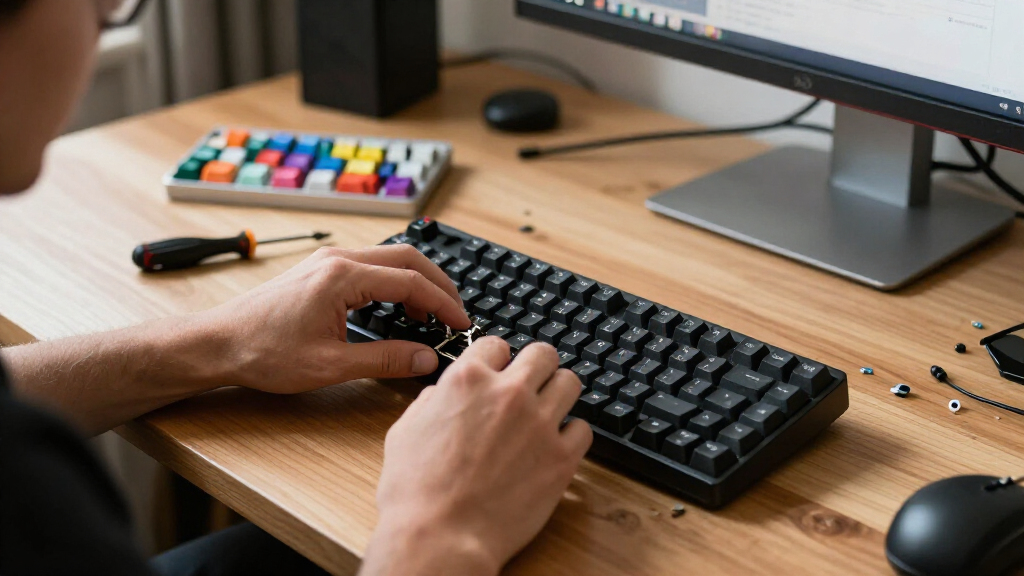

For mechanical keyboard repairs, the DALQUIS 110-piece set is my best overall pick because it offers the largest batch and includes a dual-ended puller. CHERRY MX2A Experience Box suits buyers who want a smaller set from a recognized switch maker, while WOLVINA’s 10-pack limits leftovers when you only need a few replacements. The main tradeoffs are how many switches you need, whether the switches match your keyboard, and whether included tools make the repair easier. These are switch sets rather than complete keyboards, so compatibility matters more than the color or clicky sound alone. Read on for how each option fits a different repair job and what to check before ordering.

Get the latest gadgets delivered free with Prime
- Fast, free delivery on millions of items
- Prime Video, Amazon Music and more included
- Member-only deals all year
Complete the kit



Key Takeaways
- DALQUIS leads for larger repair batches: its 110 switches and dual-ended puller offer the broadest supply among these picks.
- Small repairs call for smaller packs: WOLVINA’s 10-pack and CHERRY’s 10-switch box limit excess switches when replacing only a few.
- Pack size varies widely: the lineup ranges from 10 to 110 switches, so count failed switches and likely spares before choosing.
- Included tools differ: several sets bundle a puller, while Deftomo and the 50-piece blue set also include a cleaning brush.
- Three-pin clicky switches are not universal replacements: verify switch type, pin layout, mounting, and keyboard compatibility before buying any set.
| DALQUIS 110-Piece Blue 3-Pin Clicky Mechanical Keyboard Switch Set with Dual-Ended Puller |  | Best for Full-Keyboard Repairs | Switch type: Blue clicky mechanical switch | Pin configuration: 3-pin | Quantity: 110 switches | VIEW LATEST PRICE | See Our Full Breakdown |
| GASRONS 55-Pack Blue 3-Pin Clicky Tactile Mechanical Keyboard Switches with Puller |  | Best Mid-Size Repair Kit | Switch type: Blue clicky tactile mechanical | Quantity: 55 switches | Pin design: 3-pin | VIEW LATEST PRICE | See Our Full Breakdown |
| WOLVINA 10-Pack Blue Clicky Mechanical Keyboard Switches |  | Best for Small Hot-Swap Repairs | Switch type: Blue clicky tactile | Quantity: 10 switches | Compatibility: Hot-swap compatible keyboards | VIEW LATEST PRICE | See Our Full Breakdown |
| Deftomo 50-Pack Blue 3-Pin Clicky Tactile Mechanical Keyboard Switches with Puller and Cleaning Brush |  | Best Repair Kit with Cleaning Tools | Switch type: Blue clicky tactile | Quantity: 50 switches | Pin design: 3-pin MX-style | VIEW LATEST PRICE | See Our Full Breakdown |
| CHERRY MX2A Experience Box: 10 Mechanical Keyboard Switches |  | Best for Switch-Type Diagnosis | Model: DMX2A-XC1X-2A | Quantity: 10 switches, one of each listed variant | Switch types: Linear, tactile, and clicky | VIEW LATEST PRICE | See Our Full Breakdown |
| EBILNVKE 80-Pack Blue 3-Pin Pre-Lubricated Mechanical Keyboard Switches |  | Best for a Larger Repair Batch | Quantity: 80 switches | Switch type: Blue clicky tactile | Pin count: 3-pin | VIEW LATEST PRICE | See Our Full Breakdown |
| Blue Mechanical Keyboard Switches – 50 pcs 3‑Pin Clicky Switches with Puller & Brush, Dustproof & Waterproof |  | Best Repair Kit for Small Maintenance Jobs | Brand: TOTITOM | Quantity: 50 switches | Switch type: Blue clicky | VIEW LATEST PRICE | See Our Full Breakdown |
| mechanical keyboards for repair | Quantity | Switch type | Compatibility |
|---|---|---|---|
| DALQUIS 110-Piece Blue 3-Pin C | 110 switches | Blue clicky mechanical switch | — |
| GASRONS 55-Pack Blue 3-Pin Cli | 55 switches | Blue clicky tactile mechanical | MX-compatible; specified for hot-swappable keyboards |
| WOLVINA 10-Pack Blue Clicky Me | 10 switches | Blue clicky tactile | Hot-swap compatible keyboards |
| Deftomo 50-Pack Blue 3-Pin Cli | 50 switches | Blue clicky tactile | Most hot-swappable keyboards |
| CHERRY MX2A Experience Box: 10 | 10 switches, one of each listed variant | — | Mechanical keyboards with hot-swap support |
| EBILNVKE 80-Pack Blue 3-Pin Pr | 80 switches | Blue clicky tactile | — |
| Blue Mechanical Keyboard Switc | 50 switches | Blue clicky | — |
More Details on Our Top Picks
DALQUIS 110-Piece Blue 3-Pin Clicky Mechanical Keyboard Switch Set with Dual-Ended Puller
For a repair that may involve many worn or inconsistent keys, the 110-switch quantity gives this DALQUIS set more room than the GASRONS 55-pack or Deftomo 50-pack. Its blue clicky switches provide both an audible click and a tactile bump, so replacement keys retain a pronounced feedback style. The included dual-ended puller is useful for gaining access during a repair, though the product data does not specify hot-swap compatibility: confirm your board accepts standard 3-pin switches before buying. Unlike CHERRY’s Experience Box, this is a bulk repair set rather than a sampler. The tradeoff is that it offers only one switch style, and its fit is limited to compatible mechanical keyboard sockets—not membrane, laptop, scissor-switch, or low-profile boards.
Pros:- 110 switches can cover a broad repair or refresh.
- Click and tactile bump give clear feedback.
- Includes a dual-ended puller for switch and keycap access.
- Suitable for compatible repair, DIY, and maker projects.
Cons:- Compatibility depends on a standard 3-pin socket and PCB.
- The clicky sound may be unsuitable for quiet shared spaces.
- Only blue clicky switches are included.
Best for: Owners of compatible standard 3-pin mechanical keyboards replacing many switches with a consistently clicky feel.
Not ideal for: Laptop, membrane, scissor-switch, or low-profile keyboard owners, and anyone whose PCB requires a different pin layout or a quiet switch.
- Switch type:Blue clicky mechanical switch
- Pin configuration:3-pin
- Quantity:110 switches
- Included accessory:Dual-ended puller
- Mounting type:Through-hole mount
- Contact type:Normally open
- Operating voltage:12 V
- Dimensions:0.63 x 0.55 x 0.47 inches
Our verdict“Choose the DALQUIS set when you need a large supply of clicky replacements for a confirmed compatible 3-pin board.”
GASRONS 55-Pack Blue 3-Pin Clicky Tactile Mechanical Keyboard Switches with Puller
The GASRONS kit lands between the large DALQUIS set and WOLVINA’s small 10-pack: 55 switches can handle a substantial repair without leaving you with as many spares as a full-board quantity. Its MX-compatible 3-pin design is intended for hot-swappable keyboards, while the nylon housing, POM stem, and gold-plated contacts give buyers material details absent from the simpler DALQUIS listing. A puller is included, which helps with switch removal, but the stated fit still depends on your board’s socket and pin requirements. The switches are blue, clicky, and tactile, so they are a poor match for noise-sensitive rooms. Compared with CHERRY’s mixed-type Experience Box, GASRONS is more useful when you already know you want one consistent switch feel rather than a one-of-each comparison.
Pros:- 55 switches suit repairs larger than a handful of keys.
- MX-compatible 3-pin design is specified for hot-swap keyboards.
- Nylon housing, POM stem, and gold-plated contacts are specified.
- Includes a switch puller and a reserved LED slot.
Cons:- Clicky sound can be disruptive in shared or quiet rooms.
- 3-pin fit may not suit boards requiring another configuration.
- Single switch type offers no option to compare or mix feels.
Best for: Hot-swap keyboard owners repairing a cluster of keys who want a mid-size supply of MX-compatible blue switches.
Not ideal for: People repairing soldered-only boards, keyboards that require another pin configuration, or users seeking quiet or varied switch types.
- Switch type:Blue clicky tactile mechanical
- Quantity:55 switches
- Pin design:3-pin
- Compatibility:MX-compatible; specified for hot-swappable keyboards
- Housing and stem:Nylon housing; POM stem
- Contacts:Gold-plated
- Included accessory:Switch puller
- LED support:Reserved LED slot
Our verdict“Pick GASRONS for a mid-size repair on a compatible hot-swap board when you want blue clicky switches and a puller in the kit.”
WOLVINA 10-Pack Blue Clicky Mechanical Keyboard Switches
WOLVINA is the most targeted option here: 10 switches make sense for a few failed keys, not a full-board refresh. Its defining repair advantage is hot-swap installation without soldering, provided your keyboard has compatible hot-swap sockets. That makes it a simpler fit for a small replacement job than the DALQUIS 110-pack, which supplies far more switches but only calls out compatible 3-pin setups without specifying solder-free installation. POM stems and gold-plated crosspoint contacts are listed, while the blue switch delivers the familiar audible click and tactile bump. There is no puller listed, so buyers may need their own tool. Compared with CHERRY’s Experience Box, WOLVINA supplies multiples of one switch rather than a varied set for sampling.
Pros:- Hot-swap installation avoids soldering on compatible boards.
- Ten switches suit small repairs or a limited custom build.
- POM stems and gold-plated crosspoint contacts are specified.
- Standard key switch slot fit is stated.
Cons:- Limited quantity is not suited to broad keyboard repairs.
- No switch or keycap puller is listed.
- Audible click may be unwelcome in quiet environments.
Best for: Hot-swap keyboard owners replacing a few blue switches without soldering or buying a large batch.
Not ideal for: Anyone with a soldered-only keyboard, a nonstandard switch slot, or a repair that needs more than 10 replacements.
- Switch type:Blue clicky tactile
- Quantity:10 switches
- Compatibility:Hot-swap compatible keyboards
- Stem material:POM
- Contacts:Gold-plated crosspoint
- Installation:No soldering required on compatible hot-swap boards
- Fit:Standard mechanical key switch slots
Our verdict“Choose WOLVINA when a compatible hot-swap board needs only a few clicky replacements and you already have a puller.”
Deftomo 50-Pack Blue 3-Pin Clicky Tactile Mechanical Keyboard Switches with Puller and Cleaning Brush
Deftomo’s strongest distinction is its repair-tool pairing: a switch puller and cleaning brush accompany 50 switches, making it more geared to maintenance than the similarly sized GASRONS pack, which lists a puller but no brush. The transparent housings can show keyboard lighting, while POM stems and copper-alloy springs are specified for the switches. Its 3-pin MX-style format is described as compatible with most hot-swappable keyboards, but “most” is not a guarantee; check your PCB before ordering. Like GASRONS and DALQUIS, this is a single-style blue clicky set, so it will not help buyers who want quiet replacements or a mixed-feel test. The stated dust-proof and waterproof features may appeal for maintenance, but they do not remove the need to verify board compatibility.
Pros:- Includes 50 switches, a puller, and a cleaning brush.
- Transparent housings can display keyboard lighting.
- POM stems and copper-alloy springs are specified.
- 3-pin MX-style switches are listed for most hot-swap keyboards.
Cons:- The 3-pin format may not fit every keyboard or PCB.
- Clicky switches are noisy compared with quieter switch styles.
- One switch style does not allow feel comparisons.
Best for: Hot-swap keyboard owners doing a moderate blue-switch repair who also want a brush for cleaning around the work area.
Not ideal for: Buyers with boards that need a different switch configuration, users who want quiet switches, or anyone seeking a small sampler.
- Switch type:Blue clicky tactile
- Quantity:50 switches
- Pin design:3-pin MX-style
- Compatibility:Most hot-swappable keyboards
- Stem and spring:POM stem; copper-alloy spring
- Housing:Transparent
- Included accessories:Switch puller and cleaning brush
- Listed features:Dust-proof and waterproof
Our verdict“Choose Deftomo over GASRONS when the included cleaning brush matters as much as a moderate supply of compatible clicky switches.”
CHERRY MX2A Experience Box: 10 Mechanical Keyboard Switches
For repairers who have not settled on a replacement feel, CHERRY’s box offers a different purpose from every bulk kit here: 10 distinct switches span linear, tactile, and clicky types, including silent and speed variants. That makes it more useful for comparing switch behavior before committing than the single-style WOLVINA 10-pack, though it supplies only one of each and cannot replace a full set of matching keys. The listed compatibility is for hot-swap mechanical keyboards, so soldered-board repairs are outside its stated fit. CHERRY describes Gold Crosspoint contacts and cardboard packaging intended to protect pins, useful details when handling a sampler. The tradeoff is clear: this is a diagnostic and preference kit, not a practical bulk source for repairing several identical switches like DALQUIS.
Pros:- Ten different switches cover linear, tactile, and clicky feels.
- Includes silent and speed variants among the listed models.
- Cardboard packaging is designed to help protect switch pins.
- Useful for comparing switch types before a larger repair purchase.
Cons:- Only one of each switch is included, so it cannot repair a group of matching keys.
- Compatibility is specified for hot-swap mechanical keyboards.
- The varied sampler is less practical than a bulk pack once the desired switch is known.
Best for: Keyboard owners diagnosing a preferred feel or testing replacement types on a compatible hot-swap board before buying a matching batch.
Not ideal for: People who already know the switch they need and require multiple matching replacements, or owners of soldered-only keyboards.
- Model:DMX2A-XC1X-2A
- Quantity:10 switches, one of each listed variant
- Switch types:Linear, tactile, and clicky
- Included variants:MX2A Black, MX Black Clear Top, MX2A Blue, MX2A Brown, MX2A Ergo Clear, MX Purple, MX Northern Light, MX2A Red, MX2A Silent Red, MX2A Speed Silver
- Contacts:Gold Crosspoint
- Compatibility:Mechanical keyboards with hot-swap support
- Mounting and terminal:PCB mount; through-hole terminal
- Packaging:All cardboard
Our verdict“Choose the CHERRY Experience Box to compare switch feels before a repair, not when you need a batch of identical replacements.”
EBILNVKE 80-Pack Blue 3-Pin Pre-Lubricated Mechanical Keyboard Switches
The 80-switch quantity makes this a practical pick for replacing a large set of worn switches or keeping spares for future repairs. Its 3-pin MX-style fit supports many hot-swappable boards, so installation does not require soldering—but check your keyboard’s socket compatibility before ordering. Compared with TOTITOM’s 50-switch kit, EBILNVKE supplies more replacements and lists a 50 gf operating force and travel measurements, which help buyers match the feel of an existing board. The blue switches give pronounced tactile feedback and a clear click, while pre-lubrication is intended to smooth movement. That audible click can be a poor fit for shared or quiet spaces, and the larger pack may leave unused switches if you are repairing only a few keys.
Pros:- 80-switch pack can cover a broad repair and leave spares.
- 3-pin hot-swap installation needs no soldering on compatible boards.
- Pre-lubricated switches offer a ready-to-install replacement option.
- Transparent housings allow compatible keyboard lighting to show through.
Cons:- Loud click may disturb people nearby.
- 3-pin design is not compatible with every keyboard or socket.
- The large pack may exceed the needs of a small repair.
Best for: Owners of compatible hot-swappable keyboards replacing many switches at once who want spare switches and clearly listed force and travel measurements.
Not ideal for: People repairing only a handful of keys, users in quiet or shared workspaces, and owners of keyboards that do not accept 3-pin MX-style switches.
- Quantity:80 switches
- Switch type:Blue clicky tactile
- Pin count:3-pin
- Operating force:50 gf
- Actuation distance:2.2 mm
- Total travel:4 mm
- Lubrication:Pre-lubricated
- Stem material:POM
- Warranty:2 years
Our verdict“Choose EBILNVKE for a sizable hot-swap repair when its blue click and 3-pin fit match your board.”
Blue Mechanical Keyboard Switches – 50 pcs 3‑Pin Clicky Switches with Puller & Brush, Dustproof & Waterproof
TOTITOM’s 50-switch kit includes a puller and cleaning brush, making it a better fit for buyers who need tools as well as replacement parts. The tools can simplify removing switches and cleaning around sockets, though the keyboard still needs compatible 3-pin MX hot-swap sockets; this is not a solder-free option for every board. Compared with EBILNVKE’s 80-pack, this set offers fewer switches but adds maintenance tools and states a 50-million-click lifespan. Its factory-lubricated POM stems and transparent housings suit buyers who want tactile feedback and visible RGB lighting. The tradeoff is the familiar blue-switch click, which can be disruptive, and the supplied tools may be unnecessary if you already own a puller and brush.
Pros:- Includes a switch puller and cleaning brush for basic maintenance.
- 50 switches suit a modest repair batch.
- Factory-lubricated POM stems provide a ready-to-install replacement.
- Transparent housings let RGB lighting pass through.
Cons:- Clicky sound can be disruptive in shared or quiet spaces.
- 3-pin MX switches require matching hot-swap sockets for solder-free installation.
- Fewer switches than EBILNVKE’s 80-pack for larger repairs.
Best for: Hot-swap keyboard owners doing a modest switch replacement or cleanup who need a puller and brush alongside the switches.
Not ideal for: Quiet-office users, owners of soldered or non-MX-compatible boards, and repairers who need enough switches for a full large keyboard replacement.
- Brand:TOTITOM
- Quantity:50 switches
- Switch type:Blue clicky
- Pin configuration:3-pin MX
- Lifespan:50 million clicks
- Lubrication:Factory lubricated
- Housing:Transparent for RGB lighting
- Included tools:Switch puller and cleaning brush
- Protection:Dustproof and waterproof
Our verdict“Pick this kit for a moderate hot-swap repair when the included puller and brush are more useful than a larger switch count.”
How We Picked
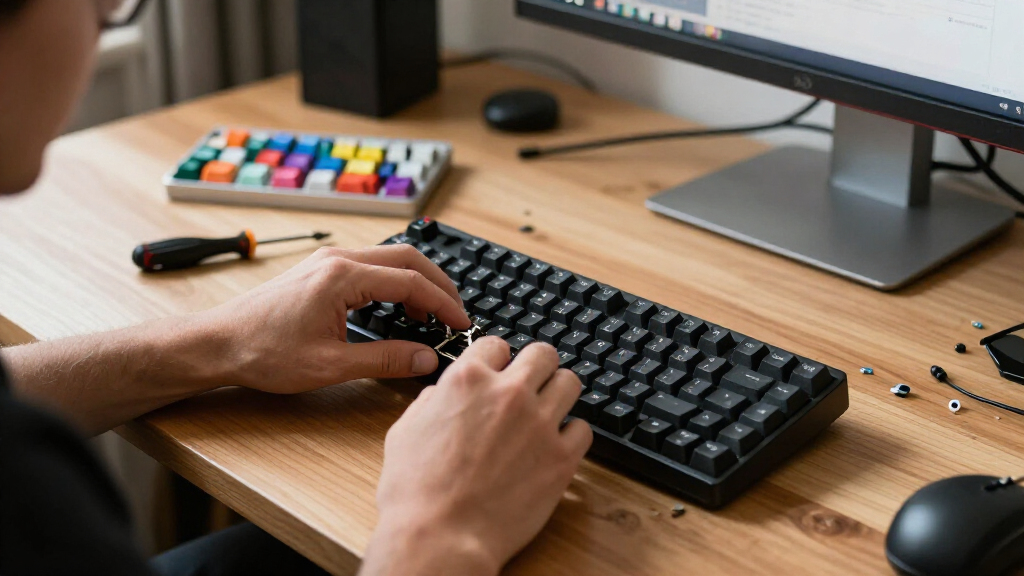
I ranked these products around the practical needs of a repair: getting the right replacement switch, buying a useful quantity, and having enough support for removal and cleanup. Pack size and bundled tools matter because replacing one failed switch is a different purchase from restoring a full keyboard. I also weighed the distinction between a broad repair supply and a smaller set intended for limited replacements.
The ranking favors options with a clear repair advantage, not simply the largest feature list. DALQUIS takes the lead for its 110-piece count and dual-ended puller; smaller packs rank better for targeted fixes, while the CHERRY MX2A box offers a different draw for buyers prioritizing a known switch line. All listed options are blue, clicky, three-pin switch products or sets, so I treat compatibility as a key limitation rather than assuming any will fit every keyboard.
| mechanical keyboards for repair | Switch type | Compatibility |
|---|---|---|
| DALQUIS 110-Piece Blue 3-Pin C | Blue clicky mechanical switch | — |
| GASRONS 55-Pack Blue 3-Pin Cli | Blue clicky tactile mechanical | MX-compatible; specified for hot-swappable keyboards |
| WOLVINA 10-Pack Blue Clicky Me | Blue clicky tactile | Hot-swap compatible keyboards |
| Deftomo 50-Pack Blue 3-Pin Cli | Blue clicky tactile | Most hot-swappable keyboards |
| CHERRY MX2A Experience Box: 10 | — | Mechanical keyboards with hot-swap support |
| EBILNVKE 80-Pack Blue 3-Pin Pr | Blue clicky tactile | — |
| Blue Mechanical Keyboard Switc | Blue clicky | — |
Factors to Consider When Choosing Mechanical Keyboards For Repair
Choosing switches for a repair starts with the keyboard’s requirements, not the pack’s headline quantity. I would check the original switch and the board documentation before deciding whether a set is suitable. These broader checks can prevent a convenient-looking bundle from becoming an unusable spare-parts purchase.
Confirm the Switch Type and Pin Layout
Start by identifying the exact switch family and how it attaches to the keyboard. A three-pin switch may not replace a five-pin switch without changes, and a board designed for a different mounting style may not accept either one. Check the keyboard manual, the manufacturer’s replacement guidance, or a clear view of a working switch before ordering. Do not assume that blue color means the switch is electrically or physically compatible. If the original switch is soldered to the board, replacement may require soldering tools and repair skill, even when the new switch itself fits. For uncertain cases, matching the original part number is safer than choosing by sound or color.
Buy for the Repair Count, Not the Largest Pack
Count the switches that have failed, then decide how many spares make sense for the keyboard’s age and use. A large pack can help when multiple keys need replacement or when you want matching spares, but it also leaves more unused parts if only one switch is faulty. Small packs reduce waste for isolated repairs, though they provide less room for a future failure or a damaged replacement during installation. Think about whether the switches are sold as a consistent set and whether you want every repaired key to feel alike. If the keyboard uses several switch types, buying one large batch of a single type may not solve the whole repair. Keep any leftover switches labeled so they are easy to match later.
Decide Whether You Need a Puller or Brush
Bundled tools can make a repair kit more convenient, but they do not replace the right removal method for your keyboard. A keycap puller removes keycaps; a switch puller is used for compatible hot-swap boards, and those jobs should not be confused. A cleaning brush can help remove loose debris around exposed switches, but it will not fix a worn contact, damaged socket, or electrical fault. Before buying a bundle for its accessories, check which tools are actually included and whether they suit the repair you plan to do. If the board is soldered, a puller alone will not remove the switch from the PCB. A few minutes checking the repair method can save you from paying attention to accessories you cannot use.
Match the Feel and Sound Across Keys
Replacing only one or two switches with a different model can leave noticeable differences in click, force, or key response. That mismatch may be acceptable for a single repair, but it can stand out on frequently used keys or in a quiet workspace. If consistency matters, try to match the original switch model and, where practical, replace a set of similar keys together. Clicky switches are audible by design, so consider whether the repaired keyboard will be used around other people. A new switch can also feel different from an older, worn switch even when the model matches. When uniform feel is the priority, keeping the original switch type across the board matters more than choosing a particular pack size.
Check Whether the Board Is Hot-Swappable
A hot-swappable keyboard lets you remove compatible switches without desoldering, which can make a small repair more approachable. On a soldered keyboard, the switch is attached to the PCB and generally requires soldering equipment and careful work to replace. Do not infer hot-swap support from a product listing for replacement switches; confirm it for the keyboard itself. For a first repair, opening the keyboard and checking its documentation before purchasing can reveal whether you need tools beyond a switch puller. If soldering is required and you are not prepared to do it, a repair service may be a safer route. This distinction can matter more to the total effort than the number of switches in a pack.
Know What a Switch Set Will Not Repair
A replacement switch addresses a failed switch, but keyboard faults can also come from a damaged socket, PCB trace, cable, or firmware setting. Symptoms such as intermittent input across several keys may point to a broader problem than one worn switch. Test the keyboard and narrow down the affected keys before replacing parts. Keep the removed switch until the repair works, since it may help identify the original model or reveal a different fault. Avoid forcing a switch into a socket; bent pins or a mismatched part can create extra damage. If the problem persists after a correctly fitted replacement, stop and inspect the board rather than installing more switches at random.
Frequently Asked Questions
Can I use any three-pin blue switch to replace a failed keyboard switch?
No. Three-pin layout and blue color do not prove that a switch will fit or behave correctly in your keyboard. Check the original switch model, board socket, mounting style, and any manufacturer compatibility guidance. Also confirm whether the keyboard is hot-swappable or soldered, since that changes the repair process. If you cannot identify the original switch, consult the keyboard maker or a repair reference before ordering a full pack.
How many replacement switches should I buy for one faulty key?
For one confirmed fault, a small pack may be enough, while a few extra switches can be useful as spares for an older or heavily used keyboard. A larger set makes more sense if several keys are failing or if you want matching replacements on hand. First check whether the problem is actually the switch rather than the socket or PCB. If you are unsure, test or inspect the affected key before choosing a quantity. Buying more switches does not make an incompatible part more useful.
Do I need soldering equipment to replace a mechanical keyboard switch?
That depends on the keyboard, not on the switch pack. A compatible hot-swap board typically allows switch removal without soldering, while a soldered board requires desoldering the old switch and soldering the replacement. Check the keyboard manual or board specifications before starting. A switch puller is not a substitute for soldering tools on a soldered PCB. If you lack soldering experience, consider a repair shop rather than risking damage to the board.
Should I replace one switch or several when a key fails?
Replace only the confirmed faulty switch if the rest of the keyboard feels consistent and the repair is straightforward. Replacing several can make sense when multiple switches fail or when you want a more uniform feel across a group of keys. Keep in mind that newer replacements may feel or sound different from older switches, even when they are the same model. Check nearby keys and test the board before deciding on a larger repair. A fault affecting multiple keys may also come from the PCB or socket rather than the switches themselves.
Is the CHERRY MX2A box a better repair choice than a larger generic set?
It depends on what the repair requires. The CHERRY MX2A Experience Box contains 10 switches, so it suits a limited replacement job if those switches match your keyboard. A larger set such as DALQUIS gives more units for repeated repairs or spares, but pack size alone does not establish compatibility or quality. Compare the exact switch specification with the original part before choosing either option. For a single-key fix, a smaller matching set may be more useful than a much larger set of the wrong type.
Conclusion
For most buyers repairing several compatible keys, I would choose DALQUIS as the best overall because its 110-piece count and dual-ended puller make it the most repair-oriented bulk option in this lineup. Best value for a larger batch is a practical fit for buyers who need many replacements, while WOLVINA is my beginner-friendly pick for a small, focused repair because its 10-switch pack keeps the commitment limited. For a premium-leaning choice centered on a named switch line, consider CHERRY MX2A, provided its specifications match the board. If you want included cleanup tools, Deftomo and the 50-piece blue set add brushes; if you need a larger stash without choosing DALQUIS, EBILNVKE offers 80 pre-lubricated switches. Before ordering any of them, confirm the keyboard’s switch compatibility and whether the repair calls for soldering.