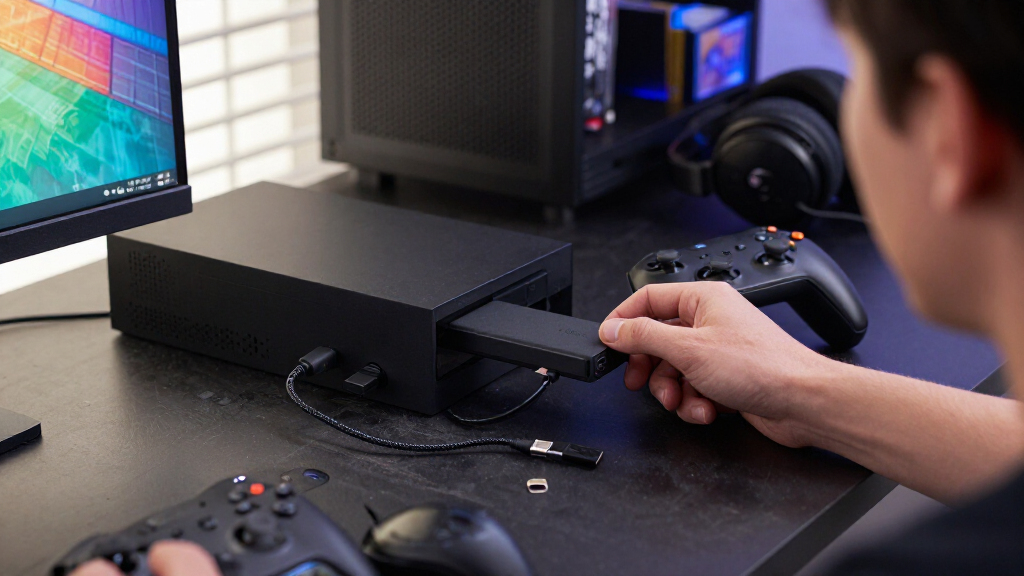

Portable SSDs for gamers can expand a console or PC library, speed up file transfers, and make game backups easier to carry. My best overall pick is the Samsung T9, whose listed 2,000 MB/s speed makes it a strong fit for large transfers when the host device supports USB 3.2 Gen 2×2. The Crucial X9 2TB stands out as a simpler capacity-focused option, while the WD_BLACK P40 is aimed at gamers who want a game-drive-focused design. The main tradeoffs are capacity versus transfer speed, interface compatibility, and whether a drive can run games on your particular console. Read on for how the 14 options compare and which one fits your setup.

Get the latest gadgets delivered free with Prime
- Fast, free delivery on millions of items
- Prime Video, Amazon Music and more included
- Member-only deals all year
Complete the kit



Key Takeaways
- The Samsung T9 models lead on listed transfer speed, but their USB 3.2 Gen 2×2 interface only pays off with compatible host hardware.
- Capacity often matters more than peak speed for game libraries: the 2TB Crucial X9 and 2TB Samsung T7 give more room than the 1TB options without requiring a premium-speed workflow.
- USB-C alone does not tell you how fast a drive will feel. Several products list different maximum speeds, and the connected console or PC can cap performance.
- The lineup includes very different capacity choices, from the SSK 250GB model for a small utility library to multiple 2TB drives for broader storage needs.
- Console compatibility changes the decision: external SSD storage can help manage a library, but a console’s rules may limit which games can run directly from it.
| SanDisk 2TB Extreme Portable SSD for PlayStation 5 |  | Best for PS5 Game Archiving | Storage capacity: 2 TB | Maximum read speed: Up to 1000 MB/s | Interface: USB 3.2 Gen 2 | VIEW LATEST PRICE | See Our Full Breakdown |
| Samsung T9 Portable SSD 2TB, USB 3.2 Gen 2×2, Up to 2,000 MB/s |  | Best for Fast, Frequent Transfers | Storage capacity: 2 TB | Interface: USB 3.2 Gen 2×2 | Maximum read speed: Up to 2,000 MB/s | VIEW LATEST PRICE | See Our Full Breakdown |
| Crucial X9 1TB Portable SSD, USB-C |  | Best Compact All-Platform Pick | Storage capacity: 1 TB | Maximum read speed: Up to 1,050 MB/s | Interface: USB-C | VIEW LATEST PRICE | See Our Full Breakdown |
| SanDisk Extreme Portable SSD, 1TB |  | Best for Rugged Travel | Storage capacity: 1 TB | Maximum read speed: Up to 1,050 MB/s | Maximum write speed: Up to 1,000 MB/s | VIEW LATEST PRICE | See Our Full Breakdown |
| SSK 250GB Portable External SSD, USB-C, Up to 1050MB/s |  | Best for a Small Gaming Carry Kit | Storage capacity: 250 GB | Maximum read speed: Up to 1,050 MB/s | Maximum write speed: Up to 1,000 MB/s | VIEW LATEST PRICE | See Our Full Breakdown |
| SanDisk Extreme Portable SSD, 1TB, Up to 2000MB/s |  | Best for Rugged Portability | Storage capacity: 1 TB | Read speed: Up to 2000 MB/s | Interface: USB 3.0 | VIEW LATEST PRICE | See Our Full Breakdown |
| Crucial X9 2TB Portable SSD, Up to 1050MB/s, USB-C |  | Best for Expanding a Console Library | Storage capacity: 2 TB | Read speed: Up to 1050 MB/s | Data transfer rate: 10 Gbps | VIEW LATEST PRICE | See Our Full Breakdown |
| SanDisk Extreme Portable SSD 2TB, USB-C, Up to 1050MB/s |  | Best Rugged 2TB Pick | Storage capacity: 2 TB | Interface: USB-C, USB 3.2 Gen 2 | Read speed: Up to 1050 MB/s | VIEW LATEST PRICE | See Our Full Breakdown |
| Lexar ES3 1TB Portable SSD, Silver |  | Best Compact Cross-Device Pick | Storage capacity: 1 TB | Read speed: Up to 1050 MB/s | Write speed: Up to 1000 MB/s | VIEW LATEST PRICE | See Our Full Breakdown |
| SSK 1TB Portable External SSD with USB-C |  | Best for Flexible Connections | Storage capacity: 1 TB | Read speed: Up to 1050 MB/s | Write speed: Up to 1000 MB/s | VIEW LATEST PRICE | See Our Full Breakdown |
| Samsung T9 Portable SSD, 1TB, USB 3.2 Gen 2×2, Up to 2,000 MB/s | | Best for Fast, Protected Game Storage | Storage capacity: 1 TB | Interface: USB 3.2 Gen 2×2 | Read speed: Up to 2,000 MB/s | VIEW LATEST PRICE | See Our Full Breakdown |
| Samsung T7 Portable SSD, 1TB, Titan Gray, USB 3.2 Gen 2 |  | Best Compact Pick for Everyday Gaming | Storage capacity: 1 TB | Interface: USB 3.2 Gen 2 | Read speed: Up to 1,050 MB/s | VIEW LATEST PRICE | See Our Full Breakdown |
| Samsung T7 Portable SSD, 2TB, Titan Gray, USB 3.2 Gen 2 | | Best for a Larger Game Library | Storage capacity: 2 TB | Interface: USB 3.2 Gen 2 | Read speed: Up to 1,050 MB/s | VIEW LATEST PRICE | See Our Full Breakdown |
| Western Digital WD_BLACK P40 1TB Portable Game Drive SSD |  | Best Gaming-Style Drive | Storage capacity: 1 TB | Interface: USB 3.2 Gen 2×2 | Read speed: Up to 2,000 MB/s | VIEW LATEST PRICE | See Our Full Breakdown |
| portable SSDs for gamer | Storage capacity | Interface | Read speed |
|---|---|---|---|
| SanDisk 2TB Extreme Portable S | 2 TB | USB 3.2 Gen 2 | — |
| Samsung T9 Portable SSD 2TB | 2 TB | USB 3.2 Gen 2×2 | — |
| Crucial X9 1TB Portable SSD | 1 TB | USB-C | — |
| SanDisk Extreme Portable SSD | 1 TB | USB 3.0 | — |
| SSK 250GB Portable External SS | 250 GB | USB 3.2 Gen 2 | — |
| SanDisk Extreme Portable SSD | 1 TB | USB 3.0 | Up to 2000 MB/s |
| Crucial X9 2TB Portable SSD | 2 TB | — | Up to 1050 MB/s |
| SanDisk Extreme Portable SSD 2 | 2 TB | USB-C, USB 3.2 Gen 2 | Up to 1050 MB/s |
| Lexar ES3 1TB Portable SSD | 1 TB | USB 3.2 Gen 2 | Up to 1050 MB/s |
| SSK 1TB Portable External SSD | 1 TB | USB 3.2 Gen 2 | Up to 1050 MB/s |
| Samsung T9 Portable SSD | 1 TB | USB 3.2 Gen 2×2 | Up to 2,000 MB/s |
| Samsung T7 Portable SSD | 1 TB | USB 3.2 Gen 2 | Up to 1,050 MB/s |
| Samsung T7 Portable SSD | 2 TB | USB 3.2 Gen 2 | Up to 1,050 MB/s |
| Western Digital WD_BLACK P40 1 | 1 TB | USB 3.2 Gen 2×2 | Up to 2,000 MB/s |
More Details on Our Top Picks
SanDisk 2TB Extreme Portable SSD for PlayStation 5
For PS5 owners who need room to keep more games on hand, this 2TB drive is a practical archive rather than a way to play PS5 titles directly from external storage: archived games must be moved back to the console’s internal storage before playing. Its up to 1000 MB/s read speed is suited to transferring games, while the IP65 rating and stated drop protection make it a sturdier travel choice than the less protected Crucial X9. Compared with the Samsung T9, it gives up headline speed but offers a PlayStation-focused role and double the capacity of the 1TB options. The tradeoff is that speed depends on the connected device, and archiving adds a transfer step whenever you want to resume a game.
Pros:- 2TB capacity provides room to archive multiple games
- Designed for PlayStation game archiving and also compatible with computers
- IP65 water and dust resistance with protection against drops up to 3 meters
- Five-year limited warranty
Cons:- Archived PS5 games must be transferred to internal storage before they can be played
- Up to 1000 MB/s is below the Samsung T9’s maximum speed
- Actual transfer performance varies by host device and usage conditions
Best for: PS5 owners who want to archive a sizable library and move games back to console storage as needed
Not ideal for: Players who want to run PS5 games directly from an external drive or avoid moving games between storage devices
- Storage capacity:2 TB
- Maximum read speed:Up to 1000 MB/s
- Interface:USB 3.2 Gen 2
- Connector:USB Type-C
- Compatibility:PlayStation 5, desktop, laptop, smartphone, tablet
- Durability:IP65 water and dust resistance; up to 3-meter drop protection
- Weight:2.4 ounces
- Warranty:5-year limited warranty
Our verdict“Choose this SanDisk if your PS5 library needs more archive space and you accept moving games back to internal storage to play them.”
Samsung T9 Portable SSD 2TB, USB 3.2 Gen 2×2, Up to 2,000 MB/s
The Samsung T9 suits gamers who regularly move large game folders between compatible devices. Its maximum read and write speeds of up to 2,000 MB/s can shorten transfers compared with the SanDisk 2TB Extreme, but those figures require a USB 3.2 Gen 2×2 host and cable; on a slower connection, the advantage may shrink. Thermal management is aimed at sustained workloads, and hardware encryption adds a layer of protection for stored files. At 2TB, it also offers the capacity of the PS5-focused SanDisk while serving a broader mix of computers, consoles, tablets, and supported iPhones. The main compromise is compatibility: gamers without a suitable Gen 2×2 port should not choose it for speed alone.
Pros:- Up to 2,000 MB/s read and write speeds with a compatible host and cable
- Thermal management supports sustained workloads
- Hardware encryption and drive health monitoring software
- Compatible with gaming consoles, computers, tablets, and iPhone 15/16
Cons:- Maximum speeds depend on a compatible USB 3.2 Gen 2×2 host and cable
- Host device compatibility can vary
- Does not offer the PlayStation-specific archiving focus of the SanDisk 2TB Extreme
Best for: Gamers with a USB 3.2 Gen 2×2 computer or other compatible host who frequently transfer large game libraries
Not ideal for: Console-first buyers or gamers using hosts without USB 3.2 Gen 2×2 who cannot make use of its maximum transfer speeds
- Storage capacity:2 TB
- Interface:USB 3.2 Gen 2×2
- Maximum read speed:Up to 2,000 MB/s
- Maximum write speed:Up to 2,000 MB/s
- Form factor:Portable, 2.5 inches
- Additional features:Hardware encryption, thermal management
- Compatible devices:Gaming consoles, Mac, PC, tablets, iPhone 15/16
- Color:Black
Our verdict“Pick the T9 for fast, repeated transfers if your gaming setup supports USB 3.2 Gen 2×2; otherwise, its speed premium in capability may go unused.”
Crucial X9 1TB Portable SSD, USB-C
The Crucial X9 is a straightforward 1TB USB-C option for gamers who want one portable library drive that can connect to a range of computers and consoles. Its read speed reaches up to 1,050 MB/s, close to the 1TB SanDisk Extreme’s listed maximum, while its IP55 rating and 7.5-foot drop protection add some reassurance in a backpack. Compared with the PS5-focused SanDisk 2TB Extreme, the X9 has half the capacity and lacks that product’s stated 3-meter drop protection, but its compatibility spans PS4, PS5, Xbox, and several computer and mobile platforms. It is best for game storage and transfers, not a promise of direct gameplay from external storage. Actual speeds vary, and the listed software offer requires purchase and registration.
Pros:- Up to 1,050 MB/s read speed for file and game transfers
- Compatible with Windows, Mac, Linux, PS4, PS5, and Xbox
- IP55 water and dust resistance
- Drop protection up to 7.5 feet
Cons:- 1TB capacity is less than the 2TB SanDisk Extreme and Samsung T9 options
- Actual transfer speeds may vary from the stated maximum
- The software offer requires purchase and registration
Best for: Gamers switching between PS4, PS5, Xbox, and computers who want a compact 1TB USB-C drive
Not ideal for: Players who need 2TB or more of archive space, or who need speeds guaranteed to match the maximum listing
- Storage capacity:1 TB
- Maximum read speed:Up to 1,050 MB/s
- Interface:USB-C
- Data transfer rate:10 Gbps
- Water and dust resistance:IP55
- Drop protection:Up to 7.5 ft (2 m)
- Enclosure material:Polycarbonate
- Compatible devices:Windows, Mac, iPad Pro, Chromebooks, Android, Linux, PS4, PS5, Xbox
Our verdict“Choose the Crucial X9 if cross-platform compatibility and basic travel protection matter more to you than 2TB capacity or higher peak speed.”
SanDisk Extreme Portable SSD, 1TB
This 1TB SanDisk Extreme balances game transfers with a more protective, travel-ready design. Its listed speeds—up to 1,050 MB/s read and 1,000 MB/s write—are close to the Crucial X9’s read ceiling, while the IP65 rating and up to 3-meter drop protection exceed the X9’s stated IP55 and 7.5-foot drop protection. A carabiner loop gives it a convenient way to attach to a bag, and 256-bit AES hardware encryption helps protect stored files. The Samsung T9 offers a higher maximum speed and twice the capacity, but its speed depends on Gen 2×2 support; this SanDisk is a more rugged-focused choice for a 1TB kit. Its actual performance still depends on the host, and Mac password protection requires a software download.
Pros:- Up to 1,050 MB/s read and 1,000 MB/s write speeds
- IP65 water and dust resistance with up to 3-meter drop protection
- Carabiner loop helps attach the drive to a bag
- 256-bit AES hardware encryption with password protection
Cons:- 1TB capacity is smaller than the SanDisk 2TB Extreme and Samsung T9
- Maximum performance depends on the host device and conditions
- Password protection on Mac requires a software download
Best for: Gamers who carry a 1TB game and media drive in a backpack and value drop, water, and dust protection
Not ideal for: Players seeking 2TB capacity or the Samsung T9’s higher maximum transfer speeds on a compatible host
- Storage capacity:1 TB
- Maximum read speed:Up to 1,050 MB/s
- Maximum write speed:Up to 1,000 MB/s
- Interface:USB 3.0
- Connector:USB Type-C
- Protection:IP65 water and dust resistance; up to 3-meter drop protection
- Encryption:256-bit AES hardware encryption
- Warranty:5-year limited warranty
Our verdict“Pick this SanDisk if you want a rugged 1TB portable drive for gaming files on the move, rather than the highest capacity or peak speed.”
SSK 250GB Portable External SSD, USB-C, Up to 1050MB/s
The SSK is the lineup’s small-capacity, cable-ready pick: at 250GB, it is better suited to a handful of games, save files, or supporting media than to archiving a broad library. Its up to 1,050 MB/s read and 1,000 MB/s write claims put it near the 1TB SanDisk Extreme on paper, but the SLC cache and host device affect whether those maximum rates hold. The included USB-C and USB-A cables make it easier to connect to different systems than a drive supplied with fewer cable options. Its aluminum enclosure and SMART diagnostics with TRIM support add practical features, but unlike the SanDisk Extreme and Crucial X9, the supplied details do not specify water, dust, or drop protection. Gamers needing lasting library space should choose a larger-capacity model.
Pros:- Up to 1,050 MB/s read and 1,000 MB/s write speeds under suitable conditions
- Includes USB-C and USB-A cables for connecting to different hosts
- Lightweight aluminum alloy enclosure
- SMART diagnostics and TRIM support
Cons:- 250GB capacity is substantially less than the 1TB and 2TB drives in this lineup
- Maximum transfer speeds depend on compatible devices and staying within the SLC cache
- No water, dust, or drop protection is specified in the supplied product details
Best for: Gamers who need a compact secondary drive for a small selection of files and want both USB-C and USB-A cables included
Not ideal for: Players building a large game archive or expecting maximum transfer speeds to hold beyond the drive’s SLC cache
- Storage capacity:250 GB
- Maximum read speed:Up to 1,050 MB/s
- Maximum write speed:Up to 1,000 MB/s
- Interface:USB 3.2 Gen 2
- Cables included:USB-C and USB-A
- Dimensions:2.6 × 1.5 × 0.5 inches
- Weight:36.6 g
- Enclosure material:Aluminum alloy
- Features:LED activity light, SMART diagnostics, TRIM support, SLC caching
Our verdict“Choose the SSK as a small secondary gaming drive, but select the Crucial X9 or a larger SanDisk if you need room for a substantial game library.”
SanDisk Extreme Portable SSD, 1TB, Up to 2000MB/s
For gamers who carry a drive between home, school, and a friend’s place, this pocket-sized 1TB SSD pairs a stated read speed of up to 2000 MB/s with IP65 protection and drop protection up to 3 meters. That ruggedness is a stronger selling point for travel than for a drive that stays beside a console. Its listed USB 3.0 interface also makes the headline speed worth checking against your device’s connection: compatible hardware is needed to reach maximum performance. Compared with the Crucial X9 2TB, this SanDisk offers a higher advertised read ceiling and more drop protection, but half the capacity. The stated speed is for reading, not writing, and encryption requires a software download and supported operating system. I’d pick it for durability and portability, not for keeping the largest game library.
Pros:- Up to 2000 MB/s stated read speed for compatible devices
- Pocket-sized 1.6 oz body is easy to carry
- IP65 water and dust resistance
- Drop protection up to 3 meters and 256-bit AES encryption
Cons:- Write speed is lower than the headline read speed
- USB 3.0 interface may limit the benefit of the stated maximum speed
- Encryption requires a software download and a supported operating system
Best for: Gamers who regularly carry a 1TB library or save files between a console, laptop, and other devices, and want added protection from dust, splashes, and drops.
Not ideal for: Players who want 2TB for a growing game library, or who need high sustained write speeds and do not want to install encryption software.
- Storage capacity:1 TB
- Read speed:Up to 2000 MB/s
- Interface:USB 3.0
- Connector:USB Type-C
- Water and dust resistance:IP65
- Drop protection:Up to 3 m
- Encryption:256-bit AES
- Weight:1.6 oz
Our verdict“Choose this SanDisk if rugged, easy-to-carry storage matters more than the 2TB capacity offered by the Crucial X9.”
Crucial X9 2TB Portable SSD, Up to 1050MB/s, USB-C
The Crucial X9 2TB is the capacity-first choice here: it gives gamers more room for installed titles and backups than the 1TB Lexar ES3 or SSK drive, while keeping a compact external-SSD format. Its up to 1050 MB/s read speed is a more modest headline than the SanDisk Extreme Portable SSD 1TB’s stated 2000 MB/s, but ample speed is not the only deciding factor when library space is the priority. USB-C and USB-A connectivity helps it work across a broad set of listed computers and consoles, though actual speed depends on the connected device. IP55 resistance and 7.5-foot drop protection add reassurance for transport, but its protection rating is below the IP65 SanDisk models. The polycarbonate enclosure and software that requires purchase and registration are less appealing if you want metal construction or bundled tools without extra steps.
Pros:- 2TB capacity gives more space for games and backups than the 1TB picks
- USB-C and USB-A connectivity supports a range of listed devices
- IP55 water and dust resistance
- Drop protection up to 7.5 feet
Cons:- Up to 1050 MB/s is a lower stated read speed than the SanDisk Extreme Portable SSD 1TB
- Maximum speed depends on the connected device
- Included software requires purchase and registration
Best for: Console players who want 2TB for a larger game collection and need one external drive to connect with several listed systems.
Not ideal for: Gamers who prioritize the highest stated transfer speeds, IP65 protection, or included software without a separate purchase and registration.
- Storage capacity:2 TB
- Read speed:Up to 1050 MB/s
- Data transfer rate:10 Gbps
- Connectivity:USB-C and USB-A
- Water and dust resistance:IP55
- Drop protection:Up to 7.5 ft (2 m)
- Enclosure material:Polycarbonate
- Compatible devices:Windows, Mac, iPad Pro, Chromebooks, Android, Linux, PS4, PS5, Xbox
Our verdict“Pick the Crucial X9 if 2TB of broadly compatible storage matters more to you than headline speed or a higher dust-and-water rating.”
SanDisk Extreme Portable SSD 2TB, USB-C, Up to 1050MB/s
This 2TB SanDisk Extreme combines useful game-library capacity with a more travel-ready feature set than the Crucial X9 2TB: both have 2TB, but this model lists IP65 protection, drop protection up to 3 meters, and a carabiner loop. For gamers who move their drive in a backpack, the loop gives an easy attachment point, while the higher protection rating offers more defense against dust and water. Its read and write claims—up to 1050 MB/s and 1000 MB/s—are balanced on paper, though real performance varies with the device and conditions. The SanDisk Extreme 1TB in this roundup advertises up to 2000 MB/s reads, but this 2TB version trades that higher read ceiling for double the capacity. Password protection needs a software download, and the USB-C connection still has to match a compatible port to reach its stated speeds.
Pros:- 2TB capacity for a larger collection of games and backups
- Up to 1050 MB/s read and 1000 MB/s write speeds
- IP65 water and dust resistance with drop protection up to 3 meters
- Carabiner loop and 256-bit AES hardware encryption
Cons:- Actual performance varies by device and operating conditions
- Password protection software must be downloaded
- Lower stated read speed than the 1TB SanDisk Extreme model in this roundup
Best for: Gamers who want 2TB of storage and regularly carry their external drive, especially those who value a carabiner loop and stronger listed protection.
Not ideal for: Players whose main goal is the highest advertised read speed, or who want password protection without downloading software.
- Storage capacity:2 TB
- Interface:USB-C, USB 3.2 Gen 2
- Read speed:Up to 1050 MB/s
- Write speed:Up to 1000 MB/s
- Drop protection:Up to 3 meters
- Water and dust resistance:IP65
- Encryption:256-bit AES hardware encryption
- Model:SDSSDE61-2T00-G25
Our verdict“Choose this model over the Crucial X9 2TB if you want similar capacity with IP65 protection and a carabiner loop.”
Lexar ES3 1TB Portable SSD, Silver
The Lexar ES3 suits gamers who want one slim 1TB drive for a console and other devices, rather than a drive built around rugged travel or maximum library size. Its up to 1050 MB/s read and 1000 MB/s write speeds match the SSK 1TB on paper, and the included USB-C cable means the basic connection accessory is in the box. At 42 g and 10.5 mm thick, it is easy to pack; the SSK is lighter at 36.6 g and adds USB-A as well as USB-C cables, so that model has an advantage when older ports are part of your setup. The Lexar’s listed compatibility includes Xbox Series X|S, PS4, and PS5, but performance may fall on devices without USB 3.2 Gen 2. It also lacks MagSafe support and does not work with iPhone 14 and older models.
Pros:- Up to 1050 MB/s read and 1000 MB/s write speeds
- Lightweight 42 g design with a 10.5 mm thickness
- Listed compatibility includes Xbox Series X|S, PS4, and PS5
- Includes a USB-C cable and 256-bit AES encryption software
Cons:- Performance may be lower on devices without USB 3.2 Gen 2
- Does not support MagSafe and is incompatible with iPhone 14 and older models
- Includes a USB-C cable only, while the SSK 1TB also includes USB-A
Best for: Gamers who want a lightweight 1TB drive for compatible consoles, computers, and newer phones, and value an included USB-C cable.
Not ideal for: Owners of iPhone 14 or older models, MagSafe users, or gamers who need USB-A cables and broader connection flexibility out of the box.
- Storage capacity:1 TB
- Read speed:Up to 1050 MB/s
- Write speed:Up to 1000 MB/s
- Interface:USB 3.2 Gen 2
- Weight:42 g
- Thickness:10.5 mm
- Compatibility:iPhone 17 series, Android devices, laptops, cameras, Xbox Series X|S, PS4, PS5
- Security:256-bit AES encryption software
Our verdict“Choose the Lexar ES3 for a slim, cross-device 1TB drive if your gaming and phone hardware is compatible and USB-C is all you need.”
SSK 1TB Portable External SSD with USB-C
The SSK 1TB earns its place for gamers who switch between devices with different ports: it includes both USB-C and USB-A cables, while the Lexar ES3 supplies a USB-C cable. Its stated read and write speeds—up to 1050 MB/s and 1000 MB/s—are similar to the Lexar’s, so the SSK’s clearest advantage is connection flexibility rather than a faster spec sheet. The aluminum alloy enclosure and 36.6 g weight suit a compact setup, and SMART diagnostics, TRIM support, and SLC caching add useful drive-management features. However, no water- or dust-resistance or drop-protection rating is provided, unlike the Crucial X9 and SanDisk options. Its high-speed SLC cache is limited to 25% of available capacity, so it is a less compelling choice for repeated large transfers than its headline speeds might suggest.
Pros:- Includes USB-C and USB-A cables for more connection options
- Up to 1050 MB/s read and 1000 MB/s write speeds
- Lightweight 36.6 g aluminum alloy enclosure
- SMART diagnostics, TRIM support, and SLC caching
Cons:- No water, dust, or drop-protection rating is listed
- High-speed SLC cache is limited to 25% of available capacity
- A 1TB drive may display as about 931 GB on Windows
Best for: Gamers who connect a 1TB external drive to a mix of USB-C and USB-A computers or devices and want both cable types included.
Not ideal for: Players who carry a drive in exposed or rough conditions, need a listed water or drop-resistance rating, or frequently write large batches of data beyond the SLC cache.
- Storage capacity:1 TB
- Read speed:Up to 1050 MB/s
- Write speed:Up to 1000 MB/s
- Interface:USB 3.2 Gen 2
- Cables included:USB-C and USB-A
- Weight:36.6 g
- Enclosure material:Aluminum alloy
- Features:LED activity light, SMART diagnostics, TRIM support, SLC caching
Our verdict“Choose the SSK over the Lexar ES3 if included USB-A connectivity matters more than a listed ruggedness rating.”
Samsung T9 Portable SSD, 1TB, USB 3.2 Gen 2×2, Up to 2,000 MB/s
The Samsung T9 1TB pairs up to 2,000 MB/s read and write speeds with heat management and hardware encryption, making it a strong fit for gamers who move large files between compatible devices. Its speed ceiling is higher than the Samsung T7’s, which tops out at 1,050 MB/s read and 1,000 MB/s write, but the T9 needs a USB 3.2 Gen 2×2 host and suitable cable to reach its advertised rates. On consoles or computers without that connection, the advantage may shrink. Dynamic Thermal Guard helps manage heat during demanding transfers, while drop resistance up to 9.8 feet offers more protection than the T7’s six-foot rating. The 1TB capacity is the main limit for players juggling a large game library; I’d choose the 2TB T9 if capacity matters more than keeping the drive compact.
Pros:- Up to 2,000 MB/s read and write speeds on compatible connections
- Dynamic Thermal Guard helps manage heat during heavy use
- AES 256-bit hardware encryption
- Drop resistance rated up to 9.8 feet
Cons:- Maximum speeds require a compatible USB 3.2 Gen 2×2 host and cable
- 1TB can fill quickly when storing multiple large games
- Compatibility and performance vary by host device
Best for: PC gamers with a USB 3.2 Gen 2×2 port who frequently move large game files and want hardware encryption.
Not ideal for: Console players seeking a large game archive or buyers whose host devices lack USB 3.2 Gen 2×2, since they may not benefit from its maximum speeds.
- Storage capacity:1 TB
- Interface:USB 3.2 Gen 2×2
- Read speed:Up to 2,000 MB/s
- Write speed:Up to 2,000 MB/s
- Hardware encryption:AES 256-bit
- Drop resistance:Up to 9.8 feet
- Compatible devices:Mac, PC, tablet, iPhone 15/16
- Form factor:2.5-inch
Our verdict“Choose the T9 1TB for fast transfers, added protection, and encryption when your gaming setup supports USB 3.2 Gen 2×2.”
Samsung T7 Portable SSD, 1TB, Titan Gray, USB 3.2 Gen 2
The Samsung T7 1TB is a straightforward portable drive for players who want a compact game library without paying for a faster connection they may not have. Its USB 3.2 Gen 2 interface supports up to 1,050 MB/s read and 1,000 MB/s write, below the Samsung T9’s 2,000 MB/s ceiling, but it also avoids the T9’s dependence on Gen 2×2 for peak performance. The aluminum unibody and six-foot drop protection suit a drive that travels between a desk, console, and backpack. Included USB-C-to-C and USB-C-to-A cables broaden connection options, though the host still needs compatible USB 3.2 Gen 2 and UASP support for top speeds. At 1TB, it is less suited to keeping a broad collection installed than the 2TB T7; choose that model if capacity is the priority.
Pros:- Up to 1,050 MB/s read and 1,000 MB/s write speeds
- Compact aluminum body with shock resistance
- Drop protection rated up to 6 feet
- Includes USB Type-C-to-C and Type-C-to-A cables
Cons:- Slower advertised speeds than the Samsung T9
- Maximum speeds depend on compatible USB 3.2 Gen 2 and UASP support
- 1TB capacity may be limiting for large game libraries
Best for: Gamers who want a compact 1TB drive for moving or storing a focused selection of games across compatible PCs and consoles.
Not ideal for: Players who need room for a large game collection or want the higher transfer-speed ceiling of a USB 3.2 Gen 2×2 drive.
- Storage capacity:1 TB
- Interface:USB 3.2 Gen 2
- Read speed:Up to 1,050 MB/s
- Write speed:Up to 1,000 MB/s
- Encryption:256-bit AES hardware encryption
- Construction:Aluminum unibody
- Drop protection:Up to 6 feet
- Included cables:USB Type-C-to-C and USB Type-C-to-A
Our verdict“Pick the T7 1TB for a compact, well-connected everyday drive, or step up to the 2TB T7 if your game collection needs more room.”
Samsung T7 Portable SSD, 2TB, Titan Gray, USB 3.2 Gen 2
With 2TB of capacity, this Samsung T7 is the lineup’s more practical choice for players who want to keep more games on hand without moving up to a faster, more connection-dependent drive. It shares the 1TB T7’s USB 3.2 Gen 2 interface and rated speeds of up to 1,050 MB/s read and 1,000 MB/s write, so extra capacity—not extra speed—is the reason to choose it. That makes it a different proposition from the Samsung T9: the T9 can reach higher transfer rates on Gen 2×2 hardware, while this T7 offers twice the storage of the 1TB T9 in the same family of compact drives. Its aluminum body, six-foot drop protection, AES encryption, and two included cable types add useful flexibility. Host, cable, and formatting requirements can still affect setup and performance.
Pros:- 2TB capacity provides more room for a portable game collection
- Up to 1,050 MB/s read and 1,000 MB/s write speeds
- Aluminum design with shock resistance and drop protection up to 6 feet
- Includes USB-C-to-C and USB-C-to-A cables
Cons:- Lower maximum speeds than the Samsung T9
- Actual performance depends on the host, cable, and USB connection
- Some operating systems may require reformatting
Best for: Console and PC gamers who want a portable 2TB library for compatible devices and value storage space over Gen 2×2 transfer speeds.
Not ideal for: Players who prioritize the fastest file transfers or need a drive guaranteed to work without checking console compatibility and formatting requirements.
- Storage capacity:2 TB
- Interface:USB 3.2 Gen 2
- Read speed:Up to 1,050 MB/s
- Write speed:Up to 1,000 MB/s
- Encryption:256-bit AES hardware encryption
- Durability:Shock resistant; drop protection up to 6 feet
- Included cables:USB Type-C-to-C and USB Type-C-to-A
- USB standard:USB 3.2 Gen 2
Our verdict“Choose the 2TB T7 when keeping more games stored matters more than reaching the T9’s higher speed ceiling.”
Western Digital WD_BLACK P40 1TB Portable Game Drive SSD
The WD_BLACK P40 1TB puts gaming identity first: its customizable RGB lighting and game-drive branding make it the most explicitly gaming-focused pick here. It also offers a strong speed ceiling, with up to 2,000 MB/s read speed over USB 3.2 Gen 2×2, putting it in the same fast tier as the Samsung T9. The practical split is in the extras: the T9 includes AES hardware encryption and specifies read and write speeds up to 2,000 MB/s, while the P40 highlights RGB customization and a two-meter drop rating. RGB control runs through WD_BLACK Dashboard on Windows, so console-only players should not expect to configure lighting from their system. The 1TB capacity also limits its appeal as a full-library vault. Console compatibility varies by generation, so check the console’s external-drive rules before buying.
Pros:- Up to 2,000 MB/s read speed with USB 3.2 Gen 2×2
- Customizable RGB lighting through WD_BLACK Dashboard on Windows
- Drop resistance rated up to 2 meters
- Supports PlayStation and Xbox consoles, as well as PC and Mac
Cons:- RGB customization requires Windows
- Console game compatibility varies by generation
- 1TB capacity may be restrictive for a large installed library
Best for: Gamers who want a portable, rugged-looking 1TB SSD with customizable lighting and a compatible USB 3.2 Gen 2×2 gaming setup.
Not ideal for: Console-only players who want to customize RGB without Windows, or buyers needing a larger library drive or broad console compatibility assurances.
- Storage capacity:1 TB
- Interface:USB 3.2 Gen 2×2
- Read speed:Up to 2,000 MB/s
- Media speed:1,950 MB/s
- Lighting:Customizable RGB; WD_BLACK Dashboard for Windows
- Drop resistance:Up to 2 meters
- Enclosure material:Polycarbonate
- Compatible devices:Gaming consoles, laptops, PC, and Mac
Our verdict“Choose the P40 for a gaming-styled 1TB drive with RGB and high potential read speeds, provided your host supports Gen 2×2.”

How We Picked
I ranked these drives by how well their stated features map to gaming needs: usable capacity for large installs, advertised transfer speed, interface requirements, portability, and the clarity of the product’s gaming or console fit. I treated maximum speed as a conditional advantage rather than a guaranteed result, since the host port, cable, and workload can all limit throughput. I also separated drives meant for a broad range of storage tasks from models with a clearer game-drive or PlayStation-oriented focus.
The ordering favors balanced choices that suit more gaming setups, then gives specialist strengths room to stand out. The Samsung T9 models rank highly for buyers with compatible hardware and frequent large transfers; capacity-led options such as the 2TB Crucial X9 and Samsung T7 suit players who want more library space. Smaller or less clearly specified options rank lower for a main game library, but can still make sense for compact backups or secondary storage. I did not infer durability, sustained performance, or console compatibility beyond the information provided for each product.
| portable SSDs for gamer | Interface | Read speed |
|---|---|---|
| SanDisk 2TB Extreme Portable S | USB 3.2 Gen 2 | — |
| Samsung T9 Portable SSD 2TB | USB 3.2 Gen 2×2 | — |
| Crucial X9 1TB Portable SSD | USB-C | — |
| SanDisk Extreme Portable SSD | USB 3.0 | — |
| SSK 250GB Portable External SS | USB 3.2 Gen 2 | — |
| SanDisk Extreme Portable SSD | USB 3.0 | Up to 2000 MB/s |
| Crucial X9 2TB Portable SSD | — | Up to 1050 MB/s |
| SanDisk Extreme Portable SSD 2 | USB-C, USB 3.2 Gen 2 | Up to 1050 MB/s |
| Lexar ES3 1TB Portable SSD | USB 3.2 Gen 2 | Up to 1050 MB/s |
| SSK 1TB Portable External SSD | USB 3.2 Gen 2 | Up to 1050 MB/s |
| Samsung T9 Portable SSD | USB 3.2 Gen 2×2 | Up to 2,000 MB/s |
| Samsung T7 Portable SSD | USB 3.2 Gen 2 | Up to 1,050 MB/s |
| Samsung T7 Portable SSD | USB 3.2 Gen 2 | Up to 1,050 MB/s |
| Western Digital WD_BLACK P40 1 | USB 3.2 Gen 2×2 | Up to 2,000 MB/s |
Factors to Consider When Choosing Portable SSDs For Gamers
Before choosing a drive, match its connection and storage role to the system you actually play on. A portable SSD may be useful for carrying installs, moving captures, or keeping backups, but those jobs do not all require the same capacity or speed.
Check What Your Console Lets an External Drive Do
Console support is not the same as PC support, and an external drive may not run every game directly. Some systems let you store games externally but require certain titles to move back to internal storage before play. Check the current rules for your exact console model and game type before buying, especially if you expect the drive to act as an always-ready library. A PlayStation-oriented product label can signal a use case, but it does not replace checking the console’s requirements. If your main goal is storage relief rather than instant play, a drive that serves as an archive may be enough.
Match the Interface to Your Actual Port
Peak transfer figures depend on the whole connection, not just the SSD. A drive with USB 3.2 Gen 2×2 may advertise much higher throughput than a Gen 2 model, yet a console or computer without a matching port will not deliver that maximum. Check the port specification on the device, and use a suitable cable rather than assuming every USB-C cable has the same capability. For moving a few games occasionally, compatibility and capacity may matter more than headline speed. Frequent transfers of large files make the faster interface more attractive, provided your hardware can use it.
Choose Capacity Around the Games You Keep Installed
Game sizes vary widely, and updates or downloadable content can add to the space a title needs. A 250GB drive can work for a small set of files or a narrow collection, but it is a restrictive choice as a main library drive. One terabyte offers more flexibility, while 2TB can reduce how often you rotate games on and off the device. Leave room for captures, saves, and future installs instead of calculating capacity from your current game list alone. If you are unsure, favor extra space over a speed tier your system cannot fully use.
Separate Game Storage From Backup Storage
A drive that holds the only copy of saved captures or important files is doing a different job from a drive used to shuffle game installs. Game storage can often be rebuilt by reinstalling or downloading titles, while personal recordings may be harder to replace. If both roles matter, keep a second copy of important files on another device or cloud service. Consider how often the SSD will travel, since frequent carrying raises the stakes for protecting both the drive and its cable. This distinction can matter more than choosing between two nearby advertised speed tiers.
Think About Sustained Transfers, Not Just Peak Numbers
Maximum read and write figures describe favorable conditions and may not represent a long transfer of a large game folder. Real results depend on the drive, file sizes, host device, and how much data is being moved. For everyday play, loading behavior may also be limited by the console or game rather than the SSD’s headline speed. Buyers who regularly copy large libraries should prioritize a compatible high-speed interface, while occasional users can focus on capacity and ease of connection. Avoid paying for a speed advantage that your setup cannot access.
Plan for Portability and Everyday Handling
A portable drive is useful only if it is easy to carry and connect where you play. Think about whether it will stay beside a console, travel in a laptop bag, or move between several systems. Check what cables and adapters are included and whether they suit your devices; a connector that fits physically may still not support the speed you expect. Keep the drive away from pressure, moisture, and loose objects that could damage the enclosure or port. For a stationary setup, capacity and compatibility may outweigh a compact design, while frequent travel makes size and cable simplicity more important.
Frequently Asked Questions
Can I play games directly from a portable SSD on my console?
That depends on the console and the game. Some systems allow selected games to run from external storage, while others permit storage and transfer but require certain titles to be moved to internal storage to play. Check the rules for your console generation and game format before treating an external SSD as a direct-play library. If direct play is restricted, the drive can still help you keep games ready to transfer rather than download again. The product name alone does not establish compatibility.
Is the Samsung T9 worth choosing over a 2TB drive with a lower listed speed?
Choose the T9 if your computer or other host supports USB 3.2 Gen 2×2 and you regularly transfer large files. Without that interface, its advertised speed advantage may be limited by the device it is connected to. A 2TB drive can be the better gaming choice if you need more room for installed titles and do not move them often. Compare the port on your actual setup before paying for a speed tier you may not use. Capacity and compatibility can deliver more day-to-day value than peak throughput.
Is a 250GB portable SSD enough for a gaming setup?
It can suit a small secondary role, such as carrying a handful of files or keeping a limited selection of games available. As a main library drive, 250GB leaves little room once larger installs and updates are included. You may find yourself deleting or rotating content often, which reduces the convenience of external storage. If you plan to keep several games installed, a 1TB or 2TB option is a more practical starting point. Consider the size of the games you actually play, not just the number of titles.
Should I buy a 1TB or 2TB SSD for gaming?
Pick 1TB if you keep a smaller active selection installed or mainly use the SSD for transfers and backups. A 2TB model suits players who want to retain more large games at once and avoid frequent storage management. The larger capacity does not automatically make a drive faster, so compare interface and compatibility separately. Also leave room for game updates, captures, and other files. If your console restricts direct play from external storage, extra capacity may serve more as a convenient holding library than as active install space.
Can I use one portable SSD with both my console and PC?
Often, but the drive’s file system and the console’s setup requirements can affect whether it works smoothly across both. A console may format an SSD for its own storage use, making the existing files inaccessible until the drive is reformatted. Do not assume one partition can serve every purpose without checking the instructions for both devices. If you need to share the drive, plan a workflow that protects important files before formatting or moving data. Separate drives can be simpler when game storage and PC backups both matter.
Conclusion
For most buyers, I would start with the Samsung T9 2TB as the best overall pick if the host device supports USB 3.2 Gen 2×2; the Samsung T9 1TB is the premium-speed alternative when you need less space. For best value in everyday library storage, look at the Crucial X9 2TB, while the Samsung T7 1TB is a straightforward choice for beginners who want a familiar, simpler-speed option. If you want a game-focused drive, the WD_BLACK P40 is the specific-use pick; for PlayStation-oriented shopping, compare the SanDisk 2TB Extreme Portable SSD for PlayStation 5 against your console’s storage rules. Choose the smallest SSK model only for a compact secondary role, not a broad game library. My final check would be the console or PC port and storage policy, since those determine whether a drive’s advertised advantages translate into a useful gaming setup.
Columbus Day / Indigenous Peoples' Day Picks
long weekend sales
As an affiliate, we earn on qualifying purchases.