Building a home lab no longer means a noisy tower under your desk — mini PCs for home labs now pack enough cores, RAM headroom, and storage flexibility to run Proxmox, containers, and light virtualization while sipping power. For most builders, the MINISFORUM MS-02 is the best overall pick because its Core Ultra 5 235HX and barebone format let you configure exactly the RAM and storage your lab needs. If budget is the priority, renewed enterprise units like the Dell OptiPlex 7050 Micro and HP EliteDesk 800 G4 Mini deliver surprising capability for little money, while the GEEKOM A8 stands out for raw performance per dollar among new consumer units. The core tradeoff in this category is expandability versus size and price: tiny consumer boxes are efficient but often cap RAM at 32GB, whereas micro workstations accept more memory but cost more and lack modern efficiency. Read on for the full breakdown, including which machines handle VMs, which suit lightweight container workloads, and which ones you should skip entirely.

Get the latest gadgets delivered free — and shop member deals
- Fast, free delivery on millions of items
- Access to Prime Big Deal Days deals on October 6–7
- Prime Video, Amazon Music and more included
Complete the kit



Key Takeaways
- Barebone and semi-barebone systems (MINISFORUM MS-02) won this comparison because home labs live and die by RAM capacity and storage bays, not preinstalled specs — picking your own memory beats paying for a fixed 16GB config.
- Renewed enterprise micro desktops (Dell OptiPlex 7050/3060, HP EliteDesk 800 G4) were the strongest value cluster overall, but they trade older platforms and single-NVMe limits for their low entry cost.
- Sub-16GB machines like the GMKtec G3 S (N95, 8GB) and BOSGAME E5 11 Pro (8GB) only make sense for single-purpose lab nodes — Pi-hole, a file server, or one container host — not general virtualization.
- The GEEKOM A8’s Ryzen 7 8745HS with Radeon 780M was the clear performance leader among consumer units, though its soldered memory ceiling limits how far a growing lab can scale.
- Dual-NVMe or upgradeable storage separated keepers from dead ends: several budget picks ship with a single M.2 slot and no 2.5-inch bay, which becomes the first bottleneck when you add VMs or TrueNAS-style workloads.
| GMKtec M2 Pro S Mini PC, Intel Core i7-1185G7, 16GB DDR4, 512GB SSD |  | Best Overall | Processor: Intel Core i7-1185G7 (4 cores, 8 threads, up to 4.8 GHz) | RAM: 16GB DDR4, expandable to 64GB | Storage: 512GB NVMe SSD, expandable to 2TB via M.2 slots | VIEW LATEST PRICE | See Our Full Breakdown |
| GEEKOM IT11 Mini PC, Intel Core i7-11390H, 16GB RAM, 512GB SSD, Windows 11 Pro |  | Best for Multi-Display Setups | Processor: Intel Core i7-11390H (4 cores, 8 threads, up to 5.0 GHz) | Memory: 16GB DDR4 3200 MT/s, expandable to 64GB | Storage: 512GB M.2 2280 PCIe SSD, expandable to 2TB | VIEW LATEST PRICE | See Our Full Breakdown |
| Mini PC with Intel Core 100U Processor, 16GB DDR4 RAM, 512GB SSD |  | Best for Virtualization Headroom | Processor: Intel Core 100U (6 cores, 8 threads, up to 4.7 GHz) | Memory: 16GB DDR4 3200MHz, upgradable to 64GB | Storage: 512GB NVMe SSD plus M.2 2242 SATA expansion slot | VIEW LATEST PRICE | See Our Full Breakdown |
| Dell OptiPlex 7050 Micro Mini PC, Intel Core i5-6500T, 16GB DDR4, 256GB SSD (Renewed) |  | Best Budget Lab Node | Processor: Intel Core i5-6500T, quad-core, up to 3.1 GHz | Memory: 16GB DDR4 | Storage: 256GB SSD | VIEW LATEST PRICE | See Our Full Breakdown |
| HP EliteDesk 705 G4 Mini Desktop Computer (Renewed) |  | Cheapest Entry Point | Model: HP EliteDesk 705 G4 Mini | Processor: AMD Ryzen 5 Pro 2400GE, quad-core, up to 3.8GHz | RAM: 8GB DDR4 | VIEW LATEST PRICE | See Our Full Breakdown |
| Origimagic C5 Mini PC with AMD Ryzen 5 3500U |  | Best Ultra-Light Node | Processor: AMD Ryzen 5 3500U, 4 cores / 8 threads, up to 3.7 GHz | Graphics: Integrated Radeon Vega 8 | Memory: 8 GB DDR4 3200 MHz, expandable to 32 GB | VIEW LATEST PRICE | See Our Full Breakdown |
| BOSGAME E5 11 Pro Mini PC – AMD Ryzen 3 5300U, 8GB DDR4 RAM, 256GB NVMe SSD, Windows 11 Pro |  | Best for Network Projects | Processor: AMD Ryzen 3 5300U, 4 cores / 8 threads, up to 3.8 GHz | Graphics: Integrated AMD Radeon Graphics (6 cores) | Memory: 8 GB DDR4, upgradeable to 64 GB | VIEW LATEST PRICE | See Our Full Breakdown |
| HP EliteDesk 800 G4 Mini Business PC, Intel Core i5-8500T, 16GB RAM, 256GB NVMe SSD, Windows 11 (Renewed) |  | Best Refurbished Value | Processor: Intel Core i5-8500T hexa-core, up to 3.5 GHz | Memory: 16 GB DDR4 | Storage: 256 GB NVMe SSD | VIEW LATEST PRICE | See Our Full Breakdown |
| GEEKOM A8 Mini PC with AMD Ryzen 7 8745HS, 16GB DDR5 RAM, 1TB SSD, Radeon 780M Graphics |  | Best Premium All-Rounder | Processor: AMD Ryzen 7 8745HS, 8 cores / 16 threads, up to 4.9 GHz | Graphics: AMD Radeon 780M (RDNA 3) | Memory: 16 GB DDR5, upgradeable to 128 GB | VIEW LATEST PRICE | See Our Full Breakdown |
| Dell OptiPlex 3060 Micro PC, Intel Core i3-8100T, 16GB RAM, 256GB NVMe SSD, Windows 11 Pro (Renewed) |  | Best Budget Starter Node | Processor: Intel Core i3-8100T, 4 cores / 4 threads, 3.10 GHz | Memory: 16 GB DDR4 | Storage: 256 GB M.2 NVMe SSD | VIEW LATEST PRICE | See Our Full Breakdown |
| GMKtec G11 Mini PC with AMD Ryzen Embedded R2514, 16GB RAM, and 512GB SSD |  | Best Balanced Network Node | Processor: AMD Ryzen Embedded R2514, quad-core, 8 threads | Graphics: AMD Radeon integrated graphics, up to 1.2GHz | Memory: 16GB dual-channel DDR4 (2×8GB) | VIEW LATEST PRICE | See Our Full Breakdown |
| BOSGAME E5 Mini PC with AMD Ryzen 3 5300U, 16GB DDR4 RAM, 512GB NVMe SSD |  | Best Value for Storage Flexibility | Processor: AMD Ryzen 3 5300U, 4 cores/8 threads, up to 3.8GHz | Memory: 16GB DDR4, expandable to 64GB (2 SODIMM slots) | Storage: 512GB M.2 2280 NVMe PCIe 3.0 SSD, second M.2 slot available | VIEW LATEST PRICE | See Our Full Breakdown |
| GMKtec G3 S Mini PC with Intel N95, 8GB RAM, and 256GB SSD |  | Best Ultra-Budget Starter Node | Processor: Intel N95, 4 cores/4 threads, up to 3.4GHz | Memory: 8GB DDR4, 3200 MT/s | Storage: 256GB M.2 SSD | VIEW LATEST PRICE | See Our Full Breakdown |
| MINISFORUM MS-02 Ultra Mini PC Workstation, Intel Core Ultra 5 235HX, Barebone |  | Best Premium Lab Foundation | Processor: Intel Core Ultra 5 235HX, 14 cores/14 threads, up to 5.1 GHz | NPU: 13 TOPS | Memory: 4 DDR5 SO-DIMM slots, up to 256 GB (not included) | VIEW LATEST PRICE | See Our Full Breakdown |
| mini PCs for home lab | Processor | Storage | Memory | Graphics |
|---|---|---|---|---|
| GMKtec M2 Pro S Mini PC | Intel Core i7-1185G7 (4 cores, 8 threads, up to 4.8 GHz) | 512GB NVMe SSD, expandable to 2TB via M.2 slots | — | Intel Iris Xe G7 (96EU) |
| GEEKOM IT11 Mini PC | Intel Core i7-11390H (4 cores, 8 threads, up to 5.0 GHz) | 512GB M.2 2280 PCIe SSD, expandable to 2TB | 16GB DDR4 3200 MT/s, expandable to 64GB | — |
| Mini PC with Intel Core 100U P | Intel Core 100U (6 cores, 8 threads, up to 4.7 GHz) | 512GB NVMe SSD plus M.2 2242 SATA expansion slot | 16GB DDR4 3200MHz, upgradable to 64GB | — |
| Dell OptiPlex 7050 Micro Mini | Intel Core i5-6500T, quad-core, up to 3.1 GHz | 256GB SSD | 16GB DDR4 | — |
| HP EliteDesk 705 G4 Mini Deskt | AMD Ryzen 5 Pro 2400GE, quad-core, up to 3.8GHz | 256GB SSD | — | — |
| Origimagic C5 Mini PC with AMD | AMD Ryzen 5 3500U, 4 cores / 8 threads, up to 3.7 GHz | 256 GB M.2 NVMe PCIe 3.0 SSD plus additional M.2 2242 slot | 8 GB DDR4 3200 MHz, expandable to 32 GB | Integrated Radeon Vega 8 |
| BOSGAME E5 11 Pro Mini PC | AMD Ryzen 3 5300U, 4 cores / 8 threads, up to 3.8 GHz | 256 GB M.2 2280 NVMe SSD with an extra M.2 slot | 8 GB DDR4, upgradeable to 64 GB | Integrated AMD Radeon Graphics (6 cores) |
| HP EliteDesk 800 G4 Mini Busin | Intel Core i5-8500T hexa-core, up to 3.5 GHz | 256 GB NVMe SSD | 16 GB DDR4 | — |
| GEEKOM A8 Mini PC with AMD Ryz | AMD Ryzen 7 8745HS, 8 cores / 16 threads, up to 4.9 GHz | 1 TB PCIe 4.0 NVMe SSD, upgradeable to 4 TB | 16 GB DDR5, upgradeable to 128 GB | AMD Radeon 780M (RDNA 3) |
| Dell OptiPlex 3060 Micro PC | Intel Core i3-8100T, 4 cores / 4 threads, 3.10 GHz | 256 GB M.2 NVMe SSD | 16 GB DDR4 | Integrated Intel UHD Graphics 630 |
| GMKtec G11 Mini PC with AMD Ry | AMD Ryzen Embedded R2514, quad-core, 8 threads | 512GB PCIe M.2 SSD | 16GB dual-channel DDR4 (2×8GB) | AMD Radeon integrated graphics, up to 1.2GHz |
| BOSGAME E5 Mini PC with AMD Ry | AMD Ryzen 3 5300U, 4 cores/8 threads, up to 3.8GHz | 512GB M.2 2280 NVMe PCIe 3.0 SSD, second M.2 slot available | 16GB DDR4, expandable to 64GB (2 SODIMM slots) | Integrated AMD Radeon Graphics |
| GMKtec G3 S Mini PC with Intel | Intel N95, 4 cores/4 threads, up to 3.4GHz | 256GB M.2 SSD | 8GB DDR4, 3200 MT/s | Intel UHD Graphics, up to 1000MHz |
| MINISFORUM MS-02 Ultra Mini PC | Intel Core Ultra 5 235HX, 14 cores/14 threads, up to 5.1 GHz | 2 M.2 PCIe 4.0 slots, up to 16 TB total (not included) | 4 DDR5 SO-DIMM slots, up to 256 GB (not included) | — |
More Details on Our Top Picks
GMKtec M2 Pro S Mini PC, Intel Core i7-1185G7, 16GB DDR4, 512GB SSD
This model earns the top spot because it gets the home lab fundamentals right in one box: a capable 4-core/8-thread i7, 16GB of expandable RAM, and — the feature that actually matters for a lab — a 2.5Gbps Ethernet port. If you’re shuffling VMs, containers, or backups across your network, that port alone puts it ahead of the renewed Dell OptiPlex 7050 Micro, which tops out at gigabit. Compared with the GEEKOM IT11, you trade a fourth display output for cleaner networking and a lower 35W power draw, which adds up when the box runs 24/7 on a shelf. The VESA mount lets you tuck it behind a monitor or bolt it to a rack shelf. The tradeoff is honest: base storage is thin at 512GB, so plan on adding a second M.2 drive before your lab grows.
Pros:- 2.5Gbps Ethernet port is a genuine advantage for network-heavy lab work
- Low 35W power consumption suits 24/7 operation
- RAM expandable to 64GB and storage to 2TB across M.2 slots
- Triple 4K display support plus VESA mount for flexible placement
Cons:- 512GB base storage fills up fast once you install VMs or containers
- Four cores limit heavily parallelized workloads compared to 6-core rivals
Best for: Home lab builders who want a new, warranty-backed node with fast 2.5G networking for VMs, containers, and always-on services
Not ideal for: Anyone needing deep multithreaded grunt — four cores fall behind 6+ core rivals like the Core 100U mini PC when running several VMs at once
- Processor:Intel Core i7-1185G7 (4 cores, 8 threads, up to 4.8 GHz)
- RAM:16GB DDR4, expandable to 64GB
- Storage:512GB NVMe SSD, expandable to 2TB via M.2 slots
- Graphics:Intel Iris Xe G7 (96EU)
- Networking:2.5Gbps RJ45 LAN, WiFi 6, Bluetooth 5.2
- Video Outputs:2x HDMI 4K@60Hz, 1x USB-C 4K@60Hz
- Power Consumption:35W
Our verdict“The safest all-around pick for a first serious home lab node, provided you budget for a storage upgrade early.”
GEEKOM IT11 Mini PC, Intel Core i7-11390H, 16GB RAM, 512GB SSD, Windows 11 Pro
Where the GMKtec M2 Pro S emphasizes networking, the IT11 leans into display and peripheral flexibility. With two USB4 ports, HDMI, and Mini DisplayPort, it drives up to four monitors — handy if your lab doubles as a monitoring station with dashboards spread across screens. Those USB4 ports also double as 40Gbps data lanes, so external NVMe enclosures for backup targets work beautifully here, something the OptiPlex 7050 Micro simply can’t match with its USB 3.0-only layout. Windows 11 Pro arrives preinstalled, and the 3-year warranty outlasts the 90-day coverage on the renewed Dells. The compromises are real, though: it’s another 4-core chip that struggles with stacked VMs, the 90W power draw runs high for an always-on node, and 8K output is limited to 30Hz.
Pros:- Four display outputs including two USB4 ports with 40Gbps data transfer
- 3-year limited warranty — far longer than renewed-unit coverage
- RAM expandable to 64GB and storage to 2TB
- Windows 11 Pro preinstalled with Wi-Fi 6 and Bluetooth 5.2
Cons:- 90W power consumption is high for a 24/7 home lab node
- Four-core CPU bottlenecks parallel virtualization workloads
Best for: Tinkerers who want one mini PC that doubles as a lab node and a multi-monitor monitoring dashboard station
Not ideal for: Buyers prioritizing low idle power or heavy multithreading — the 90W rating and 4-core CPU are wrong for a stacked VM host
- Processor:Intel Core i7-11390H (4 cores, 8 threads, up to 5.0 GHz)
- Memory:16GB DDR4 3200 MT/s, expandable to 64GB
- Storage:512GB M.2 2280 PCIe SSD, expandable to 2TB
- Display Support:Up to 4 displays, 8K@30Hz max
- Ports:2x USB 4.0, 1x HDMI 2.0, 1x Mini DisplayPort
- Wireless:Wi-Fi 6, Bluetooth 5.2
- Dimensions:4.6 x 4.4 x 1.8 inches
- Warranty:3-year limited warranty
Our verdict“Pick this if screen real estate and fast external storage matter as much as the lab itself; skip it for pure compute density.”
Mini PC with Intel Core 100U Processor, 16GB DDR4 RAM, 512GB SSD
This is the pick when core count is the priority. The Core 100U’s 6-core hybrid architecture gives it a meaningful edge over the 4-core GEEKOM IT11 and GMKtec M2 Pro S when you’re running several containers or a couple of VMs alongside each other — exactly what a growing lab demands. Dual Thunderbolt 4 ports plus dual HDMI mean up to four 4K displays or dual 8K, and the combination of 2.5G Ethernet and Wi-Fi 6 covers fast wired lab traffic and flexible placement alike. The M.2 2242 expansion slot is a nice touch for adding a second drive without replacing the boot SSD. The main disappointment is DDR4 instead of DDR5, which the GEEKOM A8 offers — you give up some memory bandwidth, and the 8-core A8 remains the stronger pure-compute option if your budget stretches further.
Pros:- 6-core hybrid processor outperforms 4-core rivals in parallel workloads
- Dual Thunderbolt 4 with 40Gbps transfer and 8K@60Hz output
- 2.5G Ethernet plus Wi-Fi 6 for flexible, fast networking
- Second M.2 2242 slot allows storage expansion without sacrificing the boot drive
Cons:- Sticks with DDR4 while newer rivals like the GEEKOM A8 move to DDR5
- No discrete GPU, so GPU-accelerated workloads are off the table
Best for: Lab builders running multiple containers or VMs who need more cores than 4-core minis can offer without paying workstation prices
Not ideal for: Buyers wanting maximum future-proofing — DDR4 memory and integrated graphics mean an upgrade ceiling arrives sooner than on newer platforms
- Processor:Intel Core 100U (6 cores, 8 threads, up to 4.7 GHz)
- Memory:16GB DDR4 3200MHz, upgradable to 64GB
- Storage:512GB NVMe SSD plus M.2 2242 SATA expansion slot
- Display Outputs:2x Thunderbolt 4 (8K@60Hz), 2x HDMI 2.0
- Networking:2.5G Ethernet, Intel Wi-Fi 6 AX201
- Ports:3x USB 3.2 Gen2, 1x USB 2.0, 2x Thunderbolt 4, 2x HDMI, RJ45, audio jack
- Warranty:1-year machine, 3-year parts
Our verdict“The most sensible middle ground between budget minis and full workstations for labs where core count drives the build.”
Dell OptiPlex 7050 Micro Mini PC, Intel Core i5-6500T, 16GB DDR4, 256GB SSD (Renewed)
For the classic ‘cheap second node’ home lab play, this renewed OptiPlex is hard to argue with. Business-class Dells are built for constant operation, and the 16GB of RAM included here already beats the 8GB HP EliteDesk 705 G4 at a similar refurb price point — enough to run a handful of lightweight containers or one small VM out of the box. You also get six USB 3.0 ports, which is generous for attaching lab peripherals, and a keyboard and mouse in the box. Be clear-eyed about what you’re buying, though: the i5-6500T is a 6th-generation chip several generations behind the Core 100U mini, networking is gigabit-only, and the 256GB SSD means your first upgrade is a given. The 90-day minimum warranty is the shortest in this lineup.
Pros:- 16GB RAM included beats similarly priced refurb rivals that ship with 8GB
- Business-grade chassis designed for continuous operation
- Six USB 3.0 ports plus dual 4K display support
- Keyboard and mouse included, ready to deploy out of the box
Cons:- 6th-generation quad-core processor is several generations behind current minis
- 256GB SSD and gigabit-only Ethernet both need early upgrades for serious lab use
- Short 90-day minimum warranty on renewed hardware
Best for: Lab builders adding a low-cost secondary node for lightweight containers, DNS, or monitoring services
Not ideal for: Anyone needing modern performance — the 6th-gen quad-core CPU and gigabit Ethernet will feel dated for demanding workloads
- Processor:Intel Core i5-6500T, quad-core, up to 3.1 GHz
- Memory:16GB DDR4
- Storage:256GB SSD
- Operating System:Windows 11 Pro 64-bit
- Display Support:Dual 4K (3840 x 2160) via HDMI and DisplayPort
- Ports:1x RJ-45, 1x HDMI, 1x DisplayPort, 6x USB 3.0
- Wireless:802.11ac Wi-Fi
- Dimensions:7.2 x 1.4 x 7 inches, 2 pounds
Our verdict“A sensible cheap node for supplementary services — just don’t make it your lab’s primary workhorse.”
HP EliteDesk 705 G4 Mini Desktop Computer (Renewed)
This is the lowest-commitment way to test whether home labbing is for you. As a certified refurb with Windows 11 Pro preinstalled, it boots and runs day one — but unlike the OptiPlex 7050 Micro, it arrives with only 8GB of RAM, which constrains you to single lightweight services, a Pi-hole-style DNS blocker, or a file sync box. The AMD Ryzen 5 Pro 2400GE is serviceable for that role, and HP’s business mini chassis is sturdy and quietly efficient. Think of it as a trial node: if you find yourself wanting more, the RAM and SSD are user-upgradeable and you’ll have learned exactly what your lab needs before spending on something like the Core 100U mini or a MINISFORUM workstation. The real risks are cosmetic wear typical of refurbs and the 256GB storage ceiling out of the box.
Pros:- Lowest-cost entry into home lab experimentation in this lineup
- Windows 11 Pro preinstalled on tested, certified-refurbished hardware
- Ryzen 5 Pro handles lightweight always-on services efficiently
- Compact business-grade chassis built for continuous desk or shelf duty
Cons:- 8GB RAM is the tightest in this roundup and caps you to single-service duty
- 256GB storage requires an early upgrade for almost any real workload
- Refurbished units may carry minor cosmetic wear
Best for: Complete beginners who want the cheapest possible working node to experiment with one or two lightweight services
Not ideal for: Anyone planning VMs or multiple containers — 8GB of RAM and 256GB of storage hit the wall almost immediately
- Model:HP EliteDesk 705 G4 Mini
- Processor:AMD Ryzen 5 Pro 2400GE, quad-core, up to 3.8GHz
- RAM:8GB DDR4
- Storage:256GB SSD
- Operating System:Windows 11 Pro
- Condition:Certified renewed
- Form Factor:Mini desktop
Our verdict“A low-risk toe-dip into home labs — buy it to learn, not to build anything serious.”
Origimagic C5 Mini PC with AMD Ryzen 5 3500U
For home labbers building out a cluster of low-power compute nodes, this option stands out for its 15-watt power draw — a figure few picks here can match, making it cheap to run several units around the clock. The Ryzen 5 3500U’s four cores and eight threads are dated compared with the Ryzen 7 8745HS in the GEEKOM A8, but that misses the point: this is about stacking nodes, not chasing single-box performance. Triple 4K display support and an open M.2 2242 slot give it flexibility the renewed Dell OptiPlex 3060 Micro can’t offer, since that machine caps out at dual monitors via older HDMI 1.4. The tradeoff is real, though — 8 GB of RAM and 256 GB of storage out of the box mean an upgrade purchase is nearly mandatory before serious virtualization work begins.
Pros:- 15-watt power draw makes 24/7 multi-node operation very cheap to run
- Supports three 4K displays at 60 Hz
- RAM expandable to 32 GB plus an extra M.2 2242 slot
- Quiet cooling suitable for a desk-side rack or shelf
Cons:- Ships with only 8 GB RAM and 256 GB storage, so upgrades are almost a given
- Wi-Fi 5 instead of Wi-Fi 6 limits wireless transfer speeds
Best for: Home labbers building multi-node Proxmox clusters who prioritize low power draw over raw per-node performance
Not ideal for: Anyone wanting a single do-it-all server — 8 GB of RAM out of the box can’t comfortably host more than a few light containers
- Processor:AMD Ryzen 5 3500U, 4 cores / 8 threads, up to 3.7 GHz
- Graphics:Integrated Radeon Vega 8
- Memory:8 GB DDR4 3200 MHz, expandable to 32 GB
- Storage:256 GB M.2 NVMe PCIe 3.0 SSD plus additional M.2 2242 slot
- Display support:Up to three 4K displays at 60 Hz via 2x HDMI 2.0 and USB-C
- Wireless:Wi-Fi 5 (802.11ac), Bluetooth 5.0
- Power consumption:15 watts
- Dimensions and weight:4.53 x 4.33 x 1.42 inches, 397 g
Our verdict“A sensible pick if you’re clustering several power-sipping nodes rather than building one strong server, provided you budget for a RAM upgrade.”
BOSGAME E5 11 Pro Mini PC – AMD Ryzen 3 5300U, 8GB DDR4 RAM, 256GB NVMe SSD, Windows 11 Pro
The defining feature here is the pair of 2.5GbE LAN ports, which almost no other machine in this lineup offers. That makes this model the natural home for pfSense or OPNsense firewall duty, a router VM, or any lab segment where you want faster-than-gigabit links between VLANs. The Origimagic C5 costs less to run at 15 watts but only has Wi-Fi — no Ethernet at all — so for wired network labs this pick makes far more sense. Its Ryzen 3 5300U holds its own for light virtualization, and the 64 GB RAM ceiling outdoes the Origimagic’s 32 GB, leaving real headroom for a firewall plus a few containers. Just know that the stock 8 GB / 256 GB configuration will feel cramped immediately; treat upgrades as part of the purchase price.
Pros:- Dual 2.5GbE LAN ports are rare at this price and ideal for firewall and routing roles
- RAM upgradeable to 64 GB for a firewall-plus-containers setup
- Triple 4K display support across HDMI, DisplayPort, and USB-C
- Runs quietly at under 25 dB for living-room-adjacent placement
Cons:- Stock 8 GB RAM and 256 GB SSD require upgrades for anything beyond light duty
- Ryzen 3 5300U is entry-level for multi-VM workloads
Best for: Homelabbers running pfSense, OPNsense, or router VMs who need dual fast Ethernet ports on a budget
Not ideal for: Buyers wanting strong single-box virtualization or any GPU-adjacent work — the Ryzen 3 and integrated graphics are modest
- Processor:AMD Ryzen 3 5300U, 4 cores / 8 threads, up to 3.8 GHz
- Graphics:Integrated AMD Radeon Graphics (6 cores)
- Memory:8 GB DDR4, upgradeable to 64 GB
- Storage:256 GB M.2 2280 NVMe SSD with an extra M.2 slot
- Networking:2x 2.5GbE LAN
- Video outputs:HDMI 2.0, DisplayPort, full-function USB-C
- Operating system:Windows 11 Pro
- Power consumption:25 watts
Our verdict“The obvious choice when your lab’s priority is networking — dual 2.5GbE ports justify it — but skip it if compute power is your main goal.”
HP EliteDesk 800 G4 Mini Business PC, Intel Core i5-8500T, 16GB RAM, 256GB NVMe SSD, Windows 11 (Renewed)
Corporate off-lease machines are the quiet bargain of home lab computing, and this one lands in the sweet spot: a six-core i5-8500T with 16 GB of RAM already installed. Compared with the renewed Dell OptiPlex 3060 Micro, which only offers a quad-core i3, this HP delivers 50 percent more cores for multi-VM comfort at a similar footprint. Build quality is a real advantage over consumer mini PCs like the Origimagic C5 — the EliteDesk chassis is designed for years of office abuse, and HP’s documentation and firmware support are easier to work with when tinkering. The tradeoffs are typical of the refurb route: minor cosmetic wear, only dual-monitor support, gigabit-class connectivity rather than the 2.5GbE you get on the BOSGAME E5 11 Pro, and no upgrade path beyond what HP allows.
Pros:- Six-core i5-8500T handles several VMs comfortably
- 16 GB RAM pre-installed, so no immediate upgrades needed
- Business-grade chassis and firmware support built for longevity
- Compact enough to tuck behind a monitor or on a shelf
Cons:- Renewed condition means possible cosmetic blemishes and variable battery-adjacent wear
- Only dual-display support with older HDMI/DisplayPort outputs
- Gigabit-class networking only, with no 2.5GbE option
Best for: Value-focused labbers who want six cores and 16 GB of RAM immediately working, without paying new-unit prices
Not ideal for: Anyone needing multi-gigabit networking or triple displays — this machine’s port set is a generation behind
- Processor:Intel Core i5-8500T hexa-core, up to 3.5 GHz
- Memory:16 GB DDR4
- Storage:256 GB NVMe SSD
- Display support:Dual monitor via HDMI and DisplayPort
- Connectivity:Wi-Fi, Bluetooth, Gigabit Ethernet
- Operating system:Windows 11 64-bit
- Condition:Renewed; may show minor cosmetic wear
Our verdict“The best core-count-per-dollar move in this batch if a refurbished business machine doesn’t bother you — just don’t expect modern ports.”
GEEKOM A8 Mini PC with AMD Ryzen 7 8745HS, 16GB DDR5 RAM, 1TB SSD, Radeon 780M Graphics
When one box has to do everything — hypervisor, media server, light AI experimentation — this is the machine in the batch that holds up. The Ryzen 7 8745HS with eight cores and sixteen threads simply outclasses everything else here, and the Radeon 780M iGPU can actually accelerate transcoding and small ML workloads where the Vega graphics in the Origimagic C5 or the UHD 630 in the Dell OptiPlex 3060 would stall. Its ceiling is the standout spec: 128 GB of DDR5 and 4 TB of storage, dwarfing the 64 GB maximum on the BOSGAME E5 11 Pro. The 0.5-liter aluminum chassis with VESA mounting and cooling engineered for 24/7 stability rounds out a genuinely server-capable package. The catch is price — this is the premium pick, and for a pure firewall or single-node experiment, cheaper options do the job.
Pros:- Eight-core Ryzen 7 handles heavy multi-VM workloads with headroom
- Radeon 780M graphics accelerate transcoding and light AI tasks
- Upgradeable to 128 GB DDR5 and 4 TB storage
- 0.5-liter aluminum chassis with VESA mount and cooling rated for 24/7 operation
Cons:- Premium price for the class
- Integrated graphics still fall short of a discrete GPU for serious 3D rendering or high-end gaming
Best for: Home labbers consolidating everything onto one powerful, always-on box — virtualization, media transcoding, and AI tinkering included
Not ideal for: Buyers on a tight budget or those running one lightweight service, where the Origimagic C5 or a renewed OptiPlex covers the need for far less
- Processor:AMD Ryzen 7 8745HS, 8 cores / 16 threads, up to 4.9 GHz
- Graphics:AMD Radeon 780M (RDNA 3)
- Memory:16 GB DDR5, upgradeable to 128 GB
- Storage:1 TB PCIe 4.0 NVMe SSD, upgradeable to 4 TB
- Networking:2.5GbE LAN, Wi-Fi 6E
- Form factor:0.5-liter mini PC with VESA mount
- OS support:Windows 11, Linux/Ubuntu
- Warranty:3-year limited warranty
Our verdict“If your lab lives or dies on one machine’s performance and longevity, this is the pick worth stretching for.”
Dell OptiPlex 3060 Micro PC, Intel Core i3-8100T, 16GB RAM, 256GB NVMe SSD, Windows 11 Pro (Renewed)
Every lab starts somewhere, and this renewed OptiPlex is the cheapest credible entry point in the batch for learning Proxmox, Docker, or a Linux server. Coming with 16 GB of RAM and an NVMe SSD already installed, it avoids the immediate upgrade tax that the Origimagic C5 and BOSGAME E5 11 Pro impose with their 8 GB stock configurations. The quad-core i3-8100T is genuinely old — the renewed HP EliteDesk 800 G4 offers six cores for a modest step up in cost — so this pick makes the most sense for light container work or as a secondary node rather than a primary hypervisor. Six USB ports and gigabit Ethernet cover the basics, and Windows 11 Pro means Hyper-V is available out of the box. Refurb wear is part of the deal.
Pros:- 16 GB RAM and NVMe SSD included, avoiding upgrade costs from day one
- Windows 11 Pro enables Hyper-V out of the box
- Six USB ports and gigabit Ethernet cover essential lab connectivity
- Very low entry cost for a capable learning machine
Cons:- 8th-generation quad-core i3 is the weakest processor in this batch
- Renewed condition means cosmetic wear and shorter remaining hardware life
Best for: First-time home labbers learning Docker, Proxmox, or Hyper-V on a minimal budget
Not ideal for: Anyone planning serious multi-VM workloads — four aging cores will bottleneck quickly compared with the HP EliteDesk 800 G4
- Processor:Intel Core i3-8100T, 4 cores / 4 threads, 3.10 GHz
- Memory:16 GB DDR4
- Storage:256 GB M.2 NVMe SSD
- Graphics:Integrated Intel UHD Graphics 630
- Video outputs:DisplayPort 1.2, HDMI 1.4
- Networking:Gigabit Ethernet (RJ45)
- USB ports:2x USB-A 2.0, 4x USB-A 3.0/3.1/3.2 Gen 1
- Operating system:Windows 11 Pro
- Condition:Renewed
Our verdict“A low-risk way to learn home lab fundamentals, but plan to outgrow it if your ambitions extend past a handful of containers.”
GMKtec G11 Mini PC with AMD Ryzen Embedded R2514, 16GB RAM, and 512GB SSD
This option stands out for dual 2.5GbE Ethernet paired with the embedded Ryzen R2514, a chip built for around-the-clock operation rather than bursty desktop work. For a home lab, that combination makes the most sense for a dedicated node — think Proxmox hypervisor host, pfSense router, or a lightweight NAS front-end. Compared with the BOSGAME E5, the G11 offers newer Wi-Fi 6E and a processor designed for sustained embedded duty, though both share the same dual-NIC advantage. Compared with pricier picks like the GMKtec M2 Pro S, it trades raw CPU muscle for networking-focused value. The tradeoff: its 35W performance mode must be enabled manually in BIOS, and DDR4 memory is dated next to DDR5 rivals. Storage also stops at a single 512GB drive, so plan for external or network storage.
Pros:- Dual 2.5GbE ports suit router, firewall, and hypervisor workloads
- Embedded Ryzen processor is designed for continuous duty
- Triple independent 4K display support via HDMI and USB-C
- Wi-Fi 6E and Bluetooth 5.2 are newer than most similarly configured rivals
Cons:- Performance mode is capped until you change a BIOS setting
- Single M.2 slot limits internal storage expansion
- DDR4 memory trails the DDR5 standard found in newer mini PCs
Best for: Home lab builders who want an always-on virtualization or routing node with fast dual-NIC networking
Not ideal for: Buyers wanting heavy local storage — there is no second M.2 slot, unlike the BOSGAME E5
- Processor:AMD Ryzen Embedded R2514, quad-core, 8 threads
- Graphics:AMD Radeon integrated graphics, up to 1.2GHz
- Memory:16GB dual-channel DDR4 (2×8GB)
- Storage:512GB PCIe M.2 SSD
- Ethernet:2× 2.5GbE
- Display support:Up to three independent 4K displays
- Wireless:Wi-Fi 6E, Bluetooth 5.2
- Performance mode:Up to 35W, selectable in BIOS
Our verdict“A networking-first mini PC for lab builders who value dual 2.5GbE and embedded reliability over peak CPU speed.”
BOSGAME E5 Mini PC with AMD Ryzen 3 5300U, 16GB DDR4 RAM, 512GB NVMe SSD
What separates the E5 from cheaper entries like its sibling, the BOSGAME E5 11 Pro, is headroom: two SODIMM slots expandable to 64GB and a second M.2 NVMe slot, both rare at this budget tier. For a home lab, that means you can start small and grow into a proper ZFS mirror or a memory-hungry VM host without replacing the machine. The dual 2.5GbE ports match the GMKtec G11 for networking, though the older Wi-Fi 5 radio is a step behind. The Ryzen 3 5300U handles Proxmox, Docker, and light virtualization comfortably, but this model is better suited to storage and network services than compute-heavy work — it is explicitly not built for 3D rendering or intensive gaming, and integrated graphics set a hard ceiling there.
Pros:- Second M.2 slot enables mirrored storage or OS/data separation
- Memory expandable to 64GB across two SODIMM slots
- Dual 2.5GbE ports match more expensive networking-focused rivals
- Quiet cooling suits an always-on deployment
Cons:- Wi-Fi 5 is dated compared with the GMKtec G11’s Wi-Fi 6E
- Ryzen 3-class CPU limits heavier multi-VM workloads
- Not suitable for 3D rendering or intensive gaming
Best for: Budget-conscious lab builders who want expandable RAM and dual NVMe storage for a growing server
Not ideal for: Anyone planning GPU-accelerated workloads or gaming — the integrated Radeon graphics cannot handle it
- Processor:AMD Ryzen 3 5300U, 4 cores/8 threads, up to 3.8GHz
- Memory:16GB DDR4, expandable to 64GB (2 SODIMM slots)
- Storage:512GB M.2 2280 NVMe PCIe 3.0 SSD, second M.2 slot available
- Graphics:Integrated AMD Radeon Graphics
- Networking:2× 2.5GbE RJ45, Wi-Fi 5
- Display support:Up to three 4K displays at 60Hz
- USB Type-C:Data, 4K display output, and PD 3.0
Our verdict“The smart pick if your lab plan centers on expandable storage and memory rather than raw processing power.”
GMKtec G3 S Mini PC with Intel N95, 8GB RAM, and 256GB SSD
The G3 S is the cheapest credible entry point in this lineup for someone testing the home lab waters. Its Intel N95 sips power at roughly 6W, which makes it a natural fit for an always-on Pi-hole, DNS, or single lightweight Docker host where electricity cost matters more than speed. Compared with the BOSGAME E5, it gives up dual 2.5GbE, the second M.2 slot, and half the memory — but it also costs far less, and that is the entire point. Against renewed corporate units like the Dell OptiPlex 3060 Micro, it trades a stronger CPU and 16GB of RAM for a new-machine warranty and lower power draw. The 8GB memory ceiling risk is real: a few containers will fit, but a VM host will not. Dual 4K HDMI output keeps it usable as a fallback desktop too.
Pros:- Very low 6W power consumption suits 24/7 utility services
- Dual 4K@60Hz HDMI outputs exceed expectations at this price
- Ships new with Windows 11 Pro and a 1-year warranty
- Gigabit Ethernet and four USB ports cover basic connectivity
Cons:- 8GB of non-expandable-feeling baseline memory constrains VM workloads
- Single 256GB SSD fills quickly with containers or logs
- No 2.5GbE networking unlike the BOSGAME E5 or GMKtec G11
Best for: First-time labbers who want a low-power, always-on utility node for DNS, Pi-hole, or light Docker services
Not ideal for: Virtualization builders — 8GB of RAM and an N95 cannot comfortably run multiple VMs
- Processor:Intel N95, 4 cores/4 threads, up to 3.4GHz
- Memory:8GB DDR4, 3200 MT/s
- Storage:256GB M.2 SSD
- Graphics:Intel UHD Graphics, up to 1000MHz
- Display support:Dual HDMI 2.0, up to 4K at 60Hz
- Connectivity:Wi-Fi 5, Bluetooth 5.0, Gigabit Ethernet
- Power consumption:6W
- Warranty:1-year limited warranty
Our verdict“A low-risk, low-power first node for utility services — as long as you accept its memory and storage limits.”
MINISFORUM MS-02 Ultra Mini PC Workstation, Intel Core Ultra 5 235HX, Barebone
Nothing else in this roundup is built like the MS-02. A PCIe 5.0 x16 slot, four DDR5 SO-DIMM slots up to 256GB, and 10GbE plus 2.5GbE make this a genuine workstation in a small chassis — a lab builder can drop in a GPU for AI inference, load 10GbE for a fast NAS tier, and still run three 8K displays. Compared with the GMKtec G11 or BOSGAME E5, it is a different class of machine: those are fixed-configuration nodes, while the MS-02 is a platform you grow into. The catch is the barebone format — you supply RAM, storage, and an OS, so the true cost of a working build lands well above ready-to-run rivals. The 14-core Core Ultra 5 and 13 TOPS NPU also demand real cooling: dual fans under load mean this will not sit silently on a shelf like a 6W N95 box.
Pros:- PCIe x16 slot accepts a full graphics card for AI or transcoding work
- Up to 256GB of DDR5 across four slots for dense virtualization
- 10GbE and 2.5GbE plus Wi-Fi 7 cover any network topology
- Two USB4 v2 ports at 80Gbps enable fast external storage
Cons:- Barebone config requires separate RAM, SSD, and operating system purchases
- Dual-fan cooling is audible under sustained 80–100W loads
- Total build cost far exceeds ready-to-run mini PCs once components are added
Best for: Serious lab builders who want GPU expansion, massive RAM capacity, and 10GbE in one compact platform
Not ideal for: Plug-and-play buyers — barebone means buying and installing RAM, storage, and an OS before it boots
- Processor:Intel Core Ultra 5 235HX, 14 cores/14 threads, up to 5.1 GHz
- NPU:13 TOPS
- Memory:4 DDR5 SO-DIMM slots, up to 256 GB (not included)
- Expansion:PCIe 5.0 x16 slot
- Storage:2 M.2 PCIe 4.0 slots, up to 16 TB total (not included)
- Networking:10GbE and 2.5GbE Ethernet, Wi-Fi 7, Bluetooth 5.4
- USB:2× USB4 v2 (80 Gbps), 1× USB4 (40 Gbps)
- Display support:Up to three 8K@60Hz or 4K@120Hz displays
- TDP:80W/100W
Our verdict“The foundation for a no-compromise home lab — if you are willing to build it out and pay for the privilege.”
How We Picked
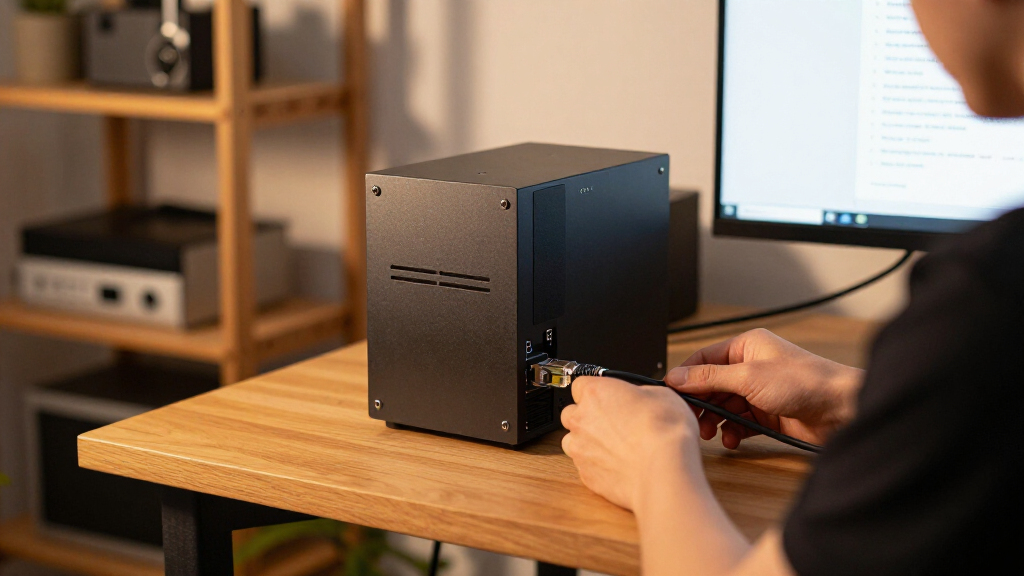
I judged every machine against what actually breaks a home lab: RAM ceiling (32GB minimum for VM work, 64GB preferred), storage expandability (spare M.2 slots or 2.5-inch bays), sustained thermals under 24/7 load, power draw at idle — critical for always-on nodes — and virtualization-friendly features like VT-x/VT-d or AMD-V support and reliable NICs. Consumer convenience features like bundled Windows licenses and RGB mattered little; most lab builders wipe the drive and install Proxmox, ESXi, or a Linux server distro on day one, so I weighted preinstalled software close to zero.
The ranking follows a simple logic: machines that grow with your lab beat machines that box you in. That puts configurable barebone units like the MS-02 at the top, upgradeable consumer boxes and renewed enterprise units in the middle tiers by performance tier and price, and fixed low-RAM budget units at the bottom — not because they are bad computers, but because 8GB of non-upgradeable memory is a hard ceiling for anything beyond a single-purpose node. Renewed units were assessed on platform age and known reliability rather than cosmetic grade, since a home lab box lives in a closet, not on display.
Factors to Consider When Choosing Mini PCs For Home Labs
Before settling on a specific machine, it helps to understand the structural tradeoffs in this category — the mistakes that cost lab builders the most money are almost always about buying the wrong architecture, not the wrong brand.RAM Ceiling Matters More Than CPU Speed
The single most common mistake is buying a fast processor soldered to a low, fixed memory ceiling. Home lab workloads — Proxmox with several VMs, Kubernetes nodes, databases — consume RAM long before they saturate a modern CPU, and a lab that feels fine at 16GB today will feel cramped within months of adding services. Check whether the RAM is SODIMM (upgradeable) or soldered, and what the platform’s maximum supported capacity actually is, not just what the seller ships. A slower quad-core with a 64GB ceiling is usually a better lab investment than a fast octa-core capped at 16GB. This is also why barebone kits dominate serious lab builds: you decide the memory, and you can buy it in stages as your needs grow.
Storage Bays and NVMe Slots Decide Your Future
Storage is the second bottleneck, and it arrives faster than most builders expect. A single 256GB NVMe drive fills quickly once you spin up a few VM images, ISO libraries, and a media or backup share. Look for a second M.2 slot, a 2.5-inch SATA bay, or both — machines with two slots let you separate the hypervisor disk from VM storage, which simplifies backups and rebuilds. Also check whether the NVMe slot is PCIe 3.0 or 4.0; for lab use this barely affects speed but does affect which spare drives you can reuse from other builds. If you plan any ZFS-based storage project, remember that ZFS wants RAM and raw drives, and no consumer mini PC will match a proper NAS — plan the mini PC as the compute node, not the bulk storage box.
Renewed Enterprise Versus New Consumer Units
Two very different markets serve this hobby. Renewed business micro desktops (OptiPlex, EliteDesk, ThinkCentre) offer cheap, sturdy, well-documented hardware with excellent Linux and hypervisor compatibility — their BIOSes expose virtualization and power settings consumer firmware often hides. The tradeoff is platform age: a 6th or 8th-gen Intel chip draws more power at idle than a modern efficient part, and warranty coverage is typically short. New consumer mini PCs flip the equation: newer silicon, lower idle draw, longer support, but often soldered memory and thinner cooling for sustained loads. If your lab runs 24/7, calculate idle power cost over a year — a 10-watt difference is real money on an always-on node, and that math sometimes justifies the newer machine.
Networking and Remote Management
Lab builders frequently overlook the NIC, then regret it. A single gigabit port limits you the moment you want a dedicated management interface, a second VLAN-facing port, or faster file transfers. Check for a 2.5GbE port or a spare slot for an add-in card — a few workstation-class minis include PCIe or OCuLink connectivity that makes 10GbE upgrades realistic. Wireless is nearly useless in a lab context; treat Wi-Fi as irrelevant to your decision. Also consider how you will manage the box headless: consumer minis lack IPMI or Intel vPro, so if the machine hangs you physically power-cycle it. Renewed business units with vPro support give you remote KVM over the network, which is a genuinely meaningful advantage for a server tucked in a closet.
Cooling, Noise, and 24/7 Duty
A mini PC that benchmarks well for ten minutes can throttle badly when running a sustained compile or a busy VM host overnight. Small chassis with one small fan and limited heatsink mass are the risk; check whether the unit has user-serviceable fans and replaceable thermal paste, because a lab node runs thousands of hours a year. Fan noise matters less for a closet server but a great deal if the box lives near your desk. Some consumer units also ship with aggressive fan curves tuned for desktop use; in most BIOSes you can set a quieter, steadier profile better suited to constant low load. Finally, prefer designs with bottom or side ventilation over fully sealed bottoms, and avoid stacking lab nodes directly on top of each other without airflow between them.
Operating System Licensing Reality
Most home labs do not run Windows at all — Proxmox VE, Debian, Ubuntu Server, or a hypervisor are the norm, which means a bundled Windows 11 Pro license adds cost you may never use. That is one reason barebone, no-OS units price so well for this use case. If you do want a Windows machine inside your lab (for Active Directory experiments, for example), a Pro license rather than Home matters because Hyper-V and remote desktop require it. Verify that Linux drivers exist for the Ethernet and Wi-Fi chipsets before buying niche brands; nearly everything Intel-based works out of the box, but a few budget AMD or Realtek NICs need firmware fiddling that can frustrate a first build. The safest path for beginners is an Intel-platform machine with a mainstream NIC.
Frequently Asked Questions
Can a mini PC really run Proxmox and multiple VMs, or do I need a full tower?
For most homelab workloads — a few lightweight VMs, dozens of containers, Home Assistant, Pi-hole, a reverse proxy — a modern mini PC handles the job comfortably, and many builders run three-to-five-node clusters entirely on mini hardware. Towers win only when you need large amounts of RAM (128GB+), multiple 3.5-inch drives for bulk storage, pass-through GPUs, or heavy compute like constant transcoding or CI builds. A cluster of low-power minis also teaches distributed skills a single tower cannot, and costs less to run 24/7. Start with one capable box like the MS-02 or EliteDesk 800 G4, and only move to rack gear if you genuinely hit a ceiling.
Is buying a renewed business mini PC risky for an always-on home lab?
Renewed OptiPlex and EliteDesk units are among the most popular home lab purchases for good reason: enterprise hardware is built for continuous duty, spare parts are cheap and everywhere, and documentation is public. The real risks are cosmetic wear, worn fans or dried thermal paste, and short seller warranties — all manageable if you buy from a seller with a real return window and plan to repaste the CPU in year one. Check the BIOS for vPro or AMT support before committing to a specific model, since remote management is one of the biggest perks of business-class machines. What you give up is efficiency: a 6th or 7th-gen Intel idles noticeably higher than modern silicon, which adds a few dollars a year per node but rarely changes the buying math.
How much RAM do I actually need for a starter home lab?
For a first node running Proxmox plus containers, 16GB is a workable floor and 32GB is the comfortable target; below 16GB you are limited to one or two small VMs plus lightweight services. The trap is buying 16GB on a machine that cannot go higher — always confirm the maximum supported RAM before purchasing, because the upgrade path is worth more than the shipping config. Memory-hungry projects like TrueNAS with ZFS, Windows VMs, or Kubernetes clusters with several nodes each push you toward 64GB, which is exactly why barebone units with two SODIMM slots rank higher in this comparison. A practical strategy is buying a machine that accepts 64GB but populating only 32GB now, then adding matched sticks later when your workloads grow.
Should I choose an Intel or AMD mini PC for virtualization?
Both platforms virtualize well today — Intel’s VT-x/VT-d and AMD’s AMD-V and IOMMU support are mature — so the deciding factors are elsewhere. Intel boxes tend to have the smoothest Linux support and, on business-class units, vPro remote management, which matters for headless servers. AMD’s recent mobile chips, like the Ryzen 7 8745HS in the GEEKOM A8, deliver more cores and much stronger integrated graphics per dollar, which helps if you want GPU-accelerated containers or light transcoding. If you plan PCI pass-through of the integrated GPU to a VM, research your specific hypervisor and chipset combination first, as support is patchier on consumer boards. For a pure beginner build, Intel remains the lower-friction choice; for performance per dollar, AMD usually wins.
Is a barebone mini PC worth the extra setup effort?
For a home lab, barebone is often the better path even though it arrives with no RAM, storage, or OS — you must install the components yourself before it will boot. The payoff is total control over the parts that matter: matched memory from a reputable brand, a quality NVMe drive sized for your actual VM plans, and no money spent on a Windows license you were going to wipe anyway. It also teaches you the internals of your server, making future upgrades and repairs trivial. The effort involved is modest — two SODIMM sticks, one M.2 drive, and a Proxmox USB installer — well within reach of anyone building a lab in the first place. If any of that sounds intimidating, a preconfigured unit like the GEEKOM A8 gets you running faster at the cost of a fixed memory ceiling.
Conclusion
The right pick depends entirely on what your lab is for. For best overall, the MINISFORUM MS-02 stands apart: its Core Ultra 5 235HX, barebone flexibility, and workstation-class connectivity make it the one machine here that will still fit your lab in three years. For best value, renewed enterprise units are unbeatable — the HP EliteDesk 800 G4 Mini and Dell OptiPlex 7050 Micro deliver solid 6-core and 4-core platforms, upgradeable RAM, and vPro remote management for pocket change, while the BOSGAME E5 is the value leader among new units. The GEEKOM A8 earns the best premium consumer slot with Ryzen 7 8745HS performance and Radeon 780M graphics, ideal if your lab mixes VMs with media work — just accept the memory ceiling.
For beginners, the GEEKOM IT11 and GMKtec M2 Pro S are the gentlest entry points: enough power to experiment, standard upgrade paths, and no renewal gamble. For single-purpose nodes — Pi-hole, DNS, a lightweight agent host — the GMKtec G3 S and BOSGAME E5 11 Pro do the job cheaply, and the Dell OptiPlex 3060 makes a fine third or fourth cluster node. Whatever you choose, prioritize the RAM ceiling and storage expandability over raw CPU benchmarks; your lab will outgrow a fixed 8GB machine far sooner than it outgrows any processor in this lineup.
Fall Picks
fall essentials
As an affiliate, we earn on qualifying purchases.