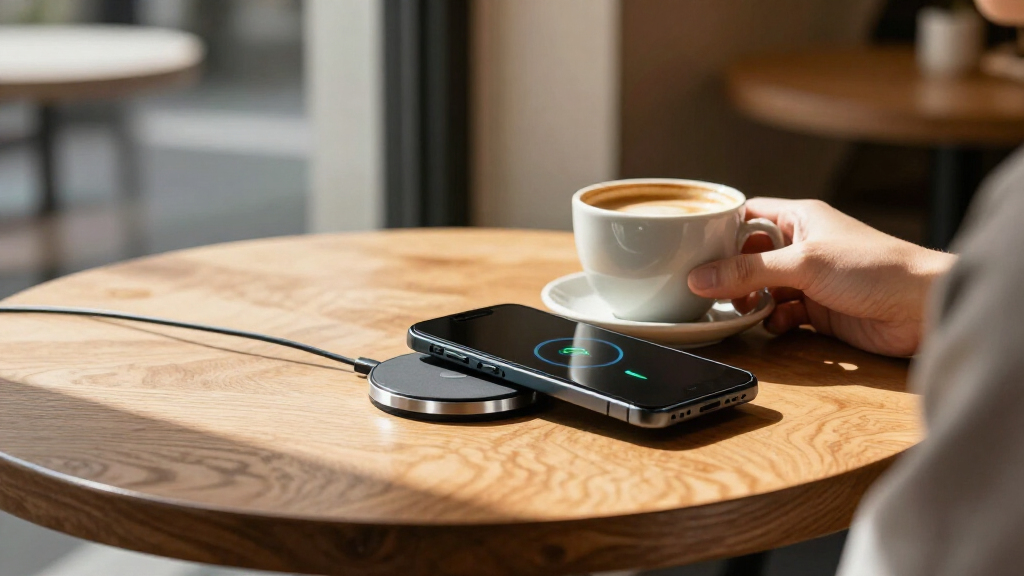

Choosing a wireless charger is less about eliminating cables altogether than deciding how many devices should share one charging spot. A multi-device wireless charging station can hold a phone alongside accessories such as earbuds or a smartwatch, while a single-device pad focuses on charging one phone or other compatible device. The station is the more convenient choice for a multi-device nightstand or desk, but it costs more, takes up more space, and may not support every device or fast-charging feature. A pad is usually the better buy when you charge one device at a time and want a compact, straightforward setup.

Get the latest gadgets delivered free with Prime
- Fast, free delivery on millions of items
- Prime Video, Amazon Music and more included
- Member-only deals all year

Acer 7-in-1 Wireless Charging Station Charger Stand for Multiple Devices
- ✔ Advertised total output: 30 W maximum in description; specifications list 33 W
- ✔ Phone charging positions: Two wireless phone positions
- ✔ Other charging: Apple Watch, compatible wireless AirPods case, USB-A and USB-C ports

3 in 1 Mag-Safe Wireless Charger Stand for iPhone Apple Watch AirPods
- ✔ Advertised phone output: Up to 15 W
- ✔ Device positions: iPhone, Apple Watch, and AirPods
- ✔ Phone alignment: Magnetic; portrait and landscape orientations

GETPALS Wireless Charger iPhone Charging Station for Apple Multiple Devices
- ✔ Phone output: Up to 7.5 W
- ✔ Earbud output: 3 W
- ✔ Watch output: 2.5 W
The practical differences come down to device compatibility, the number of devices charged at once, placement, power, and total cost. A station does not automatically charge every device faster, and its extra charging positions only help if your devices match the station’s supported standards. This comparison looks at those tradeoffs so you can decide whether consolidated charging is worth paying for or whether a basic pad fits your routine better.
At a Glance
| Criteria | Multi-device wireless charging station | Single-device wireless charging pad | Winner |
|---|---|---|---|
| Devices charged at once | Charges multiple supported devices together; the exact number and layout vary by model. | Typically charges one device at a time. | A |
| Device compatibility | May offer separate phone, watch, and earbud spots, but each spot supports only compatible devices. | Works with compatible wireless-charging devices that align with its supported standard and size. | Depends |
| Desk or nightstand footprint | Takes more room; stands and docks can keep devices visible and organized. | Usually compact and easy to move between a desk, bedside table, or bag. | B |
| Charging speed | Speed depends on the phone, charging standard, alignment, and adapter; charging multiple devices may affect total output. | Depends on the pad’s output, device support, alignment, and power adapter. | Depends |
| Setup and daily use | Keeps compatible devices together and reduces the number of separate charging spots. | Simple to place and use, though each additional device needs its own charger. | A |
| Price and value | Usually costs more; worth it when several supported devices regularly charge in the same place. | Usually cheaper; strong value for one-device charging. | Depends |
Acer 7-in-1 Wireless Charging Station Charger Stand for Multiple Devices
The Acer 7-in-1 is the most capable all-in-one setup in this group. Its two wireless phone positions let a couple or a multi-phone household charge two iPhones together, while separate positions serve an Apple Watch and compatible AirPods case. That makes it more useful as a shared charging station than the single-phone GETPALS and Mag-Safe models. Two USB ports add a fallback for devices or accessories that cannot use its wireless pads.It also behaves more like a bedside hub than a plain charger. The Bluetooth-synchronized clock, adjustable display, and dimmable night light can replace a separate clock and provide a visible charging spot. The tradeoff is a more involved setup and a larger feature set to manage. Acer recommends cases under 2 mm for wireless charging; AirPods must be centered, and the display will not show indoor temperature while a phone charges wirelessly. Its Android support also requires an additional magnetic-compatible case, so this is most straightforward for Apple users.Choose Acer when a shared surface and extra bedside functions matter more than a minimal footprint. Compared with the Mag-Safe stand, it gives up a clearly described magnetic snap for broader device capacity and a clock. Compared with GETPALS, it is far less travel-oriented, but its extra charging positions make it the stronger home or office station.
Pros:
- Two wireless phone positions serve shared setups better than either three-device stand.
- Adds Apple Watch and compatible AirPods charging plus USB-A and USB-C ports.
- Clock synchronization and adjustable night lighting add bedside utility.
- Includes stated overcurrent, overvoltage, and temperature protection.
Cons:
- Wireless phone charging is optimized for cases under 2 mm.
- AirPods need careful centering, and the temperature display is unavailable while a phone charges wirelessly.
- Its extra controls and bedside features may be unnecessary for buyers who only need a basic dock.
Best for: Apple households or desk users who want to charge two phones, an Apple Watch, and compatible AirPods in one organized place.
Not ideal for: Travelers seeking a foldable dock, minimalists who do not want a clock or lights, and Android users without a magnetic-compatible case.
Bottom line: The Acer is the most versatile station for an Apple-heavy shared desk or nightstand, provided its case limits and larger feature set suit the setup.
“The Acer is the most versatile station for an Apple-heavy shared desk or nightstand, provided its case limits and larger feature set suit the setup.”
3 in 1 Mag-Safe Wireless Charger Stand for iPhone Apple Watch AirPods
For buyers who mainly want a phone to land in the right place, the 3-in-1 Mag-Safe stand has the clearest positioning advantage. Its magnetic mount is designed for iPhone 12 and newer with a magnetic-compatible case, and holds the phone vertically or horizontally. That makes it easier to glance at a screen or use StandBy-style views while charging than with the foldable GETPALS, whose phone position is not described as a magnetic mount.The station also includes dedicated charging positions for an Apple Watch and AirPods, plus a controllable blue ambient light in the base. The light can be dimmed or switched off, which is useful for a bedside surface where a fixed glow would be distracting. The manufacturer advertises up to 15W for the phone, but buyers should check their specific phone, adapter, and charging conditions rather than assume that figure in every setup.This is a focused single-phone station, not a shared hub. Unlike Acer, it cannot wirelessly charge two phones or add a clock and extra USB ports. The magnetic mount also narrows its appeal: older iPhones and phones without a compatible magnetic case do not get the same snap-on alignment. Choose it for a dedicated Apple setup where phone viewing and placement matter more than extra capacity.
Pros:
- Magnetic mount helps align compatible iPhones for charging.
- Supports portrait and landscape phone placement.
- Separate charging positions serve an Apple Watch and AirPods.
- Blue base light has touch controls for brightness and on/off.
Cons:
- The magnetic positioning benefit requires iPhone 12 or newer and a compatible magnetic case.
- Only one phone can use the stand at a time, unlike Acer’s dual-phone layout.
- The advertised 15W output depends on device and charging setup.
Best for: iPhone 12 or newer owners with a magnetic-compatible case who want a stable viewing position and a three-device Apple charging spot.
Not ideal for: Households that need two phone pads, users with phones that lack magnetic compatibility, and buyers who want a clock or extra USB charging ports.
Bottom line: This stand is the better pick when magnetic alignment and hands-free iPhone viewing matter more than extra ports or a second phone pad.
“This stand is the better pick when magnetic alignment and hands-free iPhone viewing matter more than extra ports or a second phone pad.”
GETPALS Wireless Charger iPhone Charging Station for Apple Multiple Devices
The GETPALS 3-in-1 is the most travel-friendly choice in this roundup. Its foldable, lightweight design is intended to fit into a bag, while its three charging areas cover the usual iPhone, Apple Watch, and AirPods combination. Compared with the fixed Acer hub, GETPALS is easier to put away between trips or move between a home desk and a temporary workspace. Its simpler layout also avoids the clock and lighting controls that define Acer.That portability comes with a more modest phone output: the supplied specifications list up to 7.5W for phones, alongside 3W for earbuds and 2.5W for watches. The listing describes the phone position as a wireless charging surface but does not describe Acer-style dual-phone capacity or the Mag-Safe stand’s magnetic mount. Buyers who value a predictable snap-on phone position or the higher advertised phone output of the magnetic stand may prefer that option for a permanent nightstand.Case compatibility needs attention. GETPALS specifies support for cases up to 4 mm, but excludes metal rings, pockets, and magnets; AirPods 2, 3, and 4 require a wireless charging case. It is therefore best for buyers who prioritize a packable, straightforward dock and can verify that their cases and earbud case work with it. It offers less bedside polish than Acer and less explicit phone alignment than the Mag-Safe model, but portability is its distinct strength.
Pros:
- Foldable, lightweight design is suited to travel and storage.
- Charges an iPhone, Apple Watch, and compatible AirPods case together.
- Case thickness guidance is more generous than Acer’s stated under-2-mm recommendation.
- Non-slip surface and charging indicators help keep a desk setup organized.
Cons:
- Phone output is listed at up to 7.5W, below the Mag-Safe model’s advertised maximum.
- Cases with metal rings, pockets, or magnets should be avoided.
- Some AirPods generations require a wireless charging case.
Best for: Apple users who want one foldable station for a phone, watch, and compatible AirPods at home, work, or while traveling.
Not ideal for: Buyers seeking the highest advertised phone output, magnetic phone alignment, two-phone charging, or a clock and night light.
Bottom line: GETPALS is the practical choice when foldability matters most, but its lower listed phone output and case restrictions make it less compelling as a premium fixed bedside stand.
“GETPALS is the practical choice when foldability matters most, but its lower listed phone output and case restrictions make it less compelling as a premium fixed bedside stand.”
As an Amazon Associate we earn from qualifying purchases.
Key Differences
The station’s clearest advantage is consolidation. If you routinely charge a phone, earbuds, and a compatible watch in one place, a multi-device model can reduce adapter clutter and make it easier to leave everything ready overnight. The gain is practical rather than automatic: check that each device has a matching charging position, since a phone pad alone will not charge a watch that requires a dedicated watch charger. A single-device pad wins on footprint and simplicity, especially when only one device needs power at a time.
Neither format guarantees faster charging. Actual speed depends on the device, the charger’s supported wireless standard and output, correct alignment, and the wall adapter. A station divides its design across multiple charging positions, and its advertised maximum may not apply when several devices are charging together. A pad can also charge slowly if its power adapter is underpowered or the phone is poorly positioned. Compare the specifications for your devices rather than assuming a larger station means faster charging.
Value follows usage. Paying more for a station makes sense when its extra positions replace chargers you already use and fit your everyday routine. If those positions will sit empty, a pad usually delivers the more sensible purchase: it occupies less space and does the core job for less. The main decision is not whether one format is universally better, but whether you will regularly use the extra capacity.
Detailed Comparison
Devices charged at once (Multi-device wireless charging station wins — major)
A station wins by supporting multiple compatible devices at the same time; this is its defining advantage, though capacity and layout vary between models. The gap is major for someone who charges a phone, earbuds, and watch together, since one organized charging point can replace several separate spots. For a one-device household or desk, the additional positions bring little practical benefit, and the pad’s one-at-a-time limit is unlikely to matter.
Device compatibility (moderate difference)
Neither format is a universal winner. A pad may support a broad range of wireless-charging phones, while a station can offer more device-specific positions, such as a watch dock or earbud area. That advantage only counts if the device models and charging standards match. Check the compatibility list and required watch charger before buying; a station with the wrong watch support may leave one of its most useful features unused. The difference is moderate and depends on the devices you own.
Desk or nightstand footprint (Single-device wireless charging pad wins — moderate)
A pad usually wins on compactness. It needs room for one device and is easy to move, making it a natural choice for small bedside tables or travel. Stations often take up more space, though a vertical stand can keep a phone visible and arrange accessories neatly. The gap is moderate: a station may reduce scattered chargers overall, but its own base can be larger than a pad. Measure the available space and consider whether the devices can sit together comfortably.
Charging speed (minor difference)
There is no reliable format-based winner. A well-matched station can charge a device at its supported rate, but charging several items may share the available power; a pad can also charge quickly when its output and adapter suit the phone. Alignment and device support matter for both. The difference is minor as a category comparison, but may matter to a specific buyer: compare per-device output and simultaneous-use specifications, not just the overall wattage printed on a box.
Setup and daily use (Multi-device wireless charging station wins — moderate)
A station tends to win for people with several devices and one regular charging location. Drop each supported device into its designated spot and the set stays together, which can make a desk or bedside routine tidier. A pad is simpler to place and use for one device, with fewer positions to align and less hardware to manage. The gap is moderate and follows the number of devices: consolidation helps multi-device routines, while simplicity helps single-device ones.
Price and value (moderate difference)
A pad usually costs less upfront, so it is better value when it meets the full need. A station can justify its higher price if several charging positions get regular use and replace multiple accessories or adapters. If you mainly charge a phone, the unused capacity is money spent without a matching convenience gain. The gap is moderate, but the better value depends on ownership and routine rather than purchase price alone.
Multi-device wireless charging station: Pros and Cons
Pros:
- Charges several compatible devices together in one place.
- Can consolidate a phone, earbuds, and watch charging setup.
- Some stand designs keep the phone visible while charging.
Cons:
- Usually costs more and occupies more surface area than a pad.
- Device positions and charging standards are model-specific.
- Total power may be shared when multiple devices charge at once.
Single-device wireless charging pad: Pros and Cons
Pros:
- Usually less expensive and takes up little space.
- Simple to use for one compatible device.
- Easy to move between rooms or pack for travel.
Cons:
- Generally charges one device at a time.
- Multiple devices may require separate chargers and power outlets.
- Does not provide the organized, shared charging area of a station.
Who Should Choose What
Choose Multi-device wireless charging station if:
- You regularly charge a phone and other compatible devices together at one desk or bedside table.
- You want fewer separate charging spots and have confirmed that the station supports your exact devices.
- The added cost and larger footprint are acceptable in exchange for a consolidated setup.
Choose Single-device wireless charging pad if:
- You usually charge one phone or other compatible device at a time.
- You have limited desk or nightstand space, or want a charger that is easy to move.
- You want to spend less and do not need dedicated watch or earbud charging positions.
Skip both if: Your devices do not support compatible wireless charging, or you need a wired charging method for your device, case, or preferred charging speed.
Value for Money
A multi-device station is worth paying more for when its extra positions match devices you own and regularly charge together. Its value comes from consolidating the routine: fewer charging points to manage and one place to leave several devices. Before paying a premium, check device compatibility, simultaneous charging output, and whether the required wall adapter is included; otherwise, the headline feature may not work as expected or may need extra purchases.
For one-device charging, a single pad is generally the better value. It costs less, uses less space, and avoids paying for unused capacity. If you later need to charge more devices, adding another pad may still cost less, though it uses more outlets and creates a less unified setup. Pay more for a station when shared charging is a regular need, not simply because it has more charging positions.
Final Verdict
Choose a multi-device wireless charging station if you regularly charge several compatible devices in the same place and want one organized setup. Its advantage is meaningful when you use its positions every day; confirm that your phone, watch, and earbuds are supported and check how power is allocated during simultaneous charging. Choose a single-device pad if you mainly charge one device, value a compact setup, or want to keep the purchase price down. For most people with only a phone to charge, the pad is the more sensible buy. The deciding factor is whether the station’s added capacity will see regular use.
Frequently Asked Questions
Does a wireless charging station charge a phone faster than a pad?
Not by design alone. Speed depends on the device, supported charging standard, charger output, alignment, and wall adapter. Compare the stated phone output for each model and check whether it changes when other devices charge at the same time.
Can any phone charge on a multi-device wireless station?
No. The phone must support a wireless-charging standard supported by the station, and it must align with the phone charging area. Check the station’s compatibility details, including any case thickness or placement limits.
Is a station worth it if I only have one phone?
Usually not, unless you specifically want a stand or plan to add compatible devices soon. A single-device pad generally costs less and takes up less space while meeting the same basic charging need.
Can a wireless charging station charge a smartwatch?
Only if it includes a watch charger compatible with that specific smartwatch. A phone charging surface does not automatically charge a watch, so check the supported models and whether a watch charging puck or cable is included.