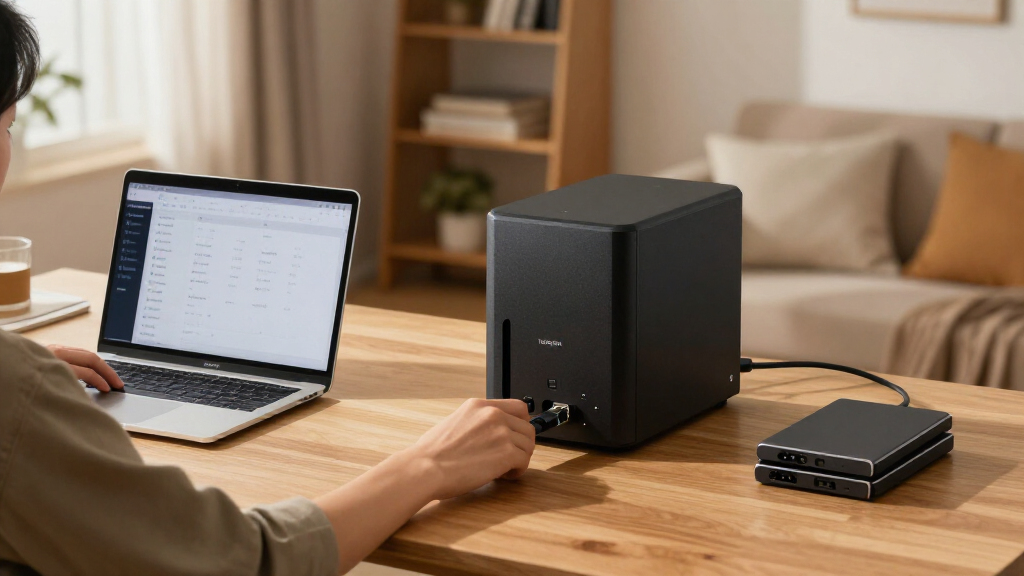

🔍 Read the full analysis: Should AI Users Put The UGREEN NAS DXP4800 Pro On Their Shortlist? on ThorstenMeyerAI.com

Get the latest gadgets delivered free with Prime
- Fast, free delivery on millions of items
- Prime Video, Amazon Music and more included
- Member-only deals all year
TL;DR
The UGREEN NAS DXP4800 Pro is a four-bay NAS with an Intel Core i3-1315U, 8GB of expandable DDR5 memory, 10GbE and 2.5GbE networking, and support for Docker and virtual machines. Those specifications make it worth considering for users who will run services or move large files on compatible networks, but buyers must supply drives and plan their storage. For basic backups and shared folders, a simpler two-bay NAS may be a better fit.
The UGREEN NAS DXP4800 Pro is a four-bay network-attached storage device with an Intel Core i3-1315U, expandable memory and 10GbE networking, making it a candidate for home labs and small teams that need more than backups and shared folders, as discussed in the original assessment. A product assessment by ThorstenMeyerAI.com says it is worth considering when buyers will use that extra capacity, but notes that drives are not stated as included and the high-speed network needs compatible equipment.
The DXP4800 Pro comes with 8GB of DDR5 memory, which the supplied product information says can be expanded to 96GB. Its six-core, eight-thread processor is listed with a maximum frequency of 4.5GHz. The assessment says this hardware can support file serving alongside Docker services and virtual machines; buyers using the NAS only for automated backups are less likely to benefit from that extra processing headroom.
For storage, the device has four 3.5-inch drive bays and two PCIe 4.0 M.2 slots. The listing gives a potential maximum capacity of 144TB across four hard drives and two M.2 SSDs, but that is a configuration ceiling, not storage supplied with the unit. The source material does not state that drives are included, so buyers should check the listing and budget for the drives they need.
Networking includes one 10GbE port and one 2.5GbE port, with a stated maximum transfer speed of 1.25GB/s. That figure is a stated maximum, not a guaranteed real-world result: the computer, cabling, switches, drives and workload all affect performance. The assessment also lists UGOS Pro features for media, photos and cloud syncing, plus on-device AI photo organization. It does not provide independent performance tests or comparative measurements for those functions.

UGREEN NAS DXP4800 Pro 4-Bay Network Attached Storage
- ✔ Processor: Intel Core i3-1315U, 6 cores, 8 threads, up to 4.5GHz
- ✔ Memory: 8GB DDR5, expandable to 96GB
- ✔ Graphics: 13th Gen Intel UHD Graphics
The 1 picks
- 1
 UGREEN NAS DXP4800 Pro 4-Bay Desktop NAS with Intel Core i3-1315U, 8GB DDR5,…View on Amazon →
Who Benefits From Four Bays and 10GbE
The DXP4800 Pro’s main appeal is the combination of storage expansion and server capability. Four drive bays give owners more room to add capacity and consider RAID arrangements as their needs change. Its processor and memory expansion may also let home-lab users run file storage and additional services on one machine, instead of relying on a separate server.
Those advantages depend on the rest of the setup. Large transfers can benefit from 10GbE only when the connected network supports it; a gigabit network will limit throughput. The 2.5GbE port offers another option, but compatible network gear is still required. RAID can help keep data accessible after some drive failures, but it is not a substitute for a separate backup.
That leaves a practical trade-off: the device may be more capable than a basic household backup requires, while its drives and setup decisions add cost and effort. The source assessment compares it with the two-bay Synology DS223 and DS223j, describing those models as potentially more sensible for compact backup and file-sharing needs. It supplies no prices or test results for a direct value comparison.
Hardware Beyond Basic Network Storage
A NAS stores files on a local network so multiple devices can access them, and many models also support backups and media serving. The DXP4800 Pro is positioned above a basic file-storage appliance through its four bays, Core i3 processor and support for containers and virtual machines. That gives technically confident buyers more options, but also means setup can involve choices about drive selection, RAID, network configuration and which services to run.
The assessment lists tool-free drive trays to simplify physical installation and replacement. It also notes an aluminum chassis and a two-year warranty. Those specifications do not establish long-term reliability, operating noise or how the NAS performs under sustained workloads. Buyers should distinguish the device’s listed capabilities from independently verified results.
Capacity and speed figures need the same care. The 144TB ceiling depends on installed drives, while the 1.25GB/s network figure depends on a compatible path and suitable workload. Neither figure means the product arrives with that storage or will deliver that speed in every home or office network.
“worth buying for buyers who will use its speed and flexibility”
— ThorstenMeyerAI.com product assessment
Costs and Real-World Performance
The supplied material does not give the purchase price, drive-inclusion details from a specific retailer listing, or a tested configuration. Buyers should confirm what is in the box before comparing the total cost with a preloaded or lower-bay alternative. The stated 144TB maximum also depends on the drives selected and installed.
No independent benchmarks are provided for file-transfer speeds, virtual-machine workloads, photo organization or media features. It is also unclear how the device performs acoustically or over long periods of continuous operation. Actual results will depend on drives, network equipment, workload and configuration, so the listed maximum speeds should not be treated as typical performance.
The source describes RAID options including 0, 1, 5 and 10, but does not specify which configurations are supported with particular drive counts or detail how the software manages them. Buyers should verify the current product documentation and plan a separate backup for important data.
Check the Setup Before Buying
People considering the DXP4800 Pro should first identify their workload: basic backup and shared folders, large project-file transfers, or services such as containers and virtual machines. They should then confirm the current price and included accessories, select compatible drives, and check whether their computers, cabling and switches can use 2.5GbE or 10GbE.
Before relying on the unit as primary shared storage, buyers should review the current UGOS Pro documentation, decide how they will configure redundancy, and maintain a separate backup. The supplied information does not identify a forthcoming launch, software update or independent review milestone. For now, the purchase decision rests on whether the extra bays and hardware match a real need, not merely on the headline specifications.
Key Questions
Is the UGREEN DXP4800 Pro a good choice for basic backups?
It can handle storage and backups, but the product assessment says it may be more machine than basic backup users need. A simpler two-bay NAS may be a better fit for straightforward backups and shared folders.
Does the DXP4800 Pro include hard drives?
The supplied material does not state that drives are included. The 144TB figure depends on drives being installed, so check the specific retailer listing and account for drive costs.
Will the 10GbE port make transfers faster automatically?
No. The connected computer, cabling, switches, storage and workload must support the faster connection. On an ordinary gigabit network, the network will limit the benefit of the 10GbE port.
Can the NAS run virtual machines and Docker services?
The product assessment lists support for Docker and virtual machines, alongside an Intel Core i3-1315U and memory expandable from 8GB up to 96GB. The source does not provide workload benchmarks, so real-world capacity will depend on the services and configuration.
Does RAID replace backing up files elsewhere?
No. RAID can help maintain access to data after some drive failures, but it does not replace a separate backup. Important files should have another protected copy.
Source: ThorstenMeyerAI.com