
The best password managers in this roundup range from simple paper books to offline electronic devices with autofill. My best overall pick is the Clever Fox Password Keeper Notebook for its balanced, organized paper format, while the Atlancube PasswordPocket stands out for electronic autofill and the Iconikal Password Book for its stated 306-login capacity. The main choice is between the convenience of a device and the simplicity of a notebook, with privacy, backup, and portability shaping the tradeoffs. Paper keepers avoid digital syncing but can be lost or read by anyone who finds them; electronic options add device and compatibility questions. Read on for the full breakdown and help matching a format to your habits.

Get the latest gadgets delivered free with Prime
- Fast, free delivery on millions of items
- Prime Video, Amazon Music and more included
- Member-only deals all year
Complete the kit



Key Takeaways
- The lineup splits into paper and electronic options: most picks are notebooks, while the Atlancube, QIWEILONG, RecZone, and Epinuo offer device-based storage or access features.
- Organization differs more than appearance suggests: alphabetical tabs can make a large handwritten list quicker to search, while plain layouts may suit people with fewer accounts.
- Capacity claims are not the whole story: Iconikal states room for 306 logins and QIWEILONG lists storage for 500 accounts, but buyers should also weigh how usable the entry layout is.
- Portability brings a compromise: Kikkerland‘s wallet-sized folding format is easy to carry, while larger books can provide more writing space and a clearer layout.
- Electronic autofill trades simplicity for setup considerations: device compatibility, charging or connection needs, and recovery planning matter more when choosing a hardware keeper than a paper book.


| password manager | Dimensions | Brand | Pages |
|---|---|---|---|
| Oxford Password Book | 3.5 × 5.5 in | — | 128 |
| Iconikal Password Book | 8 × 5 × 0.5 in | — | 102 |
| Clever Fox Password Keeper Not | — | — | — |
| Atlancube PasswordPocket Offli | — | — | — |
| WEMATE Password Book with Alph | 5.8 × 4.1 × 0.6 in | — | 162 |
| Password Book with Alphabetica | Listed as 7.6 × 5.2 inches; another listed size is 5 × 8 inches | JXSELECT | 148 |
| Eccolo Password Keeper Book wi | 5.75 × 4 inches | Eccolo | 224 |
| Forvencer Password Book with A | 4.2 × 5.4 inches | Forvencer | 120 |
| QIWEILONG Offline Password Kee | — | QIWEILONG | — |
| RecZone Electronic Password Sa | 3.5 × 4.88 × 1 inches | RecZone | — |
| Kikkerland Password Keeper | 3.3 x 2.1 x 0.2 inches | Kikkerland | 60 |
| Epinuo Type-C Offline Password | — | Epinuo | — |
| Password Book with Colorful Al | 8.4 x 5.7 x 0.6 inches | HwxBen | — |
More Details on Our Top Picks
Oxford Password Book, Black Hardcover, 3.5 × 5.5 in
The Oxford Password Book is the smallest paper-based option in this group, making it a practical fit for a desk drawer or a carefully chosen travel kit. Its 342 alphabetized login spaces are fewer than the Clever Fox Password Keeper’s 440, but Oxford also provides sections for Wi-Fi, email, software licenses, recovery phrases, and general notes, so it handles more than website credentials. The 120 gsm paper, elastic closure, ribbon bookmark, and back pocket add useful organization without making the book bulky. The tradeoff is that every change must be written in by hand, and a compact page can feel cramped for long credentials or detailed notes. Choose it over larger notebooks when discreet storage and a small footprint matter more than maximum capacity or digital autofill.
Pros:- Compact 3.5 × 5.5-inch format is easy to store discreetly.
- Alphabetical organization provides 342 login entry spaces.
- Includes dedicated areas for Wi-Fi, email, software licenses, recovery phrases, and notes.
- 120 gsm paper, elastic closure, ribbon bookmark, and back pocket support tidy storage.
Cons:- Handwritten entries are harder to update than credentials in a digital manager.
- A physical book needs secure storage to protect the credentials it contains.
- Its 342-entry capacity is lower than the Clever Fox Password Keeper’s listed 440.
Best for: People who want a compact offline record for logins plus Wi-Fi details, licenses, and recovery information.
Not ideal for: People with hundreds of frequently changing accounts or anyone who wants encrypted syncing and automatic form filling.
- Dimensions:3.5 × 5.5 in
- Pages:128
- Entry spaces:342
- Paper weight:120 gsm
- Cover:Faux leather
- Closure:Elastic band
- Weight:5.3 oz
- Other features:Bookmark ribbon and back storage pocket
Our verdict“Choose Oxford if you want a small paper logbook with sections for more than just website passwords and can store it securely.”
Iconikal Password Book, 8×5 Spiral Password Keeper, 306 Logins, 102 Pages
The Iconikal Password Book favors a plain, readable layout over the higher capacity and extra sections found in some competing notebooks. Its 306 entries each have labeled fields for a website, username, password, and notes, while a dedicated Wi-Fi/router page keeps network details separate. The spiral binding lies flat, which can make filling in credentials easier than using a bound book such as the Oxford Password Book. At 8 × 5 inches, it also gives writers more room than Oxford’s compact format. The tradeoffs are its 102-page limit and plastic cover, which may feel less substantial than the Clever Fox Password Keeper’s soft-touch cover. Like any paper manager, it has no digital syncing or encryption, so it suits buyers who value simple offline recordkeeping over automated access across devices.
Pros:- Labeled website, username, password, and notes fields simplify entry.
- Dedicated Wi-Fi/router page keeps network credentials easy to find.
- Spiral binding lies flat for writing.
- 8 × 5-inch format offers more writing room than the compact Oxford Password Book.
Cons:- Capacity is limited to 306 entries across 102 pages.
- Plastic cover may feel less substantial than the Clever Fox Password Keeper’s soft-touch cover.
- Paper entries do not sync across devices or receive digital encryption.
Best for: People who want a readable paper log with clearly labeled fields and a separate place for Wi-Fi credentials.
Not ideal for: Heavy account users who need more than 306 entries, or buyers seeking digital encryption, syncing, or autofill.
- Dimensions:8 × 5 × 0.5 in
- Pages:102
- Login capacity:Up to 306 entries
- Binding:Spiral-bound
- Cover material:Plastic
- Entry fields:Website, username, password, and notes
- Special page:Wi-Fi/router credentials
Our verdict“Pick Iconikal for a simple, flat-opening paper log with clear fields, provided 306 entries are enough for your accounts.”
Clever Fox Password Keeper Notebook, Medium, Black
For buyers committed to keeping credentials on paper, the Clever Fox Password Keeper offers the largest stated capacity among these five notebooks: up to 440 passwords. Its laminated alphabetical tabs make it easier to locate an account than scanning through the Iconikal Password Book’s 306-entry layout, while 120 gsm paper is described as resistant to bleed and smudging. A spiral binding, elastic closure, lined note pages, and back pocket round out a notebook built for ongoing organization. The tradeoff is physical security: an offline book cannot provide digital autofill or remote access, and it still requires safe storage. Its 6.1 × 7.7-inch size is also larger than the Oxford and WEMATE books, so it is less suited to buyers who prioritize a small footprint over entry capacity.
Pros:- Listed capacity of up to 440 passwords is the highest among these five paper books.
- Laminated alphabetical tabs help locate entries without paging through the full notebook.
- 120 gsm paper is described as bleed- and smudge-resistant.
- Includes lined note pages, an elastic closure, and a back pocket.
Cons:- The physical notebook must be stored securely to protect written credentials.
- Larger than the Oxford and WEMATE options, making it less convenient for compact storage.
- Does not provide digital syncing or autofill.
Best for: People with many accounts who prefer offline paper storage and want alphabetical tabs to find entries quickly.
Not ideal for: People who need credentials available across devices, automatic autofill, or a compact notebook for carrying.
- Capacity:Up to 440 passwords
- Size:6.1 × 7.7 in
- Paper size:A5
- Paper weight:120 gsm
- Binding:Spiral-bound
- Cover:Soft-touch vegan leather
- Organization:Laminated alphabetical tabs
- Other features:Elastic closure, lined note pages, and back pocket
Our verdict“Choose Clever Fox if your priority is a high-capacity, tabbed paper record rather than digital access or a pocket-sized format.”
Atlancube PasswordPocket Offline Hardware Password Keeper with Bluetooth Auto-Fill, 1,000 Logins, AES-256 Encryption, White
The Atlancube PasswordPocket is the only device in this group designed to combine offline credential storage with mobile autofill. It holds up to 1,000 logins, uses AES-256 encryption, and communicates with iPhone and Android devices over Bluetooth without an internet connection. That makes it a different proposition from the Oxford, Iconikal, Clever Fox, and WEMATE paper books: credentials can be autofilled instead of copied by hand, while the device avoids relying on an internet connection for communication. The tradeoff is dependence on Bluetooth and a compatible phone or tablet; it is not a simple written backup you can open and browse. Its plastic enclosure may also appeal less to buyers seeking a more substantial object. Choose this over the notebook options when mobile convenience matters more than handwritten visibility.
Pros:- Stores up to 1,000 sets of account credentials.
- AES-256 encryption protects stored data.
- Bluetooth communication works without an internet connection.
- Supports one-click autofill on compatible iPhone and Android devices.
Cons:- Access and autofill depend on Bluetooth communication with a compatible device.
- Unlike the paper books, credentials are not available as a directly browsable written record.
- Plastic enclosure may feel less substantial than a hardcover or faux-leather notebook.
Best for: Mobile users who want an offline credential device with encrypted storage and Bluetooth autofill on iOS or Android.
Not ideal for: People who prefer a simple paper backup, do not want Bluetooth-dependent access, or need a password manager that syncs through an online account.
- Credential capacity:Up to 1,000 logins
- Storage:8 MB
- Encryption:AES-256
- Connectivity:Bluetooth
- Compatible devices:iPhone and Android phones and tablets
- Battery:CR2032
- Weight:0.12 kg
- Enclosure:Plastic
- Warranty:1-year manufacturer warranty
Our verdict“Pick PasswordPocket if you want offline encrypted storage with mobile autofill and are comfortable relying on Bluetooth and a compatible device.”
WEMATE Password Book with Alphabetical Tabs, 4.1 x 5.8 in, Brown
The WEMATE Password Book pairs a compact A6 footprint with 24 alphabetical sections and a listed capacity of up to 468 passwords. That is more entries than the Clever Fox Password Keeper’s 440, despite WEMATE’s smaller 4.1 × 5.8-inch format, though its 100 GSM paper is lighter than Clever Fox’s 120 gsm stock. The spiral binding lets the book lie flat and flip around, while space for updates, hints, and notes helps keep handwritten records usable as accounts change. A pen loop, elastic band, and inner pocket add practical storage touches. The main compromise is writing room: a compact page can constrain long usernames, complex credentials, or extra notes. As with Oxford and the other paper options, it also needs secure physical storage and offers no autofill or digital syncing.
Pros:- 24 alphabetical sections organize up to 468 password entries.
- Compact A6 format is easier to store than the larger Clever Fox notebook.
- Lays flat and flips 360° for flexible writing access.
- Includes space for updates, hints, and notes, plus a pen loop and inner pocket.
Cons:- Compact pages may limit room for long passwords and detailed notes.
- 100 GSM paper is lighter than the Clever Fox Password Keeper’s 120 gsm paper.
- Written credentials require secure physical storage and cannot autofill or sync.
Best for: People who want a small, tabbed paper password book with a high listed capacity and a place to keep a pen.
Not ideal for: People who need generous space for lengthy credentials, digital autofill, or credentials synced across devices.
- Dimensions:5.8 × 4.1 × 0.6 in
- Paper size:A6 (4.1 × 5.8 in)
- Pages:162
- Sections:24 alphabetical sections
- Password capacity:Up to 468
- Paper weight:100 GSM
- Binding:Spiral; lays flat 180° and flips 360°
- Cover:Brown faux leather
- Other features:Pen loop, elastic band, and inner pocket
Our verdict“Choose WEMATE if you want high-capacity alphabetical organization in a compact paper notebook and can work within its smaller writing area.”
Password Book with Alphabetical Tabs, Hardcover, Turquoise
For buyers who prefer paper records, this JXSELECT book pairs quick A–Z browsing with a more protective-feeling hardcover. Its unmarked faux-leather exterior looks like a journal rather than an obvious list of credentials, while the elastic band, ribbon bookmark, pen holder, and accordion pocket help keep the book and loose notes together. Compared with the smaller Eccolo Password Keeper, this one gives you a larger writing area and heavier paper, which may suit people who want room for detailed account notes. The tradeoff is that a physical book cannot autofill logins or sync changes, and it must be stored where visitors cannot reach it. The listing also gives two different dimensions, so I would not choose it if exact sizing is a priority.
Pros:- A–Z tabs make handwritten entries easier to locate
- Hardcover and unmarked exterior offer a journal-like appearance
- 120 gsm paper is described as resistant to ink smearing
- Elastic band, pen holder, ribbon bookmark, and accordion pocket add useful storage
Cons:- Must be physically secured because credentials are written on paper
- The listed dimensions conflict, making its exact size unclear
- Cannot update or autofill credentials across devices
Best for: People who want an organized, handwritten account directory with a hardcover and room for supporting notes.
Not ideal for: People who need cross-device syncing, automatic login filling, or a confirmed exact notebook size.
- Brand:JXSELECT
- Model:JX-368
- Color:Turquoise
- Dimensions:Listed as 7.6 × 5.2 inches; another listed size is 5 × 8 inches
- Paper:74 sheets, 120 gsm
- Pages:148
- Weight:8 ounces
- Features:A–Z tabs, elastic band, pen holder, ribbon bookmark, notes section, accordion pocket
Our verdict“Choose this if you want a well-organized, accessory-rich paper keeper and can store it securely.”
Eccolo Password Keeper Book with Alphabetical Tabs
The Eccolo is a straightforward choice for someone who wants a small, portable paper directory rather than an electronic device or a larger desk notebook. Its 5.75 × 4-inch hardcover is smaller than the JXSELECT Password Book, making it easier to tuck away, and the alphabetical tabs provide a simple way to find an entry without relying on a phone. It can also hold card details and contact information, so it works as a compact reference book beyond website logins. The compromise is the same one that comes with any handwritten keeper: changes have to be made by hand, and the book itself needs secure storage. Unlike the Forvencer, its supplied details do not specify a separate frequently used section or entry capacity, so buyers planning a large account archive may prefer a more explicit layout.
Pros:- Compact hardcover is easy to store or carry
- Alphabetical tabs help organize and retrieve entries
- Faux-leather cover gives the book a finished exterior
- Can be used for card details and contact information as well as logins
Cons:- Entries must be written and updated manually
- Sensitive information remains exposed if the physical book is misplaced
- No account capacity or dedicated frequently used section is specified
Best for: People who want a small, hardcover paper keeper for a manageable set of logins, card details, and contacts.
Not ideal for: People who need automatic login filling, digital backups, or a clearly specified high-capacity account layout.
- Brand:Eccolo
- Format:Hardcover
- Cover material:Faux leather
- Color:Navy Moon
- Pages:224
- Dimensions:5.75 × 4 inches
- Weight:4 ounces
- Organization:Alphabetical tabs
Our verdict“Pick the Eccolo for a compact handwritten reference book, not for synced or automatically filled passwords.”
Forvencer Password Book with Alphabetical Tabs, 4.2 x 5.4 in
For someone who repeatedly needs the same few account details, the Forvencer’s separate frequently used tab is its clearest advantage over general alphabetized notebooks such as the Eccolo Password Keeper. The stated capacity of up to 380 website entries also gives buyers a more concrete sense of how much it can hold. Its spiral binding lies flat, making entries easier to write in, and the compact 4.2 × 5.4-inch format is designed for a bag or pocket. Those conveniences come with a less robust paper cover than the JXSELECT’s hardcover, so this is better suited to careful everyday handling than rough travel. Like other paper options, it cannot sync changes or fill login fields; its compact format also means the page layout may feel constrained for lengthy notes.
Pros:- Separate frequently used tab speeds access to recurring accounts
- Capacity is specified at up to 380 website entries
- Spiral binding lets the notebook lie flat while writing
- 120 gsm paper is designed to reduce ink leakage
Cons:- Paper cover offers less protection than the JXSELECT hardcover
- Physical records need secure storage and manual updates
- Compact pages may limit space for detailed account notes
Best for: People who want a portable handwritten log with a dedicated place for their most-used websites.
Not ideal for: People who need a durable rigid cover, long account notes, or digital syncing and autofill.
- Brand:Forvencer
- Dimensions:4.2 × 5.4 inches
- Pages:120
- Capacity:Up to 380 website entries
- Paper weight:120 gsm
- Binding:Spiral
- Color:Sky Blue
- Special feature:Laminated A–Z tabs and an extra frequently used websites tab
Our verdict“Choose the Forvencer if portability and quick access to frequent logins matter more than a rigid cover or digital features.”
QIWEILONG Offline Password Keeper with Auto-Fill, Type-C, and Storage for 500 Accounts
The QIWEILONG offers a different balance from paper books: credentials are stored locally on an electronic device, with auto-fill designed for compatible phones, tablets, and computers. Its capacity of up to 500 accounts and alphabetical navigation make it more practical for a sizable digital list than the RecZone Electronic Password Safe, which is rated for up to 400 accounts and uses a built-in display and keyboard. The Type-C connection and included adapter give it a route to connect with different devices, while the travel case helps protect the small unit. This is still not the same as a cloud password manager: compatibility matters, and stored credentials are not available through syncing. You also need a power source to view login information, which makes access less immediate than opening a paper book.
Pros:- Stores credentials locally for offline access
- Holds up to 500 account entries with alphabetical navigation
- Auto-fill is designed for compatible phones, tablets, and computers
- Includes a Type-C adapter and travel protection case
Cons:- Requires a master password to access stored credentials
- Login information must be viewed by connecting the device to a power source
- No cloud syncing is specified, and compatibility may vary by device
Best for: People who want a local electronic credential store with auto-fill support and do not want their password list held in the cloud.
Not ideal for: People who need dependable access without a powered connection, broad device compatibility, or cloud syncing.
- Brand:QIWEILONG
- Storage capacity:Up to 500 account entries
- Connection:Type-C
- Storage:Offline, local storage
- Compatibility:Phones, tablets, and computers
- Item weight:1.13 ounces
- Package dimensions:4.45 × 3.19 × 1.5 inches
- Included accessories:Travel protection case and Type-C adapter
Our verdict“Consider the QIWEILONG if you want local electronic storage and compatible-device autofill, and accept connection-dependent access.”
RecZone Electronic Password Safe with Stylus
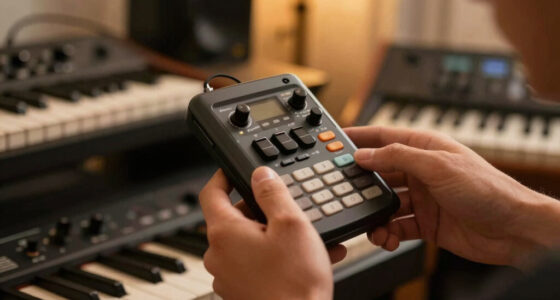
The RecZone suits buyers who want a dedicated device for looking up credentials without depending on a phone app or internet connection. Its backlit LCD and QWERTY keyboard make entry and retrieval more direct than the QIWEILONG, which relies on a Type-C connection to compatible devices for viewing and autofill. The RecZone holds up to 400 accounts, uses one PIN for access, and locks for 30 minutes after five incorrect attempts. Flash memory retains stored passwords during battery changes, though the device runs on three AAA batteries. Compared with the QIWEILONG, it gives up the stated phone-and-computer autofill approach in favor of a self-contained screen and keyboard. It is also not water resistant, and resetting it erases the stored information, so careful handling and backup planning matter.
Pros:- Stores up to 400 accounts in a standalone device
- Backlit LCD and QWERTY keyboard support direct entry and lookup
- Offline operation keeps the device disconnected from the internet
- Flash memory retains passwords during battery changes
Cons:- Requires three AAA batteries
- Not water resistant
- A reset erases stored information
Best for: People who want a disconnected, standalone device with a physical keyboard and screen for looking up account details.
Not ideal for: People who want device-to-device autofill, water resistance, or a password store that remains safe through a reset.
- Brand:RecZone
- Model:595
- Capacity:400 accounts
- Display:Large backlit LCD
- Keyboard:QWERTY
- Lock:Electronic; locks for 30 minutes after five incorrect PIN attempts
- Power:3 AAA batteries
- Dimensions:3.5 × 4.88 × 1 inches
- Water resistance:Not water resistant
Our verdict“Choose the RecZone if a standalone screen and keyboard matter more than autofill or water resistance.”
Kikkerland Password Keeper, Red, Wallet-Sized Folding Book
The Kikkerland Password Keeper is the smallest, simplest paper option here: its folding format fits in a wallet and holds up to 60 entries. That makes it easier to keep nearby than the larger HwxBen A5 password book, though the tradeoff is less room to write detailed notes. A removable cover label offers a little privacy by disguising the book’s purpose, but it does not protect the contents if the book is lost or opened. Unlike the Epinuo Type-C Offline Password Keeper, this book cannot autofill logins or search digitally; every password must be written down and updated by hand. I’d choose it for a short list of credentials and a preference for paper, not as a replacement for a secure digital manager for frequent online use.
Pros:- Wallet-sized folding design is easy to store discreetly.
- Holds up to 60 password entries.
- Removable cover label helps obscure the book’s purpose.
- Paper format works without a device, battery, or internet connection.
Cons:- Passwords must be recorded and updated manually.
- Compact pages may leave limited space for long passwords or notes.
- The paper book does not digitally protect its contents if misplaced.
Best for: People who want a small paper record of a limited number of passwords that can fit in a wallet or compact drawer.
Not ideal for: People with many accounts, frequent password changes, or a need for autofill, search, or stronger protection if the record is lost.
- Brand:Kikkerland
- Format:Wallet-sized folding book
- Capacity:Up to 60 passwords
- Dimensions:3.3 x 2.1 x 0.2 inches
- Material:Paper
- Pages:60
- Cover:Soft cover with removable cover label
- Ruling:Dotted
Our verdict“Choose this for a short, offline paper record that prioritizes portability over capacity and digital convenience.”
Epinuo Type-C Offline Password Keeper
The Epinuo Type-C Offline Password Keeper suits buyers who want digital storage without relying on a cloud account or internet connection. It holds up to 500 account entries locally and can autofill logins on supported websites and apps, a practical step up from writing each credential by hand in the Kikkerland or HwxBen password books. Alphabetical navigation helps make a sizable list easier to browse, while optional device-password protection adds a barrier to access. The catch is setup: a firmware update is required before login setup, and autofill is not universal. It also connects through USB Type-C, but a Type-C to USB-B adapter or cable is not included. Compared with the QIWEILONG offline keeper, the available product details give less information about security features, so buyers should check setup and device compatibility before relying on it.
Pros:- Stores up to 500 account entries locally without cloud or internet access.
- Autofills logins on supported websites and apps.
- Alphabetical navigation helps locate saved credentials.
- Optional device password protection provides an access barrier.
Cons:- Requires a firmware update before login setup.
- A Type-C to USB-B adapter or cable is not included.
- Autofill only works with supported websites and apps.
Best for: People who want to store hundreds of credentials locally and use autofill on supported Type-C-compatible devices without cloud storage.
Not ideal for: People who want a ready-to-use setup, broad compatibility across websites, or a password manager with clearly specified security protections.
- Brand:Epinuo
- Model:1029
- Connectivity:USB Type-C
- Capacity:Up to 500 account entries
- Storage:Local offline storage
- Compatibility:Laptops, smartphones, and tablets
- Item weight:0.317 ounces
- Package dimensions:2.91 x 1.77 x 0.75 inches
Our verdict“Pick the Epinuo if local digital storage and supported-device autofill matter more than effortless setup or universal compatibility.”
Password Book with Colorful Alphabetical Tabs, Hardcover, 5.7 x 8.4 Inches
The HwxBen Password Book is the paper pick for people who value legibility and quick browsing more than portability. Its colorful A–Z tabs provide a simple way to locate an entry, while the large-print interior and A5-size pages leave more room to write than the wallet-sized Kikkerland book. The hardcover and 100gsm paper are useful for a book that stays on a desk or in a home office, especially if entries include notes. Those conveniences come with a larger footprint: at 8.4 x 5.7 inches, it is less suited to a bag or crowded drawer. Like other paper keepers, it cannot autofill logins and offers no digital protection if someone finds it. Compared with the Epinuo, it favors readable, hands-on organization over digital access and capacity.
Pros:- Colorful A–Z tabs make entries easier to locate.
- Large-print layout supports easier reading and writing.
- 100gsm paper is designed to resist ink bleed-through.
- Hardcover binding helps protect the book during regular use.
Cons:- Paper entries must be updated manually and cannot autofill.
- Larger A5 dimensions take up more room than compact password books.
- A physical book can expose credentials if misplaced or accessed by others.
Best for: Households or home-office users who want a readable paper directory with room for password notes and frequent browsing.
Not ideal for: People who need a portable password record, digital autofill, or credentials protected from anyone who can access the book.
- Brand:HwxBen
- Size:A5
- Dimensions:8.4 x 5.7 x 0.6 inches
- Cover:Hardcover
- Paper weight:100gsm
- Organization:Colorful A–Z tabs
- Interior:Large-print layout
- Item weight:15.8 ounces
Our verdict“Choose this hardcover book for an easy-to-read password directory kept at home, not for portable or digitally protected access.”

How We Picked
I compared these 13 options by the job a password manager needs to do: keep login details organized, make them practical to retrieve, and fit the owner’s privacy habits. For notebooks, I gave weight to page layout, stated capacity, tabs, size, and how manageable the book seems for frequent updates. For electronic keepers, I looked at stated storage, connection and autofill features, and the additional setup and recovery questions that come with relying on a device.
The ranking favors clear everyday organization and a useful balance of tradeoffs over a single headline feature. Options with a distinctive advantage—such as high stated capacity, alphabetical indexing, compact size, or electronic autofill—earn a role when that benefit suits a clear buyer. Since these products span very different formats, the ordering is a practical editorial guide, not a claim that every product has been independently security-tested; buyers should verify device compatibility and data-protection details before storing sensitive credentials.
Factors to Consider When Choosing Best Password Managers
Before choosing, decide how you will retrieve and protect your login information in ordinary use. A notebook and an electronic keeper solve different problems, and a larger capacity or extra feature is useful only if it fits the way you record, update, and back up accounts.
Choose Paper or Electronic Storage First
Start with your tolerance for carrying a physical record versus maintaining another device. A paper book works without batteries, software, or a connection, but it cannot autofill and may expose every entry if misplaced. An electronic keeper can offer faster access features, yet introduces compatibility, setup, and recovery questions. A common mistake is choosing electronic storage for convenience without checking whether it works with the devices and login flows you actually use. If you want a dependable record during an outage or device change, paper may be easier to access. If typing many credentials is a recurring burden, an electronic option may justify the added complexity.
Match Indexing to the Size of Your Login List
Alphabetical tabs can help when you have many services and remember account names better than the order in which you wrote them down. For a short list, tabs may add bulk without saving much time; a simpler notebook can be easier to maintain. Think about how you will file entries before buying, especially when one service has several usernames or accounts. If you sort inconsistently, an index can create false confidence and make a login harder to find. Leave room for additions or use a consistent naming convention from the start. The right layout is the one you can keep orderly after months of changes.
Treat Capacity as a Usability Question
A large stated login count matters only if each entry has enough room for the details you need, such as a username, recovery note, or account identifier. Compare capacity claims with page count and the physical size of the writing area rather than choosing by the biggest number alone. Compact formats can be convenient to store but may feel cramped when handwriting long usernames. For electronic keepers, check whether the listed account capacity matches your likely needs and whether the device explains how entries are organized. Avoid filling every page or slot immediately; a little spare capacity makes later updates less awkward. Capacity should support a workable system, not encourage recording information you do not need.
Plan for Loss, Damage, and Recovery
Any single keeper can become a single point of failure if it is lost, damaged, or inaccessible. Decide how you would recover important accounts before entering all your details, and keep account recovery methods separate from the main record where practical. A paper book can be copied or stored in a secure location, but each copy creates another place that needs protection. An electronic device may have a different recovery path, so read the maker’s instructions before relying on it as your only record. Do not assume a device can restore its data simply because it stores many accounts. A useful plan balances access for you with limited exposure to other people.
Check Privacy and Physical Security
Offline storage does not automatically mean secure storage: a notebook left on a desk is readable, and an electronic product still needs clear information about how credentials are protected. Look for specific explanations of encryption, access controls, and whether data leaves the device rather than relying on broad security labels. Avoid writing sensitive recovery answers in the same place as the passwords they protect. Choose a storage location that is private but still accessible when you need it. For shared households, consider who can reach the keeper and whether a locked drawer or other controlled location makes sense. The practical threat is often physical access, not a lack of technical features.
Pay for Convenience Only When You Will Use It
Extra features are worthwhile when they solve a recurring frustration, not just because they sound advanced. Autofill may help someone managing many logins across compatible devices, while a portable notebook or alphabetical tabs may be more useful for someone who wants a simple written record. Before choosing a feature-heavy device, check how it connects, what devices it supports, and what happens if that connection stops working. Conversely, a very small notebook may be a poor fit if you need generous writing room or space for many accounts. Make a shortlist of the tasks you perform most often and prioritize those. This prevents paying for complexity or carrying a format that does not match your routine.
Frequently Asked Questions
Are these password books a substitute for a password manager app?
They are alternatives for storing login details, but they do not offer the same workflow. A notebook requires manual lookup and typing, while a compatible electronic keeper may offer autofill; neither should be assumed to match every app’s syncing, sharing, or recovery tools. Paper can be useful as an offline record, but it needs careful physical storage and updates. Before replacing an app, check whether you rely on features such as cross-device access or shared vaults. Choose the format that fits your actual login routine rather than treating all password managers as interchangeable.
Is a paper password book safer than an electronic password keeper?
Neither format is automatically safer in every situation. A paper book has no remote account or software exposure, but anyone who finds it may be able to read its contents. An electronic keeper may protect stored entries with encryption or access controls, but buyers need to verify what protections are specified and how the device handles recovery. Your storage habits matter as much as the format: a notebook left in plain sight is vulnerable, and a device without a recovery plan can leave you locked out. Compare the risks you can manage consistently.
Should I choose alphabetical tabs or a plain password notebook?
Tabs are most useful when your list is long enough that finding a specific service takes time. They may be unnecessary for a small collection, where a straightforward page sequence is easy to scan and can take less space. Think about whether you will file by service name, account name, or another consistent label, since inconsistent filing weakens any index. Also check whether the tabs and page layout leave room for the details you record. Pick the system you will keep using as accounts change.
What should I verify before buying an electronic offline password keeper?
Check the supported devices and connection method, then confirm that the stated autofill feature works with the browsers or apps you use. Look for clear details about encryption, access protection, and whether credentials remain on the device. Find out how data can be backed up or recovered if the keeper is lost, damaged, or stops working. Capacity claims are useful, but they do not answer those security and continuity questions. If product documentation leaves key points unclear, do not make the device your only copy of essential logins.
How should I store a password book without making it hard to access?
Choose a private, consistent location that you can reach when needed but that visitors or household members cannot casually access. A locked drawer or secure cabinet may work better than hiding the book somewhere you might forget. Keep recovery information and other highly sensitive details from being exposed together with the passwords they can reset. If you make a backup, protect it as carefully as the original and keep track of which copy is current. The goal is controlled access, not a hiding place that makes the record unusable.
Conclusion
My best overall choice is the Clever Fox Password Keeper Notebook for readers who want a practical paper format without relying on a device. For best value in stated capacity, the Iconikal is a strong fit for people who want a high login count in a spiral book; for beginners, a tabbed notebook such as the WEMATE offers a straightforward way to sort entries. The best premium-style pick for electronic convenience is Atlancube PasswordPocket, provided its compatibility and security details suit your setup. For specific needs, choose Kikkerland when pocket-sized portability matters, or QIWEILONG when its listed 500-account storage and Type-C connection fit your device routine. If you prefer a basic physical record, select among the remaining notebooks by size, layout, and whether you want tabs; whichever you choose, plan for secure storage and recovery before recording your logins.