
TL;DR

Get the latest gadgets delivered free with Prime
- Fast, free delivery on millions of items
- Prime Video, Amazon Music and more included
- Member-only deals all year
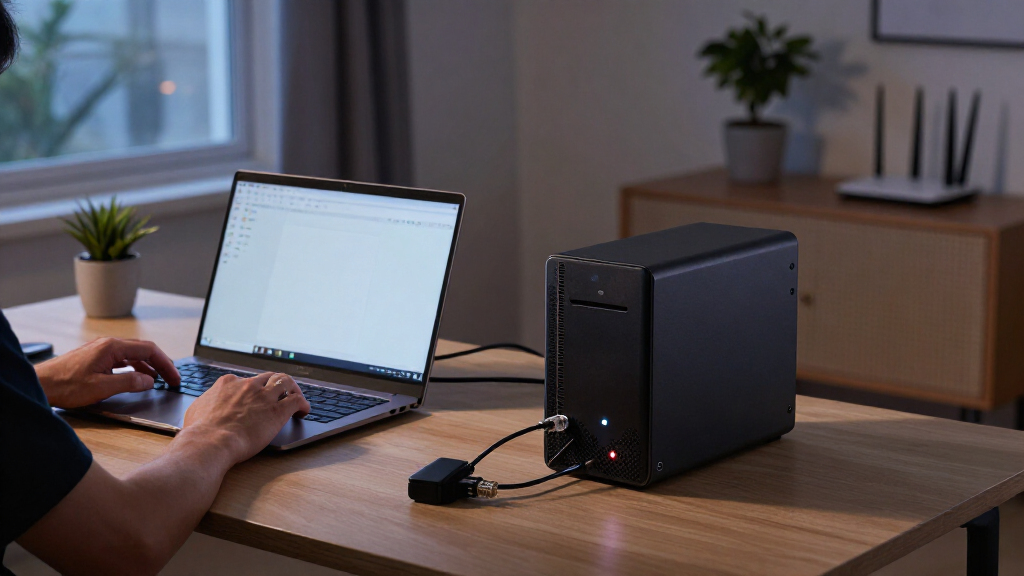
An XDA Developers writer repurposed an old laptop as a NAS, using its built-in battery to keep the system running during outages and enable a safe shutdown. The setup draws as much as 12 watts under low-to-medium serving workloads and is estimated to run about 3.5 hours on a 46Wh battery. It may suit modest storage needs, but larger systems, longer outages and aging batteries can still call for a UPS.
An XDA Developers writer has repurposed an old laptop as a network-attached storage (NAS) system, using its built-in battery to keep the storage online during a power outage and allow it to shut down safely. The account offers a lower-cost alternative to a separate uninterruptible power supply (UPS) for modest workloads, but the writer says it is not a universal replacement.
The laptop-based NAS uses a Ryzen 5 4500U, an older Zen 2 processor. The writer reports idle power consumption of 3.2 to 8.7 watts, rising to around 12 watts when serving low-to-medium workloads. With a 46Wh battery, the writer estimates about 3.5 hours of runtime at that 12-watt draw when the laptop is unplugged. Actual runtime can vary with battery condition and workload.
The battery serves two purposes: it provides temporary power and gives the system time to stop services and shut down before power runs out. On Linux, battery information available through system interfaces such as /sys/class/power_supply/ can be used to trigger a shutdown script at a chosen charge level. The writer describes setting that threshold at about 15 percent, allowing file operations to finish and filesystems to be unmounted as needed.
The writer says a power bank could extend runtime, including through a USB-C-to-barrel adapter on laptops that do not support USB-C charging. That option depends on compatibility and does not remove the need to monitor the battery. The account is a description of one personal setup, not a measured comparison of laptop-based NAS systems against dedicated UPS products.
Could An Old Laptop NAS Save You From Buying A UPS?
An XDA Developers writer repurposed an old laptop as a NAS, using its built-in battery to ride through outages and shut down safely. It may work for modest storage needs, but battery age, workload and outage length matter.
When an old laptop can help
The battery provides a temporary power window. That can keep a small NAS online briefly or give it time to stop services and shut down cleanly.
Use hardware you already own
A laptop contains a battery and charge monitoring, which can avoid the cost and extra cabling of a separate backup unit for a modest setup.
Keep the system modest
The writer describes a compact, all-flash NAS with two drive slots occupied after trying larger five- and six-bay models.
Runtime is setup-specific
The 3.5-hour figure is an estimate for one 46Wh battery and approximate workload. Battery health and actual demand can change it substantially.
Capacity gives a rough window
The account reports an older Zen 2 Ryzen 5 4500U laptop, drawing around 12 watts under low-to-medium serving workloads.
Battery condition changes the answer
The laptop battery has already lost some original capacity and may continue to degrade. Multiple drives, sustained transfers or heavier NAS activity can also raise power use. The article does not report controlled tests across hardware or outage conditions.
Use the battery window wisely
Linux battery information can trigger a shutdown script at a chosen charge threshold. The writer describes using about 15% to leave time for an orderly stop.
/sys/class/power_supply/.Match backup power to the job
For short outages and light workloads, a healthy laptop battery may provide enough time to keep services running briefly or shut down safely. A NAS with several drives, heavier activity, or a need to remain online through extended outages may call for a suitably sized UPS. A compatible power bank might extend runtime, but the account does not quantify how much.
What to check before relying on it
This is one person’s solution for limited storage requirements, not a broad test of laptop NAS systems against dedicated UPS products.
Can an old laptop replace a UPS?
It can provide battery backup for a modest NAS. Suitability depends on battery condition, power draw and the backup time you need.
How long did this setup run?
The writer estimates about 3.5 hours at roughly 12W with a 46Wh battery. Actual runtime may be shorter or longer.
Could a power bank extend runtime?
The writer suggests it may be possible, including with a USB-C-to-barrel adapter on laptops without USB-C charging. Compatibility needs checking.
When is a dedicated UPS a better fit?
Consider a properly sized UPS for multiple drives, heavier workloads, longer outages or predictable backup requirements—especially as laptop batteries age.
Battery Backup Without a Separate UPS
For a small home NAS, using an existing laptop can avoid buying another device and adding more cables. Its battery provides a short window to ride through an outage or complete a controlled shutdown, which can reduce the risk of interrupted writes and filesystem problems compared with an abrupt loss of power.
The practical benefit depends on the NAS’s power needs and how long backup power is required. The reported 3.5-hour estimate applies to this particular laptop, battery and approximate workload; it is not a guarantee for other hardware. A setup with multiple drives, heavier activity or a longer outage may need the capacity and predictable backup behavior of a properly sized UPS.
Products Worth Considering

Logitech MX Master 4 for Mac, Ergonomic Bluetooth Mouse with Haptic Feedback, Ultra-Fast Scrolling, USB-C Charging, for MacOS, iPadOS, Windo

Apple iPad Air (2025) 13‑inch Wi‑Fi 256 GB – Space Gray (M3 chip)

Samsung 32-Inch Odyssey OLED G8 (G80SH) 4K Gaming Monitor
As an affiliate, we earn on qualifying purchases.
A Modest NAS and an Existing Laptop
The writer says their storage needs are modest. After trying larger five- and six-bay NAS models, they settled on a compact all-flash system with only two drive slots occupied. They viewed a separate UPS as extra expense and cabling for a setup that does not need a large amount of backup power.
A laptop already contains a battery and hardware for monitoring its charge, so repurposing one can provide basic backup without an external battery unit. A dedicated UPS can offer similar controlled-shutdown functionality through monitoring software and a USB connection, but the writer’s approach relies on the laptop’s built-in power-management features instead.
The account was published by XDA Developers on October 26, 2026. It presents the laptop NAS as a personal solution shaped by limited storage requirements, rather than a general recommendation for every home server.
“My storage needs from a NAS make a separate UPS unnecessary.”
— XDA Developers writer
Runtime Depends on Battery Health
The published account does not report controlled testing across different laptops, workloads or outage conditions. The 3.5-hour figure is an estimate based on the described 46Wh battery and an approximate 12-watt draw. The laptop’s battery has already lost some original capacity, and the writer expects it to degrade further, so available runtime may fall over time.
It is also not clear how the approach would perform with larger drive arrays, sustained transfers or other demanding NAS tasks. Power-bank compatibility and the runtime it would add are not quantified. Users would need to check their own hardware, battery condition and shutdown configuration before relying on it to protect data.
Check Power Needs Before Choosing
There is no announced product launch or broader test tied to this personal setup. Anyone considering the same approach would need to measure their NAS’s power draw, check the laptop’s remaining battery capacity and configure a safe shutdown before depending on it during an outage.
For short outages and light workloads, an old laptop may provide enough backup to keep services running briefly or shut down cleanly. If the system needs to operate for longer, has several drives or must remain available through extended outages, the writer’s account points toward evaluating a UPS with an appropriately sized battery instead.
Source: XDA Developers
Key Questions
Can an old laptop replace a UPS for a NAS?
It can provide battery backup for a modest NAS, as described in this XDA Developers account. Whether it is suitable depends on the laptop’s battery condition, NAS power draw and required backup time.
How long did the laptop NAS run on battery?
The writer estimates about 3.5 hours at a roughly 12-watt workload using a 46Wh battery. This is an estimate for that setup, not a general runtime figure.
How can a laptop NAS shut down safely?
The writer describes monitoring battery information on Linux and using a script to begin a controlled shutdown at around 15 percent charge. The process can stop services, allow pending file operations to finish and unmount filesystems as needed.
When is a dedicated UPS still the better choice?
A suitably sized UPS may be more appropriate for a NAS with multiple drives, heavier workloads or a need to stay on through extended outages. Laptop battery capacity can also decline with age.
Source: XDA Developers