
TL;DR

Get the latest gadgets delivered free with Prime
- Fast, free delivery on millions of items
- Prime Video, Amazon Music and more included
- Member-only deals all year
An XDA Developers contributor reports that a DIY NAS built with used drives of different brands, capacities, ages and speeds has been dependable in personal use. The account suggests drive diversity may reduce shared batch-related failure risk, but it does not establish that mismatched drives are safer overall; capacity, performance and backup trade-offs remain.
An XDA Developers contributor says a DIY NAS assembled from used hard drives of different brands, capacities, ages and speeds has proved dependable in personal use. The account challenges the assumption that NAS drives must match, while making clear that mixed hardware brings trade-offs and that one person’s experience does not establish a general reliability rule.
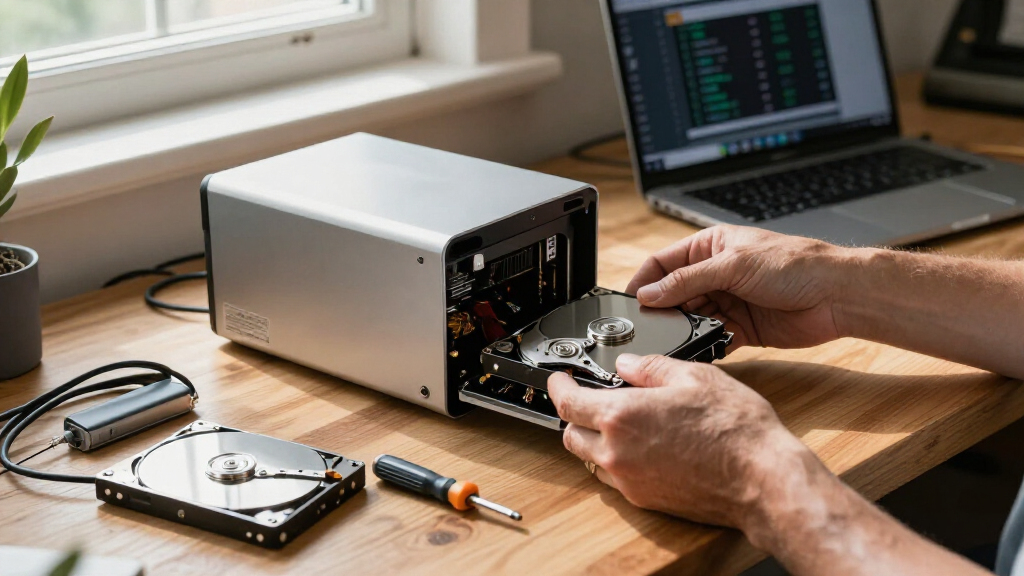
The contributor built the system from drives removed from old PCs and other discarded hardware, rather than purchasing a matched batch. The drives vary in capacity and model, and have accumulated different amounts of use. The author uses RAIDZ2 and reports about 14TB of usable storage, describing the NAS as reliable for the data they store on it.
The piece argues that buying drives from the same batch could expose an array to similar manufacturing defects or wear patterns. If drives share a latent fault or similar operating history, the author reasons, they could fail close together. By contrast, the mixed set in this NAS came from different years and sources and has differing power-on hours. That may reduce the chance of shared failure causes, but the article offers no failure-rate data or controlled comparison to establish how much risk changes.
The practical costs are clearer. In a RAID pool, larger drives may contribute no additional capacity beyond what the pool layout can use; the contributor gives a 4TB and 6TB drive pairing as an example where the extra 2TB on the larger drive is unused. The mix also includes 5,400-rpm and 7,200-rpm disks. The author says the slower disks can constrain throughput, though that has mattered little for a NAS mainly holding files that are written once and seldom changed.
Storage field report · October 2026
Can Mismatched Old PC Drives Improve NAS Reliability?
A DIY NAS built from used disks of different brands, capacities, ages, and speeds has worked dependably for one XDA Developers contributor. The experience offers a practical idea, not proof that mixed drives are safer overall.
01 / The trade-off
Reliability comes with storage trade-offs
Different histories may reduce exposure to a shared batch defect. Yet a mixed pool can give up usable capacity or speed, and one dependable system does not establish a general rule.
Less shared history
Disks from different years and sources may have fewer common manufacturing or wear factors than a matched batch. The report does not measure any reduction in risk.
Some space can go unused
Pool layouts may limit a larger disk to the capacity of smaller members. The contributor’s 4 TB and 6 TB example leaves 2 TB on the larger drive unused.
Slow disks can set the pace
The contributor says slower drives can constrain throughput. That mattered less for this NAS, which mainly stores files that are written once and seldom changed.
02 / Inside the build
A pool assembled over time
The disks came from old PCs and unwanted computers collected from friends. The author replaced failed drives with other second-hand hardware already available.
Reported mix · illustrative, not inventory
RAIDZ2 · about 14 TB usable
The writer describes a redundancy layout for a mostly archival workload. Actual capacity depends on the specific drives and pool configuration, which the report does not inventory in detail.
03 / What the evidence says
How much reliability is proven?
Claim supported
A mixed NAS can work for one user’s needs.The account is first-hand experience. It does not show that mixed drives outlast matched drives or fail together less often.
The contributor calls the NAS dependable and says it currently meets their needs.
No drive-by-drive health data, precise operating period, matched-array comparison, or failure-rate analysis is provided.
Long-term outcomes, heavier-workload performance, and the separate backup strategy are not detailed.
04 / Builder’s checklist
Check the fit before reusing drives
Check pool rules
Confirm how your NAS software handles drives of different sizes.
Calculate capacity
Estimate usable space from the actual layout, including space that may go unused.
Match the workload
Consider whether the slowest disks meet your throughput needs.
Plan health and backups
Check drive condition and maintain separate backups. RAID redundancy alone is not a backup.
05 / Quick answers
Key questions
Does this report prove mismatched drives are more reliable?
No. It describes one person’s experience and suggests a possible reason diverse drives might avoid some shared risks. It includes no comparative failure data.
What is the main capacity drawback?
Depending on the pool layout, a larger drive may contribute only the capacity usable alongside smaller disks. The cited 4 TB and 6 TB pairing may leave 2 TB unused.
Can different drive speeds affect performance?
Yes. The contributor says slower drives can limit throughput, though that mattered little for files written once and seldom changed.
Does RAID replace a separate backup?
No. RAIDZ2 adds redundancy inside the pool. The report does not describe a separate backup plan or a recovery test.
Reliability Comes With Storage Trade-offs
The report matters to people building home storage on a budget because it offers a practical alternative to buying a complete set of new, identical disks. Reusing drives already available can lower the cost of assembling a NAS, and hardware with different ages and histories may avoid some risks associated with a single batch. But drive diversity is not a substitute for redundancy or backups, and the account does not show that mismatched drives will last longer as a group.
The capacity and speed compromises can also affect whether this approach suits a particular workload. A pool may leave some space on larger disks unused, while slower members can limit performance. For an archive or other mostly read-and-write-infrequently use, those costs may be acceptable; users seeking high throughput or predictable capacity may prefer a more consistent set. The author’s experience is a personal report, not a benchmark or failure-rate study.
Products Worth Considering

Apple iPad Air 11-inch (M2), 512GB, Wi-Fi, Space Gray

Jackery Explorer 300 Portable Power Station, 292Wh

Samsung 27-Inch Odyssey QD-OLED G8 4K 240Hz Gaming Monitor
As an affiliate, we earn on qualifying purchases.
How the Mixed NAS Is Configured
The author says the NAS came together after years of PC upgrades and collecting unwanted computers from friends. Rather than buying disks as a matched set, they reused drives already on hand. The resulting pool contains disks that differ by manufacturer, size, speed and time in service.
RAIDZ2 is the redundancy arrangement the writer reports using. The article describes its usable capacity as around 14TB, while noting that a larger disk’s extra space can be lost when paired in a pool with smaller drives. It also distinguishes this storage use from a performance-focused setup: the NAS mainly holds data that is written and then seldom changed. The author says failed drives have so far been replaced with other second-hand hardware rather than newly purchased disks.
“The NAS I built turned out to be incredibly dependable.”
— XDA Developers contributor
How Much Reliability Is Proven?
The report does not provide a drive-by-drive inventory, health measurements, a precise operating period, or a comparison against a matched array. It also does not quantify how likely drives from one production batch are to fail together, or how much using disks from different batches changes that risk. The author’s experience supports the narrower point that a mixed-drive NAS can work for their needs; it cannot establish that mixed drives are generally more reliable.
Further details about the NAS hardware, pool configuration and backup strategy are not given. RAIDZ2 provides redundancy within the pool, but the article does not describe a separate backup or recovery test. The long-term outcome for the used drives, and how the pool performs under heavier workloads, remain unknown.
What Builders Should Check
The article does not announce a planned test or a new product development. For readers considering a similar build, the next step is to check how their chosen NAS software uses disks of different sizes, calculate the actual pool capacity, and consider whether the slowest drives meet their performance needs. Drive health and backup plans also matter independently of whether disks match.
The contributor says the current arrangement continues to meet their needs and expects to replace a failed disk with another available used drive. Whether that approach remains dependable over time is not reported. A larger set of user experiences or controlled testing would be needed to assess whether drive diversity measurably reduces correlated failures.
Key Questions
Does this report prove mismatched drives are more reliable?
No. It describes one person’s experience and offers a possible reason why drives from different batches might avoid some shared failure risks. It provides no comparative failure data.
What is the main capacity drawback of different-size drives?
Depending on the RAID or pool layout, a larger drive may not contribute all of its capacity when combined with smaller disks. The XDA contributor gives a 4TB and 6TB pairing as an example, with 2TB on the larger drive left unused.
Can different drive speeds affect NAS performance?
Yes. The contributor reports using 5,400-rpm and 7,200-rpm disks and says slower drives can limit throughput. They found the difference less important for files that are written once and seldom changed.
Is RAID a replacement for a separate backup?
No. RAIDZ2 is the redundancy setup described in the article, but redundancy within a NAS does not by itself establish that data is backed up elsewhere. The report does not detail a separate backup plan.
Source: XDA Developers