
The best Western Digital hard drive overall is the WD My Book 18TB for buyers who want substantial desktop storage in one device. For portable backups, the WD Elements 6TB offers a straightforward high-capacity option, while the WD Red Plus 12TB is the stronger fit for a compatible NAS. The main tradeoffs are portability versus capacity, plug-and-play convenience versus an internal installation, and general-purpose storage versus a drive built for always-on workloads. This roundup also compares WD’s Blue, Black, Gold, Purple, and Purple Pro families, which serve different systems and workloads. Read on for the full breakdown and guidance on choosing by use, connection, and capacity.

Get the latest gadgets delivered free with Prime
- Fast, free delivery on millions of items
- Prime Video, Amazon Music and more included
- Member-only deals all year
Complete the kit



Key Takeaways
- The My Book 18TB leads for desktop capacity: it combines a large storage pool with an external enclosure, while portable models prioritize transport over maximum capacity.
- Portable Elements and My Passport drives suit different priorities: Elements keeps the experience simple, while My Passport adds a more feature-rich portable-drive line; neither replaces an always-connected desktop drive for large archives.
- Drive family matters as much as capacity: Red Plus targets NAS use, Purple and Purple Pro target surveillance systems, and Gold is aimed at enterprise workloads rather than ordinary desktop storage.
- Internal drives require a compatibility check: the 3.5-inch Blue, Black, Gold, Red Plus, and Purple options need a suitable computer or enclosure, unlike the ready-to-connect portable and desktop external drives.
- The smaller capacities have practical roles: the 2TB My Passport favors light carry and modest backups, while the 4TB portable and Purple models make sense when the workload—not just the capacity—matches their intended use.
| WD Elements 6TB Portable External Hard Drive |  | Best High-Capacity Portable Pick | Capacity: 6 TB | Drive type: Mechanical hard disk | Form factor: 2.5 inches | VIEW LATEST PRICE | See Our Full Breakdown |
| Western Digital Elements 5TB Portable External Hard Drive |  | Best Value Portable Archive | Capacity: 5 TB | Interface: USB 2.0 / USB 3.0 | Form factor: 2.5 inches | VIEW LATEST PRICE | See Our Full Breakdown |
| Western Digital WD Red Plus 12TB NAS Internal Hard Drive |  | Best for Multi-Bay NAS Systems | Capacity: 12 TB | Drive type: Mechanical HDD | Form factor: 3.5 inches | VIEW LATEST PRICE | See Our Full Breakdown |
| Western Digital WD Blue 6TB 3.5-Inch Internal Hard Drive, 5400 RPM, SATA 6 Gb/s, 256MB Cache (WD60EZAX) |  | Best for Everyday Desktop Storage | Capacity: 6 TB | Drive type: Internal mechanical HDD | Form factor: 3.5 inches | VIEW LATEST PRICE | See Our Full Breakdown |
| Western Digital WD Purple 6TB Surveillance Internal Hard Drive |  | Best for Surveillance Recording | Capacity: 6 TB | Model: WD60PURZ | Form factor: 3.5 inches | VIEW LATEST PRICE | See Our Full Breakdown |
| Western Digital WD Gold 16TB Enterprise Internal Hard Drive |  | Best for Enterprise Storage | Capacity: 16 TB | Interface: SATA 6 Gb/s | Form factor: 3.5 inches | VIEW LATEST PRICE | See Our Full Breakdown |
| WD My Book 18TB Desktop External Hard Drive |  | Best for Large Desktop Backups | Storage capacity: 18 TB | Interface: USB 3.0 (5 Gbps), USB 2.0 compatible | Form factor: 3.5 inches | VIEW LATEST PRICE | See Our Full Breakdown |
| WD My Passport 5TB Portable External Hard Drive |  | Best for Portable Capacity | Storage capacity: 5 TB | Form factor: 2.5 inches | Weight: 7.4 ounces | VIEW LATEST PRICE | See Our Full Breakdown |
| Western Digital WD Purple 8TB Surveillance Hard Drive | 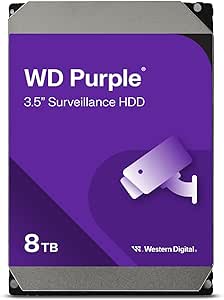 | Best for 24/7 Surveillance | Capacity: 8 TB | Interface: SATA 6 Gb/s | Form factor: 3.5 inches | VIEW LATEST PRICE | See Our Full Breakdown |
| Western Digital WD Black 4TB Performance Internal Hard Drive |  | Best for Desktop Gaming and Creative Work | Storage capacity: 4 TB | Drive type: Mechanical hard drive | Rotational speed: 7200 rpm | VIEW LATEST PRICE | See Our Full Breakdown |
| Western Digital WD_BLACK 6TB 7200 RPM Internal Hard Drive |  | Best for Gaming and Creative Work | Capacity: 6 TB | Drive type: Mechanical HDD | Rotational speed: 7,200 rpm | VIEW LATEST PRICE | See Our Full Breakdown |
| WD My Passport 2TB Portable External Hard Drive, Black |  | Best for Secure Everyday Backups | Storage capacity: 2 TB | Drive type: Mechanical hard disk | Form factor: 2.5 inches | VIEW LATEST PRICE | See Our Full Breakdown |
| Western Digital WD Purple Pro 10TB Surveillance Hard Drive | 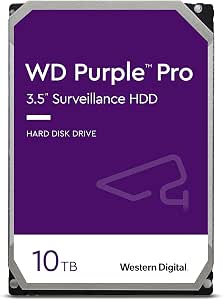 | Best for AI-Enabled Surveillance Systems | Storage capacity: 10 TB | Interface: SATA 6 Gb/s | Cache: 256 MB | VIEW LATEST PRICE | See Our Full Breakdown |
| WD Elements 4TB Portable External Hard Drive | | Best Value for Straightforward Portable Capacity | Storage capacity: 4 TB | Interface: USB 2.0/3.0 | Form factor: 2.5 inches | VIEW LATEST PRICE | See Our Full Breakdown |
| Western Digital WD Purple 4TB Surveillance Internal Hard Drive |  | Best for Small 24/7 Camera Systems | Storage capacity: 4 TB | Drive type: Mechanical HDD | Interface: SATA 6 Gb/s | VIEW LATEST PRICE | See Our Full Breakdown |
| Western Digital hard drife | Form factor | Interface | Rotational speed | Cache |
|---|---|---|---|---|
| WD Elements 6TB Portable Exter | 2.5 inches | USB 3.2 Gen 1 / USB 3.0 | — | — |
| Western Digital Elements 5TB P | 2.5 inches | USB 2.0 / USB 3.0 | — | — |
| Western Digital WD Red Plus 12 | 3.5 inches | SATA 6 Gb/s | 7200 rpm | 512 MB |
| Western Digital WD Blue 6TB 3. | 3.5 inches | SATA 6 Gb/s | 5400 RPM | 256 MB |
| Western Digital WD Purple 6TB | 3.5 inches | SATA 6 Gb/s | 5400 rpm listed; product description also states 7200 rpm | 64 MB |
| Western Digital WD Gold 16TB E | 3.5 inches | SATA 6 Gb/s | 7200 RPM | 512 MB |
| WD My Book 18TB Desktop Extern | 3.5 inches | USB 3.0 (5 Gbps), USB 2.0 compatible | — | — |
| WD My Passport 5TB Portable Ex | 2.5 inches | — | — | — |
| Western Digital WD Purple 8TB | 3.5 inches | SATA 6 Gb/s | 5640 rpm | 128 MB |
| Western Digital WD Black 4TB P | 3.5 inches | SATA 6 Gb/s | 7200 rpm | 256 MB |
| Western Digital WD_BLACK 6TB 7 | 3.5 inches | SATA 6 Gb/s | 7,200 rpm | 256 MB |
| WD My Passport 2TB Portable Ex | 2.5 inches | — | — | — |
| Western Digital WD Purple Pro | 3.5 inches | SATA 6 Gb/s | 7,200 rpm | 256 MB |
| WD Elements 4TB Portable Exter | 2.5 inches | USB 2.0/3.0 | — | — |
| Western Digital WD Purple 4TB | 3.5 inches | SATA 6 Gb/s | 5,400 rpm | 64 MB |
More Details on Our Top Picks
WD Elements 6TB Portable External Hard Drive
The WD Elements 6TB is the portable choice for buyers who want a large library in one drive without moving to a desktop enclosure. Its 2.5-inch format and included USB-A cable make it simpler to carry and connect than the desktop-focused WD Blue 6TB, while plug-and-play setup suits straightforward file storage. Capacity is its main advantage: it can hold a substantial photo, video, or document collection without splitting it across smaller drives. The tradeoff is that this is a mechanical hard drive, not a solid-state option, so it is less suited to frequent rough handling or speed-sensitive work. The listed 1050 MB/s read speed also appears inconsistent with the mechanical drive description; I would not choose it on that figure. Pick it for capacity and portability, not verified high-speed transfers.
Pros:- Large 6TB capacity in a portable 2.5-inch design
- USB 3.2 Gen 1 and USB 3.0 connectivity
- Plug-and-play setup with an included USB-A cable
- Works with desktops, laptops, and tablets
Cons:- Mechanical storage is less suitable than solid-state storage for frequent movement and speed-sensitive tasks
- The listed 1050 MB/s read speed may not match the mechanical drive specification
Best for: Laptop and desktop owners who need a large portable archive for photos, videos, and documents.
Not ideal for: Travelers who need a rugged, fast drive for frequent transfers or rough handling; this is a mechanical drive in a plastic enclosure.
- Capacity:6 TB
- Drive type:Mechanical hard disk
- Form factor:2.5 inches
- Interface:USB 3.2 Gen 1 / USB 3.0
- Compatible devices:Desktop, laptop, tablet
- Weight:44.8 g
- Warranty:2-year limited warranty
- Included items:SuperSpeed USB-A cable, quick install guide
Our verdict“Choose the WD Elements 6TB if portable capacity matters more than solid-state speed or ruggedness.”
Western Digital Elements 5TB Portable External Hard Drive
The WD Elements 5TB is a practical portable archive for people who want one straightforward drive for a computer-based file collection. It offers less capacity than the WD Elements 6TB, but its listed dimensions and weight make its portability easier to gauge, and its USB 2.0/3.0 compatibility helps it connect to both newer and older computers. Windows and Mac compatibility broadens its use, though the product data does not specify automatic cross-platform formatting, so Mac owners may need to prepare the drive before use. Like the 6TB Elements, it uses mechanical storage; it is a better fit for backups and stored media than demanding editing workflows or frequent high-speed transfers. Choose this model for broad computer compatibility and ample capacity, rather than the highest capacity in the portable Elements pair.
Pros:- 5TB capacity for a portable file archive
- USB 2.0 and USB 3.0 connectivity
- Compatible with Windows and Mac computers
- Compact listed dimensions and portable form factor
Cons:- Mechanical storage is slower and more vulnerable to movement than solid-state storage
- Offers 1TB less capacity than the WD Elements 6TB
Best for: Windows or Mac users who want a portable drive for backups and media storage and value compatibility with older USB ports.
Not ideal for: Buyers who need the largest portable capacity available in this lineup or fast solid-state performance.
- Capacity:5 TB
- Interface:USB 2.0 / USB 3.0
- Form factor:2.5 inches
- Compatibility:Windows and Mac
- Dimensions:4.35 × 3.23 × 0.82 inches
- Weight:8.32 ounces
- Model number:WDBU6Y0050BBK-WESN
- Warranty:2-year limited warranty
Our verdict“Pick the WD Elements 5TB for a broadly compatible portable archive if you do not need the extra capacity of the 6TB model.”
Western Digital WD Red Plus 12TB NAS Internal Hard Drive
The WD Red Plus 12TB earns its place for NAS owners, not for people shopping for a simple desktop or portable drive. Its support for up to eight bays, 24/7 operation, and workload rating of up to 180 TB per year speak to shared storage that stays online, while CMR recording is suited to RAID use and rebuilding. The 7200 rpm speed, 512 MB cache, and listed 260 MB/s read speed give it a more performance-oriented profile than the WD Blue 6TB, but the Red Plus is still a 3.5-inch internal HDD that requires a compatible NAS or computer enclosure. It is also more specialized than either WD Elements portable drive. I would choose it for a multi-user NAS or long-running archive, and skip it for a single computer needing easy external storage.
Pros:- Designed for NAS compatibility and continuous operation
- Supports systems with up to eight drive bays
- CMR recording suits RAID workloads and rebuilding
- 12TB capacity with a 512 MB cache and 7200 rpm speed
Cons:- Requires a compatible NAS or internal drive bay and is not a ready-to-use external drive
- NAS-focused features may be unnecessary for a basic desktop storage upgrade
- The stated workload rate can vary with hardware, software, and configuration
Best for: Small-business teams and home NAS owners who need high-capacity storage for shared files, archives, and RAID arrays.
Not ideal for: Buyers seeking a plug-and-play external drive or basic internal storage for a single everyday desktop.
- Capacity:12 TB
- Drive type:Mechanical HDD
- Form factor:3.5 inches
- Rotational speed:7200 rpm
- Interface:SATA 6 Gb/s
- Recording technology:CMR
- Cache:512 MB
- NAS support:Up to 8 bays
- Warranty:3-year limited warranty
Our verdict“Choose the WD Red Plus 12TB for a multi-bay NAS that needs high-capacity storage designed for continuous shared use.”
Western Digital WD Blue 6TB 3.5-Inch Internal Hard Drive, 5400 RPM, SATA 6 Gb/s, 256MB Cache (WD60EZAX)
The WD Blue 6TB is the straightforward internal option for a desktop PC that needs more room for everyday files, media, or applications. Unlike the WD Elements 6TB, it has no portable enclosure or USB connection; it installs into a compatible 3.5-inch drive bay and connects over SATA. Its 5400 rpm speed favors general storage over performance, so it makes more sense for a large secondary library than as a speed-focused system drive. The 256 MB cache and included Acronis True Image WD Edition cloning software add practical support for setup and migration, though they do not change the limits of mechanical storage. Compared with the WD Red Plus 12TB, this Blue is less suited to multi-bay NAS duty, but it is a more direct fit for everyday desktop expansion.
Pros:- 6TB capacity for desktop file and media storage
- 256 MB cache
- SATA 6 Gb/s connection for compatible desktops
- Includes Acronis True Image WD Edition cloning software
Cons:- 5400 rpm speed is less suited to performance-focused workloads
- Internal 3.5-inch design requires a compatible drive bay
- Mechanical storage cannot match solid-state response times
Best for: Desktop PC owners who need an internal 6TB drive for files, media, and general-purpose storage.
Not ideal for: NAS builders needing a drive specified for multi-bay, continuous operation, or users who prioritize high transfer performance.
- Capacity:6 TB
- Drive type:Internal mechanical HDD
- Form factor:3.5 inches
- Rotational speed:5400 RPM
- Cache:256 MB
- Interface:SATA 6 Gb/s
- Read speed:100 MB/s
- Model:WD60EZAX
- Warranty:2-year limited warranty
Our verdict“Choose the WD Blue 6TB for affordable-in-purpose desktop expansion when capacity matters more than speed or NAS features.”
Western Digital WD Purple 6TB Surveillance Internal Hard Drive
The WD Purple 6TB is the lineup’s specialist pick for DVR and NVR systems, where continuous video recording matters more than flexible everyday storage. Its AllFrame technology is designed to help reduce video errors and interruptions, and support for up to 64 HD cameras makes it more relevant to multi-camera surveillance than the WD Blue 6TB. That specialization cuts both ways: the Purple’s 3.5-inch SATA connection suits compatible recorder hardware, but it is not a portable backup drive or a general-purpose external option like the WD Elements models. The supplied rotational-speed information is inconsistent: one description says 7200 rpm while the specifications list 5400 rpm. I would verify that detail with the seller before buying. Choose it for a compatible surveillance system, not for an unverified speed claim.
Pros:- Designed for continuous 24/7 surveillance recording
- AllFrame technology aims to reduce video errors and interruptions
- Supports surveillance systems with up to 64 HD cameras
- Compatible with many leading DVR and NVR systems
Cons:- Surveillance-specific design is unnecessary for general desktop or portable storage
- Rotational speed is inconsistent across the supplied product information
- Requires a compatible internal SATA drive bay in a DVR, NVR, or computer
Best for: Home and business surveillance operators who need a drive for a compatible DVR or NVR recording from multiple cameras.
Not ideal for: PC users seeking general file storage, portable backups, or buyers who require confirmed rotational-speed information.
- Capacity:6 TB
- Model:WD60PURZ
- Form factor:3.5 inches
- Interface:SATA 6 Gb/s
- Cache:64 MB
- Rotational speed:5400 rpm listed; product description also states 7200 rpm
- Camera support:Up to 64 HD cameras
- Warranty:3-year limited manufacturer’s warranty
Our verdict“Choose the WD Purple 6TB for a compatible multi-camera surveillance recorder, after confirming the rotational-speed specification.”
Western Digital WD Gold 16TB Enterprise Internal Hard Drive
The WD Gold 16TB is the specialist pick here: its 7200 RPM mechanism, vibration protection, and workload rating of up to 550 TB per year suit server and storage systems that run hard around the clock. Its 16 TB capacity also offers far more room per drive than the WD Black 4TB, making it a better fit when bay space and sustained workloads matter more than a general desktop role. The tradeoff is its intended environment: this is an internal SATA drive for enterprise systems, not a ready-to-use external backup device. Its 3.5-inch form factor and enterprise focus may be unnecessary for a home PC, where the WD Black is the more relevant performance-oriented option. Choose the Gold when workload demands justify its specialized design.
Pros:- 16 TB capacity suits dense server and storage configurations
- Workload rating of up to 550 TB per year targets demanding operation
- Vibration protection supports use in multi-drive enterprise systems
- HelioSeal technology is designed to support lower power draw
Cons:- Enterprise design is excessive for ordinary desktop storage needs
- Requires an internal 3.5-inch SATA-compatible system rather than offering plug-and-play external use
Best for: IT teams and storage-system owners who need high capacity and a drive rated for heavy annual workloads
Not ideal for: Laptop owners and casual home users who need a portable drive or a simple external backup solution
- Capacity:16 TB
- Interface:SATA 6 Gb/s
- Form factor:3.5 inches
- Rotational speed:7200 RPM
- Cache:512 MB
- Read speed:262 MB/s
- MTBF:Up to 2.5 million hours
Our verdict“Choose the WD Gold 16TB for an enterprise server or storage system with heavy workloads, not as a general-purpose personal drive.”
WD My Book 18TB Desktop External Hard Drive
For buyers who want a large desktop archive without installing an internal drive, the WD My Book 18TB offers the most capacity among these five picks and connects over USB 3.0. That makes it a more straightforward home or office backup choice than the internal WD Gold 16TB, which requires a compatible server or desktop bay. The My Book also adds 256-bit AES hardware encryption and downloadable backup and device-management software. There are practical limits: the software needs to be downloaded and installed, and the drive requires an AC adapter, so it is less convenient to move around than the bus-powered My Passport 5TB. Its desktop footprint makes sense for a fixed backup station, but not for frequent travel.
Pros:- 18 TB capacity provides substantial room for photo, video, and document archives
- USB 3.0 connectivity also supports USB 2.0 systems
- 256-bit AES hardware encryption adds a layer of data protection
- Backup and device-management software is available for download
Cons:- Requires an AC adapter and is less portable than the My Passport 5TB
- Backup software requires separate download and installation
Best for: Home offices and media collectors who want a high-capacity, stationary USB backup drive with encryption
Not ideal for: Traveling users and laptop owners who need compact, bus-powered storage rather than a desktop drive with an AC adapter
- Storage capacity:18 TB
- Interface:USB 3.0 (5 Gbps), USB 2.0 compatible
- Form factor:3.5 inches
- Encryption:256-bit AES hardware encryption
- Weight:2.8 lbs
- Dimensions:9 x 8 x 3.5 inches
- Operating temperature:5°C to 35°C
- Model number:WDBBGB0180HBK-NESN
Our verdict“Pick the My Book 18TB for a fixed backup setup where capacity and hardware encryption matter more than portability.”
WD My Passport 5TB Portable External Hard Drive
The WD My Passport 5TB is the portable choice for carrying a substantial file library without moving to a desktop enclosure. At 7.4 ounces and roughly 4.22 x 2.95 inches, it is much easier to pack than the WD My Book 18TB, though that larger model offers considerably more storage for a stationary setup. My Passport pairs its compact size with password protection and hardware encryption, plus backup software that includes ransomware protection. That combination suits people who carry work files or personal archives between locations. The tradeoff is capacity: 5 TB is useful for a portable library, but it falls well short of the My Book. The supplied data also lists a transfer rate of just 1 megabit per second, an unusually low figure, so speed expectations should be checked before buying.
Pros:- 5 TB capacity in a slim 2.5-inch portable design
- Light 7.4-ounce body is easier to carry than the My Book 18TB
- Password protection and hardware encryption help protect stored files
- Backup software includes ransomware protection
Cons:- Listed data transfer rate is only 1 megabit per second, so the supplied performance information is a concern
- Offers much less capacity than the desktop My Book 18TB
Best for: Photographers, students, and mobile workers who need several terabytes of secured files in a compact drive
Not ideal for: Users moving very large projects frequently or needing a high-capacity stationary archive; the listed transfer rate is unusually low
- Storage capacity:5 TB
- Form factor:2.5 inches
- Weight:7.4 ounces
- Dimensions:4.22 x 2.95 x 0.75 inches
- Connectivity:USB 2.0, USB 3.0, USB 3.2 Gen 2
- Security:Password protection and hardware encryption
- Listed data transfer rate:1 megabit per second
- Warranty:3-year limited warranty
Our verdict“Choose My Passport 5TB for compact, security-focused file carrying, but verify the transfer-rate information if speed matters.”
Western Digital WD Purple 8TB Surveillance Hard Drive
The WD Purple 8TB is built for a specific job: keeping surveillance footage flowing in systems that write continuously. Its AllFrame technology is designed to help reduce frame loss and improve video playback, while the drive is rated for workloads up to 180 TB per year. That makes it a more appropriate NVR choice than the WD Black 4TB, which targets desktop gaming and demanding PC tasks rather than video surveillance. The Purple also offers headroom for AI-enabled systems and compatibility with systems supporting more than eight drive bays. Its limitation is equally clear: surveillance tuning is not a reason to choose it for ordinary PC storage. With 8 TB capacity, it also has less room than the WD Gold 16TB for large enterprise storage pools.
Pros:- Designed for continuous 24/7 surveillance operation
- AllFrame technology is intended to help reduce frame loss
- Supports AI-enabled NVR systems
- Compatible with systems supporting more than eight drive bays
Cons:- Surveillance-focused tuning makes it a poor match for general desktop use
- 8 TB capacity is lower than the WD Gold 16TB for large storage arrays
Best for: Security-system installers and NVR owners who need a drive suited to continuous camera recording
Not ideal for: PC gamers and general desktop users who want a drive matched to everyday computing rather than surveillance recording
- Capacity:8 TB
- Interface:SATA 6 Gb/s
- Form factor:3.5 inches
- Rotational speed:5640 rpm
- Cache:128 MB
- Workload rate:Up to 180 TB per year
- Data transfer rate:194 megabits per second
- Model:WD84PURZ
Our verdict“Choose the WD Purple 8TB for an NVR or surveillance system that records continuously, rather than a general-purpose PC.”
Western Digital WD Black 4TB Performance Internal Hard Drive
The WD Black 4TB is the lineup’s desktop performance pick for buyers who need a mechanical drive for games, media, or active creative files. Its 7200 RPM speed and 256 MB cache distinguish it from the surveillance-focused WD Purple 8TB, whose design prioritizes continuous video recording instead of PC workloads. StableTrac and Dynamic Cache technologies are aimed at supporting reliability and performance during demanding use. Still, this is a hard drive, not an SSD: it cannot match solid-state storage for responsiveness, and its 4 TB capacity is modest beside the WD Gold 16TB or My Book 18TB. The 3.5-inch SATA form factor also confines it to compatible desktop systems. It makes most sense as an internal bulk-storage drive, not as portable or primary high-speed storage.
Pros:- 7200 RPM rotational speed is suited to a performance-oriented mechanical drive
- 256 MB cache supports demanding desktop workloads
- StableTrac and Dynamic Cache technologies are designed to support reliability and performance
- 4 TB capacity provides room for games and large files
Cons:- Mechanical storage is less responsive than an SSD
- 3.5-inch SATA format limits it to compatible desktop systems
- Offers far less capacity than the WD Gold 16TB and My Book 18TB
Best for: Desktop PC owners who want a 7200 RPM mechanical drive for game libraries, creative files, and other demanding tasks
Not ideal for: Laptop users, people seeking portable storage, and buyers who expect SSD-level responsiveness
- Storage capacity:4 TB
- Drive type:Mechanical hard drive
- Rotational speed:7200 rpm
- Interface:SATA 6 Gb/s
- Cache:256 MB
- Form factor:3.5 inches
- Compatible devices:PC
- Model:WD4005FZBX
Our verdict“Choose the WD Black 4TB for an internal desktop gaming or creative-work drive when mechanical storage capacity matters more than SSD speed.”
Western Digital WD_BLACK 6TB 7200 RPM Internal Hard Drive
The WD_BLACK 6TB is the performance-focused internal option here: its 7,200 rpm spindle speed, 256MB cache, and stated read speed of 267 MB/s suit game libraries, large media projects, and other demanding HDD workloads. Compared with the WD Blue 6TB, this model is built around a faster rotational speed, making it the more fitting choice when frequent access matters more than minimizing drive noise or power use. Its 6TB capacity also provides room for sizable local libraries without moving to a larger-capacity NAS or surveillance drive. The tradeoff is familiar to any mechanical disk: it cannot match SSD responsiveness, and installation requires an open 3.5-inch SATA bay. Skip it if you need portable storage or silent, solid-state performance.
Pros:- 6TB capacity accommodates large game and media libraries.
- 7,200 rpm speed and 256MB cache target performance-oriented HDD use.
- SATA 6 Gb/s interface suits compatible desktop systems.
- Stated read speed of 267 MB/s is faster than typical entry-level HDD positioning.
Cons:- Mechanical storage is less responsive than an SSD.
- Requires an internal 3.5-inch drive bay and SATA connection.
- Performance-oriented design may be unnecessary for mostly archival storage.
Best for: PC builders and creative users who need a roomy internal drive for game libraries, media files, and active projects.
Not ideal for: Laptop owners, portable-storage shoppers, and users who want SSD-level responsiveness or have no open 3.5-inch drive bay.
- Capacity:6 TB
- Drive type:Mechanical HDD
- Rotational speed:7,200 rpm
- Interface:SATA 6 Gb/s
- Cache:256 MB
- Form factor:3.5 inches
- Read speed:267 MB/s
- Model:WD6004FZBX
Our verdict“Choose the WD_BLACK 6TB for a performance-minded desktop build that needs substantial HDD capacity, not portable storage or SSD speed.”
WD My Passport 2TB Portable External Hard Drive, Black
The WD My Passport 2TB is the compact choice for personal files, with a useful distinction from the simpler WD Elements 4TB: it adds password protection and hardware encryption, plus downloadable backup and device-management software. That makes it better suited to someone carrying documents or personal photos between a laptop and desktop than a bare-bones capacity-first drive. Its 2TB is enough for many everyday file collections, but it is notably less room than the WD Elements 4TB or the lineup’s larger portable drives. The software must be downloaded and installed, and the provided data does not establish a reliable transfer-speed figure, so I would not choose it for speed-critical workflows. It remains a wired mechanical drive, not a rugged or wireless storage solution.
Pros:- Compact 2.5-inch portable design.
- Password protection and hardware encryption add a layer of file security.
- Downloadable backup and device-management software is available.
- Supports USB 2.0, USB 3.0, and USB 3.1 connections.
Cons:- 2TB capacity is smaller than the WD Elements 4TB portable option.
- Backup and management software requires download and installation.
- Transfer-speed information is unclear, limiting confidence for speed-sensitive use.
Best for: Students and mobile professionals who want a compact backup drive with encryption for personal files and documents.
Not ideal for: Photographers and video collectors needing several terabytes, or buyers who want a drive ready to use without installing software.
- Storage capacity:2 TB
- Drive type:Mechanical hard disk
- Form factor:2.5 inches
- Connectivity:USB 2.0, USB 3.0, USB 3.1
- Security:Password protection and hardware encryption
- Color:Black
- Warranty:3-year limited warranty
- Model:WDBYVG0020BBK-WESN
Our verdict“Pick the My Passport 2TB if security features matter more than maximum capacity or a no-install setup.”
Western Digital WD Purple Pro 10TB Surveillance Hard Drive
The WD Purple Pro 10TB is the specialist pick for larger surveillance and analytics installations, not a general-purpose desktop disk. It supports up to 32 AI streams per drive and carries a stated workload rate of up to 550 TB per year, features aimed at systems handling continuous video and analytics demands. Compared with the WD Purple 4TB, this Pro model offers far more capacity and explicit AI-stream support, making it a stronger fit for high-end recorders and storage systems. Its AllFrame AI technology is intended to help reduce frame loss and support playback across multiple streams. Those capabilities bring little benefit to ordinary file storage, though, and the 3.5-inch SATA drive needs a compatible system. Buyers seeking portable backup should choose an external model instead.
Pros:- 10TB capacity suits larger video archives.
- Supports up to 32 AI streams per drive.
- Workload rate is specified at up to 550 TB per year.
- AllFrame AI is designed to reduce frame loss and aid multi-stream playback.
Cons:- Surveillance and AI features are unnecessary for ordinary desktop storage.
- Requires a compatible 3.5-inch SATA system.
- Mechanical design is less compact than solid-state storage.
Best for: Security-system integrators and operators building high-capacity recorders or analytics systems with multiple AI video streams.
Not ideal for: Home users seeking a general PC drive, portable backup, or an inexpensive way to store files without surveillance workloads.
- Storage capacity:10 TB
- Interface:SATA 6 Gb/s
- Cache:256 MB
- Form factor:3.5 inches
- Rotational speed:7,200 rpm
- Workload rate:Up to 550 TB/year
- AI streams:Up to 32 per drive
- Read speed:265 MB/s
Our verdict“Choose the Purple Pro 10TB for a compatible high-end surveillance system that can use its AI-stream support and high workload rating.”
WD Elements 4TB Portable External Hard Drive
The WD Elements 4TB prioritizes straightforward storage: connect it by USB and use the space for backups, photos, videos, and documents. Compared with the My Passport 2TB, it doubles capacity and avoids making security software a central part of the pitch, but it does not list the My Passport’s hardware encryption or password protection. That tradeoff makes Elements a better match for buyers who value a larger, simple file store over access controls. It is also smaller-capacity than the WD Elements 5TB and 6TB portable options in this roundup, so extensive video collections may outgrow it sooner. The compact 2.5-inch design travels more easily than a desktop drive, but this is still a wired mechanical disk; it is not an SSD for fast editing or repeated large transfers.
Pros:- 4TB capacity provides substantial space for backups and media.
- Compact 2.5-inch design is portable.
- USB 3.0 connection and plug-and-play use keep setup simple.
- Compatible with both Mac and PC.
Cons:- Does not list the My Passport’s password protection or hardware encryption.
- Mechanical storage is slower and less responsive than an SSD.
- Wired USB connection is required.
Best for: Laptop and desktop owners who want a simple, portable 4TB drive for routine backups and media storage.
Not ideal for: People who need hardware encryption, wireless access, SSD performance, or more than 4TB in a portable drive.
- Storage capacity:4 TB
- Interface:USB 2.0/3.0
- Form factor:2.5 inches
- Compatible devices:Laptop, desktop
- Compatibility:Mac, PC
- Color:Black
- Warranty:2-year limited warranty
- Model number:WDBU6Y0040BBK-WESN
Our verdict“Choose the WD Elements 4TB for uncomplicated, portable bulk storage when capacity matters more than encryption or SSD speed.”
Western Digital WD Purple 4TB Surveillance Internal Hard Drive
The WD Purple 4TB is purpose-built for continuous surveillance recording, supporting systems with up to 64 HD cameras and using AllFrame technology to help reduce recording errors, pixelation, and interruptions. That focus separates it from the WD_BLACK 6TB: Black is aimed at gaming and creative workloads, while Purple is the more appropriate choice for an always-on recorder. Compared with the WD Purple Pro 10TB, this standard Purple model has less capacity and does not list AI-stream support or the Pro model’s higher workload rating; its role is a smaller, conventional camera system rather than an analytics-heavy installation. The 4TB capacity may also limit how long footage can be retained, depending on camera count and recording settings. It needs an internal 3.5-inch SATA bay and is a poor fit for general portable storage.
Pros:- Designed for continuous 24/7 surveillance recording.
- Supports systems with up to 64 HD cameras.
- AllFrame technology is intended to reduce recording errors and interruptions.
- SATA 6 Gb/s interface fits compatible surveillance recorders.
Cons:- 4TB may be restrictive for long retention periods or high-volume camera systems.
- Surveillance-focused design is not the best match for general-purpose storage.
- Requires an internal 3.5-inch drive bay and SATA connection.
Best for: Home and small-business security-system owners who need an internal drive for continuous recording from HD cameras.
Not ideal for: Buyers seeking portable backup or general desktop storage, and operators who need the capacity or AI-stream features of the Purple Pro 10TB.
- Storage capacity:4 TB
- Drive type:Mechanical HDD
- Interface:SATA 6 Gb/s
- Rotational speed:5,400 rpm
- Cache:64 MB
- Form factor:3.5 inches
- Camera support:Up to 64 HD cameras
- Model:WD40PURZ
Our verdict“Choose the WD Purple 4TB for a compatible, always-on HD camera recorder that does not need the Purple Pro’s larger capacity or AI-stream support.”
How We Picked
I ranked these 15 Western Digital drives by how well each matches a clear storage job, not by capacity alone. I weighed usable capacity, connection and installation requirements, drive family and intended workload, portability, and the convenience of an external enclosure. I also considered whether a drive’s design makes sense for home backup, a NAS, surveillance recording, enterprise deployment, or performance-focused internal storage.
The ranking favors versatile choices that suit common storage needs, then gives specialist models their place when their workload is a better match than a general-purpose drive. That is why the My Book 18TB ranks above high-capacity internal specialist drives for most buyers, while Red Plus, Purple, Purple Pro, and Gold remain more appropriate for their targeted systems. A larger number on the label does not automatically mean a better buy: compatibility, workload, and the need for portability can matter more.
| Western Digital hard drife | Interface |
|---|---|
| WD Elements 6TB Portable Exter | USB 3.2 Gen 1 / USB 3.0 |
| Western Digital Elements 5TB P | USB 2.0 / USB 3.0 |
| Western Digital WD Red Plus 12 | SATA 6 Gb/s |
| Western Digital WD Blue 6TB 3. | SATA 6 Gb/s |
| Western Digital WD Purple 6TB | SATA 6 Gb/s |
| Western Digital WD Gold 16TB E | SATA 6 Gb/s |
| WD My Book 18TB Desktop Extern | USB 3.0 (5 Gbps), USB 2.0 compatible |
| WD My Passport 5TB Portable Ex | — |
| Western Digital WD Purple 8TB | SATA 6 Gb/s |
| Western Digital WD Black 4TB P | SATA 6 Gb/s |
| Western Digital WD_BLACK 6TB 7 | SATA 6 Gb/s |
| WD My Passport 2TB Portable Ex | — |
| Western Digital WD Purple Pro | SATA 6 Gb/s |
| WD Elements 4TB Portable Exter | USB 2.0/3.0 |
| Western Digital WD Purple 4TB | SATA 6 Gb/s |
Factors to Consider When Choosing Best Western Digital Hard Drives
Before choosing a WD model, I would start with the system it will serve and how you plan to access the data. These distinctions can prevent a common mismatch: buying an internal drive for a setup without a spare bay, or choosing a portable drive for a workload that needs a continuously connected system.
Match the drive to the workload, not just the capacity
General-purpose storage, NAS use, surveillance recording, and enterprise deployment place different demands on a hard drive. WD Blue is a broad desktop-storage family, while Red Plus is meant for NAS environments and Purple models are designed around surveillance recording. Purple Pro and Gold sit closer to specialized or enterprise deployments, where system design and workload requirements matter. A surveillance drive may be a poor fit for a general desktop simply because its intended workload differs, even if its capacity looks attractive. Check the product’s intended use and your system maker’s compatibility guidance before treating two drives with the same capacity as interchangeable.
Decide between portable, desktop external, and internal storage
A portable external drive is convenient when you need to carry backups between locations or connect it directly to a computer. A desktop external drive such as My Book is better suited to a fixed location where larger storage capacity matters more than frequent travel. Internal drives can offer a clean fit inside a desktop, NAS, or compatible recorder, but they require an available bay, the right interface, and a suitable host system. An external enclosure can make an internal drive usable over a connection, but it does not automatically make every drive a good match for every workload. Check the physical size and connection requirements before buying, particularly when replacing a drive in an existing device.
Choose capacity around your backup plan
Capacity should account for both current files and the way your library will grow. Photos, video, and computer backups can expand quickly, while a smaller drive may be sufficient for documents or a limited travel backup. Avoid filling a drive to its limit: leaving room makes ongoing backups and file organization easier. If you need a large archive, one high-capacity drive can simplify storage, but it also concentrates more data in one device. A second copy on another drive or a separate backup system matters more than selecting the biggest single model.
Check performance expectations before paying for a performance family
Hard-drive family names can suggest speed, but the rest of the system shapes real-world results. A 7200 RPM internal drive such as the WD_BLACK 6TB may suit a performance-oriented desktop better than a slower rotational option, yet it will not behave like a solid-state drive. Connection type, file size, workload, and host hardware all affect transfer speed. For routine backups and media archives, capacity and reliability fit may matter more than chasing a higher rotational speed. Pay for a performance-focused model when your system and use case can benefit, rather than assuming its label makes every task faster.
Think through noise, placement, and power
A drive that stays on a desk or in a NAS has different practical demands from one carried in a bag. Desktop and internal drives need a stable location, and a continuously active system can make drive noise and vibration more noticeable. Portable models are easier to move, but they still need careful handling and a safe place during transfers. For NAS and surveillance setups, confirm that the host can support the drive and its intended operating pattern. A quiet home office, a recording system, and a server room are not the same environment, so placement should influence the model you choose.
Plan for recovery and long-term access
A hard drive is one part of a storage plan, not a substitute for a backup strategy. Keep another copy of important files on a separate device or service, and test that files can be restored instead of assuming a backup is usable. For a NAS, redundancy can help maintain access after a drive problem, but it is not a replacement for an independent backup. Labeling drives and keeping track of what each contains can also prevent confusion as storage grows. Before retiring an old drive, copy and verify the data, then erase it appropriately if it will leave your control.
Frequently Asked Questions
Can I use a WD Red Plus drive as an ordinary computer backup drive?
It can be used in a compatible computer or enclosure, but Red Plus is primarily aimed at NAS use. For a straightforward backup connected directly to a computer, an external Elements, My Passport, or My Book model is usually easier because it includes an enclosure and avoids an internal installation. If you already have a suitable internal bay or enclosure, check the connection and physical fit first. Choose by the system and workload you have rather than assuming NAS-oriented design makes the drive the best choice for every desktop.
Should I choose a portable drive or the My Book 18TB for a large backup?
Choose a portable model if you need to carry the backup, move it between computers, or store it away from your desk. The My Book 18TB is a better match for a stationary archive where high capacity in one external device matters more than travel convenience. Neither form factor is a complete backup strategy by itself, since damage or loss can affect a single drive. For important data, keep another copy in a separate location or on a separate storage system.
Is a WD Purple drive a good choice for storing movies and personal files?
A Purple drive can store general files when installed in a compatible system, but its design is aimed at surveillance recording rather than everyday personal storage. For a home media library or computer backup, a general-purpose external drive or a desktop-oriented internal model may be simpler to match to the job. Purple is more compelling when it will serve a compatible video surveillance system. Check the recorder’s supported drive types and capacity limits before choosing a surveillance model.
What should I check before replacing an internal WD drive?
Confirm the physical size, interface, available bay, and any capacity limits imposed by your computer, NAS, or recorder. Also check whether the system needs a particular drive family for its workload, especially for NAS and surveillance use. A drive can fit physically yet still be a poor match for the system’s firmware or operating pattern. If the old drive contains files you need, copy and verify them before removing it, and do not rely on the replacement as your only backup.
Does the WD_BLACK 6TB make more sense than the WD Blue 6TB for a desktop?
The answer depends on the desktop workload and the exact model specifications, not just the family name. The listed WD_BLACK 6TB runs at 7200 RPM and is positioned for performance-focused internal use, while the listed WD Blue 6TB is a 5400 RPM option suited to more general storage needs. For large archives and routine storage, the Blue may be a more sensible fit if its performance meets your needs. For a desktop where drive responsiveness matters more, compare the full specifications and system requirements before choosing the Black.
Conclusion
For most buyers who want a large external archive, I recommend the WD My Book 18TB as the best overall; it offers substantial capacity without requiring an internal installation. The WD Elements 6TB is my best value-style pick for buyers who want simple portable storage, while the WD Gold 16TB is the best premium specialist for a compatible enterprise deployment—not a typical home backup. For beginners, I would start with a portable Elements or My Passport model because setup is simpler than installing an internal drive. Choose WD Red Plus for NAS, Purple or Purple Pro for surveillance, and WD Blue or WD_BLACK only after matching the internal drive to your system and workload. If portability, capacity, and workload all point in different directions, prioritize workload compatibility first, then choose the largest capacity that fits your setup.
Fall Picks
fall essentials
As an affiliate, we earn on qualifying purchases.