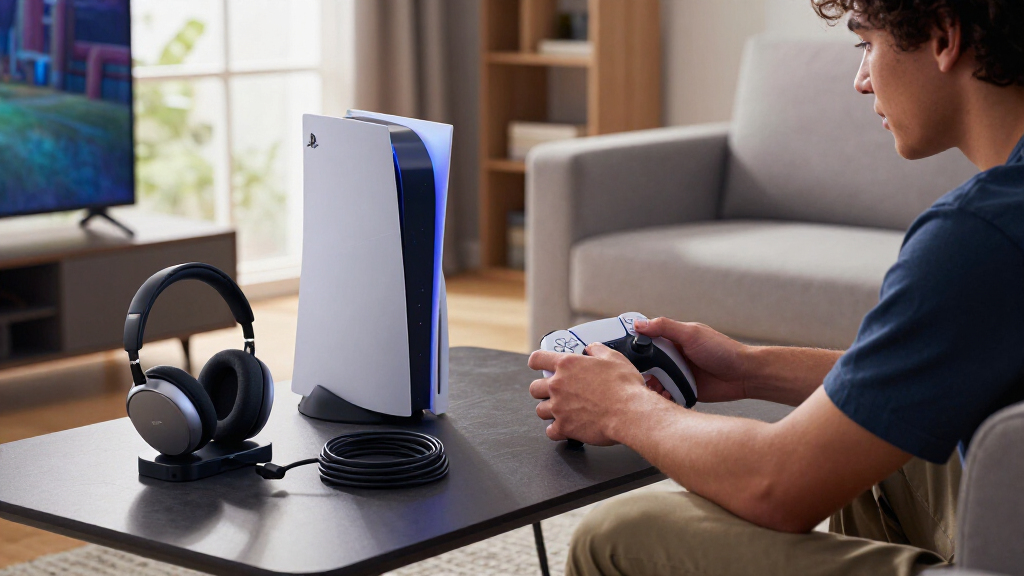

The best PS5 accessories depend on what you want to improve: control, convenience, storage, or a more specialized way to play. I rank the PlayStation DualSense Wireless Controller as the best overall pick for its broad usefulness, while the PowerA Twin Charging Station is a simple way to keep two controllers ready and the Logitech G29 suits racing fans who want a dedicated wheel-and-pedal setup. The main tradeoff is between accessories that solve everyday annoyances and gear that serves a narrower gaming style. Compatibility, desk or console space, and whether an accessory adds something your current setup lacks matter as much as its headline features. Read on for the full breakdown and a guide to choosing the right additions for your PS5.

Get the latest gadgets delivered free with Prime
- Fast, free delivery on millions of items
- Prime Video, Amazon Music and more included
- Member-only deals all year
Complete the kit



Key Takeaways
- The standard DualSense is the broadest-use pick: it adds a practical second controller or replacement without requiring a specialized gaming setup.
- Charging choices differ most in scope: the PowerA station focuses on two DualSense controllers, while the Rysker, cooling stands, and NEWDERY station combine charging with other setup functions or controller compatibility.
- Specialized controls serve distinct players: the DualSense Edge offers more customization, KontrolFreek thumbsticks target aiming feel, and the Logitech G29 is aimed at racing rather than general play.
- Cooling stands and storage mounts solve different problems: a stand consolidates console accessories around the PS5, while the Monzlteck mount frees desk or floor space by moving the console under a desk.
- Some upgrades are convenience purchases, not performance necessities: the Media Remote, HDMI cable, grip caps, and Portal Remote Player make sense when their specific use case fits your routine.
| PlayStation DualSense Wireless Controller – Midnight Black |  | Best Overall Controller | Brand: PlayStation | Model: CFI-ZCT2W | Color: Midnight Black | VIEW LATEST PRICE | See Our Full Breakdown |
| KontrolFreek Aim Boost Kit for PlayStation 4 and PlayStation 5 Controllers, Black Galaxy Edition |  | Best for Shooter Aim Tuning | Brand: KontrolFreek | Compatible devices: PlayStation 4 and PlayStation 5 controllers | Included components: Performance thumbsticks and precision rings | VIEW LATEST PRICE | See Our Full Breakdown |
| PlayStation 5 Media Remote |  | Best for Streaming and Media Control | Brand: PlayStation | Model: 3005727 | Compatible devices: Television and PS5 console | VIEW LATEST PRICE | See Our Full Breakdown |
| PowerA Twin Charging Station for PlayStation 5 DualSense Controllers |  | Best Simple Dual-Controller Charger | Brand: PowerA | Compatible devices: PlayStation 5 | Charging capacity: 2 DualSense controllers | VIEW LATEST PRICE | See Our Full Breakdown |
| Rysker PS5, PS5 Slim, and PS5 Pro Cooling and Charging Stand |  | Best Multi-Function Console Stand | Brand: Rysker | Model: VG-P5328 | Supported consoles: PS5, PS5 Slim, PS5 Pro | VIEW LATEST PRICE | See Our Full Breakdown |
| PS5 Cooling Stand with Controller Charging Station, 3-Speed Fan, and 3 USB Ports |  | Best All-in-One Console Organizer | Compatibility: PS5 Standard, Slim, and Pro; disc and digital versions | Cooling fan: Three speeds: high, medium, and low | Controller charging: Two controllers; approximately 3 hours to fully charge | VIEW LATEST PRICE | See Our Full Breakdown |
| PlayStation 5 Portal Remote Player | 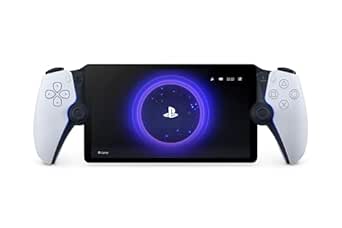 | Best for Playing Away from the TV | Screen: 8-inch LCD | Resolution: 1080p | Frame rate: Up to 60fps | VIEW LATEST PRICE | See Our Full Breakdown |
| KontrolFreek FPS Freek Galaxy Black Performance Thumbsticks for PS4 and PS5 |  | Best for Fine-Tuning Controller Aim | Compatibility: PlayStation 4 and PlayStation 5 | Included: One high-rise concave thumbstick and one mid-rise concave thumbstick | High-rise height: 10.0 mm | VIEW LATEST PRICE | See Our Full Breakdown |
| Logitech G29 Racing Wheel and Pedals for PlayStation 5, PlayStation 4, and PC | 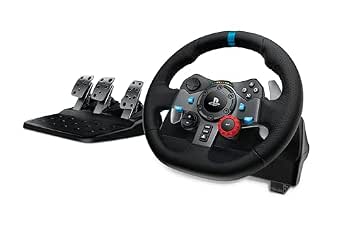 | Best for Racing Sim Setup | Compatible platforms: PlayStation 5, PlayStation 4, and PC; select Mac compatibility listed | Wheel rotation: 900 degrees | Force feedback: Dual-motor | VIEW LATEST PRICE | See Our Full Breakdown |
| NEWDERY Dual Controller Charging Station for PS5 and DualSense Edge |  | Best for DualSense Edge Charging | Compatibility: PS5 DualSense and DualSense Edge controllers | Charging time: About 2.5 hours | Power adapter requirement: 5V/3A | VIEW LATEST PRICE | See Our Full Breakdown |
| CCFREELIFE Silicone Thumb Grip Caps for PS4, PS5, and Xbox Controllers, 24-Pack |  | Best Value Thumbstick Protection | Brand: CCFREELIFE | Material: Silicone | Quantity: 24 grips (12 color pairs) | VIEW LATEST PRICE | See Our Full Breakdown |
| PS5 Slim Pro Stand and Cooling Station with LED Controller Charging |  | Best All-in-One Console Organizer | Compatible devices: PlayStation 5, PS5 Slim, PS5 Pro | Dimensions: 4.02 x 1.02 x 4.33 inches | Weight: 907 g | VIEW LATEST PRICE | See Our Full Breakdown |
| Hori Ultra High Speed HDMI Cable for PlayStation 5 |  | Best Licensed HDMI Upgrade | Brand: HORI | Model: SPF-014U | Connector type: HDMI male-to-male | VIEW LATEST PRICE | See Our Full Breakdown |
| Monzlteck Under-Desk Mount for PS5, PS5 Slim, and PS5 Pro |  | Best Space-Saving Mount | Brand: Monzlteck | Compatible devices: PS5, PS5 Slim, PS5 Pro | Mounting type: Under-desk | VIEW LATEST PRICE | See Our Full Breakdown |
| PlayStation DualSense Edge Wireless Controller | 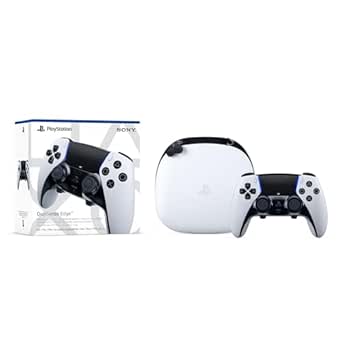 | Best Premium Customizable Controller | Compatible device: PlayStation 5 | Controller type: Gamepad | Connectivity: Wireless; USB connectivity listed | VIEW LATEST PRICE | See Our Full Breakdown |
More Details on Our Top Picks
PlayStation DualSense Wireless Controller – Midnight Black
For a PS5 player who wants a second controller that preserves the console’s signature feel, I’d put the Midnight Black DualSense first. Its haptic feedback and adaptive triggers can make supported games feel more tactile, while Bluetooth and USB-C connectivity also let it work with compatible computers and mobile devices. A built-in microphone, mute button, and headset jack cover basic chat without requiring a separate accessory.
Compared with the KontrolFreek Aim Boost Kit, this is a more complete, everyday upgrade rather than a specialized aiming add-on. The tradeoff is that its extra features depend on game and device support, and the product details don’t state battery life. I’d choose it for broad PS5 use, not just for improving shooter aim.
Pros:- Haptic feedback and adaptive triggers add tactile effects in supported games
- Works with PS5 and compatible PC, Mac, Android, and iOS devices
- Built-in microphone, mute button, and 3.5 mm headset jack support straightforward chat
- Bluetooth and USB-C connectivity provide wireless and wired options
Cons:- Some features depend on the game or connected device
- Battery life information is not provided
Best for: PS5 players who need a versatile second gamepad for everyday gaming, local multiplayer, and compatible PC or mobile play
Not ideal for: Players who already have a working DualSense and only want a targeted aiming adjustment, or buyers who need confirmed battery-life figures
- Brand:PlayStation
- Model:CFI-ZCT2W
- Color:Midnight Black
- Compatible devices:PlayStation 5, PC, Mac, Android, iOS
- Connectivity:Bluetooth, wireless, USB-C
- Controller type:Gamepad
- Weight:14.4 ounces
- Dimensions:8.27 x 7.48 x 2.87 inches
Our verdict“Choose this as a flexible everyday PS5 gamepad, especially if you also want compatibility with other supported devices.”
KontrolFreek Aim Boost Kit for PlayStation 4 and PlayStation 5 Controllers, Black Galaxy Edition
The KontrolFreek Aim Boost Kit is the most specialized pick here: it changes how a compatible controller feels under your thumbs rather than adding another device. Its mixed-height thumbsticks pair with three resistance levels of precision rings, giving shooter players options for adjusting control and adding cushioning that may help limit overshooting.
Compared with the PlayStation DualSense Wireless Controller, this kit is a narrower, add-on approach: it can tune compatible PS4 and PS5 controllers, but it does not replace a gamepad or provide the DualSense’s built-in microphone and connectivity. The added resistance also takes some adjustment, and players who prefer an unmodified stick feel may find it slows their inputs. I’d pick it for players who want to personalize aiming, not for general-purpose PS5 use.
Pros:- Mixed-height thumbsticks offer different aiming and control positions
- Three precision-ring strengths allow resistance adjustments
- Rings add cushioning and resistance intended to help reduce overshooting
- Designed for compatible PlayStation 4 and PlayStation 5 controllers
Cons:- Added thumbstick resistance takes time to get used to
- Compatibility is limited to PlayStation 4 and PlayStation 5 controllers
Best for: PS5 and PS4 shooter players who want to experiment with thumbstick height and resistance on a compatible controller
Not ideal for: Players who prefer stock thumbstick feel, want an accessory for multiple console platforms, or need a full replacement controller
- Brand:KontrolFreek
- Compatible devices:PlayStation 4 and PlayStation 5 controllers
- Included components:Performance thumbsticks and precision rings
- Precision ring strengths:3
- Color:Black
- Material:Rubber
- Model number:6204-PS5
Our verdict“Choose this kit if you want to tune aiming feel on a compatible PlayStation controller and are comfortable adapting to added resistance.”
PlayStation 5 Media Remote
If the PS5 also serves as a streaming or disc-based entertainment hub, the PlayStation 5 Media Remote makes playback and menu navigation more direct than reaching for a gamepad. Dedicated play, pause, fast-forward, and rewind buttons are the key advantage: they give common media actions their own controls, while the remote can also power on the console and adjust settings on compatible TVs.
Compared with the PowerA Twin Charging Station, which solves controller readiness, this accessory is aimed at time spent watching rather than gaming. Its TV controls rely on compatibility and infrared, and some functions may need a system update. At 7.44 inches long, it also takes up more space than a compact controller add-on. I’d choose it for households that regularly use the PS5 for entertainment, but skip it if the console is mainly for games.
Pros:- Dedicated buttons control play, pause, fast-forward, and rewind
- Can power on the PS5 and navigate console menus
- Can adjust power and volume settings on compatible televisions
- Two AA batteries are included
Cons:- TV controls work only with compatible televisions
- Some functions may require a PS5 system software update
Best for: Households that regularly use a PS5 for streaming or other media and want dedicated playback controls
Not ideal for: PS5 owners who mainly play games, or buyers whose television is not compatible with the remote’s infrared controls
- Brand:PlayStation
- Model:3005727
- Compatible devices:Television and PS5 console
- Connectivity:Infrared
- Buttons:15
- Maximum range:10 meters
- Batteries:2 AA batteries included
- Dimensions:7.44 × 3.29 × 1.54 inches
Our verdict“Choose the Media Remote if your PS5 doubles as an entertainment center and you want playback buttons instead of using a gamepad.”
PowerA Twin Charging Station for PlayStation 5 DualSense Controllers
The PowerA Twin Charging Station focuses on one job: keeping two DualSense controllers charged and stored together. Its tabletop design also gives controllers a designated place between sessions, while the charge indicator on each controller shows when charging is complete. For households with two gamepads in regular rotation, that straightforward setup is more useful than a single-controller charging solution.
Compared with the Rysker Cooling and Charging Stand, PowerA is the simpler pick: it charges two DualSense controllers but does not add console cooling, USB hubs, or support for a DualSense Edge. That pared-down approach means fewer extra functions, but it also means a corded power connection is required and the stand offers no broader console organization. I’d favor it for a dedicated controller charging spot, not for buyers seeking an all-in-one stand.
Pros:- Charges two DualSense controllers at once
- Tabletop form doubles as a controller display and storage spot
- Officially licensed for PlayStation 5
- Includes a two-year limited warranty
Cons:- Requires a corded power connection
- Does not include the cooling fan and USB hubs offered by the Rysker stand
Best for: PS5 households with two standard DualSense controllers that want a shared tabletop charging and storage spot
Not ideal for: Players who need console cooling, extra USB hubs, or charging support for a DualSense Edge
- Brand:PowerA
- Compatible devices:PlayStation 5
- Charging capacity:2 DualSense controllers
- Power source:Corded electric
- Output current:1.5 A
- Wattage:10 W
- Form factor:Tabletop
- Warranty:Two-year limited warranty
Our verdict“Choose this station if you want a focused, dual-controller charging spot without the extra features of a full console stand.”
Rysker PS5, PS5 Slim, and PS5 Pro Cooling and Charging Stand
The Rysker Cooling and Charging Stand combines several setup tasks in one accessory: it supports PS5, PS5 Slim, and PS5 Pro consoles, includes an adjustable fan, and charges original DualSense and Edge controllers. Three USB hubs and a media remote slot add organization and connection options, making this a broader console station than a dedicated controller dock.
Compared with the PowerA Twin Charging Station, Rysker offers more than dual-controller charging, but its wider feature set brings more unknowns. The listed charging times are about 3.5 hours for an original controller and 2.5 hours for an Edge, while the fan’s speed and noise level are not specified. I’d choose it for a setup that needs device storage and controller charging together, but skip it if a quiet, simple charging dock is the priority.
Pros:- Supports PS5, PS5 Slim, and PS5 Pro consoles
- Charges original DualSense and DualSense Edge controllers
- Three USB hubs support charging and data transfer
- Includes an adjustable fan and protections against overcharging, excess current, and overheating
Cons:- Controller charging takes about 3.5 hours for an original controller and 2.5 hours for an Edge
- Fan speed and noise level are not specified
Best for: PS5, PS5 Slim, or PS5 Pro owners who want controller charging, USB hubs, and console cooling features in one stand
Not ideal for: Players seeking a minimalist charger or those who need clear fan speed and noise specifications before choosing a cooling accessory
- Brand:Rysker
- Model:VG-P5328
- Supported consoles:PS5, PS5 Slim, PS5 Pro
- Number of fans:1
- USB hubs:3
- Controller charging time:About 3.5 hours for PS5 original controller; about 2.5 hours for PS5 Edge controller
- Warranty:2 years
Our verdict“Choose Rysker if you want one stand to combine console support, controller charging, USB hubs, and cooling features.”
PS5 Cooling Stand with Controller Charging Station, 3-Speed Fan, and 3 USB Ports
This Kammkonb stand suits PS5 owners who want charging, cooling, and storage in one footprint rather than a separate dock and accessory holders. Its two controller docks, three USB ports, headset holder, remote slot, and capacity for 13 game discs cover more needs than the NEWDERY Dual Controller Charging Station, which focuses on controller charging and storage. The fan’s three speeds let you choose how much airflow you want, while the safety screw and overcharge protection add practical safeguards. The tradeoff is that the extra functions bring fit and compatibility details to check: PS5 Slim digital and disc models require removing the panel adapter, and the stand does not support the DualSense Edge. The console and accessories shown in the setup are sold separately.
Pros:- Combines a three-speed fan with two controller charging docks
- Adds three USB ports, a headset holder, and a media remote slot
- Stores up to 13 game discs
- Designed for PS5 Standard, Slim, and Pro consoles
Cons:- Does not support the DualSense Edge controller
- Slim digital and disc consoles require removing the panel adapter
- Console, controllers, headset, remote, and discs are not included
Best for: PS5 owners who want a single stand for console organization, two standard DualSense controllers, and game-disc storage.
Not ideal for: DualSense Edge owners, or Slim owners who prefer a setup that needs no panel-adapter adjustment.
- Compatibility:PS5 Standard, Slim, and Pro; disc and digital versions
- Cooling fan:Three speeds: high, medium, and low
- Controller charging:Two controllers; approximately 3 hours to fully charge
- USB ports:3
- Disc storage:Up to 13 game discs
- Additional features:Headset holder, media remote slot, safety screw, LED indicators, and overcharge protection
- Brand:Kammkonb
Our verdict“Choose this stand if you want broad console-area organization and can work around its controller and Slim-fit limitations.”
PlayStation 5 Portal Remote Player
The PlayStation Portal is the lineup’s pick for PS5 owners who want to play on a handheld screen while the TV is occupied or out of reach. Its 8-inch, 1080p display and support for DualSense haptics and adaptive triggers make it a more console-like remote-play option than a phone mounted to a controller. Unlike the Logitech G29 Racing Wheel and Pedals, which changes how you play racing games at the console, the Portal changes where you can play compatible games. That convenience depends on a stable Wi-Fi connection and a PS5 console for remote play; select cloud-streamed games also require PlayStation Plus Premium. It is not a standalone handheld, and VR games or titles needing specific peripherals are outside its reach.
Pros:- Lets you stream compatible PS5 and PS4 games without using the TV
- Provides an 8-inch, 1080p screen with up to 60fps
- Supports DualSense haptic feedback and adaptive triggers
- Offers cloud streaming for select titles with PlayStation Plus Premium
Cons:- Remote play requires a PS5, a PlayStation Network account, and a stable Wi-Fi connection
- Cloud streaming for select games requires PlayStation Plus Premium
- Does not support VR games or games requiring specific peripherals
Best for: PS5 owners who want to play compatible console games in another room while someone else uses the TV.
Not ideal for: Buyers seeking an independent handheld, people with unreliable Wi-Fi, or players focused on VR and peripheral-dependent games.
- Screen:8-inch LCD
- Resolution:1080p
- Frame rate:Up to 60fps
- Connectivity:Wi-Fi
- Weight:2.6 pounds
- Dimensions:14 x 3.88 x 6 inches
- Audio technology:Tempest 3D AudioTech
- Power source:Battery powered
Our verdict“Pick the Portal if reliable Wi-Fi and a PS5 are already part of your setup and you want to play away from the TV.”
KontrolFreek FPS Freek Galaxy Black Performance Thumbsticks for PS4 and PS5
This mixed-height set is a focused upgrade for players who want more reach on the aiming stick without changing their whole controller setup. The 10 mm high-rise thumbstick can give aiming inputs more leverage, while the 6.5 mm mid-rise stick leaves the movement stick closer to its original height. That split makes it a more targeted choice than the CCFREELIFE Silicone Thumb Grip Caps, which provide a collection of grip caps rather than this specific high-and-mid pairing. The non-slip rubber may also help keep thumbs planted during longer sessions, and the covers help shield the original sticks from wear. The compromise is adjustment: taller sticks can feel unfamiliar, and this set changes thumbstick height rather than adding a new controller feature. Packaging compatibility details may also be outdated.
Pros:- Pairs a 10 mm high-rise stick with a 6.5 mm mid-rise stick
- Concave tops use a non-slip rubber compound
- Can help protect original thumbsticks from wear
- Compatible with PS4 and PS5 controllers
Cons:- The added height may take time to adapt to
- Packaging compatibility details may be outdated
Best for: PS5 and PS4 players who want extra aiming leverage on one stick while keeping the movement stick at a modest height.
Not ideal for: Players who prefer stock stick height, want matching-height grips, or need a broader set of controller accessories.
- Compatibility:PlayStation 4 and PlayStation 5
- Included:One high-rise concave thumbstick and one mid-rise concave thumbstick
- High-rise height:10.0 mm
- Mid-rise height:6.5 mm
- Color:Black
- Grip material:Proprietary non-slip rubber compound
Our verdict“Choose this set if you want a higher aiming stick and a lower movement stick without replacing your controller.”
Logitech G29 Racing Wheel and Pedals for PlayStation 5, PlayStation 4, and PC
The Logitech G29 is the dedicated pick for players who want steering-wheel control and pedal input in compatible racing games, rather than another general-purpose PS5 add-on. Its dual-motor force feedback and 900-degree rotation are meant to convey steering resistance and a wider range of wheel movement; the pressure-sensitive brake pedal adds control beyond a standard controller trigger. Compared with the PlayStation 5 Portal Remote Player, this is not about flexibility or playing away from the TV—it makes most sense for a fixed racing setup. The leather-covered wheel, paddle shifters, and wheel-mounted controls add to that focused design. The optional six-speed shifter is separate, the set needs a corded power connection, and the product data lists conflicting dimensions, so planning a mounting space takes extra care.
Pros:- Dual-motor force feedback and 900-degree rotation support a more involved steering setup
- Pressure-sensitive nonlinear brake pedal offers more control than a basic button input
- Helical gearing is designed for smooth, quiet steering
- Includes wheel-mounted controls, stainless steel paddle shifters, and a leather-covered wheel
Cons:- The optional six-speed manual shifter is sold separately
- Corded electric power and a dedicated wheel-and-pedal setup take more planning than a controller accessory
- Listed dimensions are inconsistent
Best for: PS5, PS4, and compatible PC racing-game players building a dedicated wheel-and-pedal setup.
Not ideal for: Casual players short on setup space, buyers wanting a compact all-purpose accessory, or anyone expecting the optional manual shifter in the box.
- Compatible platforms:PlayStation 5, PlayStation 4, and PC; select Mac compatibility listed
- Wheel rotation:900 degrees
- Force feedback:Dual-motor
- Pedals:Pressure-sensitive nonlinear brake pedal with adjustable pedal faces
- Wheel controls:D-pad, buttons, and RPM/shift indicator LEDs
- Paddle shifters:Stainless steel
- Wheel cover:Hand-stitched leather
- Power source:Corded electric
- Shifter compatibility:Optional 6-speed manual Driving Force Shifter, sold separately
Our verdict“Choose the G29 if racing games are a priority and you have room for a dedicated wheel-and-pedal setup.”
NEWDERY Dual Controller Charging Station for PS5 and DualSense Edge
For households with standard DualSense controllers and the DualSense Edge, this dock’s main advantage is compatibility with both controller types. That gives it a useful edge over the Kammkonb PS5 Cooling Stand, which combines more console-side functions but does not support the Edge controller. The NEWDERY station charges two controllers in about 2.5 hours when paired with a 5V/3A adapter, while LED indicators show charging or standby status. Its four slots help keep the charging area organized, though the supplied details do not specify that all four are charging positions. Anti-slip mats help hold controllers in place. The tradeoffs are modest but relevant: cases or skins must come off before charging, and the required adapter is not listed among the included items.
Pros:- Supports both DualSense and DualSense Edge controllers
- Charges controllers in about 2.5 hours with a 5V/3A adapter
- LEDs indicate charging and standby status
- Anti-slip mats and four slots help organize the charging area
Cons:- Controller skins and cases must be removed before charging
- Requires a 5V/3A adapter, which is not listed among the package contents
Best for: PS5 households that charge both DualSense and DualSense Edge controllers and want a dedicated, organized docking station.
Not ideal for: Players who need to charge controllers with protective cases attached or do not have a compatible 5V/3A power adapter.
- Compatibility:PS5 DualSense and DualSense Edge controllers
- Charging time:About 2.5 hours
- Power adapter requirement:5V/3A
- Cable:3.3 ft USB-C charging cable
- Slots:4
- Package contents:Charging station, USB-C cable, and user manual
Our verdict“Choose this dock if DualSense Edge compatibility matters more than the cooling and accessory storage of an all-in-one stand.”
CCFREELIFE Silicone Thumb Grip Caps for PS4, PS5, and Xbox Controllers, 24-Pack
These caps are a simple way to add texture and help shield PS5 thumbsticks from grime and surface wear without replacing or modifying the controller. The 24-piece set includes 12 color pairs, so it offers more ways to personalize a controller than the KontrolFreek Aim Boost Kit, which is aimed at changing stick feel for gameplay. The silicone caps stretch over existing sticks and use no adhesive, making them easy to remove or swap. That simplicity also limits what they can do: they add a cover and textured surface, not extra stick height or a remappable control layout like the DualSense Edge. Compatibility is listed for PS4, PS5, and Xbox controllers, so owners of other systems should check fit before buying.
Pros:- Textured silicone is designed to add grip
- Helps protect existing thumbsticks from grime and wear
- Includes 12 color pairs for mixing and matching
- Fits over the sticks without adhesive
Cons:- Does not add stick height or advanced control adjustments
- Fit is specified only for PS4, PS5, and Xbox controllers
Best for: PS5 players who want inexpensive, removable thumbstick protection and several color options for shared or personalized controllers
Not ideal for: Competitive players seeking taller sticks or a measurable change to aiming control, and owners of controllers outside the listed PS4, PS5, and Xbox types
- Brand:CCFREELIFE
- Material:Silicone
- Quantity:24 grips (12 color pairs)
- Compatible controllers:PS4, PS5, Xbox
- Item weight:1 g
- Model number:CC-GJM-CA24P
- Warranty:3 months
Our verdict“Choose these caps for removable grip and colorful thumbstick coverage, but pick a performance stick kit if you want to change aiming leverage.”
PS5 Slim Pro Stand and Cooling Station with LED Controller Charging
This station is for PS5 owners who want console support, controller charging, cooling, and storage consolidated in one setup. Its three-speed fan and dual charging docks cover more functions than the PowerA Twin Charging Station, which focuses on charging controllers, while the headset holder, remote storage, and space for up to 14 game discs help clear surrounding clutter. LED indicators show charging status, and the listed safeguards address overcharge, overheating, overvoltage, and short circuits. The tradeoff is footprint: this vertical unit can crowd a small entertainment area, unlike a standalone charger. Also, charging will not start when a controller battery is above 70%, which makes topping up partly charged controllers less convenient. Confirm its fit with your console model and available space before choosing it.
Pros:- Combines console support, cooling, dual charging, and accessory storage
- Three fan speeds allow cooling adjustment
- LED indicators show controller charging status
- Lists protection against overcharge, overheating, overvoltage, and short circuits
Cons:- Vertical station may take up too much room in smaller setups
- Controller charging will not start when battery is above 70%
Best for: PS5 households with room for a vertical setup that want one station for two controllers, cooling, a headset, and physical game storage
Not ideal for: Players with a cramped entertainment center or those who only need a compact controller charger; charging does not start above 70% battery
- Compatible devices:PlayStation 5, PS5 Slim, PS5 Pro
- Dimensions:4.02 x 1.02 x 4.33 inches
- Weight:907 g
- Fan speeds:3 (3100–3500 RPM)
- Controller charging time:2.5 hours per controller
- Extra USB ports:3
- Game disc capacity:Up to 14 discs
- Charging:Dual controller charging with LED indicators
Our verdict“Pick this station if you want to organize several PS5 accessories in one place and have room for a larger vertical unit.”
Hori Ultra High Speed HDMI Cable for PlayStation 5
This cable is a sensible replacement for a damaged, misplaced, or awkwardly routed HDMI lead, with 48 Gbps bandwidth and support for 4K, 8K, HDR, and 3D signals. Its official PlayStation license offers a compatibility-focused alternative to a generic cable, while the 6.5-foot braided construction, metal housing, and triple shielding are intended to provide durable handling and resist signal noise. Unlike the Monzlteck Under-Desk Mount, which changes where the console sits, this accessory affects the connection between the PS5 and display rather than the setup’s layout. Its main limitation is that the supported formats depend on the rest of the system: an 8K-capable cable will not add 8K output to an incompatible screen. The fixed length may also be too short or too long for some entertainment centers.
Pros:- Officially licensed for PlayStation
- Supports data rates up to 48 Gbps and listed 4K and 8K resolutions
- Braided nylon exterior and metal housing
- Triple shielding is designed to reduce signal noise
Cons:- Full format support depends on a compatible display and setup
- The fixed 6.5-foot length may not fit every console-to-screen arrangement
Best for: PS5 owners replacing a cable who want official licensing, a braided build, and support for high-bandwidth display formats
Not ideal for: Players whose existing cable already suits their setup, or buyers who need a length other than 6.5 feet or expect the cable alone to upgrade display capability
- Brand:HORI
- Model:SPF-014U
- Connector type:HDMI male-to-male
- Cable length:6.5 feet
- Data transfer rate:48 Gbps
- Resolution support:8K, 4K, HDR, 3D
- Materials:Nylon mesh braided cable, metal housing
- Compatibility:PlayStation 5, PlayStation 4, gaming consoles
Our verdict“Choose the Hori cable as a durable, licensed replacement when its fixed length fits your setup; it is not a display upgrade by itself.”
Monzlteck Under-Desk Mount for PS5, PS5 Slim, and PS5 Pro
For a desk-based PS5 setup, this mount moves the console off the work surface and can keep cables tucked away, freeing space for a monitor, keyboard, or other equipment. Its metal bracket and security screw offer a more fixed installation than the portable PS5 Slim Pro Stand and Cooling Station, which combines storage and charging but occupies space around the console. Ventilation openings and silicone covers address two practical concerns: airflow around the mounted system and protection from scratches where it contacts the bracket. The tradeoff is that this is a mounting solution, not an accessory hub; it does not add controller charging or game storage. Installation also requires six screws beneath a desk, so it suits owners comfortable committing to a fixed position rather than people who regularly rearrange their setup.
Pros:- Mounts the console beneath a desk to free surface area
- Ventilated design allows airflow around the console
- Silicone covers help protect the console from scratches
- Cable routing can help keep the area tidy
Cons:- Requires screw installation beneath a desk
- Does not include cooling, controller charging, or accessory storage
Best for: Desk-based PS5 owners who need to reclaim work-surface space and are comfortable attaching a bracket beneath the desk
Not ideal for: Renters or setup owners who cannot drill into a desk, frequently move their console, or want charging and accessory storage in the same product
- Brand:Monzlteck
- Compatible devices:PS5, PS5 Slim, PS5 Pro
- Mounting type:Under-desk
- Material:Metal
- Color:Black
- Weight:1.6 pounds
- Fastening:Six screws and a security screw
- Included components:1 mount
Our verdict“Choose this mount when reclaiming desk space matters more than portability or an all-in-one charging station.”
PlayStation DualSense Edge Wireless Controller
The DualSense Edge is the pick for players who want control adjustments beyond the standard DualSense Wireless Controller, particularly for shooters, racing games, or titles where button placement matters. Remappable back buttons, adjustable trigger travel, and swappable stick caps let players tailor inputs to different games, while adaptive triggers and haptic feedback retain the PS5’s tactile features. Compared with the CCFREELIFE thumb grip caps, this is a deeper, integrated control upgrade rather than a low-commitment way to add texture to existing sticks. That flexibility comes with tradeoffs: replacement stick modules are additional accessories, and the controller may feel bulkier than a standard gamepad. Buyers who rarely change layouts or trigger settings may get more value from keeping their existing controller and adding simple grip caps instead.
Pros:- Remappable back buttons support customized control layouts
- Swappable stick modules and caps allow changes to the control feel
- Adjustable trigger travel can suit faster or more precise inputs
- Includes adaptive triggers and haptic feedback
Cons:- Replacement stick modules cost extra
- May feel bulkier than a standard DualSense controller
Best for: PS5 players who regularly customize button layouts and trigger response for competitive shooters, racing games, or multiple play styles
Not ideal for: Casual players satisfied with a standard DualSense layout, or buyers who do not want to purchase replacement stick modules separately
- Compatible device:PlayStation 5
- Controller type:Gamepad
- Connectivity:Wireless; USB connectivity listed
- Power source:Battery powered
- Button quantity:4
- Color:White
- Item weight:2.6 pounds
- Item dimensions:8 x 8 x 4.5 inches
Our verdict“Choose the DualSense Edge if you will use its layout and trigger customization regularly; otherwise, a standard DualSense may be the simpler fit.”
How We Picked
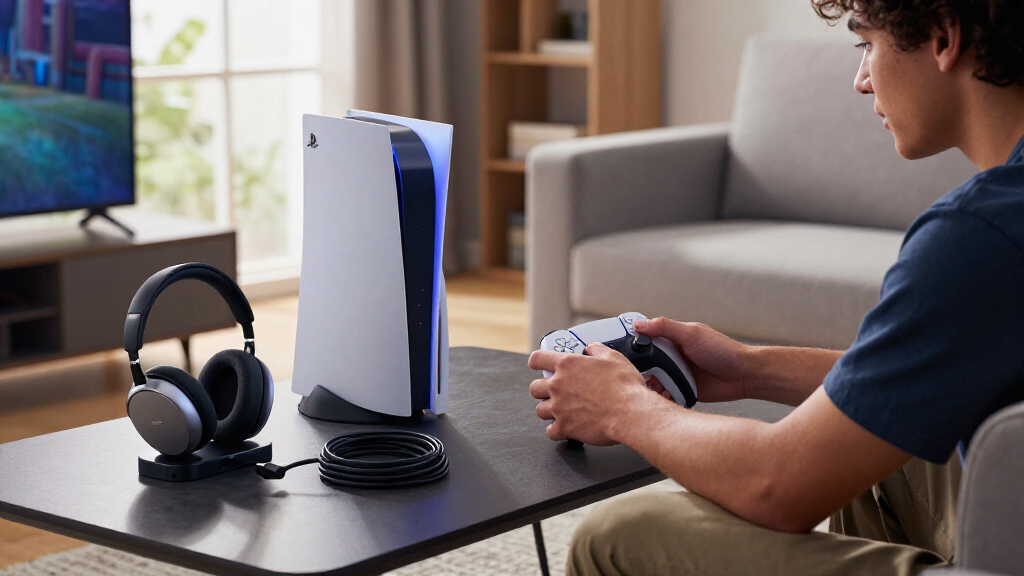
I compared these 15 accessories by the problem each one solves, how directly it supports PS5 play, and how many players are likely to benefit. I weighed everyday usability, compatibility across PS5 models and controllers, build and setup considerations, and whether a product adds a distinct function or overlaps with gear many owners already have. Those criteria favor versatile, straightforward accessories near the top while leaving room for specialized picks where their focused use is the point.
The ranking reflects different kinds of value rather than treating every accessory as a substitute for every other one. A controller or charger can improve a typical setup more broadly than racing hardware, but that does not make a wheel a poor choice for a racing fan. I also considered tradeoffs such as extra space, setup complexity, limited usefulness outside a specific routine, and the risk of buying overlapping stands or charging solutions. Compatibility claims should be checked against your exact console model and controller before purchase.
Factors to Consider When Choosing Best PS5 Accessories
I’d choose an accessory by identifying the friction in my current setup before comparing features. A useful upgrade should solve a recurring problem, fit the PS5 and controller version you own, and make sense with the space and games you actually use.
Start With the Problem You Want to Solve
Separate a genuine need from an appealing extra. If controllers are often uncharged, a charging station may improve your routine more than another performance accessory. If your console setup feels crowded, a mount or stand could matter more than added ports or lighting. Players who mostly watch streaming content may get more use from a Media Remote than from thumbstick upgrades. I’d list the two most frequent annoyances first, then choose the accessory that addresses one without creating a new hassle.
Check Console and Controller Compatibility
PS5 accessories do not all fit every version of the console or controller. Slim and Pro models can differ in shape and stand requirements, while a charging dock may support standard DualSense controllers but not every other model in the same way. Accessories described for several consoles still need a fit check against your exact hardware. Confirm the connection type, supported controller, and any required adapter before ordering. A compatibility mismatch can turn a useful accessory into extra clutter, even when the product name appears to match your system.
Think About Space, Cables, and Access
A stand can gather controllers and cables in one area, but it may take up more room around the console. An under-desk mount clears the surface, though it can make the console less convenient to reach and requires a suitable mounting spot. Before choosing, check airflow, cable reach, access to ports, and whether the console’s orientation works with the accessory. Count the devices you plan to connect rather than assuming extra USB ports will all be useful. A tidy setup is only an improvement if it remains easy to use and ventilate.
Pay for Features You Will Use Regularly
Premium controls and multi-function stands make the most sense when their extra features fit your routine. A customizable controller may suit players who regularly adjust controls, while a basic replacement controller is more sensible if you mainly need another way to play. Cooling fans, LED effects, and bundled ports add complexity as well as convenience; they should not be the reason to buy a product if you do not need those functions. Racing wheels are an even more focused investment because they change the way you play rather than simply supporting a standard controller setup. Choose the simplest option that handles your actual use.
Treat Comfort and Aiming Accessories as Personal Fit
Thumbstick extensions and grip caps affect how a controller feels in your hands, so their value depends on preference and the games you play. A taller stick can change leverage and reach, but it may feel unfamiliar or awkward for players who prefer the standard controller shape. Grip caps can add texture without replacing the controller, though they also introduce another small part to fit and maintain. If possible, avoid buying several overlapping grip upgrades at once; it becomes harder to tell which change helped. Keep a way to return to your preferred setup if a new feel does not suit you.
Avoid Duplicating Functions You Already Have
Several accessories in this roundup address overlapping needs, especially charging and console organization. A combined stand with charging may be convenient, but it can duplicate a charger or storage solution you already own. A remote is useful for media navigation, yet it adds little if you already control playback comfortably with another device. An HDMI cable is a practical replacement when you need the right connection or length, not automatically an upgrade for every working setup. I’d map each product to one clear job before adding it to my setup.
Frequently Asked Questions
Do I need a cooling stand for my PS5?
Most buyers should first check that the console has clear space around its vents and is placed securely. A cooling stand can consolidate accessories or add charging and ports, but those extra functions may be the main reason to choose one. A stand with a fan also adds another component and takes up space, so it is not automatically a better fit than a simple mount or charging dock. Check that the stand supports your exact PS5 model and does not block airflow or connections. If your console is already easy to access and your setup is uncluttered, you may not need one.
Which charging station should I choose for DualSense and DualSense Edge controllers?
Start by checking which controller models the dock specifically supports, rather than relying on a general PS5 compatibility label. The PowerA station is positioned around charging two DualSense controllers, while the NEWDERY model lists support for both DualSense and DualSense Edge. A multi-function cooling stand may make sense if you also want a centralized place for console accessories, but it can be larger and serve more functions than you need. Consider how many controllers you charge at once and whether you want them displayed or simply stored. Verify the charging method and fit for your controllers before choosing.
Is the DualSense Edge a better choice than the standard DualSense?
The Edge is a better match for players who will make use of its added customization, while the standard DualSense suits everyday play and serves as a straightforward extra or replacement. The more advanced controller is not automatically the better choice if you prefer a familiar, uncomplicated setup. Think about whether you regularly change control preferences or want more ways to tailor how you play. If you mainly need a dependable controller for general use, the standard model is the simpler decision. Choose the Edge for its additional control options, not just because it sits higher in a product lineup.
Will a PS5 accessory made for the original console fit the PS5 Slim or PS5 Pro?
Not always: physical dimensions, stand attachment, and mounting requirements can vary by console version. Products that name the Slim or Pro among their supported models are a more promising starting point, but I would still verify the fit details and included hardware. This matters most for cooling stands, console stands, and under-desk mounts, where a small shape difference can affect stability or access. Accessories connected through a standard cable may be less dependent on console shape, though port availability and cable reach still matter. Check your exact model before buying instead of assuming all PS5 accessories are interchangeable.
Are thumbstick extensions or grip caps a good first upgrade for a new PS5 owner?
They can be low-commitment ways to change controller feel, but neither is a necessary first purchase. Thumbstick extensions are more relevant if you want a different reach or aiming feel, while grip caps focus on surface texture and can be used across compatible controllers. Players who are already comfortable with the standard sticks may notice little benefit and could prefer to spend their attention on charging or storage needs. Avoid stacking multiple grip accessories without checking how they fit together and whether they remain secure. I’d start with the smallest change that addresses a specific comfort preference.
Conclusion
For most players, I’d choose the PlayStation DualSense Wireless Controller as the best overall accessory because it supports everyday play without requiring a specialized setup. The PowerA Twin Charging Station is my best value-style pick for players who want a focused way to keep two controllers charged, while the DualSense Edge is the best premium choice for players who will use its customization. New PS5 owners who want a practical, easy-to-understand addition can start with the standard DualSense or a dedicated charger before adding more specialized gear. For specific needs, pick the Logitech G29 for racing, the PlayStation 5 Media Remote for media control, or the Monzlteck mount when reclaiming desk space matters most. Match the accessory to a recurring need, then verify model compatibility and available space before deciding.
Fall Picks
fall essentials
As an affiliate, we earn on qualifying purchases.