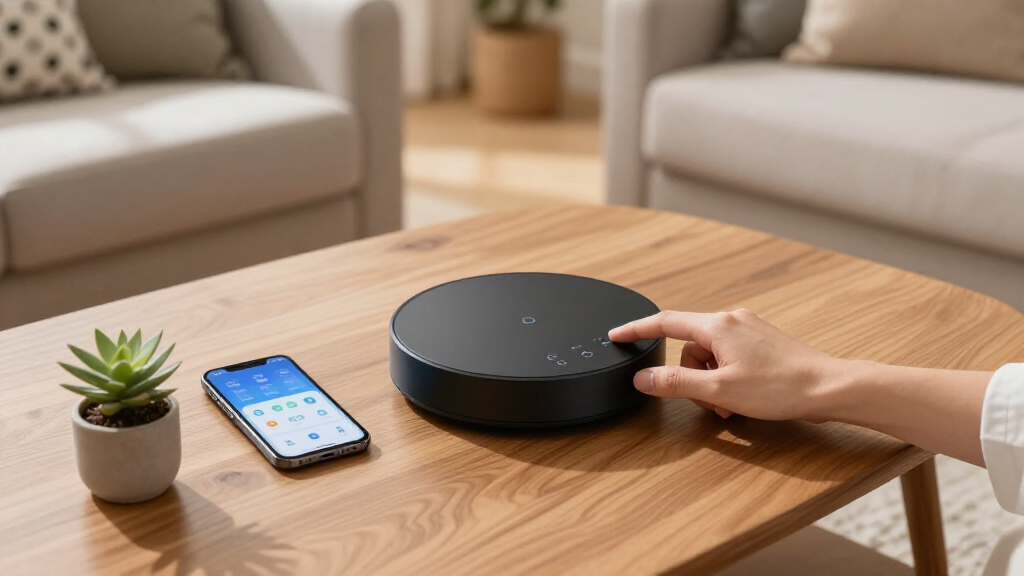

Finding the best smart home hubs involves balancing compatibility, ease of use, and future-proofing your setup. The Aeotec Smart Home Hub 2 stands out for its broad Zigbee and Matter support, making it a versatile choice. The Hubitat Elevation C-8 Pro offers advanced automation for power users, while options like the Amazon Echo Hub provide a simple, integrated voice-control experience. Most buyers face tradeoffs between compatibility, complexity, and price—more capable hubs often require more setup, while simpler ones may limit device choices. Keep reading for a detailed breakdown to find the best fit for your smart home needs.

Get the latest gadgets delivered free — and shop member deals
- Fast, free delivery on millions of items
- Access to Prime Big Deal Days deals on October 6–7
- Prime Video, Amazon Music and more included
Complete the kit



Key Takeaways
- Compatibility with Zigbee, Z-Wave, and Matter is essential for future-proofing your smart amazon.com/dp/B0CXVKSG19?tag=techwreckreport-20&ascsubtag=dc-1047151″ target=”_blank” rel=”nofollow sponsored noopener”>home.
- Advanced automation features are best suited for tech-savvy users willing to manage complexity.
- Built-in voice assistants like Alexa simplify control but can limit customization options.
- Display integration adds convenience but often comes at a higher price point.
- Choosing a hub depends heavily on your existing devices and desired level of automation complexity.
| Aeotec Smart Home Hub 2 – V4, Zigbee & Matter Gateway, Compatible with Alexa & Google Assistant |  | Best Overall for Reliable Local Automation | Compatibility: Zigbee, Matter | Supports: Lighting, sensors, plugs, switches, thermostats | Connectivity: Wi-Fi, Ethernet | VIEW LATEST PRICE | See Our Full Breakdown |
| Hubitat Elevation C-8 Pro Smart Home Hub – Z-Wave, Zigbee, Matter |  | Best for Power Users and Privacy-Conscious Automators | Protocols Supported: Matter 1.5, Z-Wave 800 Series, Zigbee 3.0, Bluetooth | External Antennas: 2 (Z-Wave and Zigbee) | Dimensions: 3.23 x 2.95 x 0.67 inches | VIEW LATEST PRICE | See Our Full Breakdown |
| Aqara Smart Home Hub M3 with Matter Support, Zigbee, Thread, IR Blaster, Wi-Fi, PoE |  | Best Versatile Protocol Support with Integrated IR Control | Protocols Supported: Zigbee, Thread, Matter, Bluetooth, Wi-Fi | Device Capacity: 127 Zigbee, 127 Thread | Connectivity: WPA3 Wi-Fi, PoE, USB-C | VIEW LATEST PRICE | See Our Full Breakdown |
| MOES Smart Home Control Panel with Alexa Built-in and Zigbee Hub |  | Best Touchscreen Control with Built-in Voice Assistant | Compatibility: Smart Life, switches, bulbs, sockets, cameras, locks | Voice Assistant: Alexa built-in | Connectivity: Zigbee, Wi-Fi, wired | VIEW LATEST PRICE | See Our Full Breakdown |
| Amazon Echo Hub (newest model), 8-inch Smart Home Control Panel with Alexa+ |  | Best for Large Displays and Comprehensive Control | Display Size: 8 inches | Compatibility: Alexa+, Ring, WiFi, Bluetooth, Zigbee, Matter | Control Features: Devices, cameras, routines, security | VIEW LATEST PRICE | See Our Full Breakdown |
| Home Assistant Green Smart Home Hub with Advanced Automation |  | Best Overall for Customizable, Open-Source Control | RAM: 4 GB | Storage Capacity: 32 GB | Connectivity Technology: Ethernet, USB | VIEW LATEST PRICE | See Our Full Breakdown |
| eufy Security eufy Smart Display E10, 8-inch Control Panel |  | Best for Visual Monitoring and Security Integration | Manufacturer: eufy | Model Number: T87A0 | Item Weight: 2.46 pounds | VIEW LATEST PRICE | See Our Full Breakdown |
| Amazon Echo Show 15 (Newest Model) – 15.6″ Full HD Smart Display with Fire TV and Alexa |  | Best for Family Organization and Media Integration | Display: 15.6-inch Full HD (1080p) | Camera: Centered, auto-framing, wide field of view, 3.3x zoom | Connectivity: Wi-Fi, Bluetooth | VIEW LATEST PRICE | See Our Full Breakdown |
| Aqara Smart Hub M100 for Home Automation, Matter Controller, Wi-Fi |  | Best for Protocol Compatibility and Local Automations | Protocols: Zigbee, Thread | Device Support: Up to 20 Zigbee and 20 Thread devices | Connectivity: Wi-Fi 6, 2.4GHz | VIEW LATEST PRICE | See Our Full Breakdown |
| smart home hub | Connectivity |
|---|---|
| Aeotec Smart Home Hub 2 | Wi-Fi, Ethernet |
| Hubitat Elevation C-8 Pro Smar | — |
| Aqara Smart Home Hub M3 with M | WPA3 Wi-Fi, PoE, USB-C |
| MOES Smart Home Control Panel | Zigbee, Wi-Fi, wired |
| Amazon Echo Hub | — |
| Home Assistant Green Smart Hom | — |
| eufy Security eufy Smart Displ | — |
| Amazon Echo Show 15 | Wi-Fi, Bluetooth |
| Aqara Smart Hub M100 for Home | Wi-Fi 6, 2.4GHz |
More Details on Our Top Picks
Aeotec Smart Home Hub 2 – V4, Zigbee & Matter Gateway, Compatible with Alexa & Google Assistant
This hub stands out for its support of the latest Matter standard, making it highly compatible with a broad range of devices. Its focus on local processing means automation continues seamlessly during internet outages, a feature that sets it apart from cloud-reliant options like the Amazon Echo Hub. However, its lack of Z-Wave support limits device choices for users heavily invested in Z-Wave products. The easy setup via Wi-Fi or Ethernet makes it accessible, but the limited protocol compatibility narrows its appeal for those seeking a wider device ecosystem.
Pros:- Supports the latest Matter standard for broad device compatibility
- Local processing ensures automation works during internet outages
- Easy setup via Wi-Fi or Ethernet
Cons:- Does not support Z-Wave devices, limiting device options
- Limited to Zigbee and Matter compatible devices
Best for: Homeowners seeking a reliable, protocol-diverse hub with local automation that stays operational during internet outages.
Not ideal for: Users with significant Z-Wave device investments or those needing extensive protocol support beyond Zigbee and Matter.
- Compatibility:Zigbee, Matter
- Supports:Lighting, sensors, plugs, switches, thermostats
- Connectivity:Wi-Fi, Ethernet
- Z-Wave:Not supported
Our verdict“This hub is ideal for users prioritizing local automation and broad device compatibility, but Z-Wave users should consider other options.”
Hubitat Elevation C-8 Pro Smart Home Hub – Z-Wave, Zigbee, Matter
The Hubitat Elevation C-8 Pro excels for those who want a truly local-processing hub supporting Z-Wave, Zigbee, and Matter, providing fast responses and high privacy without relying on cloud servers. Its compatibility with Alexa, Google, and Apple HomeKit adds to its versatility, making it suitable for multi-platform households. Compared with the Aeotec hub, it offers broader protocol support, but setup can be more complex due to its advanced features, and community-driven support is often necessary for optimal use. This makes it less ideal for casual users but perfect for tech-savvy automators who value control.
Pros:- Supports multiple protocols including Z-Wave, Zigbee, and Matter
- Local processing ensures fast response times and privacy
- Compatible with Alexa, Google, and Apple HomeKit
- AI-assisted automation for creating complex routines
Cons:- Setup may require some technical knowledge
- Limited to supported protocols and devices, may not work with all smart products
Best for: Tech-savvy users seeking a flexible, protocol-rich hub with strong privacy controls and local automation.
Not ideal for: Beginners or those seeking a simple, plug-and-play setup without technical tweaking.
- Protocols Supported:Matter 1.5, Z-Wave 800 Series, Zigbee 3.0, Bluetooth
- External Antennas:2 (Z-Wave and Zigbee)
- Dimensions:3.23 x 2.95 x 0.67 inches
- Weight:0.16 lbs
Our verdict“Ideal for advanced users demanding broad protocol support and local control, but beginners should consider easier options.”
Aqara Smart Home Hub M3 with Matter Support, Zigbee, Thread, IR Blaster, Wi-Fi, PoE
The Aqara M3 is designed for users who want a versatile hub that supports Zigbee, Thread, and Matter, enabling integration across many protocols. Its IR blaster adds unique value for controlling air conditioners and other IR-compatible devices. Compared with the Hubitat, it offers a more straightforward setup and flexible placement options, including wall and ceiling mounts, but it requires placement within 6 to 19 feet of the router for optimal Wi-Fi and PoE performance. Its local storage and encryption prioritize privacy, but some functionalities depend on app and device support, which can limit compatibility.
Pros:- Supports Zigbee, Thread, and Matter for versatile device integration
- Includes an IR blaster with feedback and learning capabilities
- Local control and encrypted storage enhance privacy
- Flexible placement options with PoE and wall mount accessories
Cons:- Placement distance from router impacts connectivity
- Power adapter not included, additional purchase needed
Best for: Homeowners seeking a multi-protocol hub with IR control and flexible placement options for a diverse device ecosystem.
Not ideal for: Users who need Z-Wave support or prefer a hub with extensive AI automation features without IR functionality.
- Protocols Supported:Zigbee, Thread, Matter, Bluetooth, Wi-Fi
- Device Capacity:127 Zigbee, 127 Thread
- Connectivity:WPA3 Wi-Fi, PoE, USB-C
- IR Blaster:360° with feedback
Our verdict“Best suited for users needing multi-protocol support and IR control, but requires careful placement and additional accessories.”
MOES Smart Home Control Panel with Alexa Built-in and Zigbee Hub
The MOES Control Panel offers an intuitive 5-inch touchscreen combined with built-in Alexa, making it suitable for users who prefer direct interaction without additional devices. Its Zigbee hub supports a wide range of devices, streamlining home automation from a single interface. Compared with the Echo Hub, it provides a more tactile control experience but may require more setup effort, especially for those unfamiliar with smart home configurations. It’s best for users who want an integrated control panel rather than a purely voice-activated system.
Pros:- Wide compatibility with smart Life devices and Zigbee
- Built-in Alexa for hands-free voice commands
- All-in-one Zigbee gateway simplifies device management
Cons:- Setup can be complex for some users
- Limited to Zigbee-compatible devices
- No battery backup or portability features
Best for: Homeowners seeking an all-in-one control panel with touchscreen and voice control for Zigbee-compatible devices.
Not ideal for: Users wanting a compact, less complex device or those focused solely on voice commands without a touchscreen interface.
- Compatibility:Smart Life, switches, bulbs, sockets, cameras, locks
- Voice Assistant:Alexa built-in
- Connectivity:Zigbee, Wi-Fi, wired
- Display:5-inch touch screen
Our verdict“Best for users who want a tactile, integrated control panel with voice capabilities for Zigbee devices, but setup may be involved.”
Amazon Echo Hub (newest model), 8-inch Smart Home Control Panel with Alexa+
The Amazon Echo Hub provides an expansive 8-inch display that makes managing multiple devices and viewing cameras straightforward. Its seamless integration with Alexa+ and compatibility with thousands of devices make it a versatile choice for households wanting a central command station. Compared with the MOES Control Panel, it offers a larger screen and more customizable dashboards, but its reliance on additional subscriptions like Ring for full security features can increase costs. Installation options include wall mounting and tabletop use, with privacy features such as mic off buttons adding peace of mind.
Pros:- Large, clear 8-inch display for easy management
- Supports thousands of devices via Alexa+
- Privacy features including mic off button
- Supports security and camera management
Cons:- Ring subscription and some accessories are sold separately
- Installation may require additional accessories
- Full functionality depends on compatible devices and subscriptions
Best for: Large households or users who want a sizable, easy-to-view control panel with extensive device management and security features.
Not ideal for: Users with limited space, or those seeking a minimalist or portable solution without extensive installation needs.
- Display Size:8 inches
- Compatibility:Alexa+, Ring, WiFi, Bluetooth, Zigbee, Matter
- Control Features:Devices, cameras, routines, security
- Materials:Recycled materials
Our verdict“Best for large spaces or users wanting a comprehensive, visually accessible control panel with security integration, though at a higher setup complexity and cost.”
Home Assistant Green Smart Home Hub with Advanced Automation
This hub stands out for its open-source flexibility and advanced automation capabilities, making it ideal for tech-savvy users who want deep control over their smart homes. Compared with the Amazon Echo Show 15, it offers more customization and privacy, but it sacrifices the built-in display and multimedia features. Its support for Z-Wave, Zigbee, and Thread via USB ensures broad device compatibility, though the lack of Wi-Fi limits wireless convenience, requiring an Ethernet connection for best performance. The compact, fanless design keeps it energy-efficient and unobtrusive, but limited onboard storage may hinder complex automations or large device networks. This pick makes the most sense for users comfortable with technical setup who prioritize flexibility and open standards over out-of-the-box features.
Pros:- Supports multiple protocols including Z-Wave, Zigbee, and Thread for broad device compatibility
- Open-source Home Assistant OS allows extensive customization
- Compact, fanless, and energy-efficient design
Cons:- Requires Ethernet connection and lacks built-in Wi-Fi, limiting wireless flexibility
- Limited onboard storage can restrict extensive automation data
Best for: Home automation enthusiasts who want a customizable and expandable system with advanced protocols.
Not ideal for: Casual users seeking a plug-and-play hub with integrated Wi-Fi and multimedia features.
- RAM:4 GB
- Storage Capacity:32 GB
- Connectivity Technology:Ethernet, USB
- Operating System:Home Assistant OS
- Wireless Compatibility:Bluetooth
- Compatible Devices:Smart Home Devices
- Processor Count:1
- Total USB Ports:2
- Item Dimensions:4.41″L x 4.41″W x 1.26″H
Our verdict“Best suited for tech-savvy users who want a flexible, open-source hub with advanced automation protocols.”
eufy Security eufy Smart Display E10, 8-inch Control Panel
The eufy Smart Display E10 makes a compelling choice for households prioritizing visual security and easy device management, thanks to its clear 8-inch touchscreen and live video feeds from four cameras. Its support for facial and package recognition helps streamline monitoring, but setup can be complex, especially for users unfamiliar with smart security devices. The device’s local storage for videos and instant alerts enhances privacy and quick access, yet it’s limited by its ecosystem—mostly compatible with eufy products—making expansion more restricted compared to multi-brand hubs like the Hubitat Elevation. Its compact size and dedicated display make it ideal for home security stations, though reliance on a power source and some setup complexity are tradeoffs. This is perfect for those wanting an integrated security hub with an intuitive interface.
Pros:- Large, intuitive 8-inch touchscreen simplifies device control
- Supports four live video feeds simultaneously for comprehensive security
- Local storage and facial recognition enhance privacy and monitoring efficiency
Cons:- Requires a power source and potentially complex setup process
- Limited to eufy ecosystem, restricting cross-brand device compatibility
Best for: Homeowners looking for a dedicated security control panel with visual confirmation and recognition features.
Not ideal for: Users seeking a versatile smart home hub for a broad ecosystem of third-party devices without a focus on security visuals.
- Manufacturer:eufy
- Model Number:T87A0
- Item Weight:2.46 pounds
- Product Dimensions:78.4 x 54.6 x 6.43 inches
- Storage:64GB
- Included Components:Adapter, Charging Station, Smart Display E10, Type-C Cable, Wall Mount
Our verdict“Ideal for security-focused households wanting a dedicated visual monitoring hub with face and package recognition.”
Amazon Echo Show 15 (Newest Model) – 15.6″ Full HD Smart Display with Fire TV and Alexa
The Echo Show 15 combines a large, vibrant 15.6-inch display with streaming and smart home control, making it a versatile hub for busy households. Its built-in Fire TV integrates streaming apps directly, reducing the need for separate devices, while Alexa offers voice control for a wide range of smart devices. The customizable widgets help organize family calendars, to-do lists, and smart home status at a glance. Privacy features like a camera shutter and mic off button add peace of mind, although the large size might be less suitable for smaller spaces, and some streaming services may require subscriptions. Compared to smaller displays, the Echo Show 15 excels in media and family management, but it sacrifices compactness and can be costly with premium features. It makes the most sense for families wanting a combined media hub and central command station.
Pros:- Large, vibrant 15.6-inch Full HD display ideal for media and family dashboards
- Built-in Fire TV provides access to thousands of streaming apps
- Comprehensive Alexa voice control for smart home management
Cons:- Large size may not fit comfortably in small rooms
- Subscription fees may be necessary for some streaming content
Best for: Families seeking a large, all-in-one device for media, communication, and smart home management.
Not ideal for: Individuals with limited space or those needing a simple, small-scale smart display.
- Display:15.6-inch Full HD (1080p)
- Camera:Centered, auto-framing, wide field of view, 3.3x zoom
- Connectivity:Wi-Fi, Bluetooth
- Built-in Features:Fire TV, smart home dashboard, video calling, photo slideshow
- Privacy Features:Mic/camera-off button, built-in shutter
Our verdict“Best suited for families wanting a large, multifunctional display that combines media, communication, and smart home control.”
Aqara Smart Hub M100 for Home Automation, Matter Controller, Wi-Fi
The Aqara Smart Hub M100 excels for users who value protocol versatility and local control, supporting Zigbee, Thread, and acting as a Matter bridge. This makes it an excellent choice for integrating Aqara devices with other ecosystems like Apple Home or Amazon Alexa, especially when local automations are prioritized. Compared to hubs like the Hubitat Elevation C-8 Pro, it offers easier setup and compatibility with a broad range of Aqara products, though it’s more limited to Zigbee and Thread devices, excluding third-party Zigbee gadgets. Its Wi-Fi 6 support provides fast, secure connections, but the need for a 5V⎓0.5A power adapter and some cloud-dependent automations can complicate deployment. This hub is ideal for users wanting a compact, protocol-rich solution with reliable local execution, particularly within the Aqara ecosystem.
Pros:- Supports Zigbee, Thread, and acts as a Matter bridge for broad ecosystem integration
- Enables local automation for reliable performance without cloud dependency
- Supports Wi-Fi 6 for fast, secure connections
Cons:- Requires a 5V⎓0.5A power adapter not included
- Limited to Aqara Zigbee devices, restricting third-party device compatibility
- Some automation features depend on cloud connectivity
Best for: Homeowners who want seamless Zigbee and Thread integration with a focus on local automations and ecosystem compatibility.
Not ideal for: Users seeking broad third-party device support beyond Aqara or who prefer purely cloud-based automations.
- Protocols:Zigbee, Thread
- Device Support:Up to 20 Zigbee and 20 Thread devices
- Connectivity:Wi-Fi 6, 2.4GHz
- Power:USB-A port (power adapter not included)
- Range:Placement within 6 to 19 feet from router
- Automation:Local execution, supports complex automations
Our verdict“Best for users seeking a compact, multi-protocol hub that emphasizes local automations and ecosystem integration.”

How We Picked
We evaluated each smart home hub based on compatibility with popular smart home protocols like Zigbee, Z-Wave, and Matter, as well as their ability to integrate with voice assistants and other smart devices. Ease of setup and user interface were key factors, especially for non-technical users. We also considered build quality, expandability, and value for money, aiming to recommend options suitable for different levels of automation expertise. The rankings reflect a balance of versatility, user experience, and future-proofing, helping readers identify the best fit for their specific needs.| smart home hub | Connectivity |
|---|---|
| Aeotec Smart Home Hub 2 | Wi-Fi, Ethernet |
| Hubitat Elevation C-8 Pro Smar | — |
| Aqara Smart Home Hub M3 with M | WPA3 Wi-Fi, PoE, USB-C |
| MOES Smart Home Control Panel | Zigbee, Wi-Fi, wired |
| Amazon Echo Hub | — |
| Home Assistant Green Smart Hom | — |
| eufy Security eufy Smart Displ | — |
| Amazon Echo Show 15 | Wi-Fi, Bluetooth |
| Aqara Smart Hub M100 for Home | Wi-Fi 6, 2.4GHz |
Factors to Consider When Choosing Best Smart Home Hubs
When choosing a smart home hub, consider how well it integrates with your existing devices, your automation goals, and your technical comfort level. The right hub can streamline your setup and expand your smart home capabilities, but the wrong choice can limit device compatibility or become overly complicated. Here are key factors to keep in mind.Compatibility With Protocols and Devices
Ensure the hub supports the protocols your devices use, like Zigbee, Z-Wave, or Matter. Compatibility impacts how many devices you can connect and whether your system will remain flexible as new products enter the market. Opting for a hub with broad protocol support can save you from future headaches and additional hubs, but it may come with a higher price tag.
Ease of Use and Setup
A user-friendly interface and straightforward setup process are vital, especially if you’re not technically inclined. Some hubs offer mobile apps with step-by-step guides, while others require more manual configuration. Consider whether you want a plug-and-play experience or are comfortable managing more complex systems.
Automation and Customization Features
If you want advanced automation, look for hubs with robust rules engines, scenes, and integrations. Power users might prefer platforms like Hubitat or Home Assistant, which allow for complex scripting. Casual users may prefer simpler options that focus on basic device control and voice commands.
Display and Voice Control Integration
Built-in displays or voice assistants can enhance control, especially for households with multiple users. While displays add visual interfaces, they often increase the cost and size of the hub. Voice control simplifies operation but might limit privacy or customization. Decide whether these features align with your household’s convenience needs.
Future-Proofing and Expandability
Look for a hub that supports upcoming standards like Matter and offers firmware updates. An expandable system allows you to add new devices without replacing the entire hub, protecting your investment in smart home technology. Consider the manufacturer’s track record for support and ongoing development.
Frequently Asked Questions
Can I use multiple smart home hubs together?
Yes, many households use multiple hubs to manage different protocols or device groups, but it can introduce complexity. Some hubs are designed to work seamlessly together, especially if they support common standards like Matter. It’s best to plan your setup around a primary hub that supports most devices and secondary hubs for specific protocols or areas, ensuring smooth integration and control.
Is a display necessary for a smart home hub?
Displays can be very convenient for quick access and visual status updates, but they are not essential. Many users rely solely on voice commands or mobile apps. If you prefer a central visual interface or plan to use the hub as a control panel for multiple devices, investing in a display-equipped hub makes sense. Otherwise, simpler, display-free hubs often provide better value and less clutter.
How important is protocol support for my existing devices?
Protocol support is critical since it determines whether your current devices will work smoothly with the hub. If you have Zigbee or Z-Wave devices, make sure the hub supports those standards. For future flexibility, look for hubs supporting Matter, which aims to unify device compatibility across brands and protocols, helping you avoid future upgrade costs.
Should I prioritize a hub with built-in voice assistants?
Built-in voice assistants like Alexa or Google Assistant simplify control and add voice automation capabilities, but they can also introduce privacy concerns and limit customization. If voice control is your priority, a hub with integrated assistants may be worth the extra cost. Otherwise, you can opt for a separate smart speaker or device for voice commands to keep the hub focused on automation.
When is it worth paying more for a premium hub?
Investing in a premium hub makes sense if you require extensive automation, compatibility with many protocols, or future-proof features like Matter support. These hubs often offer more robust build quality, better software, and expanded customization options. For casual users with basic needs, a more affordable option may provide enough functionality without the added complexity or cost.
Conclusion
For most households, the Aeotec Smart Home Hub 2 stands out as the best overall choice, thanks to its versatile protocol support and future-ready features. If you’re a power user or want advanced automation, the Hubitat Elevation C-8 Pro offers extensive customization. Beginners or those seeking straightforward control should consider options like the Amazon Echo Hub or eufy Smart Display E10 for simplicity. For households prioritizing display control or integrated voice assistants, the Amazon Echo Show 15 provides an excellent experience. Ultimately, selecting the right hub depends on your existing devices, automation goals, and technical comfort level.
As an affiliate, we earn on qualifying purchases.Fall Picks
fall essentials