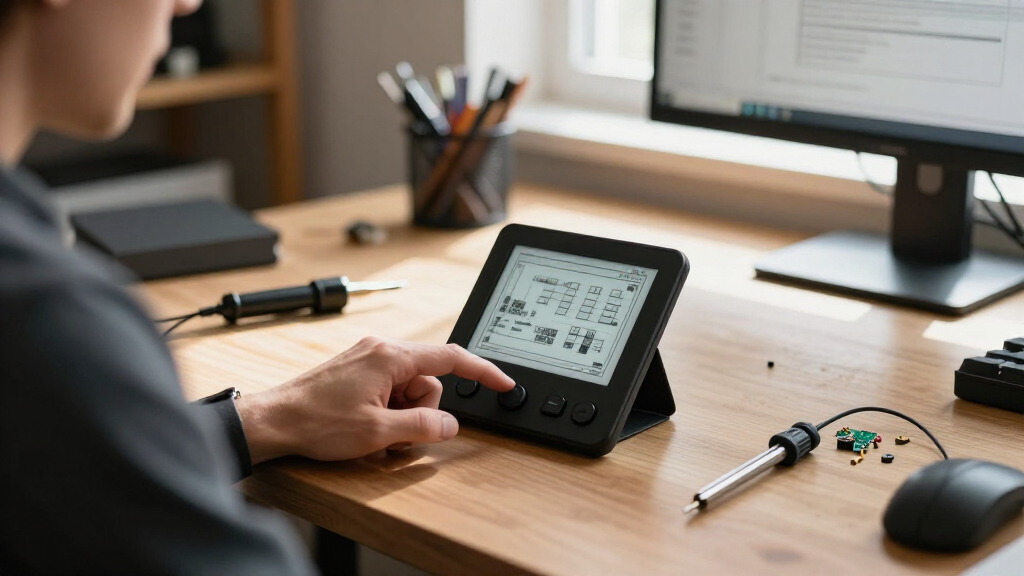
The best ESP32 e-paper gaming kits pair a screen size and controller setup that suit your game, rather than simply offering the largest display. My best overall pick is the Waveshare ESP32-S3 3.97-Inch E-Paper Development Board, which balances a useful screen size with a capable ESP32-S3 platform. The LILYGO T5 4.7-Inch is a standout for larger, more readable game boards, while the 2.13-Inch CrowPanel makes more sense for a compact build. Buyers trade screen area and readability against refresh behavior, physical controls, power needs, and the work of adapting example code. Read on for the full comparison and guidance on choosing a board that fits your game and your build skills.

Get the latest gadgets delivered free with Prime
- Fast, free delivery on millions of items
- Prime Video, Amazon Music and more included
- Member-only deals all year
Complete the kit



Key Takeaways
- The 3.97-inch Waveshare ESP32-S3 board is the strongest all-round fit: it avoids the cramped feel of the 1.54- and 2.13-inch options without committing to the LILYGO T5’s larger 4.7-inch panel.
- Screen size changes the kind of game that feels practical: compact boards suit simple menus and small-grid games, while the 3.97- and 4.7-inch screens leave more room for maps, status panels, and readable text.
- The Universal e-Paper Driver Board is the panel-flexibility pick, not a complete gaming handheld: its value depends on choosing and connecting a compatible raw panel.
- AI voice features do not automatically improve a game build: the AIoT and KLAYERS boards may suit voice-driven experiments, but buttons, input handling, and game code still need separate attention.
- None of these product names alone guarantees a ready-to-play kit: buyers should check what is included, how controls connect, and whether available examples support the selected display before committing.
| Waveshare Universal e-Paper Driver Board with Wi‑Fi/Bluetooth ESP32 Onboard – Supports Various Waveshare SPI e-Paper Raw Panels |  | Best for Reusing a Compatible Panel | Controller: ESP32 | Wireless connectivity: Wi-Fi and Bluetooth | Compatible panels: Supported Waveshare SPI e-paper raw panels | VIEW LATEST PRICE | See Our Full Breakdown |
| ESP32 2.13″ E-Ink Display CrowPanel E-Paper HMI |  | Best Compact Integrated Module | Display: 2.13-inch e-paper | Resolution: 122 × 250 | Controller: ESP32-S3 | VIEW LATEST PRICE | See Our Full Breakdown |
| LILYGO T5 e-Paper Basic ESP32-S3 Development Board with 4.7-Inch Display |  | Best for Large, Grayscale Game Screens | Microcontroller: ESP32-S3 | Display: 4.7-inch e-paper | Resolution: 540 × 960 | VIEW LATEST PRICE | See Our Full Breakdown |
| ESP32-S3 1.54-Inch E-Paper AIoT Development Board |  | Best for Sensor-Driven Experiments | Processor: ESP32-S3 dual-core LX7, up to 240 MHz | Display: 1.54-inch e-paper | Resolution: 200 × 200 | VIEW LATEST PRICE | See Our Full Breakdown |
| ESP32-S3 1.54″ e-Paper AIoT Development Board with Wi‑Fi, Bluetooth and AI Speech Interaction |  | Best for Button-and-Voice Prototyping | Processor: ESP32-S3, single core | Display: 1.54-inch black-and-white e-paper | Resolution: 200 × 200 pixels | VIEW LATEST PRICE | See Our Full Breakdown |
| ELECROW ESP32 4.2″ E-Ink Display (Black/White) |  | Best for Straightforward Game Prototypes | Display: 4.2-inch black-and-white e-paper | Resolution: 400 × 300 | Processor: Espressif ESP32-S3, 240 MHz | VIEW LATEST PRICE | See Our Full Breakdown |
| Waveshare ESP32-S3 3.97-Inch E-Paper Development Board |  | Best for Sensor-Rich Game Experiments | Display: 3.97-inch e-paper | Resolution: 800 × 480 | Processor: ESP32-S3R8 dual-core, up to 240 MHz | VIEW LATEST PRICE | See Our Full Breakdown |
| KLAYERS ESP32-S3 E-Ink 3.97″ Development Board with 800×480 Screen, AI Voice Interaction and Onboard Microphone, Wi-Fi/BT Support |  | Best for Battery-Ready Portable Builds | Display: 3.97-inch e-paper | Resolution: 800 × 480 | Processor: ESP32-S3R8 dual-core Xtensa LX7, up to 240 MHz | VIEW LATEST PRICE | See Our Full Breakdown |
| ESP32 e-paper gaming kit | Display | Resolution | Processor |
|---|---|---|---|
| Waveshare Universal e-Paper Dr | — | — | — |
| ESP32 2.13" E-Ink Display Crow | 2.13-inch e-paper | 122 × 250 | — |
| LILYGO T5 e-Paper Basic ESP32- | 4.7-inch e-paper | 540 × 960 | — |
| ESP32-S3 1.54-Inch E-Paper AIo | 1.54-inch e-paper | 200 × 200 | ESP32-S3 dual-core LX7, up to 240 MHz |
| ESP32-S3 1.54" e-Paper AIoT De | 1.54-inch black-and-white e-paper | 200 × 200 pixels | ESP32-S3, single core |
| ELECROW ESP32 4.2" E-Ink Displ | 4.2-inch black-and-white e-paper | 400 × 300 | Espressif ESP32-S3, 240 MHz |
| Waveshare ESP32-S3 3.97-Inch E | 3.97-inch e-paper | 800 × 480 | ESP32-S3R8 dual-core, up to 240 MHz |
| KLAYERS ESP32-S3 E-Ink 3.97" D | 3.97-inch e-paper | 800 × 480 | ESP32-S3R8 dual-core Xtensa LX7, up to 240 MHz |
More Details on Our Top Picks
Waveshare Universal e-Paper Driver Board with Wi‑Fi/Bluetooth ESP32 Onboard – Supports Various Waveshare SPI e-Paper Raw Panels
This board is the most modular choice here: it adds an ESP32, Wi-Fi, and Bluetooth to a supported Waveshare SPI raw panel rather than bundling a screen. That makes it useful for a custom game display or a panel you already own, while the Android app and HTML host code offer a route to wireless image updates without building every tool from scratch. Support for common image formats and Floyd–Steinberg dithering can help grayscale artwork look better on a monochrome panel. Unlike the self-contained CrowPanel 2.13-inch module, though, this board does not include a display, so panel selection and compatibility are on you. Its biggest limitation is also its defining one: it works with specific Waveshare raw panels, not e-paper screens in general. I’d choose it for a panel-led project, not a ready-to-play kit.
Pros:- Adds Wi-Fi and Bluetooth to compatible panels for wireless updates.
- Onboard ESP32 supports development with Android app and HTML host code.
- Accepts BMP, JPEG, GIF, and PNG images.
- Floyd–Steinberg dithering can improve the appearance of grayscale images.
Cons:- A compatible Waveshare SPI raw panel must be purchased or supplied separately.
- Limited panel compatibility rules out many screens from other manufacturers.
- A driver board and image-update workflow are less turnkey for gaming than an integrated display module.
Best for: Makers who already own a compatible Waveshare SPI raw panel and want wireless image updates or a programmable ESP32 base.
Not ideal for: Beginners seeking a complete e-paper gaming kit, or anyone with a non-Waveshare panel, since the display is not included and compatibility is limited.
- Controller:ESP32
- Wireless connectivity:Wi-Fi and Bluetooth
- Compatible panels:Supported Waveshare SPI e-paper raw panels
- Host support:Android app and HTML host code
- Supported image formats:BMP, JPEG, GIF, PNG
- Image processing:Floyd–Steinberg dithering
- Weight:19 g
Our verdict“Choose this board if you already have a compatible Waveshare panel and want wireless control; skip it if you need a complete screen-and-controller kit.”
ESP32 2.13″ E-Ink Display CrowPanel E-Paper HMI
The CrowPanel is the most straightforward small-screen option in this group because its ESP32-S3 and e-paper controller are integrated; you do not need to pair a separate driver board with a raw panel. Its 122 × 250 monochrome display is better suited to menus, simple game boards, and status-style interfaces than detailed sprites. Since the screen retains its image without power and draws power during refreshes, it can suit a handheld or always-on project where battery life matters more than frequent animation. Compared with the large LILYGO T5 4.7-inch board, it gives up display area and gray levels, but takes less space and presents a simpler starting point. The tradeoffs are the narrow resolution, black-and-white-only output, and no included protective acrylic case.
Pros:- Integrated ESP32-S3 and display controller reduce separate hardware choices.
- Retains the displayed image without power, supporting low-power projects.
- Reflective anti-glare screen is readable in direct sunlight.
- Arduino IDE compatibility supports familiar development workflows.
Cons:- The 122 × 250 resolution limits detail and screen layout options.
- Black-and-white display cannot show color graphics.
- No protective acrylic case is included.
Best for: Arduino makers building a compact, low-power project with simple monochrome game screens or menus.
Not ideal for: Developers who want detailed graphics, color, a large play area, or a protected display enclosure included.
- Display:2.13-inch e-paper
- Resolution:122 × 250
- Controller:ESP32-S3
- Processor speed:240 MHz
- RAM:8 MB
- Storage:8 MB
- Interface:SPI
- USB ports:1
Our verdict“Pick the CrowPanel for a compact Arduino-based e-paper project where low power and a built-in controller matter more than screen detail.”
LILYGO T5 e-Paper Basic ESP32-S3 Development Board with 4.7-Inch Display
The T5 stands out as the strongest fit here for games that need a broad playfield: its 4.7-inch, 540 × 960 display gives interfaces and static game scenes more room than the CrowPanel’s 2.13-inch screen or the two 1.54-inch AIoT boards. Its 16 gray levels also allow more tonal variation than the black-and-white alternatives, though e-paper remains a poor match for rapid animation. The ESP32-S3’s 16 MB flash and 8 MB PSRAM provide headroom for assets and code, while Wi-Fi, Bluetooth LE, and a TF card slot support connected or storage-heavy projects. This is a development board, not a finished handheld: the listed package is a board, cable, and paster, with no game controls or case specified. Choose it for screen space, not convenience or portability.
Pros:- Large 4.7-inch display offers more room for game boards and readable text.
- 540 × 960 resolution and 16 gray levels support more detailed tonal graphics.
- ESP32-S3 includes 16 MB flash and 8 MB PSRAM.
- Wi-Fi, Bluetooth LE, battery gauge, I/O expander, and TF card slot expand project options.
Cons:- Large display makes it less suited to compact handheld builds.
- E-paper refresh characteristics limit fast-moving game animation.
- No case or game controls are specified in the included package.
Best for: Makers prototyping static or turn-based games that benefit from a large, high-resolution grayscale display and room for assets.
Not ideal for: Buyers seeking a pocket-sized finished gaming device, fast-refresh action gameplay, or an included enclosure and controls.
- Microcontroller:ESP32-S3
- Display:4.7-inch e-paper
- Resolution:540 × 960
- Gray levels:16
- Flash:16 MB
- PSRAM:8 MB
- Wireless connectivity:2.4 GHz Wi-Fi and Bluetooth Low Energy
- Storage expansion:TF card slot
- Onboard components:AXP2602 battery gauge and XL9555 I/O expander
Our verdict“Choose the T5 when a large grayscale game screen and memory headroom matter more than portability or a ready-made handheld design.”
ESP32-S3 1.54-Inch E-Paper AIoT Development Board
This 1.54-inch board is better viewed as a compact sensor-and-audio development platform than a dedicated gaming kit. The 200 × 200 display can handle simple monochrome game screens, while the onboard temperature and humidity sensor, RTC, audio codec, and TF card slot make it easier to build interactive experiments around time, environment, or sound. Its Wi-Fi and Bluetooth 5 LE add connectivity without requiring separate radio hardware. Compared with the CrowPanel, it brings more listed peripherals but has a similarly constrained display area; beside the LILYGO T5, it is much smaller and lacks the larger screen and 16 gray levels. Expect setup work: this is a development board with a single included board, not a finished gaming device, and the modest resolution limits graphic detail.
Pros:- Combines e-paper with Wi-Fi and Bluetooth 5 LE.
- Onboard SHTC3 sensor and PCF85063 RTC support context-aware projects.
- Audio codec enables voice capture and playback experiments.
- TF card slot and expansion interfaces provide storage and hardware options.
Cons:- The 200 × 200 monochrome display restricts graphic detail and layout.
- Development-board format requires project setup and does not provide a finished gaming enclosure.
- Small screen is less suitable for games with complex boards or extensive text.
Best for: ESP32 developers building compact prototypes that combine simple e-paper graphics with sensor readings, audio, or time-based features.
Not ideal for: Players or makers who want a large, detailed game display, fast animation, or a plug-and-play handheld.
- Processor:ESP32-S3 dual-core LX7, up to 240 MHz
- Display:1.54-inch e-paper
- Resolution:200 × 200
- Wireless connectivity:2.4 GHz Wi-Fi and Bluetooth 5 LE
- Memory:512 KB SRAM and 8 MB PSRAM
- Flash storage:8 MB
- Audio:Onboard audio codec for voice capture and playback
- Sensors and clock:SHTC3 temperature and humidity sensor; PCF85063 RTC
- Expansion and storage:TF card slot; USB, UART, I2C, GPIO, and 2 × 6 expansion header
Our verdict“Pick this board for compact prototypes that mix simple game screens with sensor, audio, or RTC features rather than for display-first gaming.”
ESP32-S3 1.54″ e-Paper AIoT Development Board with Wi‑Fi, Bluetooth and AI Speech Interaction
This variant makes the most sense when a tiny e-paper interface needs more than screen taps: it pairs a 200 × 200 monochrome display with programmable side buttons, audio hardware, Wi-Fi, Bluetooth 5, an RTC, and a temperature/humidity sensor. Those controls and peripherals offer useful building blocks for menu navigation or voice-interaction experiments, though the listing does not specify a game-ready control layout. Against the other 1.54-inch AIoT board in this lineup, the standout detail is its programmable PWR and BOOT buttons and rechargeable lithium-battery circuit; both share a compact display and broad peripheral mix. This is still a small development platform, not a gaming console. The display has limited detail, and the listed memory capacity may constrain larger programs or asset-heavy games.
Pros:- Programmable side buttons offer physical input for simple menus and controls.
- Lithium battery recharge circuit supports portable project designs.
- Wi-Fi, Bluetooth 5 LE, RTC, and temperature/humidity sensor are built in.
- Audio codec, TF card slot, and expansion header support varied prototypes.
Cons:- The 200 × 200 black-and-white display limits graphic complexity.
- Listed memory may constrain larger applications and asset collections.
- The board is a development platform, not a finished gaming kit with a specified enclosure or game controls.
Best for: Developers prototyping small, battery-powered interfaces that need programmable buttons, audio experiments, and wireless connectivity.
Not ideal for: Anyone building graphics-heavy or fast-action games, or expecting a finished handheld with a roomy screen and dedicated gaming controls.
- Processor:ESP32-S3, single core
- Display:1.54-inch black-and-white e-paper
- Resolution:200 × 200 pixels
- Connectivity:Wi-Fi 802.11 b/g/n and Bluetooth 5 LE
- Memory:10 MB SRAM and 8 MB PSRAM
- Flash:8 MB
- Audio and sensors:Onboard audio codec; SHTC3 temperature and humidity sensor
- RTC and storage:PCF85063 RTC and TF card slot
- Controls and expansion:Programmable PWR and BOOT buttons; 2 × 6 pin header
Our verdict“Choose this board for a compact portable prototype that benefits from buttons and audio peripherals, but not for detailed or fast-refresh gaming.”
ELECROW ESP32 4.2″ E-Ink Display (Black/White)
The ELECROW CrowPanel is my pick for simple, low-power game interfaces where readability outdoors matters more than color or a large play area. Its 400 × 300 reflective display needs no backlight, and the image stays visible after power is removed—a useful fit for turn-based games, scoreboards, and menus that do not need constant animation. Arduino IDE compatibility and GPIO, USB, UART, buttons, and a rotary switch give a programmer practical ways to build controls around it. Compared with the Waveshare ESP32-S3 3.97-Inch, the ELECROW has a slightly larger stated display size but far less resolution and a simpler feature set. That keeps the project focused, though the monochrome-only screen and programming requirement make it a poor choice for colorful or plug-and-play gaming.
Pros:- Reflective screen remains readable in bright surroundings without a backlight.
- Low power use and image retention suit games with static screens between turns.
- 400 × 300 resolution offers a defined monochrome canvas for menus and game boards.
- GPIO, USB, UART, buttons, and rotary input support custom control layouts.
Cons:- Black-and-white rendering limits visual style and makes detailed graphics less expressive.
- E-paper refresh behavior is a poor fit for rapid animation or action games.
- Requires programming and integration rather than offering a finished gaming experience.
Best for: Makers building outdoor-friendly, turn-based games or persistent score and menu displays who are comfortable programming an ESP32.
Not ideal for: Players seeking a ready-to-play device, colorful graphics, fast animation, or room for a dense game interface.
- Display:4.2-inch black-and-white e-paper
- Resolution:400 × 300
- Processor:Espressif ESP32-S3, 240 MHz
- RAM:8 MB PSRAM
- Storage:8 MB
- Connectivity and interfaces:GPIO, USB, UART, buttons, and rotary switch
- Development compatibility:Arduino IDE
- Dimensions:4.21 × 3.43 × 0.2 inches
Our verdict“Choose the ELECROW for programmable, mostly static monochrome games, but pick the higher-resolution Waveshare if a more feature-rich development platform matters more.”
Waveshare ESP32-S3 3.97-Inch E-Paper Development Board
The Waveshare stands out for projects that treat a game board as more than a screen: its 800 × 480 e-paper display is paired with Wi-Fi, Bluetooth 5 LE, an IMU, environmental sensors, an RTC, and audio hardware. That combination gives a developer options for motion-aware puzzles, connected scores, or games that use time and sound without wiring each component separately. Compared with the ELECROW CrowPanel, it offers far more resolution and onboard components, while the ELECROW has a slightly larger stated screen and a simpler, more focused setup. The tradeoff is that this is still a development board, not a finished handheld, and the product details do not specify battery or power options. Its 3.97-inch screen also keeps the play area compact.
Pros:- 800 × 480 resolution provides more room for detailed monochrome game layouts than the ELECROW CrowPanel.
- Wi-Fi and Bluetooth 5 LE support connected projects and wireless interactions.
- Onboard IMU, RTC, temperature and humidity sensors, microphone, and audio codec broaden game input options.
- 8 MB PSRAM and 16 MB flash provide development resources for more involved prototypes.
Cons:- At 3.97 inches, the display offers limited space for large controls or dense game layouts.
- Battery and power options are not specified, leaving portable-game planning less clear.
- Its collection of development components requires coding and project integration.
Best for: ESP32 developers prototyping connected, sensor-driven puzzle or tabletop games who want audio and motion hardware onboard.
Not ideal for: Buyers who need a documented battery setup, a larger play surface, or a ready-to-use gaming device.
- Display:3.97-inch e-paper
- Resolution:800 × 480
- Processor:ESP32-S3R8 dual-core, up to 240 MHz
- Connectivity:2.4 GHz Wi-Fi and Bluetooth 5 LE
- PSRAM:8 MB
- Flash storage:16 MB
- Onboard components:Microphone and audio codec, six-axis IMU, temperature and humidity sensors, and RTC
- Warranty:1 year
Our verdict“Pick the Waveshare when onboard sensors, audio, and connectivity matter more than a larger screen or clearly specified portable power.”
KLAYERS ESP32-S3 E-Ink 3.97″ Development Board with 800×480 Screen, AI Voice Interaction and Onboard Microphone, Wi-Fi/BT Support
KLAYERS earns a distinct place here for makers who want to plan a portable game around a 3.7 V Li-ion battery connection and charging support. Its 3.97-inch, 800 × 480 display matches the Waveshare’s stated size and resolution, and both boards include an ESP32-S3, sensors, and audio-related hardware. KLAYERS pulls ahead for battery planning with its listed power-management IC, USB-C, TF card slot, and programmable side buttons; the Waveshare remains appealing when its documented 2.4 GHz Wi-Fi and Bluetooth 5 LE details are the priority. Neither is a finished gaming device, and KLAYERS requires an external battery to use its portable power features. Its small e-paper panel also suits turn-based or menu-led games far better than fast action.
Pros:- Power management supports 3.7 V Li-ion charging for portable project designs.
- 800 × 480 e-paper display provides the same stated resolution as the Waveshare board.
- Onboard IMU, temperature and humidity sensor, RTC, and microphone support varied interactions.
- USB-C, TF card slot, and side buttons offer useful project connections and controls.
Cons:- An external battery is required to use the battery-based power features.
- The 3.97-inch display is compact for games with substantial on-screen controls.
- The product data does not specify a complete game interface or ready-to-play software.
Best for: Makers building a portable, battery-powered e-paper game or interactive prototype who can supply a compatible 3.7 V Li-ion battery.
Not ideal for: Buyers seeking a complete handheld, a larger display, or a game built for rapid animation and frequent screen updates.
- Display:3.97-inch e-paper
- Resolution:800 × 480
- Processor:ESP32-S3R8 dual-core Xtensa LX7, up to 240 MHz
- Memory:8 MB PSRAM and 16 MB flash
- Wireless:Wi-Fi 802.11 b/g/n and Bluetooth 5 LE
- Sensors:QMI8658 six-axis IMU, SHTC3 temperature/humidity sensor, and PCF85063 RTC
- Power and USB:TG28 power-management IC with 3.7 V Li-ion charging; one USB-C port
- Other connections and components:TF card slot, PWR and BOOT side buttons, low-power audio codec with microphone input
Our verdict“Choose KLAYERS over the Waveshare when battery integration and USB-C matter most, provided you are prepared to supply a battery and build the game yourself.”
How We Picked
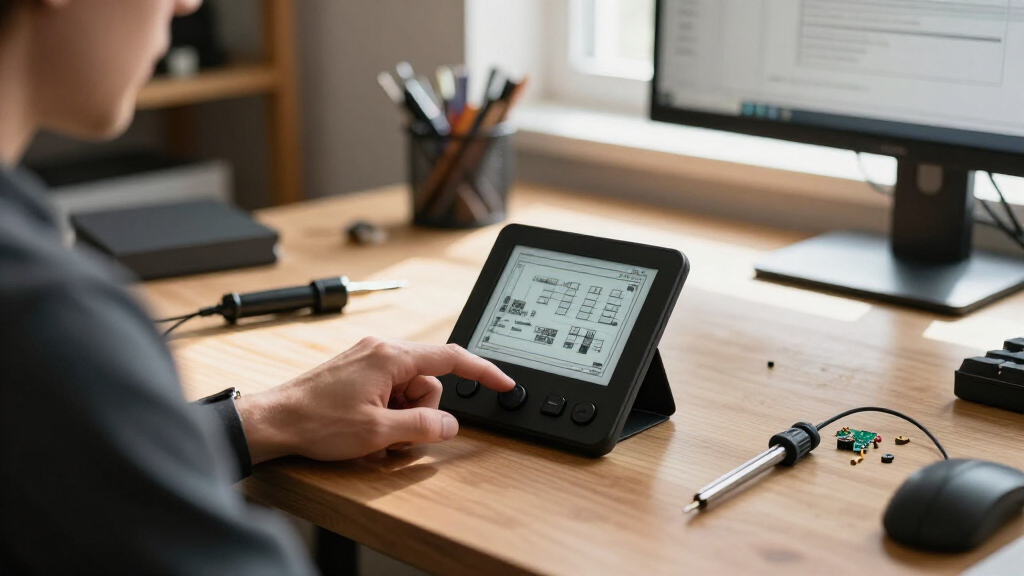
I ranked these eight options for DIY gaming suitability, not as general-purpose e-paper boards. My main criteria were whether the display gives a game enough usable space, how practical the ESP32 platform is for custom code, and how much extra work a buyer may face adding controls, power, and a case. I also weighed panel flexibility, connectivity, and whether advertised extras—such as AI voice interaction—serve a real gaming project or mostly add complexity.
The ranking favors boards that offer a sensible balance of screen area and development potential without requiring a buyer to source a separate panel. That puts the 3.97-inch ESP32-S3 Waveshare ahead as a balanced starting point, with the larger LILYGO T5 favored for readability and the smaller CrowPanel favored for compact projects. The Universal Driver Board ranks differently because panel choice is flexible but assembly demands more planning. Where products share a 1.54-inch format or voice-oriented features, I distinguish them by likely project fit rather than treating similar specifications as a meaningful gaming advantage.
| ESP32 e-paper gaming kit | Processor |
|---|---|
| Waveshare Universal e-Paper Dr | — |
| ESP32 2.13" E-Ink Display Crow | — |
| LILYGO T5 e-Paper Basic ESP32- | — |
| ESP32-S3 1.54-Inch E-Paper AIo | ESP32-S3 dual-core LX7, up to 240 MHz |
| ESP32-S3 1.54" e-Paper AIoT De | ESP32-S3, single core |
| ELECROW ESP32 4.2" E-Ink Displ | Espressif ESP32-S3, 240 MHz |
| Waveshare ESP32-S3 3.97-Inch E | ESP32-S3R8 dual-core, up to 240 MHz |
| KLAYERS ESP32-S3 E-Ink 3.97" D | ESP32-S3R8 dual-core Xtensa LX7, up to 240 MHz |
Factors to Consider When Choosing Best ESP32 E-paper Gaming Kits
Choosing an e-paper board for gaming is less about finding a screen with the most features and more about matching the hardware to the pace and layout of your game. These broader checks can prevent a common mismatch: buying a display board and only later discovering that controls, software examples, or panel behavior need extra work.
Match Screen Area to the Game Layout
Start by sketching the game screen at its intended resolution, including text, menus, and status information. A small display can work well for turn-based puzzles or a few large symbols, but a dense map may force tiny text and crowded controls. A larger panel gives more room, yet can make a portable build bulkier and may use more power. Do not choose by diagonal measurement alone: aspect ratio and usable pixel resolution affect how much of your planned interface fits. Leave space for on-screen prompts if the build will not have a full physical keyboard. For fast animation, remember that extra screen area does not make an e-paper panel behave like a conventional gaming display.
Treat Refresh Behavior as a Game Design Constraint
E-paper is a better fit for games that update deliberately than for action that depends on smooth, continuous motion. Before buying, check the specific panel’s refresh modes, supported update regions, and any display notes in its documentation. Frequent full-screen changes can feel slow and may cause visible ghosting; partial updates can help in some cases but are not a universal fix. Design around turns, moves, or occasional status changes if the display is a fixed requirement. A board with a larger screen cannot solve a panel’s refresh limitations. If your game needs rapid scrolling or animation, reconsider whether e-paper is the right display type.
Budget for Controls, Power, and the Enclosure
A development board is not necessarily a complete gaming kit with buttons, a battery, and a finished case. Check the package contents and pinout before choosing, then plan how directional input, confirm, and back actions will connect. A touchscreen or voice feature may not offer the tactile, predictable input that a handheld game needs. Battery life also depends on refresh frequency, wireless use, sleep behavior, and the cell you add—not just the board’s processor. A larger panel can influence enclosure dimensions and portability even if the rest of the build is compact. Sketching the control layout and power arrangement first helps avoid buying parts that do not fit together.
Check Software Support Before Committing
ESP32 compatibility alone does not mean every game example will work unchanged on every screen. Look for the exact panel model, controller, resolution, and ESP32 variant in the maker’s libraries and sample code. A board that needs a separate raw panel, such as a universal driver setup, calls for extra checks on connector type and panel compatibility. ESP32-S3 boards may offer a different development path from earlier ESP32 designs, so verify that your preferred framework and libraries support the specific board. Read example projects for their input and display assumptions, not just their screenshots. Good documentation can save more build time than an extra feature you may never use.
Pay for Features That Serve the Game
Wireless connectivity can help with updates, multiplayer experiments, or remote content, but a game that runs offline may not need Wi-Fi or Bluetooth during play. Voice interaction and onboard microphones add possibilities for voice-controlled experiments, though they do not replace dependable buttons or solve display refresh limits. If a board advertises AI features, check whether the processing happens locally, relies on a connected service, or requires extra setup. Those details affect privacy, network dependence, and project complexity. Choose extras only when they support a feature you plan to build. Otherwise, a simpler board with a suitable screen and clear documentation may be a more direct route to a playable prototype.
Think About the Full Build, Not Just the Board
Before ordering, list the panel, cables, controls, battery, charging parts, and case needed to reach a playable prototype. An all-in-one display board can simplify wiring, while a driver board built for separate panels may offer flexibility at the cost of additional assembly decisions. Check the board’s dimensions and connector placement against the enclosure you intend to use. Confirm whether the display is included and whether accessories shown in product images are part of the package. If this is a first hardware project, favor a well-documented board and a small scope over a feature-heavy design. A modest game that reaches a working finish is often a better project choice than a large build with unresolved hardware dependencies.
Frequently Asked Questions
Can any of these boards run a fast-paced action game?
They can run game logic, but e-paper refresh behavior makes these boards a poor match for games that need continuous animation or rapid screen changes. Turn-based puzzles, word games, board games, and menu-driven adventures are more natural fits. Check the exact panel’s refresh modes and test a small display update before designing a game around it. A faster ESP32 does not remove the screen’s refresh limits. If smooth motion is central to the game, a different display technology is a better starting point.
Do I need to buy physical buttons separately?
Plan as if you may need to add controls unless the package details clearly say otherwise. These product names describe display and development boards, not necessarily complete handheld gaming kits. Check for included buttons, accessible GPIO pins, and a pinout that leaves room for your chosen input method. A touchscreen, microphone, or wireless link is not automatically a substitute for tactile game controls. Confirm control and enclosure needs before choosing a board so the finished layout remains comfortable to use.
Which option is the easiest starting point for a first game project?
A beginner should prioritize clear documentation, working display examples, and a panel that is already paired with the board. The CrowPanel or one of the integrated display boards may be simpler to approach than the Universal e-Paper Driver Board, which requires panel compatibility decisions. Ease still depends on the software examples available for the exact model and the controls you want to add. Start with a static screen and one input before building menus or game logic. That approach reveals library or wiring problems early, without requiring a full game rewrite.
Should I choose the largest screen for the best gaming experience?
Not automatically: screen area helps with readability and complex layouts, but it does not make e-paper refresh faster. The LILYGO T5’s 4.7-inch panel may suit maps or interfaces with several information areas, while a smaller display can make a simple game more compact. Larger screens also affect enclosure size and portability. Compare the panel’s resolution and proportions with your actual interface mockup rather than relying on diagonal size. For a small-grid game, a 1.54- or 2.13-inch option may be adequate; for dense text, more space may matter.
Are the AI voice and Wi-Fi features useful for a game build?
They are useful when the game has a real voice, network, or remote-update feature in mind, but they are not prerequisites for a playable project. Wireless can support connected experiments, while voice interaction may suit hands-free or accessibility-focused prototypes. Both can add setup, code, and power considerations that a simple offline game avoids. Check how the advertised AI feature works and what services or libraries it requires before treating it as a built-in game capability. If your priority is responsive physical input, spend more attention on button support and display documentation.
Conclusion
For most DIY game builds, my best overall pick is the Waveshare ESP32-S3 3.97-Inch Development Board: it balances display area and an ESP32-S3 platform without moving to the largest format. The best value in practical flexibility is the 2.13-inch CrowPanel for compact, simpler game concepts, while the best premium-size choice is the LILYGO T5 4.7-Inch when a larger interface matters more than portability. For beginners, I would favor an integrated display board with useful examples over the Universal Driver Board, which suits builders who want to select their own compatible panel. Choose the Universal Driver Board for panel flexibility or the voice-enabled AIoT and KLAYERS options for specific connected or voice projects—not just for gaming by default. Before choosing any of them, confirm the included parts, control plan, and software support for your exact display.
Fall Picks
fall essentials
As an affiliate, we earn on qualifying purchases.