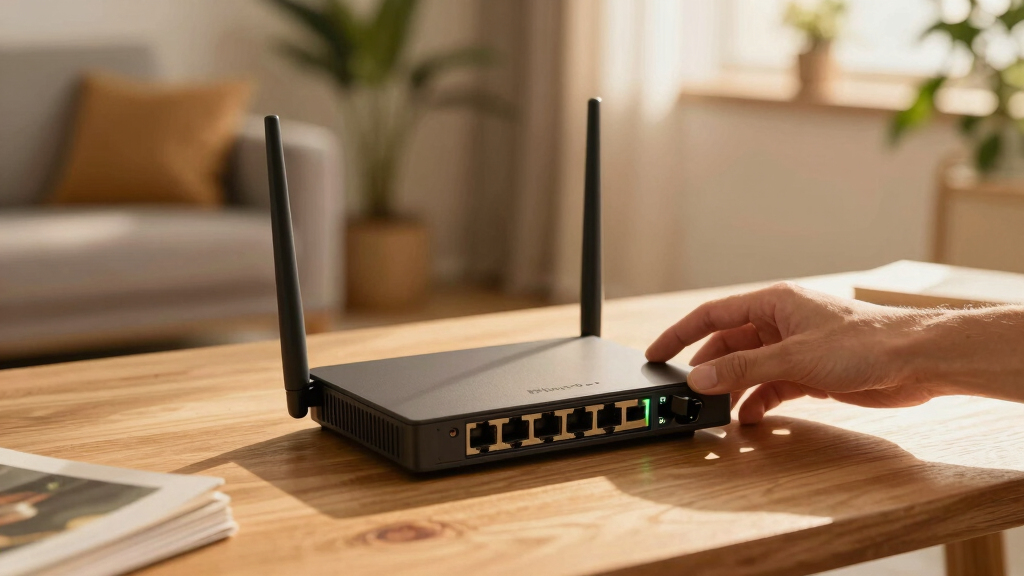

Choosing the best MikroTik router for your home can be tricky given the variety of options and technical features. If you want a dedicated wired solution with strong security, the Mikrotik hEX RB750Gr3 stands out for its powerful dual-core processor and hardware encryption. For those prioritizing wireless connectivity, the MikroTik hAP ac3 offers reliable dual-band Wi-Fi, while the MikroTik hAP ax S supports the latest Wi-Fi 6 standard for faster speeds. Each of these picks balances performance and complexity differently, making it essential to match features with your specific needs.
Open a free Amazon Business account
Business pricing, bulk buying and tax-exempt orders.
Create a free accountAs an affiliate, we earn on qualifying purchases.
Tradeoffs include the hEX RB750Gr3’s lack of Wi-Fi and more technical setup, versus the wireless models that may lack some advanced wired features or detailed specifications. My goal is to clarify these differences so you can choose the best MikroTik router tailored to your home network setup.
Complete the kit



Key Takeaways
- The Mikrotik hEX RB750Gr3 is ideal for wired, security-focused setups but lacks Wi-Fi.
- The MikroTik hAP ac3 offers reliable dual-band Wi-Fi with multiple Ethernet ports, suited for small wireless networks.
- The MikroTik hEX S combines wired flexibility with high-speed fiber connectivity options via the 2.5G SFP port.
- The Mikrotik hEX is an affordable, upgraded wired router for home use with a modern ARM CPU.
- The MikroTik hAP ax S brings Wi-Fi 6 to MikroTik’s lineup, ideal for users wanting the fastest wireless speeds.
| Mikrotik hEX RB750Gr3 5-port Ethernet Gigabit Router |  | Best for Secure Wired Networking | Number of Ports: 5 Gigabit Ethernet | CPU: Dual-core 880MHz | RAM: 256MB | VIEW LATEST PRICE | See Our Full Breakdown |
| MikroTik hAP ac3 |  | Best Wireless Access Point for Small Homes | Wireless Standard: 802.11ac | Number of Ethernet Ports: 5 | Dual-Band: Yes | VIEW LATEST PRICE | See Our Full Breakdown |
| MikroTik hEX S (2025) E60iUGS Wired Router |  | Best for High-Speed Wired Connections | Number of Ethernet Ports: 5 | SFP Port: 2.5G | PoE Out: Yes | VIEW LATEST PRICE | See Our Full Breakdown |
| Mikrotik hEX 5 Port Gigabit Router (E50UG) |  | Best Budget Wired Router | Number of Ports: 5 Gigabit Ethernet | RAM: 512MB | Processor: ARM CPU | VIEW LATEST PRICE | See Our Full Breakdown |
| MikroTik hAP ax S Wireless Router Wi-Fi 6 (802.11ax) |  | Best for Future-Proof Wireless Connectivity | Wi-Fi Standard: Wi-Fi 6 (802.11ax) | VIEW LATEST PRICE | See Our Full Breakdown |
More Details on Our Top Picks
Mikrotik hEX RB750Gr3 5-port Ethernet Gigabit Router
The Mikrotik hEX RB750Gr3 shines as a compact, budget-friendly wired router. Its dual-core 880MHz CPU and hardware IPsec encryption make it a strong choice for secure, high-speed wired connections. It’s less suitable if you need Wi-Fi, which is a notable gap compared to wireless options. Compared with the hAP ac3, this model offers no wireless connectivity, but it’s more straightforward for wired setups that demand security and performance. Setup requires some technical knowledge, but its passive PoE support simplifies power management.
Pros:- Compact and affordable design
- Powerful dual-core processor with hardware encryption
- Includes microSD slot for storage expansion
- Supports passive PoE for easy power setup
Cons:- Limited wireless options
- No built-in Wi-Fi
- Requires technical setup
Best for: Users seeking a secure, wired network with high performance and minimal wireless needs.
Not ideal for: Those who need integrated Wi-Fi or a simple plug-and-play solution.
- Number of Ports:5 Gigabit Ethernet
- CPU:Dual-core 880MHz
- RAM:256MB
- Storage:16 MB microSD
- PoE:Passive PoE (PoE in)
- Dimensions:113x89x28mm
Our verdict“A solid wired router for security-conscious users who don’t need Wi-Fi onboard.”
MikroTik hAP ac3
The MikroTik hAP ac3 offers dual-band Wi-Fi, making it suitable for typical home environments where reliable wireless coverage is essential. It features multiple Ethernet ports and supports advanced routing features, giving it versatility for small networks. However, detailed specifications are limited, and setup may be challenging for less technical users. Unlike the hEX RB750Gr3, it combines wireless and wired connectivity but lacks advanced security features or extensive documentation.
Pros:- Reliable dual-band Wi-Fi performance
- Multiple Ethernet ports
- Advanced routing features suitable for small networks
Cons:- Limited detailed specs
- No included power info
- Setup can be technical
Best for: Home users needing dependable Wi-Fi and multiple wired ports without complex configurations.
Not ideal for: Users seeking a dedicated wired-only router or requiring detailed technical specs upfront.
- Wireless Standard:802.11ac
- Number of Ethernet Ports:5
- Dual-Band:Yes
Our verdict“A versatile wireless access point for small homes that need stable dual-band Wi-Fi and multiple wired connections.”
MikroTik hEX S (2025) E60iUGS Wired Router
The MikroTik hEX S (2025) is geared toward users who want a wired router with fiber compatibility and advanced features. Its 2.5G SFP port supports high-speed fiber connections, while PoE out and USB add flexibility. Powered by RouterOS, it provides extensive network management tools. The downside is the limited info on Wi-Fi capabilities, which makes it less suitable for wireless-centric homes. It’s a good choice for those integrating fiber or needing a versatile wired setup with future-proofing.
Pros:- Multiple Gigabit Ethernet ports
- Includes 2.5G SFP port for fiber
- PoE out for device powering
- Powered by RouterOS for advanced features
Cons:- Limited Wi-Fi info
- No mention of accessories or mounting
Best for: Home with fiber internet or requiring a high-speed wired backbone.
Not ideal for: Wireless-only households or those seeking plug-and-play simplicity.
- Number of Ethernet Ports:5
- SFP Port:2.5G
- PoE Out:Yes
- USB:Yes
- Processor:Dual-core CPU
Our verdict“Ideal for wired, fiber-ready home networks needing high-speed backbone connectivity.”
Mikrotik hEX 5 Port Gigabit Router (E50UG)
The Mikrotik hEX (E50UG) offers an affordable upgrade for home users seeking performance. Its ARM CPU and 512MB RAM deliver better speed and efficiency compared to older models. It’s straightforward with five gigabit ports, making it suitable for small homes or offices. However, details on security features or throughput are limited, and it’s not designed for complex or very high-demand setups. This router strikes a balance between performance and price for basic wired networking.
Pros:- Affordable price point
- Modern ARM CPU
- Multiple gigabit ports
- Improved performance over older models
Cons:- Limited security features
- No detailed throughput data
- No Wi-Fi
Best for: Budget-conscious users needing reliable wired connectivity for small networks.
Not ideal for: Those with high security or advanced routing needs who require detailed specifications.
- Number of Ports:5 Gigabit Ethernet
- RAM:512MB
- Processor:ARM CPU
Our verdict“A solid budget wired router suited for basic home or small office networks with moderate demands.”
MikroTik hAP ax S Wireless Router Wi-Fi 6 (802.11ax)
The MikroTik hAP ax S introduces Wi-Fi 6 to MikroTik’s lineup, promising faster speeds and improved network efficiency. Although specific detailed specs are sparse, this model is clearly aimed at users wanting the latest wireless technology. Its main appeal lies in providing a more future-proof setup, especially in busy households where multiple devices demand high throughput. The lack of detailed specs makes it less suitable for those who want comprehensive technical info upfront, but its Wi-Fi 6 support makes it a standout for wireless performance.
Pros:- Supports Wi-Fi 6 for faster speeds
- Reliable wireless performance
- Future-proof connectivity
Cons:- Limited detailed specifications
- No price or rating info
Best for: Tech-savvy households wanting the latest Wi-Fi standard for maximum speed and device capacity.
Not ideal for: People seeking a straightforward, no-fuss router or detailed technical specs beforehand.
- Wi-Fi Standard:Wi-Fi 6 (802.11ax)
Our verdict“A high-performance Wi-Fi 6 router ideal for users prioritizing the latest wireless tech and capacity.”
How We Picked
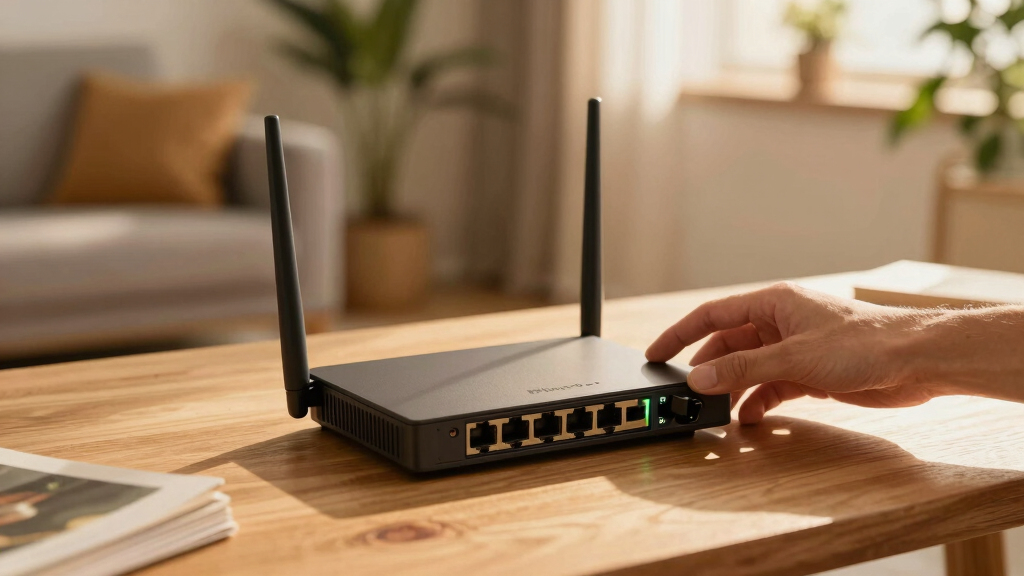
My selection process focused on balancing performance, ease of use, and value for typical home users. I prioritized routers with clear specifications, real-world suitability for different network setups, and positive community feedback. Each product was evaluated on its core role—whether wired, wireless, or hybrid—along with potential tradeoffs like complexity or missing features. I aimed to highlight models that serve different needs, from simple home Wi-Fi to more advanced wired or fiber-compatible setups.
Factors to Consider When Choosing Best MikroTik Home Routers
Choosing the right MikroTik router depends on your specific network needs and technical comfort level. Whether you prioritize wired security, wireless performance, or future-proof features, understanding each model’s strengths and limitations helps you make an informed decision.
Wired vs Wireless
If your home setup is primarily wired, models like the hEX RB750Gr3 or hEX S offer dedicated high-performance connections but lack Wi-Fi. Wireless users should consider the hAP ac3 or the Wi-Fi 6-capable hAP ax S for faster, more reliable coverage across multiple devices.
Performance and Future-Proofing
For high-speed fiber or demanding networks, the hEX S’s 2.5G SFP port stands out. Meanwhile, the hAP ax S supports Wi-Fi 6, making it more suitable for future device upgrades and crowded households.
Ease of Use and Setup
Most MikroTik routers require some technical knowledge, especially for advanced features. The simpler models focus on straightforward wired or basic wireless setups, while the higher-end options like the hEX S or hAP ax S offer extensive configuration options via RouterOS.
Frequently Asked Questions
Are MikroTik routers suitable for beginners?
MikroTik routers generally target users with some networking experience due to their advanced configuration options and RouterOS features. While they can be used by beginners, a steeper learning curve is involved compared to consumer-focused routers from other brands. For those new to networking, starting with simpler models or seeking additional tutorials will help.
Can MikroTik routers handle high-speed internet connections?
Yes, many MikroTik models, especially those with gigabit ports and SFP support like the hEX S, are designed to handle high-speed internet, including fiber connections. However, actual throughput depends on the specific model and network setup. Always check if the router supports your internet plan’s maximum speed for optimal performance.
Do MikroTik routers include Wi-Fi?
Some MikroTik models, such as the hAP ac3 and hAP ax S, include built-in Wi-Fi, with the latter supporting Wi-Fi 6 for faster wireless speeds. Others, like the hEX RB750Gr3, focus solely on wired connections, so it’s important to choose a model aligned with your wireless needs.
What security features do MikroTik routers offer?
MikroTik routers with RouterOS provide extensive security options, including VPN, firewall rules, and hardware encryption. However, implementing these features requires some technical knowledge. For basic security, the hardware encryption and firewall settings are generally sufficient for most home users, but more advanced setups may need deeper configuration.
Are MikroTik routers reliable for everyday use?
Many users find MikroTik routers highly reliable, especially in environments where network stability and security are priorities. Their hardware quality and advanced features make them suitable for continuous home use, though initial setup might require technical familiarity. Regular firmware updates also help maintain reliability over time.
Conclusion
For casual home users who want simple, plug-and-play wireless coverage, the hAP ac3 or the Wi-Fi 6-enabled hAP ax S are excellent choices. Tech-savvy users or those needing more secure wired setups should consider the hEX RB750Gr3 or the hEX S for their power and flexibility. Budget-conscious households will find the hEX a compelling option for reliable wired networking without added complexity. Ultimately, matching your network demands with these models’ strengths will lead to the best home setup in 2026.
Flea & tick season Picks
flea and tick prevention
As an affiliate, we earn on qualifying purchases.