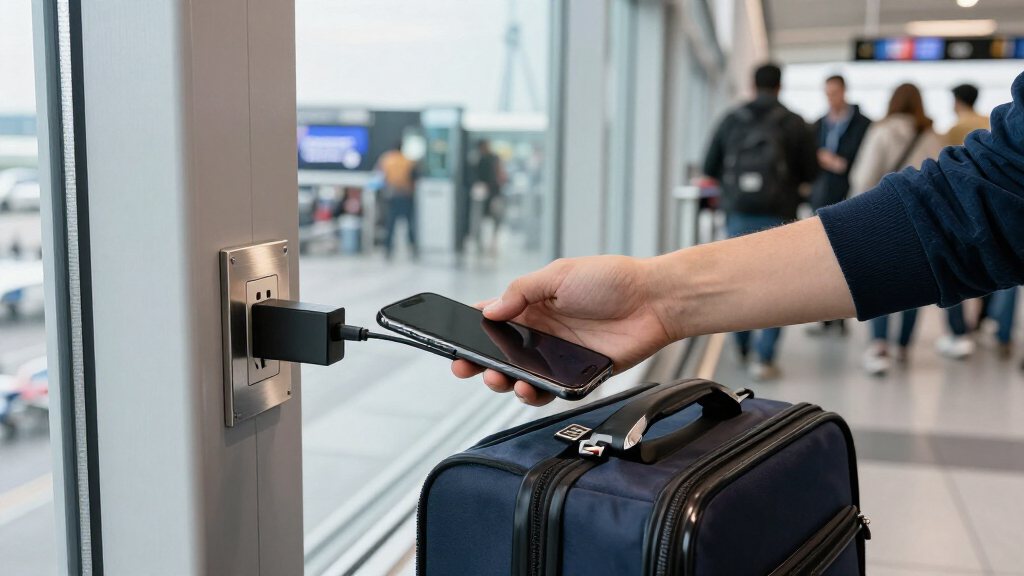

USB data blockers let power pass through a USB connection while blocking data pins, helping reduce the risk of unwanted data access at public charging ports. My best overall pick is the JSAUX USB Data Blocker & USB-C Data Blocker, 6-Pack, a versatile set for people who need both connector types and several adapters. The Plugable USB-MC1 is a simpler single-adapter choice, while the 240W USB-C to USB-C 2-Pack suits newer USB-C charging setups. The main tradeoffs are connector compatibility, pack size, and whether a charge-only adapter’s power capabilities match your device and charger. Read on for the full breakdown of all 15 options and guidance on choosing the right type for your gear.

Get the latest gadgets delivered free — and shop member deals
- Fast, free delivery on millions of items
- Access to Prime Big Deal Days deals on October 6–7
- Prime Video, Amazon Music and more included
Complete the kit



Key Takeaways
- Connector coverage separates the most versatile sets: the JSAUX six-pack combines USB-A and USB-C blockers, while USB-C-only packs suit device setups that have moved away from USB-A.
- Pack size changes the value proposition: the LUARXSIN 12-pack offers the widest quantity in this lineup, but a smaller pack may be more practical if you need only one or two travel adapters.
- Power claims need a compatibility check: the 240W USB-C two-pack is the standout for high-power USB-C setups, but buyers should confirm its stated charging support fits their charger and device.
- Single-adapter picks trade flexibility for simplicity: Plugable, StarTech.com, and PortaPow USB-A models are easier to choose when USB-A is the only connector you need.
- Pack contents matter more than a generic juice-jacking label: compare the actual USB-A and USB-C adapters included, rather than assuming every multi-pack covers both connector types.
| JSAUX USB Data Blocker & USB‑C Data Blocker, Charge‑Only, Grey, 6‑Pack |  | Best Overall for Mixed Devices | Brand: JSAUX | Model number: DC0008DC0009DC0010 | Connector types: USB and USB Type-C; set includes USB-A, USB-A to USB-C, and USB-C adapters | VIEW LATEST PRICE | See Our Full Breakdown |
| Plugable USB-MC1 USB Data Blocker and Charge-Only Adapter |  | Best Simple Single-Adapter Pick | Brand: Plugable | Model: USB-MC1 | Connector type: USB | VIEW LATEST PRICE | See Our Full Breakdown |
| USB‑C to USB‑C Data Blocker – Charge Only, 240 W (2‑Pack) |  | Best for High-Power USB-C Charging | Connector type: USB Type-C | Number of ports: 1 | Maximum charging support: Up to 240 W | VIEW LATEST PRICE | See Our Full Breakdown |
| Fidioto USB Data Blocker Adapter Set, 4-Pack |  | Best for Connector Variety | Brand: Fidioto | Model number: 4kinds-Data blocker-FID | Quantity: 4 | VIEW LATEST PRICE | See Our Full Breakdown |
| 3-in-1 USB Data Blocker – Protects Against Juice Jacking |  | Best Multi-Port Option | Connector options: USB-A to USB-C, USB-A to USB-A, USB-C to USB-C | Number of ports: 4 | Charging support: Up to 20 V/4 A | VIEW LATEST PRICE | See Our Full Breakdown |
| JSAUX USB-A Charge-Only Data Blocker, 4-Pack, Red |  | Best USB-A-Only Travel Set | Connector: USB Type-A | Function: Charge only; blocks data transmission | Maximum current: 2.4A | VIEW LATEST PRICE | See Our Full Breakdown |
| JSAUX USB Data Blocker & USB C Data Blocker, Charge-Only, 4-Pack, Black |  | Best for Mixed USB-A and USB-C Devices | Connectors: USB and USB-C | Port breakdown: 4 total: 2 USB and 2 USB-C | Function: Charge only; blocks data transfer | VIEW LATEST PRICE | See Our Full Breakdown |
| BUISAMG USB-C Data Blocker – Protects Against Juice Jacking (4-Pack) |  | Best Compact Metal-Shell USB-C Set | Connector types: USB Type-A and USB Type-C | Charging support: Up to 2.4A | Function: Blocks data transfer while allowing charging | VIEW LATEST PRICE | See Our Full Breakdown |
| USB‑C Data Blocker – Protects Against Juice Jacking (6‑Pack) |  | Best Six-Pack for Multiple USB-C Devices | Connector types: USB-A and USB-C | Function: Blocks data transfer while allowing charging | Charging support: Up to 2.4A | VIEW LATEST PRICE | See Our Full Breakdown |
| LUARXSIN USB-A and USB-C Data Blockers, 12-Pack |  | Best Bulk Set for Shared Spaces | Connectors: USB Type-A and USB Type-C | Maximum current: 2A | Function: Allows charging; blocks data transfer and syncing | VIEW LATEST PRICE | See Our Full Breakdown |
| StarTech.com USB-A Charge-Only Data Blocker Adapter |  | Best for Brand-Specific Reassurance | Brand: StarTech.com | Model: USBSCHAAMF | Connector: USB-A male to female | VIEW LATEST PRICE | See Our Full Breakdown |
| PortaPow USB-A Data Blocker, Transparent, 1-Pack |  | Best for Charging-Standard Support | Brand: PortaPow | Model: PPUSBDB | Connector: USB Type-A | VIEW LATEST PRICE | See Our Full Breakdown |
| USB Data Blocker & USB-C Data Blocker – Transparent Type A & C (6 Pack) |  | Best Mixed-Connector Bundle | Brand: LUARXSIN | Model: 6 Pack Silver (AC*2+CC*4) | Connector types: USB Type-A and USB Type-C | VIEW LATEST PRICE | See Our Full Breakdown |
| Rixmie USB-A Charge-Only Data Blocker Adapter, 2-Pack |  | Best for Higher-Power USB-A Pass-Through | Connector: USB Type-A male to USB Type-A female | Maximum power pass-through: Up to 60W (20V/3A) | Fast charging compatibility: QC 2.0/3.0 pass-through | VIEW LATEST PRICE | See Our Full Breakdown |
| PortaPow USB-A Data Blocker, Black, 5-Pack |  | Best for Sharing Across Bags and Devices | Brand: PortaPow | Connector: USB Type-A | Compatible devices: Android devices, smartphones, tablets, iPad, and iPhone | VIEW LATEST PRICE | See Our Full Breakdown |
| USB data blocker | Color | Warranty |
|---|---|---|
| JSAUX USB Data Blocker & USB‑C | Grey | — |
| Plugable USB-MC1 USB Data Bloc | — | 2-year limited parts and labor |
| USB‑C to USB‑C Data Blocker | Red metallic | — |
| Fidioto USB Data Blocker Adapt | — | Six months |
| 3-in-1 USB Data Blocker | Grey and red | 12-month worry-free period |
| JSAUX USB-A Charge-Only Data B | Red | 18 months |
| JSAUX USB Data Blocker & USB C | Black | — |
| BUISAMG USB-C Data Blocker | Red | — |
| USB‑C Data Blocker | Red | — |
| LUARXSIN USB-A and USB-C Data | Silver | 1 year |
| StarTech.com USB-A Charge-Only | — | Lifetime |
| PortaPow USB-A Data Blocker | Transparent | 2 years |
| USB Data Blocker & USB-C Data | — | 1 year |
| Rixmie USB-A Charge-Only Data | Black | — |
| PortaPow USB-A Data Blocker | Black | 2 years |
More Details on Our Top Picks
JSAUX USB Data Blocker & USB‑C Data Blocker, Charge‑Only, Grey, 6‑Pack
The JSAUX six-pack is my strongest all-around choice for travelers carrying a mix of USB-A and USB-C devices. Its assortment covers several connection setups, while the charge-only design blocks data transfer at an unfamiliar public USB port. Support for charging up to 100 W gives it more headroom than the single-port Plugable USB-MC1, though actual speed still depends on the charger, cable, and device.
The main advantage is having six small adapters ready for different bags or devices; the tradeoff is that the set is less specialized than the Afterplug 240 W USB-C to USB-C pair for high-power USB-C charging. These blockers cannot sync files, and the connector mix may take a moment to identify when packed together. I’d choose it for flexibility, not for data access or a guaranteed maximum charging speed.
Pros:- Six adapters provide spares for different devices and travel bags.
- USB-A and USB-C connector options cover varied charging setups.
- Rated for charging up to 100 W with PD 3.0/2.0 support.
- Compact dimensions make the adapters easy to carry.
Cons:- Charge-only operation prevents syncing or file transfer.
- The stated charging rate depends on the charger, cable, and device.
- A multi-connector set takes more sorting than the single-adapter Plugable USB-MC1.
Best for: Frequent travelers and households carrying a mix of USB-A and USB-C phones, tablets, and accessories who want several charge-only adapters on hand.
Not ideal for: People who need one clearly defined adapter for a USB-C laptop charging setup at up to 240 W, or who need to transfer files through the same accessory.
- Brand:JSAUX
- Model number:DC0008DC0009DC0010
- Connector types:USB and USB Type-C; set includes USB-A, USB-A to USB-C, and USB-C adapters
- Maximum charging support:Up to 100 W; PD 3.0/2.0
- Unit count:6
- Dimensions:1.2 x 0.39 x 0.28 inches
- Color:Grey
Our verdict“Choose the JSAUX set if you want several compact blockers for mixed USB-A and USB-C devices rather than a single-purpose high-power USB-C adapter.”
Plugable USB-MC1 USB Data Blocker and Charge-Only Adapter
The Plugable USB-MC1 suits buyers who want one straightforward USB adapter instead of a multi-piece kit. It blocks data transfer while allowing charging at 5 V and 1 A or more, making its purpose easy to understand for a phone or tablet at a public charging port. Its 14 g body is portable, and a two-year limited parts-and-labor warranty gives it a clearer support term than the Fidioto four-pack, which lists six months.
That simplicity comes with real limits: it has one USB port, a 5 W nominal rating, and no power plug, so it is not aimed at fast-charging current devices. The JSAUX set offers more connectors and a much higher stated charging ceiling, while the Plugable is the less complicated choice for basic USB charging. Skip it if you need USB-C connections or laptop-class charging.
Pros:- Blocks data transfer while permitting charging.
- Compact 14 g design is easy to keep in a travel kit.
- Works with smartphones, tablets, and desktop devices.
- Includes a two-year limited parts-and-labor warranty.
Cons:- Single USB port offers less connector flexibility than the JSAUX six-pack.
- 5 W nominal power and 1 A-or-more charging support are modest for current fast-charging needs.
- No power plug is included.
Best for: Someone who wants a single, uncomplicated USB charge-only adapter for occasional public-port charging of a phone or tablet.
Not ideal for: USB-C-only device owners, people seeking fast or high-power charging, and travelers who want several connector types in one set.
- Brand:Plugable
- Model:USB-MC1
- Connector type:USB
- Number of ports:1
- Input voltage:5 V
- Nominal power:5 W
- Weight:14 g
- Package quantity:1
- Warranty:2-year limited parts and labor
Our verdict“Pick the Plugable USB-MC1 for a basic, single USB charge-only adapter, but choose the JSAUX set or Afterplug pair for broader compatibility or higher stated power.”
USB‑C to USB‑C Data Blocker – Charge Only, 240 W (2‑Pack)
For a USB-C-only kit, the Afterplug two-pack has the clearest advantage: its stated 240 W charging support is far above the 100 W ceiling listed for the JSAUX and Fidioto sets. That makes it the more compelling fit for buyers whose charger, cable, and device can use higher USB-C power levels. The small, 6 g metal adapters are also described as case-friendly, so they can stay connected without adding much bulk.
This specialization is also its main limitation. It requires a USB-C-to-USB-C cable; USB-A adapters will not charge properly, and the blockers cannot sync data. Compared with the mixed-connector JSAUX six-pack, the Afterplug gives up flexibility and extra pieces in exchange for a higher stated power rating. I’d choose it for compatible USB-C equipment, not as a universal travel adapter.
Pros:- Rated for charging up to 240 W.
- Two adapters provide a spare or a second travel-kit unit.
- Compact 6 g metal housing is described as case-friendly.
- Compatible with a range of USB-C phones, tablets, and MacBooks.
Cons:- Requires a full USB-C-to-USB-C cable; USB-A adapters will not charge properly.
- Charge-only operation rules out data transfer and syncing.
- Less versatile for mixed-device travel than the JSAUX six-pack.
Best for: USB-C laptop and phone owners with compatible USB-C-to-USB-C cables who want charge-only protection and a high stated power ceiling.
Not ideal for: Travelers who rely on USB-A ports or mixed connector types, and anyone who needs to sync or transfer files.
- Connector type:USB Type-C
- Number of ports:1
- Maximum charging support:Up to 240 W
- Input voltage:48 V
- Weight:6 g
- Dimensions:0.9 x 0.44 x 0.24 inches
- Package quantity:2
- Color:Red metallic
Our verdict“Choose the Afterplug pair when your setup is USB-C to USB-C and can make use of its 240 W rating; choose a mixed-connector set for broader travel use.”
Fidioto USB Data Blocker Adapter Set, 4-Pack
The Fidioto four-pack earns its place through the specific range of adapter arrangements it lists: A-to-A, A-to-C, C-to-C, and C-to-A. That gives a traveler more ways to connect a device to an available charging cable or port than the USB-C-only Afterplug pair. Each adapter blocks data transfer while allowing charging, with a stated ceiling of 100 W and no setup required.
It is a more focused alternative to the six-piece JSAUX set: Fidioto provides four named configurations, while JSAUX supplies more units and also lists PD 3.0/2.0 support. The Fidioto listing gives a six-month warranty, so buyers who value longer stated coverage may prefer the Plugable USB-MC1’s two-year limited warranty, though that is a single USB adapter. These blockers also cannot be used for syncing or file transfer.
Pros:- Includes A-to-A, A-to-C, C-to-C, and C-to-A configurations.
- Allows charging while blocking data transfer.
- Rated for charging up to 100 W.
- Lightest adapter is listed at 2.2 g and requires no setup.
Cons:- Six-month warranty is shorter than the Plugable USB-MC1’s listed two-year limited warranty.
- Charge-only operation prevents data transfer and syncing.
- Its stated 100 W ceiling is below the Afterplug USB-C pair’s 240 W rating.
Best for: Travelers who encounter both USB-A and USB-C charging connections and want four explicitly listed adapter configurations in one set.
Not ideal for: Buyers who need a longer stated warranty, data syncing, or a high-power USB-C-only adapter rated above 100 W.
- Brand:Fidioto
- Model number:4kinds-Data blocker-FID
- Quantity:4
- Connector types:USB Type-A and USB Type-C
- Adapter types:A-to-A, A-to-C, C-to-C, C-to-A
- Maximum charging power:100 W
- Lightest adapter weight:2.2 g
- Warranty:Six months
Our verdict“Choose Fidioto for a clearly specified mix of USB-A and USB-C adapter configurations, but look elsewhere for longer warranty coverage or higher USB-C power.”
3-in-1 USB Data Blocker – Protects Against Juice Jacking
This 3-in-1 blocker is aimed at buyers who would rather carry one metal-cased unit with several connection options than sort through separate adapters. Its listed USB-A-to-USB-C, USB-A-to-USB-A, and USB-C-to-USB-C formats make it more adaptable than the Afterplug USB-C-only pair, and the product data describes four ports with charging support up to 20 V/4 A. A stated 12-month worry-free period also gives it longer listed coverage than Fidioto’s six-month warranty.
The tradeoff is size and less clarity about performance. The 0.04 kg unit is bulkier than the 6 g Afterplug adapters, and the listed 3–4 A per port may not suit high-power laptop charging. Compatibility details for older USB standards are unclear, so I wouldn’t treat its broad device list as proof of universal fit. Like the other blockers here, it does not support data transfer.
Pros:- Combines USB-A-to-USB-C, USB-A-to-USB-A, and USB-C-to-USB-C connection options.
- Four ports are listed for charging multiple devices.
- Supports charging up to 20 V/4 A according to the product data.
- Metal housing and a 12-month worry-free period are specified.
Cons:- At 0.04 kg, it is bulkier than the Afterplug 6 g adapters.
- The listed 3–4 A per port may not meet high-power laptop charging needs.
- Compatibility with older USB standards is unclear, and it cannot transfer data.
Best for: Travelers who want several USB connection options in one metal-cased unit and primarily charge phones, tablets, or accessories.
Not ideal for: Laptop users seeking clearly specified high-power charging, buyers who prioritize the smallest adapter, or anyone needing USB data transfer.
- Connector options:USB-A to USB-C, USB-A to USB-A, USB-C to USB-C
- Number of ports:4
- Charging support:Up to 20 V/4 A
- Pack quantity:4-pack
- Weight:0.04 kg
- Color:Grey and red
- Compatible devices:iPhone 15/16/17, Samsung Galaxy, Sony, LG, USB-C iPad, Android tablets, MacBooks, OnePlus, and other USB devices
- Warranty:12-month worry-free period
Our verdict“Pick this model if you value several charging connections in one unit for everyday devices, but choose the Afterplug pair for a smaller USB-C-focused option or a higher stated power rating.”
JSAUX USB-A Charge-Only Data Blocker, 4-Pack, Red
For travelers who mainly encounter standard USB-A charging ports, this four-pack of charge-only adapters offers a simple way to keep data lines blocked without carrying a larger mixed-connector kit. It supports charging up to 2.4A, and the compact aluminum-shell design is suited to keeping one in a travel bag, desk drawer, or spare cable pouch. Compared with the USB-A and USB-C mix in the JSAUX 4-Pack Black, this set is less flexible for newer USB-C-only charging setups, but its single connector type makes the use case straightforward. The tradeoff is clear: these adapters do not support syncing, and they only fit USB-A connections. Choose them for familiar USB-A ports, not as an all-device solution.
Pros:- Blocks data transmission while allowing charging
- Supports charging up to 2.4A
- Four adapters provide spares for bags or shared spaces
- Compact aluminum-shell construction
Cons:- USB-A-only design limits compatibility with USB-C charging setups
- Charge-only operation prevents syncing and data transfer
Best for: Travelers and office commuters who regularly charge USB-A devices or use USB-A public charging ports.
Not ideal for: People whose devices and cables are USB-C-only, or anyone who needs to transfer data through the adapter.
- Connector:USB Type-A
- Function:Charge only; blocks data transmission
- Maximum current:2.4A
- Package quantity:4
- Material:Aluminum shell
- Dimensions:1.18 x 0.39 x 0.39 inches
- Color:Red
- Warranty:18 months
Our verdict“Choose this four-pack if your charging routine still centers on USB-A and you want several compact blockers for travel or daily carry.”
JSAUX USB Data Blocker & USB C Data Blocker, Charge-Only, 4-Pack, Black
This is the most versatile pick here for someone carrying both older USB-A gear and newer USB-C devices: the set includes two USB blockers and two USB-C blockers. Its listed support for charging up to 100W (20V/5A) gives it a higher stated power ceiling than the 2.4A BUISAMG and six-pack USB-C blockers, making it the stronger fit for compatible higher-power devices. That figure is not a promise that every phone or charger will reach the maximum; actual charging depends on the connected equipment. Like the other options in this roundup, it is charge-only, so it cannot handle syncing. Pick this set for connector flexibility and the stated power headroom, but skip it if you need one uniform connector type or data access through the adapter.
Pros:- Includes two USB and two USB-C blockers
- Lists charging support up to 100W (20V/5A)
- Compact format suits pockets, bags, or keychains
- Charge-only design blocks data transfer
Cons:- Cannot be used for data syncing
- Maximum charging speed depends on the charger and connected device
- Mixed connector set may include adapters some users will not need
Best for: People who carry a mix of USB-A and USB-C phones, tablets, or computers and want one small set for public charging.
Not ideal for: Buyers who need syncing, or those who only use one connector type and would rather avoid carrying mixed adapters.
- Connectors:USB and USB-C
- Port breakdown:4 total: 2 USB and 2 USB-C
- Function:Charge only; blocks data transfer
- Listed power support:Up to 100W (20V/5A)
- Color:Black
- Compatible devices:USB and USB-C devices, including phones, tablets, and MacBook
- Package quantity:4
Our verdict“Choose this JSAUX set if you need both USB-A and USB-C coverage and value its higher stated charging-power ceiling over 2.4A alternatives.”
BUISAMG USB-C Data Blocker – Protects Against Juice Jacking (4-Pack)
The BUISAMG set suits buyers who want four small blockers for USB-C devices and prefer a metal-shell design. Its stated 2.4A charging support is a more modest power ceiling than the JSAUX Black 4-Pack, which lists support up to 100W, so I would favor BUISAMG for everyday phone and tablet charging rather than choosing it for high-power laptop charging. The product data lists USB-A and USB-C connector types, while the description emphasizes USB-C device compatibility; check the connection your cable and charging source require before buying. It blocks data transfer but does not preserve syncing, and 2.4A may not match proprietary fast-charge modes. This is a compact, multi-location option, not the fastest-charging choice in this group.
Pros:- Four blockers can be placed in multiple bags or locations
- Metal shell is designed to dissipate heat
- Supports charging up to 2.4A while blocking data
- Listed compatibility includes phones, tablets, and laptops
Cons:- 2.4A support may not accommodate faster proprietary charging modes
- Does not support data syncing
- Connection needs may require a separate USB-A-to-USB-C adapter
Best for: USB-C phone and tablet owners who want several compact blockers to keep in travel bags, workplaces, or shared household spaces.
Not ideal for: Laptop users seeking higher-power charging, or buyers who need a clearly specified high-wattage USB-C charging path.
- Connector types:USB Type-A and USB Type-C
- Charging support:Up to 2.4A
- Function:Blocks data transfer while allowing charging
- Package quantity:4
- Material:Metal shell
- Dimensions:1.61 x 0.55 x 0.20 inches
- Weight:10 g
- Color:Red
Our verdict“Choose BUISAMG for a compact four-piece set and everyday 2.4A charging, but pick the JSAUX Black set if you need a higher stated power ceiling.”
USB‑C Data Blocker – Protects Against Juice Jacking (6‑Pack)
This six-pack makes sense when the goal is to place USB-C charge-only protection in several locations—for example, across a household, workplace, or set of travel bags. Each blocker supports charging up to 2.4A and blocks data transfer, while the metal shell gives the inline adapters a sturdier form than a bare plastic accessory. Compared with the BUISAMG 4-Pack, the main distinction is quantity rather than a higher charging ceiling: both list 2.4A support, and neither is the right pick for buyers chasing faster proprietary charging. The listing describes USB-A and USB-C connector types, so check the adapter and cable arrangement for your device before ordering. These are charge-only adapters, not syncing accessories, and each still requires a separate charging cable.
Pros:- Six-piece set suits multiple users or locations
- Blocks data transfer while allowing charging
- Metal shell is intended to aid heat dissipation
- Listed compatibility covers phones, tablets, and laptops
Cons:- Charging support is limited to the listed 2.4A
- Each inline adapter requires a separate charging cable
- Does not support data transfer or syncing
Best for: Households, teams, and frequent travelers who want several USB-C-oriented blockers available across different bags or charging spots.
Not ideal for: People who need data syncing, or buyers seeking a higher-power charging option than the listed 2.4A support.
- Connector types:USB-A and USB-C
- Function:Blocks data transfer while allowing charging
- Charging support:Up to 2.4A
- Package quantity:6
- Ports per blocker:1
- Power plug:No plug; inline adapter
- Color:Red
- Weight:0.03 kg
Our verdict“Pick this six-pack over the BUISAMG four-pack when you need more blockers for multiple devices or locations, not a higher charging speed.”
LUARXSIN USB-A and USB-C Data Blockers, 12-Pack
For a family, office, or travel group that wants blockers distributed across many charging kits, the 12-piece count is this set’s defining advantage. It includes USB Type-A and USB Type-C connectors, so it covers more connection setups than the USB-A-only JSAUX Red four-pack. The tradeoff is a lower stated 2A maximum current: both the BUISAMG set and the six-pack USB-C blocker list 2.4A, while the JSAUX Black set lists much higher power support. That makes LUARXSIN a better fit for broad everyday availability than for buyers prioritizing faster charging. Its aluminum-alloy shell and compact dimensions support portable storage, but these remain charge-only adapters; a data cable or syncing workflow cannot pass through them.
Pros:- Twelve adapters suit shared spaces and multiple bags
- Includes USB Type-A and USB Type-C connectors
- Aluminum-alloy shell in a compact form
- Blocks data transfer while allowing charging
Cons:- 2A maximum current is lower than the 2.4A options in this roundup
- Charge-only design prevents syncing and data transfer
- Actual charging speed depends on the charger and connected device
Best for: Families, workplaces, and travel groups that want a large supply of USB-A and USB-C blockers to leave in several shared or personal charging kits.
Not ideal for: People who prioritize higher charging current or need to sync devices through the adapter.
- Connectors:USB Type-A and USB Type-C
- Maximum current:2A
- Function:Allows charging; blocks data transfer and syncing
- Package quantity:12
- Material:Aluminum alloy
- Dimensions:1.35 x 0.57 x 0.27 inches
- Color:Silver
- Warranty:1 year
Our verdict“Choose LUARXSIN when connector variety and a large supply matter more than matching the higher listed charging current of the 2.4A alternatives.”
StarTech.com USB-A Charge-Only Data Blocker Adapter
The StarTech.com USB-A adapter is a straightforward pick for travelers who want a single, compact barrier between a public USB-A port and their own cable. It blocks data pins while passing power, so your phone or tablet can charge without establishing a data connection. Its 12W maximum output is clearly specified, which makes its charging ceiling easier to judge than the Rixmie adapter’s higher but equipment-dependent pass-through rating. It also works with existing USB-A cables for USB-C, Lightning, or Micro-USB devices, though the cable itself is not included. Compared with the five-pack PortaPow, StarTech supplies just one adapter and lacks the listed multi-standard SmartCharge chip. Its lifetime warranty is a differentiator, but this remains a charge-only accessory: skip it if you need syncing or a USB-C-to-USB-C connection.
Pros:- Blocks data connections while allowing charging
- Supports up to 5V/2.4A, or 12W
- Compact, lightweight adapter works with existing USB-A cables
- Lifetime warranty
Cons:- Charge-only design cannot transfer data or sync devices
- Requires a separate compatible charging cable
- One adapter per pack, unlike the five-pack PortaPow option
Best for: Travelers who already carry USB-A charging cables and want one small blocker backed by a lifetime warranty.
Not ideal for: People who need file transfer, a USB-C-to-USB-C blocker, or a multi-pack for several bags and devices.
- Brand:StarTech.com
- Model:USBSCHAAMF
- Connector:USB-A male to female
- Function:Charge-only; blocks data pins
- Output:5V, 2.4A, up to 12W
- Dimensions:1.3 x 0.5 x 0.7 inches
- Weight:9.07 g
- Pack quantity:1
- Warranty:Lifetime
Our verdict“Choose StarTech if you want one compact USB-A blocker with a stated 12W ceiling and lifetime warranty, and do not need data transfer.”
PortaPow USB-A Data Blocker, Transparent, 1-Pack
The PortaPow transparent blocker is a sensible single-adapter choice for people who want a USB-A charge-only barrier with charging-standard support spelled out. Its SmartCharge chip supports Apple, Universal, and Samsung standards, while the listed maximum current is 2.4A. That makes it more specific about device charging compatibility than the plain charge-only description of the StarTech.com adapter, although StarTech lists a 12W output and a lifetime warranty. PortaPow instead comes with a two-year warranty and a transparent finish that makes the small adapter easy to distinguish in a cable pouch. The tradeoff is connector flexibility: this is the USB-A version, and other connector versions are sold separately. Like the StarTech and Rixmie adapters, it blocks syncing as well as unwanted data access, so it is not a solution for charging and transferring files through the same setup.
Pros:- Blocks data transfer while allowing charging
- SmartCharge chip supports Apple, Universal, and Samsung charging standards
- Supports charging up to 2.4A
- Two-year warranty
Cons:- USB-A version only; other connector versions are separate
- Single adapter offers less coverage than the PortaPow five-pack
- Charge-only operation prevents data transfer and syncing
Best for: iPhone, Android, and Samsung device owners who use USB-A charging cables and want listed support for several charging standards.
Not ideal for: People who need USB-C connections, a multi-pack, or a blocker that also permits syncing and file transfer.
- Brand:PortaPow
- Model:PPUSBDB
- Connector:USB Type-A
- Compatible devices:Android and iPhone
- Charging support:Apple, Universal, and Samsung standards
- Maximum charging current:2.4A
- Color:Transparent
- Pack quantity:1
- Warranty:2 years
Our verdict“Pick this PortaPow if broad listed charging-standard support matters more than having multiple adapters or a USB-C connection.”
USB Data Blocker & USB-C Data Blocker – Transparent Type A & C (6 Pack)
The LUARXSIN six-pack stands apart from the single-connector StarTech.com and PortaPow adapters by including both USB-A and USB-C blocker types. That mix is useful for households or travelers carrying newer USB-C gear alongside devices that still rely on USB-A cables. The product data lists up to 2.4A charging and a compact transparent aluminum-alloy shell, but does not specify a wattage ceiling or clarify how the six pieces are divided beyond the model notation of two AC and four CC units. Buyers should check that connector mix against their cables before relying on it. It blocks data rather than enabling syncing, like the other charge-only picks here. Compared with the Rixmie pair, it offers more units and connector variety; compared with the five-pack PortaPow, it adds USB-C options but does not list SmartCharge standards.
Pros:- Includes USB-A and USB-C blocker types
- Six-piece bundle can cover multiple bags or devices
- Supports charging up to 2.4A
- Compact design with a transparent aluminum-alloy shell
Cons:- Charge-only use prevents data sync and file transfer
- No wattage ceiling is listed, and chargers above 2.4A may not work as intended
- The connector breakdown is not clearly described beyond the model notation
Best for: Travelers or households with a mix of USB-A and USB-C cables who want several charge-only blockers to distribute among bags and devices.
Not ideal for: Buyers who need data syncing, a clearly stated high-wattage rating, or detailed confirmation of the connector count before purchase.
- Brand:LUARXSIN
- Model:6 Pack Silver (AC*2+CC*4)
- Connector types:USB Type-A and USB Type-C
- Compatible devices:iPhone 17/16/15 series, iPad, MacBook, Samsung, and other USB/USB-C devices
- Charging support:Up to 2.4A
- Shell material:Aluminum alloy
- Power plug:No plug
- Pack quantity:6
- Warranty:1 year
Our verdict“Choose the LUARXSIN bundle if you need several blockers across USB-A and USB-C setups and can work within its 2.4A charging limit.”
Rixmie USB-A Charge-Only Data Blocker Adapter, 2-Pack
The Rixmie two-pack is the strongest fit here for buyers whose USB-A equipment needs more than the 12W listed for the StarTech.com adapter. It supports pass-through up to 60W (20V/3A) and QC 2.0/3.0 with compatible equipment, though actual charging depends on the charger, cable, and device. The compact aluminum housing and two included adapters make it easier to keep one at home and one in a travel kit. Unlike the LUARXSIN six-pack, Rixmie focuses on USB-A rather than mixing connector types, and its higher stated ceiling comes with a narrower feature set: data, syncing, audio, video, and USB peripherals are not supported. The Rixmie makes sense when charging power and a spare matter more than broad connectivity, but buyers should not treat the wattage figure as a guarantee for every setup.
Pros:- Blocks data transfer and syncing while passing power
- Supports up to 60W (20V/3A) with compatible equipment
- QC 2.0/3.0 pass-through support
- Two compact aluminum-alloy adapters are included
Cons:- Does not support file transfer, syncing, audio, video, or USB peripherals
- Charging speed depends on the charger, cable, and connected device
- USB-A connectors do not cover USB-C-only setups
Best for: People charging compatible USB-A devices or laptops who want two blockers and need more stated pass-through capacity than a 12W adapter offers.
Not ideal for: Anyone who needs USB-C connectors, data transfer, USB peripherals, or guaranteed 60W charging regardless of their charger and cable.
- Connector:USB Type-A male to USB Type-A female
- Maximum power pass-through:Up to 60W (20V/3A)
- Fast charging compatibility:QC 2.0/3.0 pass-through
- Material:Aluminum alloy
- Length:1.14 in (2.9 cm)
- Color:Black
- Compatible devices:Laptop and USB-A devices
- Pack size:2
Our verdict“Choose Rixmie for two USB-A charge-only blockers with a higher stated power ceiling, provided your full charging setup supports it.”
PortaPow USB-A Data Blocker, Black, 5-Pack
For readers who want a blocker in several places, the PortaPow five-pack offers more coverage than the single-unit StarTech.com or transparent PortaPow versions. Each USB-A adapter blocks data while allowing charging, and its SmartCharge chip supports Apple, Universal, and Samsung standards with output up to 2.4A. That makes the set a practical fit for families or teams using a mix of phones and tablets, provided their cables connect through USB-A. The tradeoff is that this bundle does not add connector variety: the LUARXSIN six-pack includes USB-A and USB-C types, while PortaPow’s five units are USB-A. It also remains charge-only, so devices cannot sync or transfer files through the blocker. The two-year warranty adds reassurance, but USB-C-only users should choose a different connector format.
Pros:- Five adapters provide coverage for several bags or devices
- Blocks data transfer while allowing charging
- SmartCharge chip supports Apple, Universal, and Samsung standards
- Up to 2.4A charging and a two-year warranty
Cons:- USB-A version may not fit USB-C-only devices and cables
- Charge-only operation does not support syncing or file transfer
- No USB-C blocker is included, unlike the LUARXSIN mixed-connector pack
Best for: Families, shared offices, or frequent travelers who want USB-A data blockers kept with multiple cables, chargers, or bags.
Not ideal for: People with USB-C-only charging setups or anyone who needs data transfer through the same connection.
- Brand:PortaPow
- Connector:USB Type-A
- Compatible devices:Android devices, smartphones, tablets, iPad, and iPhone
- Charging output:Up to 2.4A
- Charging support:Apple, Universal, and Samsung standards
- Color:Black
- Pack quantity:5
- Warranty:2 years
Our verdict“Pick the PortaPow five-pack if several people or travel kits need USB-A charge-only protection and USB-C coverage is not required.”

How We Picked
I ranked these USB data blockers by how clearly each option matches a real charging setup: connector type, stated charge-only function, pack contents, and the range of devices a buyer can reasonably use it with. I gave more weight to clear utility than to pack count alone; a large set is not a better fit if its connectors do not match a buyer’s cables. I also looked at practical details such as whether the product is a standalone adapter or a mixed set, and whether a stated power specification makes it more relevant to demanding USB-C devices.
The order reflects versatility, fit, and clarity of purpose, not a claim that every adapter has been independently tested. Mixed USB-A and USB-C sets rank well for households or travelers with varied devices, while focused single-port products make more sense for buyers with a specific connector requirement. I treated high-power USB-C support as a distinct advantage only where the product name states it, and I avoided assuming unlisted performance, safety certifications, or compatibility details.
Factors to Consider When Choosing USB Data Blockers
Before choosing a blocker, match it to the cable and charging port you actually use. A data blocker can address the data connection at a USB port, but it does not replace a suitable charger or solve every security risk around public charging. These checks help narrow the options beyond pack size or marketing claims.
Match the blocker to both ends of your charging setup
Start with the port on the power source and the connector on your cable, not just the connector on your phone. A USB-A blocker will not fit a USB-C-only charger, and a USB-C-to-USB-C blocker is not a substitute for an adapter that accepts USB-A. Check whether you need a pass-through adapter for an existing cable or a blocker that sits between a USB-C cable and a USB-C port. Mixed connector packs can cover shared households, but they may leave you with spare types you never use. Buying a focused model is often simpler when every device in your travel kit uses one standard.
Treat charging speed and power support as separate questions
A charge-only label describes data blocking, not necessarily the charging speed your device will achieve. High-wattage USB-C charging depends on the source, cable, device, and blocker working together, so check the product’s stated power support against all three. Do not assume a blocker advertised for charge-only use supports fast charging or every USB-C power mode. If you rely on a laptop-class charger, a stated high-power rating may be more relevant than a low-cost adapter with no power details. For modest phone charging, connector fit and dependable everyday handling may matter more than the largest wattage claim.
Choose pack quantity around where blockers will live
More adapters can be useful if you want one in a travel bag, one at work, and spares for family members. A large pack can also be wasteful if its connector mix does not match your devices or if most pieces stay unused at home. Think through how many locations you charge in and which cables are already there before choosing between a single adapter, a small set, and a bulk pack. A compact pack is easier to keep track of; a larger set reduces the chance of leaving your only blocker behind. For a first purchase, a small set can reveal which connector you reach for most often.
Know what a data blocker can and cannot protect
A USB data blocker is intended to interrupt data connections while allowing power to pass, which can reduce exposure to compromised public USB ports. It does not protect against every threat, such as malicious software already on a device, a compromised charger, or risks from an untrusted cable with other capabilities. Keep your device’s software current and use a wall charger or your own power bank when that is more convenient. Do not treat a blocker as a guarantee of privacy or device safety. Its role is narrow: to limit the data path through a USB charging connection.
Check device compatibility before relying on a blocker
Some devices may need a data connection for functions such as syncing, file transfer, or accessories, and a charge-only adapter can prevent those functions while it is attached. That is expected behavior rather than a defect, but it can surprise anyone who uses one adapter for both charging and data transfer. Keep a regular cable available when you need to move files or connect a device to a computer. If you use a specialized device, confirm its charging method and connector before buying a blocker. A product’s general USB label is not proof that every device will charge at the same rate.
Frequently Asked Questions
Should I choose a USB-A blocker, a USB-C blocker, or a mixed set?
Choose based on the port you will plug into and the cable connected to your device. USB-A models fit older chargers and public charging ports with rectangular USB-A sockets, while USB-C models suit USB-C ports and cables. A mixed set is useful if you travel with different chargers or share adapters across devices, but it adds little if your setup uses only one connector. Check the product listing for the exact adapter types included, since a multi-pack may still contain only one connector standard. If you are unsure, inventory your travel cables before choosing.
Will a USB data blocker let me fast-charge a phone or laptop?
Not automatically: charge-only capability does not by itself specify charging speed. The power source, cable, device, and blocker all affect the result, and a weak link can limit charging. In this lineup, the USB-C two-pack explicitly identifies 240W support, making it the clearest fit for buyers checking high-power USB-C charging. Even so, confirm that its stated support aligns with your device and charging setup. If speed matters, do not rely on a generic charge-only description alone.
Can I use a data blocker when I need to transfer files?
A charge-only blocker is designed to stop the data connection, so file transfers and other USB data functions will not work through it. Remove the blocker and use a regular data-capable cable when syncing, transferring files, or connecting a device to a computer. Many people keep a blocker in a travel bag for public charging and a separate cable for trusted data connections. This avoids treating one adapter as a universal accessory. Labeling or storing the two separately can also prevent a confusing connection failure.
Is a large multi-pack a better choice than a single adapter?
A larger pack makes sense when you want blockers in several places or need adapters for multiple people. It is not automatically better value for your needs if the pack includes connector types you cannot use or more pieces than you can keep track of. The 12-pack in this roundup emphasizes quantity, while single-adapter options such as Plugable, StarTech.com, and PortaPow USB-A are more focused. Count your charging locations and check the connector mix before deciding. A smaller set is often the lower-clutter choice for one traveler.
Does a USB data blocker protect against every risk from a public charger?
No. It is intended to block data transfer through the USB connection while allowing charging, but it does not remove every possible risk tied to public power, compromised accessories, or software already on a device. It also cannot make an untrusted cable or charger trustworthy by itself. Use a personal wall charger or power bank when practical, keep device software current, and treat the blocker as one layer rather than a complete security system. Its main benefit is limiting the data path at the charging connection.
Conclusion
For the broadest fit across mixed devices, my best overall choice is the JSAUX USB Data Blocker & USB-C Data Blocker, 6-Pack, thanks to its stated USB-A and USB-C coverage. The best value for buyers who need quantity is the LUARXSIN 12-Pack, provided its connector mix suits your gear. For a best premium-style power-focused option, I’d choose the 240W USB-C two-pack when high-power USB-C charging is part of the setup and compatibility checks out. Beginners who want one straightforward USB-A adapter can start with the Plugable USB-MC1, while buyers who want a specific need covered should pick a USB-C-only set for USB-C ports or a compact USB-A model such as PortaPow or StarTech.com for USB-A charging. The right choice is the one that matches your actual ports and charging habits—not simply the pack with the most adapters.
Fall Picks
fall essentials
As an affiliate, we earn on qualifying purchases.