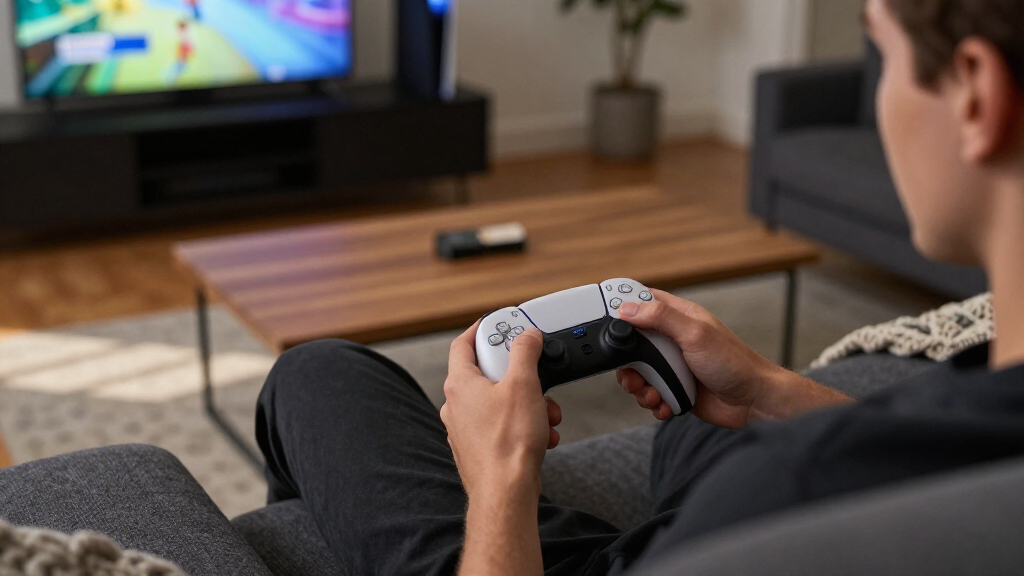

The best PS5 controller for most players is the standard PlayStation DualSense: it keeps the console’s signature features and suits a wide range of games. For deeper control customization, the DualSense Edge adds replaceable stick modules and configurable controls, while the Victrix Pro BFG stands out for players who want a more modular competitive pad. The main tradeoff is between the DualSense’s familiar, game-focused feel and third-party controllers’ extra buttons, layouts, or Hall Effect sticks. Compatibility, connection options, and which features work in your games can also change the right choice. Read on for how all 15 options differ and who should choose each one.

Get the latest gadgets delivered free — and shop member deals
- Fast, free delivery on millions of items
- Access to Prime Big Deal Days deals on October 6–7
- Prime Video, Amazon Music and more included
Complete the kit



Key Takeaways
- The standard DualSense is the broadest-fit pick for PS5 players who want Sony’s familiar layout and core play experience without moving to a specialist controller.
- The DualSense Edge and Victrix Pro BFG serve different upgrade goals: the Edge prioritizes PlayStation-style customization and replaceable stick modules, while the Victrix’s modular layout better suits players who want to adapt the controller’s configuration.
- Hall Effect sticks appear on several third-party options, including AceGamer and DOYO, but stick technology alone does not establish overall quality, comfort, or compatibility.
- Razer’s Raiju V3 Pro and Wolverine V2 Pro target competitive play, so their extra controls make the most sense for players who will use them rather than casual players seeking a simple replacement.
- Limited-edition DualSense models are primarily style-led choices; buyers should weigh the themed design against the same practical decision points as a standard DualSense, rather than assuming the edition adds a performance upgrade.
| AceGamer Wireless Controller for PS5 with Hall Effect Joysticks |  | Best Value Feature Set | Brand: AceGamer | Compatible devices: PlayStation 5, PS5 Pro, PS5 Slim | Connectivity: Bluetooth | VIEW LATEST PRICE | See Our Full Breakdown |
| DualSense Wireless Controller – 007 First Light Limited Edition | 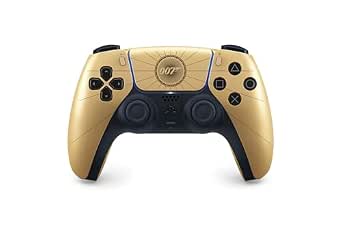 | Best Limited-Edition DualSense | Brand: PlayStation | Model: DualSense | Compatible devices: PC, PlayStation 5 | VIEW LATEST PRICE | See Our Full Breakdown |
| Akalyptra Wireless Controller for PS5, PC, and Steam Deck, Black |  | Best for Multi-Platform Play | Brand and model: Akalyptra 5199 | Compatible devices: Android, iOS, Mac, PC, PlayStation 5, Steam Deck | Connectivity: Bluetooth | VIEW LATEST PRICE | See Our Full Breakdown |
| BETMI Wireless Controller for PS5, PS5 Pro, PS5 Slim, and PC |  | Best Built-In Chat Features | Compatible devices: PS5, PS5 Pro, PS5 Slim, PC, Windows | Connectivity: Bluetooth, USB | Controller type: Gamepad | VIEW LATEST PRICE | See Our Full Breakdown |
| DualSense Wireless Controller – Grand Theft Auto VI Limited Edition |  | Best GTA VI-Themed Design | Controller type: Gamepad | Connectivity: USB-C, Bluetooth | Compatible devices: PlayStation 5, PC | VIEW LATEST PRICE | See Our Full Breakdown |
| PlayStation DualSense Edge Wireless Controller, Midnight Black |  | Best for PlayStyle Customization | Model: CFI-ZCP1 | Controller type: Gamepad | Connectivity: Bluetooth | VIEW LATEST PRICE | See Our Full Breakdown |
| Pogriko Wireless Controller for PS5, PS5 Slim, and PS5 Pro |  | Best for Built-In Chat and Lighting | Compatibility: PS5, PS5 Slim, PS5 Pro | Wireless connection: Low-latency connection | Programmable buttons: Two rear buttons; mapping and macros up to 16 key values | VIEW LATEST PRICE | See Our Full Breakdown |
| Victrix Pro BFG Wireless Gaming Controller – Tekken 8 Rage Art Edition |  | Best for Fighting Games and Modular Layouts | Compatibility: PS5, PS4, Windows PC | Connectivity: Bluetooth and wired | Weight: 298 g | VIEW LATEST PRICE | See Our Full Breakdown |
| DOYO Wireless PS5 Controller with Hall Effect Joysticks and Programmable Back Paddles |  | Best Value for Hall Effect Sticks and Rear Paddles | Compatibility: PS5, PS5 Slim, PS5 Pro, Windows PC; Android and PS4 support via Bluetooth or USB | Connectivity: Bluetooth 5.0 and USB | Joystick technology: Hall Effect | VIEW LATEST PRICE | See Our Full Breakdown |
| PlayStation DualSense Edge Wireless Controller | 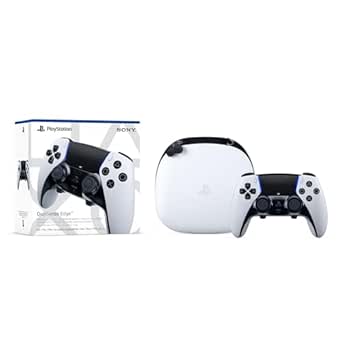 | Best for Adjustable Triggers and Saved Profiles | Compatible device: PlayStation 5 | Controller type: Gamepad | Connectivity: USB and wireless | VIEW LATEST PRICE | See Our Full Breakdown |
| Razer Raiju V3 Pro Wireless Controller for PS5 and PC (Renewed) |  | Best Renewed Competitive Pick | Compatibility: PlayStation 5, PC | Connectivity: 2.4 GHz wireless, USB-C | Remappable buttons: 6 | VIEW LATEST PRICE | See Our Full Breakdown |
| Razer Raiju V3 Pro Wireless Esports Controller for PlayStation 5 and PC | 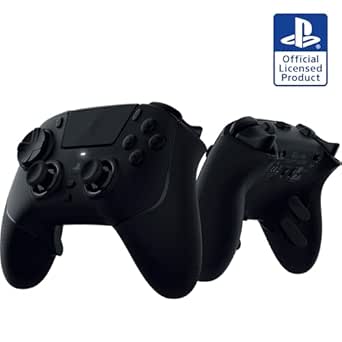 | Best for Competitive Customization | Compatibility: PlayStation 5, PC | Connectivity: 2.4 GHz wireless USB dongle, USB-C wired | Battery life: Approximately 36 hours | VIEW LATEST PRICE | See Our Full Breakdown |
| PlayStation DualSense Wireless Controller, Midnight Black, with USB Cable for PC |  | Best for PC Players Who Want DualSense Features | Compatibility: Windows PC, Mac, PlayStation 5, smartphones | Connectivity: Bluetooth, USB-C | Buttons: 19 | VIEW LATEST PRICE | See Our Full Breakdown |
| PlayStation DualSense Wireless Controller for PS5, PC, Mac, and Mobile |  | Best Standard PS5 Experience | Model: 1000050328 | Compatibility: Android, iOS, Mac, PC, PlayStation 5 | Connectivity: Bluetooth, wireless, USB-C | VIEW LATEST PRICE | See Our Full Breakdown |
| Razer Wolverine V2 Pro Wireless Gaming Controller for PS5 and PC | 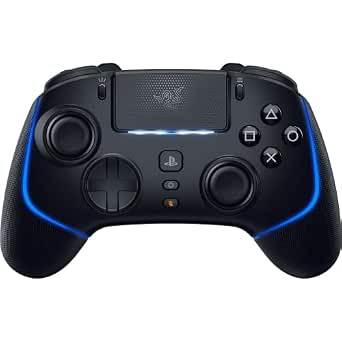 | Best for Clicky, Customizable Controls | Compatibility: PlayStation 5, PC | Connectivity: 2.4 GHz wireless via USB dongle, USB | Buttons: 23 | VIEW LATEST PRICE | See Our Full Breakdown |
| PS5 controller | Connectivity | Weight | Compatibility |
|---|---|---|---|
| AceGamer Wireless Controller f | Bluetooth | — | — |
| DualSense Wireless Controller | Wireless | — | — |
| Akalyptra Wireless Controller | Bluetooth | — | — |
| BETMI Wireless Controller for | Bluetooth, USB | 270 g | — |
| DualSense Wireless Controller | USB-C, Bluetooth | — | — |
| PlayStation DualSense Edge Wir | Bluetooth | 2.6 pounds | — |
| Pogriko Wireless Controller fo | — | — | PS5, PS5 Slim, PS5 Pro |
| Victrix Pro BFG Wireless Gamin | Bluetooth and wired | 298 g | PS5, PS4, Windows PC |
| DOYO Wireless PS5 Controller w | Bluetooth 5.0 and USB | — | PS5, PS5 Slim, PS5 Pro, Windows PC; Android and PS4 support via Bluetooth or USB |
| PlayStation DualSense Edge Wir | USB and wireless | 2.6 pounds | — |
| Razer Raiju V3 Pro Wireless Co | 2.4 GHz wireless, USB-C | 9.12 oz | PlayStation 5, PC |
| Razer Raiju V3 Pro Wireless Es | 2.4 GHz wireless USB dongle, USB-C wired | 258 g (9.12 oz) | PlayStation 5, PC |
| PlayStation DualSense Wireless | Bluetooth, USB-C | 16 oz | Windows PC, Mac, PlayStation 5, smartphones |
| PlayStation DualSense Wireless | Bluetooth, wireless, USB-C | 15.2 oz | Android, iOS, Mac, PC, PlayStation 5 |
| Razer Wolverine V2 Pro Wireles | 2.4 GHz wireless via USB dongle, USB | — | PlayStation 5, PC |
More Details on Our Top Picks
AceGamer Wireless Controller for PS5 with Hall Effect Joysticks
The AceGamer packs several enthusiast-style controls into a PS5-focused alternative: Hall Effect joysticks are designed to resist stick drift, and two programmable rear buttons let players assign actions without lifting a thumb from the sticks. Motion sensing, vibration, a touchpad, turbo, and a headphone jack round out a broad set of features. Compared with the BETMI Wireless Controller, it has fewer listed audio extras—the AceGamer includes a speaker but no microphone—while still covering the basics for headset use. Its tradeoffs are practical: it does not work with PS4, and first pairing requires a USB-C data cable. I’d choose it for PS5 players who want extra controls and drift-conscious sticks, not anyone seeking a clearly documented microphone or cross-generation PS4 support.
Pros:- Hall Effect joysticks are designed to reduce stick-drift risk.
- Two programmable back buttons add control options without changing grip.
- Includes motion sensing, vibration, a touchpad, turbo, and a 3.5 mm headphone jack.
- Compatible with PS5, PS5 Pro, and PS5 Slim.
Cons:- Not compatible with PS4.
- First pairing requires an included or original USB-C data cable.
- A built-in speaker is listed, but there is no built-in microphone.
Best for: PS5 players who want Hall Effect sticks, programmable rear buttons, and a headphone jack in one controller.
Not ideal for: PS4 owners and players who need a built-in microphone or want to pair wirelessly without an initial USB-C cable connection.
- Brand:AceGamer
- Compatible devices:PlayStation 5, PS5 Pro, PS5 Slim
- Connectivity:Bluetooth
- Joysticks:Dual Hall Effect
- Additional controls:Two programmable back buttons
- Features:6-axis gyro, dual vibration, touchpad, turbo
- Audio:3.5 mm TRRS jack; built-in speaker; no built-in microphone
- First pairing:Requires a USB-C data cable
Our verdict“Choose the AceGamer if you want drift-conscious sticks and programmable rear buttons for PS5, and skip it if PS4 compatibility or an onboard microphone matters.”
DualSense Wireless Controller – 007 First Light Limited Edition
This 007 First Light DualSense is the straightforward pick for PS5 players who want the familiar Sony controller experience with a distinctive gold finish. Its adaptive triggers provide resistance and feedback for actions such as firing a trigger or using a gadget, giving supported games a more tactile feel than a basic gamepad. Compared with the feature-heavy Akalyptra Wireless Controller, the appeal here is the official DualSense identity and themed design rather than Hall Effect sticks, programmable back buttons, or RGB lighting. The supplied details list PC and PS5 compatibility, but do not spell out the full feature set or a wired connection option. Its main tradeoff is personal taste: buyers who prefer a standard look may be better served by a regular DualSense, while players seeking extensive remapping options should look elsewhere.
Pros:- Limited-edition gold design inspired by 007 First Light.
- Adaptive triggers provide tactile feedback in supported gameplay.
- Compatible with PlayStation 5 and PC.
- Official Sony Interactive Entertainment DualSense model.
Cons:- The themed gold finish may not suit players seeking a standard look.
- The supplied product details do not list programmable back buttons or Hall Effect sticks.
- Connection options beyond wireless are not specified in the supplied details.
Best for: PS5 players and 007 fans who want an official DualSense with a gold, game-themed finish and adaptive trigger feedback.
Not ideal for: Players who prefer an understated standard controller or want Hall Effect sticks, programmable rear buttons, or detailed customization features.
- Brand:PlayStation
- Model:DualSense
- Compatible devices:PC, PlayStation 5
- Connectivity:Wireless
- Buttons:17
- Color:Gold
- Dimensions:7.68 x 7.52 x 2.8 inches
- Package quantity:1
Our verdict“Pick this DualSense for its 007-inspired finish and adaptive triggers, rather than for extensive competitive controls or stick customization.”
Akalyptra Wireless Controller for PS5, PC, and Steam Deck, Black
The Akalyptra’s standout advantage is its wide device compatibility: the listing covers PS5, PC, Steam Deck, and several mobile and Mac platforms. For players who move between systems, that flexibility is a stronger reason to choose it than the AceGamer, whose listed compatibility is limited to PS5 models. It also brings Hall Effect sticks and triggers, two programmable rear buttons, turbo, motion control, vibration, RGB lighting, and a headphone jack. That makes it a feature-rich alternative to the more design-led 007 First Light DualSense, but it is not the simplest pick if official DualSense branding is the priority. The listing is inconsistent about its speaker, noting that it may require an upgrade package, so I wouldn’t buy it expecting that feature as standard. Its broad feature set also means checking desired device support before purchase is sensible.
Pros:- Listed compatibility spans PS5, PC, Steam Deck, Android, iOS, and Mac.
- Hall Effect joysticks and triggers are designed to reduce wear-related input problems.
- Two programmable back buttons, turbo, and six-axis motion control provide extra input options.
- Eight RGB modes and a 3.5 mm headphone jack add customization and wired audio support.
Cons:- The product information says the speaker may require an upgrade package.
- Its third-party feature set differs from the official DualSense experience.
- Buyers should verify support for their particular device and connection needs.
Best for: Players who use a PS5 alongside a PC, Steam Deck, or supported mobile device and want Hall Effect controls plus programmable rear buttons.
Not ideal for: Buyers who want an official Sony DualSense or need certainty that a built-in speaker is included in the standard configuration.
- Brand and model:Akalyptra 5199
- Compatible devices:Android, iOS, Mac, PC, PlayStation 5, Steam Deck
- Connectivity:Bluetooth
- Hall Effect controls:Joysticks and triggers
- Additional controls:Two programmable back buttons; turbo at 10 Hz
- Motion and feedback:Six-axis motion control; dual vibration
- Lighting and audio:Eight RGB modes; 3.5 mm headphone jack
- Weight and dimensions:12.32 ounces; 5.5 x 2.8 x 7 inches
- Warranty:2 years
Our verdict“Choose the Akalyptra if you want one feature-packed controller across PS5 and other listed platforms, but not if standard speaker support or official DualSense features are priorities.”
BETMI Wireless Controller for PS5, PS5 Pro, PS5 Slim, and PC
The BETMI stands apart in this group by combining a built-in speaker and microphone with a mute button and 3.5 mm headset jack. That makes it a more complete onboard chat setup than the AceGamer, which lists a speaker but no microphone. Its Hall Effect joysticks, macro back buttons, turbo, six-axis gyro, and RGB lighting add flexibility for players who want more than a basic pad. It also supports Bluetooth and USB, giving wired play as an alternative, although initial PS5 Bluetooth pairing still requires a USB-C cable. Compared with the multi-platform Akalyptra, BETMI’s stated compatibility is narrower and its PC details are limited. I’d favor it for PS5 players who value integrated chat controls; buyers relying on PC should seek clearer compatibility information first.
Pros:- Hall Effect joysticks are rated for up to 5 million cycles.
- Supports both Bluetooth and USB connections.
- Macro back buttons and turbo add configurable controls.
- Built-in speaker, microphone, mute button, and 3.5 mm audio jack cover several chat setups.
Cons:- Initial Bluetooth pairing with a PS5 requires a USB-C cable.
- The product description gives limited detail about PC compatibility.
- Its listed features do not specify Hall Effect triggers.
Best for: PS5 players who want Hall Effect sticks, programmable controls, and built-in microphone and speaker functions for chat.
Not ideal for: PC players who need clearly documented compatibility details, or anyone who wants first-time Bluetooth setup without a USB-C cable.
- Compatible devices:PS5, PS5 Pro, PS5 Slim, PC, Windows
- Connectivity:Bluetooth, USB
- Controller type:Gamepad
- Joysticks:Hall Effect
- Additional features:Vibration, macro programming, turbo, mute button, six-axis gyroscope, RGB lighting
- Audio:3.5 mm jack, built-in speaker and microphone
- Weight:270 g
- Dimensions:5.91 x 3.94 x 2.17 inches
- Model and color:SP-53; White/Black
Our verdict“Choose BETMI for its integrated chat hardware and wired-or-wireless options, but look elsewhere if you need well-documented PC support.”
DualSense Wireless Controller – Grand Theft Auto VI Limited Edition
For players who want the standard DualSense experience with a game-specific finish, this Grand Theft Auto VI edition pairs a white base with an iridescent finish, palm-leaf details, and franchise branding. It retains haptic feedback and adaptive triggers, so the choice is not just between themed looks and basic controls. Compared with the gold 007 First Light DualSense, this version makes its visual identity more explicit with GTA VI branding; the core appeal of both is a limited-edition Sony-style gamepad rather than extra competitive inputs. It also lists USB-C and Bluetooth connectivity, plus a built-in microphone. The tradeoff is that its theme may not fit every setup, and the supplied details warn that some features depend on the connected device. I’d pick it for GTA fans who want a themed controller, not for buyers seeking Hall Effect sticks or rear buttons.
Pros:- Distinctive white design with iridescent finish, palm-leaf details, and GTA VI branding.
- Includes haptic feedback and adaptive triggers.
- Supports USB-C and Bluetooth connectivity.
- Compatible with PlayStation 5 and PC, with a built-in microphone.
Cons:- The franchise-themed design may not suit every player or setup.
- Some features may depend on the connected device.
- The supplied details do not list Hall Effect sticks or programmable back buttons.
Best for: Grand Theft Auto fans who want a themed PS5 controller while keeping DualSense haptics and adaptive triggers.
Not ideal for: Players who prefer neutral styling or want Hall Effect controls, programmable back buttons, or guaranteed feature parity across connected devices.
- Controller type:Gamepad
- Connectivity:USB-C, Bluetooth
- Compatible devices:PlayStation 5, PC
- Color and design:White with iridescent finish, palm-leaf details, and GTA VI branding
- Features:Haptic feedback, adaptive triggers, built-in microphone
- Package quantity:1
Our verdict“Choose this edition if GTA VI branding and DualSense feedback are the draw, and skip it if you want a neutral design or extra rear controls.”
PlayStation DualSense Edge Wireless Controller, Midnight Black
The DualSense Edge is the most direct fit for PS5 players who want to tailor a familiar PlayStation layout rather than switch to a more specialized design. Its mappable rear buttons can keep actions within reach, while adjustable controls and replaceable stick modules let players change the setup as their needs shift. Compared with the Victrix Pro BFG Tekken 8 Rage Art Edition, it offers fewer described layout options, but its standard DualSense-style approach may feel more straightforward for players who do not need a dedicated fight pad or extensive module swapping.
The tradeoff is that this is a customization-first pick, not a clear all-round upgrade for every player: its listed weight is substantial, and replaceable parts add to the upkeep. I’d choose it for adaptable controls and the Midnight Black finish, not for a lightweight or minimalist setup.
Pros:- Mappable rear buttons let players assign useful actions to easier-to-reach controls.
- Replaceable stick modules and caps allow parts of the setup to be changed.
- Compatible with PS5, PC, and Mac.
- Midnight Black finish offers an alternative to the white DualSense Edge.
Cons:- The listed weight of 2.6 pounds is substantial for a handheld controller.
- Its customization may be unnecessary for players who prefer a standard, uncomplicated gamepad.
- The description does not specify battery life.
Best for: PS5 players who want remappable rear controls, replaceable stick modules, and a familiar PlayStation controller layout.
Not ideal for: Players seeking a lighter, simpler gamepad or a modular fighting-game layout; the Victrix Pro BFG offers more layout flexibility.
- Model:CFI-ZCP1
- Controller type:Gamepad
- Connectivity:Bluetooth
- Compatible devices:PlayStation 5, PC, Mac
- Buttons:21
- Weight:2.6 pounds
- Dimensions:8.42 x 7.91 x 4.13 inches
- Color:Midnight Black
- Warranty:1 year
Our verdict“Choose this Midnight Black DualSense Edge if you want customizable controls in a familiar PS5 layout and can accept its weight and more involved setup.”
Pogriko Wireless Controller for PS5, PS5 Slim, and PS5 Pro
The Pogriko pairs practical extras for shared or casual play: a built-in microphone, a 3.5 mm headphone jack, and RGB lighting all come in one wireless PS5 controller. Its two rear buttons also support mapping and macros, giving players extra control options without the more extensive modular setup of the Victrix Pro BFG Tekken 8 Rage Art Edition. That makes this a better match for buyers drawn to chat convenience and visual customization than for players who want interchangeable controller layouts.
The stated 8–12 hours of playtime is a product claim, not independently verified information, so I would not choose it on battery endurance alone. Its anti-drift capability is also described by the maker rather than established here. Compared with the DOYO Wireless PS5 Controller, Pogriko provides a stated battery capacity and playtime, while DOYO specifies Hall Effect sticks. The Pogriko’s appeal is its bundled feature mix, with less certainty around longevity claims.
Pros:- Built-in microphone and 3.5 mm jack offer two voice-chat options.
- Two programmable rear buttons support mapping and macro recording.
- RGB lighting offers seven color tones and three adjustable modes.
- Product description states a 1200 mAh battery and approximately 8–12 hours of playtime.
Cons:- The stated playtime and anti-drift performance are product claims and are not independently verified.
- The description does not specify PC or Mac compatibility.
- RGB and bundled extras may matter less to players who want a straightforward controller.
Best for: PS5 players who want a wireless controller with onboard chat, a headset jack, programmable rear buttons, and configurable RGB lighting.
Not ideal for: Buyers prioritizing documented Hall Effect joystick technology or verified battery performance; the DOYO specifically lists Hall Effect sticks.
- Compatibility:PS5, PS5 Slim, PS5 Pro
- Wireless connection:Low-latency connection
- Programmable buttons:Two rear buttons; mapping and macros up to 16 key values
- Audio:Built-in noise-canceling microphone and 3.5 mm headphone jack
- Battery capacity:1200 mAh
- Stated playtime:Approximately 8–12 hours
- Motion sensing:Six-axis gyroscope and accelerometer
- Vibration:Dual vibration motors
- Lighting:Seven color tones and three adjustable modes
Our verdict“Pick the Pogriko if onboard chat and customizable lighting matter more to you than documented Hall Effect sticks or a highly configurable modular layout.”
Victrix Pro BFG Wireless Gaming Controller – Tekken 8 Rage Art Edition
The Victrix Pro BFG is the most specialized pick here for players who want to change how their controller is laid out. Its swappable modules include a six-button fight pad and a reversible left stick, so it can shift toward fighting games in a way the more conventional DualSense Edge Midnight Black does not. Four mappable back buttons, three profiles, and five-stop Clutch Triggers add control options for players who like tuning inputs between games. On PS5, Sony 3D audio support is another useful feature for compatible setups.
This flexibility has a learning cost: choosing modules and settings takes more attention than using a standard gamepad, and the Tekken 8 artwork is less neutral than the DualSense Edge’s black finish. I’d favor the Victrix when layout changes and fight-game controls are the point; players who mainly want familiar PS5 controls may find the added complexity unnecessary.
Pros:- Swappable modules include a six-button fight pad and reversible left stick.
- Four mappable back buttons and three profiles support different control setups.
- Five-stop Clutch Triggers include a hair-trigger mode.
- Supports Sony 3D audio on PS5 and wired or Bluetooth connectivity.
Cons:- The modular options can take time to configure and learn.
- Tekken 8 branding may not suit players who want a neutral-looking controller.
- The specialized layout may be unnecessary for players who do not play fighting games.
Best for: Fighting-game players and controller enthusiasts who want a dedicated fight pad, swappable stick layouts, and configurable rear buttons.
Not ideal for: Players who prefer a neutral design, a simple setup, or a familiar DualSense-style layout; the DualSense Edge is the more conventional customization pick.
- Compatibility:PS5, PS4, Windows PC
- Connectivity:Bluetooth and wired
- Weight:298 g
- Button count:17
- Customization:Four mappable back buttons and three profiles
- Audio:Sony 3D Audio, low latency, EQ profiles
- Software:Victrix Control Hub app
- Color:Tekken 8 Rage Art
Our verdict“Choose the Victrix Pro BFG if you want a configurable controller built around modular layouts and fighting-game inputs, rather than a familiar standard layout.”
DOYO Wireless PS5 Controller with Hall Effect Joysticks and Programmable Back Paddles
The DOYO’s clearest differentiator is its combination of Hall Effect joysticks and two programmable rear paddles. That pairing suits players who want joystick technology designed to resist drift alongside extra reachable controls, without moving to the Victrix Pro BFG’s interchangeable modules and dedicated fight pad. Macro recording, turbo, motion control, vibration, RGB lighting, and a headset jack round out a broad feature set, while USB-C charging keeps the charging connection familiar.
Its compatibility story needs closer attention than the Pogriko’s: PS5, PS5 Slim, and PS5 Pro are listed, while Android and PS4 support may require Bluetooth or USB setup. The product description also warns that some PS5 system updates may cause temporary vibration or audio issues until firmware updates address them. I’d pick it for the listed stick technology and paddles, but not for buyers who want a controller with no compatibility caveats.
Pros:- Hall Effect joysticks are designed to resist stick drift.
- Two rear paddles support programmable mapping and macro recording.
- Supports PS5 and Windows PC, with additional Android and PS4 support listed.
- USB-C charging and a 3.5 mm headset jack are included.
Cons:- Product description warns that some PS5 system updates may temporarily affect vibration or audio compatibility.
- Android and PS4 support may require Bluetooth or USB setup.
- Battery capacity is listed, but the description does not state playtime.
Best for: PS5 players who want Hall Effect joysticks, programmable rear paddles, and a headset jack in a controller that also supports PC.
Not ideal for: Players who need friction-free compatibility across Android, PS4, and changing PS5 system updates, or who want a fully specified battery runtime.
- Compatibility:PS5, PS5 Slim, PS5 Pro, Windows PC; Android and PS4 support via Bluetooth or USB
- Connectivity:Bluetooth 5.0 and USB
- Joystick technology:Hall Effect
- Back paddles:Two programmable
- Battery capacity:1000 mAh
- Charging:USB-C
- Motion control:Six-axis gyroscope
- Audio jack:3.5 mm
- Color:Black
Our verdict“Choose the DOYO if Hall Effect sticks and programmable paddles are your priorities and you can accept setup and firmware caveats.”
PlayStation DualSense Edge Wireless Controller
This white DualSense Edge is a strong match for PS5 players who want to save different control setups and tune how the controller responds. Adjustable trigger travel can suit games where shorter input travel is useful, while remappable buttons and saved profiles make it easier to keep distinct layouts for different play styles. It retains haptic feedback and adaptive triggers in supported games, unlike a choice driven solely by rear buttons or modular hardware. Compared with the Midnight Black DualSense Edge, the listed feature set here specifically calls out adjustable triggers and saved profiles; the black model lists PC and Mac compatibility.
The main caveat is ongoing customization: replacement stick modules are sold separately, so the replaceable-stick design may mean additional purchases if a module needs changing. Its 2.6-pound listed weight is also substantial, and the supplied specs do not give a battery runtime. I’d choose it for trigger tuning and profiles, not as a simple standard-controller replacement.
Pros:- Remappable buttons and saved profiles support different game setups.
- Adjustable trigger travel lets players tailor trigger response.
- Swappable back buttons and stick caps offer physical customization.
- Haptic feedback and adaptive triggers remain available in supported games.
Cons:- Replacement stick modules are sold separately.
- The listed weight of 2.6 pounds is substantial for a handheld controller.
- The provided compatibility details list PS5 only and do not specify battery runtime.
Best for: PS5 players who switch between games and want saved control profiles, adjustable trigger travel, and the standard DualSense haptic and adaptive-trigger features.
Not ideal for: Buyers seeking included replacement stick modules, lighter listed weight, or stated PC and Mac compatibility; the Midnight Black version lists PC and Mac support.
- Compatible device:PlayStation 5
- Controller type:Gamepad
- Connectivity:USB and wireless
- Power source:Battery powered
- Weight:2.6 pounds
- Dimensions:8 x 8 x 4.5 inches
- Color:White
- Package quantity:1
Our verdict“Choose this white DualSense Edge if adjustable triggers and saved profiles matter more than included replacement modules or broad platform compatibility.”
Razer Raiju V3 Pro Wireless Controller for PS5 and PC (Renewed)
The renewed Raiju V3 Pro brings competitive-focused controls to PS5 and PC: six remappable buttons and customizable TMR thumbsticks let players tailor inputs and aim feel. Its 2.4 GHz wireless and USB-C connections cover untethered play and wired setups, while the 2000 Hz wired polling rate applies on PC—not PS5. Compared with the standard Raiju V3 Pro, the listed core controls are similar, but this renewed version comes with a shorter, 90-day limited warranty, making condition and coverage the main tradeoff. It also lacks the standard model’s stated battery-life figure and included accessories in the supplied details. I’d choose it for its listed features only if the renewed condition and limited warranty fit your needs; buyers who want more clearly documented support should favor the new Raiju or a standard DualSense.
Pros:- Six remappable buttons allow control layouts to suit different games
- Customizable TMR thumbsticks offer adjustable control feel
- Supports both PS5 and PC through wireless or USB-C connections
- 2000 Hz wired polling rate is specified for PC play
Cons:- Renewed condition may not suit buyers seeking a new unit
- 90-day limited warranty is shorter than the one-year warranty listed for the Wolverine V2 Pro
- The 2000 Hz polling rate applies to PC, with no PS5 polling rate specified
Best for: Competitive PS5 and PC players who want remappable controls and TMR sticks and are comfortable buying a renewed controller with limited warranty coverage
Not ideal for: Buyers who want a new controller, longer stated warranty coverage, or a PS5-specific high polling rate
- Compatibility:PlayStation 5, PC
- Connectivity:2.4 GHz wireless, USB-C
- Remappable buttons:6
- Thumbsticks:Customizable TMR
- Polling rate:2000 Hz wired on PC
- Weight:9.12 oz
- Condition:Renewed
- Warranty:90-day limited
Our verdict“Choose this renewed Raiju if you want customizable competitive controls across PS5 and PC and accept the shorter warranty.”
Razer Raiju V3 Pro Wireless Esports Controller for PlayStation 5 and PC
The standard Razer Raiju V3 Pro is the most configurable esports-focused option in this group. Its six rear controls, magnetic TMR sticks with swappable caps, and triggers that switch between rapid-click and analog modes let players adapt the controller to different games. The included case, cable, replacement caps, and removal toolkit make that setup easier to manage than the renewed Raiju listing, which does not specify those accessories. A stated battery life of about 36 hours also gives buyers a clearer expectation for wireless sessions. The main limitation is platform-specific performance: polling is 250 Hz on PS5, while the higher rates are listed for PC. Some setup options require Razer software, and players who simply want standard PS5 features may find a DualSense more straightforward.
Pros:- Six remappable rear controls provide flexible input options
- Magnetic TMR sticks include swappable caps
- Triggers can switch between rapid-click and analog modes
- Includes a carrying case, cable, replacement caps, and removal toolkit
Cons:- Polling rate is listed at 250 Hz on PS5, below the PC figures
- Some customization requires the Razer app or Synapse 4
- Its extensive control options may be unnecessary for players who prefer a standard DualSense
Best for: PS5 and PC competitive players who want multiple back controls, adjustable trigger behavior, and swappable magnetic thumbsticks
Not ideal for: Players who want a simple plug-and-play gamepad or who prioritize the highest stated polling rate on PS5
- Compatibility:PlayStation 5, PC
- Connectivity:2.4 GHz wireless USB dongle, USB-C wired
- Battery life:Approximately 36 hours
- Polling rate:Wired: 2000 Hz PC, 250 Hz PS5; wireless: 500 Hz PC, 250 Hz PS5
- Controls:20 buttons; 4 removable back buttons and 2 claw grip bumpers
- Thumbsticks:Symmetrical magnetic TMR with swappable caps
- Headphone jack:3.5 mm
- Weight:258 g (9.12 oz)
Our verdict“Pick the standard Raiju V3 Pro if you want the broadest competitive control adjustments and included setup accessories across PS5 and PC.”
PlayStation DualSense Wireless Controller, Midnight Black, with USB Cable for PC
This Midnight Black DualSense suits PC players who want familiar PlayStation controls without giving up the option to use it on PS5, Mac, or compatible mobile devices. Bluetooth and USB-C offer a choice between wireless convenience and a wired connection, and the included USB-C cable is useful for setup or charging. Select supported games can use adaptive triggers and haptic feedback, but those effects are not universal across PC titles; the supplied details cite support across more than 10,000 Steam games, not that every game uses the immersive features. Compared with the more specialized Raiju V3 Pro, this DualSense has no listed remappable controls or competitive polling-rate claims, but it is the simpler pick for standard play. Firmware updates through Sony’s app require a Windows PC.
Pros:- Connects by Bluetooth or USB-C
- Adaptive triggers and haptic feedback work in select games
- Compatible with Windows PC, Mac, PS5, and smartphones
- Includes a USB Type-C cable
Cons:- Immersive features depend on support from individual PC games
- Firmware updates through the PlayStation Accessories app require a Windows PC
- No remappable buttons or competitive polling rate are specified, unlike the Raiju V3 Pro
Best for: PC players who want a familiar PS5-style controller, broad Steam compatibility, and a cable included for wired use
Not ideal for: Competitive players seeking remappable back controls or buyers who need adaptive triggers and haptics in every PC game
- Compatibility:Windows PC, Mac, PlayStation 5, smartphones
- Connectivity:Bluetooth, USB-C
- Buttons:19
- Special features:Adaptive triggers and haptic feedback in select games
- Included accessory:USB Type-C cable
- Weight:16 oz
- Color:Midnight Black
- Warranty:1 year
Our verdict“Choose this DualSense for familiar PlayStation controls and flexible PC connectivity rather than competitive customization.”
PlayStation DualSense Wireless Controller for PS5, PC, Mac, and Mobile
For a straightforward PS5 choice, this DualSense puts its distinctive haptic feedback and adaptive triggers ahead of competitive extras. Those features can make supported games feel more tactile, while the built-in microphone and 3.5 mm headset jack give players basic voice-chat options without a separate controller accessory. Bluetooth and USB-C support PS5, PC, Mac, Android, and iOS, so it can also serve as a general-purpose gamepad. Compared with the Midnight Black DualSense in this roundup, the supplied details for this model name a broader platform range but do not specify an included cable or a Windows firmware-update app. It also has no listed back buttons or swappable sticks, unlike the Raiju V3 Pro; buyers after competitive customization should look there instead.
Pros:- Haptic feedback and adaptive triggers add tactile effects in supported games
- Works with PS5, PC, Mac, Android, and iOS
- Built-in microphone and 3.5 mm headset jack support voice-chat setups
- Bluetooth and USB-C provide wireless and wired connection options
Cons:- USB-C cable is not specified as included
- Must be paired with a PS5 console before first use
- Lacks the remappable controls and adjustable TMR sticks listed for the Raiju V3 Pro
Best for: PS5 players who want Sony’s standard haptic and adaptive-trigger experience plus one controller for compatible computers and mobile devices
Not ideal for: Competitive players who need remappable back controls, or buyers who require a USB-C cable to be included
- Model:1000050328
- Compatibility:Android, iOS, Mac, PC, PlayStation 5
- Connectivity:Bluetooth, wireless, USB-C
- Features:Haptic feedback, adaptive triggers, built-in microphone
- Headphone jack:3.5 mm
- Weight:15.2 oz
- Dimensions:7.87 x 7.48 x 2.87 in
- Color:White
Our verdict“Choose this DualSense for Sony’s standard PS5 features and broad device compatibility, not for esports-style customization.”
Razer Wolverine V2 Pro Wireless Gaming Controller for PS5 and PC
The Razer Wolverine V2 Pro takes a different competitive route from the Raiju V3 Pro: its six remappable buttons sit alongside a microswitch D-pad, adjustable triggers, and 23 listed buttons, giving players plenty of direct control options. The included interchangeable thumbstick caps let players alter the feel, while the USB dongle provides 2.4 GHz wireless connectivity for PS5 and PC. Customizable Chroma RGB lighting adds personalization, though it does not change how the controller plays. Compared with the Raiju, this model’s supplied details do not list magnetic TMR sticks, a battery-life estimate, or polling rates, so buyers focused on stick technology and measured response specifications may prefer that alternative. The dongle is also part of the wireless setup, and listed console compatibility is limited to PS5.
Pros:- Six remappable buttons support personalized control layouts
- Microswitch D-pad and adjustable triggers suit players who prefer tactile inputs
- Interchangeable thumbstick caps allow changes to stick feel
- Includes a USB-C dongle and charging cable
Cons:- Wireless play uses an included USB dongle rather than a dongle-free connection
- The supplied specs do not state battery life or polling rate
- Compared with the Raiju V3 Pro, magnetic TMR sticks are not specified
Best for: PS5 players who prefer tactile microswitch controls, adjustable triggers, and remappable inputs, with PC support as an added option
Not ideal for: Players who want a wireless connection without a USB dongle or who prioritize magnetic TMR sticks and stated polling rates
- Compatibility:PlayStation 5, PC
- Connectivity:2.4 GHz wireless via USB dongle, USB
- Buttons:23
- Remappable buttons:6
- D-pad:8-way microswitch
- Triggers:Adjustable
- Included components:Interchangeable thumbstick caps, USB Type-A to Type-C cable, USB-C dongle
- Warranty:1 year manufacturer
Our verdict“Choose the Wolverine V2 Pro if tactile microswitch controls and extensive remapping matter more to you than published stick and polling specifications.”
How We Picked
I compared these controllers around the choices PS5 buyers are most likely to face: official DualSense features versus third-party controls, standard layouts versus competitive extras, and fixed designs versus modular customization. I also considered stated compatibility across PS5, PS5 Pro, PS5 Slim, PC, and other devices, along with features such as Hall Effect sticks, programmable rear controls, and replaceable stick modules. Those details matter only when they match the games and devices a buyer actually uses.
The ranking gives priority to practical fit for a broad range of PS5 players, then recognizes specialist advantages for competitive play, customization, or cross-device use. Standard and themed DualSense models sit higher for straightforward console use; pro-oriented controllers rank for their more specific benefits and added complexity. Third-party options are judged by the usefulness of their stated features, while buyers should verify platform support and which functions work on their setup before choosing. Since several products share similar roles, I distinguish them by features and intended use rather than treating every variant as a separate performance tier.
| PS5 controller | Compatibility |
|---|---|
| AceGamer Wireless Controller f | — |
| DualSense Wireless Controller | — |
| Akalyptra Wireless Controller | — |
| BETMI Wireless Controller for | — |
| DualSense Wireless Controller | — |
| PlayStation DualSense Edge Wir | — |
| Pogriko Wireless Controller fo | PS5, PS5 Slim, PS5 Pro |
| Victrix Pro BFG Wireless Gamin | PS5, PS4, Windows PC |
| DOYO Wireless PS5 Controller w | PS5, PS5 Slim, PS5 Pro, Windows PC; Android and PS4 support via Bluetooth or USB |
| PlayStation DualSense Edge Wir | — |
| Razer Raiju V3 Pro Wireless Co | PlayStation 5, PC |
| Razer Raiju V3 Pro Wireless Es | PlayStation 5, PC |
| PlayStation DualSense Wireless | Windows PC, Mac, PlayStation 5, smartphones |
| PlayStation DualSense Wireless | Android, iOS, Mac, PC, PlayStation 5 |
| Razer Wolverine V2 Pro Wireles | PlayStation 5, PC |
Factors to Consider When Choosing Best PS5 Controllers
Before choosing among these 15 controllers, decide what you want to change about your current setup. A familiar replacement, a more adjustable competitive pad, and a controller for both console and PC solve different problems. These factors help separate useful upgrades from features that may go unused.
Choose Between DualSense Features and Extra Controls
Start by asking whether you want the standard PlayStation control experience or more buttons to assign. A conventional DualSense is the straightforward choice if you play varied genres and want to keep familiar controls. Rear paddles and additional inputs can help when a game benefits from moving actions off the face buttons, but they add setup and practice. More controls do not automatically make a controller better for every game. Check that the titles you play support your preferred control scheme, and avoid paying for inputs you will rarely use.
Treat Stick Technology as One Part of the Decision
Hall Effect sticks are a feature to compare, not a guarantee that a controller will suit your hands or play style. Stick shape, resistance, placement, and overall build affect how comfortable precise movement feels over long sessions. Replaceable stick modules, such as those offered by the DualSense Edge, address a different need from choosing a controller advertised with Hall Effect joysticks. Before buying, check whether parts are replaceable and how the manufacturer supports maintenance. A stick feature matters most when paired with a layout and service plan you are comfortable living with.
Match Customization to the Games You Play
Competitive shooters, fighting games, and general console play can reward different layouts. Modular controllers such as the Victrix Pro BFG appeal to players who want to change the arrangement, while the DualSense Edge focuses on tuning a PlayStation-style controller. Razer’s pro models put more emphasis on competitive controls. Those options make sense when you have a clear setup in mind; otherwise, adjustment menus and extra buttons may go unused. Consider whether you want one versatile layout or a controller tailored to a narrow set of games.
Check Compatibility Beyond the Product Name
A listing that names several platforms does not mean every function behaves the same on each one. Check whether the controller supports your exact PS5 model and whether PC, Mac, Steam Deck, or mobile support includes the features you care about. Wired and wireless connection choices can also vary by device and game. If you plan to move between console and computer, confirm how pairing works and whether you need to reconnect or reconfigure the controller. Buying for a second platform is only useful if the controls you value work there.
Decide Whether Style or Performance Is the Priority
The 007 First Light and Grand Theft Auto VI editions offer themed designs, while the Midnight Black DualSense keeps a more understated look. A special finish can be a good reason to choose one standard-style controller over another if its design matters to you. Do not assume a limited edition changes the controller’s core capabilities; compare its practical features with the standard DualSense first. For a play-focused upgrade, direct attention to customization, stick options, and compatibility instead. This keeps a design preference from being mistaken for a performance advantage.
Spend More Only When the Upgrade Solves a Real Problem
Premium and esports-oriented models are easier to justify when you can name the limitation they address, such as wanting programmable rear controls or a configurable layout. If you mainly need a familiar second controller, a standard DualSense-style option may be a closer fit. Also account for the possibility that extra controls require time to configure and learn. Compare the controller’s stated benefits with your regular games, not with an imagined future setup. The right upgrade is the one whose features you will use often enough to matter.
Frequently Asked Questions
Should I choose a standard DualSense or a pro controller for PS5?
Choose a standard DualSense if you want a familiar controller for a mix of games and do not need extra inputs. A pro controller is a better match when you have a specific use for rear controls, adjustable layouts, or deeper customization. The DualSense Edge offers a PlayStation-style route to configuration, while the Victrix Pro BFG and Razer models cater to more specialized preferences. More features can add setup and learning time. Decide based on the controls you expect to use regularly, not on the feature list alone.
Do Hall Effect sticks make a PS5 controller the best choice?
No single stick technology decides whether a controller is the right fit. Hall Effect sticks, found on options such as AceGamer and DOYO in this roundup, may attract buyers focused on stick design, but comfort, layout, compatibility, and maintenance still matter. Compare stick feel and placement with the rest of the controller’s design. Also check what replacement or service options the manufacturer provides. Choose the feature as part of a complete fit, not as a stand-alone guarantee.
Can I use these PS5 controllers on PC or other devices?
Several products in this roundup list support for PC, and some also name devices such as Mac, Steam Deck, or mobile. Compatibility can differ by controller and platform, and not every feature is guaranteed to work in every environment. Check the exact model’s supported connection methods and the functions available on the device you plan to use. If you switch between PS5 and PC often, consider how much pairing and configuration the setup requires. Verify those details before buying rather than relying on a broad platform label.
Is a limited-edition DualSense different from a standard DualSense for play?
The 007 First Light and Grand Theft Auto VI entries are themed editions of the DualSense line, so their clearest distinction is their design. Do not assume a special-edition finish brings extra controls or a performance change unless the specific listing states one. Compare the edition with the standard DualSense on the features you actually need, including platform support and the familiar PlayStation layout. If the design is the main draw, it can guide your choice among similar options. If you want a functional upgrade, look instead at models with explicit customization features.
What should I check before buying a third-party PS5 controller?
Confirm that the exact model supports your console and the games or devices you plan to use. Then check whether advertised controls, wireless features, and customization options work on your intended platform. Look at the controller’s layout and grip style, since extra inputs are not helpful if they feel awkward to reach. Review the manufacturer’s information about pairing, software, and replacement parts as well. For renewed listings, check the condition description and what is included in the package before ordering.
Conclusion
For most PS5 players, I recommend the standard DualSense as the best overall because it keeps the familiar PlayStation experience without requiring a specialized setup. The best value direction is a standard-style DualSense option when you want a dependable everyday layout rather than pro-level extras; compare the listed cable and platform support before choosing among variants. For a best premium pick, the DualSense Edge suits players who want adjustable controls and replaceable stick modules, while the Victrix Pro BFG is a stronger fit for modular-layout fans. Beginners should start with a standard DualSense rather than paying for controls they may not use. For competitive play, consider the Raiju V3 Pro or Wolverine V2 Pro; for Hall Effect sticks and programmable rear controls, look closely at the AceGamer and DOYO options and verify compatibility for your setup.
Halloween Picks
halloween
As an affiliate, we earn on qualifying purchases.