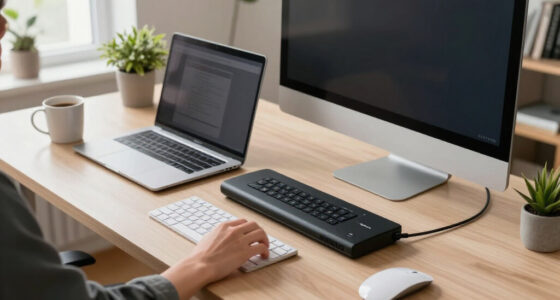
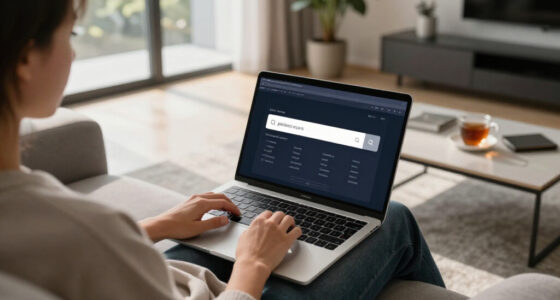
Laptop privacy screen filters can limit side views of your display, but the right choice depends on your laptop’s exact screen dimensions and how you want the filter to attach. My best overall pick is the ZOEGAA 15.6-Inch 16:9 for its stated four-way 360-degree privacy, while the SightPro Magnetic 14.1-Inch 16:10 stands out for a removable magnetic fit and the 3M Bright Screen 14-Inch 16:10 offers a distinct option for buyers prioritizing screen appearance. The main tradeoffs are privacy coverage versus brightness, magnetic convenience versus adhesive or tab mounting, and choosing a precise aspect ratio over a near-match. A filter that misses the active display area can leave gaps or interfere with the bezel, even when its diagonal measurement seems right. Read on for the full comparison, fit guidance, and recommendations by buyer type.

Get the latest gadgets delivered free with Prime
- Fast, free delivery on millions of items
- Prime Video, Amazon Music and more included
- Member-only deals all year
Complete the kit



Key Takeaways
- Exact aspect ratio matters as much as diagonal size: the 14-inch and 16-inch options here include both 16:9 and 16:10 formats, so a size-only match can still be wrong.
- Attachment style is a major separator: the lineup includes magnetic models, such as SightPro and PYS options, alongside filters described without magnetic mounting; removable convenience may matter more than brand.
- The ZOEGAA pick is distinguished by its stated four-way 360-degree privacy: that makes it the strongest fit for readers who need privacy from more than side angles, while many alternatives are better judged as conventional privacy filters.
- Brand repetition does not mean interchangeable fit: SightPro appears in several sizes and aspect ratios, including a MacBook Air 13.6-inch model, so buyers should match the specific device rather than the brand name.
- The lineup favors conventional laptop dimensions over unusual screens: most choices target 14-inch or 15.6-inch displays, with select 16-inch and MacBook Air-specific options for buyers whose screens fall outside those common sizes.
| ZOEGAA 15.6-Inch 16:9 Laptop Privacy Screen, 4-Way 360° Protection |  | Best for Privacy from Multiple Directions | Screen size: 15.6 inches | Aspect ratio: 16:9 | Filter dimensions: 13.6 × 7.65 inches | VIEW LATEST PRICE | See Our Full Breakdown |
| SightPro Magnetic Laptop Privacy Screen Filter, 14.1-inch, 16:10 |  | Best for Frequent Removal | Compatible display: 14-inch laptop, 16:10 | Filter dimensions: 11 15/16 inches wide × 7 1/2 inches high | Diagonal: 14.1 inches | VIEW LATEST PRICE | See Our Full Breakdown |
| ANTOGOO V 16-Inch 16:10 Laptop Privacy Screen Filter |  | Best for Matte, Scratch-Resistant Protection | Compatible screen size: 16 inches | Aspect ratio and resolution: 16:10; 1920×1200 | Filter dimensions: 13.6 × 8.5 inches (345 × 215 mm) | VIEW LATEST PRICE | See Our Full Breakdown |
| SightPro 14.1-Inch 16:10 Laptop Privacy Screen Filter |  | Best for Flexible Mounting and Hardness | Screen size and aspect ratio: 14 inches; 16:10 | Filter dimensions: 11 15/16 inches wide × 7 1/2 inches high | Diagonal: 14.1 inches | VIEW LATEST PRICE | See Our Full Breakdown |
| 15.6-Inch 16:9 Laptop Privacy Screen Filter, 1920 × 1080 |  | Best for Spec-Matched 1080p Screens | Compatible screen size: 15.6 inches | Aspect ratio and resolution: 16:9; 1920 × 1080 | Screen dimensions: 344 × 194 mm (13.54 × 7.64 inches) | VIEW LATEST PRICE | See Our Full Breakdown |
| SightPro 15.6-Inch Laptop Privacy Screen Filter |  | Best for Flexible Installation | Screen size: 15.6 inches | Screen format: 16:9 | Filter dimensions: 13 9/16 × 7 5/8 inches (345 × 194 mm) | VIEW LATEST PRICE | See Our Full Breakdown |
| 3M Bright Screen Privacy Filter for 14-Inch 16:10 Laptop |  | Best for Screen Sharing | Brand and model: 3M BP140W1B | Screen size: 14 inches | Aspect ratio: 16:10 | VIEW LATEST PRICE | See Our Full Breakdown |
| IPROKKO 14-Inch Laptop Privacy Screen, 16:9 |  | Best for Touchscreen Users | Screen size: 14 inches | Aspect ratio: 16:9 | Filter dimensions: 12.2 × 6.9 inches (310 × 175 mm) | VIEW LATEST PRICE | See Our Full Breakdown |
| PYS 14-Inch Magnetic Laptop Privacy Screen, 16:10 |  | Best for Removable Privacy | Brand and model: PYS PYS-CXFK14-16:10 | Screen size and aspect ratio: 14 inches; 16:10 | Displayable area: 12 × 7.5 inches (304 × 190 mm) | VIEW LATEST PRICE | See Our Full Breakdown |
| SightPro Magnetic Laptop Privacy Screen Filter, 15.6-Inch, 16:9 |  | Best for Frequent Removal | Screen size: 15.6 inches | Aspect ratio: 16:9 | Filter dimensions: 13 9/16 × 7 5/8 inches (345 × 194 mm) | VIEW LATEST PRICE | See Our Full Breakdown |
| 15.6-Inch Laptop Privacy Screen Filter, 16:9 |  | Best for Flexible Installation | Screen size: 15.6 inches | Aspect ratio: 16:9 | Filter dimensions: 13.58 × 7.64 inches | VIEW LATEST PRICE | See Our Full Breakdown |
| SightPro Magnetic Privacy Screen for MacBook Air 13.6-Inch (2022–2026, M2–M5) |  | Best for MacBook Air Owners | Compatible screen size: 13.6-inch MacBook Air | Compatible models: A2681, A3113, A3240 | Compatible years and chips: 2022–2026; M2, M3, M4, M5 | VIEW LATEST PRICE | See Our Full Breakdown |
| SightPro Magnetic Laptop Privacy Screen, 14-Inch 16:9 |  | Best 14-Inch Magnetic Kit | Compatible screen: 14-inch, 16:9 laptop | Filter dimensions: 12 3/16 × 6 7/8 inches (310 × 175 mm) | Material: Microlouver film | VIEW LATEST PRICE | See Our Full Breakdown |
| SightPro Magnetic Laptop Privacy Screen, 16-Inch 16:10 |  | Best for 16:10 Displays | Compatible screen size: 16 inches | Aspect ratio: 16:10 | Filter dimensions: 13.56 × 8.49 inches (344.5 × 215.6 mm) | VIEW LATEST PRICE | See Our Full Breakdown |
| SightPro 14-Inch 16:9 Laptop Privacy Screen Filter |  | Best for Non-Magnetic Mounting Options | Screen size: 14 inches | Aspect ratio: 16:9 | Filter dimensions: 12 3/16 × 6 7/8 inches (310 × 175 mm) | VIEW LATEST PRICE | See Our Full Breakdown |
| laptop privacy screen filter | Filter dimensions | Hardness |
|---|---|---|
| ZOEGAA 15.6-Inch 16:9 Laptop P | 13.6 × 7.65 inches | — |
| SightPro Magnetic Laptop Priva | 11 15/16 inches wide × 7 1/2 inches high | 2H |
| ANTOGOO V 16-Inch 16:10 Laptop | 13.6 × 8.5 inches (345 × 215 mm) | 5H |
| SightPro 14.1-Inch 16:10 Lapto | 11 15/16 inches wide × 7 1/2 inches high | 8H |
| 15.6-Inch 16:9 Laptop Privacy | — | 3H |
| SightPro 15.6-Inch Laptop Priv | 13 9/16 × 7 5/8 inches (345 × 194 mm) | 2H |
| 3M Bright Screen Privacy Filte | — | — |
| IPROKKO 14-Inch Laptop Privacy | 12.2 × 6.9 inches (310 × 175 mm) | — |
| PYS 14-Inch Magnetic Laptop Pr | — | — |
| SightPro Magnetic Laptop Priva | 13 9/16 × 7 5/8 inches (345 × 194 mm) | — |
| 15.6-Inch Laptop Privacy Scree | 13.58 × 7.64 inches | 3H |
| SightPro Magnetic Privacy Scre | — | 2H |
| SightPro Magnetic Laptop Priva | 12 3/16 × 6 7/8 inches (310 × 175 mm) | 2H |
| SightPro Magnetic Laptop Priva | 13.56 × 8.49 inches (344.5 × 215.6 mm) | 2H |
| SightPro 14-Inch 16:9 Laptop P | 12 3/16 × 6 7/8 inches (310 × 175 mm) | 2H |
More Details on Our Top Picks
ZOEGAA 15.6-Inch 16:9 Laptop Privacy Screen, 4-Way 360° Protection
The ZOEGAA stands apart for four-direction privacy: its filter is designed to limit views from the sides, above, and below, while many alternatives here focus on blocking side views. That makes it a better fit for shared spaces where people may stand or sit at different heights. Its two mounting options also let buyers choose between removable slide tabs and adhesive, unlike the ANTOGOO V, which uses adhesive backing. The tradeoff is fit: the 15.6-inch label is not enough on its own, so I’d check the display’s active width, height, and 16:9 ratio before ordering. The glossy PET surface and 3H hardness offer a basic protective layer, but buyers seeking a matte finish or touchscreen-specific fit should look elsewhere. It is also explicitly not compatible with MacBook or Surface computers.
Pros:- Designed to limit visibility from the sides, above, and below
- Offers removable slide-mount tabs or double-sided adhesive
- Includes a cleaning cloth and installation accessories
- Helps reduce glare and filter blue light and UV rays
Cons:- Requires a careful screen-size and aspect-ratio fit check
- Not compatible with MacBook or Surface series computers
- Glossy finish may suit glare-sensitive users less than the ANTOGOO V’s matte surface
Best for: People with compatible 15.6-inch, 16:9 Acer, Asus, HP, ThinkPad, Lenovo, or Samsung laptops who need privacy from more than side angles.
Not ideal for: MacBook and Surface owners, touchscreen users who need a touchscreen-optimized filter, or anyone unwilling to verify the laptop’s active screen dimensions.
- Screen size:15.6 inches
- Aspect ratio:16:9
- Filter dimensions:13.6 × 7.65 inches
- Privacy protection:4-way, 360°
- Material and hardness:PET; 3H
- Finish:Glossy
- Installation:Slide-mount tabs or double-sided adhesive
- Compatibility note:Not compatible with MacBook or Surface series computers
Our verdict“Choose the ZOEGAA if you have a compatible 15.6-inch 16:9 laptop and need privacy from above and below as well as from the sides.”
SightPro Magnetic Laptop Privacy Screen Filter, 14.1-inch, 16:10
For people who regularly share a laptop, the SightPro Magnetic is the most convenient pick in this group: magnetic attachment makes it easier to remove and reattach than the adhesive-based ANTOGOO V or the adhesive-and-tab SightPro 14.1-inch filter. Its microlouver film blacks out the display from the sides while keeping a straight-on view clear, a useful balance for working in public without making the screen hard to read head-on. The storage folder and webcam cover add practical extras for commuters and office hot-deskers. There are limits: it does not block a view from directly behind, and the 2H hardness is lower than the 5H ANTOGOO V and 8H SightPro 14.1-inch filter. It is also not optimized for touchscreens, so frequent tapping may make another option a better match.
Pros:- Magnetic attachment supports easy removal and reattachment
- Maintains a clear straight-on view while limiting side visibility
- Package includes a webcam cover, storage folder, and cleaning cloth
- Helps reduce UV and blue light exposure and protect against scratches
Cons:- Not optimized for touchscreen use
- Does not block visibility from directly behind the user
- 2H hardness is lower than the 5H ANTOGOO V and 8H SightPro 14.1-inch filter
Best for: Commuters and hot-desk workers with a compatible 14-inch 16:10 laptop who need to remove and reattach a privacy filter often.
Not ideal for: Touchscreen users, buyers who need privacy from directly behind, or owners whose active screen dimensions do not match the filter.
- Compatible display:14-inch laptop, 16:10
- Filter dimensions:11 15/16 inches wide × 7 1/2 inches high
- Diagonal:14.1 inches
- Material:Microlouver film
- Hardness:2H
- Attachment:Magnetic
- Finish:Glossy and matte
- Touchscreen compatibility:Not optimized for touchscreens
Our verdict“Pick this SightPro if frequent, tool-free removal matters more than touchscreen use or stronger scratch resistance.”
ANTOGOO V 16-Inch 16:10 Laptop Privacy Screen Filter
The ANTOGOO V is the strongest fit here for buyers who want privacy filtering alongside a more protective, low-glare surface. Its matte finish can make reflections less distracting than the glossy ZOEGAA or the glossy option on the 15.6-inch 16:9 filter, while its 5H hardness is higher than the 2H magnetic SightPro. The stated ±25° viewing angle gives a clear privacy target: it is intended to restrict side viewing rather than hide the screen from every direction. Touchscreen compatibility also gives it an advantage over both SightPro 14.1-inch options, which are not optimized for touch. The narrow fit requirements are the main catch: buyers need a 16-inch, 16:10, 1920×1200 display, and it does not fit 16.1-inch 1920×1080 laptops or 16-inch MacBook Pro models.
Pros:- Matte finish helps reduce glare and reflections
- 5H hardness offers more scratch resistance than the 2H SightPro Magnetic filter
- Compatible with touchscreens
- Combines side-view privacy with anti-blue-light and anti-fingerprint features
Cons:- Compatibility is limited to a specific 16-inch 16:10 display and 1920×1200 resolution
- Not compatible with 16-inch MacBook Pro models or 16.1-inch 1920×1080 laptops
- Adhesive backing is less convenient to remove and reattach than the magnetic SightPro
Best for: Users with a compatible 16-inch, 16:10, 1920×1200 laptop who want a matte privacy filter and touchscreen compatibility.
Not ideal for: Owners of 16-inch MacBook Pro models, 16.1-inch 1920×1080 laptops, or displays that do not match the specified dimensions and resolution.
- Compatible screen size:16 inches
- Aspect ratio and resolution:16:10; 1920×1200
- Filter dimensions:13.6 × 8.5 inches (345 × 215 mm)
- Viewing angle:±25°
- Finish:Matte
- Hardness:5H
- Installation:Adhesive backing
- Touchscreen compatibility:Compatible
Our verdict“Choose the ANTOGOO V if your display matches its exact specifications and you want a matte, touchscreen-compatible filter with stronger stated hardness.”
SightPro 14.1-Inch 16:10 Laptop Privacy Screen Filter
This SightPro is a practical choice for buyers who want a conventional privacy filter with a choice of mounting styles and a comparatively hard surface. It includes both adhesive strips and slide-mount tabs, so it can stay attached or be removed more readily; that flexibility contrasts with the adhesive-only ANTOGOO V, though it is less effortless to take on and off than the magnetic SightPro 14.1-inch model. The stated 8H hardness is also higher than the 2H magnetic alternative and the 5H ANTOGOO V. It blacks out the screen from side views and helps reduce glare, UV, and blue light, but it does not shield against someone directly behind you. Fit depends on matching the filter’s width and height, and this model is not optimized for touchscreens, which narrows its appeal for interactive laptops.
Pros:- Includes both adhesive strips and removable slide-mount tabs
- 8H hardness is higher than the other listed filters’ stated hardness levels
- Limits side visibility and helps reduce glare, UV, and blue light
- Includes a microfiber cleaning cloth
Cons:- Not optimized for touchscreen use
- Does not block visibility directly behind the user
- Requires matching the filter’s width and height to the active display
Best for: Office workers with a compatible 14-inch 16:10 laptop who want removable mounting tabs, adhesive installation as an alternative, and a hard filter surface.
Not ideal for: Touchscreen users, people who need protection from a viewer directly behind them, or buyers who prefer magnetic attachment for frequent removal.
- Screen size and aspect ratio:14 inches; 16:10
- Filter dimensions:11 15/16 inches wide × 7 1/2 inches high
- Diagonal:14.1 inches
- Hardness:8H
- Finish:Glossy and matte
- Installation:Adhesive strips or slide-mount tabs
- Touchscreen compatibility:Not optimized for touchscreens
- Compliance:Section 889 and TAA compliant
Our verdict“Choose this SightPro for a compatible 14-inch 16:10 laptop if you value 8H hardness and two nonmagnetic mounting options over touchscreen support.”
15.6-Inch 16:9 Laptop Privacy Screen Filter, 1920 × 1080
This filter makes the most sense for buyers whose laptop matches its unusually clear fit specification: 15.6 inches, 16:9, and 1920 × 1080, with an active screen measuring 344 × 194 mm. That detail helps distinguish it from the ZOEGAA, which shares the 15.6-inch 16:9 format but lists dimensions in inches and claims privacy from four directions. This model instead specifies a 60-degree viewing angle, blocks 30% of blue light, and offers adhesive strips or removable mounting tabs. The defined fit can help prevent a mismatched purchase, but only if the buyer checks the display’s active area rather than relying on the laptop’s marketed size. It is not touchscreen-compatible and does not list four-way privacy, so touchscreen users or people needing protection from above and below should look at alternatives.
Pros:- Lists a precise 344 × 194 mm active-screen fit for compatible 1080p displays
- Limits side views outside its stated 60-degree viewing angle
- Blocks 30% of blue light
- Offers adhesive strips or removable mounting tabs
Cons:- Not compatible with touchscreens
- Requires a close match to the active screen dimensions and 16:9 aspect ratio
- Does not specify the ZOEGAA’s four-direction privacy coverage
Best for: Owners of 15.6-inch 16:9 1920×1080 laptops whose active display measures 344 × 194 mm and who want adhesive or tab mounting.
Not ideal for: Touchscreen users, owners of 16:10 or differently sized displays, or people seeking the ZOEGAA’s stated privacy from above and below.
- Compatible screen size:15.6 inches
- Aspect ratio and resolution:16:9; 1920 × 1080
- Screen dimensions:344 × 194 mm (13.54 × 7.64 inches)
- Viewing angle:60 degrees
- Blue light blocking:30%
- Hardness:3H
- Touchscreen compatibility:Not compatible
- Installation and finish:Adhesive strips or removable mounting tabs; glossy or matte
Our verdict“Pick this filter when your 15.6-inch 1080p display matches the stated active dimensions and you do not need touchscreen support or four-way privacy.”
SightPro 15.6-Inch Laptop Privacy Screen Filter
I’d choose this SightPro when I want a standard 15.6-inch, 16:9 filter and the option to mount it with either adhesive strips or slide-mount tabs. That flexibility makes it easier to match the installation to how often I remove the filter. Its microlouver film limits side-angle viewing while keeping the display clear from the front, and the included cloth helps with routine cleaning. Compared with the magnetic SightPro 15.6-inch model, this version does not rely on magnetic stickers, but it also lacks that model’s quick on-and-off convenience and storage folder. The tradeoff is a fit that depends on the actual screen area: I’d check the stated 13 9/16 × 7 5/8-inch dimensions, not just the diagonal. It is not optimized for touchscreens and offers no privacy from directly behind me.
Pros:- Two mounting methods suit different preferences for attachment and removal.
- Microlouver film limits side-angle viewing while preserving a clear front view.
- Includes a microfiber cleaning cloth and two sets of attachment supplies.
- Designed for the common 15.6-inch, 16:9 laptop format.
Cons:- Not optimized for touchscreen operation.
- Does not prevent viewing from directly behind the user.
- Diagonal size alone is not enough to confirm fit; screen width and height need checking.
Best for: Laptop owners with a 15.6-inch, 16:9 display who want a choice between semi-removable tabs and adhesive mounting.
Not ideal for: Touchscreen users, people who need frequent tool-free removal, or anyone whose screen dimensions do not match the filter.
- Screen size:15.6 inches
- Screen format:16:9
- Filter dimensions:13 9/16 × 7 5/8 inches (345 × 194 mm)
- Material:Microlouver film
- Hardness:2H
- Surface:Glossy and matte
- Attachment:Adhesive strips or slide-mount tabs
- Package contents:Privacy filter, two sets of adhesive strips, two sets of slide-mount tabs, microfiber cleaning cloth
Our verdict“Choose this if you want a 15.6-inch privacy filter with more than one mounting option and do not need touchscreen support.”
3M Bright Screen Privacy Filter for 14-Inch 16:10 Laptop
Among these filters, this 3M stands out for a workflow that alternates between private work and showing the screen to someone nearby. Its COMPLY Flip Attach lets me switch between privacy and sharing without relying only on fixed adhesive mounting; adhesive strips are included too. The filter blacks out views beyond 60 degrees while transmitting up to 85% of screen light, a useful balance for keeping the display visible head-on. Compared with the PYS magnetic 14-inch 16:10 filter, the 3M offers a flip attachment and glossy/matte sides rather than magnetic removal and a storage folder. The tradeoff is narrow compatibility: this is for a 14-inch 16:10 display, not every 14-inch laptop. Side viewers may also find the restricted viewing angle inconvenient when collaboration is frequent.
Pros:- COMPLY Flip Attach allows a quick change between privacy and screen sharing.
- Blocks side views beyond 60 degrees while transmitting up to 85% of screen light.
- Reversible glossy and matte finishes offer different surface preferences.
- Includes both flip attachment and adhesive strips.
Cons:- Compatibility is limited to a 14-inch, 16:10 screen with matching dimensions.
- The restricted side view can hinder collaboration when others need to see the display.
- The listed warranty is limited to one year.
Best for: People with a compatible 14-inch, 16:10 2-in-1 who regularly switch between private viewing and sharing their screen.
Not ideal for: Owners of 16:9 or other-sized displays, and teams that need several people to view the screen from the side.
- Brand and model:3M BP140W1B
- Screen size:14 inches
- Aspect ratio:16:10
- Dimensions:11.89 × 7.44 inches
- Weight:4 ounces
- Light transmission:Up to 85%
- Attachment options:COMPLY Flip Attach and COMPLY Adhesive Strips
- Warranty:Limited 1-year warranty
Our verdict“Pick this 3M filter for a compatible 14-inch 16:10 laptop when flipping between private work and screen sharing matters.”
IPROKKO 14-Inch Laptop Privacy Screen, 16:9
This IPROKKO is the most suitable pick here for a buyer who needs a 14-inch 16:9 filter that supports touchscreen use. Its reversible matte and glossy surfaces let me choose between a less reflective finish and a smoother glossy one, while slide-mount tabs and permanent strips provide different mounting approaches. That versatility distinguishes it from the SightPro 15.6-inch filter, which is not optimized for touchscreens, and from the magnetic PYS filter, which is also not touchscreen-oriented. The stated 8H hardness and anti-fingerprint feature add a layer of screen protection, but they do not remove the need to confirm the actual display dimensions. Permanent strips may be inconvenient if I later want to remove or reposition the filter, and the 16:9 fit excludes 14-inch laptops with a different aspect ratio.
Pros:- Listed as compatible with touchscreen laptops.
- Reversible matte and glossy surfaces allow a choice of finish.
- Offers slide-mount tabs as well as permanent attachment strips.
- Lists 8H hardness, anti-fingerprint features, and water resistance.
Cons:- Fit depends on both a 16:9 aspect ratio and exact screen dimensions.
- Permanent strips make removal or repositioning less convenient.
- Its 14-inch 16:9 format is incompatible with many 14-inch 16:10 displays.
Best for: Touchscreen laptop owners with a 14-inch, 16:9 display who want reversible finishes and a choice of mounting methods.
Not ideal for: Owners of 14-inch 16:10 laptops or buyers who want a filter that can be removed often without dealing with adhesive strips.
- Screen size:14 inches
- Aspect ratio:16:9
- Filter dimensions:12.2 × 6.9 inches (310 × 175 mm)
- Compatible resolutions:1920 × 1080, 2560 × 1440, 1280 × 720, and other 16:9 formats
- Compatible devices:Compatible 14-inch laptops from HP, Dell, Acer, Asus, Samsung, and Lenovo
- Finish:Reversible matte and glossy
- Installation:Slide-mount tabs or permanent attachment strips
- Hardness and water resistance:8H; listed as waterproof
Our verdict“Choose the IPROKKO if you have a dimension-matched 14-inch 16:9 touchscreen and value flexible finishes over easy removal.”
PYS 14-Inch Magnetic Laptop Privacy Screen, 16:10
The PYS is a good match for a compatible 14-inch, 16:10 laptop when I want to remove the filter without peeling away adhesive. Its magnetic attachment makes temporary use more practical, and the included storage folder gives me somewhere to keep the screen when it is off the laptop. The matte finish is geared toward reducing glare, while the cleaning and installation kits cover basic setup. Compared with the 3M Bright Screen filter, the PYS emphasizes magnetic removal rather than a flip attachment for sharing the screen; it does not list the same flip-to-share setup. Compatibility is a major limit: it is not compatible with MacBooks, is not optimized for touchscreens, and requires a close match to the 12 × 7.5-inch displayable area. The 3H hardness is also a more modest stated rating than the IPROKKO’s 8H.
Pros:- Magnetic installation makes the screen removable without adhesive strips.
- Matte surface is suited to users seeking glare reduction.
- Includes a storage folder, cleaning kit, and installation kit.
- Lists a three-year warranty.
Cons:- Not compatible with MacBooks.
- Not optimized for touchscreen use.
- Requires exact 16:10 display-area matching and has a stated 3H hardness.
Best for: Owners of non-MacBook 14-inch 16:10 laptops who want to remove and store a privacy filter between work sessions.
Not ideal for: MacBook owners, touchscreen users, or anyone whose displayable screen area differs from 12 × 7.5 inches.
- Brand and model:PYS PYS-CXFK14-16:10
- Screen size and aspect ratio:14 inches; 16:10
- Displayable area:12 × 7.5 inches (304 × 190 mm)
- Diagonal:14.1 inches (358.14 mm)
- Installation:Removable magnetic installation
- Finish and hardness:Matte; 3H
- Weight:0.19 kg
- Included components and warranty:Privacy screen, cleaning kit, installation kit, storage folder; 3-year warranty
Our verdict“Pick the PYS if your non-MacBook 14-inch 16:10 laptop matches its display area and you want a magnetic filter you can store away.”
SightPro Magnetic Laptop Privacy Screen Filter, 15.6-Inch, 16:9
This magnetic SightPro is the more convenient choice over the adhesive-and-tab SightPro 15.6-inch filter when I expect to take the screen off regularly. The removable magnetic attachment avoids leaving the filter fixed in place, and the package adds a storage folder for keeping it protected between uses. It shares the other SightPro’s 15.6-inch 16:9 dimensions and microlouver design, so buyers should compare the actual screen width and height rather than rely on the diagonal alone. The tradeoff is touchscreen use: this model is not optimized for it. Its side privacy also has a clear limit, since it does not block a view from directly behind me. The included webcam cover, cleaning cloth, and UV and blue-light reduction features add utility, but buyers who prefer a fixed installation may find the standard SightPro’s tabs and adhesive options a better fit.
Pros:- Magnetic attachment allows removal without adhesive mounting.
- Includes a storage folder for carrying or storing the filter.
- Package includes a webcam cover and cleaning cloth.
- Microlouver film provides side-view privacy and the product lists UV and blue-light reduction.
Cons:- Not optimized for touchscreen use.
- Does not block visibility from directly behind the user.
- Requires checking screen width and height to confirm fit.
Best for: 15.6-inch, 16:9 laptop owners who regularly remove their privacy filter and want a storage folder and webcam cover included.
Not ideal for: Touchscreen users, buyers needing rear-view privacy, or anyone whose screen dimensions do not match the filter.
- Screen size:15.6 inches
- Aspect ratio:16:9
- Filter dimensions:13 9/16 × 7 5/8 inches (345 × 194 mm)
- Material:Microlouver film
- Attachment:Magnetic and removable
- Surface and hardness:Glossy and matte; 2H
- Special features:Side-view privacy, UV and blue-light reduction, scratch protection
- Package contents:Privacy filter, magnetic stickers, webcam cover, storage folder, cleaning cloth
Our verdict“Choose this SightPro over the adhesive-and-tab version if you have a matching 15.6-inch 16:9 laptop and expect to remove the filter often.”
15.6-Inch Laptop Privacy Screen Filter, 16:9
This 15.6-inch filter suits buyers who want a choice between a removable setup and a more fixed fit: it attaches with slide-in tabs or adhesive strips. Its reversible matte and glossy surfaces let you favor glare reduction or privacy and color clarity, a useful adjustment the SightPro magnetic filters do not provide in the same two-sided format. It obscures the display at angles greater than 30° and adds blue-light and UV reduction alongside 3H scratch resistance. The tradeoff is that fit depends on checking the screen’s actual dimensions, and this model is not compatible with MacBook screens. Choose it for a compatible 16:9 laptop when installation flexibility matters more than magnetic removal.
Pros:- Offers both slide-in tabs and adhesive-strip installation.
- Reversible matte and glossy surfaces suit different lighting and viewing preferences.
- Obscures the screen from viewing angles greater than 30°.
- Provides blue-light and UV reduction with 3H scratch resistance.
Cons:- Not compatible with MacBook screens.
- Requires checking screen dimensions and fit before ordering.
Best for: Owners of non-MacBook 15.6-inch, 16:9 laptops who want to choose between tab-based removal and adhesive mounting.
Not ideal for: MacBook owners or buyers who need a filter that attaches magnetically and removes without adhesive.
- Screen size:15.6 inches
- Aspect ratio:16:9
- Filter dimensions:13.58 × 7.64 inches
- Privacy viewing angle:Obscures screen at angles exceeding 30°
- Installation:Adhesive strips or slide-in tabs
- Surface:Reversible matte and glossy
- Hardness:3H
- Blue-light and UV reduction:Up to 95% blue-light reduction; up to 92% UV protection
- Compatibility note:Not compatible with MacBook screens
Our verdict“Pick this for a compatible 15.6-inch Windows laptop if adjustable surface finish and two installation methods matter more than magnetic attachment.”
SightPro Magnetic Privacy Screen for MacBook Air 13.6-Inch (2022–2026, M2–M5)
MacBook Air owners who want a filter they can remove between work sessions get a tailored option here: the magnetic attachment is made for specified 13.6-inch models, rather than the generic 16:9 fit of the 15.6-Inch Laptop Privacy Screen Filter. It uses microlouver film to limit side-angle visibility and offers glossy and matte finishes, plus UV and blue-light reduction and scratch protection. The included storage folder and cleaning cloth make taking it off and putting it away more practical. Its 2H hardness is lower than the 3H rating on the 15.6-inch filter, and the privacy effect does not block someone directly behind you. Check the listed model numbers before ordering; the exact fit is this pick’s main advantage and constraint.
Pros:- Magnetic attachment allows removal without adhesive.
- Designed for specified 13.6-inch MacBook Air models.
- Offers glossy and matte finishes with UV and blue-light reduction.
- Includes a storage folder and cleaning cloth.
Cons:- Does not block visibility from directly behind the user.
- Its 2H hardness rating is lower than the 3H rating of the 15.6-inch 16:9 filter.
- Compatibility is limited to the listed MacBook Air screen size and models.
Best for: MacBook Air users with a listed 13.6-inch model who want a removable privacy screen for commuting or shared workspaces.
Not ideal for: Owners of other MacBook sizes or laptop models, and anyone who needs privacy from a person seated directly behind them.
- Compatible screen size:13.6-inch MacBook Air
- Compatible models:A2681, A3113, A3240
- Compatible years and chips:2022–2026; M2, M3, M4, M5
- Attachment:Magnetic, removable
- Material:Microlouver film
- Hardness:2H
- Finish:Glossy and matte
- Water resistance:Water resistant
- Package contents:Privacy screen filter, storage folder, cleaning cloth
Our verdict“Choose this if you own a listed 13.6-inch MacBook Air and want a magnetic filter you can remove and store between sessions.”
SightPro Magnetic Laptop Privacy Screen, 14-Inch 16:9
For a compatible 14-inch, 16:9 laptop, this SightPro pairs magnetic removal with a particularly useful accessory set: magnetic stickers, a webcam cover, a storage folder, and a cleaning cloth. Like the 16-inch 16:10 SightPro, it uses microlouver film to restrict side views while keeping the screen clear straight on; the smaller 14-inch format is the deciding difference. Glossy and matte surfaces, water resistance, and UV and blue-light reduction round out the package. The 2H hardness is modest, and the filter is not optimized for touchscreens, so it is a poor match for buyers who interact with their display by touch. Measure screen width and height before ordering, since the diagonal alone does not confirm fit.
Pros:- Magnetic attachment allows the filter to be removed and reattached.
- Includes magnetic stickers, a webcam cover, a storage folder, and a cleaning cloth.
- Limits side-angle visibility while keeping the display clear straight on.
- Provides UV and blue-light reduction and a water-resistant film.
Cons:- Not optimized for touchscreens.
- Requires checking filter width and height against the laptop screen.
- Does not block visibility from directly behind the user.
Best for: People with a 14-inch, 16:9 laptop who want magnetic removal and a bundled webcam cover for shared offices or travel.
Not ideal for: Touchscreen laptop users or buyers who cannot verify that the filter’s width and height match their display.
- Compatible screen:14-inch, 16:9 laptop
- Filter dimensions:12 3/16 × 6 7/8 inches (310 × 175 mm)
- Material:Microlouver film
- Attachment:Magnetic, removable
- Surface finish:Glossy and matte
- Hardness:2H
- Water resistance:Water resistant
- Touchscreen compatibility:Not optimized for touchscreens
- Package contents:Privacy filter, magnetic stickers, webcam privacy cover, storage folder, cleaning cloth
Our verdict“Choose this over the 16-inch SightPro if your laptop is a compatible 14-inch 16:9 model and you value magnetic removal with a webcam cover included.”
SightPro Magnetic Laptop Privacy Screen, 16-Inch 16:10
This SightPro is the lineup’s magnetic option for a 16-inch, 16:10 screen, a taller format than the 14-inch 16:9 SightPro. That aspect-ratio match matters more than the shared magnetic design: buying by diagonal alone can leave a filter that does not cover the display correctly. The microlouver film limits side-angle viewing, while the glossy and matte surfaces offer a choice of finish; UV and blue-light reduction and scratch protection add everyday screen-care benefits. Magnetic stickers and a storage folder support removal and storage, with a webcam cover and cleaning cloth also included. Its 2H hardness and lack of touchscreen optimization are real limits, and it does not prevent viewing from directly behind you.
Pros:- Sized for compatible 16-inch, 16:10 laptop screens.
- Magnetic attachment supports removal and reattachment.
- Includes a webcam cover, storage folder, and cleaning cloth.
- Offers glossy and matte surfaces, plus UV and blue-light reduction.
Cons:- Not optimized for touchscreens.
- Requires checking screen width and height for a proper fit.
- Does not block visibility from directly behind the user.
Best for: Laptop owners with a 16-inch, 16:10 display who want a removable magnetic privacy filter and bundled storage accessories.
Not ideal for: Touchscreen users, owners of 16:9 laptops, or people who need protection from someone seated directly behind them.
- Compatible screen size:16 inches
- Aspect ratio:16:10
- Filter dimensions:13.56 × 8.49 inches (344.5 × 215.6 mm)
- Material:Microlouver film
- Attachment:Magnetic
- Surface:Glossy and matte
- Hardness:2H
- Touchscreen compatibility:Not optimized for touchscreens
- Package contents:Privacy filter, magnetic stickers, webcam privacy cover, storage folder, cleaning cloth
Our verdict“Pick this over the 14-inch 16:9 SightPro when your display is 16-inch 16:10 and you want magnetic, removable privacy protection.”
SightPro 14-Inch 16:9 Laptop Privacy Screen Filter
This SightPro suits buyers who want installation choices without relying on a magnetic fit: it includes both adhesive strips and slide-mount tabs. For a compatible 14-inch, 16:9 laptop, its microlouver film blacks out side views while keeping the screen clear straight on. Compared with the magnetic SightPro 14-Inch 16:9, this version trades quick magnetic removal for two mounting approaches and includes a microfiber cloth. Its glossy matte anti-glare surface and stated UV and blue-light reduction support everyday use, but the filter is not optimized for touchscreens or compatible with MacBooks. Buyers should verify the listed filter dimensions before ordering. Like the other side-view filters here, it does not block a person seated directly behind the user.
Pros:- Includes adhesive strips and slide-mount tabs for two installation approaches.
- Limits side-angle views while maintaining a clear straight-on display.
- Reduces glare, UV, and blue light.
- Includes a microfiber cloth and extra mounting accessories.
Cons:- Not compatible with MacBooks.
- Not optimized for touchscreens.
- Does not block visibility directly behind the user.
Best for: Owners of non-MacBook 14-inch, 16:9 laptops who prefer adhesive or slide-mount installation over magnetic attachment.
Not ideal for: MacBook owners, touchscreen users, or anyone who wants to remove and reattach a filter without mounting tabs or adhesive.
- Screen size:14 inches
- Aspect ratio:16:9
- Filter dimensions:12 3/16 × 6 7/8 inches (310 × 175 mm)
- Material:Microlouver film
- Hardness:2H
- Surface:Glossy matte anti-glare
- Attachment options:Adhesive strips or slide-mount tabs
- Touchscreen compatibility:Not optimized for touchscreens
- Compatibility note:Not compatible with MacBooks
Our verdict“Choose this over the magnetic SightPro 14-inch if you have a compatible non-MacBook laptop and want adhesive or slide-mount installation.”

How We Picked
I ranked these laptop privacy screen filters around the decisions that most affect daily use: whether the stated diagonal and aspect ratio match the display, how the filter attaches, what privacy coverage the product claims, and whether its positioning gives buyers a clear reason to choose it. Exact-fit options rank ahead of products whose listing details leave more room for sizing guesswork. I also treated removable magnetic designs as a practical advantage for people who take a filter on and off, rather than as an automatic win for every buyer.
The order reflects fit clarity, stated privacy characteristics, and usability tradeoffs, not a claim that every option performs identically across laptops. The ZOEGAA leads for its explicitly stated four-way coverage; magnetic SightPro and PYS options rank well for users who value removable mounting and clear size variants. The 3M model earns a distinct role for readers who prioritize a brightness-focused product description. Products with similar generic names are separated by their stated screen size, aspect ratio, and attachment details, and I avoid treating unspecified features as proven benefits.
Factors to Consider When Choosing Laptop Privacy Screen Filters
Before choosing from this roundup, verify the screen itself rather than relying on the laptop model name alone. These broader checks can prevent fit problems and help you decide whether privacy coverage, easy removal, or a more natural-looking display matters most.
Match the Active Display, Not Just the Laptop Category
Diagonal size alone does not tell you whether a filter will cover the visible screen correctly. Measure the active display area and confirm its aspect ratio, such as 16:9 or 16:10, against the product listing. Bezels, rounded corners, and camera cutouts can affect fit even when a laptop is advertised as 14 inches. A filter made for the wrong ratio may leave a strip exposed or overlap the frame. Check the laptop manufacturer’s display specifications if you cannot measure the panel confidently. When a listing names a specific device, confirm its model year and screen generation rather than assuming all versions share dimensions.
Choose Mounting Around How Often You Remove the Filter
Magnetic filters can be convenient when you switch between private work and sharing your screen, but the design must suit the laptop’s bezel and lid. Some screens have thin borders or a camera area that makes magnetic placement less straightforward. Adhesive strips or slide-in tabs may hold a filter in place more consistently, though they can take longer to install or remove. Before buying, check whether the mounting method leaves the webcam unobstructed and whether the filter can be stored safely when detached. A permanently installed filter may suit a dedicated work laptop, while frequent travelers may prefer a removable design. Do not choose magnets based on convenience alone if your screen has no suitable surface for them.
Think About Where Viewers Might Be Sitting
Many privacy filters are designed to restrict side-angle viewing, which is useful on trains, in cafes, and at shared desks. A product that claims four-way coverage addresses a broader set of viewing directions, but buyers should check what the listing means by that claim. Privacy comes with a narrower usable viewing area, so people who often show presentations to colleagues may find a strong filter inconvenient. Consider your usual seating position and whether people need to view the display with you. If privacy matters only during occasional travel, a removable filter can avoid limiting shared-screen use at home or work. If sensitive information stays onscreen all day, broader coverage may be worth the viewing tradeoff.
Balance Privacy With Brightness and Screen Clarity
A privacy layer can make a display appear darker, and the effect may be more noticeable in bright rooms or on laptops with modest screen brightness. This can lead buyers to raise brightness more often, which may affect battery use. Product descriptions that emphasize brightness or screen appearance are worth comparing, but they do not replace checking the manufacturer’s details for the specific filter. Think about your normal work environment: a dim office presents different demands from a sunlit desk or a frequently used outdoor workspace. If color accuracy is central to your work, consider whether a privacy filter belongs on the display during color-critical tasks. Buyers who mainly read documents may accept a different balance than photographers or designers.
Check Cameras, Touchscreens, and Daily Screen Care
Before fitting a filter, check whether it covers a webcam, ambient-light sensor, or other feature near the top bezel. A privacy screen can also change the feel of touch input or add another surface that collects fingerprints and dust. Follow the product’s care instructions, since rough cloths or unsuitable cleaners can mark a filter or its coatings. Dust trapped between the display and a removable panel can be distracting, so a clean installation area matters. If you regularly close the laptop, confirm the added thickness will not press the filter against the keyboard or interfere with the lid. These practical details can matter more over time than a small difference in listed screen size.
Pay for a Clear Fit or Convenience, Not Extra Claims Alone
Spending more makes sense when it buys a verified match for your exact laptop, an attachment method you will use, or a feature that addresses your working conditions. It is less useful when the listing repeats broad privacy language without clarifying dimensions, mounting, or coverage direction. For less common screens, a device-specific option may reduce fit uncertainty compared with a generic filter labeled only by diagonal size. For a standard 15.6-inch 16:9 display, several generic choices in this roundup may be worth comparing by their stated details before paying for a more specialized model. Read the return and fit information before ordering, especially if your laptop’s bezel or panel dimensions are unusual. The best value is the least uncertain fit that meets your privacy needs, not simply the option with the broadest feature wording.
Frequently Asked Questions
How can I tell whether a 14-inch filter will fit my laptop?
Confirm both the active display’s diagonal and its aspect ratio; “14-inch” by itself is not enough. This roundup includes 14-inch options in 16:9 and 16:10, which have different screen proportions. Compare the filter’s stated dimensions with your laptop manufacturer’s display specifications or measure the visible panel. Also check for webcam cutouts and bezel constraints, particularly with magnetic models. If the product listing does not give enough detail to match your screen, choose an option with clearer fit information or a suitable return policy.
Should I choose a magnetic privacy filter or one that stays attached?
Choose magnetic mounting if you expect to remove the filter regularly, such as when sharing your screen or closing it away for travel. A fixed or tab-mounted design may make more sense if the filter will stay on one laptop and you prefer not to reposition it. Magnetic attachment depends on having a compatible bezel and enough clearance around the webcam and screen edges. Check whether your laptop’s lid closes normally with the filter fitted. The SightPro and PYS magnetic options in this roundup make removable mounting a visible choice, but they are not automatically the best fit for every chassis.
Will a privacy screen make my laptop harder to use in a bright room?
It can: privacy layers may reduce perceived brightness, and the effect can be more obvious in a sunlit room or on a display with limited brightness headroom. Before buying, think about where you work most often and whether you already run your screen near its maximum setting. A brightness-focused product description, such as the one associated with the 3M option here, may appeal to buyers who care about screen appearance, though it is still wise to check product-specific specifications. If you work in changing lighting, a removable filter gives you the option to take it off when privacy is not needed. Raising brightness to compensate can also use more battery.
Is a four-way privacy filter necessary if I mainly work in public?
Not always. If nearby viewers are usually seated beside you, a conventional side-view privacy filter may address the main risk. The ZOEGAA model’s stated four-way 360-degree coverage is more relevant when people may approach from behind or view the screen from several directions. Broader coverage can also make shared viewing less convenient, so it may be excessive for a desk where colleagues often look at your display with you. Match coverage to your actual surroundings and the sensitivity of the information on screen. For occasional public use, removability may matter as much as the direction of coverage.
Can I use a MacBook Air filter on another 13-inch laptop?
Do not assume a model-specific MacBook Air filter will fit another laptop just because both screens are described as 13 inches. The SightPro option in this roundup is labeled for a 13.6-inch MacBook Air across specified model years, while another laptop may have different panel dimensions, bezel shape, or camera placement. Compare the active display measurements and the filter’s attachment design before ordering. Magnetic fit can be especially dependent on the lid and bezel layout. If the product’s fit details do not explicitly cover your laptop, a size- and aspect-ratio-matched generic option may be safer.
Conclusion
For the broadest stated coverage, my best overall pick is the ZOEGAA 15.6-Inch 16:9, thanks to its four-way 360-degree privacy claim. The best value direction is a correctly sized generic 15.6-inch 16:9 filter if your laptop matches that common format and you do not need magnetic removal or extra coverage claims. For a best premium-style choice, I would start with the 3M Bright Screen 14-Inch 16:10 option if screen appearance is a priority, then confirm its specifications against your display. The best option for beginners is a magnetic SightPro filter that matches the laptop’s exact size and ratio, since removable mounting can make installation and repositioning less of a commitment. For specific needs, choose the MacBook Air 13.6-inch SightPro for the listed device family, the 16-inch 16:10 options for matching larger panels, or a four-way model when viewers may approach from several directions. My final rule is simple: verify the panel dimensions first, then choose the attachment and coverage that suit where you work.
Halloween Picks

Vexalify 11-Inch Halloween Pumpkin Fog Machine with 12-Color Lights

Spirit Halloween 54-Inch Sitting Scarecrow Animatronic

8.5 Foot Halloween Inflatable Haunted House Castle with Skeleton, Ghost & Skulls
As an affiliate, we earn on qualifying purchases.