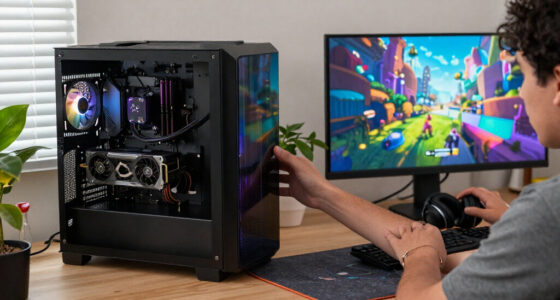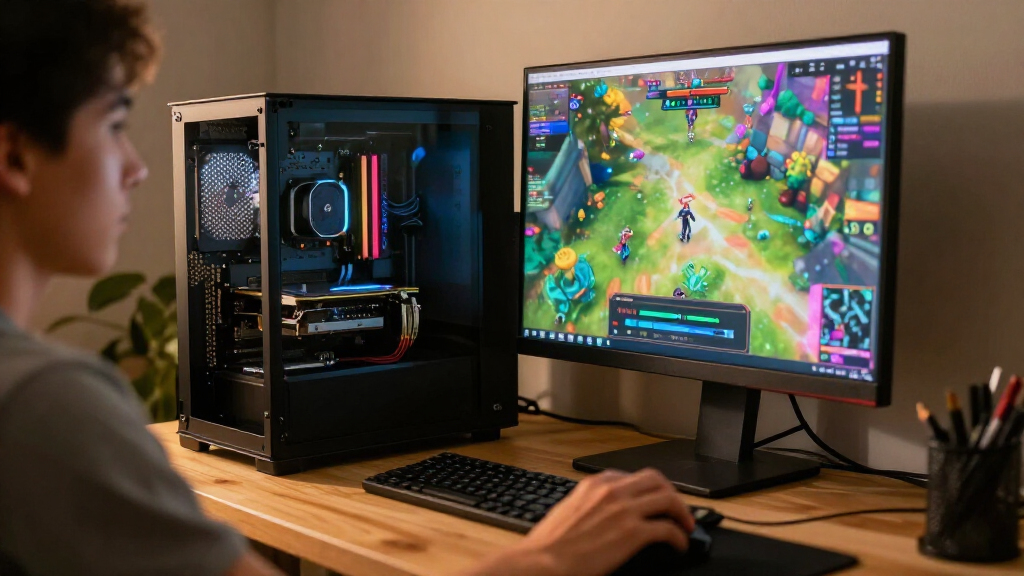

The best GPUs and RAM depend on whether you need more graphics performance, more memory, or a balanced upgrade. My best overall graphics pick is the ASUS Prime Radeon RX 9070 EVO 16GB, while the ASUS Prime GeForce RTX 5070 OC is a strong alternative for buyers who prefer NVIDIA features; for memory, the G.SKILL Trident Z5 Neo RGB 64GB DDR5-6000 suits heavier workloads. This lineup ranges from entry-level graphics cards and 32GB kits to high-end GPUs and 64GB RAM, so compatibility and your actual workload matter as much as headline specs. A fast graphics card cannot compensate for insufficient system memory, and extra RAM will not fix a GPU bottleneck. Read on for the full breakdown and help matching the right upgrade to your system.

Get the latest gadgets delivered free with Prime
- Fast, free delivery on millions of items
- Prime Video, Amazon Music and more included
- Member-only deals all year
Complete the kit



Key Takeaways
16GB of graphics memory appears across several midrange and premium picks, including the RX 9060 XT models and RTX 5060 Ti options, making model features and system fit key comparison points.
The RX 9060 XT lineup offers three distinct board designs: ASRock Challenger, XFX Swift triple-fan, and ASUS Dual. Cooling layout, dimensions, and case clearance help separate them beyond the shared GPU tier.
The RTX 5080 options are premium-class choices, not default upgrades; buyers should match that performance tier to demanding games or creative workloads and verify power and case requirements first.
DDR5-6000 is the shared speed target for the two 32GB Corsair kits and the 64GB G.SKILL kit, while capacity and platform compatibility distinguish the right memory choice.
The RX 7600 8GB and RTX 3060 12GB serve different upgrade needs: the former is a more recent Radeon option, while the latter offers more graphics memory but belongs to an older generation.
| G.SKILL Trident Z5 Neo RGB 64GB (2 x 32GB) DDR5-6000 Desktop Memory Kit, Matte Black |  | Best High-Capacity RAM for AMD Builds | Capacity: 64GB (2 x 32GB) | Memory type: DDR5 | Form factor: 288-pin UDIMM | VIEW LATEST PRICE | See Our Full Breakdown |
| ASRock Radeon RX 9060 XT Challenger 16GB OC Graphics Card |  | Best Compact 16GB GPU | GPU: AMD Radeon RX 9060 XT | Architecture: AMD RDNA 4 | Memory: 16GB GDDR6 | VIEW LATEST PRICE | See Our Full Breakdown |
| ASRock Radeon RX 7600 Challenger Pro OC 8GB Graphics Card |  | Best Triple-Fan Pick for Multi-Display Setups | GPU: AMD Radeon RX 7600 | Architecture: AMD RDNA 3 | Memory: 8GB GDDR6 | VIEW LATEST PRICE | See Our Full Breakdown |
| XFX Swift AMD Radeon RX 9060 XT OC Triple Fan Gaming Edition 16GB GDDR6 HDMI 2xDP RDNA 4 Graphics Card for Desktop PCs |  | Best Triple-Fan RX 9060 XT | GPU: AMD Radeon RX 9060 XT | Architecture: AMD RDNA 4 | Memory: 16GB GDDR6 | VIEW LATEST PRICE | See Our Full Breakdown |
| MINISFORUM MS-S1 MAX Mini AI Workstation PC |  | Best Unified-Memory AI Workstation | Processor: AMD Ryzen AI Max+ 395, 16 cores / 32 threads | Graphics: Integrated AMD RDNA 3.5 GPU | NPU performance: 50 TOPS; 126 TOPS total system performance | VIEW LATEST PRICE | See Our Full Breakdown |
| Corsair Vengeance RGB DDR5 32GB (2 x 16GB) 6000MHz Desktop Memory, Gray |  | Best RGB RAM for Tuned Builds | Capacity: 32GB (2 x 16GB) | Memory type: DDR5 | Speed: 6000 MHz | VIEW LATEST PRICE | See Our Full Breakdown |
| ASUS Dual GeForce RTX 3060 V2 12GB GDDR6 OC Edition Gaming Graphics Card |  | Best Compact GPU for 12GB Memory | GPU: NVIDIA GeForce RTX 3060 | Memory: 12GB GDDR6 | Boost clock: 1867 MHz (OC mode) | VIEW LATEST PRICE | See Our Full Breakdown |
| ASUS Dual Radeon RX 9060 XT 16GB GDDR6 Graphics Card |  | Best Quiet 16GB Radeon GPU | GPU: AMD Radeon RX 9060 XT | Memory: 16GB GDDR6 | Boost clock: Up to 3250 MHz (OC mode); up to 3230 MHz (Default mode) | VIEW LATEST PRICE | See Our Full Breakdown |
| ASUS Prime GeForce RTX 5070 OC 12GB GDDR7 Graphics Card |  | Best Premium NVIDIA Pick for Compact Builds | GPU: NVIDIA GeForce RTX 5070 | Memory: 12GB GDDR7 | Boost clock: 2587 MHz (OC mode); 2557 MHz (Default mode) | VIEW LATEST PRICE | See Our Full Breakdown |
| CORSAIR Vengeance RGB RS DDR5 32GB (2 x 16GB) 6000MHz Desktop Memory |  | Best RGB RAM for Broad Platform Compatibility | Capacity: 32GB (2 x 16GB) | Memory type: DDR5 | Speed: 6000 MHz | VIEW LATEST PRICE | See Our Full Breakdown |
| ASUS Prime Radeon RX 9070 EVO 16GB GDDR6 OC Graphics Card |  | Best Compact AMD Pick | GPU: AMD Radeon RX 9070 | Memory: 16GB GDDR6 | Boost clock: Up to 2610 MHz in OC mode | VIEW LATEST PRICE | See Our Full Breakdown |
| PNY NVIDIA GeForce RTX 5060 Ti 16GB OC Dual-Fan Graphics Card |  | Best Two-Slot Nvidia Pick | GPU: NVIDIA GeForce RTX 5060 Ti | Architecture: NVIDIA Blackwell | Memory: 16GB GDDR7 | VIEW LATEST PRICE | See Our Full Breakdown |
| MSI GeForce RTX 5080 16G Inspire 3X OC Black Graphics Card |  | Best Premium Nvidia Performance Pick | GPU: NVIDIA GeForce RTX 5080 | Architecture: NVIDIA Blackwell | Memory: 16GB GDDR7 | VIEW LATEST PRICE | See Our Full Breakdown |
| ASUS Dual GeForce RTX 5060 Ti 16GB GDDR7 OC Edition Graphics Card |  | Best for Quiet, Feature-Rich Builds | GPU: NVIDIA GeForce RTX 5060 Ti | Architecture: NVIDIA Blackwell | Memory: 16GB GDDR7 | VIEW LATEST PRICE | See Our Full Breakdown |
| ASUS Prime GeForce RTX 5080 16GB GDDR7 Graphics Card |  | Best Compact RTX 5080 | GPU: NVIDIA GeForce RTX 5080 | Architecture: NVIDIA Blackwell | Memory: 16GB GDDR7 | VIEW LATEST PRICE | See Our Full Breakdown |
| GPUs and RAM | Memory | GPU | Boost clock | Interface |
|---|---|---|---|---|
| G.SKILL Trident Z5 Neo RGB 64G | — | — | — | — |
| ASRock Radeon RX 9060 XT Chall | 16GB GDDR6 | AMD Radeon RX 9060 XT | Up to 3290 MHz | PCIe 5.0, PCI-Express x16 |
| ASRock Radeon RX 7600 Challeng | 8GB GDDR6 | AMD Radeon RX 7600 | Up to 2695 MHz | PCI Express 4.0 x8 |
| XFX Swift AMD Radeon RX 9060 X | 16GB GDDR6 | AMD Radeon RX 9060 XT | Up to 3320 MHz | PCI-Express x16 |
| MINISFORUM MS-S1 MAX Mini AI W | 128GB unified LPDDR5x-8000 MT/s | — | — | — |
| Corsair Vengeance RGB DDR5 32G | — | — | — | — |
| ASUS Dual GeForce RTX 3060 V2 | 12GB GDDR6 | NVIDIA GeForce RTX 3060 | 1867 MHz (OC mode) | PCI-Express x16 |
| ASUS Dual Radeon RX 9060 XT 16 | 16GB GDDR6 | AMD Radeon RX 9060 XT | Up to 3250 MHz (OC mode); up to 3230 MHz (Default mode) | PCIe 5.0, PCI-Express x16 |
| ASUS Prime GeForce RTX 5070 OC | 12GB GDDR7 | NVIDIA GeForce RTX 5070 | 2587 MHz (OC mode); 2557 MHz (Default mode) | PCI-Express x16 |
| CORSAIR Vengeance RGB RS DDR5 | — | — | — | — |
| ASUS Prime Radeon RX 9070 EVO | 16GB GDDR6 | AMD Radeon RX 9070 | Up to 2610 MHz in OC mode | PCI Express x16 |
| PNY NVIDIA GeForce RTX 5060 Ti | 16GB GDDR7 | NVIDIA GeForce RTX 5060 Ti | 2692 MHz | PCI Express 5.0 x8 |
| MSI GeForce RTX 5080 16G Inspi | 16GB GDDR7 | NVIDIA GeForce RTX 5080 | 2640 MHz | — |
| ASUS Dual GeForce RTX 5060 Ti | 16GB GDDR7 | NVIDIA GeForce RTX 5060 Ti | — | PCIe 5.0 x16 |
| ASUS Prime GeForce RTX 5080 16 | 16GB GDDR7 | NVIDIA GeForce RTX 5080 | 2617 MHz default; 2640 MHz OC mode | PCI Express x16 |
More Details on Our Top Picks
G.SKILL Trident Z5 Neo RGB 64GB (2 x 32GB) DDR5-6000 Desktop Memory Kit, Matte Black
The 64GB matched kit makes this a stronger fit for demanding multitasking, large creative projects, and games that benefit from extra memory than the 32GB Corsair Vengeance RGB DDR5 kit listed alongside it. Its AMD EXPO profile can simplify setting the rated speed on a compatible system, while the JEDEC profile provides a standard fallback. DDR5-6000 and CL30 timings give it a performance-focused specification, but the advertised speed depends on the CPU, motherboard, and BIOS settings; it is not guaranteed by capacity alone. This is non-ECC desktop memory, not a workstation reliability upgrade. I would choose it over the smaller Corsair kit when workloads need more headroom, but skip it if 32GB is already ample or the system cannot accommodate DDR5 UDIMMs.
Pros:- 64GB capacity from two matched 32GB modules
- AMD EXPO and JEDEC default profiles
- Rated for up to 6000 MT/s with compatible hardware
- CL30 timings
Cons:- Rated speed may require BIOS changes and depends on the full system configuration
- Mixing it with another memory kit can cause instability
- Non-ECC memory is not aimed at workloads requiring error-correcting memory
Best for: AMD desktop builders running memory-heavy games, content creation software, or several demanding applications at once.
Not ideal for: Buyers with a 32GB workload, a non-DDR5 system, or a platform where the rated EXPO speed is not supported.
- Capacity:64GB (2 x 32GB)
- Memory type:DDR5
- Form factor:288-pin UDIMM
- CAS latency:CL30
- Timings:30-40-40-96
- Voltage:1.40 V
- Profiles:AMD EXPO and JEDEC default
Our verdict“Choose this kit over the 32GB Corsair option when an AMD desktop needs 64GB of DDR5 headroom and supports EXPO.”
ASRock Radeon RX 9060 XT Challenger 16GB OC Graphics Card
The dual-fan, two-slot design gives this RX 9060 XT a practical advantage over the longer, 2.5-slot ASRock Radeon RX 7600 Challenger Pro OC when case clearance is limited. It pairs 16GB of GDDR6 with RDNA 4 and a boost clock up to 3290 MHz, offering more memory capacity than that RX 7600’s 8GB for games and creative tasks that use larger assets. The compact size does not make it a low-power card: ASRock recommends a 550W supply and the card needs an 8-pin connector. Its DisplayPort 2.1a and HDMI 2.1b outputs also provide newer display connections than the RX 7600’s listed DisplayPort 1.4a outputs. I would favor it for a tighter build, but the product data alone does not establish how its real-world performance compares with the triple-fan XFX RX 9060 XT.
Pros:- 16GB of GDDR6 memory
- Two-slot, dual-fan form factor
- DisplayPort 2.1a and HDMI 2.1b outputs
- 0dB silent mode
Cons:- Requires 249 mm of card clearance
- Needs an 8-pin power connector and a recommended 550W power supply
- Rated boost speed depends on operating conditions
Best for: Builders seeking a two-slot RDNA 4 graphics card with 16GB of memory for a standard desktop case.
Not ideal for: Owners of small cases with less than 249 mm of GPU clearance, or systems without a suitable 550W PSU and 8-pin connector.
- GPU:AMD Radeon RX 9060 XT
- Architecture:AMD RDNA 4
- Memory:16GB GDDR6
- Memory bus:128-bit
- Boost clock:Up to 3290 MHz
- Interface:PCIe 5.0, PCI-Express x16
- Cooling and slot width:Dual fans; 2 slots
- Dimensions:249 x 132 x 41 mm
- Recommended power supply:550W
Our verdict“Pick this over the bulkier RX 7600 Challenger Pro when a compact two-slot card and 16GB of VRAM are priorities.”
ASRock Radeon RX 7600 Challenger Pro OC 8GB Graphics Card
Where the ASRock RX 9060 XT Challenger prioritizes a shorter card and 16GB of memory, this RX 7600 Challenger Pro offers a triple-fan cooler and support for up to four displays. Its 8GB of GDDR6 and RDNA 3 architecture make it a more modest-memory choice than either RX 9060 XT in this group, so I would not select it for a build centered on large textures or memory-heavy workloads. The 303 mm length and 2.5-slot thickness also mean its cooling approach takes more case space than the compact Challenger. A PCIe 4.0 x8 interface is another point to check against the rest of the system. This card makes more sense for a multi-monitor desktop that has room for it than for a compact gaming PC chasing the newer card’s larger VRAM buffer.
Pros:- Triple-fan cooling with 0dB operation at low temperatures
- Supports up to four displays
- Metal backplate
- HDMI 2.1 and three DisplayPort 1.4a outputs
Cons:- 8GB of VRAM is less capacity than either RX 9060 XT listed here
- 303 mm length and 2.5-slot width require substantial case clearance
- Uses a PCI Express 4.0 x8 interface
Best for: Desktop users who need up to four display connections and have room for a long, 2.5-slot graphics card.
Not ideal for: Buyers targeting memory-heavy games, compact cases, or a newer RDNA 4 card with a 16GB VRAM buffer.
- GPU:AMD Radeon RX 7600
- Architecture:AMD RDNA 3
- Memory:8GB GDDR6
- Memory interface and speed:128-bit; 18 Gbps
- Memory bandwidth:Up to 288 GB/s
- Boost clock:Up to 2695 MHz
- Interface:PCI Express 4.0 x8
- Dimensions and slot size:303 x 131 x 45 mm; 2.5 slots
- Display support:Up to 4 displays; maximum resolution 7680 x 4320
Our verdict“Choose this for a roomy multi-display desktop, but favor an RX 9060 XT if you need more VRAM or a shorter card.”
XFX Swift AMD Radeon RX 9060 XT OC Triple Fan Gaming Edition 16GB GDDR6 HDMI 2xDP RDNA 4 Graphics Card for Desktop PCs
The XFX Swift is the triple-fan alternative to ASRock’s dual-fan RX 9060 XT Challenger. Both list 16GB of GDDR6 and RDNA 4, while XFX specifies a boost clock up to 3320 MHz versus ASRock’s up to 3290 MHz; those figures alone do not establish a meaningful gaming-performance gap. The XFX’s cooling hardware is a better match for buyers who favor a larger cooler, but its card dimensions and power requirements are not provided, making case and PSU checks especially important before purchase. Its listed outputs are HDMI and two DisplayPort connections, and the supplied maximum resolution is 4K UHD, unlike the ASRock card’s stated 8K maximum. I would choose this model for its triple-fan design, not on clock speed alone; buyers needing a known compact fit should look to the Challenger.
Pros:- 16GB of GDDR6 memory
- Triple-fan cooling design
- Specified boost clock up to 3320 MHz
- HDMI and two DisplayPort outputs with listed 4K UHD support
Cons:- Triple-fan layout may not fit compact cases
- Product data does not specify card dimensions or a power-supply recommendation
- Listed maximum resolution is 4K UHD, below the ASRock Challenger’s stated 8K maximum
Best for: Builders choosing an RX 9060 XT who prefer a triple-fan cooling design and have space to verify a larger card will fit.
Not ideal for: Compact-case owners or buyers who need confirmed dimensions, a stated PSU recommendation, or listed 8K output support.
- GPU:AMD Radeon RX 9060 XT
- Architecture:AMD RDNA 4
- Memory:16GB GDDR6
- Boost clock:Up to 3320 MHz
- Base clock:1900 MHz
- Cooling:Triple fan
- Interface:PCI-Express x16
- Video outputs:HDMI, 2 x DisplayPort
- Maximum resolution:3840 x 2160 (4K UHD)
Our verdict“Choose the XFX over the dual-fan ASRock Challenger if triple-fan cooling matters more to you than confirmed compact dimensions and listed 8K output.”
MINISFORUM MS-S1 MAX Mini AI Workstation PC
This is a complete mini AI workstation, not a standalone GPU or a conventional RAM kit. Its Ryzen AI Max+ 395 combines integrated RDNA 3.5 graphics with 128GB of unified LPDDR5x memory, a configuration aimed at local LLM inference and heavy multitasking rather than a simple gaming-card upgrade. That fixed, large memory pool sets it apart from the G.SKILL 64GB DDR5 kit, which is modular desktop RAM for a compatible PC. The MS-S1 MAX also includes a 2TB SSD, dual 10GbE, and USB4 V2, but its integrated graphics focus is a tradeoff for anyone expecting a standard discrete GPU configuration. A PCIe x16 slot offers expansion, though the product data does not specify the supported GPU upgrade path. Buyers should also account for OS-specific setup.
Pros:- 128GB of unified LPDDR5x memory
- Ryzen AI Max+ 395 with integrated RDNA 3.5 graphics
- Dual 10GbE LAN and USB4 V2 connectivity
- 2TB SSD with dual M.2 slots
Cons:- Integrated graphics focus is not equivalent to choosing a standalone gaming GPU
- Unified memory is not a modular desktop RAM kit
- Operating system is listed as OS Specific, so setup requirements need checking
Best for: AI developers and technical users who want a compact system with large unified memory for local inference and intensive multitasking.
Not ideal for: Gaming PC builders seeking a conventional discrete GPU or users who want to select and upgrade desktop RAM independently.
- Processor:AMD Ryzen AI Max+ 395, 16 cores / 32 threads
- Graphics:Integrated AMD RDNA 3.5 GPU
- NPU performance:50 TOPS; 126 TOPS total system performance
- Memory:128GB unified LPDDR5x-8000 MT/s
- Storage:2TB PCIe 4.0 SSD; dual M.2 slots
- Expansion:PCIe x16 slot
- Connectivity:USB4 V2, dual 10GbE LAN, Wi-Fi 7
- Power supply:320W internal PSU
- Dimensions:12.6 x 4.92 x 9.65 inches
Our verdict“Pick the MS-S1 MAX for a compact local-AI workstation with 128GB unified memory, not as a substitute for a discrete gaming GPU and desktop RAM build.”
Corsair Vengeance RGB DDR5 32GB (2 x 16GB) 6000MHz Desktop Memory, Gray
This 32GB DDR5 kit pairs 6000 MHz speed with CL30 latency, giving gaming and everyday desktop builds a responsive memory option without stepping up to a higher-capacity kit. Its AMD EXPO and Intel XMP support makes it a flexible match for either platform, while onboard voltage regulation gives experienced builders more control over tuning through iCUE. The individually addressable ten-zone RGB is a stronger lighting feature than the panoramic diffuser on the CORSAIR Vengeance RGB RS, and this kit also has tighter listed timings than that model’s CL36 specification. The tradeoff is setup: rated speed may require BIOS adjustments, and the CPU and motherboard affect what the system can run. Choose this kit for lower latency and customizable lighting; pick the RGB RS if its listed voltage and broader specified board compatibility better suit your build.
Pros:- CL30 timings at a rated 6000 MHz
- AMD EXPO and Intel XMP support
- Ten-zone individually addressable RGB lighting
- Onboard voltage regulation supports fine-tuned overclocking
Cons:- Reaching rated speed may require BIOS adjustments
- Maximum speed depends on the CPU and motherboard
- 32GB may be limiting for heavy multitasking or large creative projects
Best for: Gaming PC builders who want 32GB of low-latency DDR5, customizable RGB, and memory profiles compatible with either AMD or Intel platforms.
Not ideal for: Buyers who need 64GB for demanding creation workloads, or anyone who wants rated speed without checking BIOS and platform support.
- Capacity:32GB (2 x 16GB)
- Memory type:DDR5
- Speed:6000 MHz
- CAS latency:CL30
- Timings:30-36-36-76
- Voltage:1.40V
- Profiles:AMD EXPO and Intel XMP
- Form factor:288-pin DIMM
Our verdict“Choose this kit for a 32GB gaming build where CL30 timings and detailed RGB matter more than plug-and-play setup or extra capacity.”
ASUS Dual GeForce RTX 3060 V2 12GB GDDR6 OC Edition Gaming Graphics Card
The RTX 3060’s 12GB of GDDR6 gives this card a useful capacity advantage over options such as the ASRock Radeon RX 7600 Challenger Pro OC 8GB, particularly for games and creative projects that use larger textures or datasets. Its two-slot footprint and 7.87-inch length also make it easier to fit in compact cases than the larger ASUS Prime RTX 5070, though the 5070 is the more capable choice for buyers seeking a newer GPU tier. Dual Axial-tech fans handle cooling, and 0dB operation can keep the card quiet at idle or during light workloads. The tradeoff is its older Ampere generation; the OC-mode clock is only marginally above standard gaming mode, so it should not be chosen for a small clock bump. Check case clearance and PCIe support before buying.
Pros:- 12GB GDDR6 capacity for larger textures and memory-heavy tasks
- Compact two-slot design with a 7.87-inch length
- 0dB technology supports quiet operation at light loads
- Dual Axial-tech fans provide active cooling
Cons:- Older Ampere architecture than the RTX 5070
- OC-mode boost is only marginally higher than standard gaming mode
- Maximum theoretical bandwidth depends on a PCIe 4.0 interface
Best for: Compact-PC builders and creative users who prioritize 12GB of graphics memory, a two-slot card, and quiet operation during light use.
Not ideal for: Buyers seeking the newest GPU generation or higher-tier performance; the RTX 5070 is a stronger fit if the system and budget call for a newer card.
- GPU:NVIDIA GeForce RTX 3060
- Memory:12GB GDDR6
- Boost clock:1867 MHz (OC mode)
- Interface:PCI-Express x16
- Video outputs:HDMI 2.1, DisplayPort 1.4a
- Cooling:Dual Axial-tech fans with 0dB technology
- Form factor:Two-slot
- Dimensions:7.87 x 4.84 inches
Our verdict“Pick this card for a compact build that needs 12GB of VRAM, but favor the newer RTX 5070 when higher-tier GPU capability matters more than fit.”
ASUS Dual Radeon RX 9060 XT 16GB GDDR6 Graphics Card
With 16GB of GDDR6 and a compact 2.5-slot design, this RX 9060 XT balances memory capacity and case fit better than a much larger triple-fan card may. Its 0dB mode can stop the fans during light use, while the Dual BIOS switch lets buyers choose Quiet or Performance profiles without relying on a single fixed setup. Compared with the ASUS Dual RTX 3060, it offers a newer Radeon GPU and 4GB more graphics memory, making it the better match for buyers who want more VRAM headroom. The RTX 5070 is a different kind of alternative: it uses GDDR7 and a newer NVIDIA architecture, while this Radeon card emphasizes 16GB capacity and a simpler dual-fan layout. Its 2.5-slot thickness still needs case clearance, and it requires a PCIe x16 desktop slot.
Pros:- 16GB GDDR6 memory
- 2.5-slot format is more compact than many larger GPU designs
- Dual BIOS offers Quiet and Performance profiles
- 0dB technology supports quiet operation under light loads
Cons:- 2.5-slot thickness rules out cases limited to two slots
- Requires a desktop PCI-Express x16 interface
- Larger than slimmer dual-slot graphics cards
Best for: Desktop gamers who want 16GB of graphics memory, quiet light-load operation, and a card that fits more readily than many larger triple-fan designs.
Not ideal for: Small-form-factor builders with strict two-slot limits, or buyers specifically seeking an NVIDIA GPU and GDDR7 memory.
- GPU:AMD Radeon RX 9060 XT
- Memory:16GB GDDR6
- Boost clock:Up to 3250 MHz (OC mode); up to 3230 MHz (Default mode)
- Game clock:Up to 2640 MHz (OC mode); up to 2620 MHz (Default mode)
- Interface:PCIe 5.0, PCI-Express x16
- Video outputs:2 x DisplayPort 2.1a, HDMI 2.1b
- Cooling:Two Axial-tech fans with 0dB technology
- Form factor:2.5-slot
- BIOS:Dual BIOS with Quiet and Performance profiles
Our verdict“Choose this Radeon for 16GB of VRAM and configurable quiet cooling in a build with room for a 2.5-slot card.”
ASUS Prime GeForce RTX 5070 OC 12GB GDDR7 Graphics Card
The RTX 5070 brings Blackwell architecture and 12GB of GDDR7 to a 2.5-slot card, pairing a newer NVIDIA GPU with a form factor aimed at compact builds. Three Axial-tech fans, a phase-change GPU thermal pad, and dual BIOS profiles give it a more substantial cooling setup than the two-fan ASUS Dual RTX 3060. That makes this the higher-tier NVIDIA choice in this batch, while the ASUS Dual RX 9060 XT offers 16GB of GDDR6 for buyers who value memory capacity over NVIDIA’s newer architecture and GDDR7. The tradeoff is physical: at 12 inches long and 2.3 pounds, “SFF-ready” does not mean suitable for every small case. It also occupies 2.5 slots, so check both length and expansion clearance before choosing it.
Pros:- Blackwell architecture with 12GB GDDR7
- Three Axial-tech fans and a phase-change GPU thermal pad
- Dual BIOS profiles support configurable operation
- 0dB technology supports quiet operation during light use
Cons:- 12-inch length can exceed the clearance of compact cases
- 2.5-slot design uses more than two expansion slots
- The RX 9060 XT offers more graphics memory at 16GB
Best for: Builders seeking a newer NVIDIA GPU with GDDR7, substantial multi-fan cooling, and a 2.5-slot layout for a carefully measured compact or mid-size case.
Not ideal for: Small-case owners with limited card length or only two expansion slots, and buyers who prioritize 16GB of VRAM over NVIDIA’s newer architecture.
- GPU:NVIDIA GeForce RTX 5070
- Memory:12GB GDDR7
- Boost clock:2587 MHz (OC mode); 2557 MHz (Default mode)
- AI performance:1005 AI TOPS
- Interface:PCI-Express x16
- Cooling:Three Axial-tech fans and phase-change GPU thermal pad
- Design:2.5-slot, SFF-ready
- Dimensions:12 x 5 inches
- Weight:2.3 pounds
Our verdict“Choose the RTX 5070 for a newer NVIDIA GPU and GDDR7 if your case can accommodate its 12-inch, 2.5-slot body.”
CORSAIR Vengeance RGB RS DDR5 32GB (2 x 16GB) 6000MHz Desktop Memory
This 32GB DDR5 kit combines 6000 MHz speed with AMD EXPO and Intel XMP 3.0, giving builders a straightforward profile-based route to rated memory settings on supported platforms. Its panoramic diffuser and individually addressable RGB take a different approach from the ten-zone lighting on the CORSAIR Vengeance RGB DDR5 CL30 kit: the RS favors a continuous lighting effect, while the other kit lists tighter CL30 timings. Here, CL36 timings and 1.35V define the tradeoff, so buyers focused on latency may prefer the CL30 alternative. The RS adds iCUE lighting control and frequency monitoring, plus onboard voltage regulation for tuning. Maximum speed can still require BIOS changes and depends on the system, so this is not a guaranteed set-and-forget setting. It suits a colorful 32GB build more than a latency-first one.
Pros:- 6000 MHz DDR5 kit with AMD EXPO and Intel XMP 3.0
- Individually addressable RGB with a panoramic diffuser
- iCUE supports lighting customization and frequency monitoring
- Onboard voltage regulation supports tuning
Cons:- CL36 timings are looser than the CL30 Corsair Vengeance RGB alternative
- Maximum rated speed may require BIOS adjustments and overclocking
- Actual performance depends on the motherboard and CPU
Best for: Builders assembling a compatible AMD 600/800 or Intel 700/800 desktop who want 32GB DDR5, broad memory-profile support, and panoramic RGB customization.
Not ideal for: Latency-focused gamers who would favor the CL30 Corsair Vengeance RGB DDR5 kit, or users who need more than 32GB for demanding workloads.
- Capacity:32GB (2 x 16GB)
- Memory type:DDR5
- Speed:6000 MHz
- CAS latency:CL36
- Timings:36-44-44-96
- Voltage:1.35V
- Profiles:AMD EXPO and Intel XMP 3.0
- Compatibility:AMD 600/800 and Intel 700/800 Series motherboards
- Form factor:288-pin DIMM
Our verdict“Pick the Vengeance RGB RS for broad profile support and panoramic lighting, but choose the CL30 Corsair kit if tighter timings are your priority.”
ASUS Prime Radeon RX 9070 EVO 16GB GDDR6 OC Graphics Card
The ASUS Prime Radeon RX 9070 EVO pairs 16GB of GDDR6 with a 2.5-slot cooler, making it a more case-conscious choice than the triple-fan RTX 5080 cards in this roundup. Three Axial-tech fans, a phase-change thermal pad, and dual-ball bearings are designed to manage heat without requiring a wider card. Its Quiet and Performance BIOS profiles let buyers choose between lower-noise behavior and the card’s OC mode, while 0dB operation can quiet the fans during light gaming. Compared with the PNY RTX 5060 Ti, this is the AMD alternative for shoppers who want a higher-tier Radeon GPU rather than a compact, two-slot Nvidia card. The tradeoff is that 2.5 slots still needs clearance, and this PCIe x16 desktop card is not a fit for small systems without room for its length and thickness.
Pros:- 2.5-slot design is more case-friendly than thicker graphics cards.
- Three Axial-tech fans and a phase-change thermal pad support heat management.
- Quiet and Performance BIOS profiles provide a choice of fan and performance behavior.
- 0dB technology can stop fan noise during light gaming.
Cons:- Still needs 2.5 slots of case clearance.
- Requires a desktop with a compatible PCI Express x16 slot.
- GDDR6 memory is a different configuration from the GDDR7 used by the RTX 5060 Ti and RTX 5080 options.
Best for: Desktop gamers choosing an AMD graphics card who want 16GB of memory, three-fan cooling, and a narrower fit than many larger triple-fan cards.
Not ideal for: Small-form-factor builders with less than 2.5 slots of expansion space, or buyers who need a low-power card for a system without a compatible PCIe x16 slot.
- GPU:AMD Radeon RX 9070
- Memory:16GB GDDR6
- Boost clock:Up to 2610 MHz in OC mode
- Game clock:Up to 2140 MHz in OC mode
- Interface:PCI Express x16
- Slot design:2.5-slot
- Video outputs:2 x HDMI 2.1b; 3 x DisplayPort 2.1a
- Dimensions:12 x 5 inches
- Warranty:3 years
Our verdict“Choose this Radeon for a compact 2.5-slot build that needs 16GB of graphics memory and adjustable cooling profiles.”
PNY NVIDIA GeForce RTX 5060 Ti 16GB OC Dual-Fan Graphics Card
The PNY GeForce RTX 5060 Ti is the most straightforward fit here for builders prioritizing a two-slot card with 16GB of GDDR7. Its factory overclock reaches 2692 MHz, while the dual-fan cooler, dense heatsink, and vented backplate are aimed at handling heat in a compact footprint. That makes it easier to place in a tighter case than the 2.5-slot ASUS Dual RTX 5060 Ti or the larger RTX 5080 models. The 128-bit memory bus and PCIe 5.0 x8 interface are useful distinctions: this card has less interface width than the ASUS Dual RTX 5060 Ti’s x16 connection, so buyers should compare the complete system fit rather than clock figures alone. VelocityX adds fan and clock tuning, but the card calls for a 600W power supply and an 8-pin connector.
Pros:- Two-slot design is slimmer than the ASUS Dual RTX 5060 Ti and the RTX 5080 options.
- 16GB of GDDR7 suits memory-intensive gaming, creative, and AI workloads.
- Factory boost clock reaches 2692 MHz.
- VelocityX supports clock and fan tuning, monitoring, and saved profiles.
Cons:- PCI Express 5.0 x8 interface is narrower than the ASUS Dual RTX 5060 Ti’s x16 interface.
- Requires a 600W recommended system power supply and a single 8-pin connector.
- 128-bit memory bus is narrower than the 256-bit interface on the MSI RTX 5080.
Best for: PC builders who want an Nvidia card with 16GB of GDDR7 in a two-slot form factor and have a 600W supply with an 8-pin connector.
Not ideal for: Buyers seeking a PCIe x16 interface or a lower-power upgrade; the card uses PCIe 5.0 x8 and specifies a 600W recommended system supply.
- GPU:NVIDIA GeForce RTX 5060 Ti
- Architecture:NVIDIA Blackwell
- Memory:16GB GDDR7
- Memory bandwidth:448 GB/s
- Memory bus:128-bit
- Boost clock:2692 MHz
- Interface:PCI Express 5.0 x8
- Slot design:2-slot
- Recommended system power:600W
Our verdict“Pick the PNY if a slim two-slot Nvidia card with 16GB of GDDR7 matters more to your build than an x16 interface.”
MSI GeForce RTX 5080 16G Inspire 3X OC Black Graphics Card
The MSI GeForce RTX 5080 Inspire 3X OC is the premium performance choice in this group, pairing Blackwell architecture with 16GB of GDDR7, a 256-bit memory interface, and DLSS 4 support. Its triple STORMFORCE fans, copper baseplate, and heat pipes are built for sustained heat dissipation, while ZERO FROZR can stop the fans when active cooling is not needed. Compared with the ASUS Prime RTX 5080, MSI lists a 2640 MHz boost clock as standard factory-overclocked operation, and both cards call for at least an 850W power supply. The MSI’s key drawback is the system demand: it is a poor match for an older or modest PSU, and its triple-fan cooling needs adequate case airflow. Buyers who want a slimmer, more case-conscious option can look to the ASUS Prime’s 2.5-slot design instead.
Pros:- RTX 5080 GPU with 16GB of GDDR7 and a 256-bit memory interface.
- Factory-overclocked boost clock of 2640 MHz.
- Triple-fan cooling, copper baseplate, and heat pipes support heat transfer.
- ZERO FROZR can stop the fans when cooling is not required.
Cons:- Requires an 850W minimum power supply.
- Triple-fan cooler calls for sufficient case space and airflow.
- A premium-tier GPU is more than many mainstream gaming builds need.
Best for: Enthusiast gamers and creative users building a well-ventilated desktop with an 850W-or-higher power supply for an RTX 5080.
Not ideal for: Compact PC builders or users with a lower-wattage power supply who cannot accommodate the cooling and power demands of an RTX 5080.
- GPU:NVIDIA GeForce RTX 5080
- Architecture:NVIDIA Blackwell
- Memory:16GB GDDR7
- Memory speed:30 Gbps
- Memory interface:256-bit
- Boost clock:2640 MHz
- Cooling:Triple STORMFORCE fans with ZERO FROZR mode
- Recommended power supply:850W minimum
- Weight:950 g
Our verdict“Choose the MSI RTX 5080 for a high-end build with ample power and airflow, rather than a compact or modestly equipped PC.”
ASUS Dual GeForce RTX 5060 Ti 16GB GDDR7 OC Edition Graphics Card
The ASUS Dual RTX 5060 Ti stands apart from the PNY RTX 5060 Ti through its PCIe 5.0 x16 interface, dual BIOS, and quieter-use features. Its 16GB of GDDR7 and Blackwell architecture give buyers a current Nvidia option for gaming and compatible creative workloads, while the 2.5-slot cooler keeps the card smaller than the RTX 5080 models. Two Axial-tech fans use 0dB technology for quieter light gaming, and the BIOS switch offers Quiet and Performance profiles. The tradeoff against the PNY is physical space: the PNY is a slimmer two-slot card, while this ASUS model needs 2.5 slots. It also relies on two fans rather than a larger triple-fan setup, so builders should leave room for airflow rather than treating its compact dimensions as a no-clearance design.
Pros:- 16GB of GDDR7 memory on NVIDIA Blackwell architecture.
- PCIe 5.0 x16 interface, compared with the PNY RTX 5060 Ti’s x8 interface.
- Quiet and Performance BIOS profiles offer distinct operating choices.
- 0dB technology can reduce fan noise during light gaming.
Cons:- 2.5-slot form factor needs more case clearance than the PNY two-slot option.
- Two-fan cooling has less fan capacity than the triple-fan RTX 5080 models.
- The compact card still needs enough airflow around its cooler.
Best for: Nvidia-focused builders who want 16GB of GDDR7, a PCIe x16 connection, and selectable quiet or performance fan profiles in a compact desktop card.
Not ideal for: Builders with only two slots available; the PNY RTX 5060 Ti offers a slimmer two-slot alternative.
- GPU:NVIDIA GeForce RTX 5060 Ti
- Architecture:NVIDIA Blackwell
- Memory:16GB GDDR7
- AI performance:767 AI TOPS
- GPU clock:2632 MHz OC mode; 2602 MHz default mode
- Interface:PCIe 5.0 x16
- Video outputs:3 x DisplayPort 2.1b; 1 x HDMI 2.1b
- Form factor:2.5-slot
- Dimensions:9 x 4.7 inches
Our verdict“Choose the ASUS Dual RTX 5060 Ti if you want 16GB of GDDR7, an x16 interface, and quiet-mode features in a 2.5-slot card.”
ASUS Prime GeForce RTX 5080 16GB GDDR7 Graphics Card
The ASUS Prime GeForce RTX 5080 brings RTX 5080-class hardware to a 2.5-slot layout, a more practical fit for space-conscious builds than the MSI RTX 5080’s triple-fan Inspire 3X design. Three Axial-tech fans, a vapor chamber, and a phase-change thermal pad are intended to move heat through the card, while 0dB technology and dual Quiet and Performance BIOS profiles give builders some control over noise. Its OC mode reaches 2640 MHz, matching the listed boost clock of the MSI card in this roundup. The size advantage does not remove the power and clearance requirements: ASUS specifies a minimum 850W supply, a 16-pin 12V-2×6 connector, and 306 mm of card length. Buyers should check both cable routing and slot spacing before choosing it for a small case.
Pros:- 2.5-slot design is slimmer than the MSI RTX 5080 Inspire 3X option.
- Vapor chamber and phase-change thermal pad support heat transfer.
- Quiet and Performance BIOS profiles plus 0dB technology offer noise-control options.
- OC-mode boost clock reaches 2640 MHz.
Cons:- Requires an 850W minimum power supply and a 16-pin 12V-2×6 connector.
- 306 mm length and 2.5-slot thickness require careful case checks.
- At 3 pounds, the card is a substantial component for a compact build.
Best for: Small-form-factor and compact-tower builders who want an RTX 5080 but can provide 2.5 slots, 306 mm of length, and the required high-power connection.
Not ideal for: Builders with limited PSU capacity, no 16-pin 12V-2×6 connector, or a case that cannot fit a 306 mm, 2.5-slot graphics card.
- GPU:NVIDIA GeForce RTX 5080
- Architecture:NVIDIA Blackwell
- Memory:16GB GDDR7
- Boost clock:2617 MHz default; 2640 MHz OC mode
- Interface:PCI Express x16
- Form factor:2.5-slot
- Dimensions:306 mm (12 inches) long
- Power requirement:850W minimum with 16-pin 12V-2×6 connector
- Video outputs:3 x DisplayPort 2.1a; 2 x HDMI 2.1b
Our verdict“Pick this RTX 5080 when a thinner card matters, provided your case, power supply, and 16-pin cable can accommodate it.”
How We Picked
I judged these products as parts of a real upgrade decision, not as interchangeable hardware. For GPUs, I weighed the graphics-memory capacity, product tier, cooling design, card size, and the likely fit for gaming or creative workloads. For RAM, I focused on capacity, DDR generation, rated speed, kit configuration, and whether the product makes more sense for a focused gaming build or a system running heavier multitasking and content work.
The ranking favors balanced usefulness and clear buyer fit over the largest model number or highest tier. The RX 9070 EVO leads as a versatile 16GB graphics choice; the RTX 5070 and RX 9060 XT cards follow for buyers weighing GPU features, board design, and workload. Higher-tier RTX 5080 models rank as specialized premium options because they call for more demanding system support. The memory kits are judged by the needs they solve, while the MINISFORUM MS-S1 MAX is treated as a complete workstation rather than a standalone GPU or RAM upgrade, since it cannot be compared directly with desktop components.
| GPUs and RAM | Interface |
|---|---|
| G.SKILL Trident Z5 Neo RGB 64G | — |
| ASRock Radeon RX 9060 XT Chall | PCIe 5.0, PCI-Express x16 |
| ASRock Radeon RX 7600 Challeng | PCI Express 4.0 x8 |
| XFX Swift AMD Radeon RX 9060 X | PCI-Express x16 |
| MINISFORUM MS-S1 MAX Mini AI W | — |
| Corsair Vengeance RGB DDR5 32G | — |
| ASUS Dual GeForce RTX 3060 V2 | PCI-Express x16 |
| ASUS Dual Radeon RX 9060 XT 16 | PCIe 5.0, PCI-Express x16 |
| ASUS Prime GeForce RTX 5070 OC | PCI-Express x16 |
| CORSAIR Vengeance RGB RS DDR5 | — |
| ASUS Prime Radeon RX 9070 EVO | PCI Express x16 |
| PNY NVIDIA GeForce RTX 5060 Ti | PCI Express 5.0 x8 |
| MSI GeForce RTX 5080 16G Inspi | — |
| ASUS Dual GeForce RTX 5060 Ti | PCIe 5.0 x16 |
| ASUS Prime GeForce RTX 5080 16 | PCI Express x16 |
Factors to Consider When Choosing Best GPUs And RAM
Before choosing from these GPUs and RAM kits, I would start with the system you already own and the work you want it to do. The right decision often hinges on compatibility and balance rather than buying the most powerful component in one category.
Match the GPU to the Whole PC
A graphics card upgrade affects more than frame rates: it must fit the case, connect to the power supply, and work with the rest of the system. Check card length, thickness, power connectors, and the manufacturer’s recommended power supply guidance before settling on a model. A triple-fan card may offer a different cooling approach from a compact dual-fan design, but it can take up more room. Also consider whether your processor can keep pace at the resolution and settings you use; a powerful GPU can be held back by an older CPU. Do not assume every card in the same GPU family has the same dimensions or cooling behavior. If a case or power supply upgrade is required, include that cost and effort in the decision.
Choose Graphics Memory for Your Workload
Graphics memory capacity matters most when games, creative applications, or large assets approach the card’s available memory. A higher capacity can give demanding workloads more headroom, but it does not automatically make one GPU faster than another. Compare the card’s overall performance tier and intended use alongside its memory specification. Buyers choosing between the 8GB RX 7600 and a 12GB or 16GB option should think about how long they plan to keep the card and which applications they run. A larger memory figure is not a substitute for checking software requirements or performance benchmarks for the tasks that matter to you. Avoid paying for capacity that your workload cannot use simply because it is the largest number on the label.
Buy RAM Capacity Before Decorative Extras
Start by checking how much memory your usual workload needs, then compare capacity before choosing RGB lighting or a particular heat-spreader finish. The 32GB Corsair kits are aimed at common gaming and desktop use, while the 64GB G.SKILL kit better fits heavier multitasking or memory-intensive creative work. More capacity can reduce slowdowns when many applications or large projects are open, but it will not improve every task. Check your motherboard’s memory type, supported capacity, and available slots; DDR5 kits cannot be used in a DDR4-only board. A two-module kit also leaves a clearer upgrade path than filling every slot immediately. Confirm the system’s supported memory speed rather than assuming the rated speed will apply automatically.
Think About Platform Support and Memory Settings
A kit’s rated speed is only part of the compatibility picture. The processor and motherboard determine which memory settings are supported, and achieving a kit’s advertised profile may require enabling the relevant setting in firmware. Check the board’s qualified memory list when building a system where stability matters, especially with a high-capacity kit. Mixing separate kits can introduce compatibility problems even when their specifications appear similar. For a new build, choose the motherboard and processor first, then select memory that fits their generation and capacity support. For an existing PC, identify the exact board model before buying; a familiar speed label does not guarantee every kit behaves the same way.
Spend More Only When the Workload Calls for It
Premium GPUs make the most sense when their added capability will be used in demanding games, high-resolution displays, or graphics-heavy professional tasks. A buyer focused on everyday gaming may be better served by a middle-tier option and a balanced system than by choosing an RTX 5080 by default. The same logic applies to RAM: 64GB can help with large projects and simultaneous workloads, but a typical gaming setup may gain more from a well-matched 32GB kit. Consider display resolution, refresh rate, software needs, and the length of time you expect to keep the upgrade. Set aside room for supporting parts such as a suitable power supply or motherboard rather than spending the entire upgrade budget on one component. When the use case is unclear, prioritize compatibility and a balanced build over flagship specifications.
Treat a Mini Workstation as a Complete-System Choice
The MINISFORUM MS-S1 MAX Mini AI Workstation PC is not a direct substitute for the standalone graphics cards or desktop memory kits in this lineup. A complete mini workstation bundles core hardware into a compact system, which can save space and simplify setup compared with selecting every desktop component separately. That convenience can limit the freedom to replace or upgrade parts, so check its exact configuration and expansion options before choosing it. Buyers who already own a compatible desktop may get more value from a targeted GPU or RAM upgrade. Buyers seeking a compact ready-made workstation should compare the system’s full specifications with the software they intend to run. Do not assume that a product described as an AI workstation offers the same upgrade flexibility as a standard tower PC.
Frequently Asked Questions
Should I upgrade my GPU or add more RAM first?
Choose based on the symptom you are trying to fix. If games run below your target resolution or graphics settings while system memory use remains comfortable, a GPU upgrade is more likely to help. If the PC slows down when many applications are open, large projects are loaded, or memory use is consistently near capacity, adding RAM may address the problem. Check actual usage during your normal workload rather than relying on general upgrade advice. If both are limiting performance, prioritize the component causing the most noticeable slowdown and confirm the other parts remain compatible.
Is a 16GB graphics card always a better choice than an 8GB or 12GB card?
No. Graphics memory capacity indicates how much data a card can hold, not its total processing performance. A higher-capacity card can be a better fit for memory-heavy games, large creative projects, or keeping a system useful for longer, but the GPU tier and software support still matter. Compare performance for the games or applications you use, not just the memory number. Also check whether your display resolution and settings are likely to put extra pressure on graphics memory.
Can I mix one of these DDR5 kits with the RAM already in my PC?
It may work, but mixing kits can lead to lower memory speeds or stability issues, even when both sets are DDR5. Modules with different capacities, timings, or memory chips may not run together at their rated profiles. Check your motherboard’s supported configurations and follow its guidance for slot placement. For the simplest setup, use a matched kit with the capacity you need rather than adding unrelated modules. If you do mix memory, test system stability and confirm the operating speed after installation.
How do I know whether an RTX 5080-class card is too much for my build?
Check whether the rest of the system supports the card and whether your workload can use its performance. Confirm the power supply’s capacity and connectors, measure the case clearance, and check for enough room around the card for airflow. A slower processor or a lower-resolution display can limit how much benefit you see in some games. For creative software, confirm that the card’s capabilities match the applications and project sizes you use. If fitting the GPU requires replacing several other components, compare the full upgrade against a more balanced graphics tier.
Should I choose the MINISFORUM workstation or build around a separate GPU and RAM kit?
Choose the mini workstation if compact size and a bundled system matter more than selecting every component yourself. A desktop build with a separate GPU and RAM kit offers more choice over the processor, motherboard, cooling, and future upgrades. Compare the mini PC’s exact specifications and expansion limits with the applications you plan to run before treating it as a workstation alternative. If you already have a desktop, replacing only the graphics card or memory may avoid duplicating parts you own. If you need a complete compact computer, judge the mini workstation as a whole system rather than against one component in isolation.
Conclusion
For a balanced graphics upgrade, my best overall pick is the ASUS Prime Radeon RX 9070 EVO 16GB; it combines a 16GB capacity with a strong all-round role in this lineup. My best value direction is the RX 9060 XT class, with the ASRock Challenger for a straightforward card design or the ASUS Dual when a dual-fan layout better suits the build. For buyers seeking a higher-end option, the MSI GeForce RTX 5080 Inspire 3X OC is my premium pick, provided the system can support that tier. Beginners upgrading a common gaming desktop should start by checking compatibility, then compare the ASUS Dual RTX 5060 Ti 16GB and the 32GB Corsair memory kits according to whether graphics or system memory is the actual limitation. For heavy multitasking and memory-intensive work, choose the G.SKILL Trident Z5 Neo RGB 64GB kit; for a compact complete-system approach, investigate the MINISFORUM workstation as a whole rather than treating it as a standalone part.