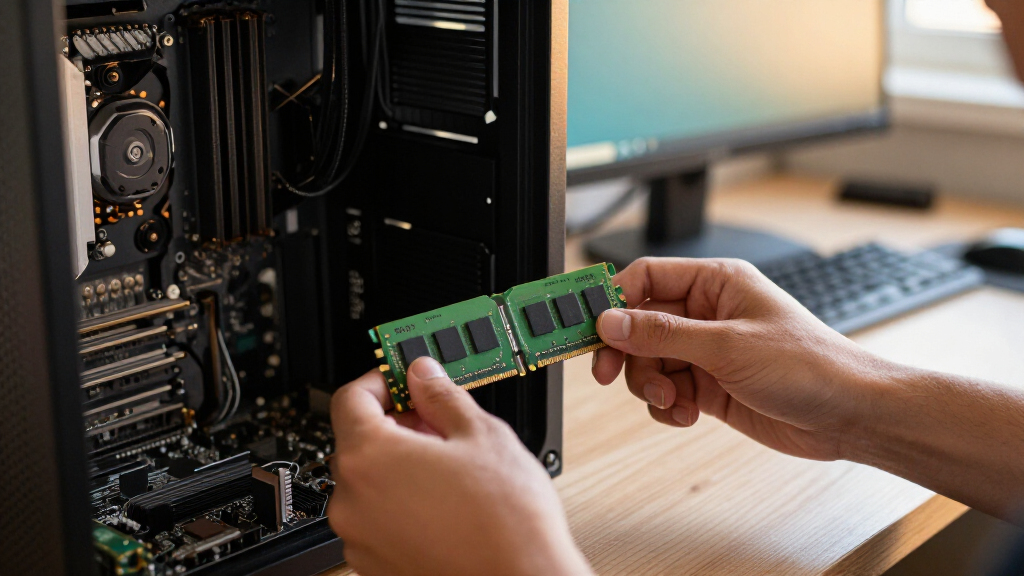

The best DDR3 RAM for most compatible desktops is the Timetec 16GB (2x8GB) kit: its two-module layout and 1600MHz speed suit many older systems without chasing higher clock rates. For a familiar performance-oriented alternative, G.SKILL RipjawsX offers a 16GB 1600MHz kit, while the Gigastone 32GB kit is a standout when a desktop supports four modules and needs more capacity. The main tradeoffs are motherboard compatibility, DDR3 versus DDR3L voltage, capacity, and module count—not simply picking the highest advertised speed. A faster kit can run at a lower supported speed, or fail to work, depending on the system. Read on for how the options compare and what to check before buying.

Get the latest gadgets delivered free with Prime
- Fast, free delivery on millions of items
- Prime Video, Amazon Music and more included
- Member-only deals all year
Complete the kit



Key Takeaways
- 16GB in two 8GB modules is the most flexible pattern in this lineup: several picks use this layout, while the 32GB kits require four slots or compatible higher-capacity configurations.
- DDR3L and standard DDR3 are not interchangeable assumptions: voltage support varies by motherboard, so check the system specifications before choosing Timetec, Silicon Power, or Crucial DDR3L.
- Higher frequency does not guarantee a useful upgrade: the 1866MHz and 2400MHz Corsair kits only make sense when the motherboard and processor support their rated speeds.
- The 32GB options solve a capacity problem, not every performance problem: Gigastone and Corsair’s 1600MHz kit add capacity but use four modules, which may limit future expansion.
- Budget-oriented kits bring compromises in speed or specification detail: ROYEMAI’s 1333MHz 8GB kit is the smallest option, while several 1600MHz alternatives offer more capacity for systems that can use it.


| DDR3 RAM | Voltage | Capacity | Memory type | Speed |
|---|---|---|---|---|
| Timetec 16GB | 1.35V / 1.5V | 16GB (2 x 8GB) | DDR3L / DDR3 | 1600MHz |
| G.SKILL RipjawsX 16GB | 1.5V | 16GB (2 x 8GB) | DDR3 | 1600 MT/s |
| Gigastone 32GB | 1.35V / 1.5V | 32GB (4 x 8GB) | DDR3 / DDR3L | 1600MHz |
| Samsung 16GB | 1.5V | 16GB (2 x 8GB) | DDR3 | 1600MHz (PC3-12800) |
| Corsair Dominator Platinum 32G | 1.5V | 32GB (4 x 8GB) | DDR3 | 1866MHz |
| G.SKILL RipjawsX Series 16GB D | 1.5 V | 16 GB (2 x 8 GB) | DDR3 | 1600 MT/s |
| Silicon Power 16GB | 1.35V / 1.5V | 16GB (2 x 8GB) | — | 1600MHz (PC3-12800) |
| Acclamator 16GB DDR3 RAM Kit | 1.5V | 16GB (2 x 8GB) | — | 1600MHz (PC3-12800) |
| Crucial 16GB Kit | 1.35V or 1.5V | 16 GB (2 x 8 GB) | DDR3L | 1600 MT/s (PC3-12800) |
| ROYEMAI 8GB | 1.5 V | 8 GB (2 x 4 GB) | DDR3 | 1333 MHz (PC3-10600) |
| Corsair Vengeance Pro 16GB | 1.65V listed; product data also lists 1.5V | 16GB (2 x 8GB) | DDR3 | — |
| Corsair Vengeance Pro 32GB | 1.5V | — | DDR3 | — |
| TEAMGROUP Elite 16GB DDR3 Desk | 1.5V | 16GB (2 x 8GB) | DDR3 | 1600MHz (PC3-12800) |
More Details on Our Top Picks
Timetec 16GB (2x8GB) DDR3L/DDR3 1600MHz 240-Pin UDIMM Desktop Memory Kit
The Timetec kit is a flexible choice for desktop owners whose motherboard supports either standard 1.5V DDR3 or lower-voltage 1.35V DDR3L. Its two 8GB modules provide 16GB in a dual-channel configuration, while the 1600MHz speed and CL11 timing suit typical DDR3-era systems. Compared with Samsung’s 16GB kit, Timetec adds dual-voltage operation; Samsung is a more straightforward fit for buyers specifically seeking conventional 1.5V DDR3. The tradeoff is that this remains desktop-only UDIMM memory, not laptop SO-DIMM, and the listed CL11 timing is less performance-focused than G.SKILL RipjawsX’s CL10 kit. A lifetime warranty and technical support add reassurance, but buyers should still confirm motherboard capacity and DDR3 compatibility before ordering.
Pros:- Two 8GB modules provide 16GB in a dual-channel configuration.
- Supports 1.35V and 1.5V operation for broader DDR3/DDR3L flexibility.
- CL11 1600MHz specification suits many compatible desktop platforms.
- Includes a lifetime warranty and free technical support.
Cons:- 240-pin UDIMM modules do not fit laptops.
- CL11 timings are looser than the G.SKILL RipjawsX kit’s CL10 timings.
- PCB color may vary between production batches.
Best for: Desktop owners upgrading to 16GB who need a kit that can run at either 1.35V or 1.5V, subject to motherboard support.
Not ideal for: Laptop owners or anyone whose system uses DDR4, DDR5, or a different memory form factor.
- Capacity:16GB (2 x 8GB)
- Memory type:DDR3L / DDR3
- Speed:1600MHz
- Form factor:240-pin UDIMM
- Voltage:1.35V / 1.5V
- Latency:CL11
- Configuration:Dual rank 2Rx8
- ECC / buffering:Non-ECC, unbuffered
- Warranty:Lifetime
Our verdict“Choose Timetec if you want a 16GB desktop kit with both DDR3L and standard DDR3 voltage support, and skip it if you need laptop memory or tighter timings.”
G.SKILL RipjawsX 16GB (2 x 8GB) DDR3-1600 Desktop Memory Kit
For buyers who want a standard 16GB DDR3 kit with faster listed timings than the common CL11 alternatives, G.SKILL RipjawsX is the standout here. Its 1600 MT/s speed and CL10-10-10-30 timings make it a more performance-oriented pick than Samsung’s CL11 kit or the dual-voltage Timetec kit, while the two matched 8GB modules suit a compatible dual-channel desktop. JEDEC and Intel XMP profiles give builders options for setting memory behavior, though reaching the intended profile can depend on BIOS settings and the rest of the system. Its 40mm heatsinks add clearance concerns that low-profile kits avoid, and mixing it with unrelated memory can destabilize a system. Choose it for a matched kit, not as a casual add-on to existing RAM.
Pros:- Matched 2 x 8GB kit provides 16GB for compatible dual-channel desktops.
- CL10-10-10-30 timings are tighter than the CL11 Timetec and Samsung kits.
- JEDEC and Intel XMP profiles provide configuration options.
- Heatsinks help distinguish the modules from bare desktop DIMMs.
Cons:- XMP operation may require BIOS adjustments and compatible hardware.
- The 40mm heatsinks may conflict with some CPU coolers or tight cases.
- Mixing with other memory kits can cause instability or system failure.
Best for: Desktop builders with a compatible DDR3 motherboard who want 16GB and tighter listed timings, and are comfortable checking BIOS settings.
Not ideal for: Buyers who need low-profile modules, dual-voltage DDR3L support, or a kit intended to mix with existing memory.
- Model:F3-12800CL10D-16GBXL
- Capacity:16GB (2 x 8GB)
- Memory type:DDR3
- Speed:1600 MT/s
- Timings:CL10-10-10-30
- Voltage:1.5V
- Form factor:240-pin UDIMM
- Profiles:JEDEC and Intel XMP
- Heatsink height:40mm
Our verdict“Pick RipjawsX if tighter listed timings matter more than dual-voltage support or low-profile clearance.”
Gigastone 32GB (4 x 8GB) DDR3/DDR3L 1600MHz Desktop RAM Kit
Gigastone makes the most sense for a compatible desktop that needs 32GB at standard 1600MHz without stepping up to the faster, more specialized Corsair Dominator Platinum kit. Four 8GB modules deliver twice the capacity of the Timetec and Samsung 16GB kits, which can benefit workloads that keep many applications or larger projects open. Like Timetec, it supports both 1.35V and 1.5V, but Gigastone supplies four modules rather than two. That fills every slot on many four-slot boards, so future expansion may require replacing modules instead of adding more. Its 5-year warranty is shorter than Timetec’s lifetime coverage, and the system must support four DDR3/DDR3L UDIMMs. Check motherboard capacity and slot count before choosing this higher-capacity route.
Pros:- 32GB total capacity provides more headroom than the 16GB kits in this roundup.
- Four 8GB modules offer a ready-made matched configuration.
- Supports both 1.35V and 1.5V operation.
- Five-year warranty is specified.
Cons:- Uses all four slots on many compatible motherboards, limiting simple future expansion.
- Requires a desktop that supports 240-pin DDR3/DDR3L UDIMMs and the full capacity.
- The 5-year warranty is shorter than Timetec’s lifetime warranty.
Best for: Desktop users with four compatible memory slots who need 32GB for memory-heavy multitasking or creative workloads.
Not ideal for: Owners of two-slot motherboards, systems with limited DDR3 capacity, or buyers who want to leave slots open for later expansion.
- Capacity:32GB (4 x 8GB)
- Memory type:DDR3 / DDR3L
- Speed:1600MHz
- Form factor:240-pin UDIMM
- Voltage:1.35V / 1.5V
- CAS latency:CL11
- Configuration:2Rx8
- ECC:Non-ECC
- Warranty:5 years
Our verdict“Choose Gigastone when 32GB capacity matters more than open slots, and your motherboard supports four DDR3/DDR3L modules.”
Samsung 16GB (2 x 8GB) DDR3 1600 MHz Desktop Memory Kit
Samsung is the plain, conventional pick for a desktop that calls for 16GB of 1.5V DDR3-1600. The two 8GB modules make a simple capacity upgrade, and the 240-pin UDIMM format is clear about its intended use: desktop systems, not laptops. Compared with Timetec, Samsung does not list dual-voltage DDR3L operation, so it is less flexible for systems requiring 1.35V memory. It also has CL11 timing, while G.SKILL RipjawsX lists tighter CL10 timings for buyers prioritizing memory timing specifications. In return, this kit avoids extra XMP or heatsink considerations in its listed feature set. It is a focused choice, but DDR3 generation compatibility is the main limit: it cannot replace DDR4 or DDR5 memory.
Pros:- Two 8GB modules provide 16GB total capacity.
- 1600MHz (PC3-12800) speed suits compatible DDR3 desktop systems.
- 1.5V operation matches systems designed for standard DDR3 voltage.
Cons:- Does not list the 1.35V DDR3L support offered by Timetec and Gigastone.
- CL11 timing is looser than the G.SKILL RipjawsX kit’s CL10 specification.
- DDR3-only format excludes systems that require newer memory generations.
Best for: Desktop owners replacing or adding memory in a system specifically designed for 1.5V DDR3-1600 UDIMMs.
Not ideal for: Laptop owners, DDR3L-only systems, or anyone upgrading a computer that requires DDR4 or DDR5.
- Model:M378B1G73QH0-CK0
- Capacity:16GB (2 x 8GB)
- Memory type:DDR3
- Speed:1600MHz (PC3-12800)
- Form factor:240-pin UDIMM
- Voltage:1.5V
- CAS latency:CL11
- Compatible devices:Desktop
Our verdict“Choose Samsung for a straightforward 16GB standard-DDR3 desktop upgrade, but select Timetec instead if dual-voltage flexibility is needed.”
Corsair Dominator Platinum 32GB (4 x 8GB) DDR3 1866MHz Desktop Memory
The Dominator Platinum is the specialist choice for a supported DDR3 desktop where both 32GB capacity and 1866MHz speed matter. Its 10-11-10-30 timings and 1.5V operation set it apart from the 1600MHz Gigastone 32GB kit: Corsair targets a higher data rate and adds DHX cooling plus a customizable white LED light pipe. Those extras make the modules more distinctive, but they do not make this the safer universal upgrade. Compatibility is limited to the listed Intel Z77, X79, Z68, and P67 series motherboards, and four 8GB sticks occupy four memory slots. Compared with Gigastone, this kit trades broader stated voltage flexibility for higher speed and lighting features. Buyers should confirm board support and physical clearance before choosing it.
Pros:- 32GB capacity across four 8GB modules.
- 1866MHz speed is higher than the 1600MHz Gigastone 32GB kit.
- DHX cooling technology is included.
- White LED light pipe and user-swappable light bar provide customization.
Cons:- Compatibility is limited to supported DDR3 motherboards, including the listed Intel series.
- Four modules occupy four slots on many boards.
- Unlike the dual-voltage Timetec and Gigastone kits, it is specified for 1.5V operation.
Best for: Enthusiasts with a supported Intel Z77, X79, Z68, or P67 motherboard who want 32GB, 1866MHz memory, and configurable lighting.
Not ideal for: Owners of unlisted or newer platforms, systems needing 1.35V DDR3L, or builds where four occupied slots or module clearance are concerns.
- Model:CMD32GX3M4A1866C10
- Capacity:32GB (4 x 8GB)
- Memory type:DDR3
- Speed:1866MHz
- Timing:10-11-10-30
- Voltage:1.5V
- Cooling:Corsair DHX
- Lighting:White LED light pipe with user-swappable light bar
- Compatible platforms:Intel Z77 / X79 / Z68 / P67 series motherboards
Our verdict“Choose Dominator Platinum for a supported DDR3 platform when its higher speed and lighting features justify its narrower compatibility.”
G.SKILL RipjawsX Series 16GB DDR3 Desktop Memory Kit (2 x 8GB, 1600 MT/s, CL9)
This RipjawsX kit pairs 16GB capacity with a rated 1600 MT/s speed and CL9 timings, giving it a timing advantage over CL11 kits such as the Crucial DDR3L-1600. That distinction may appeal to buyers tuning an older desktop, though it does not guarantee a noticeable everyday speedup on its own. The two matched 8GB modules support dual-channel setups, while JEDEC and Intel XMP profiles offer both default configuration and an XMP option when the motherboard supports it. Unlike the dual-voltage Crucial and Silicon Power kits, this model is specified at 1.5V, so check the system’s memory requirements before buying. XMP operation may need BIOS adjustments, and mixing it with a separate kit can cause instability. I’d choose it for the tighter timings, not as a universal upgrade.
Pros:- Matched 2 x 8GB kit supports a dual-channel configuration
- CL9-9-9-24 timings are tighter than the CL11 timing on the Crucial DDR3L-1600 kit
- Includes JEDEC defaults and an Intel XMP profile
- Limited lifetime manufacturer warranty
Cons:- Runs at 1.5V rather than offering the 1.35V option found on the Crucial and Silicon Power kits
- Rated speed may require compatible hardware and BIOS adjustments
- Mixing with other memory kits can cause instability or system failure
Best for: Desktop owners with a DDR3 motherboard that supports 16GB kits and 1.5V memory who want CL9 timings at 1600 MT/s.
Not ideal for: Buyers whose systems require DDR3L-only or lower-voltage memory, or who want to combine modules from an existing unmatched kit.
- Capacity:16 GB (2 x 8 GB)
- Memory type:DDR3
- Speed:1600 MT/s
- Timings:CL9-9-9-24
- Voltage:1.5 V
- Form factor:240-pin UDIMM
- Profiles:JEDEC default and Intel XMP
- ECC:Non-ECC
Our verdict“Choose this kit if your compatible desktop can use 1.5V DDR3 and you value CL9 timings over dual-voltage flexibility.”
Silicon Power 16GB (2 x 8GB) DDR3L 1600MHz Desktop Memory Kit
The Silicon Power kit’s strongest advantage is its 1.35V or 1.5V operation, which gives buyers more flexibility across compatible DDR3L and DDR3 desktop systems than the fixed-1.5V Acclamator kit. It also supplies 16GB in two 8GB modules, a useful capacity for an older desktop that needs room for multitasking without filling every memory slot. The tradeoff is CL11 timing: this is a compatibility-minded option, not the pick for tighter timings, where the G.SKILL RipjawsX CL9 kit has the spec advantage. Its stated compatibility still applies only to motherboards that support DDR3 or DDR3L UDIMMs; it will not fit laptop slots or newer memory standards. Factory testing and a lifetime warranty add reassurance, but buyers should confirm board support rather than assume dual voltage makes it universal.
Pros:- Two 8GB modules provide 16GB total and can run in dual-channel mode
- Supports both 1.35V and 1.5V operation
- Factory-tested for stability and compatibility
- Lifetime warranty
Cons:- CL11 timings are looser than the G.SKILL RipjawsX kit’s CL9 specification
- Requires a desktop motherboard that supports DDR3 or DDR3L UDIMMs
- Does not provide a stated XMP profile
Best for: Desktop upgraders who have confirmed DDR3 or DDR3L UDIMM support and want one 16GB kit with both 1.35V and 1.5V operation.
Not ideal for: Laptop owners, users with non-DDR3 memory slots, or desktop builders prioritizing CL9 timings over voltage flexibility.
- Capacity:16GB (2 x 8GB)
- Memory technology:DDR3L
- Speed:1600MHz (PC3-12800)
- Latency:CL11
- Voltage:1.35V / 1.5V
- Form factor:240-pin UDIMM
- Compatibility:DDR3L / DDR3 desktop motherboards
- Warranty:Lifetime
Our verdict“Pick Silicon Power when dual-voltage support matters more than the tighter timings offered by the G.SKILL RipjawsX kit.”
Acclamator 16GB DDR3 RAM Kit (2 x 8GB), 1600MHz, CL11, 1.5V, 240-Pin UDIMM
Acclamator keeps this kit straightforward: two 8GB DDR3-1600 UDIMMs, CL11 timings, and standard 1.5V operation. For a desktop that specifically accepts DDR3, that makes it a direct replacement-style option without the dual-voltage feature set of the Crucial DDR3L kit or Silicon Power kit. Its matched modules can support dual-channel operation, while the 240-pin, unbuffered, non-ECC format fits the stated desktop category. The limits are just as clear: this is not laptop memory, it does not offer the 1.35V flexibility of DDR3L options, and CL11 is less aggressive than the G.SKILL RipjawsX’s CL9 rating. I’d shortlist it when the motherboard calls for conventional DDR3 and the system’s capacity and module requirements are verified; its basic specification is not a substitute for checking compatibility.
Pros:- Two 8GB modules provide 16GB and support dual-channel configuration
- Standard 1.5V DDR3 specification for compatible desktop boards
- Unbuffered, non-ECC 240-pin UDIMM format
- Unlimited warranty within the United States
Cons:- Does not offer the 1.35V option available on the Crucial and Silicon Power kits
- CL11 timings are looser than the G.SKILL RipjawsX CL9 kit
- Not suitable for laptops or systems using a different memory type
Best for: Owners of older desktop PCs with confirmed 240-pin DDR3 UDIMM support who need a matched 16GB replacement kit.
Not ideal for: Laptop owners, DDR3L-only systems, or buyers seeking tighter timings or dual-voltage operation.
- Capacity:16GB (2 x 8GB)
- Memory technology:DDR3
- Speed:1600MHz (PC3-12800)
- CAS latency:CL11
- Voltage:1.5V
- Form factor:240-pin unbuffered UDIMM
- ECC:Non-ECC
- Warranty:Unlimited within the United States
Our verdict“Choose Acclamator for a conventional 1.5V DDR3 desktop replacement, provided your motherboard supports its UDIMM format and capacity.”
Crucial 16GB Kit (2 x 8GB) DDR3L-1600 CL11 UDIMM Desktop Memory
Crucial’s main differentiator is its DDR3L support at both 1.35V and 1.5V, paired with 16GB across two 8GB modules. That makes it a more flexible choice than the fixed-1.5V Acclamator kit when a compatible desktop has a low-voltage requirement, while matching Silicon Power’s dual-voltage range. Its 2Rx8 configuration is a useful detail for buyers checking module layouts against an older system’s requirements. Performance is conventional rather than timing-focused: CL11 is looser than the G.SKILL RipjawsX CL9 rating, and the stated speed tops out at 1600 MT/s. The unbuffered, non-ECC UDIMMs are for compatible desktops, not laptops or systems using another memory type. I’d put it ahead of a fixed-voltage kit when voltage flexibility is the deciding factor, but only after confirming DDR3L UDIMM support.
Pros:- Two 8GB modules provide 16GB total and support dual-channel operation
- Dual-voltage operation at 1.35V or 1.5V
- 2Rx8 rank and configuration information is provided
- Limited lifetime warranty
Cons:- Requires a system compatible with DDR3L 240-pin UDIMMs
- CL11 timings are looser than the G.SKILL RipjawsX kit’s CL9 specification
- Rated speed is limited to 1600 MT/s
Best for: Desktop owners upgrading a compatible DDR3L system who want 16GB and the option to run at either 1.35V or 1.5V.
Not ideal for: Buyers whose systems require a different memory type, or those seeking tighter timings than CL11.
- Capacity:16 GB (2 x 8 GB)
- Memory type:DDR3L
- Speed:1600 MT/s (PC3-12800)
- Latency:CL11
- Voltage:1.35V or 1.5V
- Form factor:240-pin UDIMM
- ECC and buffering:Non-ECC, unbuffered
- Rank and configuration:2Rx8
Our verdict“Choose Crucial over a fixed-1.5V kit when your compatible desktop benefits from DDR3L voltage flexibility and you do not need tighter timings.”
ROYEMAI 8GB (2 x 4GB) DDR3-1333 PC3-10600 Desktop RAM Kit
ROYEMAI is the capacity-conscious pick here: its 8GB total capacity comes as two 4GB DDR3-1333 modules, making it more suited to a modest upgrade than the 16GB kits from Crucial, Silicon Power, or G.SKILL. The two sticks can support dual-channel operation, and the CL9 timing is relatively tight, but the lower 1333 MHz rating means it is not the speed-focused choice in this group. Its dual-rank, 240-pin non-ECC UDIMM format is intended for desktop computers, with compatibility still dependent on the motherboard’s supported memory type, slots, and maximum capacity. The listing also mentions reducing memory speed as a possible troubleshooting step, which adds setup uncertainty. I’d consider it for a system that specifically calls for this capacity and speed, rather than as a substitute for a 16GB 1600 kit.
Pros:- Two 4GB modules provide a matched 8GB kit
- CL9 timing at the rated 1333 MHz speed
- Dual-rank modules may suit systems that support this configuration
- Lifetime warranty and technical support are offered
Cons:- 8GB total capacity is half that of the 16GB kits in this batch
- 1333 MHz rating is lower than the 1600 MHz Crucial, Silicon Power, and Acclamator kits
- Compatibility depends on motherboard limits, and troubleshooting guidance may involve lowering memory speed
Best for: Owners of an older desktop with confirmed DDR3 UDIMM support who need a basic 8GB, 1333 MHz replacement or upgrade.
Not ideal for: Buyers who need 16GB, want 1600 MT/s memory, or cannot verify the desktop’s capacity and module requirements.
- Capacity:8 GB (2 x 4 GB)
- Memory type:DDR3
- Speed:1333 MHz (PC3-10600)
- Module type:240-pin UDIMM
- Rank:Dual rank
- ECC:Non-ECC
- Voltage:1.5 V
- CAS latency:CL9
Our verdict“Pick ROYEMAI only when an older desktop needs an 8GB DDR3-1333 kit and its motherboard supports the modules.”
Corsair Vengeance Pro 16GB (2 x 8GB) DDR3 2400MHz Desktop RAM, Red
This kit is the speed-focused choice here: its 2400MHz rating is substantially higher than the 1600MHz TEAMGROUP Elite kit, making it a better fit for a compatible system where memory overclocking is part of the plan. Two 8GB DIMMs provide 16GB in dual channel, while Intel XMP 1.3 can simplify setting a supported profile instead of entering timings manually. That speed comes with caveats: the motherboard and processor must support the configuration, and its 1.65V rating is higher than the 1.5V TEAMGROUP kit. The product data also lists voltage inconsistently, so I would verify the module requirements before buying. Choose this for speed tuning, not as a default upgrade for an older DDR3 computer.
Pros:- Rated for 2400MHz operation, faster than the 1600MHz kits in this roundup.
- Two 8GB modules provide 16GB in dual-channel configuration.
- Intel XMP 1.3 offers a supported route to applying memory settings.
- Red heat spreaders give the modules a distinctive appearance.
Cons:- 2400MHz operation depends on compatible motherboard and processor support.
- The listed 1.65V and 1.5V voltage information is inconsistent.
- Its overclocking-oriented speed may offer little value in systems limited to lower memory speeds.
Best for: DDR3 enthusiasts with a compatible motherboard and processor who want a 16GB dual-channel kit rated above standard 1600MHz speeds.
Not ideal for: Buyers seeking a straightforward replacement for an older system, especially if its memory support or voltage requirements are unclear.
- Capacity:16GB (2 x 8GB)
- Memory type:DDR3
- CAS latency:CL11
- Tested latency:11-13-13-31
- Voltage:1.65V listed; product data also lists 1.5V
- Form factor:240-pin DIMM
- Configuration:Dual channel
- Overclocking support:Intel XMP 1.3
Our verdict“Choose this Corsair kit for a compatible DDR3 system where rated speed matters more than simpler 1600MHz operation.”
Corsair Vengeance Pro 32GB (4 x 8GB) DDR3 1600MHz Desktop Memory Kit, Red
For workloads that benefit from more memory, this kit’s 32GB capacity is its defining advantage over the 16GB Corsair Vengeance Pro 2400MHz kit. Four 8GB modules can suit older desktops used for heavier multitasking or memory-intensive applications, while 1600MHz and CL9 keep the specification focused on conventional DDR3 performance rather than high-frequency tuning. The tradeoff is that all four slots are occupied, leaving no easy path to expand without replacing modules. Its listed compatibility names Intel Z68 and Z77 platforms, so I would check the exact motherboard and processor support before ordering. Buyers with a two-slot board, or systems that cannot use 32GB, are better served by a smaller kit such as the TEAMGROUP Elite 16GB set.
Pros:- Provides 32GB total capacity with four 8GB modules.
- 1600MHz speed and CL9 latency suit a conventional DDR3 configuration.
- Heatsinks are included on the modules.
- Unbuffered DIMMs are intended for desktop systems.
Cons:- Uses all four memory slots, limiting straightforward future expansion.
- Compatibility information specifically lists Intel Z68 and Z77 platforms.
- DDR3 limits this kit to systems built for an older memory generation.
Best for: Owners of compatible DDR3 desktops with four memory slots who need 32GB for demanding multitasking or memory-heavy applications.
Not ideal for: Users with two-slot motherboards, limited DDR3 platform support, or workloads that do not need more than 16GB.
- Total capacity:32GB
- Module configuration:4 x 8GB
- Memory type:DDR3
- Memory speed:1600MHz
- CAS latency:CL9
- Voltage:1.5V
- Form factor:240-pin DIMM
- Memory type:Unbuffered
- Listed platform compatibility:Intel Z68 and Intel Z77
Our verdict“Pick this kit over the 16GB options when a compatible four-slot DDR3 desktop needs capacity more than a higher memory-speed rating.”
TEAMGROUP Elite 16GB DDR3 Desktop Memory Kit (2 x 8GB, 1600MHz)
The TEAMGROUP Elite is the practical pick for a standard desktop upgrade: it supplies 16GB as two 8GB modules at 1600MHz and 1.5V, without making high-speed tuning its selling point. Compared with the Corsair Vengeance Pro 2400MHz kit, it is less focused on overclocking and uses a conventional CL11, unbuffered, non-ECC configuration. That makes its appeal simplicity, not peak DDR3 speed or tighter latency. The lifetime warranty and technical support add reassurance for buyers maintaining an older desktop, though they do not replace checking motherboard capacity and DDR3 compatibility. Skip it if you specifically want lower latency like the Corsair 32GB CL9 kit, or if your system requires a different memory generation.
Pros:- Two 8GB modules provide a useful 16GB total capacity.
- 1600MHz and 1.5V suit a conventional DDR3 desktop configuration.
- Non-ECC, unbuffered UDIMMs are specified for desktop use.
- Includes a lifetime warranty and free technical support.
Cons:- CL11 timings are looser than the Corsair Vengeance Pro 32GB kit’s CL9 specification.
- Does not offer the 2400MHz rating or XMP support listed for the Corsair Vengeance Pro 16GB kit.
- Compatible only with systems that support DDR3 desktop memory.
Best for: Desktop owners replacing or adding DDR3 memory who want a 16GB dual-module kit with standard 1600MHz, 1.5V specifications.
Not ideal for: Memory tuners seeking higher speed or tighter timings, and buyers whose computers use a memory generation other than DDR3.
- Capacity:16GB (2 x 8GB)
- Memory type:DDR3
- Speed:1600MHz (PC3-12800)
- Latency:CL11
- Voltage:1.5V
- Form factor:240-pin UDIMM
- ECC:Non-ECC
- Buffering:Unbuffered
- Warranty:Lifetime
Our verdict“Choose TEAMGROUP Elite for a straightforward 16GB DDR3 desktop refresh, but favor the Corsair kits for higher speed, tighter listed latency, or greater capacity.”
How We Picked
I compared these kits by how well their capacity, module layout, rated speed, and voltage can serve a real DDR3 desktop upgrade. Compatibility comes first: a kit is only a good choice if the motherboard and processor support its DDR3 type, voltage, capacity per slot, and speed. I gave more weight to common 1600MHz two-module 16GB configurations because they offer a practical balance for many older desktops, while treating faster or four-module kits as more specialized choices.
The ranking also reflects tradeoffs that affect ownership: whether the kit leaves slots free, whether its speed is likely to matter on an older platform, and how clearly its listed specifications communicate fit. The product list does not establish universal motherboard compatibility or measured performance, so I do not present any option as a guaranteed upgrade. Higher capacity and frequency earn a place when they meet a specific need, but they do not automatically outrank a more broadly useful configuration.
| DDR3 RAM | Memory type |
|---|---|
| Timetec 16GB | DDR3L / DDR3 |
| G.SKILL RipjawsX 16GB | DDR3 |
| Gigastone 32GB | DDR3 / DDR3L |
| Samsung 16GB | DDR3 |
| Corsair Dominator Platinum 32G | DDR3 |
| G.SKILL RipjawsX Series 16GB D | DDR3 |
| Silicon Power 16GB | — |
| Acclamator 16GB DDR3 RAM Kit | — |
| Crucial 16GB Kit | DDR3L |
| ROYEMAI 8GB | DDR3 |
| Corsair Vengeance Pro 16GB | DDR3 |
| Corsair Vengeance Pro 32GB | DDR3 |
| TEAMGROUP Elite 16GB DDR3 Desk | DDR3 |
Factors to Consider When Choosing Best DDR3 RAM
Before choosing DDR3, match the kit to the computer rather than shopping by capacity or frequency alone. These checks help avoid a kit that does not fit, runs below its rated speed, or uses slots you may need later.
Check the motherboard and processor limits first
Find the exact motherboard model and check its manual or memory support page before choosing a kit. Confirm that it accepts desktop 240-pin UDIMMs, not laptop SO-DIMMs or registered server memory. Then check the maximum total capacity, capacity per slot, supported module count, and supported DDR3 speeds. Some older processors impose a lower memory-speed ceiling than the motherboard does, so a faster kit may simply run at the platform’s limit. This check matters especially for the 32GB four-module options, since a board may have four slots but still impose a lower capacity limit. If documentation is unavailable, identify the system model and verify its memory specification rather than relying on the existing RAM alone.
Treat DDR3 and DDR3L voltage as a compatibility question
DDR3L is designed for lower-voltage operation, but support depends on the platform and the particular module. Some systems accept both DDR3 and DDR3L; others specify only one type or require a particular voltage. Do not assume a DDR3L label means the kit will work in every DDR3 desktop, or that standard-voltage DDR3 is safe for every DDR3L-only system. Check the motherboard documentation for supported voltage and memory type, especially before buying a mixed or replacement set. Avoid combining modules with different voltage requirements unless the platform documentation explicitly supports that configuration. Matching the existing kit’s label can help, but it does not replace checking the board’s limits.
Choose capacity around your workload and available slots
For a basic older desktop, moving from a small amount of memory to 16GB can be more useful than paying for a higher rated frequency. A 2x8GB kit typically uses two slots and may leave room for a later upgrade, provided the motherboard has spare slots and supports the added capacity. A 4x8GB kit reaches 32GB, but fills four slots on many boards and can make future expansion require replacing modules. Check both the operating system’s limits and the motherboard’s maximum capacity; a 32-bit operating system cannot make practical use of all installed memory. For workloads that need more than 16GB, confirm that the application and platform can benefit before selecting a larger kit.
Buy speed your platform can actually use
DDR3 kits in this lineup range from 1333MHz through 2400MHz, but a higher rating does not promise a faster system. The processor, motherboard, and firmware jointly determine the speed at which memory runs, and some systems need a supported profile or manual configuration for higher rates. If the platform tops out at 1600MHz, a faster kit may operate at that lower speed rather than delivering its advertised rate. For many older desktops, a compatible 1600MHz kit is a more sensible target than paying extra attention to the largest number on the label. Check whether the listed speed is supported by the full system, not just the memory modules.
Consider module count, clearance, and future repairs
Two-module kits are often simpler to install and leave more open slots than four-module kits, though the best layout depends on the motherboard’s channel configuration. Follow the manual’s recommended slot order; putting modules in the wrong slots can prevent dual-channel operation or cause startup problems. Tall heat spreaders on performance-oriented modules may also conflict with a large CPU cooler or nearby components. For an older office PC, a standard-height kit can be easier to fit and replace than a bulky enthusiast design. Before buying, check the cooler clearance and whether the system case allows access to the memory slots. Keeping a record of the current module layout can make troubleshooting easier if the computer fails to start after installation.
Avoid mixing kits unless you can verify the match
Adding a second kit that looks identical does not guarantee that all modules will run together reliably. Different production batches can use different chips or timings, and the system may lower the speed or fail memory training when mixed modules disagree. A matched kit is a safer route when replacing all memory, while a single additional module should match the existing memory’s type, voltage, capacity, speed, and timings as closely as possible. Check whether the motherboard supports the combined configuration, then run a memory test after installation. If a system becomes unstable, return to one matched kit before changing firmware settings. This is especially useful on older computers, where memory compatibility options may be limited.
Frequently Asked Questions
Will a DDR3 2400MHz kit work in a desktop that supports only 1600MHz?
It may work, but it will generally run no faster than the system’s supported limit, and compatibility is not guaranteed. The motherboard, processor, and firmware all affect whether the module can start and what speed it uses. Check the motherboard’s memory list and the processor’s supported speeds before buying a high-frequency kit. If the system is limited to 1600MHz, a kit rated for that speed is often the simpler match. Do not choose a faster kit on the assumption that it will improve performance automatically.
Can I use DDR3L memory in a desktop that currently has DDR3?
That depends on the motherboard’s voltage support and the specifications of the modules. DDR3L operates at a lower voltage, and some desktop platforms support both types while others specify only standard DDR3 or only low-voltage memory. Check the exact board manual or system documentation rather than relying on the DDR3 label alone. Mixing DDR3 and DDR3L can also create voltage or stability problems, even when each module works by itself. When the documentation is unclear, a matched replacement kit with a clearly supported voltage is the safer choice.
Should I choose 16GB in two modules or 32GB in four?
Choose based on your workload and the board’s memory limits, not capacity alone. A 16GB 2x8GB kit is a reasonable fit for many older desktops and leaves slots open on four-slot boards. A 32GB 4x8GB kit is more suitable when applications genuinely need the extra memory and the system supports four modules at that capacity. Filling every slot can make later upgrades less convenient, and some older platforms become more restrictive with all slots occupied. Verify total capacity, per-slot limits, and operating-system support before deciding.
Is a 1333MHz DDR3 kit a sensible replacement for a 1600MHz kit?
It can be, if the computer supports 1333MHz and the goal is to restore a working system rather than maximize memory speed. The practical difference depends on the platform and workload, and a system may downclock faster memory to its own limit. In this lineup, the ROYEMAI option also provides 8GB as two 4GB modules, so capacity is a separate tradeoff from speed. Check the installed memory and the system’s supported configurations before choosing it as an upgrade. If the desktop can use 16GB, a compatible 2x8GB kit may be a more useful capacity increase.
Can I combine a new DDR3 kit with the RAM already installed?
Sometimes, but mixed modules may run at the slowest shared speed and timings, or cause instability if their voltage and specifications differ. Matching capacity, type, voltage, speed, and timings reduces the chance of problems, but using a matched kit is usually more predictable. Confirm the motherboard’s maximum capacity and slot arrangement before adding modules. After installation, check that the system recognizes the full memory amount and run a memory diagnostic. If errors appear, test the new kit on its own before assuming the motherboard is at fault.
Conclusion
For a broadly useful upgrade, I would start with the Timetec 16GB 2x8GB kit, while checking the motherboard’s DDR3 or DDR3L support before ordering. The best value direction is a compatible 16GB 1600MHz two-module kit; compare G.SKILL RipjawsX, Crucial, Silicon Power, Acclamator, and TEAMGROUP by the exact voltage and timing your system supports. For a premium, speed-focused build, the Corsair Vengeance Pro 2400MHz is the specialist pick only when the platform can use its rated speed; the Dominator Platinum’s 1866MHz 32GB kit better suits a compatible system that needs both capacity and a higher rating. Beginners should favor a 2x8GB kit with specifications that match the computer manual, rather than choosing by brand or frequency alone. If you need 32GB, compare Gigastone and Corsair’s 1600MHz four-module kits against your slot count and capacity limit; if you need a compact 8GB replacement, consider ROYEMAI’s 2x4GB kit. The right DDR3 purchase is the one your specific desktop supports and your workload can use.
Fall Picks
fall essentials
As an affiliate, we earn on qualifying purchases.