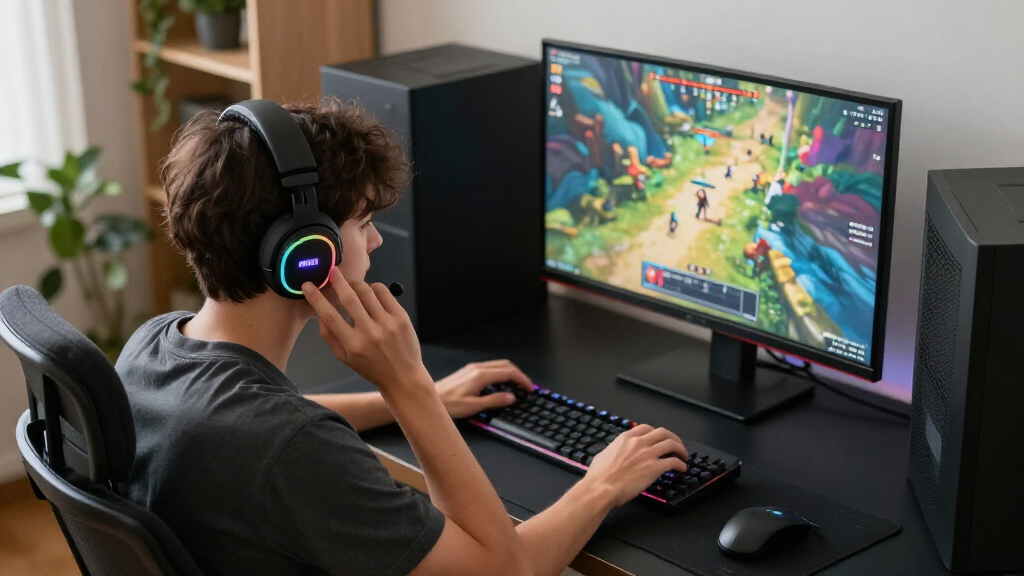
The best gaming accessories solve a specific problem in your setup, whether that means more precise control, easier shortcuts, or less desk clutter. My best overall pick is the Logitech G502 HERO for its versatile wired design and configurable controls; the Logitech G305 LIGHTSPEED is a strong fit for players who want wireless freedom, while the AULA F75 Pro suits those seeking a compact mechanical keyboard. The tradeoffs span wired versus wireless, dedicated gaming controls versus general use, and practical upgrades versus decorative ones. A macro pad or keypad can add useful shortcuts, but may take time to configure; a holder or light bar improves the space around play rather than gameplay itself. Read on for the full breakdown and a guide to choosing accessories that fit your habits.

Get the latest gadgets delivered free — and shop member deals
- Fast, free delivery on millions of items
- Access to Prime Big Deal Days deals on October 6–7
- Prime Video, Amazon Music and more included
Complete the kit



Key Takeaways
- The G502 HERO is the most versatile single upgrade in this lineup, while the G305 LIGHTSPEED trades wired connection and extra onboard controls for wireless convenience.
- One-handed keypads serve different priorities: the Tartarus V2 emphasizes programmable controls, while the Redragon K585 offers a larger 42-key layout.
- The VSD M18 macro pad is for customizable shortcuts; its LCD keys and lighting add flexibility, but setup matters more than the visual effects.
- The AULA F75 Pro is the keyboard pick for a compact desk, while the Orzly bundle favors first-time buyers who need several basic peripherals together.
- Several picks improve the space around play rather than in-game control: the EURPMASK and KDD holders organize gear, and the Ledagic light bars change the room’s ambience.
| Logitech G502 HERO Wired Gaming Mouse, Black |  | Best Overall Gaming Mouse | Sensor: HERO optical sensor | Maximum sensitivity: 25,600 DPI | Connectivity: Wired | VIEW LATEST PRICE | See Our Full Breakdown |
| Logitech G305 LIGHTSPEED Wireless Gaming Mouse – Black |  | Best for Cable-Free Play | Sensor: HERO optical | Sensitivity: 200–12,000 DPI | Wireless technology: LIGHTSPEED | VIEW LATEST PRICE | See Our Full Breakdown |
| EURPMASK Adhesive Headphone and Controller Holder |  | Best Compact Desk Organizer | Mounting: 3M adhesive | Compatible surfaces: Smooth plastic, metal, and wood | Maximum load: 500 g | VIEW LATEST PRICE | See Our Full Breakdown |
| Razer Tartarus V2 Gaming Keypad, 32 Programmable Keys, Black |  | Best for Custom Controls | Key count: 32 | Switch type: Mecha-membrane | Directional thumbpad: 8-way | VIEW LATEST PRICE | See Our Full Breakdown |
| Orzly RX-250 4-in-1 Wired Gaming Bundle: Keyboard, Mouse, Headset, and Mouse Pad |  | Best Starter Bundle | Included items: Keyboard, mouse, headset, mouse pad | Connectivity: Wired | Keyboard: Full-size 104-key QWERTY membrane | VIEW LATEST PRICE | See Our Full Breakdown |
| VSD M18 Programmable Macro Pad with 18 LCD Keys and RGB Light Ring |  | Best for Stream Control | Keys: 18 total: 15 LCD keys and 3 physical buttons | Connectivity: USB-C | Power: USB powered | VIEW LATEST PRICE | See Our Full Breakdown |
| Redragon K585 Wired One-Handed RGB Gaming Keypad, 42-Key Layout |  | Best One-Handed Gaming Keypad | Keys: 42 | Macro controls: 7 macro keys; 28 combo slots across 4 profiles | Connectivity: USB-C wired | VIEW LATEST PRICE | See Our Full Breakdown |
| Exquisite Gaming Call of Duty Monkey Bomb Phone and Controller Holder |  | Best Collectible Desk Holder | Height: 8.5 in | Material: PVC | Compatibility: Most gaming controllers, smartphones, TV remotes, and eBook readers | VIEW LATEST PRICE | See Our Full Breakdown |
| KontrolFreek Precision Rings for Gaming Controllers, 6-Pack |  | Best for Fine Aim Control | Quantity: 6 rings | Resistance levels: Soft, medium, and hard | Material: Rubber | VIEW LATEST PRICE | See Our Full Breakdown |
| AULA F75 Pro 75% Wireless Mechanical Keyboard with Knob |  | Best Compact Wireless Keyboard | Layout: 75%, 81 keys, QWERTZ | Connectivity: Bluetooth 5.0, 2.4GHz wireless, USB-C | Device support: Up to five devices | VIEW LATEST PRICE | See Our Full Breakdown |
| Ledagic IC+RGBW USB-Powered LED Light Bars with App and Remote Control, 2-Pack |  | Best for Gaming Room Lighting | Pack size: 2 light bars | Lighting: IC+RGB and white (RGBW) | Power: 5V USB/DC | VIEW LATEST PRICE | See Our Full Breakdown |
| KDD RGB Headset Stand with Detachable Controller Hook, Black |  | Best for Controller and Headset Storage | Brand: KDD | Model: KDD-728 | Color: Black | VIEW LATEST PRICE | See Our Full Breakdown |
More Details on Our Top Picks
Logitech G502 HERO Wired Gaming Mouse, Black
The G502 HERO earns its place as the most adaptable mouse in this group: its 11 programmable buttons, adjustable weights, and dual-mode scroll wheel let players tailor control for different games and everyday tasks. Its 25,600 DPI HERO sensor offers fine sensitivity adjustment, while the wired connection avoids battery changes. Compared with the wireless Logitech G305, the G502 gives you more buttons and balance options, but the cable limits where you can position it. The G305 is the better fit for a lighter, uncluttered setup; this one suits players who want a more configurable grip and controls. The main tradeoffs are its wired design and reliance on Logitech software for lighting synchronization.
Pros:- 11 programmable buttons support custom controls and macros
- Five adjustable weights let you tune balance
- Dual-mode scroll wheel switches between notched and fast scrolling
- HERO sensor supports sensitivity up to 25,600 DPI
Cons:- Wired connection restricts placement and can add cable drag
- LIGHTSYNC synchronization requires Logitech Gaming Software
Best for: PC gamers who want many programmable controls, adjustable mouse weight, and a wired connection
Not ideal for: Players who prioritize a cable-free desk or want a lighter, simpler mouse
- Sensor:HERO optical sensor
- Maximum sensitivity:25,600 DPI
- Connectivity:Wired
- Programmable buttons:11
- Scroll wheel:Dual-mode hyper-fast
- Adjustable weights:Five 3.6 g weights
- Lighting:Customizable LIGHTSYNC RGB
- Switch features:Metal spring tensioning system and pivot hinges
Our verdict“Choose the G502 HERO if you want a highly configurable wired mouse with more controls than the wireless G305.”
Logitech G305 LIGHTSPEED Wireless Gaming Mouse – Black
The G305 LIGHTSPEED is the straightforward choice for players who want wireless freedom without giving up a gaming-focused sensor. Its 1 ms report rate is designed for responsive input, and the USB receiver stores inside the mouse when you pack it away. Six programmable buttons cover common shortcuts, though the G502 HERO offers substantially more control options and adjustable weights for players who like to customize their setup. The G305 instead keeps the design lighter and simpler at 99 g. Battery life of up to 250 hours from one AA battery can reduce charging interruptions, but you will need to keep a spare battery available. Choose it for a tidy desk or portable setup; skip it if you prefer rechargeable power or extra buttons.
Pros:- LIGHTSPEED wireless connection has a 1 ms report rate
- HERO sensor offers sensitivity from 200 to 12,000 DPI
- Receiver stores inside the mouse for transport
- Up to 250 hours of stated use from one AA battery
Cons:- Requires a replaceable AA battery
- Six programmable buttons offer fewer controls than the G502 HERO
Best for: Players who want a portable wireless mouse with a stored receiver and long stated battery life
Not ideal for: Gamers who want a rechargeable mouse, more than six programmable buttons, or adjustable weight
- Sensor:HERO optical
- Sensitivity:200–12,000 DPI
- Wireless technology:LIGHTSPEED
- Report rate:1 ms
- Battery:One AA battery; up to 250 hours
- Weight:3.4 oz (99 g)
- Programmable buttons:6
- Receiver storage:Built-in
Our verdict“Pick the G305 if wireless convenience and portability matter more to you than the G502 HERO’s extra controls and weight tuning.”
EURPMASK Adhesive Headphone and Controller Holder
The EURPMASK holder earns a spot by solving a small but persistent gaming setup problem: it gives a headset or controller a designated place without taking up desk surface. Its foldable L-shaped hook tucks away when unused, and rubber pads help protect gear from scratches. Compared with the KDD RGB Headset Stand with Detachable Controller Hook elsewhere in this roundup, this adhesive mount is more discreet and can sit under a desk or shelf, while the stand offers a visible place for a headset. Installation takes more planning: the surface must be smooth, clean, and dry, and the adhesive needs 24 hours to cure. Its 500 g limit and restriction against painted walls make it a poor match for heavier gear or many wall setups.
Pros:- Foldable hook saves space when not in use
- Can mount under a desk or shelf
- Soft rubber pads help protect gear from scratches
- Works with headphones or gaming controllers
Cons:- Not suitable for painted walls
- Requires a clean, dry surface and 24 hours to cure
- 500 g maximum load limits which items it can hold
Best for: Gamers with a smooth desk or shelf who want to hang one lightweight headset or controller out of the way
Not ideal for: Players with painted walls, textured mounting surfaces, or gear heavier than 500 g
- Mounting:3M adhesive
- Compatible surfaces:Smooth plastic, metal, and wood
- Maximum load:500 g
- Design:Foldable L-shaped hook with soft rubber pads
- Installation:Clean and dry the surface; allow 24 hours for adhesive to cure
- Wall compatibility:Not suitable for painted walls
Our verdict“Choose this holder for discreet storage on a smooth surface, while the KDD stand is a better fit if you want a visible headset display.”
Razer Tartarus V2 Gaming Keypad, 32 Programmable Keys, Black
The Razer Tartarus V2 is for players who want a dedicated bank of controls beside their main keyboard. Its 32 programmable keys and 8-way thumbpad put movement and mapped actions within reach, which can suit games with many commands as well as creative workflows. Razer Hypershift adds layers of remapped keys and combinations, giving it a different purpose from the full keyboard in the Orzly RX-250 bundle: that bundle covers general typing and basic gaming, while the Tartarus concentrates controls in one hand. The tradeoff is its mecha-membrane switches, which use a rubber-dome membrane design rather than fully mechanical switches. It also asks players to adapt to a separate keypad layout, so it is less compelling for anyone who simply needs a standard keyboard.
Pros:- 32 programmable keys support custom game and workflow layouts
- 8-way thumbpad provides dedicated movement control
- Hypershift supports remapped keys and combinations
- Individually backlit keys support 16.8 million colors
Cons:- Mecha-membrane switches are not fully mechanical
- Separate keypad layout takes practice and does not replace a full keyboard
Best for: Players of command-heavy games or creators who want a separate, programmable one-hand control surface
Not ideal for: Gamers who want a conventional full keyboard or specifically prefer fully mechanical switches
- Key count:32
- Switch type:Mecha-membrane
- Directional thumbpad:8-way
- Programmable macros:Razer Hypershift
- Backlighting:Individually backlit keys
- Lighting colors:16.8 million
- Color:Black
Our verdict“Choose the Tartarus V2 for dense, customizable one-hand controls; choose the Orzly bundle if you need a complete keyboard and basic accessories.”
Orzly RX-250 4-in-1 Wired Gaming Bundle: Keyboard, Mouse, Headset, and Mouse Pad
The Orzly RX-250 is the practical entry point for a new gaming setup: one package supplies a full-size keyboard, mouse, stereo headset, and mouse pad. The keyboard’s 19-key rollover and anti-ghosting help register multiple key presses, while the ambidextrous mouse offers four DPI settings. Compared with the Logitech G305, the included mouse is less focused on wireless performance and sensor range, but the bundle covers more of the basics at once. The membrane keyboard and wired connections keep the setup simple, though they offer less switch choice and placement freedom than separate upgrades. Its broad listed platform compatibility is useful for shared setups, but buyers seeking premium mouse controls or a mechanical typing feel should build around more specialized gear.
Pros:- Includes keyboard, mouse, headset, and mouse pad
- Keyboard has 19-key rollover and anti-ghosting
- Ambidextrous mouse offers four DPI settings
- Listed compatibility spans consoles, handheld PCs, Windows PCs, and Mac
Cons:- Keyboard uses membrane switches
- All included peripherals are wired
- Mouse offers fewer controls and a lower maximum DPI than the Logitech G502 HERO
Best for: New PC or console gamers who need a basic keyboard, mouse, headset, and mouse pad in one setup
Not ideal for: Players who prioritize mechanical keyboard switches, wireless peripherals, or advanced mouse customization
- Included items:Keyboard, mouse, headset, mouse pad
- Connectivity:Wired
- Keyboard:Full-size 104-key QWERTY membrane
- Keyboard features:19-key rollover, anti-ghosting, RGB backlighting, spill-resistant drainage
- Mouse:Ambidextrous optical, 90 g
- Mouse DPI levels:1200, 1600, 2400, 3200
- Headset:Stereo with foldable microphone and in-line volume controls
- Compatible platforms:PS5, PlayStation 4, Xbox Series X/S, Xbox One, Steam Deck, ROG ALLY, Windows PCs, Mac
- Warranty:One-year replacement warranty
Our verdict“Choose the RX-250 to outfit a new setup with the basics at once; pick the G305 if your main priority is a wireless gaming mouse.”
VSD M18 Programmable Macro Pad with 18 LCD Keys and RGB Light Ring
The VSD M18 suits players who want dedicated controls for streaming and game related tasks without assigning a large part of a keyboard to macros. Its 15 customizable LCD keys can show images or animations, while three physical buttons add quick triggers for shortcuts or multi-step actions. It works with OBS, Streamlabs, and Discord on supported Windows and macOS systems. Compared with the Redragon K585, the M18 offers visual labels and app focused controls, while the Redragon has a fuller one-handed key layout for gameplay. The tradeoff is that this pad is more specialized: it needs USB power, has no native plug-and-play Linux support, and custom RGB tones require a firmware upgrade. I’d choose it for stream scenes and app commands, not as a substitute for a gaming keypad.
Pros:- LCD keys support custom images and animations for recognizable shortcuts
- Can trigger single actions and multi-step macros
- Works with popular streaming and productivity apps
- RGB light ring and built-in utility plugins add configurable controls
Cons:- No native plug-and-play Linux support
- Custom RGB tones require a device firmware upgrade
- USB powered, so it needs a cable and desk space
Best for: PC or Mac streamers who want labeled scene, chat, and shortcut controls for apps such as OBS or Discord
Not ideal for: Linux users and players who want a one-handed keypad with a conventional cluster of gaming keys
- Keys:18 total: 15 LCD keys and 3 physical buttons
- Connectivity:USB-C
- Power:USB powered
- Compatible systems:Windows 11 and newer; macOS 11.0 and newer
- Key image formats:JPG, PNG, GIF
- Lighting:RGB surround light ring
- Color:Black
Our verdict“Choose the VSD M18 if visual, app-specific controls matter more to your streaming setup than a conventional gaming keypad layout.”
Redragon K585 Wired One-Handed RGB Gaming Keypad, 42-Key Layout
The Redragon K585 is built for players who want a left-hand control area with room for movement keys, macros, and other game commands. Its 42-key layout and seven programmable macro keys give it a more familiar gaming-keypad feel than the VSD M18, whose 15 LCD keys are better suited to labeled app shortcuts and stream controls. Four profiles and 28 combo slots help keep different command sets available, while hot-swappable switches let owners change compatible switches without soldering. The blue clicky switches provide audible, tactile feedback, but they can be distracting in shared rooms or microphones. A detachable wrist rest and USB pass-through add practical comfort and access, though the one-handed design remains a dedicated gaming accessory rather than a keyboard for general typing.
Pros:- Seven programmable macro keys with 28 combo slots across four profiles
- Hot-swappable switches support compatible 3-pin and 5-pin options
- Detachable wrist rest supports extended play
- USB pass-through port and five RGB modes
Cons:- One-handed layout is not a full keyboard for general typing
- Blue clicky switches can be loud for shared spaces or voice chat
- Wired connection limits placement flexibility
Best for: PC players who want programmable left-hand controls and macro profiles for games while keeping their other hand on a mouse
Not ideal for: Players seeking a quiet, full-size keyboard or a compact stream deck with display-labeled shortcuts
- Keys:42
- Macro controls:7 macro keys; 28 combo slots across 4 profiles
- Connectivity:USB-C wired
- Switches:Blue clicky; compatible with 3-pin or 5-pin switches
- Backlighting:RGB, 16.8 million colors, 5 modes
- Layout:QWERTY one-handed keypad
- Dimensions:10.3 × 8.5 × 2 in
- Wrist rest:Detachable
Our verdict“Pick the K585 if you want a dedicated, programmable left-hand gaming layout and can live with clicky wired keys.”
Exquisite Gaming Call of Duty Monkey Bomb Phone and Controller Holder
The Monkey Bomb holder brings a bit of Call of Duty character to a gaming desk while giving a controller or phone a place to rest. At 8.5 inches tall, it is a display piece as much as a stand, and its base is designed to help keep it upright. Unlike the KDD RGB Headset Stand, which centers on headset storage and lighting, this figure is meant for a controller, smartphone, remote, or eBook reader. That flexibility is useful if the device on your desk changes, but the fit is not guaranteed for every model or shape. The licensed design also makes this a more fandom-specific choice than a plain holder. I’d pick it for a Call of Duty fan who wants a visible collectible; buyers focused on compact, low-profile organization may prefer a simpler hook or stand.
Pros:- Combines an officially licensed figure with a functional device stand
- Supports a range of controllers and handheld devices
- Sturdy base is designed to help prevent tipping
Cons:- Device compatibility is not guaranteed for specific models
- Character design may not suit buyers unfamiliar with Call of Duty
- Its 8.5-inch figure takes more visual space than a simple holder
Best for: Call of Duty fans who want a character display that can hold a controller, phone, remote, or eBook reader
Not ideal for: Buyers who need a compact, understated holder or guaranteed fit for a particular controller or phone
- Height:8.5 in
- Material:PVC
- Compatibility:Most gaming controllers, smartphones, TV remotes, and eBook readers
- License:Officially licensed by Activision
Our verdict“Choose the Monkey Bomb holder if you want Call of Duty themed desk display and flexible device storage in one piece.”
KontrolFreek Precision Rings for Gaming Controllers, 6-Pack
KontrolFreek Precision Rings target a specific controller issue: moving a thumbstick too far when making small aim adjustments. The flexible rings add resistance, and the pack includes soft, medium, and hard levels so players can choose how much feedback they want. That makes this a more direct aiming accessory than the Logitech G502 HERO or Logitech G305 LIGHTSPEED, which are mice for players who prefer mouse input. The rings are reusable and made with moisture-wicking material, but added resistance can take time to get used to and may not suit every game or play style. Compatibility also depends on the controller’s stick design, despite the listed support for several PlayStation, Xbox, Switch Pro, and Scuf controllers. I’d start with the soft level if you want to adjust gradually.
Pros:- Includes soft, medium, and hard resistance levels
- Added resistance is designed to help reduce aim overshoot
- Moisture-wicking flexible material is reusable
- Listed compatibility covers several PlayStation, Xbox, Switch Pro, and Scuf controllers
Cons:- Added thumbstick resistance may require an adjustment period
- Fit depends on the controller’s thumbstick design
- The stronger levels may feel too restrictive for some games
Best for: Controller players who want more thumbstick resistance for careful aiming and are willing to adjust their stick feel
Not ideal for: Players who prefer a light, unrestricted thumbstick or whose controller stick shape does not fit the rings
- Quantity:6 rings
- Resistance levels:Soft, medium, and hard
- Material:Rubber
- Compatible devices:PlayStation 4, PS5, Xbox One, Xbox Series X & S, Switch Pro, and Scuf controllers
- Color:Black, purple, and green
- Model number:4005-MIX
Our verdict“Try the Precision Rings if you play with a supported controller and want adjustable resistance for steadier thumbstick aiming.”
AULA F75 Pro 75% Wireless Mechanical Keyboard with Knob
The AULA F75 Pro is the most flexible keyboard pick in this group for someone who wants gaming controls to share a desk with everyday typing. Its 81-key, 75% layout keeps arrow keys while taking up less space than a full-size board, leaving more room for mouse movement. Bluetooth, 2.4GHz wireless, and USB-C support up to five devices, so it can move between a gaming PC and other gear more readily than the wired Redragon K585. Hot-swappable switches and a multifunction knob give it room for personalization, while the rechargeable battery supports wireless use. The QWERTZ layout may be a poor match for buyers accustomed to another key arrangement, and its water-repellent listing does not mean it is waterproof. Choose it for a compact, multi-device setup, not if layout familiarity is your priority.
Pros:- Bluetooth, 2.4GHz wireless, and USB-C connection options
- Supports up to five connected devices
- Compact 81-key layout retains arrow keys
- Hot-swappable switches and multifunction knob allow customization
Cons:- QWERTZ layout may be unfamiliar to users who prefer QWERTY
- Water repellent does not mean waterproof
- Compact layout omits the full-size number pad
Best for: Gamers who also type regularly and want one compact keyboard to connect to a PC, laptop, or other devices
Not ideal for: Buyers who require a QWERTY layout, a full-size number pad, or a waterproof keyboard
- Layout:75%, 81 keys, QWERTZ
- Connectivity:Bluetooth 5.0, 2.4GHz wireless, USB-C
- Device support:Up to five devices
- Switches:Pre-lubricated linear switches; hot-swappable 3-pin or 5-pin
- Keycaps:Side-printed PBT
- Backlighting:RGB with 16 preset effects
- Battery:Rechargeable, 4000mAh
- Features:Multifunction knob, programmable keys, N-key rollover, Win key lock
Our verdict“Choose the F75 Pro if you want a compact mechanical keyboard that can switch between gaming and everyday devices.”
Ledagic IC+RGBW USB-Powered LED Light Bars with App and Remote Control, 2-Pack
The Ledagic two-pack adds ambient light around a gaming display without taking up much desk space. Its RGB effects and adjustable white light make it more flexible than a single-purpose glow accessory: use color patterns for a lively setup or dim white illumination when you want less visual distraction. App, remote, and on-cord controls offer several ways to change settings, while music sync and timers add convenience. Compared with the KDD RGB Headset Stand, these bars do more to shape the room’s lighting, while the KDD keeps controllers and a headset organized. The tradeoff is that the bars provide no storage and need a separate USB power source. Their tabletop mounting also limits placement, and they are not water resistant.
Pros:- Combines RGB effects with adjustable white lighting
- App, remote, and on-cord controls provide flexible operation
- Music syncing, dimming, and timer scheduling add useful options
- Can draw power from a TV, computer, charger, or power bank
Cons:- Requires a separate USB power source
- Tabletop mounting limits where the bars can be positioned
- Not water resistant
Best for: PC or console players who want adjustable ambient lighting beside a TV or monitor and have an available USB power source
Not ideal for: Players seeking desk organization, wall-mounted lighting, or an accessory suitable for damp areas
- Pack size:2 light bars
- Lighting:IC+RGB and white (RGBW)
- Power:5V USB/DC
- Controls:Bluetooth app, remote control, and on-cord button
- Lighting modes:64+ patterns
- Color options:16 million colors
- Brightness:Dimmable from 1% to full brightness
- Cord length:60 inches
- Mounting:Tabletop
Our verdict“Choose the Ledagic bars if you want flexible ambient lighting for a gaming display and already have a convenient USB power source.”
KDD RGB Headset Stand with Detachable Controller Hook, Black
The KDD stand earns its place by giving frequently used gear a defined spot: it holds one headset and up to four controllers, with a detachable hook for changing the setup. The rotating headphone holder and cable organizer help keep a gaming desk tidier, while nine RGB modes add a lighting accent without requiring a separate light bar. Compared with the EURPMASK Adhesive Headphone and Controller Holder, this stand sits on the desk and can accommodate multiple controllers; it also avoids relying on an adhesive mount. That footprint takes up desk space, though, and the source provides no dimensions or material details to help judge its fit or construction. Assembly is required, even if it is tool-free, so this is a practical organizer rather than a ready-to-use lighting-only accessory.
Pros:- Stores one headset and up to four controllers
- Detachable hook lets owners adjust the controller storage setup
- Rotating holder and cable organizer help manage desk clutter
- Nine RGB modes retain their setting through memory
Cons:- Uses desk space rather than mounting out of the way
- Requires assembly
- Dimensions and material details are not specified
Best for: Console players with several controllers and a headset who want a dedicated desk organizer with built-in RGB lighting
Not ideal for: Players with very limited desk space or anyone who needs verified dimensions and material details before buying
- Brand:KDD
- Model:KDD-728
- Color:Black
- Lighting:9 RGB modes with memory
- Capacity:1 headset and up to 4 controllers
- Holder:360-degree rotating headphone holder
- Controller storage:Detachable controller hook
- Cable management:Cable organizer
- Base:Stable base with nonslip rubber pads
Our verdict“Pick the KDD stand if organizing a headset and several controllers matters more than keeping every inch of desk space clear.”

How We Picked
I compared these accessories by the problem they address, how directly they support gaming, and what a buyer gives up to add them. For input devices, I weighed control options, connection type, layout, and the amount of setup or configuration they call for. For stands, holders, and lights, I focused on practical organization, placement, power, and whether the accessory has a clear purpose beyond appearance.
The ranking favors useful upgrades that suit a broad range of gaming setups, then moves toward more specialized or cosmetic choices. That puts the G502 HERO first as a flexible primary mouse, with the G305 LIGHTSPEED close behind for buyers who prioritize wireless use. Keypads and macro pads rank by the kind of control they add, while bundles, holders, controller rings, and lights serve narrower needs. A lower position reflects a more specific use case, not a claim that the product is poorly made.
Factors to Consider When Choosing Best Gaming Accessories
Start with the friction in your current setup. An accessory earns its place when it improves a recurring task, fits the way you play, or solves a real space or comfort problem.
Decide Whether You Need Control or Convenience
Mouse and keyboard upgrades affect the controls you use throughout a session, while stands and lighting mostly change how your setup feels and functions around play. Identify the problem before browsing: missed inputs, a crowded desk, a lack of shortcuts, or a need for a complete starter setup. A programmable device can help when you repeat actions often, but extra controls are not automatically useful. Think about the games and applications you actually use, since a shortcut that helps in one genre may go untouched in another. If your main issue is gear scattered across the desk, a holder may help more than a second input device. Match the accessory to a repeated need rather than adding features for their own sake.
Check Connection and Power Before Choosing
Wired devices avoid battery charging and keep the connection straightforward, though their cables need space and management. Wireless models reduce cable clutter, but add charging or battery replacement to your routine. USB powered lighting and accessories also use desk ports and may need an outlet or hub nearby. Before buying, map where the cable will run and check whether your setup has a free port in a convenient spot. A wireless label alone does not tell you how much maintenance a device needs, so check its power source and charging method. These small logistics can shape everyday convenience more than a feature list suggests.
Choose a Layout You Can Reach Comfortably
Compact keyboards and one-handed keypads reclaim desk space, but compact layouts can require adjustment if they omit keys or move familiar functions. A larger keypad may give you more dedicated inputs, while a smaller control surface can be easier to position beside a mouse. Consider your hand size, grip, and how far you want to reach during play. If you already use keyboard shortcuts comfortably, a separate macro pad may add another layer of control without replacing your main keyboard. If you are new to programmable controls, start with a few frequent actions rather than assigning every key at once. A layout should make actions easier to reach, not make your hands learn an unnecessary map.
Budget for Setup Time as Well as Hardware
Programmable keys and LCD macro buttons can do more than fixed controls, but their usefulness depends on assigning and maintaining profiles. Consider whether you are willing to spend time configuring actions for different games or applications. If you want a simple plug-in upgrade, a conventional mouse or an all-in-one bundle may be easier to get started with. Bundles can fill several gaps at once, though you may have less choice over each component than when buying separately. Avoid paying for customization you do not expect to use. The best fit is the one whose extra functions are easy for you to put into practice.
Measure Desk Space and Mounting Surfaces
Accessories that attach to a desk, sit under a monitor, or hold a controller need a suitable surface and enough clearance. Measure the intended spot before choosing a stand or light bar, especially if your desk has a thick edge, shelves, or a small footprint. Adhesive holders depend on a clean, compatible surface and a placement that will not interfere with cables or other gear. Stands can tidy a desk, but they occupy space and may not suit every controller or headset shape. Lighting bars need a place where they will not obstruct the screen or shine directly into your eyes. Planning placement first can prevent an organizational upgrade from creating a new clutter problem.
Separate Performance Upgrades from Decoration
RGB effects and themed designs can personalize a setup, but they do not improve tracking, key access, or comfort by themselves. Decide how much value you place on appearance before choosing an accessory whose main appeal is lighting or styling. Controller precision rings, by contrast, are a small tactile change intended to affect how a stick feels; they may not suit every player or preferred sensitivity. Check whether a cosmetic feature can be controlled or turned off if you want a simpler look during play. For a first accessory, a functional upgrade often gives a clearer benefit. Decorative picks make more sense after core controls and practical desk needs are covered.
Frequently Asked Questions
Should I choose the G502 HERO or the G305 LIGHTSPEED?
Choose the G502 HERO if you prefer a wired mouse with configurable controls and want a flexible primary gaming mouse. The G305 LIGHTSPEED makes more sense if removing the cable is a priority. Consider your desk layout and how you handle battery upkeep, since wireless convenience comes with a power routine. Players who want a straightforward connection may prefer the wired option. Neither is the automatic choice for every grip or game, so check that the shape and control layout match your hand and habits.
Is a one-handed keypad useful if I already have a gaming keyboard?
It can be useful when you want frequently used actions close to your gaming hand or prefer a dedicated control layout. A separate keypad takes desk space and may require time to assign and learn its controls. If your current keyboard already gives you comfortable access to the keys you need, the added device may not change much. Think about a specific repeated action or reach problem before adding one. The Tartarus V2 and Redragon K585 offer different layouts, so compare key count and placement against how many inputs you expect to use.
Is the Orzly bundle a good first gaming setup?
The Orzly RX-250 can suit a beginner who needs a keyboard, mouse, headset, and mouse pad in one purchase. A bundle reduces the effort of selecting each component separately, but it also limits your ability to tailor each item to your preferences. Buyers who already own some peripherals may be better served by upgrading only the weak point in their setup. Consider whether the headset and input devices fit your expected use, rather than treating the number of included items as a measure of value. For a first setup, convenience is useful when it covers genuine gaps.
Will a macro pad improve my gaming if I do not customize it?
Its main advantage comes from assigning shortcuts or actions you use often, so an unconfigured macro pad may add little beyond another set of keys. The VSD M18’s LCD keys can make custom labels visible, but you still need to decide what each key should do. Start by listing actions you repeat in games or other applications, then see if the pad can make them easier to reach. If that list is short or nonexistent, a standard mouse or keyboard may be a more direct upgrade. Buy customizable controls for a task you can name, not just for the possibility of customization.
Are controller rings, holders, or light bars worth adding?
These accessories address different needs, so their value depends on what you want to change. Precision rings alter controller stick resistance and may suit players seeking a different feel, but they can take adjustment and are not a universal fit. A holder makes the most sense when a headset or controller routinely occupies useful desk space. Light bars mainly add ambient color and need a suitable location and power source. If gameplay control is your priority, a mouse or keypad is a more direct category of upgrade; choose these accessories when comfort, tidiness, or appearance is the problem you want to solve.
Conclusion
For the best overall mix of gaming control and versatility, I recommend the Logitech G502 HERO. The Logitech G305 LIGHTSPEED is my pick for wireless convenience, and the Orzly RX-250 bundle is the best starting point for beginners who need several peripherals at once. Choose the AULA F75 Pro if a compact mechanical keyboard fits your desk and priorities; go with the VSD M18 or a one-handed keypad for dedicated shortcuts. For specific setup needs, the EURPMASK or KDD holder can clear space, the Ledagic bars add ambient lighting, and the KontrolFreek rings change controller stick feel. Start with the accessory that addresses your most frequent annoyance, then add more only when a clear need remains.
Fall Picks
fall essentials
As an affiliate, we earn on qualifying purchases.