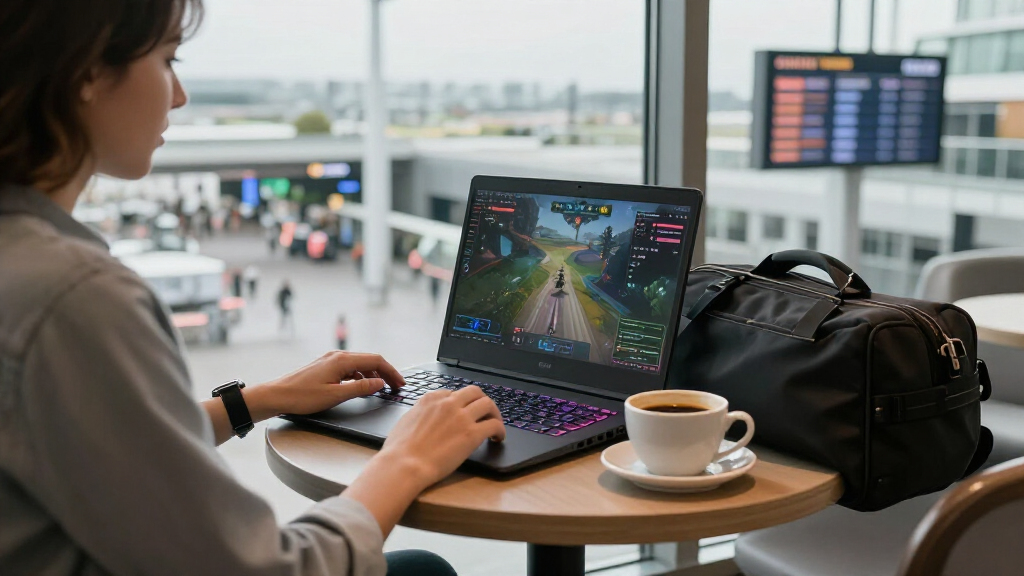
For gaming laptops for travel, I’d start with the Acer Predator Helios Neo 14 AI: its 14.5-inch screen, RTX 5070, and 32GB of memory balance portability with strong gaming hardware. The ASUS ROG Flow Z13 is a more flexible pick for travelers who want a detachable 2-in-1 design, while the Lenovo LOQ 15 offers a more grounded choice with an RTX 4050 and 16GB of memory. The main tradeoffs are familiar: smaller laptops are easier to carry but can limit screen space, while larger models may offer more gaming performance at the cost of bulk. Battery life, charger size, and memory configuration also matter once you leave a desk. Read on for the full breakdown and a guide to choosing the right travel fit.

Get the latest gadgets delivered free with Prime
- Fast, free delivery on millions of items
- Prime Video, Amazon Music and more included
- Member-only deals all year
Complete the kit



Key Takeaways
- The 14-inch Acer Predator Helios Neo 14 AI is the clearest overall travel pick among the listed gaming models, pairing a relatively compact screen with an RTX 5070 and 32GB RAM.
- The ASUS ROG Flow Z13 prioritizes flexibility over conventional laptop value: its 13.4-inch touchscreen and 2-in-1 design suit travelers who also want a tablet-style device.
- RTX 4050 options are the most balanced lower-tier gaming choices here. The MSI Thin 15 and Lenovo LOQ 15 both pair that GPU with 16GB RAM, avoiding the 8GB starting point of some budget configurations.
- The RTX 5060 models split by travel style. The 16-inch Acer Nitro V 16S AI and ASUS ROG Strix G16 offer stronger graphics hardware, while the 17.3-inch MSI Cyborg 17 is the least convenient fit for frequent packing.
- The NIMO N159 is not a gaming laptop equivalent to the others. Its listed specifications omit a dedicated GPU, so it suits general travel computing better than demanding PC games.
| Acer Predator Helios Neo 14 AI Gaming Laptop, Intel Core Ultra 9 285H, NVIDIA GeForce RTX 5070, 14.5-inch WQXGA 165Hz Display, 32GB RAM, 1TB SSD |  | Best Overall for Travel Gaming | Processor: Intel Core Ultra 9 285H | Graphics: NVIDIA GeForce RTX 5070 Laptop GPU | Display: 14.5-inch WQXGA matte, 16:10 | VIEW LATEST PRICE | See Our Full Breakdown |
| Acer Nitro V 15 Gaming Laptop, 15.6-inch FHD 165Hz Display, Intel Core i5-13420H, NVIDIA GeForce RTX 4050, 8GB DDR5, 512GB SSD |  | Best for First-Time Gaming Laptop Buyers | Processor: Intel Core i5-13420H | Graphics: NVIDIA GeForce RTX 4050 Laptop GPU, 6GB GDDR6 | Display: 15.6-inch Full HD IPS, 1920 x 1080 | VIEW LATEST PRICE | See Our Full Breakdown |
| MSI Thin 15 Gaming Laptop, 15.6-Inch FHD 144Hz Display, Intel Core i5-13420H, RTX 4050, 16GB RAM, 1TB SSD, Windows 11 Home, Gray, with Laptop Cooler |  | Best Value for a Ready-to-Play Setup | Processor: Intel Core i5-13420H, 8 cores, 12 threads, up to 4.6GHz | Graphics: NVIDIA GeForce RTX 4050 Laptop GPU, 6GB GDDR6 | Display: 15.6-inch FHD IPS, 1920 x 1080, anti-glare | VIEW LATEST PRICE | See Our Full Breakdown |
| HP Victus 15.6-Inch FHD 144Hz Gaming Laptop, Intel Core i5-12450H, RTX 3050, 16GB RAM, 1TB SSD, Windows 11 Home, Blue |  | Best for Storage-First Travelers | Processor: Intel Core i5-12450H, 8 cores, 12 threads, up to 4.4GHz | Graphics: NVIDIA GeForce RTX 3050, 4GB GDDR6 | Display: 15.6-inch FHD IPS, 1920 x 1080, anti-glare | VIEW LATEST PRICE | See Our Full Breakdown |
| HP Victus 15 Gaming Laptop, 15.6-inch FHD Display, Intel Core i5-12500H, NVIDIA GeForce RTX 3050, 8GB RAM, 512GB SSD, Windows 11 Home |  | Best for Basic Gaming on a Familiar 15-Inch Screen | Processor: 12th Gen Intel Core i5-12500H | Graphics: NVIDIA GeForce RTX 3050 dedicated graphics | Display: 15.6-inch LED IPS, 1920 x 1080 | VIEW LATEST PRICE | See Our Full Breakdown |
| ASUS ROG Flow Z13 (2025) 2-in-1 Gaming Laptop |  | Best for Flexible, Compact Gaming | Processor: AMD Ryzen AI MAX 390, 12 cores | Graphics: AMD Radeon Graphics, RDNA 3.5 | Memory: 32GB LPDDR5X 8000MHz | VIEW LATEST PRICE | See Our Full Breakdown |
| MSI Cyborg 17 17.3-Inch FHD 144Hz Gaming Laptop |  | Best for a Large Screen on the Road | Processor: Intel Core 7-240H | Graphics: NVIDIA GeForce RTX 5060, 8GB GDDR7 | Memory: 16GB DDR5 | VIEW LATEST PRICE | See Our Full Breakdown |
| Lenovo LOQ 15.6-Inch FHD 144Hz Gaming Laptop |  | Best for Practical Travel Gaming | Processor: AMD Ryzen 5 7235HS, quad-core | Graphics: NVIDIA GeForce RTX 4050, 6GB | Memory: 16GB RAM | VIEW LATEST PRICE | See Our Full Breakdown |
| Acer Nitro V 16S AI Gaming Laptop |  | Best Overall for Travel Gaming | Processor: AMD Ryzen 7 260 | Graphics: NVIDIA GeForce RTX 5060 Laptop GPU, 8GB GDDR7 | Memory: 32GB DDR5 5600MHz; listed maximum capacity 32GB | VIEW LATEST PRICE | See Our Full Breakdown |
| ASUS ROG Strix G16 (2025) 16-Inch Gaming Laptop |  | Best for Performance-Focused Trips | Processor: Intel Core i7-14650HX | Graphics: NVIDIA GeForce RTX 5060 Laptop GPU, 8GB | Memory: 16GB DDR5-5600 | VIEW LATEST PRICE | See Our Full Breakdown |
| NIMO N159 15.6-Inch FHD Laptop with AMD Ryzen 7 7735HS, 16GB DDR5 RAM, 512GB SSD |  | Best for Work-First Travel | Display: 15.6-inch FHD (1920 x 1080) IPS anti-glare | Processor: AMD Ryzen 7 7735HS, 8 cores and 16 threads, up to 4.75 GHz | Memory: 16GB DDR5 | VIEW LATEST PRICE | See Our Full Breakdown |
| gaming laptops for travel | Processor | Graphics | Display | Memory |
|---|---|---|---|---|
| Acer Predator Helios Neo 14 AI | Intel Core Ultra 9 285H | NVIDIA GeForce RTX 5070 Laptop GPU | 14.5-inch WQXGA matte, 16:10 | 32GB LPDDR5X onboard |
| Acer Nitro V 15 Gaming Laptop | Intel Core i5-13420H | NVIDIA GeForce RTX 4050 Laptop GPU, 6GB GDDR6 | 15.6-inch Full HD IPS, 1920 x 1080 | 8GB DDR5; maximum 32GB |
| MSI Thin 15 Gaming Laptop | Intel Core i5-13420H, 8 cores, 12 threads, up to 4.6GHz | NVIDIA GeForce RTX 4050 Laptop GPU, 6GB GDDR6 | 15.6-inch FHD IPS, 1920 x 1080, anti-glare | 16GB RAM |
| HP Victus 15.6-Inch FHD 144Hz | Intel Core i5-12450H, 8 cores, 12 threads, up to 4.4GHz | NVIDIA GeForce RTX 3050, 4GB GDDR6 | 15.6-inch FHD IPS, 1920 x 1080, anti-glare | 16GB RAM |
| HP Victus 15 Gaming Laptop | 12th Gen Intel Core i5-12500H | NVIDIA GeForce RTX 3050 dedicated graphics | 15.6-inch LED IPS, 1920 x 1080 | 8GB DDR4 SDRAM |
| ASUS ROG Flow Z13 | AMD Ryzen AI MAX 390, 12 cores | AMD Radeon Graphics, RDNA 3.5 | 13.4-inch IPS touchscreen, 2560 × 1600, 180Hz, 100% DCI-P3 | 32GB LPDDR5X 8000MHz |
| MSI Cyborg 17 17.3-Inch FHD 14 | Intel Core 7-240H | NVIDIA GeForce RTX 5060, 8GB GDDR7 | 17.3-inch matte LCD, 1920 × 1080, 144Hz | 16GB DDR5 |
| Lenovo LOQ 15.6-Inch FHD 144Hz | AMD Ryzen 5 7235HS, quad-core | NVIDIA GeForce RTX 4050, 6GB | 15.6-inch FHD IPS, 1920 × 1080, 144Hz, 100% sRGB, G-SYNC, anti-glare | 16GB RAM |
| Acer Nitro V 16S AI Gaming Lap | AMD Ryzen 7 260 | NVIDIA GeForce RTX 5060 Laptop GPU, 8GB GDDR7 | 16-inch WUXGA, 1920 × 1200, 180Hz, 100% sRGB | 32GB DDR5 5600MHz; listed maximum capacity 32GB |
| ASUS ROG Strix G16 | Intel Core i7-14650HX | NVIDIA GeForce RTX 5060 Laptop GPU, 8GB | 16-inch, 1920 × 1200, 165Hz, 3ms response time | 16GB DDR5-5600 |
| NIMO N159 15.6-Inch FHD Laptop | AMD Ryzen 7 7735HS, 8 cores and 16 threads, up to 4.75 GHz | Integrated AMD Radeon 680M | 15.6-inch FHD (1920 x 1080) IPS anti-glare | 16GB DDR5 |
More Details on Our Top Picks
Acer Predator Helios Neo 14 AI Gaming Laptop, Intel Core Ultra 9 285H, NVIDIA GeForce RTX 5070, 14.5-inch WQXGA 165Hz Display, 32GB RAM, 1TB SSD
The 14.5-inch format and RTX 5070 give the Acer Predator Helios Neo 14 the strongest balance here of gaming capability and a travel-friendly footprint. Its 4.19-pound weight is not featherlight, but it is easier to fit in a bag than the 15.6-inch Nitro V 15 or HP Victus models. The 165Hz G-SYNC display also has a sharper WQXGA resolution and 100% sRGB coverage, making it a better fit for both fast games and visual work than the lineup’s Full HD panels. Cooling hardware and a 32GB memory configuration support demanding play, while the spare M.2 slot leaves room for more storage. The tradeoff is that the memory is onboard, and this compact, powerful machine is still a substantial carry. I’d choose it over the MSI Thin 15 when performance and screen quality matter more than minimizing bulk.
Pros:- RTX 5070 graphics and Core Ultra 9 processor suit demanding games on the go
- 14.5-inch WQXGA display combines 165Hz, G-SYNC, and 100% sRGB coverage
- 32GB memory and 1TB SSD provide room for games and multitasking
- Thunderbolt 4, HDMI 2.1, and an available M.2 slot add useful flexibility
Cons:- At 4.19 pounds, it is not a lightweight travel laptop
- Onboard memory is not described as upgradeable
- Compact gaming hardware relies on an advanced cooling system that may not suit buyers seeking a quiet, simple travel machine
Best for: Traveling gamers who want strong graphics, a sharper high-refresh display, and a smaller chassis without dropping to entry-level hardware.
Not ideal for: Travelers who prioritize the lightest possible bag or want memory they can upgrade later.
- Processor:Intel Core Ultra 9 285H
- Graphics:NVIDIA GeForce RTX 5070 Laptop GPU
- Display:14.5-inch WQXGA matte, 16:10
- Refresh rate:165Hz with G-SYNC
- Memory:32GB LPDDR5X onboard
- Storage:1TB PCIe Gen 4 SSD; two M.2 slots, one available
- Wireless:Killer Wi-Fi 6E AX1675; Bluetooth 5.4 or above
- Ports:Thunderbolt 4, USB-C, two USB-A, HDMI 2.1, audio jack
- Weight:4.19 pounds
Our verdict“Choose the Predator Helios Neo 14 if you want the most capable compact gaming option here and can accept its weight and fixed memory.”
Acer Nitro V 15 Gaming Laptop, 15.6-inch FHD 165Hz Display, Intel Core i5-13420H, NVIDIA GeForce RTX 4050, 8GB DDR5, 512GB SSD
A 165Hz screen and RTX 4050 graphics make the Acer Nitro V 15 a straightforward entry point for travelers who want a familiar 15.6-inch gaming setup. Against the HP Victus 15 with RTX 3050, its newer graphics tier and faster display make it the more appealing pick for gaming, while the included Thunderbolt 4 and Ethernet offer handy connection options at a desk or hotel. The tradeoff is the 8GB of memory: it can constrain newer games and multitasking, so buyers should plan around the stated 32GB maximum. At 4.7 pounds, it is also heavier than the MSI Thin 15, which pairs an RTX 4050 with 16GB of RAM and weighs 4.1 pounds. I’d favor this Nitro when its higher refresh rate and port selection matter more than carrying weight or having more memory out of the box.
Pros:- RTX 4050 graphics offer a stronger gaming tier than the RTX 3050 HP Victus models
- 165Hz Full HD display supports smoother motion in compatible games
- Thunderbolt 4, HDMI, Ethernet, and four USB ports suit varied travel setups
- 512GB PCIe Gen 4 SSD provides a practical starting point for game storage
Cons:- 8GB of DDR5 memory may limit demanding games and multitasking
- At 4.7 pounds, it weighs more than the MSI Thin 15
- The 15.6-inch chassis takes more bag space than the 14.5-inch Predator Helios Neo 14
Best for: First-time gaming laptop buyers who want RTX 4050 graphics, a fast Full HD screen, and useful wired connectivity for trips.
Not ideal for: Travelers who want to game and multitask without a memory upgrade, or who prefer a lighter 15-inch laptop.
- Processor:Intel Core i5-13420H
- Graphics:NVIDIA GeForce RTX 4050 Laptop GPU, 6GB GDDR6
- Display:15.6-inch Full HD IPS, 1920 x 1080
- Refresh rate:165Hz
- Memory:8GB DDR5; maximum 32GB
- Storage:512GB PCIe Gen 4 SSD
- Wireless:Wi-Fi 6 and Bluetooth
- Ports:Four USB ports, Thunderbolt 4, HDMI, Ethernet
- Weight:4.7 pounds
Our verdict“Pick the Nitro V 15 as an entry-level travel gaming laptop if you value its RTX 4050 and 165Hz screen and are prepared to address its 8GB memory.”
MSI Thin 15 Gaming Laptop, 15.6-Inch FHD 144Hz Display, Intel Core i5-13420H, RTX 4050, 16GB RAM, 1TB SSD, Windows 11 Home, Gray, with Laptop Cooler
16GB of RAM and a 1TB SSD make the MSI Thin 15 a more complete travel gaming setup out of the box than the Acer Nitro V 15, which has 8GB and 512GB. Both use an RTX 4050 and the same Core i5-13420H, so the MSI’s advantage is less about raw graphics and more about having more memory and space for games without an immediate upgrade. Its 4.1-pound weight is also the lightest among these 15.6-inch RTX 4050 options. The 144Hz Full HD panel is slightly slower than the Nitro’s 165Hz screen, and it lacks the Predator Helios Neo 14’s sharper WQXGA resolution. The included folding cooler adds another item to pack, while the 1080p display keeps detail below that compact Acer’s level. I’d pick this when storage and carry weight outrank screen resolution.
Pros:- 16GB RAM is a more comfortable starting point than the Nitro V 15’s 8GB
- 1TB SSD offers more built-in space than the Acer Nitro V 15 and HP Victus options listed
- RTX 4050 graphics provide capable dedicated gaming hardware
- At 4.1 pounds, it is lighter than the other 15.6-inch laptops in this batch
Cons:- Full HD resolution is less sharp than the Predator Helios Neo 14’s WQXGA display
- Its 144Hz refresh rate is below the Nitro V 15’s 165Hz
- The bundled folding cooler adds extra gear to carry
Best for: Travelers who want a 15.6-inch RTX 4050 laptop with 16GB memory and 1TB storage ready for games and everyday multitasking.
Not ideal for: Buyers seeking a higher-resolution screen, a particularly compact machine, or a travel kit without extra accessories.
- Processor:Intel Core i5-13420H, 8 cores, 12 threads, up to 4.6GHz
- Graphics:NVIDIA GeForce RTX 4050 Laptop GPU, 6GB GDDR6
- Display:15.6-inch FHD IPS, 1920 x 1080, anti-glare
- Refresh rate:144Hz
- Memory:16GB RAM
- Storage:1TB PCIe M.2 SSD
- Wireless:Wi-Fi 6 and Bluetooth
- Ports:USB-C, three USB-A, RJ-45, HDMI, headphone/microphone combo jack
- Weight:4.1 pounds
Our verdict“Choose the MSI Thin 15 if you want the lightest 15.6-inch RTX 4050 option here with 16GB RAM and ample storage already included.”
HP Victus 15.6-Inch FHD 144Hz Gaming Laptop, Intel Core i5-12450H, RTX 3050, 16GB RAM, 1TB SSD, Windows 11 Home, Blue
16GB of RAM and a 1TB SSD give this HP Victus a more ready-to-go configuration than the 8GB HP Victus 15, especially for travelers carrying a library of games and work files. Its RTX 3050 is a step below the RTX 4050 in the MSI Thin 15 and Acer Nitro V 15, so I’d rank it for buyers who value built-in memory and storage over graphics headroom. The 144Hz Full HD display keeps motion smooth, and the SD card reader is useful for moving photos while away from a desk. Portability is the main compromise: at 5.06 pounds, it is the heaviest option in this five-product group. The listed 250-nit brightness may also be less comfortable in bright surroundings. I’d choose it over the smaller Predator only if storage capacity and a larger screen matter more than travel weight and gaming performance.
Pros:- 16GB RAM and a 1TB SSD provide more ready-to-use capacity than the 8GB HP Victus 15
- 144Hz anti-glare Full HD IPS display supports smoother gameplay
- SD card reader can simplify photo and file transfers while traveling
- Wi-Fi 6 and HDMI 2.1 add useful connectivity
Cons:- At 5.06 pounds, it is the heaviest laptop in this batch
- RTX 3050 graphics trail the RTX 4050 options from MSI and Acer
- Listed display brightness is 250 nits, which may be limiting in bright spaces
Best for: Travelers who want 16GB RAM, 1TB storage, and an SD card reader for a mix of gaming and file handling.
Not ideal for: Frequent flyers prioritizing a lighter carry, or gamers who want stronger graphics than the RTX 3050 offers.
- Processor:Intel Core i5-12450H, 8 cores, 12 threads, up to 4.4GHz
- Graphics:NVIDIA GeForce RTX 3050, 4GB GDDR6
- Display:15.6-inch FHD IPS, 1920 x 1080, anti-glare
- Refresh rate:144Hz
- Memory:16GB RAM
- Storage:1TB PCIe NVMe M.2 SSD
- Wireless:Wi-Fi 6 and Bluetooth 5
- Ports:HDMI 2.1, USB-A, USB-C, RJ-45, SD card reader, headphone/microphone combo
- Weight:5.06 pounds
Our verdict“Choose this Victus if you want generous built-in storage and memory for travel, and can accept a heavier bag and older graphics tier.”
HP Victus 15 Gaming Laptop, 15.6-inch FHD Display, Intel Core i5-12500H, NVIDIA GeForce RTX 3050, 8GB RAM, 512GB SSD, Windows 11 Home
The Core i5-12500H and RTX 3050 make the HP Victus 15 a dedicated gaming option, while its full-size backlit keyboard and numeric keypad can also suit travel work. Compared with the other Victus in this batch, this model has a different strength: its listed 12th-generation processor is the i5-12500H, but it drops to 8GB RAM and a 512GB SSD instead of 16GB and 1TB. That makes it a less convenient choice for a large game library or heavy multitasking. The display is Full HD IPS, but no high refresh rate is specified, unlike the 144Hz Victus 15.6-inch model and the 165Hz Nitro V 15. Wi-Fi 5 is also an older wireless standard than the Wi-Fi 6 listed on those alternatives. I’d consider it for basic gaming and productivity, not for buyers who want the smoothest screen or strong travel-ready capacity.
Pros:- Dedicated RTX 3050 graphics provide gaming capability beyond integrated graphics
- Full HD IPS panel offers wide viewing angles
- Backlit full-size keyboard includes a numeric keypad
- Fingerprint recognition is included
Cons:- 8GB RAM can constrain demanding games and multitasking
- 512GB SSD provides less space than the 1TB HP Victus 15.6-inch model
- Wi-Fi 5 is older than the Wi-Fi 6 offered by the MSI Thin 15 and Acer Nitro V 15
Best for: Travelers who want a 15.6-inch laptop for lighter gaming and everyday tasks, and value a full-size keyboard with number pad.
Not ideal for: Gamers who need 16GB memory, ample game storage, a specified high-refresh display, or newer Wi-Fi than Wi-Fi 5.
- Processor:12th Gen Intel Core i5-12500H
- Graphics:NVIDIA GeForce RTX 3050 dedicated graphics
- Display:15.6-inch LED IPS, 1920 x 1080
- Memory:8GB DDR4 SDRAM
- Storage:512GB SSD
- Operating system:Windows 11 Home
- Wireless:Wi-Fi 5 and Bluetooth 5.2
- Keyboard:Full-size backlit QWERTY keyboard with numeric keypad
- Weight:2.29 kg
Our verdict“Choose this Victus for basic gaming and a full-size keyboard, but look to the 16GB Victus or MSI Thin 15 if you need more room for games and multitasking.”
ASUS ROG Flow Z13 (2025) 2-in-1 Gaming Laptop
The ROG Flow Z13 is the most adaptable pick here: its detachable keyboard and 170-degree kickstand let it work as a tablet for reading or media, then switch back to a gaming setup. The 13.4-inch 2.5K touchscreen is sharper and more colorful than the FHD panels on the Lenovo LOQ 15 and MSI Cyborg 17, while 180Hz suits fast-paced play. Its 32GB of memory also gives it more headroom than those 16GB alternatives. The travel caveat is substantial: the listed 8.6-pound weight undercuts the portability its small screen suggests, and Radeon integrated graphics are a different class of gaming hardware from the RTX 5060 in the Acer Nitro V 16S AI. I’d choose it for convertible versatility, not maximum graphics performance or the lightest carry.
Pros:- Detachable keyboard and adjustable kickstand support laptop and tablet-style use
- 2.5K touchscreen pairs a 180Hz refresh rate with 100% DCI-P3 coverage
- 32GB LPDDR5X memory and 1TB SSD
- Wi-Fi 7 and Bluetooth 5.4
Cons:- Listed 8.6-pound weight is heavy for a compact travel-focused device
- Radeon integrated graphics are less suited to demanding gaming than the RTX 5060 options in this lineup
- Stated battery life of up to 10 hours may fall short for long stretches away from an outlet
Best for: Travelers who want a detachable touchscreen for tablet-style use, media, and lighter gaming, with 32GB of memory for multitasking.
Not ideal for: Gamers prioritizing dedicated high-performance graphics or a light bag; the listed 8.6-pound weight is a notable burden, and its Radeon graphics differ from the RTX-equipped alternatives.
- Processor:AMD Ryzen AI MAX 390, 12 cores
- Graphics:AMD Radeon Graphics, RDNA 3.5
- Memory:32GB LPDDR5X 8000MHz
- Storage:1TB PCIe Gen 4 SSD
- Display:13.4-inch IPS touchscreen, 2560 × 1600, 180Hz, 100% DCI-P3
- Wireless:Wi-Fi 7, Bluetooth 5.4
- Battery:70Wh; stated battery life up to 10 hours
- Weight and form factor:8.6 pounds; detachable keyboard and 170° kickstand
Our verdict“Choose the Flow Z13 for a flexible touchscreen and tablet mode, but pick an RTX-equipped laptop if gaming graphics matter more than its convertible design.”
MSI Cyborg 17 17.3-Inch FHD 144Hz Gaming Laptop
The MSI Cyborg 17 makes the most sense for travelers who want a roomy gaming display and accept carrying a larger machine. Its 17.3-inch matte screen gives games and split-screen work more space than the 16-inch Acer Nitro V 16S AI, while the RTX 5060 brings dedicated graphics and support for ray tracing and DLSS 4. At about 5.3 pounds, it is carryable, but it takes up more bag space than the Acer and Lenovo’s smaller 15- and 16-inch options. The tradeoff is also visible in the panel: it runs at 144Hz but stays at 1920 × 1080, so it is less sharp than the Flow Z13’s 2.5K screen. I’d favor it when screen size is the priority; compact packing is not its strength.
Pros:- 17.3-inch matte screen offers more viewing area than the 16-inch Acer Nitro V 16S AI
- RTX 5060 graphics support ray tracing and DLSS 4
- 1TB NVMe SSD provides room for games and files
- USB-C, USB-A, HDMI, and RJ45 ports support varied connections
Cons:- 17.3-inch chassis takes up more bag space than smaller options in the roundup
- About 5.3 pounds is a substantial carry for a travel laptop
- FHD resolution is less sharp than the Flow Z13’s 2.5K display
Best for: Traveling gamers who want a large 17.3-inch display for play and multitasking and can accommodate its larger footprint.
Not ideal for: Frequent flyers or commuters packing light, or buyers who want a higher-resolution panel than FHD.
- Processor:Intel Core 7-240H
- Graphics:NVIDIA GeForce RTX 5060, 8GB GDDR7
- Memory:16GB DDR5
- Storage:1TB NVMe SSD
- Display:17.3-inch matte LCD, 1920 × 1080, 144Hz
- Connectivity:Wi-Fi 6E, Bluetooth 5.3
- Ports:USB-C, USB-A, HDMI, RJ45
- Weight:About 5.3 pounds
Our verdict“Pick the Cyborg 17 if a large gaming screen matters more than compact packing and higher display resolution.”
Lenovo LOQ 15.6-Inch FHD 144Hz Gaming Laptop
The Lenovo LOQ 15 is a straightforward choice for travelers who want a familiar 15.6-inch gaming laptop with a useful port selection. Its RTX 4050 puts it below the RTX 5060-powered Acer Nitro V 16S AI and MSI Cyborg 17 for graphics hardware, but it still supplies dedicated graphics, while the 144Hz G-SYNC display supports smoother play. The 100% sRGB coverage is a useful plus for color-conscious work, and the 1TB SSD avoids the tighter storage found in some entry-level alternatives elsewhere in the roundup. At 5.25 pounds, though, it is not light, and the FHD panel gives up the extra vertical space of the Acer’s WUXGA screen. I’d pick it for a balanced set of everyday travel features, not the strongest graphics or the easiest carry.
Pros:- RTX 4050 graphics provide dedicated gaming hardware
- 144Hz IPS display has G-SYNC and 100% sRGB coverage
- 1TB SSD and 16GB RAM
- USB-C, three USB-A ports, HDMI 2.1, and Ethernet offer flexible connections
Cons:- 5.25-pound weight is a burden for frequent carry
- FHD resolution offers less screen detail and vertical space than the Acer Nitro V 16S AI’s WUXGA panel
- RTX 4050 is a lower graphics tier than the RTX 5060 in the MSI Cyborg 17 and Acer Nitro V 16S AI
Best for: Travelers seeking a mid-size gaming laptop with dedicated RTX graphics, a 1TB drive, and ports for wired networking and peripherals.
Not ideal for: Buyers who need the lightest laptop, stronger graphics than an RTX 4050, or a higher-resolution screen.
- Processor:AMD Ryzen 5 7235HS, quad-core
- Graphics:NVIDIA GeForce RTX 4050, 6GB
- Memory:16GB RAM
- Storage:1TB SSD
- Display:15.6-inch FHD IPS, 1920 × 1080, 144Hz, 100% sRGB, G-SYNC, anti-glare
- Ports:USB-C 3.2, three USB-A 3.2, HDMI 2.1, RJ45 Ethernet
- Wireless and battery:Wi-Fi 6; 60Wh battery with Rapid Charge Pro
- Weight:5.25 pounds
Our verdict“Choose the LOQ 15 for a practical mix of ports, storage, and dedicated graphics if you can accept its weight and FHD screen.”
Acer Nitro V 16S AI Gaming Laptop
The Acer Nitro V 16S AI earns my top spot by balancing gaming hardware, screen area, and carry weight better than the other conventional laptops here. At 4.6 pounds, it is lighter than the Lenovo LOQ 15 and MSI Cyborg 17, yet it pairs an RTX 5060 with 32GB of memory—double the listed RAM in those models. Its 16-inch WUXGA screen adds vertical room over the FHD Lenovo and a 180Hz refresh rate for fast motion, while 100% sRGB coverage suits color-sensitive tasks. The compromise is a non-touch display and a stated maximum memory capacity of 32GB, so there is no listed headroom beyond the included amount. I’d choose it over the larger Cyborg 17 when portability matters, while the Flow Z13 remains the more flexible tablet-style option.
Pros:- RTX 5060 graphics with 8GB GDDR7 and support for ray tracing and DLSS 4
- 4.6-pound listed weight is lower than the Lenovo LOQ 15 and MSI Cyborg 17
- 16-inch WUXGA 180Hz display offers more vertical space than FHD panels
- 32GB DDR5 memory and 1TB PCIe Gen 4 SSD
Cons:- Display is non-touch, unlike the convertible ASUS ROG Flow Z13
- Listed maximum memory capacity is 32GB, leaving no stated upgrade headroom
- 65Wh battery capacity is specified, but no battery-life figure is provided
Best for: Travel gamers who want an RTX 5060, 32GB of memory, and a 16-inch high-refresh display without carrying a 17.3-inch laptop.
Not ideal for: Buyers who need a touchscreen or convertible tablet use, or who want listed memory expansion beyond 32GB.
- Processor:AMD Ryzen 7 260
- Graphics:NVIDIA GeForce RTX 5060 Laptop GPU, 8GB GDDR7
- Memory:32GB DDR5 5600MHz; listed maximum capacity 32GB
- Storage:1TB PCIe Gen 4 SSD
- Display:16-inch WUXGA, 1920 × 1200, 180Hz, 100% sRGB
- Battery:65Wh
- Connectivity:Wi-Fi 6, Bluetooth
- Weight:4.6 pounds
Our verdict“Choose the Nitro V 16S AI for the strongest balance of RTX 5060 gaming, 32GB memory, and manageable carry weight in this group.”
ASUS ROG Strix G16 (2025) 16-Inch Gaming Laptop
The ROG Strix G16 suits travelers who put gaming performance and cooling ahead of unplugged time. Its Intel Core i7-14650HX and RTX 5060 are paired with vapor-chamber, tri-fan cooling, giving it a more performance-focused setup than the RTX 4050 Lenovo LOQ 15. The 16-inch, 165Hz display and 3ms response time are aimed at responsive play, while the 90Wh battery is the largest stated capacity among these five products. That capacity does not erase a major listing drawback: stated battery life is only two hours, so I would plan to stay near an outlet. At 2.65kg, it also weighs more than the Acer Nitro V 16S AI. Choose this over the Acer for its cooling and stronger listed processor; choose the Acer for a lighter travel load and twice the memory.
Pros:- Intel Core i7-14650HX and RTX 5060 Laptop GPU provide a performance-focused hardware pairing
- Vapor-chamber, tri-fan cooling with Conductonaut Extreme liquid metal
- 165Hz display with a stated 3ms response time
- 90Wh battery capacity and Wi-Fi 7
Cons:- Stated battery life is only two hours, limiting time away from an outlet
- At 2.65kg, it is heavier than the Acer Nitro V 16S AI at 4.6 pounds
- 16GB RAM is half the listed 32GB in the Acer Nitro V 16S AI
Best for: Traveling gamers who prioritize a high-performance Intel processor, RTX 5060 graphics, and advanced cooling, and can plan around limited stated battery life.
Not ideal for: Commuters who need long unplugged sessions or a lighter bag; its stated battery life is two hours and its listed weight is 2.65kg.
- Processor:Intel Core i7-14650HX
- Graphics:NVIDIA GeForce RTX 5060 Laptop GPU, 8GB
- Memory:16GB DDR5-5600
- Storage:1TB PCIe Gen 4 SSD
- Display:16-inch, 1920 × 1200, 165Hz, 3ms response time
- Cooling:Vapor chamber, tri-fan technology, Conductonaut Extreme liquid metal
- Wireless and battery:Wi-Fi 7; 90Wh battery; stated battery life 2 hours
- Weight:2.65kg
Our verdict“Pick the Strix G16 for its performance-focused hardware and cooling if you travel with access to power; otherwise, the lighter Acer Nitro V 16S AI is a more practical carry.”
NIMO N159 15.6-Inch FHD Laptop with AMD Ryzen 7 7735HS, 16GB DDR5 RAM, 512GB SSD
The NIMO N159 is a portable work laptop with casual-gaming ability, not a dedicated gaming machine. At under 3.75 pounds and 0.75 inches thick, it is easier to carry than many gaming-focused alternatives, while the Ryzen 7 7735HS and 16GB DDR5 suit multitasking between study, work, and lighter games. Its integrated Radeon 680M graphics are the main limit: demanding games will be a better fit for the Acer Nitro V 15 with its RTX 4050, though that model is more explicitly built around gaming hardware. The NIMO’s anti-glare Full HD screen, near-flat hinge, fingerprint reader, and webcam shutter make it useful beyond play. The 54Wh battery capacity is listed, but runtime is not, so I would not choose it for long gaming sessions away from an outlet.
Pros:- Under 3.75 pounds and 0.75 inches thick for easier travel than many gaming-focused laptops
- Ryzen 7 7735HS and 16GB DDR5 support multitasking and demanding everyday work
- Anti-glare IPS display, fingerprint reader, and webcam privacy shutter suit shared workspaces
- USB-C charging, HDMI, and MicroSD reader offer useful travel connectivity
Cons:- Integrated Radeon 680M graphics are less suited to demanding games than the discrete RTX 4050 in the Acer Nitro V 15
- Battery runtime is not specified, making unplugged gaming endurance difficult to judge
- The 512GB SSD leaves less room for a large game library than several 1TB alternatives
Best for: Traveling students and remote workers who want a relatively light everyday laptop for productivity, streaming, and less demanding games.
Not ideal for: Travelers whose priority is running graphics-intensive games at high settings, or who need confirmed long battery runtime away from a charger.
- Display:15.6-inch FHD (1920 x 1080) IPS anti-glare
- Processor:AMD Ryzen 7 7735HS, 8 cores and 16 threads, up to 4.75 GHz
- Memory:16GB DDR5
- Storage:512GB NVMe PCIe SSD
- Graphics:Integrated AMD Radeon 680M
- Battery:54Wh
- Weight and thickness:Less than 3.75 lbs; 0.75 inches
- Charging and ports:100W USB Type-C; 2 USB Type-C Gen 2 ports, HDMI 2.0, MicroSD reader
Our verdict“Choose the NIMO N159 if carrying a capable work-and-study laptop matters more than playing demanding games on the road.”
How We Picked
I ranked these options for travel rather than treating gaming performance as the only goal. I weighed screen size and device format against the listed CPU, GPU, memory, and storage, since a compact machine with a capable graphics chip can be more useful on the road than a larger system that is harder to carry. I also looked for configurations that are less likely to require an immediate memory upgrade, and distinguished dedicated-GPU gaming laptops from general-purpose laptops whose listed specs do not include one.
The ranking gives more weight to a practical balance of portability and gaming capability, then to flexibility, configuration, and the compromises each buyer would need to accept. The 14-inch Predator earns the top spot for its size-to-spec balance; the Flow Z13 ranks highly for its unusual convertible design, not as a direct value rival. Larger RTX 5060 systems remain compelling for buyers who want more screen or graphics capability, but rank lower for frequent travel. The listed specifications do not provide comparable battery-life, weight, or charger measurements, so I do not treat those as confirmed advantages for any model.
| gaming laptops for travel | Wireless | Ports |
|---|---|---|
| Acer Predator Helios Neo 14 AI | Killer Wi-Fi 6E AX1675; Bluetooth 5.4 or above | Thunderbolt 4, USB-C, two USB-A, HDMI 2.1, audio jack |
| Acer Nitro V 15 Gaming Laptop | Wi-Fi 6 and Bluetooth | Four USB ports, Thunderbolt 4, HDMI, Ethernet |
| MSI Thin 15 Gaming Laptop | Wi-Fi 6 and Bluetooth | USB-C, three USB-A, RJ-45, HDMI, headphone/microphone combo jack |
| HP Victus 15.6-Inch FHD 144Hz | Wi-Fi 6 and Bluetooth 5 | HDMI 2.1, USB-A, USB-C, RJ-45, SD card reader, headphone/microphone combo |
| HP Victus 15 Gaming Laptop | Wi-Fi 5 and Bluetooth 5.2 | — |
| ASUS ROG Flow Z13 | Wi-Fi 7, Bluetooth 5.4 | — |
| MSI Cyborg 17 17.3-Inch FHD 14 | — | USB-C, USB-A, HDMI, RJ45 |
| Lenovo LOQ 15.6-Inch FHD 144Hz | — | USB-C 3.2, three USB-A 3.2, HDMI 2.1, RJ45 Ethernet |
| Acer Nitro V 16S AI Gaming Lap | — | — |
| ASUS ROG Strix G16 | — | — |
| NIMO N159 15.6-Inch FHD Laptop | — | — |
Factors to Consider When Choosing Gaming Laptops For Travel
For travel, the right gaming laptop depends on how often you carry it, where you play, and whether it must also serve as your everyday computer. I’d settle those questions before choosing a GPU tier: portability compromises can affect every trip, while extra gaming power matters most when you can use it. These points help translate a spec sheet into a travel decision.
Choose a screen size you will actually carry
A smaller screen reduces the footprint in a backpack and can make cramped seats or shared tables easier to manage. It also gives you less room for game interfaces, split-screen work, and long sessions away from an external display. A 15- or 16-inch laptop can be a better everyday gaming screen, but check its actual dimensions and weight rather than assuming the diagonal tells the whole story. Remember to account for the power adapter, mouse, and any accessories you bring; they can change how portable the full setup feels. If you travel often, decide how much screen area you are willing to trade for an easier-to-pack system before comparing graphics chips.
Match GPU capability to the games and settings you use
A dedicated graphics chip matters far more for modern 3D games than a strong processor alone. Compare GPUs by the performance tier you need, but do not assume two laptops with the same GPU will perform identically: cooling, power limits, and the laptop’s design also influence results. For a travel machine, a less demanding game library may make a midrange GPU a better balance than a larger, more powerful system. Check the display resolution as well, since driving more pixels can put extra pressure on graphics hardware. If your main use is streaming, browsing, and lighter games, buying for high-end gaming capability may add bulk without a benefit you will use.
Check battery expectations instead of guessing from the label
Gaming laptops generally draw much more power during demanding play than during light tasks, so unplugged gaming time can be far shorter than everyday productivity time. Do not treat a battery estimate for web use as a promise of long gaming sessions away from an outlet. Look for independent battery tests that separate light use from gaming, and check whether performance changes substantially on battery power. Also confirm the charger’s size and whether the laptop supports charging through USB-C if you want to reduce what you pack; support and charging limits vary by model. Travelers who play mainly in hotel rooms may value performance and outlet access more than buyers who expect to game during transit.
Budget for memory and storage needs beyond the starting configuration
Memory affects how comfortably a laptop can handle games alongside chat, a browser, and other open apps. An 8GB configuration can be limiting for current gaming workloads, and buyers should check whether the RAM is upgradeable before choosing it as a low-cost starting point. Storage fills quickly when several large games are installed, so compare SSD capacity with your likely library and check how difficult it is to add or replace a drive. Upgrades can be awkward while traveling and may add expense or require tools, so a suitable factory configuration has practical value. Avoid paying for capacity you will not use, but do not overlook the cost and hassle of fixing a configuration that is too small.
Treat cooling, noise, and surface space as travel factors
Gaming laptops need to shed heat, and a thin chassis can involve tradeoffs in fan noise or sustained performance. A laptop that feels manageable in a shop can be less comfortable on a soft bed or a tiny café table, where vents may be blocked and there may be little room for a mouse. Check where the air intakes and exhausts sit, and look for independent tests of fan noise and temperatures under load. A cooling accessory adds another item to carry, so do not assume it solves an inconvenient design for travel. If you often play in shared rooms, quieter operation and a stable, ventilated surface may matter as much as a higher graphics tier.
Decide whether a convertible design solves a real need
A 2-in-1 can replace some of the flexibility of carrying a separate tablet, especially when you use touch controls, read, or work in tablet mode. That format is not automatically a better gaming laptop: check how the keyboard, stand, and ports work when you use it on a lap or small table. Make sure the design suits your games, since touchscreen controls do not replace a mouse and keyboard for many genres. Compare the full kit you need to carry, including a detachable keyboard or stand if those are separate. Choose this form factor when its non-gaming uses matter to you, rather than paying for flexibility that will stay unused.
Frequently Asked Questions
Is the Acer Predator Helios Neo 14 AI the best choice if I travel with my laptop every week?
It is the strongest starting point in this lineup for frequent travel because it pairs a smaller 14.5-inch format with an RTX 5070 and 32GB RAM. Still, the listing does not provide weight, battery-test results, or charger dimensions, so check those details before treating it as an easy daily carry. If you value tablet-style flexibility more than a conventional gaming setup, compare it with the ASUS ROG Flow Z13. If you mainly need a larger screen for gaming at your destination, a 15- or 16-inch option may feel better once unpacked. Your regular bag and how far you carry it should guide the final choice.
Can I game on a plane or train without plugging in?
Possibly, but demanding games can use battery quickly and may run at reduced performance away from a wall outlet. Battery capacity and unplugged gaming results are not included in the listed specifications here, so I would check independent tests for the exact model and the games you play. Lowering graphics settings and frame rates can reduce power draw, though it changes the experience. Also check airline rules for carrying the laptop and its battery, and keep ventilation clear rather than gaming with the system buried in a bag or blanket. If you expect long sessions in transit, plan around access to power rather than assuming a gaming laptop will last like a light-use notebook.
Should I pick an RTX 5060 laptop over an RTX 4050 model for travel?
Choose the RTX 5060 tier if your games need more graphics capability or you want more room for demanding settings, but compare the whole laptop rather than the GPU label alone. In this group, the RTX 5060 options include 16- and 17.3-inch systems, while the RTX 4050 choices include 15-inch machines that may be easier to pack. The listings do not give directly comparable weight, battery, or graphics power limits, so the GPU name cannot settle portability or real-world performance on its own. If you play lighter titles, the RTX 4050 with 16GB RAM may be a more balanced travel setup. If you prioritize graphics power, check independent performance and cooling tests for the exact configuration.
Is the NIMO N159 a suitable gaming laptop for travel?
The listed NIMO N159 specifications include a Ryzen 7 processor, 16GB RAM, and a 512GB SSD, but do not name a dedicated graphics card. That makes it a poor match for buyers who expect the same modern 3D gaming capability as the Acer, MSI, ASUS, or Lenovo gaming models in this roundup. It may suit general travel computing and lighter games, depending on the graphics configuration and the games involved. Confirm the exact GPU before buying, since the listing alone does not establish dedicated-GPU performance. If gaming is the main purpose, I would choose one of the explicitly listed RTX-equipped laptops instead.
Is 8GB of RAM enough for a travel gaming laptop, or should I pay for 16GB?
For a new gaming laptop, 16GB is the safer starting point when you want to play modern games while keeping other apps open. The Acer Nitro V 15 and one HP Victus configuration list 8GB, so check whether their memory can be upgraded and what that upgrade involves. A low starting configuration can be workable for lighter use, but limited memory may cause stuttering or force you to close background apps. If you travel, upgrading later can mean carrying the laptop to a service shop or buying parts away from home. Compare the total cost and upgrade access before choosing the lowest-memory version.
Conclusion
For the best overall travel balance, I’d choose the Acer Predator Helios Neo 14 AI, thanks to its compact screen size paired with an RTX 5070 and 32GB RAM. For best value among the gaming-focused options, the Lenovo LOQ 15 is a sensible starting point with an RTX 4050, 16GB RAM, and a 1TB SSD, though its 15.6-inch format is less compact. For a premium, flexible travel setup, consider the ASUS ROG Flow Z13 if its convertible design suits your work and play; for a more traditional premium gaming machine with an RTX 5060, compare the ASUS ROG Strix G16 and check its carry weight. For beginners, the MSI Thin 15 offers an RTX 4050 and 16GB RAM without the 8GB starting point found in some budget listings. For higher graphics capability on a larger screen, look at the Acer Nitro V 16S AI; for tablet-style use, choose the Flow Z13; and for general computing rather than demanding gaming, the NIMO N159 may fit better. Before ordering any model, verify battery tests, weight, charger size, and upgrade options, since those details are not supplied in the listed configurations.