
TL;DR

Get the latest gadgets delivered free — and shop member deals
- Fast, free delivery on millions of items
- Access to Prime Big Deal Days deals on October 6–7
- Prime Video, Amazon Music and more included
A new phishing campaign is impersonating Chrome and Edge update dialogs to trick users into installing malware that steals password manager vault data. The campaign’s scale is still being assessed, but affected users are advised to update browsers only through official settings.
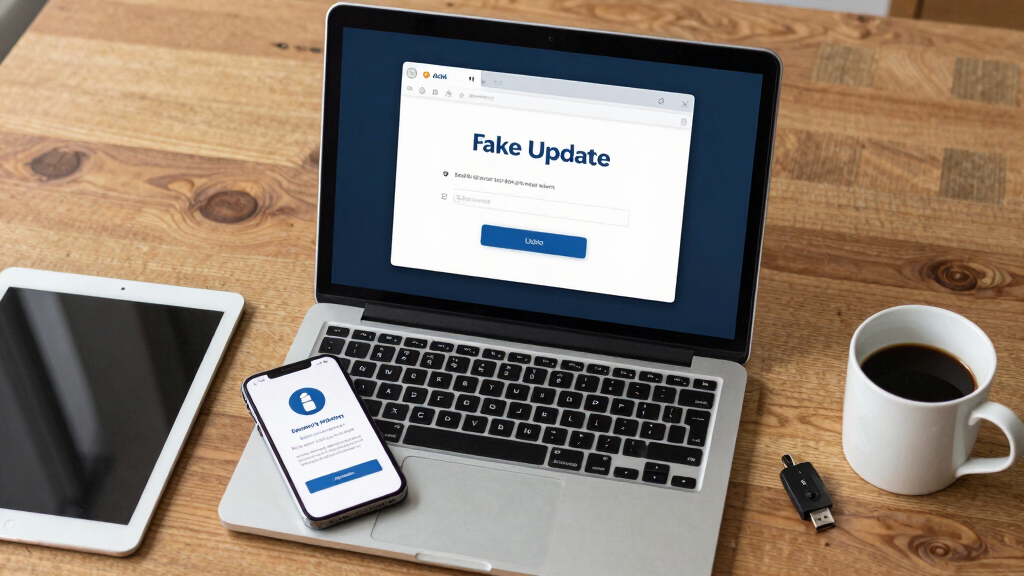
Security researchers have uncovered a phishing campaign that displays fake browser update prompts mimicking Chrome and Edge dialogs to deceive users into installing malware designed to steal password manager vault data.
The campaign involves malicious prompts that appear as legitimate browser update notifications, prompting users to click and install malware. Once installed, the malware exfiltrates stored credentials from popular password managers. The campaign’s scale is still being evaluated, but experts warn that affected users could have their sensitive login information compromised.
According to SecurityWatch, the malware specifically targets password vault data, which could lead to widespread credential theft if successful. Users are advised to update their browsers only through official settings and to rotate passwords if they suspect exposure. The campaign is active across multiple regions, but precise reach remains unclear.
Why This Phishing Campaign Poses a Major Risk
This campaign highlights the ongoing threat of sophisticated phishing tactics targeting users’ credential data. Password managers are a critical security tool, and malware that can exfiltrate stored passwords poses a significant risk of identity theft, account compromise, and further cyberattacks. The widespread use of fake update prompts increases the likelihood of user infection, emphasizing the importance of cautious online behavior and proper update procedures.
As an affiliate, we earn on qualifying purchases.
Phishing campaigns using fake browser prompts have become increasingly common, often impersonating legitimate update notifications to lure users. Previous incidents have targeted various browsers and operating systems, but the current campaign’s focus on password managers marks a concerning escalation. Experts note that malware capable of extracting stored credentials can lead to extensive security breaches, especially if users do not verify update sources.
“The fake prompts are highly convincing, mimicking real browser dialogs closely, which can easily deceive users into clicking.”
— an anonymous researcher
“Affected users should only update their browsers through official settings and consider rotating passwords if they suspect exposure.”
— SecurityWatch
As an affiliate, we earn on qualifying purchases.
Extent and Impact of the Campaign Still Unclear
It is not yet clear how widespread the campaign is or how many users have been affected. The full scope of malware deployment and data exfiltration remains under investigation by security experts. Details about the specific malware used and the methods of distribution are still emerging.
antivirus software for credential protection
As an affiliate, we earn on qualifying purchases.
As an affiliate, we earn on qualifying purchases.
Monitoring and Response Efforts in Progress
Security researchers and browser vendors are actively analyzing the campaign to determine its scope and develop mitigation strategies. Users should stay informed about official security advisories and remain vigilant against suspicious prompts. Further updates are expected as investigations continue.
As an affiliate, we earn on qualifying purchases.
Key Questions
How can I tell if a browser update prompt is fake?
Fake prompts often appear unexpectedly and may have slight visual differences from legitimate dialogs. Always update your browser through the official settings menu or the official website, not via unsolicited prompts.
What should I do if I clicked on a fake update prompt?
Immediately run a security scan with your antivirus software, change your passwords, especially for your password manager, and monitor your accounts for suspicious activity. Consider rotating passwords and enabling two-factor authentication where available.
Are all password managers at risk?
Any password manager that stores vault data locally or in the cloud could be targeted if malware is installed on your device. Users should ensure their password managers are updated and follow best security practices.
Will my browser or password manager be automatically protected?
While browsers and password managers regularly update security features, users must remain cautious and avoid clicking on suspicious prompts. Always verify update sources manually.
What is the best way to protect myself from similar phishing scams?
Use official channels for updates, enable multi-factor authentication, keep security software current, and stay informed about emerging threats from trusted sources like security advisories.
Source: SecurityWatch
Fall Picks
fall essentials
As an affiliate, we earn on qualifying purchases.