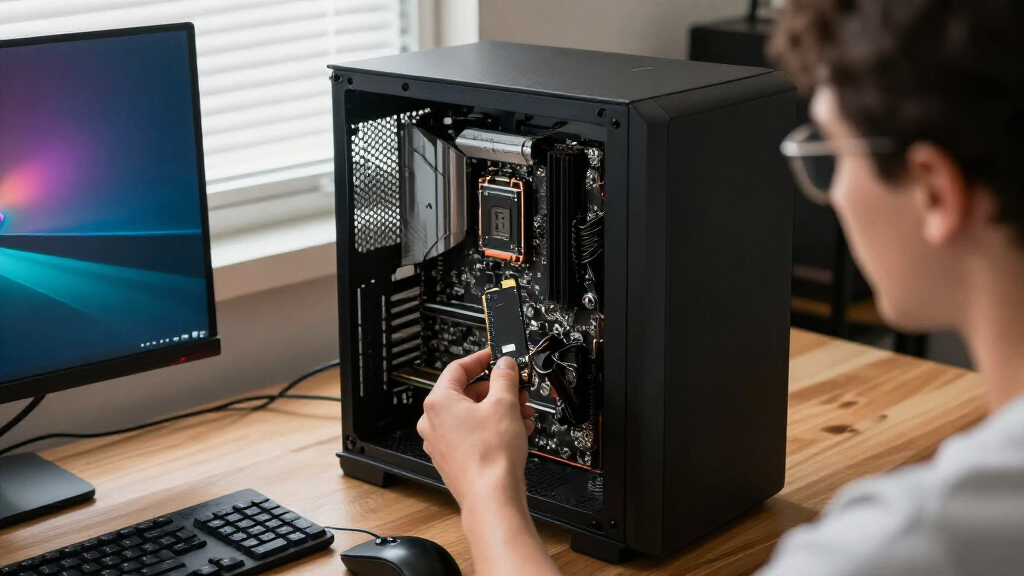

The best PCIe Gen devices depend on whether you need a fast everyday SSD, a high-capacity upgrade, or a card that adds several NVMe drives. I rank the Samsung 990 PRO 2TB as the best overall pick for a balanced PCIe 4.0 upgrade, while the Crucial P310 4TB stands out for capacity and the Samsung 9100 PRO for PCIe 5.0 performance. The main tradeoffs are speed versus heat, drive capacity versus cost, and simple single-drive upgrades versus multi-drive expansion. Compatibility also matters: an M.2 SSD and a PCIe add-in card solve different problems. Read on for the full breakdown, buying advice, and answers to common fit questions.

Get the latest gadgets delivered free with Prime
- Fast, free delivery on millions of items
- Prime Video, Amazon Music and more included
- Member-only deals all year
Complete the kit



Key Takeaways
- The Samsung 990 PRO 2TB earns the overall spot because it pairs a PCIe 4.0 interface with a broad, practical fit for users who want a capable single-drive upgrade rather than a specialized expansion card.
- PCIe 5.0 speed comes with system demands: the Samsung 9100 PRO is the performance-focused SSD, but buyers should check motherboard support and cooling before choosing it over a PCIe 4.0 model.
- Capacity changes the value equation: the Crucial P310 offers 4TB in one M.2 drive, making it a stronger fit for large libraries than the 1TB options, even when maximum transfer speed is not the main goal.
- Expansion cards need more than an open slot: the HighPoint Rocket 1604L and ASUS Hyper M.2 x16 Gen5 Card target multi-drive systems, where lane allocation, firmware support, and cooling can matter as much as the card itself.
- Small form factors call for careful fit checks: the Acer MA200 uses the shorter M.2 2230 format, while most SSDs here use 2280; length and host-device compatibility can rule out an otherwise appealing drive.
| PNY CS2243 1TB PCIe Gen4 NVMe M.2 2280 SSD |  | Best Mainstream Gen4 Upgrade | Capacity: 1 TB | Interface: NVMe PCIe Gen4 x4 | Form factor: M.2 2280 | VIEW LATEST PRICE | See Our Full Breakdown |
| HighPoint Rocket 1604L PCIe Gen5 x16 Quad M.2 NVMe Add-In Card |  | Best Gen5 Multi-Drive Expansion Card | Model: Rocket 1604L | Bus interface: PCIe 5.0 x16 | M.2 ports: 4 | VIEW LATEST PRICE | See Our Full Breakdown |
| Crucial P310 4TB PCIe Gen4 NVMe M.2 2280 SSD |  | Best High-Capacity Gen4 SSD | Capacity: 4 TB | Interface: PCIe Gen4 x4 NVMe | Form factor: M.2 2280 | VIEW LATEST PRICE | See Our Full Breakdown |
| LinksTek PCIe 3.0 x4 to 4-Port NVMe M.2 SSD Expansion Card |  | Best for Systems Without Motherboard Bifurcation | Model: PCIE-PEX8747M4 | Host interface: PCIe 3.0 x4 | M.2 slots: 4 x NVMe Key M | VIEW LATEST PRICE | See Our Full Breakdown |
| Samsung 9100 PRO 2TB PCIe 5.0 M.2 2280 SSD |  | Best Premium Gen5 SSD | Capacity: 2 TB | Interface: PCIe 5.0 x4 | Form factor: M.2 2280 | VIEW LATEST PRICE | See Our Full Breakdown |
| Acer MA200 1TB M.2 2230 PCIe Gen 4 NVMe SSD |  | Best for Handheld Gaming PCs | Capacity: 1 TB | Interface: PCIe Gen 4 x4, NVMe 1.4 | Form factor: M.2 2230 | VIEW LATEST PRICE | See Our Full Breakdown |
| Samsung 990 1TB NVMe Internal SSD |  | Best for Everyday PCIe 4.0 Upgrades | Capacity: 1 TB | Interface: PCI Express 4.0, PCIe x4, NVMe | Form factor: M.2 | VIEW LATEST PRICE | See Our Full Breakdown |
| Samsung 990 PRO 2TB PCIe 4.0 NVMe M.2 2280 SSD |  | Best Premium PCIe 4.0 SSD | Capacity: 2 TB | Interface: PCIe 4.0 x4 | Form factor: M.2 2280 | VIEW LATEST PRICE | See Our Full Breakdown |
| Samsung 990 EVO 2TB M.2 NVMe SSD |  | Best for Flexible PCIe Compatibility | Capacity: 2 TB | Form factor: M.2 2280 | Interface: PCIe 4.0 x4 or PCIe 5.0 x2 | VIEW LATEST PRICE | See Our Full Breakdown |
| WD_BLACK SN7100 1TB NVMe SSD, PCIe Gen4, M.2 2280 |  | Best for High-Speed Laptop and Handheld Storage | Capacity: 1 TB | Interface: NVMe, PCIe Gen 4 | Form factor: M.2 2280 | VIEW LATEST PRICE | See Our Full Breakdown |
| Lexar NM790 1TB NVMe SSD with Heatsink, PCIe Gen 4×4, M.2 2280 |  | Best Gen 4 SSD with an Included Heatsink | Capacity: 1 TB | Interface: NVMe, PCIe Gen 4×4 | Form factor: M.2 2280 | VIEW LATEST PRICE | See Our Full Breakdown |
| ASUS Hyper M.2 x16 Gen5 Card for Four NVMe SSDs |  | Best for Four-Drive NVMe Expansion | Interface: PCI Express x16 | PCIe compatibility: PCIe 5.0/4.0 | Supported drives: Up to four M.2 NVMe SSDs | VIEW LATEST PRICE | See Our Full Breakdown |
| PCIe Gen device | Interface | Capacity | Form factor | Sequential read speed |
|---|---|---|---|---|
| PNY CS2243 1TB PCIe Gen4 NVMe | NVMe PCIe Gen4 x4 | 1 TB | M.2 2280 | Up to 4,700 MB/s |
| HighPoint Rocket 1604L PCIe Ge | — | — | — | — |
| Crucial P310 4TB PCIe Gen4 NVM | PCIe Gen4 x4 NVMe | 4 TB | M.2 2280 | Up to 7,100 MB/s |
| LinksTek PCIe 3.0 x4 to 4-Port | — | — | — | — |
| Samsung 9100 PRO 2TB PCIe 5.0 | PCIe 5.0 x4 | 2 TB | M.2 2280 | Up to 14,700 MB/s |
| Acer MA200 1TB M.2 2230 PCIe G | PCIe Gen 4 x4, NVMe 1.4 | 1 TB | M.2 2230 | — |
| Samsung 990 1TB NVMe Internal | PCI Express 4.0, PCIe x4, NVMe | 1 TB | M.2 | Up to 7,150 MB/s |
| Samsung 990 PRO 2TB PCIe 4.0 N | PCIe 4.0 x4 | 2 TB | M.2 2280 | Up to 7,450 MB/s |
| Samsung 990 EVO 2TB M.2 NVMe S | PCIe 4.0 x4 or PCIe 5.0 x2 | 2 TB | M.2 2280 | Up to 5,000 MB/s |
| WD_BLACK SN7100 1TB NVMe SSD | NVMe, PCIe Gen 4 | 1 TB | M.2 2280 | — |
| Lexar NM790 1TB NVMe SSD with | NVMe, PCIe Gen 4×4 | 1 TB | M.2 2280 | — |
| ASUS Hyper M.2 x16 Gen5 Card f | PCI Express x16 | — | — | — |
More Details on Our Top Picks
PNY CS2243 1TB PCIe Gen4 NVMe M.2 2280 SSD
The PNY CS2243 is a straightforward Gen4 choice for buyers who want a standard M.2 2280 drive without stepping up to Gen5 hardware. Its claimed read and write speeds of 4,700 MB/s and 4,200 MB/s suit everyday storage, game libraries, and general application use, though they sit below the faster Crucial P310. The P310 also offers four times the capacity, making it a better fit for large media collections; the PNY instead makes sense when 1TB is enough and broad desktop, laptop, or handheld compatibility matters. TCG Pyrite encryption and a five-year limited warranty or TBW term add useful ownership features. Actual performance depends on the host system, and usable capacity will be lower than the listed figure.
Pros:- Gen4 x4 interface with sequential read speeds up to 4,700 MB/s
- M.2 2280 format supports compatible desktops, laptops, and handheld gaming devices
- TCG Pyrite data encryption support
- Designed for low power consumption
Cons:- 1TB capacity is limited for large game and media collections
- Sequential speeds trail the 4TB Crucial P310
- Actual performance varies with the host device, settings, operating system, and applications
Best for: Desktop, laptop, or handheld owners seeking a 1TB M.2 2280 Gen4 drive for everyday storage and gaming.
Not ideal for: Buyers with large game or media libraries, or users chasing the highest Gen4 speeds, who should look at the 4TB Crucial P310 instead.
- Capacity:1 TB
- Interface:NVMe PCIe Gen4 x4
- Form factor:M.2 2280
- Sequential read speed:Up to 4,700 MB/s
- Sequential write speed:Up to 4,200 MB/s
- Encryption:TCG Pyrite
- Compatible devices:Desktop, laptop, handheld gaming devices
- Warranty:5-year limited warranty or TBW
Our verdict“Choose the PNY CS2243 for a broadly compatible 1TB Gen4 upgrade, but pick the Crucial P310 if capacity and higher stated speeds matter more.”
HighPoint Rocket 1604L PCIe Gen5 x16 Quad M.2 NVMe Add-In Card
The HighPoint Rocket 1604L targets a different need from single-drive picks such as the Samsung 9100 PRO: it adds room for four M.2 NVMe drives on one PCIe 5.0 x16 card, with dedicated x4 lanes per port. That layout suits a workstation or server build needing several drives, rather than a PC owner replacing one boot drive. Support for Intel and AMD x86 systems as well as ARM, plus Windows, Linux, and macOS, gives it broad platform reach. Its limits are practical: the card accepts only 2242, 2260, and 2280 modules, and a suitable x16 slot is needed to use the card as intended. Compared with the LinksTek PCIe 3.0 x4 card, this model uses a Gen5 x16 host interface, but it does not list the LinksTek card’s UEFI boot details.
Pros:- Four M.2 ports, each with dedicated x4 lanes
- PCIe 5.0 x16 host interface
- Supports Intel and AMD x86 as well as ARM platforms
- Lists Windows, Linux, and macOS support
Cons:- M.2 size support is limited to 2242, 2260, and 2280
- Requires an available PCIe x16 slot
- A multi-drive add-in card is unnecessary for buyers seeking only one SSD
Best for: Workstation builders who need four NVMe drives on one add-in card and have a compatible PCIe 5.0 x16 slot.
Not ideal for: Single-drive upgrades or systems without a suitable x16 slot; the PNY CS2243 is a simpler fit for those needs.
- Model:Rocket 1604L
- Bus interface:PCIe 5.0 x16
- M.2 ports:4
- Lanes per port:x4
- Supported M.2 sizes:2242, 2260, 2280
- Supported platforms:x86 Intel/AMD and ARM
- Operating systems:Windows, Linux, macOS
- Warranty:2 years
Our verdict“Choose the Rocket 1604L when a compatible workstation needs four NVMe drives on one card, not for a basic single-SSD upgrade.”
Crucial P310 4TB PCIe Gen4 NVMe M.2 2280 SSD
The Crucial P310 pairs a generous 4TB capacity with Gen4 sequential speeds up to 7,100 MB/s read and 6,000 MB/s write. That makes it the capacity-focused alternative to the 1TB PNY CS2243: the PNY covers a more modest storage need, while the P310 gives game libraries, media projects, and workstation files much more room on a single drive. It also supports compatible desktops, laptops, workstations, and select handheld consoles, with backward compatibility for PCIe Gen3 systems. The tradeoff is fit: buyers need an M.2 2280 slot, and handheld console support is limited to select models rather than universal. An Acronis True Image software offer can help with cloning or backup, but the listed speed figures depend on a compatible host system.
Pros:- 4TB capacity accommodates large libraries and work files
- Sequential read speeds up to 7,100 MB/s and write speeds up to 6,000 MB/s
- Backward compatible with PCIe Gen3 systems
- Includes an Acronis True Image software offer for cloning, backup, or data transfer
Cons:- Requires a compatible M.2 2280 slot
- Handheld console compatibility is limited to select models
- The 4TB capacity may exceed the needs of buyers looking for a basic upgrade such as the PNY CS2243
Best for: PC and workstation owners who need 4TB in one M.2 drive for games, applications, or media projects.
Not ideal for: Buyers with only a short M.2 slot or those expecting every handheld console to support the drive; check device compatibility before choosing it.
- Capacity:4 TB
- Interface:PCIe Gen4 x4 NVMe
- Form factor:M.2 2280
- Sequential read speed:Up to 7,100 MB/s
- Sequential write speed:Up to 6,000 MB/s
- NAND:G8 NAND
- Compatibility:Backward compatible with PCIe Gen3 systems
- Included software:Acronis True Image offer
Our verdict“Pick the Crucial P310 when one high-capacity Gen4 drive is more useful than the smaller 1TB PNY CS2243.”
LinksTek PCIe 3.0 x4 to 4-Port NVMe M.2 SSD Expansion Card
The LinksTek expansion card is the flexible multi-drive pick for systems whose motherboard does not support PCIe bifurcation. Its Broadcom PLX PEX8747 switch connects four NVMe Key M SSDs through one PCIe 3.0 x4 slot, and the card supports UEFI boot as well as storage use. Compared with the HighPoint Rocket 1604L, LinksTek offers a wider range of supported M.2 lengths—including 2230 and 22110—and explicitly supports software RAID; the HighPoint instead has a PCIe 5.0 x16 interface with dedicated x4 lanes per port. The LinksTek card’s stated total bandwidth is 32 Gb/s, so it is not the choice for maximum per-drive throughput. SSD cooling also needs attention: adequate airflow or heatsinks are required, and macOS is listed for storage expansion rather than recommended boot use.
Pros:- Connects four NVMe drives through one PCIe 3.0 x4 slot
- Broadcom PLX switch avoids the need for motherboard bifurcation
- Supports UEFI boot from NVMe SSDs and software RAID
- Accepts M.2 lengths from 2230 through 22110
Cons:- PCIe 3.0 x4 host interface has lower total bandwidth than the HighPoint Rocket 1604L’s Gen5 x16 interface
- Requires sufficient airflow or SSD heatsinks to manage drive heat
- Supports NVMe Key M drives only; macOS boot is not recommended
Best for: NAS, hypervisor, or workstation builders who need several NVMe drives in a system without motherboard bifurcation.
Not ideal for: Buyers seeking Gen5 drive bandwidth, macOS boot support, or compatibility with M.2 Key B SATA drives.
- Model:PCIE-PEX8747M4
- Host interface:PCIe 3.0 x4
- M.2 slots:4 x NVMe Key M
- Supported M.2 form factors:2230, 2242, 2260, 2280, 22110
- PCIe switch:Broadcom PLX PEX8747
- Total bandwidth:32 Gb/s
- RAID:No hardware RAID; software RAID supported
- Boot support:UEFI (GPT) boot from NVMe SSDs
- Warranty:One year
Our verdict“Choose LinksTek to add four NVMe drives to a non-bifurcation system, provided its Gen3 bandwidth and cooling needs suit your build.”
Samsung 9100 PRO 2TB PCIe 5.0 M.2 2280 SSD
The Samsung 9100 PRO is the performance-led single-drive choice here, with PCIe 5.0 x4 speeds up to 14,700 MB/s read and 13,400 MB/s write. Those figures put it well above the Gen4 PNY CS2243 and Crucial P310 on stated sequential throughput, making this model a better match for demanding gaming, AI, and video-editing systems built to use Gen5. Its 2TB capacity sits between those drives’ 1TB and 4TB options, so the choice is as much about interface and workload as storage space. The tradeoff is platform dependence: a compatible system is required to reach PCIe 5.0 speeds, and a separate heatsink is recommended for PS5 thermal performance. Thermal controls and Samsung Magician Software add monitoring and firmware tools, but do not remove the need to plan for cooling.
Pros:- PCIe 5.0 x4 interface with sequential read speeds up to 14,700 MB/s
- Sequential write speeds up to 13,400 MB/s and high stated random IOPS
- Thermal controls support performance management
- Samsung Magician Software provides firmware updates and drive health monitoring
Cons:- PCIe 5.0 speeds require a compatible system
- A separate heatsink is recommended for optimal PS5 thermal performance
- 2TB capacity is smaller than the Crucial P310’s 4TB
Best for: PC builders with a PCIe 5.0-compatible system who run demanding gaming, AI, or video-editing workloads.
Not ideal for: Owners of Gen4-only systems or buyers prioritizing 4TB capacity; the Crucial P310 offers more space on a Gen4 interface.
- Capacity:2 TB
- Interface:PCIe 5.0 x4
- Form factor:M.2 2280
- Sequential read speed:Up to 14,700 MB/s
- Sequential write speed:Up to 13,400 MB/s
- Random read speed:Up to 1,850K IOPS
- Random write speed:Up to 2,600K IOPS
- Controller:5nm
- Software:Samsung Magician Software
Our verdict“Choose the Samsung 9100 PRO for a Gen5-ready system and demanding workloads, but favor the Crucial P310 if capacity matters more than peak speed.”
Acer MA200 1TB M.2 2230 PCIe Gen 4 NVMe SSD
The Acer MA200 earns its place by fitting devices that cannot take a standard M.2 2280 drive. Its M.2 2230 form factor is suited to handhelds such as the Steam Deck and ASUS ROG Ally, while its stated speeds of up to 5,200 MB/s read and 4,700 MB/s write offer a substantial upgrade path for compatible systems. HMB and SLC cache support help with loading and short transfers, and the graphene spreader addresses heat in a compact enclosure. Compared with the WD_BLACK SN7100, the Acer is much shorter but has lower advertised peak speeds. That tradeoff makes sense when fit is the priority; skip it if your device needs a 2280 drive or you want a wider capacity choice.
Pros:- Compact 22 x 30 mm M.2 2230 format suits compatible handhelds
- Up to 5,200 MB/s read and 4,700 MB/s write speeds
- HMB and SLC cache support faster loading and short transfers
- Graphene heat spreader helps dissipate heat in a small device
Cons:- Fits only systems that support the M.2 2230 form factor
- Lower stated peak speeds than the WD_BLACK SN7100
- The listed model is limited to 1TB capacity
Best for: Steam Deck and ASUS ROG Ally owners seeking a 1TB M.2 2230 upgrade for a compatible handheld.
Not ideal for: Desktop builders and laptop owners whose systems require M.2 2280 drives, or buyers needing more than 1TB in this specific model.
- Capacity:1 TB
- Interface:PCIe Gen 4 x4, NVMe 1.4
- Form factor:M.2 2230
- Read speed:Up to 5,200 MB/s
- Write speed:Up to 4,700 MB/s
- Buffering:HMB and SLC cache
- Cooling:Graphene heat spreader
- Dimensions and weight:22 x 30 mm; 5 g
Our verdict“Choose the Acer MA200 when your handheld specifically needs a compact M.2 2230 drive; otherwise, a faster 2280 option such as the WD_BLACK SN7100 may fit better.”
Samsung 990 1TB NVMe Internal SSD
The Samsung 990 1TB is a straightforward PCIe 4.0 choice for desktop and laptop owners who want strong sequential speeds alongside practical drive management. Its rated read and write speeds of up to 7,150 MB/s and 6,450 MB/s place it well above the Acer MA200 on paper, though the Acer is the more suitable pick for handhelds that require M.2 2230. Samsung’s software adds firmware updates and drive health monitoring, while hardware encryption and TRIM support broaden its usefulness beyond game storage. Compared with the Samsung 990 PRO 2TB, this model has half the stated capacity and slightly lower peak speeds, making it a simpler fit for a general-purpose 1TB upgrade. Performance can vary by system, and TurboWrite behavior depends on transfer size.
Pros:- Up to 7,150 MB/s sequential reads and 6,450 MB/s sequential writes
- Hardware encryption and TRIM support
- Samsung software provides firmware updates and drive health monitoring
- Compatible with desktop PCs and laptops
Cons:- Provides 1TB, compared with the 990 PRO’s 2TB capacity
- TurboWrite performance depends on transfer size
- Actual performance varies with system configuration
Best for: Desktop and laptop owners who want a 1TB PCIe 4.0 NVMe upgrade with high stated speeds, encryption support, and Samsung drive-management tools.
Not ideal for: Users who need 2TB of storage or the higher stated speeds of the 990 PRO, and handheld owners whose device requires M.2 2230.
- Capacity:1 TB
- Interface:PCI Express 4.0, PCIe x4, NVMe
- Form factor:M.2
- Sequential read speed:Up to 7,150 MB/s
- Sequential write speed:Up to 6,450 MB/s
- Random read speed:Up to 700K IOPS
- Random write speed:Up to 1,100K IOPS
- Features:Hardware encryption and TRIM support
Our verdict“Pick the Samsung 990 1TB for a fast, software-supported PCIe 4.0 upgrade when 1TB is enough and the 990 PRO’s extra capacity is unnecessary.”
Samsung 990 PRO 2TB PCIe 4.0 NVMe M.2 2280 SSD
The Samsung 990 PRO 2TB is the premium pick here for buyers who need both substantial capacity and high PCIe 4.0 throughput. Its stated speeds reach 7,450 MB/s read and 6,900 MB/s write, edging out the Samsung 990 1TB on sequential performance while doubling its capacity. That combination suits large game libraries and demanding creative workloads better than the smaller Acer MA200, which is built around a different priority: fitting handhelds with M.2 2230 slots. The 990 PRO’s controller is designed to manage heat, and Samsung reports improved performance per watt over the 980 PRO. It still needs a compatible PCIe 4.0 system to reach its potential; PS5 owners should also plan for a third-party heatsink to support thermal performance.
Pros:- 2TB capacity accommodates large games and active creative projects
- Up to 7,450 MB/s read and 6,900 MB/s write speeds
- In-house controller manages heat
- Compatible with desktop PCs, laptops, and PlayStation 5
Cons:- Requires PCIe 4.0 support to reach its stated performance
- Samsung recommends a third-party heatsink for PS5 thermal performance
- Larger M.2 2280 format does not suit devices built for M.2 2230
Best for: PC gamers and video editors who need 2TB of fast PCIe 4.0 storage, or PS5 owners prepared to add a compatible third-party heatsink.
Not ideal for: Buyers with only a PCIe 3.0 system, anyone who needs a short M.2 2230 drive, or users who do not need 2TB capacity.
- Capacity:2 TB
- Interface:PCIe 4.0 x4
- Form factor:M.2 2280
- Sequential read speed:Up to 7,450 MB/s
- Sequential write speed:Up to 6,900 MB/s
- Compatible devices:Desktop, laptop, and Sony PlayStation 5
- Weight:9.07 g
- Dimensions:3.16 x 0.87 x 0.09 in
Our verdict“Choose the 990 PRO when 2TB capacity and high PCIe 4.0 speeds matter more than handheld-friendly sizing or a simpler 1TB upgrade.”
Samsung 990 EVO 2TB M.2 NVMe SSD
The Samsung 990 EVO 2TB stands apart through interface flexibility: it supports PCIe 4.0 x4 and PCIe 5.0 x2, so it can suit different system configurations without demanding a full x4 Gen 5 connection. Its 2TB capacity matches the 990 PRO, but its stated sequential speeds—up to 5,000 MB/s read and 4,200 MB/s write—are much lower. That makes it a better fit for broad storage capacity and efficient everyday use than for buyers chasing the highest transfer rates; the 990 PRO is the stronger choice for demanding workloads. Thermal controls and power-efficient operation support use in laptops, while Magician software adds firmware, encryption, and health tools. Actual maximum performance depends on host support, and write speeds may vary with system configuration.
Pros:- Supports PCIe 4.0 x4 and PCIe 5.0 x2 configurations
- 2TB capacity for applications, games, and everyday files
- Thermal controls and power-efficient operation
- Magician software includes firmware updates, encryption, and drive health monitoring
Cons:- Stated read and write speeds are lower than the Samsung 990 PRO
- Maximum performance depends on the system’s PCIe support
- Advertised write speed may vary with Intelligent Turbo Write behavior and system configuration
Best for: Laptop and PC owners who want 2TB, power-conscious operation, and compatibility with PCIe 4.0 x4 or PCIe 5.0 x2 systems.
Not ideal for: Video editors and users moving large files often who want speeds closer to the Samsung 990 PRO, or handheld owners requiring M.2 2230.
- Capacity:2 TB
- Form factor:M.2 2280
- Interface:PCIe 4.0 x4 or PCIe 5.0 x2
- Sequential read speed:Up to 5,000 MB/s
- Sequential write speed:Up to 4,200 MB/s
- Encryption:256-bit AES hardware encryption
- Installation type:Internal
- Compatible devices:Laptop, Mac, and PC
Our verdict“Choose the 990 EVO for 2TB storage and flexible PCIe compatibility, but opt for the 990 PRO if peak transfer speed is your priority.”
WD_BLACK SN7100 1TB NVMe SSD, PCIe Gen4, M.2 2280
The WD_BLACK SN7100 1TB brings high stated PCIe Gen 4 speeds to a standard M.2 2280 drive aimed at laptops and handheld gaming devices. Its read and write ratings—up to 7,250 MB/s and 6,900 MB/s—outpace the Acer MA200, but the Acer’s shorter M.2 2230 format makes it the more suitable option for handhelds that cannot fit a 2280 drive. TLC 3D NAND and improved power efficiency over the previous generation suit mobile systems where drive performance and power use both matter. Compared with the Samsung 990 PRO, the SN7100 has half the listed capacity and slightly lower peak reads. Its WD_BLACK Dashboard is Windows-only, so Mac users lose that management option.
Pros:- Up to 7,250 MB/s read and 6,900 MB/s write speeds
- TLC 3D NAND storage
- Designed for laptops and handheld gaming devices that accept M.2 2280
- Improved power efficiency compared with the previous generation
Cons:- M.2 2280 size will not fit devices limited to M.2 2230
- The listed model has 1TB capacity, compared with 2TB options such as the Samsung 990 PRO
- WD_BLACK Dashboard software is available for Windows only
Best for: Laptop and handheld gaming device owners whose systems accept M.2 2280 and who want high PCIe Gen 4 speeds in a 1TB drive.
Not ideal for: Owners of handhelds requiring M.2 2230, buyers needing 2TB, or Mac users who want the WD_BLACK Dashboard for drive management.
- Capacity:1 TB
- Interface:NVMe, PCIe Gen 4
- Form factor:M.2 2280
- Read speed:Up to 7,250 MB/s
- Write speed:Up to 6,900 MB/s
- NAND type:TLC 3D NAND
- Dashboard software:WD_BLACK Dashboard for Windows
- Weight:4.54 g
Our verdict“Pick the SN7100 for high-speed storage in a compatible 2280 laptop or handheld, and choose the Acer MA200 instead if your device requires a shorter 2230 drive.”
Lexar NM790 1TB NVMe SSD with Heatsink, PCIe Gen 4×4, M.2 2280
The Lexar NM790 1TB is a strong fit for buyers who want a fast Gen 4 drive without sourcing a separate heatsink. Its stated speeds of up to 7,400 MB/s read and 6,500 MB/s write suit game libraries and file transfers, while the single-sided layout can help with installations where clearance is tight. Compared with the Samsung 990 PRO 2TB, this Lexar offers less capacity, but its included heatsink and broad desktop, laptop, and PS5 compatibility give it a practical role in this lineup.
The tradeoff is platform fit: it needs an M.2 2280 PCIe Gen 4×4 slot, so it is not an add-in card for systems without that connector. HMB 3.0 and Dynamic SLC Cache support data handling, but buyers seeking multi-drive expansion should look to the ASUS Hyper M.2 x16 Gen5 Card instead. Its 1,000 TBW endurance and five-year limited warranty add reassurance for regular use.
Pros:- Up to 7,400 MB/s read and 6,500 MB/s write speeds
- Included heatsink helps manage drive heat
- Single-sided M.2 2280 design
- Compatible with desktops, laptops, and PlayStation 5
Cons:- Requires an M.2 2280 PCIe Gen 4×4 slot
- 1TB capacity may be limiting for large game or media libraries
Best for: PC and PS5 owners who want a 1TB Gen 4 NVMe drive with a heatsink already fitted and a single-sided design.
Not ideal for: Buyers whose systems lack an M.2 2280 PCIe Gen 4×4 slot, or users who need more than 1TB on one drive.
- Capacity:1 TB
- Interface:NVMe, PCIe Gen 4×4
- Form factor:M.2 2280
- Read speed:Up to 7,400 MB/s
- Write speed:Up to 6,500 MB/s
- Endurance:1,000 TBW
- Features:Heatsink, HMB 3.0, Dynamic SLC Cache, single-sided design
- Warranty:Five-year limited warranty
Our verdict“Choose the Lexar NM790 if you want a fast 1TB Gen 4 SSD with an included heatsink for a compatible PC or PS5.”
ASUS Hyper M.2 x16 Gen5 Card for Four NVMe SSDs
The ASUS Hyper M.2 x16 Gen5 Card serves a different purpose from a single-drive SSD: it adds room for up to four M.2 NVMe drives through one PCIe x16 card. Support for PCIe 5.0 and 4.0, several M.2 lengths, and RAID on AMD and Intel platforms makes it a flexible option for storage-heavy workstations. Its heatsink, thermal pads, and active fan are intended to manage heat when drives are working hard.
Compared with the HighPoint Rocket 1604L, this ASUS card also targets four-drive expansion, but the supplied information highlights compatibility with both AMD and Intel RAID platforms. That flexibility comes with real setup requirements: the card needs a PCIe x16 slot and a separate 6-pin power connection. At 11 inches long and 1.9 pounds, it also demands more space and support than a compact M.2 SSD such as the Lexar NM790. This is an expansion platform, not a standalone drive; the NVMe SSDs must be purchased separately.
Pros:- Supports up to four M.2 NVMe SSDs
- Accepts 2242, 2260, 2280, and 22110 drive lengths
- Heatsink, thermal pads, and active fan provide drive cooling
- Supports RAID on AMD and Intel platforms
Cons:- Requires an available PCIe x16 slot
- Needs a 6-pin PCIe power connection
- Large, heavy card requires space and separate NVMe SSDs
Best for: Workstation builders with a suitable PCIe x16 slot who need to install multiple NVMe drives and configure RAID.
Not ideal for: Laptop users, compact-PC builders, or anyone seeking a ready-to-use SSD rather than a card that requires separate M.2 drives.
- Interface:PCI Express x16
- PCIe compatibility:PCIe 5.0/4.0
- Supported drives:Up to four M.2 NVMe SSDs
- Supported M.2 sizes:2242, 2260, 2280, 22110
- Maximum total bandwidth:Up to 512 Gbps
- Power connector:1 x 6-pin PCIe
- Cooling:Heatsink, top and bottom thermal pads, active fan
- RAID support:AMD and Intel platforms
- Dimensions and weight:4.8 x 0.5 x 11 inches; 1.9 pounds
Our verdict“Choose the ASUS Hyper M.2 x16 card if your workstation has the slot, power connection, and space for a four-drive NVMe array.”
How We Picked
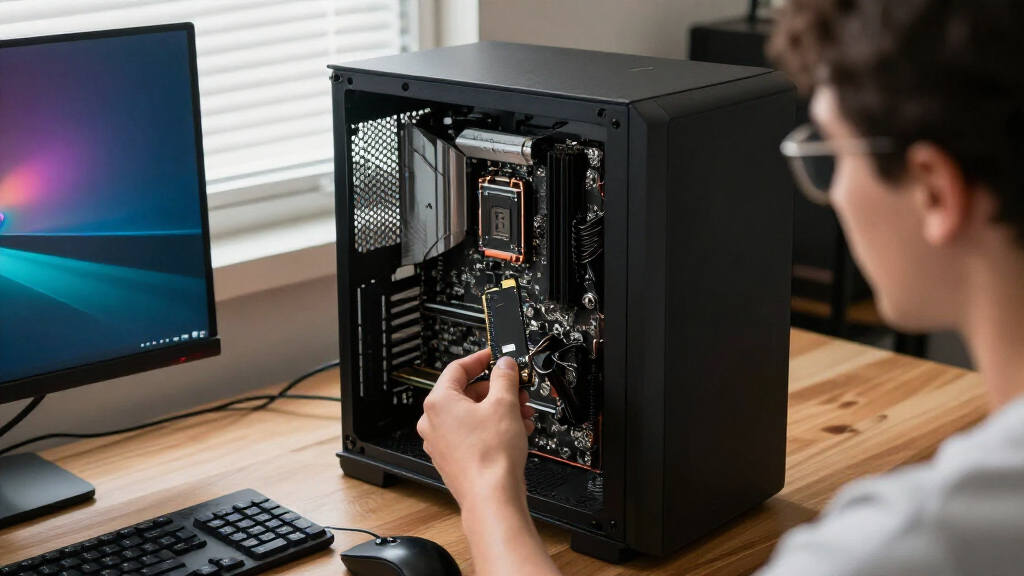
I compared these 12 devices by the job they perform, rather than treating every product as a direct substitute. For SSDs, the key criteria were PCIe generation, stated capacity, form factor, and how sensibly the drive fits common upgrade needs. For add-in cards, I weighed drive count, host-slot requirements, and the extra setup and cooling demands that come with multi-drive expansion.
The ranking favors useful performance and broad fit over headline specifications alone. That puts a balanced PCIe 4.0 SSD such as the Samsung 990 PRO ahead of more specialized options, while the 9100 PRO earns a premium role for buyers with a compatible PCIe 5.0 system. Capacity-focused and compact drives rank for their narrower strengths, and expansion cards are best for users who need several NVMe drives and can verify platform support. I also treated product differences as meaningful: the Samsung 990, 990 EVO, and 990 PRO are not interchangeable merely because their names are similar.
| PCIe Gen device | Form factor | Sequential read speed | Sequential write speed |
|---|---|---|---|
| PNY CS2243 1TB PCIe Gen4 NVMe | M.2 2280 | Up to 4,700 MB/s | Up to 4,200 MB/s |
| HighPoint Rocket 1604L PCIe Ge | — | — | — |
| Crucial P310 4TB PCIe Gen4 NVM | M.2 2280 | Up to 7,100 MB/s | Up to 6,000 MB/s |
| LinksTek PCIe 3.0 x4 to 4-Port | — | — | — |
| Samsung 9100 PRO 2TB PCIe 5.0 | M.2 2280 | Up to 14,700 MB/s | Up to 13,400 MB/s |
| Acer MA200 1TB M.2 2230 PCIe G | M.2 2230 | — | — |
| Samsung 990 1TB NVMe Internal | M.2 | Up to 7,150 MB/s | Up to 6,450 MB/s |
| Samsung 990 PRO 2TB PCIe 4.0 N | M.2 2280 | Up to 7,450 MB/s | Up to 6,900 MB/s |
| Samsung 990 EVO 2TB M.2 NVMe S | M.2 2280 | Up to 5,000 MB/s | Up to 4,200 MB/s |
| WD_BLACK SN7100 1TB NVMe SSD | M.2 2280 | — | — |
| Lexar NM790 1TB NVMe SSD with | M.2 2280 | — | — |
| ASUS Hyper M.2 x16 Gen5 Card f | — | — | — |
Factors to Consider When Choosing Best PCIe Gen Devices
Before choosing among these PCIe Gen devices, decide what problem the upgrade needs to solve. A fast single SSD, a larger game or work library, and a multi-drive storage setup call for different hardware and different checks. These factors can help narrow the field before you compare individual models.
Match PCIe Generation to Your Platform
A newer PCIe generation does not automatically make an SSD faster in your system. The drive, motherboard slot, processor lanes, and firmware all affect the connection it can use, and the link generally operates at the fastest generation supported by both ends. Check the motherboard manual for the exact M.2 slot specifications; some systems offer different lane counts or generations across slots. A PCIe 5.0 drive can make sense if you plan to move it into a compatible system later, but it may not justify its added heat and setup demands on an older platform. For many upgrades, a well-matched PCIe 4.0 drive is a more practical choice than paying for a generation your machine cannot use.
Choose Capacity for Your Real Workload
Capacity affects how often you need to manage files, move games, or add another drive. A 1TB SSD can suit an operating-system drive or a focused collection, while 2TB gives more room for mixed work and entertainment libraries. A 4TB model can reduce the need for extra storage, but buyers should compare that convenience with the cost of keeping data on one device. Leave room for operating-system updates, temporary files, and projects that grow over time. If your current storage problem is archiving rather than speed, a larger SSD may help more than choosing a faster generation.
Check M.2 Length, Keying, and Device Clearance
M.2 describes a connector family, not a guarantee that every drive will fit every slot. Confirm the supported drive length, such as 2230 or 2280, and check the motherboard or device manual for the supported key and interface. A short 2230 drive may suit compact hardware that cannot accept a longer module, while a standard 2280 model may not fit that same space. Also check whether a graphics card, laptop shell, or motherboard heatsink leaves enough physical clearance. A fit check before purchase can prevent the common mistake of choosing a compatible interface in the wrong physical size.
Plan for Heat, Especially With Faster Drives
High transfer speeds can produce more heat, and sustained workloads are more demanding than short file transfers. A drive that fits physically may still need a motherboard heatsink or another cooling solution to maintain consistent performance. Check whether the board includes an M.2 cover and whether it can be used with the selected SSD without removing any supplied thermal parts. Compact builds and laptops have less room to move heat away, so a lower-power or lower-generation drive may be the better real-world choice. Do not assume a faster specification will stay available during long workloads if the system cannot cool the drive.
Treat Multi-Drive Cards as Platform Upgrades
An M.2 expansion card can add storage, but it does not create extra CPU or motherboard lanes. Cards designed for multiple NVMe drives may need a suitable PCIe slot, enough lanes, motherboard support for PCIe bifurcation, or onboard switching hardware. These requirements vary by card and platform, so consult both the card documentation and motherboard manual before planning a four-drive setup. Check slot spacing, GPU clearance, airflow, and whether the card supports the intended operating system or boot configuration. If you only need one additional SSD, a direct motherboard M.2 slot is usually simpler to install and manage.
Buy for Sustained Use, Not Just a Peak Number
Advertised maximum speeds describe a particular test condition and may not predict every task. Large video transfers, repeated writes, and storage-heavy workloads can behave differently from everyday booting or game loading. Look for workload-focused evidence and endurance information when the drive will handle frequent writes, and keep backups separate from the SSD regardless of its claimed durability. For a general-purpose computer, responsiveness and enough capacity may matter more than the highest sequential throughput. A premium drive makes more sense when your software or workflow can use its added capability, not simply because its generation number is larger.
Frequently Asked Questions
Will a PCIe 5.0 SSD work in a PCIe 4.0 M.2 slot?
In many cases, a PCIe 5.0 SSD can operate in a compatible PCIe 4.0 M.2 slot at the lower generation, but the motherboard manual is the authority for a specific system. You will not get PCIe 5.0 link speeds from a PCIe 4.0 slot. Also check physical fit, supported M.2 keying, and whether the drive needs more cooling than your system provides. If you do not expect to move the drive to a newer platform, a PCIe 4.0 SSD may offer a better match for your current hardware.
Should I choose a 4TB PCIe 4.0 SSD or a 2TB PCIe 5.0 SSD?
Choose based on whether your bottleneck is storage space or transfer speed. A 4TB SSD can hold a much larger library or active project set, while a PCIe 5.0 drive is aimed at systems and workloads that can use its higher interface bandwidth. For games, general use, and many creative tasks, extra capacity may reduce more day-to-day friction than a newer generation. For sustained large-file work, check real workload requirements and cooling before prioritizing speed. Confirm your motherboard supports the chosen drive at the intended capacity and generation.
Can a four-drive PCIe card work in any open PCIe slot?
No. An open slot is only the starting point: the card also needs a suitable physical slot, enough available lanes, and platform support for the way it connects multiple NVMe drives. Some cards rely on motherboard PCIe bifurcation, while others use onboard switching, so the requirements differ by model. Verify the card’s documentation against your motherboard and processor specifications before buying. Check GPU clearance and airflow too, since a populated card can add heat and occupy valuable space.
Is an M.2 2230 SSD interchangeable with an M.2 2280 SSD?
They use different module lengths, so they are not physically interchangeable unless the host has mounting points and clearance for both sizes. The 2230 format is common in compact devices, while 2280 is the longer format used by many desktop motherboards and laptops. Connector and interface support must also match; size alone does not establish compatibility. Check the device manual for supported lengths and PCIe generation before ordering. Do not rely on an adapter unless the host and drive documentation support that arrangement.
Do I need to replace my current SSD just to get faster game loading?
Not necessarily. Loading times depend on the game, system, processor, memory, and storage setup, so a newer PCIe generation may bring less benefit than expected if your current SSD is already capable. First check whether your existing drive is nearly full, overheating, or connected through a slower interface than the system supports. A capacity upgrade can make more sense if you are frequently uninstalling games to free space. Consider a faster model when your workload shows a clear storage bottleneck and your platform can use the drive’s added bandwidth.
Conclusion
For most buyers seeking one capable SSD, I recommend the Samsung 990 PRO 2TB as the best overall choice in this lineup. The Crucial P310 4TB is my best value fit for buyers who want more room in one drive, while the Samsung 9100 PRO is the best premium pick for a compatible PCIe 5.0 system with suitable cooling. Beginners adding a straightforward M.2 drive should start with a capacity and form factor their motherboard supports, then favor a familiar PCIe 4.0 option over a multi-drive card. For compact devices, check the Acer MA200 2230; for several NVMe drives, compare the HighPoint Rocket 1604L and ASUS Hyper M.2 x16 Gen5 Card against your platform’s lane and bifurcation support. If you are unsure, verify the manual first: a compatible, well-cooled drive is a better purchase than a faster device your system cannot use.