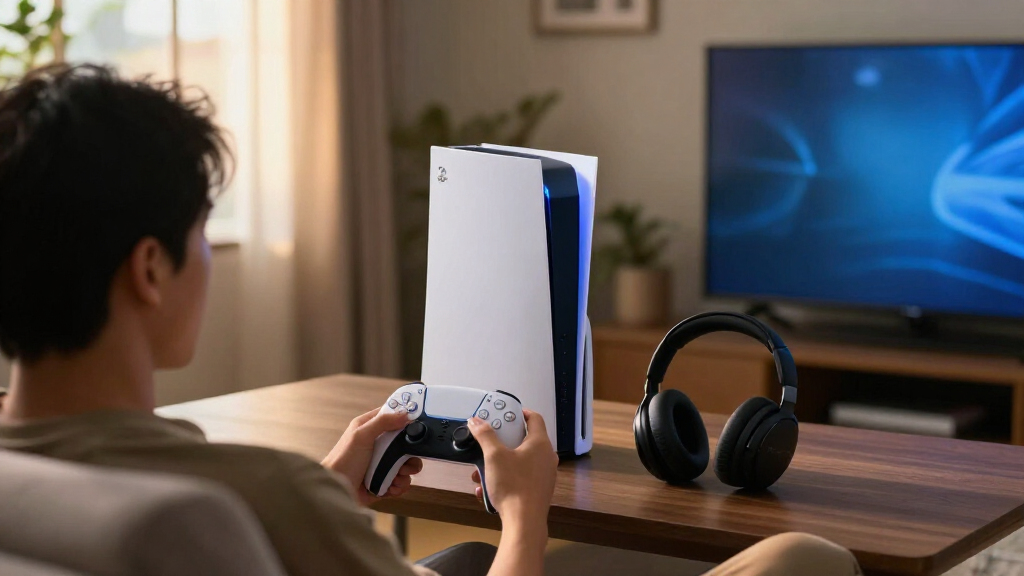
The best PS5 accessories depend on what your setup needs most: the PowerA Twin Charging Station is my best overall pick for simple, dedicated controller charging, while the DualSense Edge stands out for players who want more control customization. For a tidier console area, the OIVO Horizontal Stand adds support without taking the vertical approach of multifunction stands. The main tradeoffs are convenience versus extra bulk, specialized features versus everyday usefulness, and simple add-ons versus larger setup changes. I compare all 14 options by fit, usability, and the problem each one solves. Read on for the full breakdown and help matching an accessory to your play space and habits.

Get the latest gadgets delivered free with Prime
- Fast, free delivery on millions of items
- Prime Video, Amazon Music and more included
- Member-only deals all year
Complete the kit



Key Takeaways
- The PowerA Twin Charging Station earns the broadest recommendation because it focuses on charging two DualSense controllers without adding cooling hardware or other features most buyers may not need.
- The DualSense Edge is the premium control pick, but its customization makes sense mainly for players who will use adjustable controls rather than anyone seeking a basic spare controller.
- Stand and mount options solve different space problems: the OIVO is for horizontal placement, the steel wall mount frees shelf space, and the Monzlteck under-desk mount hides the console below a desk.
- Charging accessories are not interchangeable: a twin dock suits a shared controller rotation, while the Remotto battery charger is a more specialized choice for someone prioritizing wireless charging convenience.
- Small upgrades can be the better buy: thumb grips and KontrolFreek sticks target feel and control, while a certified HDMI 2.1 cable only helps when cable length, compatibility, or replacement is actually needed.
| PS5, PS5 Slim, and PS5 Pro Stand with Cooling Fan and Dual Controller Charging |  | Best All-in-One Console Stand | Compatibility: PS5, PS5 Slim, PS5 Pro | Fan: Three settings; 3100–3500 RPM | Controller charging: Two controllers simultaneously; approximately 2.5 hours | VIEW LATEST PRICE | See Our Full Breakdown |
| HAYMAKER HM100 Bluetooth Gaming Headphones with Noise Cancellation and Dirac 3D Audio |  | Best for Multi-Platform Wireless Audio | Model: HM100 | Type: Over-ear Bluetooth gaming headphones | Audio: Dirac 3D surround sound and 7.1 spatial audio | VIEW LATEST PRICE | See Our Full Breakdown |
| OIVO Horizontal Stand for PS5/Slim/Pro (Disc & Digital) with Upgraded Support Rods and Scalable Design |  | Best Simple Horizontal Stand | Form factor: Horizontal | Compatibility: PS5 Original, PS5 Slim, and PS5 Pro; disc and digital editions | Material: ABS | VIEW LATEST PRICE | See Our Full Breakdown |
| Rysker PS5, PS5 Slim, and PS5 Pro Cooling and Charging Stand |  | Best for Edge Controller Owners | Model: VG-P5328 | Compatibility: PS5, PS5 Slim, and PS5 Pro | Fans: 1 | VIEW LATEST PRICE | See Our Full Breakdown |
| KontrolFreek Aim Boost Kit for PS5 & PS4 Controllers – Black Galaxy Edition |  | Best for Fine-Tuning Aim | Model number: 6204-PS5 | Compatible devices: PlayStation 4 and PlayStation 5 controllers | Material: Rubber | VIEW LATEST PRICE | See Our Full Breakdown |
| PowerA Twin Charging Station for PlayStation 5 DualSense Controllers |  | Best for Simple Dual-Controller Charging | Brand: PowerA | Compatibility: PlayStation 5 DualSense controllers | Charging capacity: 2 controllers | VIEW LATEST PRICE | See Our Full Breakdown |
| Remotto5 Wireless Battery Charger for PS5 DualSense Controller |  | Best for Charging While Playing | Compatibility: PS5 DualSense controller | Battery capacity: 3000 mAh | Stated battery life: Over 12 hours | VIEW LATEST PRICE | See Our Full Breakdown |
| PlayStation 5 Media Remote |  | Best for Streaming and Media Playback | Brand: PlayStation | Model: 3005727 | Button quantity: 15 | VIEW LATEST PRICE | See Our Full Breakdown |
| White HDMI 2.1 Cable, 10 ft, Certified 48Gbps, 8K@60Hz, 4K@120Hz, HDR Dolby Vision, eARC, Braided |  | Best for a Longer High-Bandwidth HDMI Connection | Connector type: HDMI male-to-male | Cable length: 10 ft | Bandwidth: 48 Gbps | VIEW LATEST PRICE | See Our Full Breakdown |
| NexiGo Steel Wall Mount Kit with Dual Controller Charging Station for PS5 |  | Best for Wall-Mounted Setup Organization | Compatibility: PS5 and PS5 Slim; not compatible with PS5 Pro | Material: Alloy steel | Color: White | VIEW LATEST PRICE | See Our Full Breakdown |
| KontrolFreek FPS Freek Galaxy Thumbsticks for PlayStation 4 and PlayStation 5, Black |  | Best for Aim-and-Movement Control | Brand: KontrolFreek | Compatible devices: PlayStation 4 and PlayStation 5 controllers | Set contents: One high-rise and one mid-rise concave thumbstick | VIEW LATEST PRICE | See Our Full Breakdown |
| CCFREELIFE Silicone Thumb Grips for PS4, PS5, and Xbox Controllers, 24 Pieces |  | Best for Simple Grip and Personalization | Brand: CCFREELIFE | Material: Silicone | Quantity: 24 pieces | VIEW LATEST PRICE | See Our Full Breakdown |
| Monzlteck Under Desk Mount for PS5/PS5 Slim/Pro |  | Best for Clearing Desk Space | Brand: Monzlteck | Model: DP-05 | Compatible devices: PS5, PS5 Slim, and PS5 Pro, disc and digital | VIEW LATEST PRICE | See Our Full Breakdown |
| PlayStation DualSense Edge Wireless Controller – Midnight Black |  | Best Premium Controller Upgrade | Controller type: Gamepad | Connectivity: Wireless | Compatible devices: PlayStation 5, PC, and Mac | VIEW LATEST PRICE | See Our Full Breakdown |
| PS5 accessorie | Compatibility |
|---|---|
| PS5 | PS5, PS5 Slim, PS5 Pro |
| HAYMAKER HM100 Bluetooth Gamin | PlayStation, Xbox, Nintendo Switch, PC, and mobile |
| OIVO Horizontal Stand for PS5/ | PS5 Original, PS5 Slim, and PS5 Pro; disc and digital editions |
| Rysker PS5 | PS5, PS5 Slim, and PS5 Pro |
| KontrolFreek Aim Boost Kit for | — |
| PowerA Twin Charging Station f | PlayStation 5 DualSense controllers |
| Remotto5 Wireless Battery Char | PS5 DualSense controller |
| PlayStation 5 Media Remote | — |
| White HDMI 2.1 Cable | — |
| NexiGo Steel Wall Mount Kit wi | PS5 and PS5 Slim; not compatible with PS5 Pro |
| KontrolFreek FPS Freek Galaxy | — |
| CCFREELIFE Silicone Thumb Grip | — |
| Monzlteck Under Desk Mount for | — |
| PlayStation DualSense Edge Wir | — |
More Details on Our Top Picks
PS5, PS5 Slim, and PS5 Pro Stand with Cooling Fan and Dual Controller Charging
This stand makes the most sense for players who want to organize a full PS5 setup in one footprint. It combines a three-speed fan, charging for two controllers, three USB ports, and storage for a headset, remote, external drive, and up to 14 game discs. That’s a broader storage solution than the Rysker Cooling and Charging Stand, which also cools and charges but does not list disc or external-drive storage. The fan can be switched off, and charging indicators make it easier to check controller status at a glance.
The tradeoff is that the fan’s usefulness depends on airflow through the console base, so I would not treat it as a substitute for good console ventilation. Charging may also fail to start above 70% battery. Choose this for tidy, accessory-heavy setups; skip it if you only need a simple horizontal support like the OIVO Horizontal Stand.
Pros:- Combines console support, fan, dual-controller charging, and accessory storage.
- Holds up to 14 game discs and includes headset, remote, and external-drive slots.
- Three fan settings include an off option.
- Charges two controllers simultaneously with LED status indicators.
Cons:- Fan performance depends on the console’s base airflow and air outlet.
- Controller charging may not start when battery level is above 70%.
Best for: PS5 owners with two controllers, physical game discs, and several accessories who want one stand to organize the setup.
Not ideal for: Players seeking only basic console support, or anyone expecting guaranteed cooling gains regardless of console placement.
- Compatibility:PS5, PS5 Slim, PS5 Pro
- Fan:Three settings; 3100–3500 RPM
- Controller charging:Two controllers simultaneously; approximately 2.5 hours
- USB ports:3 extra ports
- Game disc capacity:Up to 14 discs
- Additional storage:Headset holder, external hard drive slot, and remote control slot
- Protection:Overcharge, overheat, overvoltage, and short-circuit protection
- Color:All white
Our verdict“Choose this stand when consolidating console cooling, dual charging, and storage matters more than keeping the setup minimal.”
HAYMAKER HM100 Bluetooth Gaming Headphones with Noise Cancellation and Dirac 3D Audio
The HAYMAKER HM100 suits players who switch between PS5, other consoles, PC, and mobile devices and want one wireless headset for all of them. Dirac 3D surround sound and 7.1 spatial audio are aimed at making positional cues easier to follow, while aptX Adaptive is listed with latency as low as 90 milliseconds. Its stated battery life of over 30 hours and dual-mode noise cancellation also make it more travel-friendly than a stationary accessory such as the Rysker Cooling and Charging Stand.
The breadth of compatibility is its clearest distinction, but buyers should be ready to troubleshoot setup: the product description flags possible sound or connection issues. The listed latency is a best-case figure, not a guarantee for every device or connection. I’d pick it for multi-device flexibility, but players who mainly want aim control may get more direct gameplay value from the KontrolFreek Aim Boost Kit.
Pros:- Works with PlayStation, Xbox, Nintendo Switch, PC, and mobile devices.
- Dirac 3D and 7.1 spatial audio support positional listening.
- Over 30 hours of stated battery life.
- Dual-mode noise cancellation and dual noise-canceling microphones.
Cons:- The stated latency of up to 90 milliseconds is not a guarantee across devices and connections.
- Setup troubleshooting may be needed for sound or connection issues.
- Battery runtime is given as over 30 hours without a more precise figure.
Best for: Players who use a PS5 alongside Xbox, Switch, PC, or mobile and want a single Bluetooth headset with noise cancellation.
Not ideal for: Buyers who want a plug-and-play PS5 audio accessory or need a precisely specified battery runtime.
- Model:HM100
- Type:Over-ear Bluetooth gaming headphones
- Audio:Dirac 3D surround sound and 7.1 spatial audio
- Bluetooth audio technology:Qualcomm aptX Adaptive
- Latency:As low as 90 milliseconds
- Noise cancellation:Dual-mode
- Battery life:Over 30 hours
- Compatibility:PlayStation, Xbox, Nintendo Switch, PC, and mobile
- RGB lighting:8 colors
Our verdict“Pick the HM100 if cross-platform wireless listening matters more to you than a simpler, PS5-focused accessory.”
OIVO Horizontal Stand for PS5/Slim/Pro (Disc & Digital) with Upgraded Support Rods and Scalable Design
If you want to lay your console flat without adding fans, charging docks, or storage towers, the OIVO Horizontal Stand keeps the job focused. Its scalable design supports original, Slim, and Pro PS5 models in both disc and digital editions; upgraded support rods and anti-slip pads help keep the console steady on a desk, shelf, or TV stand. Unlike the PS5 All-in-One Stand, it does not take over a larger part of the setup with accessory storage and charging, which makes this a better fit for buyers who already have those needs covered.
The lightweight ABS construction and included foam pieces help protect surfaces, while the open horizontal arrangement leaves airflow around the console. The compromise is a more involved assembly process: the package includes a screw, and the design is not an instant, tool-free placement. It also comes only in white. Choose it for straightforward support, not extra functionality.
Pros:- Fits original, Slim, and Pro PS5 models, including disc and digital editions.
- Support rods and anti-slip pads help stabilize the console.
- Lightweight ABS construction suits tabletop setups.
- Includes EVA foam pieces to help protect the supporting surface.
Cons:- Assembly requires a screw and may take longer than a simple placement stand.
- White is the only listed color.
- Does not include charging, accessory storage, or a fan.
Best for: PS5 owners who prefer horizontal placement and want a compact, adaptable stand without built-in charging or cooling features.
Not ideal for: Players who need controller charging, game storage, or a cooling fan integrated into their console stand.
- Form factor:Horizontal
- Compatibility:PS5 Original, PS5 Slim, and PS5 Pro; disc and digital editions
- Material:ABS
- Weight:350 g
- Color:White
- Mounting type:Tabletop
- Package contents:2 stands, 3 support rods, 2 EVA foam pieces, and 1 screw
Our verdict“Choose the OIVO when stable horizontal placement is your only stand requirement and you do not need the extras offered by the PS5 All-in-One Stand.”
Rysker PS5, PS5 Slim, and PS5 Pro Cooling and Charging Stand
The Rysker Cooling and Charging Stand stands out for its adjustable charging port, which supports both an original DualSense and the DualSense Edge. That gives it a more specific advantage over the PS5 All-in-One Stand, whose charging is paired with more extensive disc and accessory storage but has no Edge support listed. Rysker also combines a fan and three USB hubs, while concealed cables and security screws help keep the console area orderly and secured.
This is a wired setup rather than a self-contained charging solution: the stand needs a separate USB power source, and its cooling and charging features depend on that connection. Charging time is listed at about 3.5 hours for an original controller and 2.5 hours for an Edge controller. It is a focused fit for Edge owners who want a combined stand, but the OIVO is a simpler choice if you only need horizontal support.
Pros:- Adjustable charging port supports original and Edge controllers.
- Combines a cooling fan with three USB hubs.
- Concealed cables and security screws help tidy and secure the console.
- Includes protections against overcharging, excess current, and overheating.
Cons:- Requires a separate USB power source.
- Cooling and controller charging require a wired connection.
- Does not list the disc and external accessory storage included with the PS5 All-in-One Stand.
Best for: PS5 owners with a DualSense Edge who want controller charging, cooling, USB hubs, and a more organized console area.
Not ideal for: Players who want a wireless or power-source-independent setup, or who need substantial built-in disc and accessory storage.
- Model:VG-P5328
- Compatibility:PS5, PS5 Slim, and PS5 Pro
- Fans:1
- USB hubs:3
- Controller compatibility:Original PS5 controller and DualSense Edge
- Original controller charging time:About 3.5 hours
- Edge controller charging time:About 2.5 hours
- Protection:Overcharge, overcurrent, and overtemperature protection
- Warranty:2 years
Our verdict“Choose Rysker if you own a DualSense Edge and want a wired stand that combines charging, cooling, and USB expansion.”
KontrolFreek Aim Boost Kit for PS5 & PS4 Controllers – Black Galaxy Edition
The KontrolFreek Aim Boost Kit is the most gameplay-specific pick here: mixed-height thumbsticks are intended to help with target acquisition, while three resistance-ring strengths let players add more control to their aim. That makes it a different kind of upgrade from the KontrolFreek FPS Freek Galaxy Thumbsticks in this roundup, which are a separate thumbstick option rather than this kit’s combined sticks-and-rings setup. It also suits players who want to adjust controller feel without replacing the controller as they would with the DualSense Edge.
The tradeoff is that added resistance and bulk are personal preferences, not automatic improvements. Finding a ring strength that feels right may take trial and error, and the extra material can be uncomfortable for some hands. These accessories are limited to PS4 and PS5 controllers, so they are not a cross-platform solution. I’d choose the kit for players who want to tune aiming feel; skip it if the standard sticks already feel comfortable.
Pros:- Mixed-height performance thumbsticks are designed to support target acquisition.
- Three resistance-ring strengths allow players to adjust aiming feel.
- Ergonomic design is intended to reduce hand and wrist fatigue.
- Compatible with PS4 and PS5 controllers.
Cons:- Finding a preferred resistance-ring strength may take trial and error.
- Added thumbstick bulk may feel uncomfortable to some players.
- Limited to PlayStation 4 and PlayStation 5 controllers.
Best for: PS5 and PS4 players who play aim-intensive games and want adjustable stick resistance without buying another controller.
Not ideal for: Players who prefer an unmodified controller, dislike added thumbstick bulk, or need accessories for other platforms.
- Model number:6204-PS5
- Compatible devices:PlayStation 4 and PlayStation 5 controllers
- Material:Rubber
- Color:Black
- Set name:PlayStation
- Thumbstick design:Mixed heights
- Resistance rings:Three strengths
Our verdict“Choose the Aim Boost Kit if you want adjustable resistance and mixed-height sticks for aiming; stick with your standard controller setup if added bulk bothers you.”
PowerA Twin Charging Station for PlayStation 5 DualSense Controllers
The PowerA Twin Charging Station is a straightforward choice for households that keep two DualSense controllers in regular rotation. Its tabletop design charges both at once and gives them a dedicated place to sit, while LED indicators show when charging is complete. Compared with the Remotto5 Wireless Battery Charger, this station avoids attaching a battery to a controller, but it only helps when controllers are resting on the dock.
The tradeoff is a fixed setup: it needs an AC power connection and is made specifically for DualSense controllers. Unlike the NexiGo Steel Wall Mount Kit, it does not store the console or headphones, so it takes a narrower role in a setup. I’d choose it for convenient charging, not all-in-one storage.
Pros:- Charges two DualSense controllers at the same time
- LED indicators show when charging is complete
- Keeps controllers displayed and together on a tabletop
- Officially licensed for PlayStation 5
Cons:- Requires a corded AC power source
- Does not charge a controller while it is in use
- Designed for DualSense controllers rather than a range of devices
Best for: PS5 households with two DualSense controllers that want a dedicated tabletop charging and display spot.
Not ideal for: Players who need to charge while playing or want a single mount to organize their console, controllers, and headset.
- Brand:PowerA
- Compatibility:PlayStation 5 DualSense controllers
- Charging capacity:2 controllers
- Power source:AC adapter
- Form factor:Tabletop
- Output current:1.5 A
- Wattage:10 W
- Weight:9.76 oz
- Warranty:Two-year limited warranty
Our verdict“Choose the PowerA station if you want a simple, dedicated home for charging two DualSense controllers between sessions.”
Remotto5 Wireless Battery Charger for PS5 DualSense Controller
The Remotto5 Wireless Battery Charger suits players who run low on controller power mid-session and would rather keep playing than return to a charging dock. Its 3000 mAh battery attaches to the DualSense and supports play while charging, with a stated runtime of over 12 hours per charge. Four battery indicators give a clearer read on remaining power than a basic dock’s charge-complete light.
This solves a different problem from the PowerA Twin Charging Station: PowerA is better for keeping two controllers charged between sessions, while Remotto5 keeps one controller going in use. The tradeoff is extra hardware attached to the controller and a need to recharge the pack itself. A USB-C cable is not included, and its controller-specific design offers less flexibility than a general charging setup.
Pros:- Supports playing while the DualSense charges
- Provides over 12 hours of use per charge, according to the product description
- Portable battery-powered design
- Four indicators show the remaining battery level
Cons:- USB-C charging cable is not included
- Adds an attached battery to the controller during use
- Designed specifically for the PS5 DualSense controller
Best for: PS5 players who have long sessions, want to continue playing while charging, and prefer a portable battery over a dock.
Not ideal for: Players who want a tidy dual-controller charging station, dislike attachments on a controller, or do not already have a USB-C charging cable.
- Compatibility:PS5 DualSense controller
- Battery capacity:3000 mAh
- Stated battery life:Over 12 hours
- Recharge time:About 90 minutes
- Battery indicators:4 levels: 25%, 50%, 75%, 100%
- Connector:USB Type-C
- Battery cycle life:Over 800 cycles
- Cable included:No
- Warranty:2 years
Our verdict“Pick the Remotto5 if uninterrupted play matters more to you than the cleaner, between-session charging offered by the PowerA dock.”
PlayStation 5 Media Remote
The PlayStation 5 Media Remote is the most useful pick here for a PS5 that doubles as an entertainment hub. Dedicated play, pause, fast-forward, and rewind buttons make watching shows easier than reaching for a DualSense, and the remote can also power on the console. Its infrared transmitter can control power and volume on compatible TVs, giving it a media-focused role none of the charging accessories can fill.
Compared with the PowerA Twin Charging Station, this improves everyday convenience rather than controller readiness; it does not add charging capacity or storage. TV controls depend on compatibility, and some functions may require a software update. The included AA batteries help it work out of the box, but buyers should check that their TV can use its infrared commands before relying on it for TV control.
Pros:- Dedicated playback buttons simplify video control
- Can power on the PS5 and navigate its menus
- Infrared transmitter controls power and volume on compatible TVs
- Two AA batteries are included
Cons:- TV control depends on compatibility
- Some functions may require a PS5 system software update
- Adds little value for players who rarely use the console for media
Best for: PS5 owners who regularly stream video or use their console for films and want playback controls without handling a gamepad.
Not ideal for: Players who mainly use the PS5 for gaming or whose TV is not compatible with the remote’s infrared controls.
- Brand:PlayStation
- Model:3005727
- Button quantity:15
- Connectivity:Infrared
- Maximum range:10 meters
- Batteries:2 AA batteries included
- Dimensions:7.44 x 3.29 x 1.54 inches
- Color:White
Our verdict“Choose the Media Remote if you watch shows or films on PS5 often; for controller charging, the PowerA station serves a different need.”
White HDMI 2.1 Cable, 10 ft, Certified 48Gbps, 8K@60Hz, 4K@120Hz, HDR Dolby Vision, eARC, Braided
This 10-foot HDMI 2.1 cable is aimed at PS5 owners who need more reach than a standard short cable while preserving support for high-refresh-rate 4K gaming. Its stated 48 Gbps bandwidth and VRR and ALLM support suit a compatible display setup, while the braided jacket offers extra protection against everyday wear. For a media-focused setup, eARC support also allows audio return to compatible equipment.
Unlike the PlayStation 5 Media Remote, this is a connection upgrade rather than a control accessory, and it only helps if your display and other equipment support the relevant features. Its reinforced construction may be harder to fit into tight spaces or compact soundbar ports. I’d choose this over a shorter cable when reach is the problem, not as a reason to expect better image quality from an unchanged setup.
Pros:- 48 Gbps bandwidth supports the listed high-resolution and high-refresh-rate formats
- Includes VRR, ALLM, and QFT gaming feature support
- Ten-foot length offers more placement flexibility than a short cable
- Braided jacket and triple shielding add physical protection
Cons:- Reinforced shielding may not fit compact ports or tight spaces
- Advanced features depend on the connected display and equipment
- A cable swap alone does not add capabilities absent from the rest of the setup
Best for: PS5 owners setting up a compatible 4K high-refresh-rate display who need a 10-foot cable for a longer equipment layout.
Not ideal for: Buyers with tight port clearance, or setups where the display and connected devices do not support HDMI 2.1 gaming features.
- Connector type:HDMI male-to-male
- Cable length:10 ft
- Bandwidth:48 Gbps
- Supported resolutions:8K@60Hz, 4K@120Hz, up to 10K
- HDR support:HDR10, HDR10+, HLG, Dolby Vision
- Audio return:eARC
- Gaming features:VRR, ALLM, FreeSync Premium Pro, QFT
- Build:White braided jacket, triple-shielded
- Connectors:24K gold-plated
Our verdict“Choose this cable when a compatible PS5 display setup needs a longer HDMI 2.1 connection, and skip it if port clearance is limited.”
NexiGo Steel Wall Mount Kit with Dual Controller Charging Station for PS5
The NexiGo Steel Wall Mount Kit earns its place by combining console storage with a dual-controller charging station. Its bracket holds a compatible PS5, two controllers, and headphones, helping clear a desk or entertainment shelf more thoroughly than the standalone PowerA Twin Charging Station. The included charger has LED indicators, and a vented base supports airflow around the console.
This is the most setup-focused choice in the group, but it asks for more commitment than a tabletop accessory: the console must be wall-mounted, and the mount supports PS5 and PS5 Slim but not PS5 Pro. Controller charging also depends on the front USB-C port or a 5V/3A USB wall charger. I’d favor it for an organized fixed setup, not for players who want a portable or model-flexible stand.
Pros:- Stores a compatible console, two controllers, and headphones on one bracket
- Charges two DualSense controllers simultaneously
- LED indicators show charging status
- Vented base supports airflow around the console
Cons:- Not compatible with PS5 Pro
- Controller charging requires the front USB-C port or a 5V/3A USB wall charger
- Wall mounting is less convenient for setups that often move the console
Best for: PS5 or PS5 Slim owners who want to clear surface space by mounting the console and storing a headset and two controllers together.
Not ideal for: PS5 Pro owners, frequent console movers, or buyers who want a simple charger without wall mounting.
- Compatibility:PS5 and PS5 Slim; not compatible with PS5 Pro
- Material:Alloy steel
- Color:White
- Dimensions:8.86 x 3.54 x 4.53 inches
- Weight:1.4 pounds
- Charging capacity:2 DualSense controllers
- Charging connection:Front USB-C port or 5V/3A USB wall charger
- Model number:1588
Our verdict“Choose the NexiGo mount for a space-saving PS5 or PS5 Slim setup with integrated controller charging, but avoid it if you own a PS5 Pro.”
KontrolFreek FPS Freek Galaxy Thumbsticks for PlayStation 4 and PlayStation 5, Black
The Galaxy set pairs one high-rise and one mid-rise stick, giving players a distinct setup for aiming and movement rather than adding the same height to both thumbs. The extra 10 mm on the high-rise stick can provide more travel for fine aiming adjustments, while the 6.5 mm mid-rise stick keeps movement closer to the stock feel. Compared with the CCFREELIFE silicone caps, this is the more specialized choice: it changes stick height as well as grip, but offers fewer pieces and no mix-and-match colors. Its non-slip rubber compound is designed to maintain grip with less force and may help reduce fatigue during longer sessions. The tradeoff is that added height changes how the controller feels, which may not suit players who prefer stock sticks. It also fits PlayStation controllers, not Xbox models.
Pros:- Two different stick heights support separate aiming and movement preferences.
- Non-slip rubber compound is designed to improve grip with less force.
- Added height can help protect the controller’s original thumbsticks from wear.
- Compatible with PlayStation 4 and PlayStation 5 controllers.
Cons:- The added height changes the feel and reach of the analog sticks.
- The set has only two sticks, unlike the 24-piece CCFREELIFE cap assortment.
- Compatibility is limited to PlayStation controllers.
Best for: PS5 players who want a taller aiming stick paired with a less elevated movement stick, especially in first-person shooters.
Not ideal for: Players who prefer the height and feel of stock thumbsticks, or anyone looking for caps that work across Xbox and PlayStation controllers.
- Brand:KontrolFreek
- Compatible devices:PlayStation 4 and PlayStation 5 controllers
- Set contents:One high-rise and one mid-rise concave thumbstick
- High-rise height increase:10.0 mm
- Mid-rise height increase:6.5 mm
- Materials:Plastic enclosure and proprietary rubber compound
- Color:Black
- Model number:BLA-2807-PS5
Our verdict“Choose the Galaxy set if you want different stick heights for aiming and movement, but skip it if you want to preserve the stock controller feel.”
CCFREELIFE Silicone Thumb Grips for PS4, PS5, and Xbox Controllers, 24 Pieces
For players who want a small change rather than a different stick profile, the CCFREELIFE caps stretch over existing thumbsticks and add a textured silicone surface. The set includes 12 color pairs, so it is easier to personalize several controllers or keep different pairs for different players than with the two-stick KontrolFreek Galaxy set. Unlike the Galaxy’s raised sticks, these caps are not described as changing stick height; they focus on grip and shielding the original surfaces from scratches, shine, and grime. Their removable, adhesive-free fit also makes them a less committed tweak. The tradeoff is an extra layer over the stock sticks, which can change their feel, and compatibility is specified for PS4, PS5, and Xbox controllers. Buyers seeking a purpose-built high-rise aiming stick should choose the Galaxy instead.
Pros:- 24 caps provide 12 color pairs for mixing, matching, or sharing.
- Textured silicone is designed to improve thumbstick grip.
- Stretch-on fit is removable and does not use adhesive.
- Helps shield existing sticks from scratches, shine, and grime.
Cons:- The extra silicone layer changes the feel of the original thumbsticks.
- Does not provide the distinct high-rise and mid-rise profiles of the KontrolFreek Galaxy set.
- Compatibility details are limited to PS4, PS5, and Xbox controllers.
Best for: Households with multiple PS4, PS5, or Xbox controllers that want removable grip covers in different colors.
Not ideal for: Competitive players seeking a taller stick for fine aiming, or buyers who want an accessory designed specifically around one controller model.
- Brand:CCFREELIFE
- Material:Silicone
- Quantity:24 pieces
- Color assortment:12 color pairs
- Compatible controllers:PS4, PS5, and Xbox
- Item weight:1 g
- Model number:CC-GJM-CA24P
- Warranty:3 months
Our verdict“Pick these caps for removable, colorful grip coverage across several controllers, but choose the Galaxy set if added stick height is your priority.”
Monzlteck Under Desk Mount for PS5/PS5 Slim/Pro
The Monzlteck mount moves the console beneath the desk, making it the clearest choice here for reclaiming surface space rather than changing how a game feels. Its hollow metal construction is designed to leave airflow unobstructed, while silicone covers help protect the console from scratches. Compared with the OIVO Horizontal Stand in the wider roundup, this mount takes the opposite approach: it gets the console off the tabletop instead of supporting it horizontally on top. The six-screw fastening and security lock add a layer of stability, but installation requires drilling into the underside of the desk. That makes it a poor fit for renters or anyone reluctant to modify furniture. It supports PS5, PS5 Slim, and PS5 Pro models in disc and digital versions, but it will not solve storage needs for other consoles or accessories.
Pros:- Under-desk placement frees up tabletop space.
- Hollow design is intended to leave airflow unobstructed.
- 2 mm metal construction and silicone covers support a secure, scratch-conscious fit.
- Security lock and six-screw fastening help hold the console in place.
Cons:- Installation requires drilling into the desk underside.
- The fixed mounting position is less flexible than a tabletop stand such as the OIVO Horizontal Stand.
- Compatibility is limited to specified PS5, PS5 Slim, and PS5 Pro models.
Best for: PS5 owners with a sturdy desk who want to clear tabletop space and keep the console secured beneath it.
Not ideal for: Renters, people who cannot drill into their desk, or players who want a portable stand that can be repositioned easily.
- Brand:Monzlteck
- Model:DP-05
- Compatible devices:PS5, PS5 Slim, and PS5 Pro, disc and digital
- Mounting type:Under desk
- Material:2 mm thick metal
- Fastening:Six screws and security lock
- Protection:Silicone covers
- Weight:1.6 pounds
Our verdict“Choose this mount if you can drill into your desk and want the console off the surface; choose a tabletop stand if you need an easier-to-move setup.”
PlayStation DualSense Edge Wireless Controller – Midnight Black
The DualSense Edge is the most involved control upgrade in this group: its 21 programmable buttons, mappable controls, and replaceable stick modules and caps let players tailor the gamepad rather than simply add grip to existing sticks. That makes it a more extensive option than the KontrolFreek Galaxy thumbsticks, which adjust stick height but leave the rest of the controller unchanged. Wireless support for PS5, PC, and Mac also gives it use beyond a single console, although its hardware platform and compatible console models are centered on PS5. The tradeoff is its 2.6-pound listed weight and larger dimensions, which may feel bulky during long sessions. It also brings more customization than casual players may need. This pick suits players who value remapping and replaceable components over a lighter, familiar controller.
Pros:- 21 programmable buttons allow extensive control customization.
- Mappable back buttons support personalized control layouts.
- Replaceable stick modules and caps allow performance tuning.
- Wireless connectivity is listed for PS5, PC, and Mac.
Cons:- Its listed weight of 2.6 pounds is substantially heavier than a standard DualSense controller.
- Larger dimensions may feel bulky during extended play.
- More customization than many casual players need, unlike the simpler KontrolFreek Galaxy stick add-on.
Best for: PS5 players who want extensive button remapping and replaceable stick parts, and who also use a compatible PC or Mac.
Not ideal for: Casual players satisfied with standard controls, or anyone prioritizing a light, compact gamepad for long sessions.
- Controller type:Gamepad
- Connectivity:Wireless
- Compatible devices:PlayStation 5, PC, and Mac
- Programmable buttons:21
- Replaceable components:Stick modules and caps
- Weight:2.6 pounds
- Dimensions:8.42 x 7.91 x 4.13 inches
- Package quantity:1
Our verdict“Choose the DualSense Edge if you will use its remapping and replaceable parts, but stick with a simpler accessory if you only want a modest control tweak.”
How We Picked
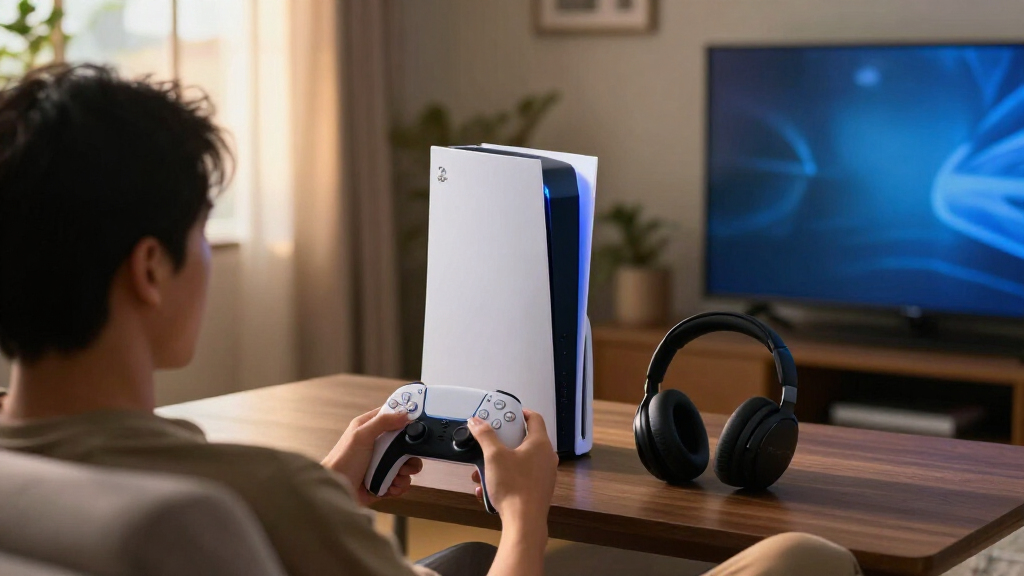
I compared these accessories by the practical problem they address, how directly they fit PS5 play, ease of setup, and the tradeoffs they introduce. For charging and storage products, I weighed compatibility across PS5 versions, controller capacity, placement, and whether the added hardware brings useful function or unnecessary bulk. For control and media accessories, I focused on who benefits from the extra options and whether a simpler alternative may suit more players.
The ranking favors accessories with a clear, broad use case and fewer setup compromises, rather than counting features alone. That puts a focused dual-controller charger ahead of feature-heavy stands for general use, while specialized picks such as the DualSense Edge, wall mount, and thumbsticks rank for narrower needs. Because this roundup spans different accessory types, each recommendation is judged against its closest alternative, not treated as a substitute for every other item.
Factors to Consider When Choosing Best PS5 Accessories
Before choosing an accessory, start with the friction you want to remove from your PS5 routine. A charger cannot solve a placement problem, and a stand with extra features may take up space without improving how you play. These broader checks can help you avoid buying overlapping gear or paying for capabilities your setup cannot use.
Match the Accessory to the Problem
Write down the one annoyance you want to fix before comparing products: dead controllers, a crowded desk, limited storage, or a control feel that does not suit you. This keeps a multi-feature stand from seeming like a better deal simply because it bundles charging and cooling. If your controller already stays charged, a dedicated dock may add little; if the console has no safe place, a mount may matter more. Accessories that solve unrelated problems can still be useful, but buying several at once makes it harder to tell which change helped. Start with the fix that affects the most play sessions, then add another accessory only if a separate need remains.
Check Console Model and Placement Before Buying
PS5, Slim, and Pro versions differ in shape and dimensions, so confirm that a stand or mount explicitly supports your console revision and disc or digital configuration. Then measure the space where the console will sit or hang, including room for cables and airflow. A horizontal stand, vertical stand, wall mount, and under-desk mount are not interchangeable: each changes access to ports and how easy the console is to move. A compact-looking mount can become inconvenient if it blocks a cable route or makes disc access awkward. Choose the location first, then select hardware built for that position.
Separate Useful Charging From Extra Features
Think about how many controllers need charging and where they are stored between sessions. A twin dock offers a predictable home for two controllers, while a battery-based wireless charger follows a different routine and may suit players who value cable-free handling. Bundled stands can add fan hardware, lighting, or other functions, but every added component also means more parts and a larger footprint. Do not assume a cooling feature is necessary just because it appears in a stand bundle; placement and clear airflow around the console matter too. Pick the charging method that fits your controller rotation rather than the one with the longest feature list.
Pay for Control Customization Only If You Will Use It
Control accessories range from inexpensive surface changes to a more customizable controller, and they solve different problems. Thumb grips can alter grip and surface feel without replacing a controller, while taller sticks change reach and leverage for players seeking finer aiming input. A premium controller is a larger commitment, so decide whether adjustable controls address a specific habit or game before choosing one. Mixing several grip and stick accessories at once can also make it harder to identify which change feels better. If you are unsure, begin with a small, reversible change and keep the original parts available.
Verify What Your Display and Setup Can Use
An HDMI 2.1 cable is most useful when replacing a damaged or insufficient cable, or when its length solves a real routing issue. A cable’s advertised bandwidth does not improve a display that lacks the matching input and supported features. Check the TV or monitor connection, the desired resolution and refresh rate, and whether the cable run needs extra length before choosing a replacement. The same compatibility check applies to audio accessories: confirm the connection method and console support for the features you want. This avoids buying a spec upgrade that cannot change the experience in your current setup.
Account for Noise, Access, and Daily Maintenance
Accessories live in the room as well as on the console, so consider noise, cable access, and how often you will clean or move them. A headset with noise cancellation can help in a shared space, but it may be unnecessary for a quiet room or players who prefer speakers. Wall and under-desk mounts can clear visible clutter, yet they take more planning than a freestanding stand if you regularly rearrange the room. Remote controls and charging docks are convenient only when they stay within easy reach and have a clear storage spot. Favor the setup you can keep organized after the novelty wears off.
Frequently Asked Questions
Should I buy a PS5 stand with a built-in fan or a separate stand?
Choose based on placement and the function you actually need, not the number of bundled features. A stand with charging and fan hardware can consolidate accessories, but it takes more space and adds components compared with a simple horizontal support. A separate stand is a better fit when your main concern is stable placement or console orientation. Keep the console in an open area with clear airflow whichever option you choose. If cooling hardware is the main reason for buying, check its fit and operation details before treating it as a substitute for good console placement.
Is a controller charging station better than a wireless battery charger?
They suit different charging habits. A twin charging station works well when you want a visible place to park two DualSense controllers and keep a spare ready. A wireless battery charger may appeal if you value a cable-free charging routine, but it is a more specialized choice than a straightforward dock. Check how the product connects to the controller and what is included before assuming it replaces every part of your current charging setup. If multiple people share controllers, a two-controller dock is usually the clearer fit.
Can I use the same stand or mount with a PS5, Slim, and Pro?
Do not assume that one accessory fits every PS5 revision just because its name lists several models. Compare the specific supported console versions, disc or digital configuration, and included mounting parts with your hardware. Stands can depend on the console’s shape and support points, while mounts also need to match the intended orientation and installation surface. Measure your available space and check that the mount will leave ports and cables accessible. If the listing is unclear about your exact model, choose an accessory with explicit compatibility information.
Do I need an HDMI 2.1 cable to get 4K at 120Hz on PS5?
A suitable HDMI 2.1 connection can be part of a 4K-at-120Hz setup, but the console, display input, and display settings must also support the feature. Replacing a cable alone will not add a higher refresh rate to a TV or monitor that lacks compatible hardware. Check which HDMI port on your display supports the required mode, since not every port on a TV necessarily offers the same capabilities. A longer cable is useful when it solves routing or distance needs, but avoid buying one solely for its headline specification. Confirm the cable’s certification and length against your setup before ordering.
Which PS5 accessory is the best first upgrade for a new owner?
Start with the routine that causes the most inconvenience rather than buying a full bundle. If controllers are often out of charge, a dedicated twin charging station is a straightforward first addition. If the console has no safe or tidy placement, choose a compatible stand or mount before adding cosmetic accessories. New players who are still deciding what control feel they like may want to wait on specialized thumbsticks or a premium controller. A small, focused purchase leaves room to learn which upgrade will matter next.
Conclusion
For most setups, I recommend the PowerA Twin Charging Station as the best overall choice because it addresses a common controller problem without bundling extra hardware. The OIVO Horizontal Stand is the best value-style pick for buyers who specifically need horizontal support, while the DualSense Edge is the best premium option for players who will use its customization. Beginners can start with the PowerA dock or a simple fit-for-purpose stand rather than investing in several accessories at once. For a compact or cluttered setup, compare the NexiGo wall mount with the Monzlteck under-desk mount based on where you want the console to live; for aim and grip changes, choose between KontrolFreek sticks and silicone grips by the feel you want. The best PS5 accessory is the one that solves a specific daily annoyance without adding a new one.