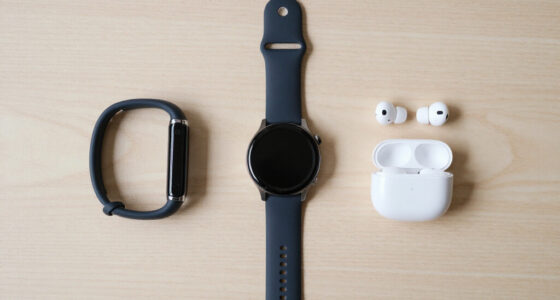
For authorized security work, the Hak5 WiFi Pineapple Mark VII is my strongest pick for focused Wi-Fi auditing, while the Flipper Zero stands out as the most versatile pocket device for radio, NFC, infrared, and hardware experiments. If you need a broader workstation toolkit, I’d look at the Kali Linux bootable USB with USB-A and USB-C before the single-connector drive.

Get the latest gadgets delivered free with Prime
- Fast, free delivery on millions of items
- Prime Video, Amazon Music and more included
- Member-only deals all year
These are different kinds of tools, not interchangeable versions of the same gadget. The Pineapple centers on wireless reconnaissance and auditing; Flipper Zero covers several short-range device interfaces; and the Kali drives provide a portable operating system rather than dedicated testing hardware. My ranking favors practical scope, ease of carrying, compatibility, and how clearly each option fits a specific authorized testing job. The tradeoffs are just as important: some picks assume Linux and networking knowledge, while the USB drives have limited storage and depend on a compatible host computer.
Complete the kit



Key Takeaways
- Choose the Hak5 WiFi Pineapple Mark VII when your authorized assessment focuses on Wi-Fi reconnaissance, dual-band visibility, and automated reporting.
- Choose either Flipper Zero listing for pocketable multi-protocol work; the orange listing emphasizes broad use, while the white listing adds a stated range specification, but neither is a substitute for a dedicated Wi-Fi auditor.
- Pick the dual-connector Kali USB if USB-C access, listed amd64 and arm64 support, and a more clearly specified read speed matter to your computer mix.
- Pick the 2026.2 Kali USB when you want a live operating-system drive with the release details supplied in its listing, but account for its USB-A interface and modest listed storage.
- Keep the tools within written authorization: these devices can interact with networks, radios, cards, and connected equipment, so scope and local rules matter as much as hardware.
| Hak5 WiFi Pineapple Mark VII |  | Best Overall for Authorized Wi-Fi Auditing | Wireless bands: 2.4 GHz and 5 GHz | Wireless compatibility: 802.11ac, 802.11b, 802.11g, 802.11n | Operating system: Linux | VIEW LATEST PRICE | See Our Full Breakdown |
| Flipper Zero Portable Multitool for Cybersecurity, Ethical Hacking, Penetration Testing, IoT Security, and Electronics Prototyping |  | Best Portable Multitool for Learning and Field Notes | Power source: Battery powered | Dimensions: 6 x 4 x 3 inches | Weight: 10.4 ounces | VIEW LATEST PRICE | See Our Full Breakdown |
| Flipper Zero Portable Multitool for Cybersecurity, Ethical Hacking and IoT Prototyping | | Best Compact Option with a Stated Range Specification | Power source: Battery powered | Dimensions: 6 x 4 x 3 inches | Weight: 10.4 ounces | VIEW LATEST PRICE | See Our Full Breakdown |
| Kali Linux Bootable USB for Ethical Hacking & Cybersecurity |  | Best Value in Connectivity and Listed Speed | Storage capacity: 8 GB | Connectors: USB-A and USB-C | Listed architecture support: amd64 and arm64 | VIEW LATEST PRICE | See Our Full Breakdown |
| penetration testing gadget | Power source | Dimensions | Weight | Color |
|---|---|---|---|---|
| Hak5 WiFi Pineapple Mark VII | — | — | — | — |
| Flipper Zero Portable Multitoo | Battery powered | 6 x 4 x 3 inches | 10.4 ounces | Orange |
| Flipper Zero Portable Multitoo | Battery powered | 6 x 4 x 3 inches | 10.4 ounces | White |
| Kali Linux Bootable USB for Et | — | — | — | — |
More Details on Our Top Picks
Hak5 WiFi Pineapple Mark VII
For a buyer whose main task is an approved wireless assessment, the WiFi Pineapple Mark VII has the clearest purpose in this lineup. Its dual-band support and interactive recon dashboard are aimed at inspecting Wi-Fi environments, while automated auditing campaigns and vulnerability reports can help turn observations into organized findings. Compared with either Flipper Zero, it is the more focused network tool; compared with a Kali USB, it is dedicated hardware rather than a portable operating system.
The 2.4 GHz and 5 GHz coverage gives it a broader wireless brief than a device centered on NFC, infrared, and Sub-GHz experimentation. Cloud C2 remote access may also help a tester manage an authorized operation away from the device itself, although that feature does not remove the need to plan access, scope, and data handling. Its listed Linux operating system and security-protocol support make the networking orientation explicit, but buyers should verify the exact capabilities and setup requirements for their intended environment.
The main drawback is the learning curve: this is not the simplest first purchase for someone unfamiliar with Linux or networking. It also solves a narrower problem than Flipper Zero, which spans several hardware interfaces, and it does not replace a general-purpose Kali environment. I rank it first because it has the strongest match between a specific penetration-testing job and its supplied features, not because it is the best gadget for every kind of test.
Pros:- Purpose-built for Wi-Fi auditing and reconnaissance.
- Dual-band support covers 2.4 GHz and 5 GHz environments.
- Interactive dashboard and automated reporting can structure assessment work.
- Cloud C2 remote access is suited to managed, authorized workflows.
Cons:- Linux and networking knowledge are needed to make effective use of it.
- Its Wi-Fi focus is less versatile for physical-device and electronics projects than Flipper Zero.
- It is dedicated hardware, not a general-purpose Kali Linux workstation.
Best for: Security professionals and experienced learners conducting authorized Wi-Fi assessments who want dedicated wireless reconnaissance and reporting features.
Not ideal for: Beginners looking for a simple plug-and-play learning gadget, or testers whose work is mostly NFC, infrared, Sub-GHz, or general operating-system tools.
- Wireless bands:2.4 GHz and 5 GHz
- Wireless compatibility:802.11ac, 802.11b, 802.11g, 802.11n
- Operating system:Linux
- Security protocols listed:WPA2-PSK, WPA-Enterprise, WPA3
- Connectivity:Wi-Fi
- LAN port bandwidth:1000 Mbps
- Wi-Fi generation:802.11ac
- Named model:Pineapple Mark VII
Our verdict“I’d choose the Mark VII for a Wi-Fi-first authorized assessment, but not as a one-device answer for every penetration-testing task.”
Flipper Zero Portable Multitool for Cybersecurity, Ethical Hacking, Penetration Testing, IoT Security, and Electronics Prototyping
The orange Flipper Zero earns its place by putting several kinds of device interaction in one battery-powered unit. Sub-GHz radio, NFC, infrared, GPIO, and a color display make it a compact companion for authorized lab exercises, IoT exploration, and electronics prototyping. Unlike the Pineapple, it is not centered on Wi-Fi auditing; unlike the Kali drives, it does not give you a desktop testing environment. Its advantage is breadth in a pocketable form.
That mix can be especially useful for learners who want to explore how different interfaces behave without carrying separate hardware for every experiment. The rechargeable, battery-powered design supports work away from a desk, and the supplied description presents it as an educational tool as well as a security multitool. Compared with the white Flipper listing below, this entry gives a broader cybersecurity and prototyping emphasis, but does not provide the same explicit maximum-range figure in its specifications.
Its size also imposes real limits. A small screen and limited interface are less comfortable for complex workflows than a laptop running Kali, and the stated maximum range of about 1 km does not make it a long-distance testing platform. The tool also asks users to understand the interfaces they are working with; owning a compact gadget does not automatically make its output useful. I rank it ahead of the white listing for its broad educational positioning, while treating the hardware descriptions as closely related rather than separate classes of device.
Pros:- Combines Sub-GHz, NFC, infrared, and GPIO capabilities in one unit.
- Battery-powered design is easier to carry than a laptop-based testing setup.
- Useful for educational electronics and IoT security exercises.
- Color display provides a standalone interface without a host computer for every task.
Cons:- The small screen and limited interface can slow complex work.
- The stated wireless range is limited to about 1 km.
- Technical knowledge is needed to use its interfaces responsibly and effectively.
Best for: Hobbyists, students, and security practitioners who want a portable way to explore multiple device interfaces in an authorized lab.
Not ideal for: Buyers needing full-size command-line workflows, dedicated Wi-Fi auditing, or complex interactions that are awkward on a small display.
- Power source:Battery powered
- Dimensions:6 x 4 x 3 inches
- Weight:10.4 ounces
- Color:Orange
- Unit count:1
- Interfaces described:Sub-GHz, NFC, infrared, GPIO
- Display:Color display
Our verdict“I’d pick this Flipper Zero for portable, multi-interface learning, while choosing the Pineapple for focused Wi-Fi auditing and Kali for workstation-scale tasks.”
Flipper Zero Portable Multitool for Cybersecurity, Ethical Hacking and IoT Prototyping
This white Flipper Zero listing fills much the same role as the orange model: compact, battery-powered experimentation across Sub-GHz, NFC, infrared, and GPIO. Its supplied description specifically calls out RFID work, IR control, hardware interfacing, and custom software, so I see it as a strong fit for authorized IoT and electronics exercises. The white finish and stated range figure distinguish the listing details, not a separate testing category.
Compared with the orange listing, the most useful difference in the supplied specifications is the maximum wireless range of 1 km. That figure gives buyers a clearer stated boundary, but it should not be read as a promise of identical range in every environment or for every interface. Both Flipper entries remain more flexible for mixed device experiments than the WiFi Pineapple, while neither provides the larger screen and broad software environment of a bootable Kali drive paired with a computer.
The compact form comes with the same tradeoffs: a limited display can make longer or more involved interactions less convenient, and the device’s feature breadth still depends on the user’s knowledge. Its advertised suitability for both beginners and advanced professionals should not be mistaken for zero learning effort. I rank it just below the orange listing because its supplied details are more concise and its core functions overlap heavily; choose it when the white color or explicit range specification is the better match for your preferences.
Pros:- Portable battery-powered design combines several device interfaces.
- Includes Sub-GHz, NFC, infrared, and GPIO capabilities.
- The listing states a maximum wireless range of 1 km.
- Useful for hardware, IoT, and custom-software learning projects.
Cons:- The stated range does not guarantee performance across all conditions or interfaces.
- Small display may be cumbersome for more involved interactions.
- Overlaps substantially with the orange Flipper Zero listing rather than offering a distinct tool class.
Best for: Authorized lab users who want a compact multi-interface device and prefer this listing’s white finish and explicit range specification.
Not ideal for: Buyers seeking a substantially different capability set from the other Flipper Zero listing, or a dedicated Wi-Fi assessment device.
- Power source:Battery powered
- Dimensions:6 x 4 x 3 inches
- Weight:10.4 ounces
- Color:White
- Maximum wireless range:1 km
- Interfaces described:Sub-GHz, NFC, infrared, GPIO
- Unit count:1
Our verdict“I’d choose this listing when its white finish and stated range detail matter, but I would not buy it expecting a different core workflow from the orange Flipper Zero.”
Kali Linux Bootable USB for Ethical Hacking & Cybersecurity
The dual-connector Kali USB is my pick for buyers who need a portable Kali environment across a varied mix of computers. Its USB-A and USB-C connectors address a practical compatibility gap that the single USB-A drive does not, and the listing describes live boot as well as installation for amd64 and arm64 systems. The supplied claim of more than 600 tools is broad, so I’d verify the included contents and installation process against the work I intend to do rather than treating a tool count as a measure of suitability.
Its listed 450 MB/s read speed is much higher than the 12 MB/s figure supplied for the 2026.2 USB. That makes the dual-connector option the more attractive listing on paper for moving through a live environment, though actual performance depends on the computer, port, and drive conditions. The same description lists 25 MB/s write speed. By comparison, the 2026.2 drive gives more explicit release and desktop details, so a buyer who prioritizes a named software build may prefer that model even with its lower supplied speed figure.
The drawbacks are familiar: this is still an 8 GB flash drive, and adding custom files or larger workloads may call for separate storage. The broad compatibility claims do not remove the need to check the target computer’s architecture, firmware, and boot options. Unlike Flipper Zero, it is not a self-contained device for radio, NFC, or IR exercises; unlike the Pineapple, it is not specialized Wi-Fi auditing hardware. I place it fifth because its strengths are useful but less tied to a distinct testing task than the dedicated hardware picks, despite the flexible connectors.
Pros:- Dual USB-A and USB-C connectors suit a wider range of host devices.
- Listing states support for amd64 and arm64 systems.
- Provides live-boot and permanent-install options.
- Supplied read-speed figure is substantially higher than the other Kali drive’s listed figure.
Cons:- Listed 8 GB capacity may fill quickly with added data or tooling.
- Boot success and architecture support depend on the host and setup.
- It remains a computer-dependent operating-system drive rather than dedicated testing hardware.
Best for: Buyers who want a portable Kali drive with USB-A and USB-C connectors and need to use both listed amd64 and arm64 computer types.
Not ideal for: Anyone who needs a standalone hardware multitool, a dedicated wireless auditing platform, or more than the listed 8 GB of drive capacity.
- Storage capacity:8 GB
- Connectors:USB-A and USB-C
- Listed architecture support:amd64 and arm64
- Listed read speed:450 MB/s
- Listed write speed:25 MB/s
- Flash type:USB flash drive
- Boot options:Live boot or permanent installation
- Warranty:1 year
Our verdict“I’d pick this Kali drive when connector flexibility and its listed speed matter more than having a specifically named release in the product description.”
How We Picked
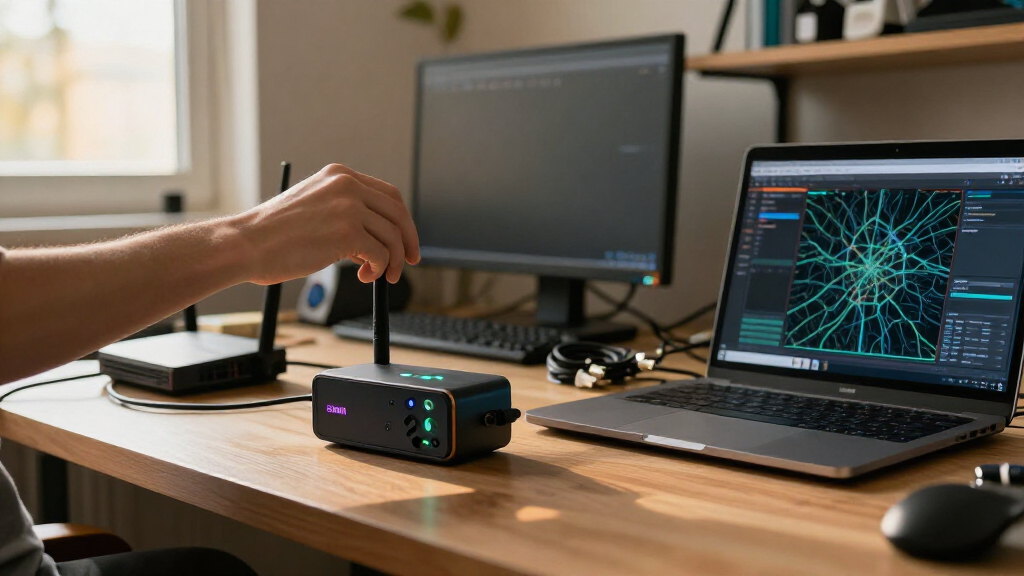
I ranked these gadgets by how well they answer distinct penetration-testing needs, rather than treating every product that mentions ethical hacking as the same type of tool. My comparison gives weight to testing focus, portability, host compatibility, and the specificity of the provided feature details. That makes the Pineapple the lead pick for Wi-Fi-centered work, while the Flipper Zero and Kali drives serve different workflows that cannot be judged by identical criteria.
I also looked at what a buyer would need beyond the product itself. The Pineapple’s dashboard and remote management may suit a structured assessment, but its Linux and networking learning curve is a real barrier. Flipper Zero combines several interfaces in a small battery-powered unit, though its screen and range make it a poor choice for complex or distant operations. A bootable Kali drive saves a host installation step, but the computer still needs to support booting from the drive, and an 8 GB capacity can constrain added files and custom tooling.
The two Flipper Zero entries are closely related devices with different listing details, not fundamentally different product categories. I’ve separated them because the supplied descriptions give the orange version a broader educational and multitool framing, while the white version specifically states a 1 km maximum wireless range. The two Kali drives also overlap, but USB-C, architecture claims, and supplied speed figures distinguish the dual-connector listing from the USB-A drive. I do not infer performance or compatibility beyond the information provided.
This roundup is for authorized lab work, coursework, and assessments with permission. I do not rank products by how easily they could be used against someone else’s network or equipment. Where a listing’s figures or compatibility claims need verification, I treat them as product information rather than a guarantee for every computer or environment.
| penetration testing gadget | Color |
|---|---|
| Hak5 WiFi Pineapple Mark VII | — |
| Flipper Zero Portable Multitoo | Orange |
| Flipper Zero Portable Multitoo | White |
| Kali Linux Bootable USB for Et | — |
Factors to Consider When Choosing Best Penetration Testing Gadgets
I’d choose by the interface you need to assess before comparing convenience features. A Wi-Fi auditor, a multi-interface pocket device, and a Kali boot drive solve separate problems. Start with the target environment, then check the skills, host hardware, and storage the tool requires.
Match the gadget to the assessment
For an authorized wireless network review, the WiFi Pineapple Mark VII is the most directly focused option here. Its dual-band support, recon dashboard, and automated reporting are aimed at Wi-Fi work. Flipper Zero has a wider mix of radio and device interfaces but is not presented as the dedicated Wi-Fi auditor in this group. A Kali USB offers a portable software environment, but it still requires a host computer and does not replace purpose-built wireless hardware.
If your exercises involve NFC, infrared, Sub-GHz, or GPIO connections, the Flipper Zero listings map more closely to those tasks. For command-line tools, software testing, or a reusable operating environment, a Kali boot drive makes more sense. Avoid choosing based on a broad “ethical hacking” label alone; confirm that the product’s listed interfaces match the authorized assessment you actually plan to conduct.
Check your existing skills and learning goals
The Pineapple listing identifies Linux and networking as part of its environment, so it suits a buyer ready to interpret wireless findings and manage a more specialized workflow. Flipper Zero is compact and educational, but its small display and multi-interface nature still ask users to learn what each interface can and cannot do. A Kali drive may feel familiar to someone who already uses Linux, yet live boot, installation, and tool configuration are separate tasks.
For a first learning device, I’d favor the Flipper Zero if hands-on hardware exploration is the goal, or a Kali drive if the learner has a computer and wants to study an operating system. Someone new to both Linux and networking may benefit from structured lab exercises before buying a specialized wireless tool. None of these products removes the need to understand authorization, scope, and safe handling of test data.
Compare portability with working space
Flipper Zero is the most self-contained of these choices: it is battery powered and described as pocketable, with its own screen. The Pineapple is dedicated wireless hardware, while both Kali options need a compatible host machine. A bootable drive is physically small, but the full working setup still includes the computer, power, and any additional storage needed for files or tools.
Both USB listings provide 8 GB of storage, which may be limiting if you plan to add datasets, captures, or extra software. The dual-connector drive’s higher listed read speed is a useful point of comparison, while the 2026.2 drive supplies a named release and desktop details. Treat stated speeds and software contents as listing claims to check, not as a guarantee of identical results on every host.
Verify computer and connector compatibility
Before choosing a Kali drive, check whether your computer can boot from USB and whether its firmware settings permit it. The 2026.2 listing specifies USB-A, while the other drive has both USB-A and USB-C connectors and claims amd64 and arm64 support. Port type, processor architecture, secure boot settings, and the exact image on the drive can all affect setup.
For the Flipper entries, focus on whether the interfaces and accessories fit your learning or lab requirements. For the Pineapple, confirm the network environment and management workflow you expect to use. If a product’s description gives a broad compatibility claim, compare it against the exact machine or protocol rather than assuming every configuration will work unchanged.
Keep authorization and operational boundaries clear
Penetration-testing hardware can interact with real networks and devices. I recommend using it only in systems you own or where you have explicit written permission, with the permitted targets, dates, and techniques recorded ahead of time. For coursework, use a controlled lab or intentionally vulnerable environment rather than nearby public or private systems.
Plan how you will store notes, captures, and reports, especially when a device offers remote management or when a live operating system handles assessment data. The right gadget is not simply the one with the most interfaces: it is the one whose purpose, limits, and operating rules you can manage safely within the agreed scope.
Frequently Asked Questions
Which gadget is best for an authorized Wi-Fi assessment?
I’d start with the Hak5 WiFi Pineapple Mark VII because it is the most Wi-Fi-focused choice in this lineup, with dual-band support, a recon dashboard, and automated auditing and reporting features described in its listing. It still calls for networking and Linux familiarity, and it should only be used on networks covered by clear authorization. A Flipper Zero or Kali USB may support other lab tasks, but neither is presented here as the same dedicated wireless auditing device.
Are the two Flipper Zero listings different devices?
The supplied descriptions show substantial overlap: both name a battery-powered Flipper Zero with Sub-GHz, NFC, infrared, and GPIO capabilities. The orange listing frames it broadly as a cybersecurity and electronics multitool, while the white listing specifically states a 1 km maximum wireless range. I would treat them as closely related listings and compare the color, listing details, and seller-specific information rather than expecting a different core workflow.
Should I buy a Kali USB or a dedicated hardware gadget?
Choose a Kali USB if your goal is to boot a Linux testing environment on a compatible computer. Choose the Pineapple for a Wi-Fi-centered hardware workflow, or Flipper Zero for portable experiments across its listed device interfaces. A Kali drive depends on a host computer and its boot setup; dedicated hardware may be easier to carry or more focused, but it will not provide the same general software environment.
Do the Kali USB drives work with every computer?
No. The listings describe broad compatibility, but a computer still needs a suitable USB connection, supported architecture where relevant, and a configuration that permits booting from external media. The 2026.2 drive lists USB-A, while the other listing includes USB-A and USB-C and claims amd64 and arm64 support. Check the target computer’s port, processor, and firmware options before relying on either drive for a planned assessment.
Can beginners use these penetration-testing gadgets?
Beginners can learn with them, but the appropriate choice depends on the course of study. Flipper Zero is presented as an educational device for hardware and IoT exploration, while a Kali USB can support operating-system and security-tool learning if the student has a compatible computer. The Pineapple has a steeper stated learning curve around Linux and networking. I’d start in a controlled lab, follow a structured learning plan, and use every device only with permission.
Conclusion
My recommendations depend on the work you need to do. For an authorized Wi-Fi assessment, I’d choose the Hak5 WiFi Pineapple Mark VII, accepting its learning curve in exchange for a more focused wireless workflow. For a portable, multi-interface learning device, I’d choose either Flipper Zero; the orange listing has the broader educational framing, while the white listing specifies a maximum range figure.
For a portable Kali environment, the dual-connector USB is the better fit when USB-C access and the supplied speed and architecture details matter. Choose the 2026.2 USB when its named release and listed desktop details better match your requirements. Before buying, check host compatibility and storage needs—and use any of these tools only within an approved scope.