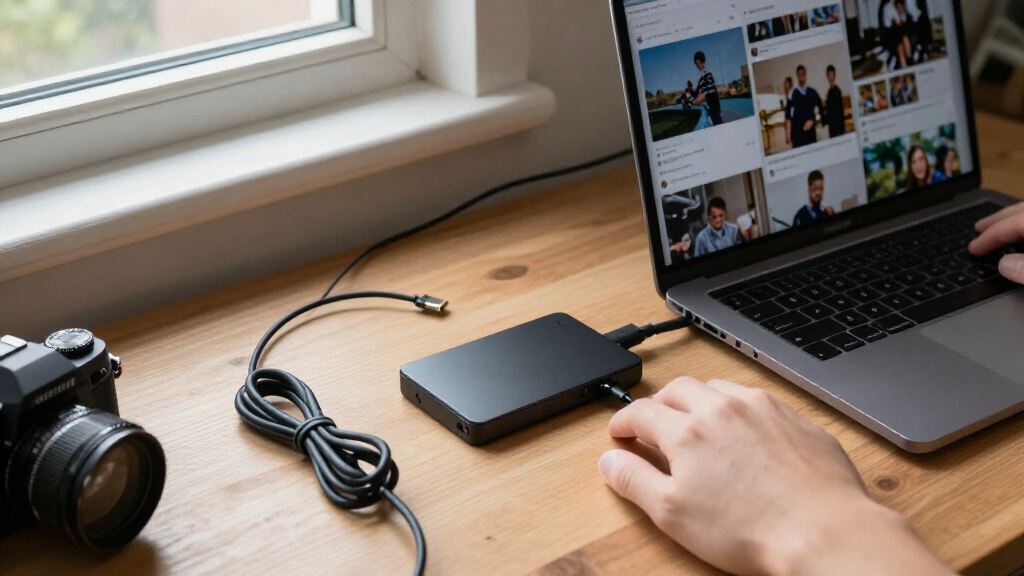

For most people backing up important files, I’d choose the Samsung T7 1TB as the best overall balance of familiar everyday performance and straightforward capacity. The SanDisk Extreme Portable SSD 2TB stands out when extra space and a rugged design matter, while the Samsung T9 1TB is a faster-tier option for compatible setups. The main tradeoffs are capacity versus portability, advertised speed versus what your computer can use, and rugged construction versus a simpler everyday drive. A backup SSD is only useful if it holds your files and fits your routine, so I compare those practical differences across all 12 options. Read on for the full breakdown and guidance on choosing a drive for your backup needs.

Get the latest gadgets delivered free with Prime
- Fast, free delivery on millions of items
- Prime Video, Amazon Music and more included
- Member-only deals all year
Complete the kit



Key Takeaways
- The Samsung T7 is my best overall pick for a straightforward 1TB backup drive; the T9’s higher speed potential matters most with compatible hardware and demanding transfers.
- The SanDisk Extreme models target tougher handling than the basic SanDisk Portable SSDs, while the standard models trade rugged emphasis and higher advertised speeds for a simpler everyday profile.
- The 2TB SanDisk Extreme offers the most capacity among the listed Extreme choices, but buyers who only need to protect documents and a modest photo library may prefer a smaller drive.
- Advertised speed figures are not interchangeable: the 2000–2100MB/s claims on several models and the T9’s USB 3.2 Gen 2×2 interface depend on the host port, cable, and workload.
- Color and model naming need careful checking: the lavender SanDisk and multiple similar 1TB SanDisk listings make it worth confirming the exact model, interface, capacity, and included features before choosing.
| SanDisk Extreme Portable SSD, 1TB, Up to 2000MB/s |  | Best for Rugged, Fast Backups | Storage capacity: 1 TB | Read speed: Up to 2,000 MB/s | Connector: USB Type-C | VIEW LATEST PRICE | See Our Full Breakdown |
| SanDisk 1TB Portable SSD, Up to 800MB/s, Black |  | Best for Straightforward Everyday Backups | Storage capacity: 1 TB | Read speed: Up to 800 MB/s | Interface: USB 3.2 Gen 2 | VIEW LATEST PRICE | See Our Full Breakdown |
| SanDisk 1TB Portable SSD, Lavender, USB-C, USB 3.2 Gen 2, Up to 800MB/s | 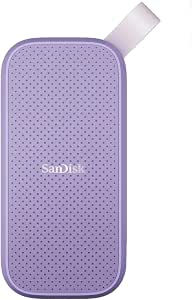 | Best Colorful Pick for Light Mobile Backups | Storage capacity: 1 TB | Read speed: Up to 800 MB/s | Connectivity: USB-C, USB 3.2 Gen 2 | VIEW LATEST PRICE | See Our Full Breakdown |
| SSK Portable 1TB External SSD with USB-C |  | Best for Fast Cross-Device Backups | Storage capacity: 1 TB | Read speed: Up to 1,050 MB/s | Write speed: Up to 1,000 MB/s | VIEW LATEST PRICE | See Our Full Breakdown |
| Samsung T7 Portable SSD, 1TB, Titan Gray |  | Best for Secure, Balanced Backups | Storage capacity: 1 TB | Interface: USB 3.2 Gen 2 | Read speed: Up to 1,050 MB/s | VIEW LATEST PRICE | See Our Full Breakdown |
| Samsung T5 Portable SSD 1TB, USB 3.1, Black |  | Best for Simple, Secure Backups | Capacity: 1 TB | Interface: USB 3.0 | Transfer speed: Up to 540 MB/s | VIEW LATEST PRICE | See Our Full Breakdown |
| SanDisk 500GB Extreme Portable SSD – Up to 2000 MB/s Transfer Speed (New Model) | | Best for Rugged, Smaller Backups | Storage capacity: 500 GB | Interface: USB 3.0 | Connectivity: USB Type-C | VIEW LATEST PRICE | See Our Full Breakdown |
| SanDisk Extreme Portable SSD 2TB, USB-C, USB 3.2 Gen 2 |  | Best for High-Capacity Travel Backups | Storage capacity: 2 TB | Read speed: Up to 1,050 MB/s | Write speed: Up to 1,000 MB/s | VIEW LATEST PRICE | See Our Full Breakdown |
| Western Digital My Passport 1TB Portable SSD, Gray |  | Best for Fast, Cross-Generation Computer Backups | Storage capacity: 1 TB | Read speed: Up to 1,050 MB/s | Write speed: Up to 1,000 MB/s | VIEW LATEST PRICE | See Our Full Breakdown |
| OSCOO 1TB Portable External SSD, up to 2100MB/s, USB 3.2 Gen 2 |  | Best for Compatible High-Speed Setups | Storage capacity: 1 TB | Drive type: NVMe SSD | Maximum speed: Up to 2,100 MB/s under supported conditions | VIEW LATEST PRICE | See Our Full Breakdown |
| SanDisk 1TB Portable SSD, USB-C, USB 3.2 Gen 2 |  | Best for Rugged Everyday Backups | Capacity: 1 TB | Interface: USB 3.2 | Connectivity: USB-C; USB-C to USB-A cable included | VIEW LATEST PRICE | See Our Full Breakdown |
| Samsung T9 Portable SSD 1TB, USB 3.2 Gen 2×2 External SSD |  | Best for High-Speed Backup Workflows | Capacity: 1TB | Interface: USB 3.2 Gen 2×2 | Maximum read speed: Up to 2,000 MB/s | VIEW LATEST PRICE | See Our Full Breakdown |
| portable SSDs for data backup | Read speed | Interface | Storage capacity | Drop protection |
|---|---|---|---|---|
| SanDisk Extreme Portable SSD | Up to 2,000 MB/s | USB 3.0 | 1 TB | Up to 3 m |
| SanDisk 1TB Portable SSD | Up to 800 MB/s | USB 3.2 Gen 2 | 1 TB | Up to 2 m |
| SanDisk 1TB Portable SSD | Up to 800 MB/s | — | 1 TB | — |
| SSK Portable 1TB External SSD | Up to 1,050 MB/s | USB 3.2 Gen 2 | 1 TB | — |
| Samsung T7 Portable SSD | Up to 1,050 MB/s | USB 3.2 Gen 2 | 1 TB | Up to 6 feet |
| Samsung T5 Portable SSD 1TB | — | USB 3.0 | — | — |
| SanDisk 500GB Extreme Portable | Up to 2,000 MB/s | USB 3.0 | 500 GB | Up to 3 m |
| SanDisk Extreme Portable SSD 2 | Up to 1,050 MB/s | — | 2 TB | Up to 3 m |
| Western Digital My Passport 1T | Up to 1,050 MB/s | USB 3.2 Gen 2 | 1 TB | — |
| OSCOO 1TB Portable External SS | 2,000 MB/s | USB 3.2 Gen 2×2 | 1 TB | — |
| SanDisk 1TB Portable SSD | Up to 520 MB/s | USB 3.2 | — | Up to 2 meters |
| Samsung T9 Portable SSD 1TB | — | USB 3.2 Gen 2×2 | — | — |
More Details on Our Top Picks
SanDisk Extreme Portable SSD, 1TB, Up to 2000MB/s
For backups that need to move quickly and travel in rougher conditions, I’d put the SanDisk Extreme Portable SSD ahead of the basic SanDisk 1TB Portable SSD. Its advertised read speed reaches 2,000 MB/s, and the IP65 dust and water resistance adds protection the simpler model’s listed specs don’t provide. Drop protection up to 3 m and optional 256-bit AES password protection add further safeguards for a drive that may leave your desk. The tradeoff is that 2,000 MB/s is a maximum read figure, not a promise of equally fast writes; the stated write performance is lower, and encryption requires a software download with specific operating-system support. I’d choose this for frequent, sizeable backups on the move, but not if basic file copies are your only need.
Pros:- Advertised read speeds up to 2,000 MB/s can shorten transfers with a compatible setup
- IP65-rated dust and water resistance suits travel and outdoor work
- Drop protection up to 3 m helps guard against everyday accidents
- Optional 256-bit AES password protection adds a privacy measure for stored files
Cons:- Write speeds are lower than the advertised read speed
- Encryption needs a software download and supports Windows 10+ and macOS 12+
- The maximum read speed depends on a compatible host connection
Best for: Photographers, travelers, and laptop users who need a fast 1TB backup drive with added protection from dust, water, and drops
Not ideal for: Buyers making occasional small backups who would rather pay for a simpler drive than use optional encryption or extra rugged protection
- Storage capacity:1 TB
- Read speed:Up to 2,000 MB/s
- Connector:USB Type-C
- Interface:USB 3.0
- Dust and water resistance:IP65
- Drop protection:Up to 3 m
- Encryption:256-bit AES password protection
- Weight:1.6 ounces
- Dimensions:3.35 × 2 × 0.39 inches
Our verdict“Choose this SanDisk if fast mobile backups and extra environmental protection matter more than simple plug-and-copy use.”
SanDisk 1TB Portable SSD, Up to 800MB/s, Black
The black SanDisk 1TB Portable SSD makes the most sense for routine backups where dependable portability matters more than chasing the fastest transfers. Its read speed reaches 800 MB/s, below the 1,050 MB/s figures listed for the Samsung T7 and SSK drive, but that may be enough for document libraries, photos, and regular laptop copies. The rubber enclosure and 2 m drop protection help with travel, while the hook gives you a practical way to attach it to a bag. That convenience comes with limits: the product data doesn’t list water resistance, encryption, or a write-speed figure, and real performance varies with the host device and workload. I’d pick it over the faster models when the simpler backup routine and attachment point matter more than higher transfer ceilings.
Pros:- 1TB capacity suits everyday photo, document, and laptop backups
- Read speeds up to 800 MB/s are suited to regular file transfers
- Drop protection up to 2 m helps protect the drive during travel
- Rubber hook provides a convenient way to attach it to a bag or belt loop
Cons:- Its 800 MB/s read-speed ceiling is lower than the Samsung T7 and SSK drive
- No write-speed figure is provided, and actual performance varies by host and use
- The listed product data does not specify encryption or water resistance
Best for: Students and mobile professionals who want a compact 1TB drive for routine laptop and photo backups while commuting
Not ideal for: Video editors or users moving large project folders frequently who would benefit from a higher listed read speed and specified write performance
- Storage capacity:1 TB
- Read speed:Up to 800 MB/s
- Interface:USB 3.2 Gen 2
- Connectivity:USB-C
- Drop protection:Up to 2 m
- Enclosure material:Rubber
- Color:Black
- Form factor:Portable external drive
Our verdict“Choose this model for simple, portable everyday backups if you don’t need the higher transfer speeds or extra features of the Samsung T7.”
SanDisk 1TB Portable SSD, Lavender, USB-C, USB 3.2 Gen 2, Up to 800MB/s
The lavender SanDisk 1TB Portable SSD offers the same basic backup proposition as the black 800 MB/s SanDisk: a compact drive, USB-C connection, and rubberized protection for mobile use. Its distinct role is a lighter, more personal option for someone who wants an easy-to-spot drive with a hook for a backpack or belt loop. Compared with the Samsung T7, it has a lower listed read speed and no stated encryption, but its stated drop resistance and included USB-C-to-USB-A cable make it practical for mixed-device use. One product detail deserves caution: the data also lists media speed at 80 MB/s, which conflicts with the up-to-800 MB/s read-speed claim. I would not choose it for speed-sensitive work without clarifying that discrepancy; it suits modest backups where color and portability lead.
Pros:- 1TB capacity provides room for everyday files and personal media
- Rubber enclosure is rated for drops up to 2 m
- Attachment hook helps keep the drive with a bag or belt loop
- Includes a USB Type-C to USB-A cable for connecting to compatible older ports
Cons:- The listed 80 MB/s media speed conflicts with the up-to-800 MB/s read-speed claim
- Its stated read speed is below the Samsung T7’s up-to-1,050 MB/s
- Product data does not specify encryption or water resistance
Best for: Students and casual mobile users who want a lightweight, easy-to-identify drive for routine backups across USB-C and USB-A devices
Not ideal for: Buyers who need predictable high-speed transfers, hardware encryption, or clear performance specifications for large work files
- Storage capacity:1 TB
- Read speed:Up to 800 MB/s
- Connectivity:USB-C, USB 3.2 Gen 2
- Color:Lavender
- Enclosure material:Rubber
- Drop resistance:Up to 2 m
- Weight:1.44 ounces
- Included accessory:USB Type-C to USB-A cable
Our verdict“Pick this lavender SanDisk for light, everyday backups and an easy-to-spot design, but look elsewhere if transfer-speed certainty is a priority.”
SSK Portable 1TB External SSD with USB-C
Among these options, the SSK Portable 1TB SSD is a strong fit for buyers who want both fast transfers and useful connection flexibility. Its listed read and write speeds—up to 1,050 MB/s and 1,000 MB/s—are more balanced than the read-focused claims on the two 800 MB/s SanDisk drives. Including both USB-C and USB-A cables also makes it easier to back up from newer laptops and older ports without sourcing another cable. The aluminum enclosure is light, and TRIM and S.M.A.R.T. support add useful drive-management features. The tradeoff is that peak sustained transfers are limited by the available SLC cache, so very large backup jobs may not hold the stated speed throughout. Compared with the Samsung T7, it offers similar listed speeds and cable flexibility, but no listed hardware encryption.
Pros:- Listed read and write speeds reach 1,050 MB/s and 1,000 MB/s
- USB-C and USB-A cables are included for broader connection options
- Lightweight aluminum enclosure weighs 36.6 g
- TRIM and S.M.A.R.T. support provide drive-management features
Cons:- Advertised sustained transfer speeds are limited by the available SLC cache
- A 1TB drive may show about 931 GB in Windows
- No encryption or water-resistance rating is listed in the supplied product data
Best for: Creators and multi-device users who move large folders between USB-C and USB-A computers or back up compatible iPhones
Not ideal for: People whose priority is a rugged, water-resistant drive or who need sustained peak speeds across very large transfers
- Storage capacity:1 TB
- Read speed:Up to 1,050 MB/s
- Write speed:Up to 1,000 MB/s
- Interface:USB 3.2 Gen 2
- Included cables:USB-C and USB-A
- Weight:36.6 g
- Dimensions:2.6 × 1.5 × 0.5 inches
- Enclosure material:Aluminum alloy
- Features:SLC caching, S.M.A.R.T. diagnostics, TRIM support, LED activity light
Our verdict“Choose the SSK if you want fast, balanced transfers and included cables for backing up across several compatible devices.”
Samsung T7 Portable SSD, 1TB, Titan Gray
The Samsung T7 Portable SSD is a well-rounded choice for backups that need speed, device flexibility, and a clear privacy feature. It lists read speeds up to 1,050 MB/s and write speeds up to 1,000 MB/s, putting it close to the SSK drive on transfer figures, while its 256-bit AES hardware encryption gives it an advantage for sensitive files. Its aluminum unibody and drop protection up to 6 feet add physical reassurance, and both USB-C-to-C and USB-C-to-A cables are included. The tradeoff is that maximum speed depends on a compatible USB 3.2 Gen 2 host and cable; older or limited devices may not reach it. Unlike the faster-read-claim SanDisk Extreme, the T7 does not list an IP-rated dust or water-resistance level. I’d favor it for secure, everyday backups across compatible devices.
Pros:- Balanced listed read and write speeds of up to 1,050 MB/s and 1,000 MB/s
- 256-bit AES hardware encryption supports protection for sensitive stored files
- Aluminum unibody with drop protection up to 6 feet
- Includes USB-C-to-C and USB-C-to-A cables
Cons:- Maximum speeds require a compatible USB 3.2 Gen 2 host and cable
- No IP-rated dust or water resistance is listed, unlike the SanDisk Extreme
- Compatibility varies by device and operating system
Best for: Professionals and families backing up sensitive files across compatible computers, Android devices, cameras, or consoles
Not ideal for: Outdoor users who need a stated dust- and water-resistance rating, or owners whose devices cannot use USB 3.2 Gen 2 speeds
- Storage capacity:1 TB
- Interface:USB 3.2 Gen 2
- Read speed:Up to 1,050 MB/s
- Write speed:Up to 1,000 MB/s
- Encryption:256-bit AES hardware encryption
- Construction:Aluminum unibody
- Drop protection:Up to 6 feet
- Included cables:USB Type-C to Type-C and Type-C to Type-A
- Color:Titan Gray
Our verdict“Choose the Samsung T7 for balanced backup speeds, hardware encryption, and broad device use, provided your host supports its faster connection.”
Samsung T5 Portable SSD 1TB, USB 3.1, Black
The Samsung T5 is a sensible pick for routine laptop backups when portability and basic file security matter more than headline speed. Its 1TB capacity and up-to-540 MB/s transfers suit document archives, photos, and everyday media, while the metal body adds some reassurance when it travels in a bag. The included USB-C-to-USB-C and USB-C-to-USB-A cables also make it easier to connect with newer and older computers than the USB-C-only setup listed for the 500GB SanDisk Extreme Portable SSD.
It is slower than the WD My Passport 1TB, which reaches up to 1,050 MB/s for faster large-file transfers. The T5’s AES 256-bit hardware encryption is optional and requires setup, so buyers must enable password protection rather than assume it is active. Choose it for straightforward backups; skip it if frequent transfers or rugged outdoor protection are priorities.
Pros:- Compact metal body weighs 1.76 oz
- Up to 540 MB/s transfers suit everyday backup tasks
- AES 256-bit hardware encryption with optional password protection
- Includes USB-C-to-USB-C and USB-C-to-USB-A cables
Cons:- Slower listed transfer speed than the WD My Passport 1TB
- Password protection requires setup and is not automatic
- No water- or dust-resistance rating is provided
Best for: Laptop owners who want a compact 1TB drive for regular file backups and value both USB-C and USB-A cable options.
Not ideal for: People who routinely move very large video libraries or need specified water and dust resistance; its listed speed is lower than newer options and no IP rating is provided.
- Capacity:1 TB
- Interface:USB 3.0
- Transfer speed:Up to 540 MB/s
- Encryption:AES 256-bit hardware encryption
- Dimensions:2.91 × 2.26 × 0.41 in
- Weight:1.76 oz
- Included accessories:USB-C-to-USB-C cable, USB-C-to-USB-A cable, user manual
Our verdict“Choose the Samsung T5 for compact everyday backups and flexible cable compatibility, not for the fastest transfers or weather protection.”
SanDisk 500GB Extreme Portable SSD – Up to 2000 MB/s Transfer Speed (New Model)
For buyers who carry backups beyond the desk, this 500GB SanDisk Extreme pairs pocket-sized storage with a stated IP65 rating and drop protection up to 3 meters. Its 256-bit AES password protection adds a layer for sensitive files, while the 1.6-ounce body is easy to pack. Against the 2TB SanDisk Extreme Portable SSD, it offers the same kind of portable, protected approach in a smaller capacity, making it a better fit for a focused set of essential files than a broad media archive.
The advertised 2,000 MB/s read speed can help with quick access, but the provided data notes lower write speeds, so repeated backups may not match that headline. At 500GB, it also has less room than the Samsung T5’s 1TB. I’d choose it for a compact, rugged backup copy; photographers or families with large libraries should look toward higher-capacity options.
Pros:- IP65 dust and water resistance
- Drop protection rated up to 3 meters
- Pocket-sized 1.6-ounce design
- Built-in 256-bit AES password protection
Cons:- 500GB capacity is limited for large or growing archives
- Write speeds are lower than the advertised read speed
- USB 3.0 connection may limit performance compared with faster host interfaces
Best for: Traveling students, field workers, and photographers who need a small, protected copy of essential files rather than a large archive.
Not ideal for: People backing up extensive photo or video collections, or buyers who need consistently fast writes for frequent large backups.
- Storage capacity:500 GB
- Interface:USB 3.0
- Connectivity:USB Type-C
- Read speed:Up to 2,000 MB/s
- Water and dust resistance:IP65
- Drop protection:Up to 3 m
- Encryption:256-bit AES password protection
- Dimensions:3.35 × 2 × 0.39 in
Our verdict“Pick this SanDisk for a rugged, compact backup of essential files, but choose a larger drive for a full media library.”
SanDisk Extreme Portable SSD 2TB, USB-C, USB 3.2 Gen 2
The 2TB SanDisk Extreme is the capacity pick for people who want a substantial backup archive without stepping up to a larger desktop drive. It combines up to 1,050 MB/s read and 1,000 MB/s write speeds with IP65 water and dust resistance and drop protection up to 3 meters. That balance suits traveling creators who need to store and refresh sizable photo or video collections away from home. Compared with the 500GB SanDisk Extreme, it offers four times the capacity and stated write-speed information, though the smaller model advertises a higher peak read figure.
A carabiner loop helps attach it to a bag, and 256-bit AES hardware encryption supports password-protected files. The tradeoffs are host-dependent performance and Mac password protection that requires a software download. Buyers who need only a basic 1TB archive may prefer the WD My Passport 1TB, while this is the better match for larger libraries and rougher travel.
Pros:- 2TB capacity for larger photo and video archives
- Up to 1,050 MB/s read and 1,000 MB/s write speeds
- IP65 water and dust resistance with drop protection up to 3 meters
- Carabiner loop and 256-bit AES hardware encryption
Cons:- Actual performance depends on the connected device and usage conditions
- Mac password protection requires a software download
- The 2.5-inch portable form may be less pocket-friendly than smaller options
Best for: Traveling photographers and video creators who need 2TB for large working libraries plus water, dust, and drop protection.
Not ideal for: People with only a small backup set, or Mac users who want password protection without downloading additional software.
- Storage capacity:2 TB
- Read speed:Up to 1,050 MB/s
- Write speed:Up to 1,000 MB/s
- Connectivity:USB-C, USB 3.2 Gen 2
- Water and dust resistance:IP65
- Drop protection:Up to 3 m
- Encryption:256-bit AES hardware encryption
- Operating system compatibility:Windows 8, Windows 10, macOS 10.9 or later
Our verdict“Choose this SanDisk when a large, travel-ready backup archive matters more than minimizing size or setup steps.”
Western Digital My Passport 1TB Portable SSD, Gray
The WD My Passport 1TB makes a strong case for computer backups that move between newer USB-C machines and older USB-A systems. It lists up to 1,050 MB/s read and 1,000 MB/s write speeds, giving it a clear speed advantage over the Samsung T5 when refreshing a large folder. Password-enabled AES 256-bit hardware encryption and drop resistance up to 6.5 feet also suit a drive that may travel between home and work. Unlike the 2TB SanDisk Extreme, this model has half the capacity and lacks a stated IP65 water-and-dust rating, but its listed drop resistance is a useful safeguard.
The main limitation is compatibility housekeeping: operating systems outside the listed versions may require reformatting. That makes it less convenient for buyers who frequently switch among unfamiliar computers or platforms. For a one-terabyte computer backup with strong transfer figures and broad cable compatibility, it is a more capable choice than the T5; for larger, weather-exposed archives, I’d favor the 2TB SanDisk.
Pros:- Up to 1,050 MB/s read and 1,000 MB/s write speeds
- Password-enabled 256-bit AES hardware encryption
- Shock- and vibration-resistant design with drop resistance up to 6.5 feet
- USB-C connectivity with USB-A compatibility for older systems
Cons:- May require reformatting for operating systems beyond those listed
- 1TB capacity is below the 2TB SanDisk Extreme’s capacity
- No water- or dust-resistance rating is provided
Best for: Windows and Mac users who back up a 1TB collection across newer USB-C and older USB-A computers.
Not ideal for: People who need a larger archive, water and dust protection, or frequent plug-and-play use across operating systems outside those listed.
- Storage capacity:1 TB
- Read speed:Up to 1,050 MB/s
- Write speed:Up to 1,000 MB/s
- Interface:USB 3.2 Gen 2
- Connectivity:USB-C; USB-A compatibility
- Encryption:Password-enabled 256-bit AES hardware encryption
- Drop resistance:Up to 6.5 ft (1.98 m)
- Compatible operating systems:Windows 10, Windows 8.1, macOS Big Sur, Catalina, Mojave, and High Sierra
Our verdict“Choose the WD My Passport for a fast 1TB backup drive that can connect across newer and older computers, provided your operating systems match its compatibility list.”
OSCOO 1TB Portable External SSD, up to 2100MB/s, USB 3.2 Gen 2
The OSCOO 1TB targets buyers whose backup workflow can take advantage of a fast host connection. Its NVMe drive advertises up to 2,100 MB/s under supported USB 3.2 Gen 2×2 or Thunderbolt conditions, a higher ceiling than the WD My Passport 1TB’s listed 1,050 MB/s read speed. The compact aluminum enclosure and wide stated device compatibility also make it appealing for moving files among computers, tablets, phones, and consoles. For a supported setup, quick transfers can reduce the time a large backup occupies your computer.
The caveat is that this speed is conditional: older or slower connections can reduce performance, so buyers should check their port before choosing it over the more clearly specified WD. The product data describes the enclosure as water- and drop-resistant but gives no protection rating, and usable capacity may be 7–10% below the label. I’d pick it for a compatible high-speed setup, not as the safest bet for uncertain connections.
Pros:- Advertises up to 2,100 MB/s with supported connections
- Compact, lightweight aluminum enclosure
- Stated compatibility spans computers, phones, tablets, cameras, and gaming consoles
- NVMe storage suits fast file transfers on compatible hardware
Cons:- Maximum speed depends on a compatible USB 3.2 Gen 2×2 or Thunderbolt connection
- No specific water- or drop-resistance rating is provided
- Usable capacity may be 7–10% below the labeled 1TB
Best for: Owners of USB 3.2 Gen 2×2 or compatible Thunderbolt devices who want a compact 1TB drive for faster file backups.
Not ideal for: People with older ports, a need for a stated water or drop rating, or little tolerance for capacity being below the labeled amount.
- Storage capacity:1 TB
- Drive type:NVMe SSD
- Maximum speed:Up to 2,100 MB/s under supported conditions
- Read speed:2,000 MB/s
- Interface:USB 3.2 Gen 2×2
- Dimensions:2.85 × 1.52 × 0.40 in
- Weight:0.03 lb
- Compatibility:Windows, Mac, iPad Pro, Chromebook, Android, Linux, PS4, PS5, and Xbox
Our verdict“Choose the OSCOO if your device supports its high-speed connection and you value quick backups; otherwise, the WD My Passport has clearer listed performance and protection details.”
SanDisk 1TB Portable SSD, USB-C, USB 3.2 Gen 2
The SanDisk 1TB Portable SSD suits buyers who want a lightweight drive for routine file backups and trips, rather than maximum transfer speed. Its 520 MB/s read speed is modest beside the Samsung T9’s up-to-2,000 MB/s ceiling, so large video projects will take longer to move. For photos, documents, and general personal backups, that speed can be a reasonable tradeoff for its up-to-2-meter drop protection and compact 1.44-ounce body. A rubber attachment hook gives it a practical way to stay with a backpack or belt loop. The included USB-C-to-USB-A cable also helps it connect with a wider range of computers. Choose this SanDisk for portability and everyday handling; skip it if your backup workflow depends on fast transfers or frequent large-file writes.
Pros:- Up to 2-meter drop protection adds reassurance during travel and daily carrying.
- At 1.44 ounces, it is easy to pack or attach using the rubber hook.
- USB-C connectivity and an included USB-C-to-USB-A cable support varied computer ports.
- 1TB capacity provides room for a broad collection of personal or work files.
Cons:- Read speeds up to 520 MB/s are much lower than the Samsung T9’s stated maximum.
- Actual performance can vary with the host device, interface, and usage conditions.
Best for: Travelers and everyday laptop owners who want a light 1TB drive for personal files, photos, and routine backups.
Not ideal for: Video editors and users who regularly move large files and want transfer speeds closer to the Samsung T9.
- Capacity:1 TB
- Interface:USB 3.2
- Connectivity:USB-C; USB-C to USB-A cable included
- Read speed:Up to 520 MB/s
- Drop protection:Up to 2 meters
- Weight:1.44 oz
- Dimensions:3.81 × 1.85 × 0.39 in
- Compatible devices:Desktop, laptop, Sony PlayStation 5
- Model:SDSSDE30-1T00-G25
Our verdict“Pick this SanDisk for a compact, drop-protected drive for everyday backups, but choose the Samsung T9 for demanding high-speed transfers.”
Samsung T9 Portable SSD 1TB, USB 3.2 Gen 2×2 External SSD
For backups that involve large video files or repeated transfers, the Samsung T9 offers a speed-focused alternative to the SanDisk 1TB Portable SSD. Its read and write speeds up to 2,000 MB/s can shorten transfer waits, provided the connected device and interface support USB 3.2 Gen 2×2; a slower host may limit the benefit. The T9’s thermal management for sustained workloads is a useful fit for extended sessions, while compatibility with desktops, cameras, gaming consoles, and iPhone 15 Pro expands its backup uses. It also supports iPhone 15 Pro Res 4K at 60 fps recording, but the included SSD cable is recommended for that use. Compared with the slower SanDisk, this is the stronger choice for speed-sensitive work, though its 1TB capacity remains the same and the maximum performance depends on the setup.
Pros:- Up to 2,000 MB/s read and write speeds can reduce waits during large backups on compatible devices.
- Thermal management is designed for sustained workloads.
- Supports desktops, cameras, gaming consoles, and iPhone 15 Pro.
- Magician Software provides firmware updates and drive health monitoring.
Cons:- Reaching its stated maximum speeds depends on a compatible USB 3.2 Gen 2×2 host.
- The included SSD cable is recommended for iPhone 15 Pro video recording.
- At 1TB, it offers no capacity advantage over the SanDisk 1TB Portable SSD.
Best for: Creators and professionals who regularly back up large video files or need fast transfers from compatible computers, cameras, or an iPhone 15 Pro.
Not ideal for: People with older or slower host interfaces who mainly store documents and photos and would not benefit much from its high-speed ceiling.
- Capacity:1TB
- Interface:USB 3.2 Gen 2×2
- Maximum read speed:Up to 2,000 MB/s
- Maximum write speed:Up to 2,000 MB/s
- Thermal management:Designed for sustained workloads
- Compatibility:Desktops, cameras, gaming consoles, and iPhone 15 Pro
- Software:Samsung Magician Software for firmware updates and drive health monitoring
- iPhone video support:iPhone 15 Pro Res 4K at 60 fps recording; included SSD cable recommended
Our verdict“Choose the Samsung T9 if your compatible setup can use its speed for large or sustained backups; otherwise, the slower SanDisk may better suit routine file storage.”
How We Picked
I ranked these drives for portable backup use, not for benchmark speed alone. I weighed stated transfer performance and interface against the practical needs of a backup: enough capacity for the files being protected, a design suited to being carried or stored, and a product description clear enough for buyers to identify what they are getting. I also treated everyday usability and compatibility as more valuable than headline speed when the faster interface may not be supported by a buyer’s computer.
The Samsung T7 leads because it is a balanced, easy-to-understand 1TB choice, while the T9 ranks as a premium speed-oriented alternative rather than the default for everyone. SanDisk’s Extreme models rank well for buyers prioritizing ruggedness, with the 2TB version favored when more room is useful; the 500GB version suits a narrower, smaller-backup role. The standard SanDisk, Samsung T5, WD My Passport, SSK, and OSCOO options fill more specific capacity, interface, or simplicity preferences. Since the supplied product details do not establish independent durability testing, warranty terms, included software, or sustained transfer results, I do not treat those as proven advantages.
| portable SSDs for data backup | Interface | Drop protection | Connectivity |
|---|---|---|---|
| SanDisk Extreme Portable SSD | USB 3.0 | Up to 3 m | — |
| SanDisk 1TB Portable SSD | USB 3.2 Gen 2 | Up to 2 m | USB-C |
| SanDisk 1TB Portable SSD | — | — | USB-C, USB 3.2 Gen 2 |
| SSK Portable 1TB External SSD | USB 3.2 Gen 2 | — | — |
| Samsung T7 Portable SSD | USB 3.2 Gen 2 | Up to 6 feet | — |
| Samsung T5 Portable SSD 1TB | USB 3.0 | — | — |
| SanDisk 500GB Extreme Portable | USB 3.0 | Up to 3 m | USB Type-C |
| SanDisk Extreme Portable SSD 2 | — | Up to 3 m | USB-C, USB 3.2 Gen 2 |
| Western Digital My Passport 1T | USB 3.2 Gen 2 | — | USB-C; USB-A compatibility |
| OSCOO 1TB Portable External SS | USB 3.2 Gen 2×2 | — | — |
| SanDisk 1TB Portable SSD | USB 3.2 | Up to 2 meters | USB-C; USB-C to USB-A cable included |
| Samsung T9 Portable SSD 1TB | USB 3.2 Gen 2×2 | — | — |
Factors to Consider When Choosing Portable SSDs For Data Backup
Choosing a backup SSD is less about chasing the biggest speed number and more about making a dependable copy of the files you cannot afford to lose. I’d match the drive to the size of the backup, the ports on the devices that will use it, and how it will be stored or carried. These broader checks can prevent a fast-looking drive from becoming an awkward or incomplete backup choice.
Choose capacity for the backup you actually plan to keep
Start by measuring the files you want to protect, then leave room for new files and older versions if your backup method keeps them. A drive that fits today’s photo folder but not next year’s can force a rushed migration or leave recent files unprotected. For a compact collection of documents, a smaller-capacity model such as the listed 500GB option may be enough; larger libraries make the 1TB and 2TB choices more practical. Avoid assuming the drive’s full advertised capacity will remain free after formatting and system use. If you need a complete computer backup, check the size of that backup rather than relying on the size of your most obvious folders. I’d favor a little headroom over buying a drive that is nearly full from day one.
Match the interface to your computer before paying for speed
Advertised maximum speeds are not guarantees for every file copy. Your computer’s port, the cable, the drive interface, and the type of files being transferred all affect real results. A USB 3.2 Gen 2×2 drive such as the Samsung T9 can be a poor speed upgrade if your computer lacks a compatible port. Small files and routine scheduled backups may also show less benefit from a higher headline speed than a single large video transfer. Check the port specifications on the computer you will actually use, not just the connector shape. If compatibility is uncertain, a widely supported everyday interface may be more useful than a higher number on the product listing.
Treat a portable SSD as one backup copy, not the whole plan
An external SSD can make backups quick to create and easy to carry, but it can still be lost, damaged, or exposed to malware while connected. Keep another copy of important files in a separate location, such as a second drive stored elsewhere or a suitable cloud backup. If you use backup software, check whether it creates version history or only mirrors the current folder; a mirror can copy accidental deletions too. Disconnect the drive when a backup is complete if it does not need to stay attached. Test a restore of a few files so you know the backup can be read when needed. The best drive cannot help if the backup process quietly stops or the files were never copied.
Pay for ruggedness when the drive will travel
A drive carried in a backpack faces more bumps, dust, and handling than one that stays beside a desktop. Rugged-oriented models such as the SanDisk Extreme range may suit mobile use better than simpler portable options, but check the specific model’s documented protection rather than assuming every unit has the same rating. A protective case and careful storage can also reduce risk without changing the drive. For a home backup that rarely moves, a rugged design may add little practical value. Do not treat a rugged exterior as protection from every accident, especially water exposure or a damaged cable. Think about where the drive will live between backups as much as how fast it can copy files.
Check backup workflow, file systems, and device compatibility
Before choosing, confirm that the SSD works with the computers and operating systems in your backup routine. A drive may need formatting before it can be used across different systems, and reformatting can erase files already stored on it. If you plan to move between Windows and macOS, check the file-system choice and whether your backup software supports it. Some buyers need a drive for simple manual copying, while others need one that works with scheduled backups or a particular device. Confirm that the product’s connector and included cable match your setup; a USB-C port on the drive does not guarantee every computer has the same connection. Spending a few minutes checking these details can matter more than choosing between two similar speed claims.
Decide when premium speed or extra capacity is worth it
Paying for a faster model makes the most sense when you regularly move large files and have hardware that can use its interface. If backups run in the background or consist mostly of documents, the time saved may be modest compared with a standard portable SSD. More capacity is often the more useful upgrade for growing photo, video, or project archives, but only when you will use the added space. For a single backup copy, splitting files across drives can also provide flexibility, though it adds another device to manage. Compare the model’s actual interface and capacity rather than relying on a family name shared across several products. Choose the upgrade that removes a real bottleneck in your routine, not one that only looks better on a specification sheet.
Frequently Asked Questions
Is the Samsung T9 worth choosing over the Samsung T7 for backup?
I’d choose the T9 over the T7 when large transfers are frequent and the computer supports the T9’s USB 3.2 Gen 2×2 interface. Without that host support, the advertised speed advantage may not translate into faster backups. For routine document, photo, and general computer backups, the T7 is the more balanced default among these two 1TB options. Also check the cable and port combination in your setup before paying for a speed tier you cannot use. If the T9’s speed is not relevant to your workflow, prioritize capacity, backup software, or a second copy instead.
Should I choose a 500GB SSD or a 1TB SSD for my first backup drive?
Base the choice on the size of the folders or system image you intend to back up, then allow room for growth and older versions. The listed 500GB SanDisk Extreme can suit a smaller collection, but it may become limiting if you add video, large photo libraries, or a full computer backup. A 1TB option offers more room for those changing needs, though it is unnecessary if your backup set is consistently small. Check the backup software’s storage behavior too: versioned backups can use space faster than a simple copy. I’d choose the smaller drive only after measuring the data, rather than guessing from the number of files.
Can I use one portable SSD to back up both a Windows PC and a Mac?
Often, but the drive’s file system and the backup software determine how smoothly that works. Some formats allow reading and writing on both systems, while others may be limited or require added software on one platform. Reformatting can make a drive suitable for a new setup, but it erases data already on it, so copy anything important elsewhere first. Separate backup tools may also create incompatible formats even when ordinary files can be shared. Check the requirements for both computers before setting up the drive, and test copying and restoring a file from each one.
Does a rugged portable SSD remove the need for another backup?
No. A rugged design can help with some handling risks, but it does not protect against every failure, theft, malware incident, or accidental deletion. A single drive is still a single copy, whether it is a SanDisk Extreme or a more basic portable SSD. Keep another copy separate from the drive, such as a second device stored elsewhere or a cloud backup suited to your files. Disconnect the portable drive after backup when practical, and check that files can be restored. The aim is to avoid having one incident take out both the original data and its only backup.
Will a 2000MB/s or faster SSD back up my files at that speed?
Not necessarily. The listed figure is a maximum under suitable conditions, and real transfers depend on the computer’s port, cable, file sizes, and the drive’s behavior during longer writes. A computer without a matching high-speed interface may limit a fast SSD to a lower rate. Large video files can transfer differently from thousands of small documents, and scheduled backups may not keep the drive writing continuously. For this roundup, the higher advertised figures on the SanDisk Extreme and OSCOO models, and the T9’s Gen 2×2 interface, are most relevant to compatible, transfer-heavy setups. For typical backups, capacity and a reliable routine may matter more than reaching the headline speed.
Conclusion
For most buyers, I recommend the Samsung T7 1TB as the best overall because it offers a straightforward balance for everyday backup. The SanDisk 1TB Portable SSD is my best value-style choice for buyers who want a simple, general-purpose drive without prioritizing ruggedness or peak speed; check the exact listing, since several similar SanDisk 1TB models appear here. For a best premium pick, choose the Samsung T9 if your computer supports its faster interface and your backups involve large transfers. The best option for beginners is the T7: its familiar 1TB format is an easy starting point, though you should still set up a second copy of important files. For specific needs, pick the SanDisk Extreme 2TB for extra room and a rugged-oriented design, or the 500GB Extreme when a smaller mobile backup is enough. Whatever you choose, match capacity and interface to your setup, then make a backup routine you can keep.
Halloween Picks
halloween
As an affiliate, we earn on qualifying purchases.