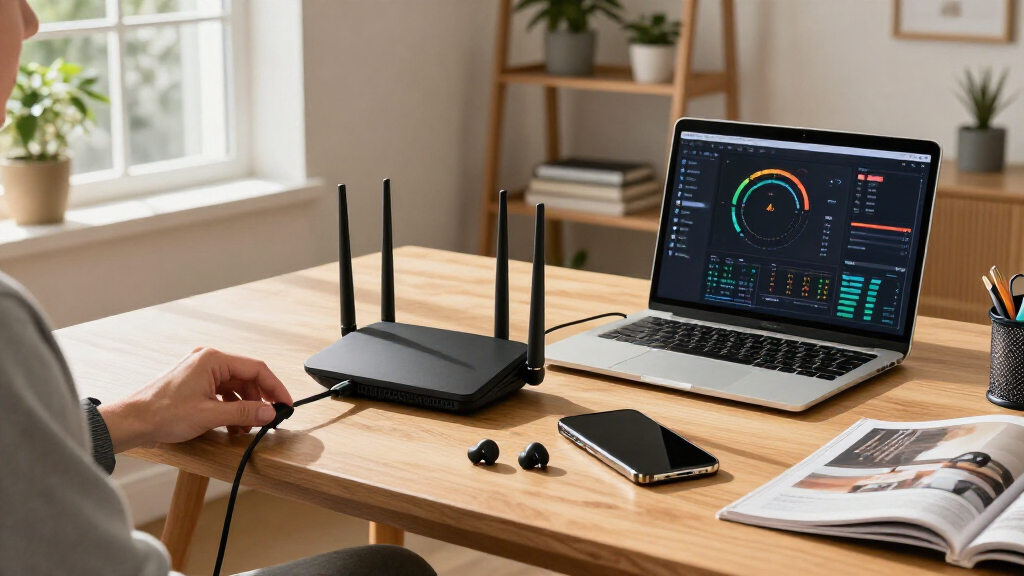

🔍 Read the full analysis: 9 WiFi 7 Routers For AI Networks: A Speed And Coverage Guide on ThorstenMeyerAI.com

Get the latest gadgets delivered free with Prime
- Fast, free delivery on millions of items
- Prime Video, Amazon Music and more included
- Member-only deals all year
TL;DR
A guide from ThorstenMeyerAI.com compares nine WiFi 7 routers for different home-network needs, naming the TP-Link Archer BE600 as its general-use pick, the ASUS ROG Rapture GT-BE98 Pro for high-demand gaming, and the TP-Link Deco BE25 for mesh coverage. The source describes selection criteria and product tradeoffs, but supplies no test data, prices or measured speed and coverage results to independently verify its rankings.
ThorstenMeyerAI.com has published a guide to nine WiFi 7 routers, recommending the TP-Link Archer BE600 for most households, the ASUS ROG Rapture GT-BE98 Pro for high-throughput gaming, and the TP-Link Deco BE25 for mesh coverage in larger homes. The guide is a set of product recommendations, not a reported independent benchmark: the supplied material does not include measured speeds, coverage results or test conditions.
The guide says it assessed routers on throughput consistency, coverage efficiency and ecosystem integration. It favors stability under load over peak theoretical speeds, and weighs app usability and the ability to extend coverage. The author describes the Archer BE600 as the best balance of value and usability for a typical smart home, but provides no prices or comparative test measurements to show how that judgment was reached.
Its central buying tradeoff is single-router simplicity versus mesh coverage. A standalone router can be easier to manage and may deliver higher speeds near the device, while mesh nodes can extend service across floors or around obstacles. The guide cautions that mesh costs more and that wireless backhaul performance may suffer if nodes are placed too far apart.
The article also distinguishes dual-, tri- and quad-band designs. It says dual-band models such as the Archer BE230 do not include 6 GHz, while tri-band models add that band and quad-band designs add a second 5 GHz band. The guide identifies wired port speeds as another constraint: wireless capabilities do not remove limits imposed by Ethernet ports or the internet connection.
The 9 picks
- 1
 ASUS ROG Rapture GT-BE98 Pro Quad-Band WiFi 7 Gaming RouterView on Amazon →
 - 2
 NETGEAR Nighthawk WiFi 7 Router RS700S, Up to 3,500 sq ft, 19 GbpsView on Amazon →
 - 3
 NETGEAR Nighthawk WiFi 7 Router, Up to 2,500 sq ft, 9.3 GbpsView on Amazon →
 - 4
 Deco 7 Dual-Band BE5000 WiFi 7 Mesh Wi-Fi System 4-Stream 5 Gbps, 240 MHzView on Amazon →
 - 5
 TP-Link Tri-Band BE9700 WiFi 7 Router (Archer BE600)View on Amazon →
 - 6
 ASUS RT-BE82U Dual-Band Wi-Fi 7 RouterView on Amazon →
 - 7
 TP-Link BE6500 Dual-Band WiFi 7 Router (BE400)View on Amazon →
 - 8
 NETGEAR Nighthawk WiFi 7 Router RS90, Up to 2,000 sq ft, 3.6 GbpsView on Amazon →
 - 9
 TP-Link Dual-Band Wi-Fi 7 Router, Archer BE230View on Amazon →
Choosing Between Speed and Whole-Home Coverage
The recommendations matter to shoppers because WiFi 7 labels alone do not indicate which router fits a home. A household with dead zones across multiple floors may benefit more from a mesh system than from a premium standalone unit, while a compact home with demanding wired devices may prioritize multi-gigabit ports and a suitable internet plan.
The guide also stresses that some advertised WiFi 7 benefits depend on compatible client devices. It names Multi-Link Operation (MLO) and 4096-QAM, along with 320 MHz channels in the 6 GHz band, but says those features only help when devices support them. That makes the value of an upgrade dependent on the existing mix of phones, computers and network equipment, not just the router.
These are practical distinctions, but readers should treat the rankings as the source’s editorial judgments. Without disclosed measurements, prices, test locations or device configurations, the guide cannot establish how much faster one model is than another or how reliably each covers a particular home.
The Guide’s Nine Router Picks
TP-Link Archer BE600
The guide’s top pick for most households, the Archer BE600 is described as a tri-band router balancing performance, footprint and ease of use. The source says adding 6 GHz can help distribute traffic, but provides no measured throughput or coverage data.
ASUS ROG Rapture GT-BE98 Pro
This quad-band gaming model is presented as the choice for users seeking high throughput and many high-demand connections. Its extra band and gaming features come with a higher price and more complex controls, according to the guide.
TP-Link Deco BE25
The guide recommends this mesh system for larger homes and layouts where one router may leave dead zones. Its tradeoffs are system cost and possible wireless backhaul limits if nodes are poorly spaced.
TP-Link Archer BE230
The Archer BE230 is a dual-band option that lacks 6 GHz. The source says it can improve efficiency on 2.4 GHz and 5 GHz, but does not provide a head-to-head latency test against WiFi 6 routers.
ASUS RT-BE82U
This model is grouped with gaming-oriented routers that offer software controls intended to manage traffic and ping. The source does not give measured latency results or detail the conditions under which any improvement occurs.
NETGEAR Nighthawk RS700S
The guide describes the RS700S as a standalone choice for apartments or single-story homes under 2,500 square feet. That coverage figure is the article’s stated guidance, not a documented test result in the supplied material.
TP-Link Archer BE400
The Archer BE400 appears as an example of a more budget-oriented model whose Ethernet configuration may limit wired performance. The guide does not specify its port layout or price in the supplied text.
NETGEAR Nighthawk RS90
The source points to the RS90 as an example of a router with 10G Ethernet, a feature that can suit multi-gigabit connections or fast local wired devices. It does not provide a full comparison with the other models.
WiFi 7 mesh and premium alternatives
The supplied source names eight models or model lines across its recommendations and considerations, but does not identify a ninth distinct router. Its reference to mesh systems is represented by the Deco BE25 above; a separate ninth pick cannot be confirmed from the material provided.
“My top pick for most households is the TP-Link Archer BE600 because it balances tri-band performance with a reasonable footprint and user-friendly app.”
— ThorstenMeyerAI.com guide
Missing Benchmarks and Ninth Pick
The supplied source does not include test methods, measured speed or coverage results, prices, or a publication date. It is not possible to verify its performance rankings or determine how models compare under controlled, comparable conditions. Coverage figures and claims about lower latency should be read as the guide’s advice unless supported by separate testing.
There is also a gap in the title’s promised list: the supplied material identifies eight distinct router models or model lines, not nine. It does not name a ninth pick, so that entry cannot be responsibly supplied or inferred. The source also does not establish which WiFi 7 client devices were used to assess features such as MLO.
Check Testing Before Buying
Readers considering an upgrade should compare the full specifications for the exact model and hardware revision, including band configuration, Ethernet port speeds and mesh compatibility. They should also check whether their internet plan and client devices can use the capabilities they would pay for, and consider floor plan and wall materials when choosing between a standalone router and mesh nodes.
The next useful development would be a version of the guide that names its ninth distinct model and publishes prices, test conditions and comparable speed and coverage measurements. Until then, its recommendations can help organize shopping priorities, but they do not establish a measured winner across all homes.
Key Questions
Which router does the guide recommend for most households?
It names the TP-Link Archer BE600, citing its tri-band design, footprint and app usability. The supplied material does not provide benchmark data to independently validate that ranking.
Which model is recommended for a larger home?
The guide recommends the TP-Link Deco BE25 mesh system for larger homes and dead-zone concerns. Mesh performance depends on node placement, and the source does not provide measured coverage results.
Does the source actually identify nine different routers?
No. The supplied text names eight distinct models or model lines. It does not identify a ninth, despite the title’s promise of nine picks.
Will WiFi 7 features benefit older phones and computers?
Older devices can connect, according to the guide, but they will not use features such as MLO or 320 MHz channels unless they support WiFi 7. The source says upgrade benefits may be limited when most devices are older generations.
Source: ThorstenMeyerAI.com
Columbus Day / Indigenous Peoples' Day Picks
long weekend sales
As an affiliate, we earn on qualifying purchases.