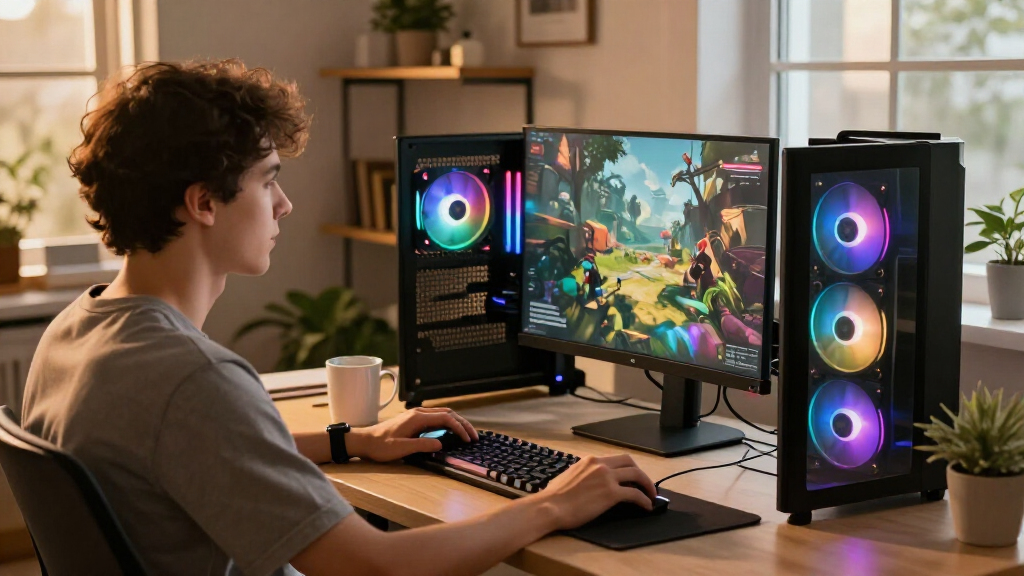

The best gaming computer overall in this lineup is the Skytech with Ryzen 7 9800X3D, RTX 5070 Ti, 32GB RAM, and a 2TB SSD: its gaming-focused processor and capable graphics card make a strong pairing for demanding play. For a more powerful graphics step-up, the Skytech with RTX 5080 is the premium standout, while the ZOTAC MEK’s RTX 5060 Ti 16GB offers a useful middle ground for buyers who value graphics memory. The main tradeoffs are graphics performance versus system cost, and compact or branded designs versus easier upgrades and maintenance. Processor and GPU combinations matter more than a long feature list, especially if your games lean heavily on one component. Continue reading for the full breakdown of all 15 gaming computers and guidance on matching one to your priorities.

Get the latest gadgets delivered free with Prime
- Fast, free delivery on millions of items
- Prime Video, Amazon Music and more included
- Member-only deals all year
Complete the kit



Key Takeaways
- The Skytech with a Ryzen 7 9800X3D and RTX 5070 Ti leads the roundup by pairing a gaming-oriented CPU with strong graphics, rather than leaning on one standout component alone.
- The RTX 5080 Skytech is the clear premium performance choice, while the RX 9070 XT Skytech gives buyers a distinct AMD graphics alternative with the same Ryzen 7 9850X3D processor.
- The ZOTAC MEK’s RTX 5060 Ti 16GB stands apart from the 8GB RTX 5060 Ti systems: graphics memory can matter for demanding games and higher-resolution textures, even though it does not guarantee a faster GPU.
- Several systems pair RTX 5070 graphics with different processors, including the KOTIN, MSI, iBUYPOWER, Horizon, and Alienware. Their differences make CPU workload, memory, storage, cooling, and upgrade access useful tie-breakers.
- The RTX 3050 Gamer Master and RTX 5060 systems serve a different purpose from the higher-tier picks: they make more sense for entry-level gaming and lighter workloads than for buyers targeting demanding graphics settings.
| Skytech Gaming PC Desktop with Ryzen 7 9800X3D, RTX 5070 Ti, 32GB RAM, 2TB SSD |  | Best Overall for 1440p Gaming | Processor: AMD Ryzen 7 9800X3D, 4.7GHz base, up to 5.2GHz | Graphics: NVIDIA GeForce RTX 5070 Ti, 16GB GDDR7 | Memory: 32GB DDR5 | VIEW LATEST PRICE | See Our Full Breakdown |
| Alienware Gaming Desktop with RTX 5060 Ti and Intel Ultra7 265F |  | Best for a Polished, Compact Setup | Processor: Intel Core Ultra 7 265F, 3.3GHz, up to 5.5GHz | Graphics: NVIDIA GeForce RTX 5060 Ti, 8GB GDDR7 | Memory: 16GB DDR5 | VIEW LATEST PRICE | See Our Full Breakdown |
| KOTIN Prebuilt Gaming PC RTX 5070 12GB, Ryzen 7 9700X, 32GB DDR5, 1TB SSD |  | Best for Feature-Rich 1440p Gaming | Processor: AMD Ryzen 7 9700X | Graphics: NVIDIA GeForce RTX 5070, 12GB GDDR7 | Memory: 32GB DDR5 6000MHz | VIEW LATEST PRICE | See Our Full Breakdown |
| YAWYORE Gaming PC with AMD Ryzen 7 5700X and GeForce RTX 5060 |  | Best for a Straightforward 1080p Build | Processor: AMD Ryzen 7 5700X, 8-core, 16-thread, up to 4.6GHz | Motherboard: MSI B550M-A PRO | Graphics: NVIDIA GeForce RTX 5060, 8GB GDDR7 | VIEW LATEST PRICE | See Our Full Breakdown |
| HP OMEN 45L Gaming Desktop, 32GB RAM, 1TB SSD, Intel Core i7, Liquid Cooled |  | Best for CPU-Heavy Work and Legacy Game Libraries | Processor: Intel Core i7-12700KF, 12-core | Graphics: NVIDIA GeForce GTX 1660 SUPER | Memory: 32GB DDR4 | VIEW LATEST PRICE | See Our Full Breakdown |
| CyberPowerPC Gaming PC with AMD Ryzen 7 8700F and GeForce RTX 5060 Ti 8GB |  | Best Balanced Midrange Pick | Processor: AMD Ryzen 7 8700F, 8 cores, 4.1GHz | Graphics: NVIDIA GeForce RTX 5060 Ti, 8GB | Memory: 16GB DDR5, 4800MHz | VIEW LATEST PRICE | See Our Full Breakdown |
| Gamer Master Gaming Desktop PC – Intel Core i7, 32GB RAM, 1TB SSD, GeForce RTX 3050, Windows 11 Pro |  | Best for Multitasking on a Tighter Graphics Budget | Processor: Intel Core i7 quad-core, 3.4GHz, up to 3.9GHz turbo | Graphics: NVIDIA GeForce RTX 3050, 6GB GDDR6 | Memory: 32GB | VIEW LATEST PRICE | See Our Full Breakdown |
| Horizon Autherium Dragon RGB Gaming PC with Intel Core i9 and RTX 5070 |  | Best for Large Game Libraries and Heavy Multitasking | Processor: Intel Core i9, unlocked, overclockable | Graphics: NVIDIA GeForce RTX 5070 OC, 12GB | Memory: 64GB | VIEW LATEST PRICE | See Our Full Breakdown |
| Skytech Gaming PC Desktop with Ryzen 7 9850X3D, RTX 5080, 32GB RAM, 2TB SSD |  | Best for High-End 4K Gaming | Processor: AMD Ryzen 7 9850X3D, 4.7GHz, up to 5.6GHz turbo | Graphics: NVIDIA GeForce RTX 5080, 16GB GDDR7 | Memory: 32GB DDR5 6000, RGB heat spreader | VIEW LATEST PRICE | See Our Full Breakdown |
| iBUYPOWER Element Gaming PC Desktop with AMD Ryzen 9 7900X and NVIDIA GeForce RTX 5070 |  | Best for Gaming and Content Creation | Processor: AMD Ryzen 9 7900X | Graphics: NVIDIA GeForce RTX 5070, 12GB | Memory: 32GB DDR5, 4800MHz | VIEW LATEST PRICE | See Our Full Breakdown |
| ZOTAC MEK Gaming PC Desktop with Ryzen 7 9700X and NVIDIA GeForce RTX 5060 Ti 16GB |  | Best for Streaming and Multitasking | Processor: AMD Ryzen 7 9700X, up to 5.5GHz, 8 cores, 16 threads | Graphics: NVIDIA GeForce RTX 5060 Ti, 16GB GDDR7 | Memory: 32GB DDR5-6000 | VIEW LATEST PRICE | See Our Full Breakdown |
| MSI Codex Z2 Gaming Desktop with AMD Ryzen 7 8700F and RTX 5070 |  | Best for GPU-First Gaming | Processor: AMD Ryzen 7 8700F | Graphics: NVIDIA GeForce RTX 5070 | Memory: 32GB DDR5 | VIEW LATEST PRICE | See Our Full Breakdown |
| CyberPowerPC Gaming PC, Intel Core i5-14400F, GeForce RTX 5060 8GB |  | Best Entry-Level Configuration | Processor: Intel Core i5-14400F, 2.5GHz, 10 cores | Graphics: NVIDIA GeForce RTX 5060, 8GB | Memory: 16GB DDR5, 4800MHz | VIEW LATEST PRICE | See Our Full Breakdown |
| Alienware Aurora Gaming Desktop with RTX 5070 and Intel Core Ultra 7 265F | | Best for a Refined, Compact-Width Setup | Processor: Intel Core Ultra 7 265F | Graphics: NVIDIA GeForce RTX 5070, 12GB GDDR7 | Memory: 32GB DDR5 | VIEW LATEST PRICE | See Our Full Breakdown |
| Skytech Gaming PC Desktop with Ryzen 7 9850X3D, RX 9070 XT, 32GB RAM, 2TB SSD |  | Best for High-Resolution Gaming | Processor: AMD Ryzen 7 9850X3D, 4.7GHz, turbo up to 5.6GHz | Graphics: AMD Radeon RX 9070 XT, 16GB GDDR6 | Memory: 32GB DDR5, 5600MHz | VIEW LATEST PRICE | See Our Full Breakdown |
| gaming computer | Processor | Graphics | Memory | Storage |
|---|---|---|---|---|
| Skytech Gaming PC Desktop with | AMD Ryzen 7 9800X3D, 4.7GHz base, up to 5.2GHz | NVIDIA GeForce RTX 5070 Ti, 16GB GDDR7 | 32GB DDR5 | 2TB Gen4 NVMe M.2 SSD |
| Alienware Gaming Desktop with | Intel Core Ultra 7 265F, 3.3GHz, up to 5.5GHz | NVIDIA GeForce RTX 5060 Ti, 8GB GDDR7 | 16GB DDR5 | 1TB SSD |
| KOTIN Prebuilt Gaming PC RTX 5 | AMD Ryzen 7 9700X | NVIDIA GeForce RTX 5070, 12GB GDDR7 | 32GB DDR5 6000MHz | 1TB PCIe 4.0 NVMe SSD |
| YAWYORE Gaming PC with AMD Ryz | AMD Ryzen 7 5700X, 8-core, 16-thread, up to 4.6GHz | NVIDIA GeForce RTX 5060, 8GB GDDR7 | 32GB DDR4 3200MHz | 1TB M.2 NVMe PCIe SSD |
| HP OMEN 45L Gaming Desktop | Intel Core i7-12700KF, 12-core | NVIDIA GeForce GTX 1660 SUPER | 32GB DDR4 | 1TB PCIe Gen4 NVMe SSD |
| CyberPowerPC Gaming PC with AM | AMD Ryzen 7 8700F, 8 cores, 4.1GHz | NVIDIA GeForce RTX 5060 Ti, 8GB | 16GB DDR5, 4800MHz | 1TB PCIe 4.0 NVMe SSD |
| Gamer Master Gaming Desktop PC | Intel Core i7 quad-core, 3.4GHz, up to 3.9GHz turbo | NVIDIA GeForce RTX 3050, 6GB GDDR6 | 32GB | 1TB SSD |
| Horizon Autherium Dragon RGB G | Intel Core i9, unlocked, overclockable | NVIDIA GeForce RTX 5070 OC, 12GB | 64GB | 5TB total: 1TB NVMe SSD and 4TB HDD |
| Skytech Gaming PC Desktop with | AMD Ryzen 7 9850X3D, 4.7GHz, up to 5.6GHz turbo | NVIDIA GeForce RTX 5080, 16GB GDDR7 | 32GB DDR5 6000, RGB heat spreader | 2TB NVMe M.2 SSD |
| iBUYPOWER Element Gaming PC De | AMD Ryzen 9 7900X | NVIDIA GeForce RTX 5070, 12GB | 32GB DDR5, 4800MHz | 1TB NVMe SSD |
| ZOTAC MEK Gaming PC Desktop wi | AMD Ryzen 7 9700X, up to 5.5GHz, 8 cores, 16 threads | NVIDIA GeForce RTX 5060 Ti, 16GB GDDR7 | 32GB DDR5-6000 | 1TB NVMe M.2 SSD |
| MSI Codex Z2 Gaming Desktop wi | AMD Ryzen 7 8700F | NVIDIA GeForce RTX 5070 | 32GB DDR5 | 2TB SSD |
| CyberPowerPC Gaming PC | Intel Core i5-14400F, 2.5GHz, 10 cores | NVIDIA GeForce RTX 5060, 8GB | 16GB DDR5, 4800MHz | 1TB PCIe 4.0 NVMe SSD |
| Alienware Aurora Gaming Deskto | Intel Core Ultra 7 265F | NVIDIA GeForce RTX 5070, 12GB GDDR7 | 32GB DDR5 | 1TB SSD |
| Skytech Gaming PC Desktop with | AMD Ryzen 7 9850X3D, 4.7GHz, turbo up to 5.6GHz | AMD Radeon RX 9070 XT, 16GB GDDR6 | 32GB DDR5, 5600MHz | 2TB Gen4 NVMe M.2 SSD |
More Details on Our Top Picks
Skytech Gaming PC Desktop with Ryzen 7 9800X3D, RTX 5070 Ti, 32GB RAM, 2TB SSD
I rank this Skytech first for buyers who want a strong gaming balance without stepping up to the more powerful RTX 5080 system in the roundup. Its Ryzen 7 9800X3D and RTX 5070 Ti pair a gaming-focused processor with graphics suited to demanding 1440p settings, while 32GB of DDR5 leaves room for streaming and other background tasks. The 2TB SSD also gives it more breathing room for a large game library than the KOTIN’s 1TB drive. The tradeoff is that this level of hardware can draw substantial power, and the listing says the graphics-card brand may vary, which can complicate support expectations. I’d choose it over the Alienware RTX 5060 Ti model for higher graphics headroom, but not if a smaller, less demanding setup is the priority.
Pros:- RTX 5070 Ti graphics are a stronger fit for demanding 1440p settings than the Alienware RTX 5060 Ti configuration.
- Ryzen 7 9800X3D is a gaming-focused processor suited to high frame rates.
- 32GB DDR5 supports gaming alongside streaming and other demanding applications.
- 2TB Gen4 NVMe SSD provides more game-library capacity than the KOTIN’s 1TB drive.
Cons:- The listing says the graphics-card brand may vary, leaving the exact card manufacturer uncertain.
- High-end components can mean greater power use than the RTX 5060 Ti Alienware.
- The supplied data does not identify the power supply or offer detailed upgrade information.
Best for: PC gamers targeting high-detail 1440p play who also want space for a large game library and multitasking.
Not ideal for: Buyers seeking a lower-power or compact desktop, or anyone who needs a guaranteed graphics-card manufacturer for support.
- Processor:AMD Ryzen 7 9800X3D, 4.7GHz base, up to 5.2GHz
- Graphics:NVIDIA GeForce RTX 5070 Ti, 16GB GDDR7
- Memory:32GB DDR5
- Storage:2TB Gen4 NVMe M.2 SSD
- Operating system:Windows 11 Home 64-bit
- Case:King 95
Our verdict“Choose this Skytech for a well-rounded, high-performance 1440p gaming desktop with more storage than the KOTIN, provided variable GPU branding is acceptable.”
Alienware Gaming Desktop with RTX 5060 Ti and Intel Ultra7 265F
The Alienware Aurora is the lineup’s style-led pick: its matte black tower and customizable AlienFX lighting suit buyers who want a gaming PC that looks at home in a shared room or streamlined desk setup. The Core Ultra 7 265F and RTX 5060 Ti make it a capable option for gaming and everyday creative work, but its 8GB graphics memory and 16GB system memory leave less headroom than the 32GB Skytech and KOTIN configurations. Its 10 USB ports are useful for a crowded accessory setup, although the listing provides little detail about upgradeability. I’d pick it over the YAWYORE if Alienware’s design and port selection matter more than having 32GB of RAM out of the box; for graphics-heavy 1440p play, the Skytech RTX 5070 Ti is the stronger direction.
Pros:- Core Ultra 7 265F offers a modern processor for gaming and multimedia workloads.
- AlienFX lighting and matte black styling create a distinctive, coordinated desktop look.
- Ten USB ports give users room for multiple peripherals.
- Smaller listed dimensions than many full-size gaming towers can suit a tighter desk.
Cons:- 16GB DDR5 is less than the 32GB included with the Skytech and KOTIN PCs.
- RTX 5060 Ti has 8GB GDDR7, less graphics memory than the Skytech RTX 5070 Ti.
- The listing gives limited information about upgrades and lists air cooling.
Best for: Players who want a recognizable, tidy-looking desktop with plentiful USB connections for peripherals and general gaming.
Not ideal for: Gamers planning demanding graphics settings or heavy multitasking who want 32GB of memory and more graphics-memory headroom from the start.
- Processor:Intel Core Ultra 7 265F, 3.3GHz, up to 5.5GHz
- Graphics:NVIDIA GeForce RTX 5060 Ti, 8GB GDDR7
- Memory:16GB DDR5
- Storage:1TB SSD
- Operating system:Windows 11 Home
- Cooling:Air
- Ports:10 USB ports
- Dimensions:18.05 x 7.76 x 16.46 inches
Our verdict“Pick the Alienware for its design, processor, and ports, but choose a 32GB RTX 5070-class system if graphics headroom matters more.”
KOTIN Prebuilt Gaming PC RTX 5070 12GB, Ryzen 7 9700X, 32GB DDR5, 1TB SSD
KOTIN stands apart from the more conventional towers with an 11.3-inch smart display built into the system, alongside a 360mm liquid cooler and Wi-Fi 7. Those extras make it the most feature-forward option here, while the Ryzen 7 9700X, RTX 5070, and 32GB DDR5 form a capable foundation for high-detail 1440p gaming and multitasking. Compared with the Skytech RTX 5070 Ti, it gives up some graphics performance and half the SSD capacity, but adds the integrated display and specified 850W Gold power supply. The listing’s 4K claim should not outweigh that distinction: this is better understood as a flexible 1440p system than a guaranteed high-settings 4K choice. Its one-year warranty is also a limitation for buyers who value longer coverage.
Pros:- RTX 5070 and Ryzen 7 9700X provide a strong foundation for demanding gaming.
- 32GB DDR5 at 6000MHz supports multitasking and newer games.
- Integrated 11.3-inch smart display adds a feature absent from the Skytech and YAWYORE towers.
- 360mm liquid cooler, 850W 80 Plus Gold power supply, and Wi-Fi 7 are specified.
Cons:- RTX 5070 sits below the Skytech’s RTX 5070 Ti in the graphics lineup.
- 1TB SSD offers less storage than the Skytech’s 2TB drive.
- The stated warranty period is one year.
Best for: PC gamers who want a strong 1440p-capable build with an integrated status or utility display, liquid cooling, and Wi-Fi 7.
Not ideal for: Buyers prioritizing maximum graphics performance, a 2TB game drive, or longer stated warranty coverage.
- Processor:AMD Ryzen 7 9700X
- Graphics:NVIDIA GeForce RTX 5070, 12GB GDDR7
- Memory:32GB DDR5 6000MHz
- Storage:1TB PCIe 4.0 NVMe SSD
- Power supply:850W 80 Plus Gold
- Cooling:360mm liquid cooler
- Display:11.3-inch smart display
- Connectivity:Wi-Fi 7, Bluetooth, Ethernet, HDMI, USB
Our verdict“Choose KOTIN if the integrated display and modern connectivity appeal more than the Skytech’s faster graphics and larger SSD.”
YAWYORE Gaming PC with AMD Ryzen 7 5700X and GeForce RTX 5060
The YAWYORE is the practical choice for buyers whose target is 1080p gaming rather than chasing the strongest graphics card in this group. Its RTX 5060, Ryzen 7 5700X, and 32GB of memory make a balanced everyday gaming setup, and the included Wi-Fi and Bluetooth help keep a basic desk configuration simple. It also specifies an MSI B550M-A PRO motherboard, a detail not supplied for the Alienware. The tradeoff is older DDR4 memory and a 1TB SSD, while the KOTIN and Skytech step up to DDR5 and stronger GPUs. The listing’s 1920×1080 resolution reinforces its more modest target. I’d choose this over the Alienware for the extra system memory, but skip it if higher-resolution gaming or a newer memory platform is the goal.
Pros:- 32GB RAM is useful for multitasking and exceeds the Alienware’s 16GB configuration.
- Ryzen 7 5700X provides eight cores and 16 threads for gaming and general workloads.
- RTX 5060 is a reasonable match for the listed 1920×1080 gaming target.
- Wi-Fi, Bluetooth, HDMI, and DisplayPort are listed for flexible setup.
Cons:- DDR4-3200 is an older memory generation than the DDR5 in the Skytech and KOTIN systems.
- RTX 5060 is a step below the RTX 5070 and RTX 5070 Ti options in this roundup.
- The 1TB SSD provides less capacity than the Skytech’s 2TB drive.
Best for: First-time desktop gamers and 1080p players who want 32GB RAM, wireless connectivity, and a straightforward tower.
Not ideal for: Gamers targeting demanding 1440p or 4K play, or buyers who specifically want DDR5 and a higher-tier GPU.
- Processor:AMD Ryzen 7 5700X, 8-core, 16-thread, up to 4.6GHz
- Motherboard:MSI B550M-A PRO
- Graphics:NVIDIA GeForce RTX 5060, 8GB GDDR7
- Memory:32GB DDR4 3200MHz
- Storage:1TB M.2 NVMe PCIe SSD
- Power supply:650W 80 Plus Bronze
- Operating system:Windows 11
- Connectivity:Wi-Fi, Bluetooth
Our verdict“Choose the YAWYORE for a 32GB, 1080p-oriented gaming setup, not for the higher graphics ceiling of the Skytech or KOTIN.”
HP OMEN 45L Gaming Desktop, 32GB RAM, 1TB SSD, Intel Core i7, Liquid Cooled
The OMEN 45L pairs a capable Core i7-12700KF with 32GB of RAM, liquid cooling, and an 800W Gold power supply, giving it a stronger-looking foundation for multitasking and CPU-heavy work than its graphics card suggests. The main compromise is the GTX 1660 SUPER: compared with the RTX 5060 in the YAWYORE or RTX 5070 in the KOTIN, it is the less suitable choice for buyers seeking newer, graphics-intensive gaming features or high-end 4K play. Its 1TB Gen4 SSD and customizable RGB lighting round out a premium-feeling setup, but they do not close that GPU gap. I’d shortlist it for an existing library of less demanding games or mixed productivity use, while most new gaming builds in this group should favor a newer RTX-based system.
Pros:- Core i7-12700KF offers 12 cores for gaming alongside CPU-intensive tasks.
- 32GB DDR4 supports multitasking and demanding applications.
- Liquid cooling and an 800W 80 Plus Gold power supply are specified.
- 1TB PCIe Gen4 NVMe SSD provides fast local storage.
Cons:- GTX 1660 SUPER is substantially less suited to modern graphics-heavy gaming than the RTX GPUs in the other listed systems.
- The graphics configuration makes this a poor fit for high-end 4K gaming.
- Upgrade options for some components are described as limited.
Best for: Players with less demanding game libraries who also need a strong older-generation Intel CPU, 32GB RAM, and liquid cooling for mixed workloads.
Not ideal for: Gamers focused on current graphics-heavy titles, high-detail 1440p, or 4K gaming who should choose an RTX 5060-or-better option.
- Processor:Intel Core i7-12700KF, 12-core
- Graphics:NVIDIA GeForce GTX 1660 SUPER
- Memory:32GB DDR4
- Storage:1TB PCIe Gen4 NVMe SSD
- Cooling:Liquid cooled
- Power supply:800W 80 Plus Gold
- Operating system:Windows 11 Home
- Connectivity:Wi-Fi, Ethernet, USB 3.2, USB 2.0, USB-C, audio ports
Our verdict“Consider the OMEN 45L for CPU-heavy mixed use and less demanding games, but choose the YAWYORE, KOTIN, or Skytech for a more current gaming GPU.”
CyberPowerPC Gaming PC with AMD Ryzen 7 8700F and GeForce RTX 5060 Ti 8GB
The Ryzen 7 8700F and RTX 5060 Ti make this a sensible balance for players who want a capable gaming GPU without the larger footprint of a flagship-class build. Its 1TB NVMe SSD gives games and Windows room to load quickly, while Wi-Fi 6 and a USB-C port simplify a desk setup. Compared with the Gamer Master with RTX 3050, this CyberPowerPC puts more emphasis on graphics performance; the Gamer Master counters with 32GB of memory, versus this model’s 16GB. That smaller memory pool may prompt an upgrade for heavy multitasking or demanding creative workloads. The listing also gives limited detail about component-level upgrade options, so buyers who want a clearly documented upgrade path should compare it with more fully specified systems.
Pros:- Ryzen 7 8700F combines eight cores with a 4.1GHz listed base clock.
- RTX 5060 Ti 8GB provides dedicated graphics hardware for gaming.
- 1TB PCIe 4.0 NVMe SSD supports fast boot and game loading.
- Wi-Fi 6, Bluetooth 5.3, and USB-C offer useful connection choices.
Cons:- 16GB of memory is less than the 32GB supplied with the Gamer Master.
- Upgradeability details are limited in the supplied product information.
- The listed graphics card has 8GB of VRAM, which may constrain some high-resolution workloads.
Best for: PC gamers seeking a balanced Ryzen-and-GeForce system for everyday play, with fast storage and modern connectivity.
Not ideal for: Heavy multitaskers who want 32GB of RAM out of the box, or buyers who need detailed documentation of upgrade options.
- Processor:AMD Ryzen 7 8700F, 8 cores, 4.1GHz
- Graphics:NVIDIA GeForce RTX 5060 Ti, 8GB
- Memory:16GB DDR5, 4800MHz
- Storage:1TB PCIe 4.0 NVMe SSD
- Motherboard:AMD B850 chipset
- Operating system:Windows 11 Home
- Connectivity:Wi-Fi 6, Bluetooth 5.3, LAN
- Ports:1 HDMI, 2 DisplayPort, 8 USB ports including USB-C
- Warranty:1 year parts and labor; lifetime tech support
Our verdict“Choose this CyberPowerPC for a balanced gaming build with a stronger graphics focus than the RTX 3050 Gamer Master, provided 16GB of RAM suits your workload.”
Gamer Master Gaming Desktop PC – Intel Core i7, 32GB RAM, 1TB SSD, GeForce RTX 3050, Windows 11 Pro
The 32GB of RAM is this Gamer Master’s clearest advantage: it gives players more room to keep browsers, voice chat, and background applications open alongside a game. Its 1TB SSD and Windows 11 Pro round out a practical setup for gaming mixed with general work. The tradeoff is the RTX 3050 6GB. Compared with the CyberPowerPC’s RTX 5060 Ti, this GPU is the more modest choice for graphics-heavy games, so buyers should prioritize memory capacity over stronger gaming graphics to choose it. The processor is listed as a quad-core Intel Core i7, a detail worth weighing rather than relying on the i7 label alone. At 30 pounds, this is also a desktop to place and leave, not move often.
Pros:- 32GB of memory supports heavier multitasking than the 16GB CyberPowerPC.
- 1TB SSD provides fast storage for the operating system and games.
- Windows 11 Pro and Wi-Fi 6 suit a mixed gaming and work setup.
- HDMI and DisplayPort offer common monitor connection options.
Cons:- RTX 3050 6GB is a less graphics-focused choice than the CyberPowerPC’s RTX 5060 Ti.
- The listed Core i7 is a quad-core processor, which may not suit demanding CPU-heavy workloads.
- At 30 pounds, it is cumbersome to relocate.
Best for: Players who keep many apps open, use their gaming PC for everyday productivity, and value 32GB of RAM more than a higher-tier GPU.
Not ideal for: Graphics-focused gamers seeking stronger GPU capability, or anyone who needs a desktop that is easy to carry between rooms.
- Processor:Intel Core i7 quad-core, 3.4GHz, up to 3.9GHz turbo
- Graphics:NVIDIA GeForce RTX 3050, 6GB GDDR6
- Memory:32GB
- Storage:1TB SSD
- Operating system:Windows 11 Pro
- Connectivity:Wi-Fi 6, Bluetooth 5.2, Gigabit LAN
- Video outputs:HDMI, DisplayPort
- Weight:30 pounds
Our verdict“Pick the Gamer Master if 32GB of RAM and Windows 11 Pro matter more to you than the stronger gaming graphics in the CyberPowerPC.”
Horizon Autherium Dragon RGB Gaming PC with Intel Core i9 and RTX 5070
The Horizon Autherium Dragon pairs an RTX 5070 OC 12GB with 64GB of RAM and a split 5TB storage setup, giving it an unusually broad remit for gaming and professional workloads. The 1TB NVMe drive can handle frequently played games, while the 4TB hard drive adds capacity for a large library or project files. Compared with the iBUYPOWER Element with RTX 5070, this system doubles the listed memory and adds substantially more storage, while both use an RTX 5070-class GPU. The Horizon’s 360mm liquid cooler and 850W Gold-rated power supply suit its higher-spec configuration, but the 35-pound, 17-by-18-by-18-inch tower needs room. Buyers who want a straightforward gaming PC may not need its extra capacity or extensive cooling hardware.
Pros:- RTX 5070 OC with 12GB of VRAM supplies a strong graphics configuration.
- 64GB of RAM exceeds the 32GB in the iBUYPOWER Element.
- 5TB combines a 1TB NVMe SSD with a 4TB hard drive for speed and capacity.
- 360mm liquid cooling and an 850W 80+ Gold power supply are specified.
Cons:- The 35-pound tower needs a dedicated space and is not convenient to move.
- The storage split includes a hard drive, which is not as responsive as the NVMe SSD.
- Its extensive hardware may be more than casual gaming requires.
Best for: Streamers, creators, and gamers who want extensive memory and storage alongside an RTX 5070 for a combined gaming and work PC.
Not ideal for: Casual players with limited desk space or buyers who prefer a simpler, less feature-heavy build.
- Processor:Intel Core i9, unlocked, overclockable
- Graphics:NVIDIA GeForce RTX 5070 OC, 12GB
- Memory:64GB
- Storage:5TB total: 1TB NVMe SSD and 4TB HDD
- Cooling:360mm liquid cooling
- Power supply:850W, 80+ Gold
- Operating system:Windows 11 Pro
- Connectivity:Wi-Fi, Bluetooth, Ethernet up to 2.5Gb/s
- Dimensions and weight:17 x 18 x 18 inches; 35 pounds
Our verdict“Choose the Horizon if you need unusually generous memory and storage with an RTX 5070, and have room for a large desktop.”
Skytech Gaming PC Desktop with Ryzen 7 9850X3D, RTX 5080, 32GB RAM, 2TB SSD
The Skytech’s standout feature is its RTX 5080 16GB, paired with a Ryzen 7 9850X3D and 32GB of DDR5 memory. That combination makes it the most graphics-focused system in this batch, and the listed configuration is aimed at demanding settings and 4K play rather than basic gaming. Its 2TB NVMe SSD also provides more fast storage than the iBUYPOWER Element’s 1TB drive, which matters if you keep several large games installed. The tradeoff is that this machine’s GPU-led approach does not come with the Horizon Autherium Dragon’s 64GB of memory or 5TB total storage. Wi-Fi is listed as 802.11ac, rather than the Wi-Fi 6 specified by the CyberPowerPC, and the one-year parts-and-labor warranty is worth noting.
Pros:- RTX 5080 16GB is the strongest listed GPU in this batch.
- Ryzen 7 9850X3D and 32GB DDR5 6000 memory support a high-performance gaming configuration.
- 2TB NVMe SSD offers more fast storage than the iBUYPOWER Element’s 1TB drive.
- 360mm AIO liquid cooler is included.
Cons:- 32GB of memory is less than the Horizon Autherium Dragon’s 64GB.
- 802.11ac Wi-Fi is an older listed wireless standard than Wi-Fi 6 on the CyberPowerPC.
- The stated parts-and-labor warranty lasts one year.
Best for: Players building around high-resolution, demanding games who want an RTX 5080 and a generous fast-storage drive.
Not ideal for: Buyers who prioritize extensive multitasking memory, more than 2TB of storage, or a longer stated warranty.
- Processor:AMD Ryzen 7 9850X3D, 4.7GHz, up to 5.6GHz turbo
- Graphics:NVIDIA GeForce RTX 5080, 16GB GDDR7
- Memory:32GB DDR5 6000, RGB heat spreader
- Storage:2TB NVMe M.2 SSD
- Operating system:Windows 11 Home 64-bit
- Cooling:360mm AIO liquid cooler with ARGB fans
- Wireless:802.11ac Wi-Fi
- Warranty:1 year parts and labor
Our verdict“Choose this Skytech for the batch’s most graphics-forward gaming setup, especially if 4K play matters more than extra memory or storage capacity.”
iBUYPOWER Element Gaming PC Desktop with AMD Ryzen 9 7900X and NVIDIA GeForce RTX 5070
The iBUYPOWER Element makes a case for buyers who split time between games and CPU-heavy creative work: its Ryzen 9 7900X and 32GB of DDR5 are paired with an RTX 5070 12GB, so the graphics card is not the only focus. Compared with the Horizon Autherium Dragon, it has less memory and storage, but its 1TB NVMe SSD keeps the drive setup simple and it includes a keyboard and mouse. The 240mm liquid CPU cooler is smaller than the Horizon’s 360mm unit, while the supplied details list 4800MHz memory and 802.11ac Wi-Fi. That mix may suit a work-and-play desk, though the 1TB drive can fill quickly with large games or media projects. At 36 pounds, its white case is also a substantial fixture.
Pros:- Ryzen 9 7900X offers a CPU-focused alternative to the gaming-oriented Skytech Ryzen 7 build.
- RTX 5070 12GB supports a capable modern gaming configuration.
- 32GB DDR5 memory supports gaming alongside common multitasking and creation workflows.
- Includes a gaming keyboard and mouse, plus a 240mm liquid CPU cooler.
Cons:- The 1TB SSD provides less capacity than the Skytech’s 2TB drive or the Horizon’s 5TB total.
- RTX 5070 is a step below the RTX 5080 in the Skytech for graphics-focused gaming.
- The 36-pound case is bulky, and the listed wireless support is 802.11ac.
Best for: Streamers and creators who want a powerful Ryzen 9 CPU alongside an RTX 5070 for gaming and productivity in one desktop.
Not ideal for: Players who want the strongest GPU in this batch, a large built-in game archive, or a lightweight tower.
- Processor:AMD Ryzen 9 7900X
- Graphics:NVIDIA GeForce RTX 5070, 12GB
- Memory:32GB DDR5, 4800MHz
- Storage:1TB NVMe SSD
- Operating system:Windows 11 Home
- Cooling:240mm liquid CPU cooling
- Connectivity:802.11ac Wi-Fi, Ethernet, USB 3.1
- Video output:HDMI, DisplayPort
- Dimensions and weight:20 x 9.1 x 17.4 inches; 36 pounds
Our verdict“Pick the iBUYPOWER Element if you want a Ryzen 9-led gaming and creation PC with included peripherals, and do not need the Skytech’s RTX 5080 or larger SSD.”
ZOTAC MEK Gaming PC Desktop with Ryzen 7 9700X and NVIDIA GeForce RTX 5060 Ti 16GB
I’d shortlist the ZOTAC MEK for a gaming setup that also needs to handle streaming or creative workloads. Its eight-core Ryzen 7 9700X and 32GB of DDR5 memory give multitasking more headroom than the CyberPowerPC with its 16GB, while the RTX 5060 Ti’s 16GB of VRAM offers more memory capacity than that model’s RTX 5060 8GB. The 360mm liquid cooler and 850W Gold-rated supply also make this a more elaborate build than the air-cooled MSI Codex Z2. The tradeoff is that its graphics tier sits below the MSI’s RTX 5070, so I’d favor the MSI for a stronger GPU-focused configuration. ZOTAC also gives limited detail about upgrade options, and its compact chassis may still take more desk or floor space than expected.
Pros:- Ryzen 7 9700X with 8 cores and 16 threads supports gaming alongside demanding background tasks.
- RTX 5060 Ti with 16GB GDDR7 has more VRAM than the CyberPowerPC’s RTX 5060 8GB.
- 32GB DDR5-6000 memory and a 1TB NVMe SSD provide a capable starting point for games and multitasking.
- 360mm AIO cooling and an 850W 80+ Gold power supply are substantial supporting components.
Cons:- RTX 5060 Ti graphics sit below the MSI Codex Z2’s RTX 5070 for buyers focused on GPU performance.
- The listing provides limited information about upgrade options and internal expansion.
- The liquid cooler and tempered-glass chassis may make this a less simple choice for buyers seeking a basic, low-maintenance tower.
Best for: Gamers who stream, keep demanding applications open, or want 16GB of graphics memory alongside a strong eight-core processor.
Not ideal for: Buyers prioritizing the strongest listed GPU or a clearly documented upgrade path; the MSI Codex Z2 has an RTX 5070, and ZOTAC provides few expansion details.
- Processor:AMD Ryzen 7 9700X, up to 5.5GHz, 8 cores, 16 threads
- Graphics:NVIDIA GeForce RTX 5060 Ti, 16GB GDDR7
- Memory:32GB DDR5-6000
- Storage:1TB NVMe M.2 SSD
- Cooling:360mm AIO liquid cooling with RGB fans
- Power supply:850W 80+ Gold
- Connectivity:Wi-Fi 6E, Bluetooth 5.3, HDMI 2.1b, DisplayPort 2.1b, USB 3.2 Gen 2
- Operating system:Windows 11 Home
Our verdict“Choose the ZOTAC MEK if streaming capacity, 16GB of VRAM, and liquid cooling matter more to you than having the roundup’s RTX 5070 tier.”
MSI Codex Z2 Gaming Desktop with AMD Ryzen 7 8700F and RTX 5070
The MSI Codex Z2 puts its emphasis on graphics and game storage: an RTX 5070 is the strongest listed GPU among these five PCs, and its 2TB SSD holds more games than the 1TB drives in the ZOTAC MEK and Alienware Aurora. That combination makes it the clearest pick here for someone who wants a higher graphics tier without immediately juggling installed titles. The Ryzen 7 8700F and 32GB DDR5 are a solid pairing, though the ZOTAC’s Ryzen 7 9700X is the more powerful listed processor, and its 16GB RTX 5060 Ti has more VRAM. MSI uses four-fan air cooling rather than a 360mm liquid cooler, which avoids that added hardware but offers less elaborate cooling. Expansion and warranty information are sparse, so I would not choose it on upgrade certainty.
Pros:- RTX 5070 gives it a higher listed GPU tier than the other four PCs in this batch.
- 2TB SSD offers twice the listed storage of the ZOTAC MEK and Alienware Aurora.
- 32GB DDR5 supports gaming and everyday multitasking without starting at 16GB.
- Four-fan air cooling avoids the complexity of an AIO liquid-cooling setup.
Cons:- The Ryzen 7 8700F is a lower listed processor tier than the ZOTAC MEK’s Ryzen 7 9700X and the Skytech’s Ryzen 7 9850X3D.
- Air cooling is less elaborate than the 360mm AIO systems in the ZOTAC MEK and Skytech.
- The product details do not specify upgrade options or warranty coverage.
Best for: Players who prioritize an RTX 5070 graphics card and room for a large installed game library over liquid cooling or a higher-tier listed CPU.
Not ideal for: Buyers who want detailed upgrade and warranty information, or who specifically prefer liquid cooling and a Ryzen 7 9700X-class processor.
- Processor:AMD Ryzen 7 8700F
- Graphics:NVIDIA GeForce RTX 5070
- Memory:32GB DDR5
- Storage:2TB SSD
- Cooling:Air cooling with 4 fans
- Operating system:Windows 11 Home
- Dimensions:16 x 8.38 x 19 inches
- Weight:21.3 pounds
Our verdict“Pick the MSI Codex Z2 if the RTX 5070 and 2TB of storage matter more than a higher-tier processor or liquid cooling.”
CyberPowerPC Gaming PC, Intel Core i5-14400F, GeForce RTX 5060 8GB
The CyberPowerPC is the most restrained configuration in this group, pairing an Intel Core i5-14400F with an RTX 5060 8GB and 16GB of DDR5. That makes it a more approachable starting point than the 32GB systems from ZOTAC, MSI, Alienware, and Skytech, but buyers give up both memory capacity and graphics headroom. Its 1TB PCIe 4.0 NVMe SSD is a useful everyday-sized starting drive, while the listed eight USB-A ports and Wi-Fi 6 cover a broad range of connections. Compared with the MSI Codex Z2, it has a lower graphics tier and half the storage, so I’d choose MSI for more demanding games and a larger library. The product details don’t specify a cooling solution or upgrade path, leaving less certainty for future changes.
Pros:- Core i5-14400F has 10 cores for gaming and general desktop workloads.
- RTX 5060 graphics provides a dedicated current-generation GPU.
- 1TB PCIe 4.0 NVMe SSD provides fast local storage.
- Eight USB-A ports, Wi-Fi 6, Bluetooth 5.3, and LAN cover varied peripherals and network setups.
Cons:- 16GB RAM is half the capacity listed for the MSI Codex Z2, ZOTAC MEK, Alienware Aurora, and Skytech.
- RTX 5060 8GB is a lower graphics tier than the RTX 5070 in the MSI and Alienware systems.
- Cooling details and upgrade options are not specified.
Best for: First-time desktop gamers who want a Windows 11 tower with a current RTX 5060, DDR5 memory, and a 1TB NVMe drive.
Not ideal for: Players targeting more demanding graphics workloads, keeping many large games installed, or wanting 32GB memory from the outset.
- Processor:Intel Core i5-14400F, 2.5GHz, 10 cores
- Graphics:NVIDIA GeForce RTX 5060, 8GB
- Memory:16GB DDR5, 4800MHz
- Storage:1TB PCIe 4.0 NVMe SSD
- Motherboard:Intel B760 chipset
- Connectivity:Wi-Fi 6, Bluetooth 5.3, LAN
- Ports:1 HDMI, 2 DisplayPort, 8 USB-A
- Operating system:Windows 11 Home
Our verdict“Choose this CyberPowerPC as a straightforward first gaming tower if you accept its 16GB memory and RTX 5060 limits.”
Alienware Aurora Gaming Desktop with RTX 5070 and Intel Core Ultra 7 265F
The Alienware Aurora pairs an RTX 5070 with an Intel Core Ultra 7 265F, giving it a high-end gaming foundation in a tower that is narrower than the MSI Codex Z2. Its stated width is 7.76 inches, compared with MSI’s 8.38 inches, which may help when desk or floor space is tight. The Aurora also includes 32GB of DDR5, Wi-Fi 6, Ethernet, and one year of onsite service. For storage, however, its 1TB SSD is less generous than the MSI’s 2TB drive and Skytech’s 2TB NVMe SSD. It is air cooled rather than liquid cooled, unlike the ZOTAC MEK and Skytech. The product lists eight expansion slots, but gives limited detail about upgrade compatibility, so I would not equate that number with an easy upgrade path.
Pros:- RTX 5070 graphics and Core Ultra 7 265F provide a strong listed CPU-and-GPU combination.
- 32GB DDR5 supports multitasking alongside games.
- At 7.76 inches wide, it is narrower than the MSI Codex Z2’s listed 8.38-inch width.
- One year of onsite service is specified, unlike the MSI’s listing, which gives no warranty details.
Cons:- 1TB SSD provides less capacity than the MSI Codex Z2 and Skytech’s 2TB drives.
- Air cooling is a less elaborate setup than the 360mm AIO cooling in the ZOTAC MEK and Skytech.
- At 33.9 pounds, it is a substantial tower, and the listing does not explain upgrade compatibility.
Best for: Buyers who want an RTX 5070 desktop with a high-tier Intel processor, AlienFX lighting, and a narrower listed chassis.
Not ideal for: Players who need 2TB of included storage, prefer liquid cooling, or want detailed guidance on component upgrades.
- Processor:Intel Core Ultra 7 265F
- Graphics:NVIDIA GeForce RTX 5070, 12GB GDDR7
- Memory:32GB DDR5
- Storage:1TB SSD
- Cooling:Air cooled
- Dimensions:18.05 x 7.76 x 16.46 inches
- Connectivity:Wi-Fi 6, Bluetooth, Ethernet, USB
- Warranty:1 year onsite service
Our verdict“Choose the Aurora if you want an RTX 5070 and a narrower-width case with specified onsite service, and can work with 1TB of storage.”
Skytech Gaming PC Desktop with Ryzen 7 9850X3D, RX 9070 XT, 32GB RAM, 2TB SSD
Among these five PCs, the Skytech Ryzen 7 9850X3D is the most clearly aimed at high-resolution gaming: it combines an RX 9070 XT with 16GB of graphics memory, a Ryzen 7 9850X3D, and a 2TB Gen4 NVMe SSD. That gives it a different appeal from the MSI Codex Z2 and Alienware Aurora, which use RTX 5070 graphics, and from the ZOTAC MEK’s RTX 5060 Ti. The Radeon card’s 16GB capacity matches the ZOTAC’s listed VRAM, while the Skytech also doubles the ZOTAC’s storage. A 360mm AIO cooler supports the high-end processor, but the added cooling hardware and tempered-glass case are less suited to buyers who want a simple, quiet, compact system. The listing also says component makes and models may vary, so I’d want clarity on the exact parts.
Pros:- Ryzen 7 9850X3D and Radeon RX 9070 XT make this the most performance-focused listed combination in this batch.
- RX 9070 XT includes 16GB GDDR6, matching the ZOTAC MEK’s VRAM capacity and exceeding the RTX 5060 8GB.
- 2TB Gen4 NVMe SSD offers more capacity than the 1TB drives in the ZOTAC and Alienware systems.
- 360mm AIO liquid cooler is suited to a high-performance processor.
Cons:- The listing says component makes and models may vary, reducing certainty about the exact build.
- A 360mm liquid cooler and ARGB fans add hardware that may not suit buyers seeking a simple or quiet setup.
- No monitor or peripherals are included.
Best for: Gamers building around high-resolution play who want a high-end Radeon GPU, 16GB of VRAM, and 2TB of fast storage.
Not ideal for: Buyers who prefer Nvidia graphics, need confirmed component brands before purchase, or want a basic air-cooled PC with minimal cooling hardware.
- Processor:AMD Ryzen 7 9850X3D, 4.7GHz, turbo up to 5.6GHz
- Graphics:AMD Radeon RX 9070 XT, 16GB GDDR6
- Memory:32GB DDR5, 5600MHz
- Storage:2TB Gen4 NVMe M.2 SSD
- Cooling:360mm AIO liquid CPU cooler with ARGB fans
- Operating system:Windows 11 Home 64-bit
- Case:Skytech Azure black gaming case with tempered glass
- Wireless:802.11ac
Our verdict“Choose the Skytech if high-resolution gaming, a powerful Radeon GPU, and 2TB of storage are your priorities and you accept uncertainty about component makes.”
How We Picked
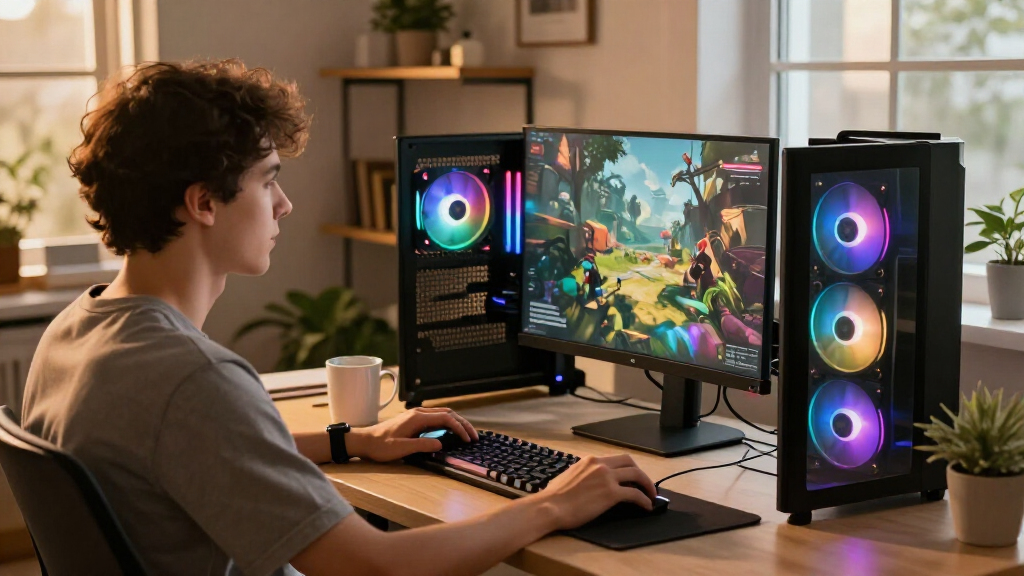
I ranked these computers around the parts that shape a gaming experience: graphics capability, processor fit, memory, and storage. A powerful GPU can raise visual settings and support higher resolutions, while a suitable CPU helps maintain responsive play, especially in CPU-heavy games. I also weighed whether the included 32GB RAM and SSD capacity leave room for a varied game library and everyday multitasking.
The ranking favors balanced configurations over systems with one headline component but a less suitable pairing. The RTX 5070 Ti Skytech takes the lead for its combination of a gaming-focused Ryzen processor, substantial memory, and 2TB SSD; the RTX 5080 model ranks higher for buyers who prioritize premium graphics performance. Midrange options follow according to their GPU tier and configuration, while RTX 5060 and RTX 3050 systems sit lower because they are better aligned with less demanding gaming targets. Branded chassis, cooling claims, and component names can help distinguish systems, but I treat upgrade access, serviceability, and exact power or thermal details as points buyers should confirm before choosing.
| gaming computer | Operating system |
|---|---|
| Skytech Gaming PC Desktop with | Windows 11 Home 64-bit |
| Alienware Gaming Desktop with | Windows 11 Home |
| KOTIN Prebuilt Gaming PC RTX 5 | — |
| YAWYORE Gaming PC with AMD Ryz | Windows 11 |
| HP OMEN 45L Gaming Desktop | Windows 11 Home |
| CyberPowerPC Gaming PC with AM | Windows 11 Home |
| Gamer Master Gaming Desktop PC | Windows 11 Pro |
| Horizon Autherium Dragon RGB G | Windows 11 Pro |
| Skytech Gaming PC Desktop with | Windows 11 Home 64-bit |
| iBUYPOWER Element Gaming PC De | Windows 11 Home |
| ZOTAC MEK Gaming PC Desktop wi | Windows 11 Home |
| MSI Codex Z2 Gaming Desktop wi | Windows 11 Home |
| CyberPowerPC Gaming PC | Windows 11 Home |
| Alienware Aurora Gaming Deskto | — |
| Skytech Gaming PC Desktop with | Windows 11 Home 64-bit |
Factors to Consider When Choosing Best Gaming Computers
Choosing among gaming desktops gets easier when I start with the experience I want rather than a processor label or case design. These broader checks can help prevent spending on hardware that does not fit your monitor, games, or plans to upgrade.
Match the Graphics Card to Your Monitor
The graphics card usually has the largest effect on gaming detail and resolution, so I would start with the monitor you own or plan to buy. A system built around an RTX 5080 or RTX 5070 Ti suits more demanding visual targets than an RTX 3050 configuration, but the faster card only pays off if your games and display can use it. At 1080p, buyers may benefit more from balanced performance and a good monitor than from a premium GPU. At higher resolutions, graphics memory and GPU capability can matter more, particularly with demanding textures and effects. Avoid choosing by GPU name alone: check independent performance for the games you play and the resolution you intend to use. Leave room in the budget for a suitable display if the computer is meant to drive one.
Choose a CPU for Your Games and Other Work
A gaming-focused processor such as the Ryzen 7 9800X3D can make sense for high frame rates and CPU-heavy games, while a capable general-purpose chip may be a better fit for gaming plus work or content tasks. More CPU cores do not automatically mean better gaming performance; game engine, GPU, and resolution all affect the result. If you play competitive titles at lower resolution, the processor can have a larger influence on frame rates than it would in a graphics-heavy game at a higher resolution. For streaming, editing, or heavy multitasking, consider the full workload rather than buying around gaming benchmarks alone. I would also compare the CPU generation and motherboard platform, since they shape potential future upgrades. A balanced processor and graphics card pairing often serves more buyers than an expensive chip paired with a weaker GPU.
Look Beyond RAM Capacity
Many systems here include 32GB of memory, a useful starting point for modern games alongside browser tabs, chat, and background applications. Capacity is only part of the story: memory speed, configuration, and whether the system has open slots can affect performance and later upgrades. Check whether the desktop uses two memory modules or one, since that can influence memory bandwidth. Buyers who mainly play games may not need to pay extra for a much larger capacity, while video work or virtual machines can make added memory worthwhile. Storage deserves a separate check: a 2TB SSD gives more room for a large game library than a 1TB drive, but some desktops may allow a straightforward second drive. Confirm the number of available M.2 or SATA slots instead of assuming expansion will be easy.
Check Cooling, Noise, and Case Access
Cooling affects sustained performance, noise, and how comfortable a desktop is to keep in a bedroom or shared workspace. A liquid-cooled label, such as the one on the HP OMEN 45L, does not by itself tell you how loud the system runs or how easy its cooling parts are to maintain. Read the exact configuration details for fan layout, cooler size, and case ventilation, and look for information about dust filters and access panels. A large chassis can offer room for upgrades and airflow, but it also takes up more floor or desk space. Proprietary designs may have a distinctive look while making replacement parts or upgrades less convenient. Before buying, check the case dimensions, component clearances, and warranty terms for changes you plan to make.
Compare the Whole System, Not the Brand Name
Two desktops with the same graphics card can differ in power supply quality, motherboard features, cooling, memory layout, and storage expandability. Those details shape how well a system handles long gaming sessions and whether it can support a future graphics upgrade. Check the power supply’s wattage and connectors against the included GPU and any upgrade you might consider later. Confirm wireless connectivity, ports, and operating system details against your setup rather than assuming every prebuilt includes the same extras. Branded systems such as Alienware or HP OMEN may appeal for their integrated design, while more standard parts can make service and upgrades simpler. I would compare the parts list and warranty coverage, not just the logo or case lighting.
Pay More Only for a Clear Performance Gain
Moving up a graphics tier can make a visible difference when you target higher resolutions, demanding visual settings, or high refresh rates. It is less compelling if you mostly play lighter games on a modest display, where a midrange system may already suit your needs. Before paying for a premium desktop, identify the games and settings that currently challenge your computer, then check whether the higher-tier GPU addresses that limit. A faster graphics card may also call for a stronger power supply and better cooling, adding requirements beyond the card itself. Buyers new to desktop gaming can often put more value into a balanced RTX 5060 or RTX 5070 system than into premium hardware they will not use. Leave space for practical extras such as a monitor, headset, or larger storage drive.
Frequently Asked Questions
Is the RTX 5070 Ti Skytech a better choice than the RTX 5080 Skytech?
I would choose the RTX 5070 Ti Skytech if a balanced gaming setup with a 2TB SSD and Ryzen 7 9800X3D fits your needs. The RTX 5080 model is the stronger fit when graphics performance is your leading priority and your monitor or games can make use of it. Both systems include 32GB RAM and 2TB storage, so graphics capability is the main stated difference. Check the exact CPU, cooling, power supply, and case configuration before deciding, as those details can affect noise, upgrades, and long-session performance. Your target resolution and refresh rate should settle the choice more reliably than the product name alone.
Should I choose the RTX 5060 Ti with 16GB or the RTX 5060 Ti with 8GB?
The ZOTAC MEK’s 16GB of graphics memory gives it more room for workloads that use large textures or higher-resolution assets than the CyberPowerPC’s 8GB RTX 5060 Ti. That capacity does not prove the ZOTAC has a faster GPU in every game, since clock speeds, cooling, and power limits also matter. Look for benchmarks at your intended resolution and in the titles you play. If your games are less demanding and you use a 1080p display, the 8GB system may still suit your needs. For longer ownership or heavier texture settings, the extra memory can offer more headroom.
Is an RTX 3050 gaming desktop enough for a first gaming PC?
The Gamer Master with an RTX 3050 can work as an entry point for lighter games, older titles, and modest graphics settings. It is not the closest match in this lineup for demanding new releases or high-resolution gaming, where the RTX 5060 and RTX 5070 systems give buyers more graphics capability. Check performance for the specific games you want to play before choosing it, since requirements vary widely. Also look at the complete configuration rather than assuming the Core i7 label compensates for a lower-tier graphics card. If you expect to upgrade soon, confirm the power supply, case space, and motherboard support first.
Should I pick the Skytech with an RTX 5080 or the one with an RX 9070 XT?
Both Skytech systems pair a Ryzen 7 9850X3D with 32GB RAM and a 2TB SSD, so the main choice is the graphics platform. Compare independent game performance, features, and support for the software or streaming tools you use rather than assuming one card wins every workload. If you rely on a particular graphics feature or application, check that it is supported and performs well on your preferred GPU. The RTX 5080 model is the premium NVIDIA option in this roundup, while the RX 9070 XT offers an AMD alternative. Review exact system cooling and power details too, since high-end graphics cards can make those factors more noticeable.
What should I check before buying an Alienware or other branded gaming desktop?
Start with the complete parts list and confirm the exact graphics card, processor, memory configuration, and SSD capacity; product lines can include multiple builds. Then check whether the power supply, motherboard, and case use standard parts, since that can affect repair and upgrade choices. Look up the desktop’s dimensions and the location of its ports to make sure it fits your setup. Read the warranty and support terms, especially if you plan to replace memory or storage later. A branded design can be a good fit if its integrated features suit you, but the brand alone does not establish gaming performance or upgrade flexibility.
Conclusion
For most buyers seeking one strong all-around recommendation, I would start with the Skytech Ryzen 7 9800X3D and RTX 5070 Ti: its gaming-focused CPU, 32GB RAM, and 2TB SSD make a well-rounded combination. For the best premium pick, the RTX 5080 Skytech is the graphics-first choice; the RX 9070 XT version is the specific alternative for buyers who prefer AMD. For value-oriented gaming, compare the KOTIN, MSI Codex Z2, and iBUYPOWER RTX 5070 systems by their complete parts lists and upgrade access, since the GPU tier alone does not settle their differences. Beginners who play lighter games can start with an RTX 5060 system such as the CyberPowerPC, while the RTX 3050 Gamer Master is best reserved for modest targets. If you want extra graphics memory in a midrange tier, the ZOTAC MEK RTX 5060 Ti 16GB is the distinct specialist choice. Match your pick to your monitor, games, and upgrade plans, then confirm the exact configuration before ordering.
Columbus Day / Indigenous Peoples' Day Picks
long weekend sales
As an affiliate, we earn on qualifying purchases.