

The best Intel CPU for most buyers is the Core Ultra 7 270K Plus, which pairs a high core count with boost speeds up to 5.5 GHz for demanding games and productivity work. For a more accessible build, the Core i5-14600K offers an unlocked hybrid design, while the Core Ultra 9 285K is the premium choice for heavy multitasking and creator workloads. The main tradeoffs are performance versus power and cooling needs, unlocked tuning versus simpler setup, and integrated graphics versus a lower-cost F-series chip. Platform compatibility also matters because these processors span different generations and sockets. Read on for the full breakdown of all 15 picks and guidance on choosing the right Intel CPU for your build.

Get the latest gadgets delivered free with Prime
- Fast, free delivery on millions of items
- Prime Video, Amazon Music and more included
- Member-only deals all year
Complete the kit



Key Takeaways
- The Core Ultra 7 270K Plus leads the roundup by combining 24 cores with a 5.5 GHz boost, making it the most balanced high-performance pick here.
- The Core i5-14600K is the clearest midrange alternative for buyers who want an unlocked processor without moving to a Core i7 or Core i9.
- More cores do not automatically make a better gaming choice: workload, cooling capacity, and the graphics card can matter more than the CPU’s core count.
- F-series models trade away integrated graphics, so the Core i5-14600KF and Core i5-14400F make sense only when a discrete graphics card is part of the build.
- Socket and platform compatibility separate the newer Core Ultra choices from older Core generations; verify motherboard support before choosing by processor name alone.
| Intel Core Ultra 7 270K Plus Processor, 24-Core, Up to 5.5 GHz |  | Best for Heavy Multitasking | Core configuration: 24 cores (8 P-cores + 16 E-cores) | Threads: 24 | Max turbo frequency: 5.5 GHz | VIEW LATEST PRICE | See Our Full Breakdown |
| Intel Core i5-14600K Desktop Processor |  | Best for Flexible LGA 1700 Builds | Core configuration: 14 cores (6 P-cores + 8 E-cores) | Threads: 20 | Max turbo frequency: 5.3 GHz | VIEW LATEST PRICE | See Our Full Breakdown |
| Intel Core Ultra 5 225 Desktop Processor |  | Best for Efficient New Builds | Core configuration: 10 cores (6 P-cores + 4 E-cores) | Threads: 14 | Frequency: 4.4 GHz processor speed; up to 4.9 GHz maximum | VIEW LATEST PRICE | See Our Full Breakdown |
| Intel Core i5-14400 Desktop Processor |  | Best for Straightforward Everyday PCs | Core configuration: 10 cores (6 P-cores + 4 E-cores) | Threads: 16 | Max turbo frequency: 4.7 GHz | VIEW LATEST PRICE | See Our Full Breakdown |
| Intel Core i5-14600KF Unlocked Desktop Processor |  | Best for Discrete-GPU Gaming Builds | Core configuration: 14 cores (6 P-cores + 8 E-cores) | Threads: 20 | Max turbo frequency: 5.3 GHz | VIEW LATEST PRICE | See Our Full Breakdown |
| Intel Core Ultra 9 285K Processor – 24 Cores (8 P‑cores + 16 E‑cores) up to 5.7 GHz |  | Best for a New-Platform Creator Workstation | Cores: 24 (8 performance + 16 efficiency) | Threads: 24 | Maximum clock: Up to 5.7 GHz | VIEW LATEST PRICE | See Our Full Breakdown |
| Intel Core i5-14400F Desktop Processor | 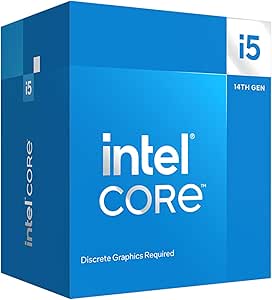 | Best Value for a Discrete-GPU Build | Generation: 14th Gen | Cores: 10 (6 performance + 4 efficiency) | Threads: 16 | VIEW LATEST PRICE | See Our Full Breakdown |
| Intel Core i9-14900K Desktop Processor | 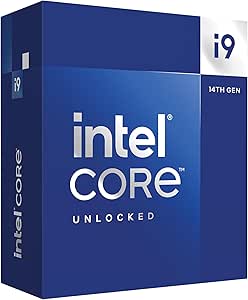 | Best for Maximum Clock Speed on LGA1700 | Generation: 14th Gen | Cores: 24 (8 performance + 16 efficiency) | Threads: 32 | VIEW LATEST PRICE | See Our Full Breakdown |
| Intel Core i7-14700K Gaming Desktop Processor 20 Cores (8 P-cores + 12 E-cores) with Integrated Graphics – Unlocked |  | Best for Overclocking Flexibility | Cores: 20 (8 performance + 12 efficiency) | Threads: 28 | Turbo Boost frequency: Up to 5.6 GHz | VIEW LATEST PRICE | See Our Full Breakdown |
| Intel Core Ultra 7 265 Desktop Processor, 20 Cores, Up to 5.3 GHz |  | Best for a Lower-Power New-Platform Build | Cores: 20 (8 performance + 12 efficiency) | Threads: 20 | Maximum speed: Up to 5.3 GHz | VIEW LATEST PRICE | See Our Full Breakdown |
| Intel Core i9-12900KF 16-Core Desktop Processor, up to 5.2 GHz |  | Best for Discrete-GPU Builds | Cores: 16 (8 performance + 8 efficiency) | Threads: 24 | Maximum turbo frequency: Up to 5.2 GHz | VIEW LATEST PRICE | See Our Full Breakdown |
| Intel Core i7-14700KF Unlocked Desktop Processor |  | Best for High-Threaded Performance | Cores: 20 (8 P-cores + 12 E-cores) | Threads: 28 | Maximum boost frequency: 5.6 GHz | VIEW LATEST PRICE | See Our Full Breakdown |
| Intel Core i7-14700 14th Gen Desktop Processor, 20 Cores, Up to 5.4 GHz |  | Best for Builds Without a Discrete GPU | Generation: 14th gen | Cores: 20 (8 P-cores + 12 E-cores) | Threads: 28 | VIEW LATEST PRICE | See Our Full Breakdown |
| Intel Core i9-12900K 16-Core Unlocked Desktop Processor with Integrated Graphics |  | Best for Flexible LGA 1700 Upgrades | Cores: 16 (8 P-cores + 8 E-cores) | Threads: 24 | Processor speed: 3.2 GHz | VIEW LATEST PRICE | See Our Full Breakdown |
| Intel Core Ultra 5 Processor 250K Plus 18 cores (6 P-cores + 12 E-cores) up to 5.3 GHz |  | Best for a New LGA 1851 Build | Processor series: Intel Core Ultra 5 | Socket: LGA 1851 | Compatible chipset: Intel 800 series | VIEW LATEST PRICE | See Our Full Breakdown |
| Intel CPU | Threads | Socket | Memory support | Cores |
|---|---|---|---|---|
| Intel Core Ultra 7 270K Plus P | 24 | — | DDR5 up to 7200 MT/s | — |
| Intel Core i5-14600K Desktop P | 20 | LGA 1700 | DDR4 and DDR5 | — |
| Intel Core Ultra 5 225 Desktop | 14 | — | — | — |
| Intel Core i5-14400 Desktop Pr | 16 | — | — | — |
| Intel Core i5-14600KF Unlocked | 20 | LGA 1700 | DDR4 and DDR5 | — |
| Intel Core Ultra 9 285K Proces | 24 | LGA 1851 | DDR5 | 24 (8 performance + 16 efficiency) |
| Intel Core i5-14400F Desktop P | 16 | LGA1700 | DDR4 and DDR5 | 10 (6 performance + 4 efficiency) |
| Intel Core i9-14900K Desktop P | 32 | LGA1700 | DDR4 and DDR5 | 24 (8 performance + 16 efficiency) |
| Intel Core i7-14700K Gaming De | 28 | Listed as LGA 771; verify compatibility | DDR4 and DDR5 | 20 (8 performance + 12 efficiency) |
| Intel Core Ultra 7 265 Desktop | 20 | LGA1851 | DDR5 | 20 (8 performance + 12 efficiency) |
| Intel Core i9-12900KF 16-Core | 24 | LGA 1700 | — | 16 (8 performance + 8 efficiency) |
| Intel Core i7-14700KF Unlocked | 28 | LGA 1700 | DDR4 and DDR5 | 20 (8 P-cores + 12 E-cores) |
| Intel Core i7-14700 14th Gen D | 28 | LGA 1700 | — | 20 (8 P-cores + 12 E-cores) |
| Intel Core i9-12900K 16-Core U | 24 | LGA 1700 | — | 16 (8 P-cores + 8 E-cores) |
| Intel Core Ultra 5 Processor 2 | — | LGA 1851 | DDR5, up to 7200 MT/s stated | — |
More Details on Our Top Picks
Intel Core Ultra 7 270K Plus Processor, 24-Core, Up to 5.5 GHz
I’d put the Core Ultra 7 270K Plus on the shortlist for a desktop that needs to handle demanding games alongside streaming, rendering, or other sustained multitasking. Its 24 cores combine 8 performance cores and 16 efficiency cores, while a boost speed up to 5.5 GHz keeps lightly threaded work responsive. Compared with the Core i5-14600K, it offers a much larger pool of cores for parallel workloads, but calls for a newer LGA 1851 platform rather than the i5’s LGA 1700 setup. That platform change means a motherboard replacement may be part of the build. The other tradeoff is power: its stated maximum turbo power is 250 W, so I’d pair it with capable cooling and a suitable power setup. Unlocked tuning is a plus for Z-series builds, not a reason to choose it for a modest system.
Pros:- 24 cores provide substantial capacity for parallel creator and multitasking workloads.
- Boost frequency up to 5.5 GHz supports responsive performance in lighter-threaded tasks.
- DDR5 support up to 7200 MT/s and PCIe 5.0/4.0 suit a current-generation build.
- Unlocked for tuning with compatible Intel Z-series chipsets.
Cons:- Requires an LGA 1851 motherboard with an Intel 800 Series chipset.
- Maximum turbo power of 250 W calls for capable cooling and power delivery.
- Its core count and tuning features may be unnecessary for routine office and everyday use.
Best for: PC builders running demanding creator workloads, gaming, and background tasks who are planning an Intel 800 Series LGA 1851 system.
Not ideal for: Buyers upgrading an existing LGA 1700 PC or building a quiet, low-power desktop; this needs a new platform and can reach 250 W turbo power.
- Core configuration:24 cores (8 P-cores + 16 E-cores)
- Threads:24
- Max turbo frequency:5.5 GHz
- Socket and chipset:LGA 1851; Intel 800 Series
- Memory support:DDR5 up to 7200 MT/s
- PCIe support:PCIe 5.0 and 4.0
- Power:125 W base; 250 W maximum turbo
- Cache:40 MB cache; 36 MB secondary cache
Our verdict“Choose the Core Ultra 7 270K Plus for a new LGA 1851 workstation-style PC that needs abundant cores, but skip it for a simple platform upgrade.”
Intel Core i5-14600K Desktop Processor
The Core i5-14600K is a versatile pick for buyers who want strong gaming and productivity performance without moving to Intel’s newer LGA 1851 platform. Its 14 cores and 20 threads, with a boost up to 5.3 GHz, give it more multitasking capacity than the 10-core Core i5-14400. It also retains a practical advantage for mixed-component builds: support for both DDR4 and DDR5 lets you choose memory to match a compatible motherboard. The integrated UHD Graphics 770 can provide display output or basic graphics while a discrete card is absent or being replaced. The tradeoffs are its 125 W base power, the need to plan for capable cooling, and the lack of an included stock cooler in the provided product details. It’s a better fit for performance-focused LGA 1700 systems than low-power builds.
Pros:- 14 cores and 20 threads provide more multitasking headroom than the Core i5-14400.
- Boosts up to 5.3 GHz for responsive gaming and lightly threaded applications.
- DDR4 and DDR5 support gives compatible LGA 1700 builds memory flexibility.
- UHD Graphics 770 supplies basic graphics output without a discrete card.
Cons:- 125 W base power calls for a suitable cooling solution.
- No stock cooler is included according to the provided product details.
- Some Intel 600-series motherboards may need a BIOS update.
Best for: Gamers and productivity users building or upgrading an LGA 1700 PC who want a high-clocked CPU, integrated display graphics, and DDR4 or DDR5 options.
Not ideal for: Buyers seeking a low-power system, an included cooler, or a new Intel 800 Series platform; this is an LGA 1700 125 W processor.
- Core configuration:14 cores (6 P-cores + 8 E-cores)
- Threads:20
- Max turbo frequency:5.3 GHz
- Socket:LGA 1700
- Integrated graphics:Intel UHD Graphics 770
- Memory support:DDR4 and DDR5
- PCIe support:PCIe 5.0 and 4.0
- Power and cache:125 W base power; 20 MB cache
Our verdict“Choose the Core i5-14600K for a flexible, performance-oriented LGA 1700 build, especially if you value integrated graphics and memory choice.”
Intel Core Ultra 5 225 Desktop Processor
For a new desktop where moderate power draw matters more than maximum core count, I’d favor the Core Ultra 5 225. Its 65 W base power and 10-core, 14-thread layout suit everyday work, gaming, and general multitasking without stepping up to the 14-core Core i5-14600K. The newer LGA 1851 platform brings DDR5 and PCIe 5.0/4.0 support, and integrated Intel Graphics gives the system basic display capability without a separate graphics card. That makes this a sensible starting point for a compact or general-purpose build, though integrated graphics are not a substitute for a discrete GPU in demanding games. Compared with the i5-14600K, it has fewer cores and a lower maximum speed of 4.9 GHz, so heavy rendering and intensive multitasking favor the i5. The listing also says no thermal solution is included, so cooling needs to be planned separately.
Pros:- 65 W base power is a more modest starting point than the Core i5-14600K’s 125 W base rating.
- 10 cores and 14 threads provide capable capacity for everyday multitasking.
- Integrated Intel Graphics can drive a display without a discrete GPU.
- Supports DDR5 and PCIe 5.0/4.0 on the Intel 800 Series platform.
Cons:- No thermal solution is included according to the listing.
- Its 4.9 GHz maximum speed and 10-core configuration trail the Core i5-14600K for heavier workloads.
- Requires an LGA 1851 motherboard and DDR5 memory.
Best for: First-time builders and everyday PC users planning an Intel 800 Series DDR5 system for general work, light gaming, and moderate multitasking.
Not ideal for: Users doing sustained rendering or high-end gaming who need more CPU throughput; the 10-core layout and integrated graphics are less suited to those demands.
- Core configuration:10 cores (6 P-cores + 4 E-cores)
- Threads:14
- Frequency:4.4 GHz processor speed; up to 4.9 GHz maximum
- Socket and chipset:LGA 1851; Intel 800 Series
- Base power:65 W
- Cache:22 MB
- Integrated graphics:Intel Graphics
- Memory and PCIe:DDR5; PCIe 5.0 and 4.0
Our verdict“Pick the Core Ultra 5 225 for a moderate-power LGA 1851 desktop, but choose a higher-core option for sustained creator workloads.”
Intel Core i5-14400 Desktop Processor
The Core i5-14400 is the straightforward choice here for a general-purpose LGA 1700 desktop: its 65 W base power and included Laminar RM1 cooler make the build simpler than the unlocked Core i5-14600K, which has a higher 125 W base rating and no stock cooler listed. With 10 cores, 16 threads, and a boost up to 4.7 GHz, it can cover office work, everyday multitasking, and gaming with a suitable graphics card. The included UHD Graphics 730 also handles basic display duties when a discrete GPU is unavailable. The compromises are clear: it has lower clock speed and fewer threads than the 14600K, and it uses the older LGA 1700 platform rather than the Core Ultra 5 225’s LGA 1851. Buyers should also check motherboard BIOS compatibility, particularly on 600-series boards.
Pros:- Included Laminar RM1 cooler simplifies a standard 65 W build.
- 10 cores and 16 threads support everyday multitasking.
- UHD Graphics 730 provides basic display output without a discrete GPU.
- Supports DDR4 or DDR5 and PCIe 5.0/4.0 on compatible motherboards.
Cons:- Its boost speed of 4.7 GHz is lower than the Core i5-14600K’s 5.3 GHz.
- Some Intel 600-series motherboards may require a BIOS update.
- LGA 1700 does not match the newer LGA 1851 platform used by the Core Ultra 5 225.
Best for: Home and office PC builders who want a balanced LGA 1700 processor with a bundled cooler and basic integrated graphics.
Not ideal for: Enthusiasts chasing higher CPU clocks or buyers starting an LGA 1851 DDR5-only platform; the 14400 is a more restrained LGA 1700 option.
- Core configuration:10 cores (6 P-cores + 4 E-cores)
- Threads:16
- Max turbo frequency:4.7 GHz
- Socket and chipset:LGA 1700; Intel 600-series or 700-series
- Base power:65 W
- Cache:20 MB
- Integrated graphics:Intel UHD Graphics 730
- Memory and PCIe:DDR4 and DDR5; PCIe 5.0 and 4.0
- Included cooler:Intel Laminar RM1
Our verdict“Choose the Core i5-14400 for an uncomplicated everyday LGA 1700 PC with a bundled cooler, not for a high-clock performance build.”
Intel Core i5-14600KF Unlocked Desktop Processor
The Core i5-14600KF makes the most sense when a discrete graphics card is already central to the build. It pairs 14 cores and 20 threads with a boost up to 5.3 GHz, giving it the same core configuration and stated peak frequency as the Core i5-14600K, while dropping integrated graphics. That distinction can suit a gaming tower where the CPU’s graphics would go unused, but it leaves no built-in display fallback if the GPU is removed or fails. Like the 14600K, it supports both DDR4 and DDR5 on LGA 1700 and is unlocked; compared with the 65 W Core i5-14400, it is a higher-power part better suited to performance-focused builds. Its 125 W base power calls for capable cooling, and some 600-series boards may need a BIOS update.
Pros:- 14 cores and 20 threads handle gaming and productivity workloads.
- Boosts up to 5.3 GHz for high-clock performance.
- Unlocked for tuning with compatible hardware.
- Supports DDR4 and DDR5 memory on the LGA 1700 platform.
Cons:- No integrated graphics; a discrete graphics card is required for display output.
- 125 W base power calls for suitable cooling.
- Some Intel 600-series motherboards may require a BIOS update.
Best for: Gamers and PC builders pairing the processor with a discrete graphics card who want an unlocked 14-core LGA 1700 CPU and do not need onboard graphics.
Not ideal for: Users who need a PC that can run without a graphics card, want integrated display output, or prefer a lower-power processor with an included cooling solution.
- Core configuration:14 cores (6 P-cores + 8 E-cores)
- Threads:20
- Max turbo frequency:5.3 GHz
- Socket:LGA 1700
- Memory support:DDR4 and DDR5
- Graphics:No integrated graphics; discrete graphics required
- PCIe support:PCIe 5.0 and 4.0
- Base power:125 W
- Chipset compatibility:Intel 600-series (may require BIOS update) or 700-series
Our verdict“Choose the Core i5-14600KF for an unlocked LGA 1700 build that will always use a discrete GPU, and favor the 14600K if you need integrated graphics.”
Intel Core Ultra 9 285K Processor – 24 Cores (8 P‑cores + 16 E‑cores) up to 5.7 GHz
I’d pick the Core Ultra 9 285K for a demanding new desktop built around heavy multitasking and current-generation connectivity. Its 24-core hybrid design pairs eight performance cores with 16 efficiency cores, while DDR5 and PCIe 5.0 support give a new build room for fast memory and storage. Compared with the Core i9-14900K, it uses a newer LGA 1851 platform and has a lower listed 125 W TDP, though the i9 reaches a higher 6.0 GHz maximum clock and supports DDR4 as well as DDR5. The tradeoff is platform cost and flexibility: this chip requires an Intel 800-series motherboard, and no cooler is included. Its integrated graphics can handle basic display duties, but I’d pair it with a discrete GPU for serious gaming or graphics work.
Pros:- 24 cores split between 8 performance cores and 16 efficiency cores suit parallel workloads.
- Boosts up to 5.7 GHz for responsive lightly threaded tasks.
- DDR5 and PCIe 5.0 support fit a modern LGA 1851 build.
- 125 W listed TDP is lower than the Core i9-14900K’s peak-speed-focused positioning.
Cons:- Requires an Intel 800-series motherboard with an LGA 1851 socket.
- No cooling solution is included.
- Integrated graphics are not a substitute for a discrete GPU in demanding games.
Best for: Creators and power users building a new LGA 1851 desktop who want many cores, DDR5, and PCIe 5.0 support.
Not ideal for: Owners of existing Intel 600- or 700-series systems, or buyers who need an included cooler or rely on integrated graphics for demanding gaming.
- Cores:24 (8 performance + 16 efficiency)
- Threads:24
- Maximum clock:Up to 5.7 GHz
- Socket:LGA 1851
- Cache:36 MB secondary cache; 40 MB L3 cache
- TDP:125 W
- Memory support:DDR5
- Expansion support:PCIe 5.0 and 4.0
- Compatibility:Intel 800-series chipset motherboards
Our verdict“Choose the Core Ultra 9 285K for a new, high-core-count creator build on Intel 800-series hardware, but skip it if you want to reuse an older motherboard.”
Intel Core i5-14400F Desktop Processor
The Core i5-14400F is the practical pick here for a mainstream gaming or home desktop that will use a separate graphics card. Its 10 cores and 16 threads provide a useful mix for games and everyday multitasking, and the included Laminar RM1 cooler means the basic build does not require a separate cooler purchase. Compared with the Core Ultra 7 265, it has fewer cores and an older platform, but it can work with DDR4 or DDR5 and compatible Intel 600- or 700-series boards. That can make it a sensible upgrade path for an existing LGA1700 system. The defining compromise is the F suffix: there is no integrated graphics, so a discrete GPU is mandatory, and some 600-series boards may need a BIOS update before installation.
Pros:- 10 cores and 16 threads handle mainstream gaming and multitasking.
- Supports both DDR4 and DDR5 memory.
- Intel Laminar RM1 thermal solution is included.
- Compatible with Intel 600- and 700-series motherboards, subject to board support.
Cons:- A discrete graphics card is required because integrated graphics are absent.
- Some Intel 600-series motherboards may need a BIOS update.
- Its 4.7 GHz maximum speed and 10-core layout trail higher-tier options such as the Core i7-14700K.
Best for: Mainstream gamers and PC builders who already plan to install a discrete graphics card and want an included stock cooler.
Not ideal for: Buyers who need a working display without a graphics card, or those building a new DDR5-only LGA1851 system.
- Generation:14th Gen
- Cores:10 (6 performance + 4 efficiency)
- Threads:16
- Maximum speed:Up to 4.7 GHz
- Cache:20 MB
- Socket:LGA1700
- Processor base power:65 W
- Memory support:DDR4 and DDR5
- Included cooler:Intel Laminar RM1
Our verdict“Pick the i5-14400F for a sensible LGA1700 PC with a dedicated GPU, but avoid it if you need integrated graphics or a newer platform.”
Intel Core i9-14900K Desktop Processor
I’d choose the Core i9-14900K when a compatible LGA1700 system and high peak clock speed matter more than moving to Intel’s newer platform. It combines 24 cores and 32 threads with speeds up to 6.0 GHz, giving it a stronger maximum-clock claim than the Core Ultra 9 285K. It also includes UHD Graphics 770 and supports both DDR4 and DDR5, which gives builders more options for retaining compatible memory or using a board they already own. The tradeoff is that it remains tied to Intel 600- and 700-series chipsets, with a possible BIOS update on 600-series boards; it does not offer the newer LGA1851 platform of the 285K. Buyers should also plan for suitable cooling, particularly for sustained high-load work.
Pros:- 24 cores and 32 threads provide substantial parallel-work capacity.
- Maximum clock speed reaches up to 6.0 GHz.
- Intel UHD Graphics 770 supports display output without a discrete GPU.
- Supports DDR4 and DDR5 platforms.
Cons:- Uses the older LGA1700 platform rather than the Core Ultra 9 285K’s LGA1851 socket.
- Some Intel 600-series boards may require a BIOS update.
- High-performance use calls for a cooling setup suited to the system’s workload.
Best for: Enthusiasts upgrading a compatible LGA1700 desktop who want a very high maximum clock and integrated graphics as a fallback.
Not ideal for: New-build buyers set on Intel’s LGA1851 platform, or anyone seeking a low-complexity upgrade without checking motherboard support and cooling.
- Generation:14th Gen
- Cores:24 (8 performance + 16 efficiency)
- Threads:32
- Maximum clock:Up to 6.0 GHz
- Integrated graphics:Intel UHD Graphics 770
- Compatible chipsets:Intel 600-series (may require BIOS update) and 700-series
- Memory support:DDR4 and DDR5
- Socket:LGA1700
Our verdict“Choose the i9-14900K for a compatible LGA1700 build prioritizing peak clock speed and broad memory options, not for a fresh LGA1851 system.”
Intel Core i7-14700K Gaming Desktop Processor 20 Cores (8 P-cores + 12 E-cores) with Integrated Graphics – Unlocked
The Core i7-14700K sits between the i5-14400F and the i9-14900K as a flexible choice for gamers and power users who want an unlocked chip without moving to the i9 tier. Its 20 cores and 28 threads give it more parallel capacity than the 14400F, while a boost up to 5.6 GHz and Turbo Boost Max Technology 3.0 target fast performance in workloads that favor high clock speeds. Unlike the 14400F, it includes UHD Graphics 770, useful for troubleshooting or basic display output when a discrete GPU is unavailable. It also supports DDR4 and DDR5, easing platform planning. The cost of that flexibility is greater cooling demand: its listed 125 W base power calls for a robust cooler, and the provided socket detail should be verified with the motherboard before purchase.
Pros:- 20 cores and 28 threads support demanding multitasking.
- Boosts up to 5.6 GHz and is unlocked for overclocking flexibility.
- UHD Graphics 770 provides basic graphics output without a discrete GPU.
- Supports DDR4 and DDR5 memory plus PCIe 5.0 and 4.0.
Cons:- 125 W base power calls for robust cooling.
- Some Intel 600-series motherboards may require a BIOS update.
- The supplied socket specification is inconsistent with the listed 14th-generation desktop platform; verify board compatibility before buying.
Best for: Enthusiasts who want an unlocked LGA1700 processor for gaming, multitasking, and possible overclocking, with integrated graphics available as a fallback.
Not ideal for: Small or quiet builds with limited cooling capacity, or buyers seeking the simpler lower-power setup of the Core i5-14400F.
- Cores:20 (8 performance + 12 efficiency)
- Threads:28
- Turbo Boost frequency:Up to 5.6 GHz
- Base power:125 W
- Socket:Listed as LGA 771; verify compatibility
- Integrated graphics:Intel UHD Graphics 770
- Memory support:DDR4 and DDR5
- PCIe support:PCIe 5.0 and 4.0
- Secondary cache:33 MB
Our verdict“Pick the i7-14700K if you want an unlocked, high-core-count LGA1700 chip and can provide strong cooling; choose the i5-14400F for a simpler, less demanding build.”
Intel Core Ultra 7 265 Desktop Processor, 20 Cores, Up to 5.3 GHz
The Core Ultra 7 265 is the restrained option for a new Intel 800-series desktop: it offers 20 cores, integrated graphics, DDR5, and PCIe 5.0 while carrying a listed 65 W base power. Compared with the Core Ultra 9 285K, it gives up four cores and some peak speed, but its lower base-power figure may suit builders who do not want to center a system around the flagship model. It also belongs to the newer LGA1851 platform, unlike the LGA1700 Core i7-14700K. This is not a drop-in upgrade for older Intel boards, and the product information conflicts on whether a thermal solution is included, so I’d confirm the package contents before planning the build. Its 5.3 GHz maximum speed is also below the 285K’s 5.7 GHz.
Pros:- 20 cores combine 8 performance cores and 12 efficiency cores.
- 65 W base power suits builds designed around a lower base-power specification.
- Integrated Intel Graphics can provide display output without a discrete GPU.
- Supports DDR5 and PCIe 5.0 and 4.0.
Cons:- Requires an Intel 800-series motherboard with an LGA1851 socket.
- Maximum speed of 5.3 GHz is below the Core Ultra 9 285K’s 5.7 GHz.
- Product details conflict on whether a thermal solution is included.
Best for: Builders planning an Intel 800-series, DDR5 desktop who want 20 cores, integrated graphics, and a 65 W base-power specification.
Not ideal for: Owners of LGA1700 systems seeking a CPU-only upgrade, or buyers who need a clearly specified included cooler or the highest boost speed.
- Cores:20 (8 performance + 12 efficiency)
- Threads:20
- Maximum speed:Up to 5.3 GHz
- Processor speed:4.6 GHz
- Cache:36 MB
- Socket:LGA1851
- Base power:65 W
- Memory support:DDR5
- Compatibility:Intel 800-series chipset
Our verdict“Choose the Core Ultra 7 265 for a new LGA1851 build that values a 65 W base-power specification over flagship speed, after confirming cooler details.”
Intel Core i9-12900KF 16-Core Desktop Processor, up to 5.2 GHz
The Core i9-12900KF suits a high-performance desktop that already has a dedicated graphics card. Its 8 performance cores and 8 efficiency cores handle demanding parallel workloads, while the unlocked multiplier gives experienced builders room to tune. Compared with the newer Core i7-14700KF, it has fewer cores and a lower maximum boost frequency, so the i7 is the stronger fit for heavier multitasking and CPU-bound work. The 12900KF still offers a capable 16-core design and broad compatibility with Intel 600- and 700-series motherboards, though a compatible BIOS may be needed depending on the board. The main compromise is straightforward: there are no integrated graphics, so a discrete GPU is required even for setup and troubleshooting. Choose it when that GPU is already part of the build, not when you want fallback display output.
Pros:- 16-core hybrid layout combines 8 performance cores with 8 efficiency cores
- Supports up to 24 threads for multitasking
- Unlocked for processor tuning
- Works with Intel 600- and 700-series chipsets
Cons:- Requires a discrete graphics card because it has no integrated graphics
- Has fewer cores and a lower maximum boost frequency than the Core i7-14700KF
Best for: PC builders with a discrete graphics card who want an unlocked 16-core processor for gaming and demanding desktop workloads.
Not ideal for: Builders who need integrated graphics for display output, or buyers prioritizing more cores and a higher boost ceiling than the Core i7-14700KF offers.
- Cores:16 (8 performance + 8 efficiency)
- Threads:24
- Maximum turbo frequency:Up to 5.2 GHz
- Socket:LGA 1700
- Compatible chipsets:Intel 600 and 700 series
- L3 cache:30 MB
- Power:125 W
- Graphics:Discrete graphics required
Our verdict“Pick the Core i9-12900KF for an unlocked, capable CPU when your build already includes a discrete graphics card.”
Intel Core i7-14700KF Unlocked Desktop Processor
With 20 cores and 28 threads, the Core i7-14700KF is a strong match for gaming rigs that also run demanding creative or productivity workloads. Its 8 performance cores and 12 efficiency cores give it more parallel capacity than the Core i9-12900KF, and its boost ceiling reaches 5.6 GHz. It is also unlocked, so it fits builders who want tuning options rather than a fixed configuration. The tradeoffs shape who should buy it: this KF model has no integrated graphics, and some Intel 600-series motherboards may need a BIOS update before it will work. The standard Core i7-14700 includes UHD Graphics 770 and an included cooler, making that model a better fit for a build that needs display output or a bundled cooler. Choose the KF when a dedicated GPU and suitable cooling are already planned.
Pros:- 20 cores with 8 performance cores and 12 efficiency cores
- Supports up to 28 threads for busy multitasking workloads
- Boosts up to 5.6 GHz and is unlocked for tuning
- Supports both DDR4 and DDR5 memory
Cons:- No integrated graphics, so a discrete graphics card is required
- Some Intel 600-series boards may need a BIOS update
Best for: Enthusiast gamers and creators building a discrete-GPU desktop who want 20 cores, 28 threads, and an unlocked processor.
Not ideal for: First-time builders who need integrated graphics for troubleshooting, or owners of 600-series motherboards unwilling to check BIOS compatibility.
- Cores:20 (8 P-cores + 12 E-cores)
- Threads:28
- Maximum boost frequency:5.6 GHz
- Socket:LGA 1700
- Cache:33 MB
- Processor base power:125 W
- Memory support:DDR4 and DDR5
- Graphics:No processor graphics; discrete graphics required
- Chipset compatibility:Intel 600 series (potential BIOS update) and 700 series
Our verdict“Choose the Core i7-14700KF if you want a high-thread-count, tunable CPU and already have a discrete GPU.”
Intel Core i7-14700 14th Gen Desktop Processor, 20 Cores, Up to 5.4 GHz
The Core i7-14700 pairs 20 cores and 28 threads with Intel UHD Graphics 770, so it can run a display without a separate graphics card. That makes it more flexible for workstation builds, initial setup, and systems where a dedicated GPU is not part of the plan. Against the unlocked Core i7-14700KF, it gives up some boost frequency and overclocking flexibility, but adds integrated graphics and includes an Intel Laminar RM1 cooler. Its 65 W processor base power can also suit builders seeking a lower base-power specification, although maximum wattage is listed at 125 W. DDR4 and DDR5 support helps accommodate an existing memory setup, while some 600-series boards may require a BIOS update. This is the practical i7 choice when graphics fallback and a cooler in the box matter more than tuning.
Pros:- 20 cores and 28 threads support demanding multitasking
- Intel UHD Graphics 770 provides display output without a discrete GPU
- Supports both DDR4 and DDR5 memory
- Includes an Intel Laminar RM1 cooler
Cons:- Not unlocked for processor overclocking
- Maximum frequency is lower than the Core i7-14700KF
- Some Intel 600-series motherboards may require a BIOS update
Best for: Workstation builders and upgraders who want 20-core performance, integrated graphics, and an included cooler without requiring a discrete GPU.
Not ideal for: Overclockers or discrete-GPU enthusiasts seeking the higher boost frequency and unlocked tuning of the Core i7-14700KF.
- Generation:14th gen
- Cores:20 (8 P-cores + 12 E-cores)
- Threads:28
- Maximum frequency:5.4 GHz
- Socket:LGA 1700
- Cache:33 MB
- Processor base power:65 W
- Maximum wattage:125 W
- Graphics and cooler:Intel UHD Graphics 770; Intel Laminar RM1 included
Our verdict“Choose the Core i7-14700 when you want a high-core-count desktop CPU with integrated graphics and an included cooler.”
Intel Core i9-12900K 16-Core Unlocked Desktop Processor with Integrated Graphics
The Core i9-12900K combines an unlocked 16-core design with Intel UHD Graphics 770, giving builders display output even before adding a graphics card. Its 8 performance cores and 8 efficiency cores support up to 24 threads, making it a substantial option for mixed gaming and productivity use. Compared with the Core i9-12900KF, the key distinction is the integrated GPU: the K model can boot and provide display output without a discrete card, while the KF cannot. Both have the same listed 5.2 GHz maximum turbo frequency and LGA 1700 compatibility. The tradeoff is that this is an older 16-core option beside newer 20-core processors such as the Core i7-14700. It also needs an LGA 1700 motherboard and suitable cooling for a 125 W base-power processor.
Pros:- 16-core hybrid architecture supports up to 24 threads
- Integrated Intel UHD Graphics 770 provides display output without a discrete GPU
- Unlocked for tuning
- Compatible with Intel 600- and 700-series chipsets
Cons:- Requires an LGA 1700-compatible motherboard
- Has fewer cores than the newer Core i7-14700
- 125 W base power calls for a suitable cooling setup
Best for: LGA 1700 builders who want an unlocked 16-core CPU and integrated graphics for display output or GPU troubleshooting.
Not ideal for: Buyers prioritizing a newer 20-core processor, or anyone building on a motherboard outside the LGA 1700 platform.
- Cores:16 (8 P-cores + 8 E-cores)
- Threads:24
- Processor speed:3.2 GHz
- Maximum turbo frequency:Up to 5.2 GHz
- Socket:LGA 1700
- Chipset compatibility:Intel 600- and 700-series
- Integrated graphics:Intel UHD Graphics 770
- L3 cache:30 MB
- Base power:125 W
Our verdict“Pick the Core i9-12900K if you want an unlocked 16-core LGA 1700 processor with integrated graphics as a fallback.”
Intel Core Ultra 5 Processor 250K Plus 18 cores (6 P-cores + 12 E-cores) up to 5.3 GHz
The Core Ultra 5 250K Plus is the platform-change pick here: it uses the newer LGA 1851 socket and Intel 800-series chipsets, rather than the LGA 1700 platform shared by the Core i7-14700 and Core i9-12900K. Its listed configuration pairs 6 performance cores with 12 efficiency cores and supports 36 concurrent threads; the product information also lists 16 processor cores, so buyers should verify the exact configuration before ordering. The description gives a 5.5 GHz maximum turbo frequency, while the supplied title says up to 5.3 GHz, another specification discrepancy worth checking. DDR5-only support and a 125 W base rating make this a forward-looking build choice, not a drop-in upgrade for the other CPUs here. It is unlocked for tuning with a Z-series board, but requires a new motherboard platform.
Pros:- Uses the newer LGA 1851 socket with Intel 800-series chipset support
- Supports DDR5 memory and PCIe 5.0/4.0
- Unlocked for tuning with an Intel Z-series chipset
- Product description lists a 36-thread configuration
Cons:- Requires an LGA 1851 motherboard, unlike the LGA 1700 Core i7-14700
- DDR4 memory is not listed as supported
- Supplied information conflicts on core count and maximum turbo frequency
Best for: Builders starting a new Intel 800-series desktop who want an unlocked Core Ultra processor, DDR5 support, and a newer socket platform.
Not ideal for: Owners of LGA 1700 systems seeking a simple CPU upgrade, or builders who need DDR4 support or confirmed, consistent core and boost specifications.
- Processor series:Intel Core Ultra 5
- Socket:LGA 1851
- Compatible chipset:Intel 800 series
- Core configuration:Description: 18 cores (6 P-cores + 12 E-cores); product information lists 16 cores
- Concurrent threads:36 listed in product information
- Maximum turbo frequency:Description: up to 5.5 GHz; title: up to 5.3 GHz
- Memory support:DDR5, up to 7200 MT/s stated
- Processor base power:125 W
- Maximum turbo power:250 W
Our verdict“Choose the Core Ultra 5 250K Plus for a new LGA 1851 build only after confirming its core count and boost specification.”

How We Picked
I ranked these processors by how well their stated specifications suit distinct buyer needs: gaming, productivity, mixed-use desktops, and builds that need integrated graphics. Core count and advertised boost frequency informed the comparison, but I also weighed whether a model is unlocked, whether it includes integrated graphics, and how much performance headroom a typical buyer is likely to need. A high-end chip ranks well for workloads that can use its resources, but not automatically for a general-purpose build.
The order favors versatility first, then clear value and specialized strengths. That places the Core Ultra 7 270K Plus ahead as a broad-use performance choice, with the Core i5-14600K following as a more approachable unlocked option. Premium models such as the Core Ultra 9 285K and Core i9-14900K suit buyers with demanding workloads, while F-series versions rank lower for all-purpose use because they lack integrated graphics. I also account for platform generation: motherboard socket, BIOS support, memory compatibility, cooling, and power requirements can change the real cost and convenience of an upgrade.
| Intel CPU | Memory support | Socket |
|---|---|---|
| Intel Core Ultra 7 270K Plus P | DDR5 up to 7200 MT/s | — |
| Intel Core i5-14600K Desktop P | DDR4 and DDR5 | LGA 1700 |
| Intel Core Ultra 5 225 Desktop | — | — |
| Intel Core i5-14400 Desktop Pr | — | — |
| Intel Core i5-14600KF Unlocked | DDR4 and DDR5 | LGA 1700 |
| Intel Core Ultra 9 285K Proces | DDR5 | LGA 1851 |
| Intel Core i5-14400F Desktop P | DDR4 and DDR5 | LGA1700 |
| Intel Core i9-14900K Desktop P | DDR4 and DDR5 | LGA1700 |
| Intel Core i7-14700K Gaming De | DDR4 and DDR5 | Listed as LGA 771; verify compatibility |
| Intel Core Ultra 7 265 Desktop | DDR5 | LGA1851 |
| Intel Core i9-12900KF 16-Core | — | LGA 1700 |
| Intel Core i7-14700KF Unlocked | DDR4 and DDR5 | LGA 1700 |
| Intel Core i7-14700 14th Gen D | — | LGA 1700 |
| Intel Core i9-12900K 16-Core U | — | LGA 1700 |
| Intel Core Ultra 5 Processor 2 | DDR5, up to 7200 MT/s stated | LGA 1851 |
Factors to Consider When Choosing Best Intel CPUs
Choosing among these Intel CPUs is less about picking the highest number in a model name and more about matching the processor to the complete PC. Use these factors to avoid paying for unused performance or creating a build that needs extra parts to work as intended.
Match the CPU to the Workload
Start with the programs and games you actually run, not the largest core count on the spec sheet. Games often benefit from strong per-core performance, while rendering, encoding, and heavy multitasking can make more cores useful. A Core i5 can be a sensible gaming choice when the graphics card is the main performance limit. For sustained creator work, the extra resources in a Core i7, Core i9, or Core Ultra 7 or 9 may shorten demanding tasks. Avoid paying for a high-end processor if your routine consists mostly of browsing, office apps, or lighter games. Put the saved budget toward a stronger graphics card, more memory, or storage when those parts are the actual bottleneck.
Check the Motherboard Before Choosing a Generation
These 15 options do not all belong to one interchangeable platform, so identify the motherboard socket and chipset before settling on a CPU. A processor that fits a different socket cannot be installed just because it shares the Intel name or a similar performance tier. Even with a compatible socket, BIOS support can affect whether an older board recognizes a newer processor. If you are upgrading an existing PC, check the board maker’s CPU support list and BIOS notes before buying. For a new build, compare the cost and features of the complete platform, including motherboard and memory, rather than choosing the CPU alone. This step can make an older generation the more practical choice or make a platform change worthwhile.
Decide Whether Integrated Graphics Matter
F-series processors, including the Core i5-14600KF and Core i5-14400F, do not provide usable integrated graphics. They require a discrete graphics card for display output, so they are a poor fit for a PC that must work before a graphics card is installed. Integrated graphics can also help with troubleshooting when a discrete GPU fails or is being replaced. If your build will always use a dedicated graphics card, an F-series model may fit your priorities, but compare the exact model and platform before deciding. Do not assume a processor has graphics because a related model does; the suffix changes what the chip can do. For a first build or a system that may run without a discrete GPU, favor a model whose specifications explicitly list integrated graphics.
Budget for Cooling, Power, and Case Space
High boost frequencies and many active cores can demand more from the cooling system than a basic bundled cooler or compact case can provide. Check the processor’s thermal and power guidance alongside cooler compatibility, case clearance, and motherboard power delivery. A CPU that can reach a high boost speed may not sustain its best performance if the system runs hot or has limited airflow. Overclocking adds another layer: an unlocked processor needs a suitable board, capable cooling, and time spent tuning and checking stability. If you prefer a quiet, low-maintenance PC, a non-K processor can be a better match than paying for tuning headroom you will not use. Treat cooling as part of the CPU budget, not an optional afterthought.
Choose Between K, KF, and Non-K Models
Suffixes point to meaningful differences in setup and flexibility, but they do not tell the whole performance story. K models are unlocked for tuning, which appeals to enthusiasts but can call for a more capable motherboard and cooler. KF models also omit integrated graphics, making them less flexible when troubleshooting or running without a discrete GPU. Non-K versions suit buyers who want a straightforward build and do not plan to overclock. Compare the specific core layout and advertised boost frequency as well as the suffix, since two processors in a similar family can serve different workloads. Pay for unlocked tuning only if you intend to use it; otherwise, that feature may add cost and setup work without improving your everyday experience.
Plan for the Whole System, Not Just the Processor
A CPU’s value depends on the other parts around it. Pairing a flagship processor with an entry-level graphics card may leave gaming performance limited by the GPU, while a powerful graphics card can be held back by an older or less capable processor in CPU-heavy games. Memory type and speed must match the motherboard platform, and some upgrades may require replacing both the board and memory. Also check whether your chosen CPU supports the features your work needs, rather than assuming a newer family name guarantees a benefit for every app. For an existing system, count the cost of any required board, cooler, and memory changes before comparing upgrade options. A balanced build usually delivers a better result than spending the largest share of the budget on the CPU.
Frequently Asked Questions
Should I choose the Core Ultra 7 270K Plus or the Core i5-14600K for a gaming PC?
Choose based on the rest of the system and the games you play, rather than assuming the model with more cores will always give you a better gaming experience. The Core Ultra 7 270K Plus is the stronger fit if you also run demanding productivity tasks or want a higher-tier all-around processor. The Core i5-14600K is a more restrained unlocked option for a gaming-focused build, leaving more room in the system budget for a graphics card. Compare the full platform cost, since motherboard and memory requirements can change the decision. Either way, check that your cooler and case can handle the processor you select.
Is an Intel F-series CPU a bad choice if I already own a graphics card?
No: an F-series model can suit a PC that will consistently use a discrete graphics card. The tradeoff is that the processor cannot provide display output on its own, which makes initial setup and GPU troubleshooting less convenient. If you rely on the PC for work, consider how you would use it while a graphics card is being repaired or replaced. The saved features are most useful to buyers who are certain a discrete card will always be installed. Check the exact model because a related non-F chip may include integrated graphics.
Can I upgrade to a newer Intel CPU without replacing my motherboard?
Only if the processor and motherboard share a compatible socket and the board’s support list includes that specific CPU. Intel CPUs across this roundup span multiple generations, so a familiar brand name does not guarantee a drop-in upgrade. Some compatible boards also need a BIOS update before they can start with a newer chip. Check the motherboard maker’s CPU compatibility page and update guidance before ordering parts. If the new processor requires a different board, include the board and any memory changes in the cost of the upgrade.
Do I need a Core i9 or Core Ultra 9 for video editing and streaming?
Not necessarily; the right tier depends on how demanding your editing projects are and whether you stream while gaming or running other software. A high-end CPU can help with workloads that scale across many cores, but it cannot compensate for too little memory, slow storage, or a graphics card that limits your workflow. The Core Ultra 9 285K and Core i9-14900K are aimed at buyers with sustained, resource-heavy work and the cooling to support it. For occasional editing or a single main task at a time, a Core i5 or Core i7 may be a more balanced system choice. Check the requirements of your actual applications before paying for headroom you may not use.
What should I check before buying a used Core i9-12900K or Core i9-12900KF?
Confirm the exact model, that it is compatible with your motherboard, and that the seller can show the processor’s condition and operation. The Core i9-12900K includes integrated graphics, while the 12900KF does not, so the suffix affects whether you can run the system without a discrete GPU. Ask whether the CPU has been overclocked and check for any installation damage, since the processor’s condition can be hard to judge from a listing alone. Verify that your cooler, board power delivery, and BIOS are suitable for the chip. Compare the full cost of the used processor and any platform changes against a newer option before committing.
Conclusion
For the best overall balance, I recommend the Core Ultra 7 270K Plus for buyers who want high-end performance across gaming and demanding work. The best value-oriented unlocked pick is the Core i5-14600K, while the Core Ultra 9 285K is my best premium choice for heavy multitasking and sustained creator workloads. For beginners building a flexible desktop, I would favor a non-F model with integrated graphics, such as the Core i5-14400, and confirm motherboard support before buying. If your build will always include a discrete GPU, an F-series model can suit that specific need; if you are upgrading an existing PC, choose only after checking its socket and BIOS compatibility. The right choice is the one that fits your workload and platform without forcing you to overspend on unused cores or replace parts you planned to keep.
Fall Picks
fall essentials
As an affiliate, we earn on qualifying purchases.