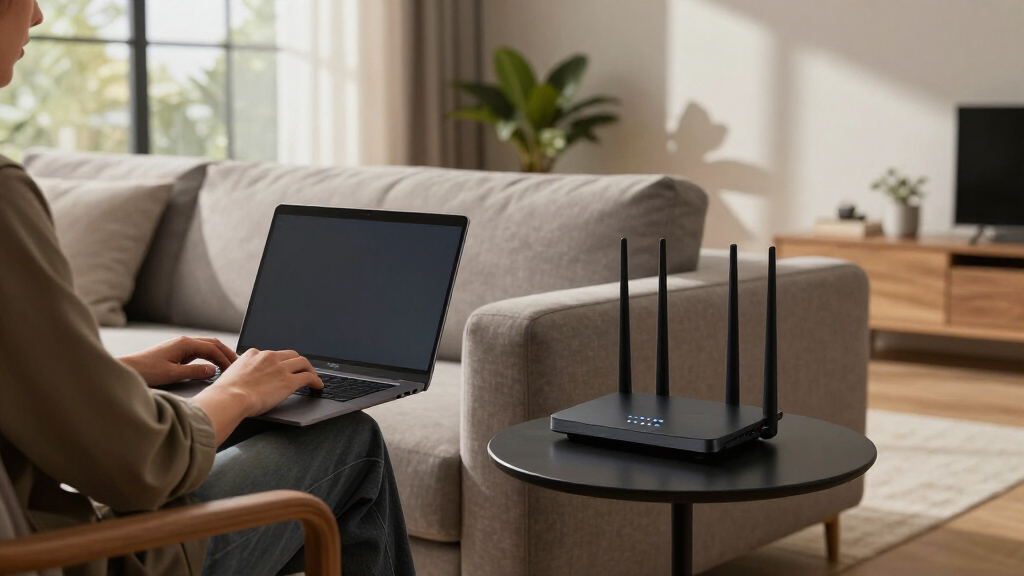

Finding the best Netgear networking products can be challenging with so many options designed for different needs. The Netgear Orbi 770 Series stands out as the best overall for its robust WiFi 7 mesh system that covers large homes. For those seeking simplicity, the Netgear Nighthawk CAX30 offers a powerful modem-router combo at a fair price. Meanwhile, the Netgear GS108MX multi-gigabit switch excels for small business or home office setups that demand high-speed wired connections. The main tradeoffs involve balancing coverage, speed, ease of setup, and cost. Continue reading for a detailed breakdown of each product to find the perfect fit for your network needs.

Get the latest gadgets delivered free with Prime
- Fast, free delivery on millions of items
- Prime Video, Amazon Music and more included
- Member-only deals all year
Complete the kit



Key Takeaways
- The top-ranked mesh system combines WiFi 7 technology with extensive coverage, making it ideal for large homes or multi-story setups.
- Most high-performance routers are paired with advanced switches or modems, emphasizing the importance of compatibility and future-proofing.
- Unmanaged switches like the GS105NA remain a simple, cost-effective choice for basic wired connections, but lack advanced management features.
- Choosing between modem-only, router-only, or combo devices depends heavily on your existing infrastructure and upgrade plans.
- Higher-end products often come with more features but require a higher budget, making it essential to identify your core network priorities.
| NETGEAR Orbi 770 Series Tri-Band WiFi 7 Mesh Network System (RBE773) – Router + 2 Satellite Extenders |  | Best Overall Mesh System for Large Homes | Speed: Up to 11Gbps | Coverage: up to 8,000 sq. ft. | Devices Supported: up to 100 | VIEW LATEST PRICE | See Our Full Breakdown |
| NETGEAR Nighthawk CM3000 DOCSIS 3.1 Cable Modem for Xfinity, Cox & Spectrum |  | Best High-Speed Cable Modem for Wired Performance | Technology: DOCSIS 3.1 | Max Download Speed: 2.5Gbps | Max Upload Speed: 1Gbps | VIEW LATEST PRICE | See Our Full Breakdown |
| NETGEAR 5-Port PoE Gigabit Ethernet Unmanaged Switch (GS305P) |  | Best Compact PoE Switch for Small Office or Home Use | Number of Ports: 5 | PoE Ports: 4 | Total Power Budget: 63W | VIEW LATEST PRICE | See Our Full Breakdown |
| NETGEAR 8-Port 1G/10G Multi-Gigabit Ethernet Unmanaged Switch (GS108MX) |  | Best Multi-Gigabit Switch for High-Performance Expansion | Number of Ports: 8 Gigabit Ethernet | Additional Port: 1 x 10G SFP+ | Design: Fanless, compact metal | VIEW LATEST PRICE | See Our Full Breakdown |
| NETGEAR Nighthawk Dual-Band WiFi 7 Router (RS90) |  | Best WiFi 7 Router for Gaming and Streaming | WiFi Speed: up to 3.6 Gbps | Bands: Dual-Band 2.4 GHz + 5 GHz | Coverage: up to 2,000 sq. ft. | VIEW LATEST PRICE | See Our Full Breakdown |
| NETGEAR Nighthawk Modem Router Combo (CAX30) DOCSIS 3.1 WiFi 6 AX2700 |  | Best Overall for Versatile Home Networking | Compatibility: Xfinity, Spectrum, Cox, others (not Verizon, AT&T) | Coverage: 2000 sq. ft. | Device Capacity: 25 devices | VIEW LATEST PRICE | See Our Full Breakdown |
| NETGEAR Nighthawk Cable Modem and WiFi 5 Router Combo (C7000) |  | Best Value for Reliable WiFi 5 | Model: C7000 | WiFi Standard: WiFi 5 (AC1900) | Max Speed: 1.9 Gbps | VIEW LATEST PRICE | See Our Full Breakdown |
| 10 Port 2.5Gb Unmanaged Ethernet Switch with 8 2.5G Base-T Ports and 2 10G SFP+ Ports |  | Best for High-Speed Local Network Expansion | Ports: 8 x 2.5G Base-T, 2 x 10G SFP+ | Switching Capacity: 80Gbps | Standard: IEEE802.3bz (2.5G) | VIEW LATEST PRICE | See Our Full Breakdown |
| NETGEAR 26-Port PoE Gigabit Ethernet Smart Managed Network Switch (GS724TP) |  | Best for Business-Grade Managed Networks | Number of Ports: 26 | Ethernet Ports: 24 x 1Gbps | PoE+ Budget: 190W | VIEW LATEST PRICE | See Our Full Breakdown |
| NETGEAR 5-Port Gigabit Ethernet Unmanaged Network Switch (GS105NA) |  | Best for Simple Home or Small Office Connections | Ports: 5 x Gigabit Ethernet | Design: Fanless metal | Compatibility: Cat5e/Cat6 cables | VIEW LATEST PRICE | See Our Full Breakdown |
| NETGEAR 8-Port Gigabit Ethernet Unmanaged Network Switch (GS308) |  | Best Compact Unmanaged Switch for Simple Expansion | Number of Ports: 8 | Port Speed: 1.0Gbps | Design: Metal, compact | VIEW LATEST PRICE | See Our Full Breakdown |
| NETGEAR Nighthawk DOCSIS 3.1 Mid/High-Split Cable Modem (CM2500-1AZNAS) |  | Best High-Speed Cable Modem for Future-Proof Internet | Max Download Speed: 2Gbps | Max Upload Speed: 1Gbps | Compatibility: All major US providers except Xfinity Voice | VIEW LATEST PRICE | See Our Full Breakdown |
| NETGEAR WiFi 6 Router (R6700AX) – AX1800 Wireless Speed, Dual-Band, 4-Stream, Covers Up to 1,500 sq. ft., Supports 20 Devices |  | Best WiFi 6 Router for Small to Medium Homes | Wireless Speed: Up to 1.8 Gbps | Bands: Dual-Band | Streams: 4-Stream | VIEW LATEST PRICE | See Our Full Breakdown |
More Details on Our Top Picks
NETGEAR Orbi 770 Series Tri-Band WiFi 7 Mesh Network System (RBE773) – Router + 2 Satellite Extenders
The NETGEAR Orbi 770 Series stands out as the best choice for large households needing extensive coverage and top-tier WiFi 7 performance. Its tri-band technology ensures fast speeds up to 11Gbps across up to 8,000 sq. ft., making it ideal for demanding streaming, gaming, and smart home setups. Compared with the NETGEAR Nighthawk RS90, which excels in speed but covers a smaller area, the Orbi offers broader coverage with seamless multi-device support. Its automatic security updates add peace of mind, though its US-only design limits flexibility for international users. The system’s plug-and-play setup simplifies deployment, but the high cost and overkill for small homes mean it’s best suited for those with large, connected spaces.
Pros:- Exceptional WiFi 7 speeds up to 11Gbps for demanding applications
- Extensive coverage up to 8,000 sq. ft. ideal for large homes
- Secure with automatic firmware updates and compatibility with older devices
Cons:- Designed primarily for use within the U.S., limiting international availability
- Overkill for households with simple internet needs or smaller spaces
Best for: Large families or multi-story homes demanding fast, reliable WiFi with extensive coverage
Not ideal for: Small apartments or users on a tight budget who don’t need coverage beyond a few rooms
- Speed:Up to 11Gbps
- Coverage:up to 8,000 sq. ft.
- Devices Supported:up to 100
- Ports:2.5 Gig Internet Port
Our verdict“This system is best for large households needing high-speed, extensive WiFi coverage without compromise.”
NETGEAR Nighthawk CM3000 DOCSIS 3.1 Cable Modem for Xfinity, Cox & Spectrum
The NETGEAR Nighthawk CM3000 offers ultra-fast DOCSIS 3.1 technology supporting speeds up to 2.5Gbps, making it a top pick for wired internet performance. Unlike the NETGEAR RS90 router which provides WiFi, the CM3000 focuses solely on cable modem functionality, supporting major U.S. providers like Xfinity and Spectrum. Its multi-gig Ethernet ports with link aggregation enable wired devices to reach maximum speeds, ideal for gaming or 4K streaming that demand stable, high-throughput connections. The tradeoff is that it requires a separate WiFi router, adding complexity and cost for users seeking an all-in-one solution. It’s best suited for those who prioritize wired performance over wireless, but not for households wanting integrated WiFi or fiber service compatibility.
Pros:- Supports DOCSIS 3.1 with speeds up to 2.5Gbps for future-proof performance
- Multi-gig Ethernet ports with link aggregation for maximum wired throughput
- Compatible with major U.S. cable providers, simplifying setup
Cons:- No built-in WiFi, requiring a separate router to connect wireless devices
- Limited to cable internet plans, not suitable for fiber or DSL users
Best for: Tech-savvy users needing high-speed wired internet for gaming, streaming, or work-from-home setups
Not ideal for: Casual users or small households looking for an all-in-one modem-router solution
- Technology:DOCSIS 3.1
- Max Download Speed:2.5Gbps
- Max Upload Speed:1Gbps
- Ethernet Ports:One 2.5Gbps, two 1Gbps with link aggregation
Our verdict“This modem is ideal for users who need ultra-fast wired connections but already have or plan to add their own WiFi router.”
NETGEAR 5-Port PoE Gigabit Ethernet Unmanaged Switch (GS305P)
The NETGEAR GS305P provides a straightforward, reliable solution for powering PoE devices like IP cameras or VoIP phones. Its compact, fanless design ensures silent operation, and the plug-and-play setup makes it suitable for users who want quick deployment without complex management. Compared to larger managed switches like the NETGEAR GS724TP, it’s less feature-rich but more accessible for small networks. The 63W power budget supports several PoE devices simultaneously, but high-power devices may need a more robust switch. This model is perfect for small setups where simplicity and quiet operation are priorities, but it falls short for larger, managed network environments.
Pros:- Easy to install with no configuration needed
- Silent, energy-efficient operation
- Supports PoE+ for powering compatible devices
Cons:- Limited to unmanaged switch functions, no advanced management
- Power budget may not support high-power PoE devices
Best for: Small offices or home users needing simple PoE powering for security cameras or VoIP phones
Not ideal for: Large networks requiring advanced management features or high PoE power capacity
- Number of Ports:5
- PoE Ports:4
- Total Power Budget:63W
- Ethernet Speed:1.0Gbps
Our verdict“This switch suits small-scale PoE applications where simplicity and quiet operation matter most.”
NETGEAR 8-Port 1G/10G Multi-Gigabit Ethernet Unmanaged Switch (GS108MX)
The NETGEAR GS108MX offers high-speed connectivity with 8 Gigabit ports plus a 10G SFP+ port for fiber optics, making it well-suited for expanding a high-performance network. Its plug-and-play design simplifies setup, while the fanless, energy-efficient build ensures silent operation. Compared with the GS305P, which focuses on PoE, the GS108MX emphasizes raw speed and fiber support, ideal for small data centers or advanced home labs. Its unmanaged nature limits customization, but for users needing fast wired links and fiber flexibility without management complexity, this is a strong choice. The main tradeoff is the lack of advanced features, which might be a drawback for complex networks requiring managed switches.
Pros:- Supports high-speed Gigabit and 10G fiber connections for maximum throughput
- Plug-and-play setup with flexible mounting options
- Silent, energy-efficient operation
Cons:- Unmanaged switch offers no advanced management features
- Limited to basic switching functions, less suitable for complex networks
Best for: Tech enthusiasts or small businesses expanding their high-speed wired network with fiber options
Not ideal for: Large enterprise networks that require detailed management and configuration
- Number of Ports:8 Gigabit Ethernet
- Additional Port:1 x 10G SFP+
- Design:Fanless, compact metal
- Operation:Plug-and-play
Our verdict“This switch is best suited for users needing high-speed, fiber-capable wired expansion with minimal fuss.”
NETGEAR Nighthawk Dual-Band WiFi 7 Router (RS90)
The NETGEAR Nighthawk RS90 delivers WiFi 7 speeds up to 3.6 Gbps, making it a prime choice for gamers and streamers who need fast, reliable wireless internet. Its dual-band configuration balances speed and range, supporting coverage up to 2,000 sq. ft. and multiple wired connections via four Gigabit LAN ports and a 2.5Gbps WAN port. While it requires a separate modem, its easy setup via app or web interface streamlines installation. Compared with the Orbi 770 Series, which offers broader coverage, the RS90 emphasizes speed and simplicity for smaller areas. Its security features, including WPA3 and Armor, protect your network, though coverage limitations and the need for a separate modem might restrict its appeal for larger or fiber-based homes.
Pros:- Fast WiFi 7 speeds up to 3.6Gbps for demanding applications
- Easy setup with intuitive app and web tools
- Secure network with WPA3 and NETGEAR Armor protection
Cons:- Requires a separate modem, adding to overall setup costs
- Coverage limited to around 2,000 sq. ft., less suitable for large homes
Best for: Gamers and streamers needing high-speed WiFi in medium-sized homes or apartments
Not ideal for: Large households requiring extensive coverage or users seeking an all-in-one modem-router
- WiFi Speed:up to 3.6 Gbps
- Bands:Dual-Band 2.4 GHz + 5 GHz
- Coverage:up to 2,000 sq. ft.
- Ethernet Ports:1 x 2.5 Gig WAN, 4 x Gigabit LAN
- Security:WPA3, NETGEAR Armor
- Processor:Quad-core 2.0 GHz
Our verdict“This router is well-suited for users focused on high-speed wireless performance in smaller to medium-sized spaces.”
NETGEAR Nighthawk Modem Router Combo (CAX30) DOCSIS 3.1 WiFi 6 AX2700
The NETGEAR Nighthawk CAX30 stands out as the best all-in-one solution for households seeking high-speed, reliable internet. Its combination of a DOCSIS 3.1 modem and WiFi 6 router delivers up to 2.7 Gbps speeds, surpassing older WiFi 5 options like the NETGEAR Nighthawk Cable Modem and WiFi 5 Router Combo (C7000). Compared with standalone modems, this model simplifies setup and reduces clutter, making it ideal for large homes with multiple devices. However, its compatibility is limited to specific cable providers and it requires app-based setup, which could be less straightforward for some users. The security features with NETGEAR Armor add peace of mind, especially for connected smart devices. If you need a powerful, future-proof device for a sizable home network, this pick makes the most sense.
Pros:- Supports fast WiFi 6 speeds up to 2.7 Gbps
- Covers up to 2,000 sq. ft. with support for 25 devices
- Includes security features with NETGEAR Armor
Cons:- Limited to compatibility with certain cable providers, not Verizon or AT&T
- Setup relies on the Nighthawk app, which may be cumbersome for some
Best for: Large households or users needing a combined high-speed modem and router with strong coverage.
Not ideal for: Users with fiber or DSL internet, or those who prefer separate devices for flexibility and upgrades.
- Compatibility:Xfinity, Spectrum, Cox, others (not Verizon, AT&T)
- Coverage:2000 sq. ft.
- Device Capacity:25 devices
- WiFi Standard:WiFi 6 (AX2700)
- Speed:2.7 Gbps
- Ethernet Ports:4 Gigabit Ethernet
- USB Ports:1 USB 3.0
- Security:NETGEAR Armor included
Our verdict“This device is best suited for users wanting a high-speed, all-in-one cable modem and WiFi 6 router for large homes.”
NETGEAR Nighthawk Cable Modem and WiFi 5 Router Combo (C7000)
The NETGEAR Nighthawk C7000 offers a balanced mix of affordability and performance, making it a strong choice compared to the newer WiFi 6 models like the CAX30. Its DOCSIS 3.0 modem and WiFi 5 (AC1900) router support internet speeds up to 1.9 Gbps, suitable for most streaming and gaming needs. It supports plans up to 800 Mbps with Xfinity and provides reliable coverage throughout typical homes. Unlike the CAX30, it lacks WiFi 6, which means slower speeds and less future-proofing, but it remains a cost-effective option for users with existing plans under 1 Gbps. Its user-friendly setup via the Nighthawk app simplifies installation, but it doesn’t support fiber or DSL, limiting flexibility. For those who prioritize value and simplicity over cutting-edge tech, this device is a logical pick.
Pros:- Combines modem and router in one device for space-saving
- Supports internet plans up to 800 Mbps with Xfinity
- User-friendly setup via the Nighthawk app
Cons:- Limited to WiFi 5, missing the faster WiFi 6 standard
- Not compatible with fiber or DSL services
Best for: Small to medium households with cable internet plans under 800 Mbps seeking dependable WiFi 5 performance.
Not ideal for: Users with fiber plans or who want WiFi 6 future-proofing, as this model cannot handle speeds beyond 1.9 Gbps.
- Model:C7000
- WiFi Standard:WiFi 5 (AC1900)
- Max Speed:1.9 Gbps
- Cable Compatibility:Xfinity, Cox
- Supported Plans:Up to 800 Mbps
- Ethernet Ports:4 Gigabit Ethernet
- USB Ports:1 USB 2.0
- Security:WPA/WPA2, firewall
Our verdict“This combo is ideal for budget-conscious users with modest internet plans who prioritize reliable wired and wireless connections.”
10 Port 2.5Gb Unmanaged Ethernet Switch with 8 2.5G Base-T Ports and 2 10G SFP+ Ports
The 10 Port 2.5Gb Unmanaged Ethernet Switch excels at providing ultra-fast wired connectivity in small to medium setups. With 8 2.5G ports and 2 10G SFP+ uplinks, it supports high-bandwidth devices like NAS and gaming PCs, surpassing standard gigabit switches for demanding local network tasks. Its fanless design ensures silent operation, ideal for quiet office or home environments. Compared to managed switches like the GS724TP, it offers plug-and-play simplicity, but sacrifices advanced features such as VLANs or traffic management. This switch is best suited for users who want quick, reliable connections without configuration fuss but need more than basic gigabit speeds. The lack of included power supply and limited management options mean it’s less suitable for complex network environments requiring fine control.
Pros:- Supports high-speed 2.5G connections across multiple devices
- Fanless, noise-free operation
- Plug-and-play setup with durable metal casing
Cons:- Limited to unmanaged switch features, no VLAN or traffic prioritization
- Requires compatible devices to fully utilize 2.5G and 10G speeds
Best for: Enthusiasts and small business users needing high-speed, simple local network expansion for NAS, gaming, or 10G-capable devices.
Not ideal for: IT professionals requiring advanced management features or network segmentation, as it’s unmanaged.
- Ports:8 x 2.5G Base-T, 2 x 10G SFP+
- Switching Capacity:80Gbps
- Standard:IEEE802.3bz (2.5G)
- Design:Fanless, metal
- Compatibility:NAS, PC, WiFi6 Router
- Mounting:Desktop/wall mountable
- Lightning Protection:4KV
- Power Supply:Not included
Our verdict“This switch is best for users seeking straightforward, high-speed local networking with minimal configuration effort.”
NETGEAR 26-Port PoE Gigabit Ethernet Smart Managed Network Switch (GS724TP)
The NETGEAR GS724TP offers a substantial upgrade for network administrators seeking advanced control and power capabilities. Its 24 Gigabit Ethernet ports with PoE+ support deliver both data and power to connected devices like VoIP phones and wireless access points, making it suitable for small to medium-sized business environments. The inclusion of 2 SFP ports allows flexible fiber optic uplinks, expanding network reach. Compared to unmanaged switches like the GS105NA, this model provides comprehensive management options via SNMP and NETGEAR Insight, but setup and configuration can be complex for beginners. Its compact, rack-mountable design lends versatility, though the PoE power budget of 190W may limit some deployments. This switch is ideal for growing networks requiring remote management and PoE power distribution.
Pros:- High-speed Gigabit ports with PoE+ support
- Includes fiber SFP ports for network expansion
- Remote management via NETGEAR Insight
Cons:- Lacks advanced Layer 3 routing features
- Setup complexity may challenge beginners
Best for: Small to medium business networks needing managed control and PoE power for multiple devices.
Not ideal for: Home users or small offices with simple networking needs, as it’s more complex and costly than unmanaged options.
- Number of Ports:26
- Ethernet Ports:24 x 1Gbps
- PoE+ Budget:190W
- SFP Ports:2 x 1G
- Management:SNMP, NETGEAR Insight
- Mounting Options:Desktop or rack-mount
Our verdict“This switch is best for businesses that need managed control and PoE capability for expanding network devices.”
NETGEAR 5-Port Gigabit Ethernet Unmanaged Network Switch (GS105NA)
The NETGEAR GS105NA provides an easy, reliable wired connection solution for small networks. Its compact, fanless design makes it perfect for quiet spaces, and its five Gigabit Ethernet ports support high-speed data transfer without the need for configuration. Compared to more feature-rich switches like the GS724TP, this model offers only basic plug-and-play functionality, which suits casual or temporary setups best. Its energy-efficient Ethernet compliance helps reduce power use, and its versatile mounting options allow placement on desktops or walls. However, its limited number of ports and unmanaged nature mean it’s less suitable for expanding complex networks or those requiring VLANs or traffic prioritization. It’s a solid choice for straightforward, no-fuss connectivity in small environments.
Pros:- Plug-and-play with no configuration required
- Silent operation due to fanless design
- Compact size with versatile mounting options
Cons:- Limited to unmanaged switch features
- Only five ports restrict expansion possibilities
Best for: Home users or small offices needing simple, reliable wired connections with minimal setup.
Not ideal for: Large networks or environments requiring advanced management or PoE support, as this switch is unmanaged.
- Ports:5 x Gigabit Ethernet
- Design:Fanless metal
- Compatibility:Cat5e/Cat6 cables
- Energy Efficiency:IEEE 802.3az
- Mounting:Desktop/wall mount
- Region Compatibility:U.S. & Canada
Our verdict“This switch is ideal for users wanting straightforward, high-speed wired connectivity without management complexity.”
NETGEAR 8-Port Gigabit Ethernet Unmanaged Network Switch (GS308)
The NETGEAR GS308 stands out for its straightforward, plug-and-play setup, making it ideal for users who want reliable wired connections without fuss. Compared with the GS305, its metal, compact design offers greater durability and better heat dissipation, though it shares the same unmanaged simplicity. Its fanless operation ensures silent performance, perfect for quiet home or office environments. The energy-efficient design reduces power consumption, making it a cost-effective choice over time. However, its lack of managed features limits control for advanced users, and regional restrictions mean it’s only suitable for U.S. & CA. This switch is perfect for small offices or home setups needing quick, reliable expansion without complex configuration.
Pros:- Easy plug-and-play setup with no configuration needed
- Silent operation thanks to fanless design
- Energy-efficient with reduced power consumption
- Flexible mounting options for desktop or wall
Cons:- Limited to U.S. & CA regions, restricting international use
- No managed features for network control or prioritization
- Basic port management may not suit complex networks
Best for: Small office or home users seeking easy, reliable wired connectivity.
Not ideal for: Network administrators needing advanced management or customization options.
- Number of Ports:8
- Port Speed:1.0Gbps
- Design:Metal, compact
- Operation:Fanless, energy-efficient
- Compatibility:U.S. & CA
Our verdict“This switch is ideal for users who need reliable, silent wired expansion without advanced network features.”
NETGEAR Nighthawk DOCSIS 3.1 Mid/High-Split Cable Modem (CM2500-1AZNAS)
The NETGEAR Nighthawk CM2500 makes a compelling case for replacing older modems, supporting up to 2Gbps download speeds, which surpass many standard models like the CM3000. Its compatibility with all major US internet providers except Xfinity Voice ensures broad usability, although it’s not suitable for Xfinity Voice plans, limiting its reach for some users. The modem supports link aggregation, providing higher bandwidth for demanding applications like 4K streaming and large uploads. Designed solely for US use, it’s optimized for high-speed internet, but this regional focus limits flexibility elsewhere. Unlike integrated modem-router combos, it requires a separate WiFi router, which could be an added expense. This modem is best suited for users with fast internet plans seeking a future-ready device that maximizes speed and flexibility.
Pros:- Supports ultra-fast internet speeds up to 2Gbps
- Compatible with all major US providers except Xfinity Voice
- Supports link aggregation for increased bandwidth
- Two Gigabit Ethernet ports for wired devices
Cons:- Not compatible with Xfinity Voice plans, limiting options
- Requires a separate router for WiFi connectivity
- Designed only for US regions, restricting international use
Best for: Tech-savvy households or small offices with high-speed internet needs and separate networking equipment.
Not ideal for: Users on Xfinity Voice plans or those seeking an all-in-one solution.
- Max Download Speed:2Gbps
- Max Upload Speed:1Gbps
- Compatibility:All major US providers except Xfinity Voice
- Standards:DOCSIS 3.1
- Ports:2 Gigabit Ethernet
Our verdict“This modem is best for high-speed internet users wanting a dedicated, future-proof device to maximize speeds in US-based setups.”
NETGEAR WiFi 6 Router (R6700AX) – AX1800 Wireless Speed, Dual-Band, 4-Stream, Covers Up to 1,500 sq. ft., Supports 20 Devices
The NETGEAR R6700AX offers a balanced combination of speed and coverage, making it a strong choice for households with multiple devices. Its WiFi 6 support delivers faster speeds and better performance in congested environments compared to older WiFi 5 models like the C7000. The dual-band, 4-stream setup ensures reliable streaming, gaming, and browsing for up to 20 devices, though actual coverage can vary significantly with walls or interference. Setup is straightforward via the Nighthawk app, but security features like NETGEAR Armor require a subscription, adding ongoing costs. Unlike mesh systems like the Orbi 770, this router is best suited for smaller spaces or users who prefer a single device. It’s ideal for users wanting fast, stable WiFi with manageable complexity.
Pros:- Fast WiFi 6 speeds up to 1.8Gbps for streaming and gaming
- Easy setup through the Nighthawk app
- Supports multiple devices with stable coverage
- Four Gigabit Ethernet ports for wired connections
Cons:- Coverage may be inconsistent in large or heavily obstructed spaces
- Security features require a subscription after trial
- Requires a compatible modem or ISP gateway
Best for: Small to medium-sized households seeking reliable WiFi 6 performance without mesh complexity.
Not ideal for: Large homes or users needing mesh coverage for complex layouts.
- Wireless Speed:Up to 1.8 Gbps
- Bands:Dual-Band
- Streams:4-Stream
- Coverage:Up to 1,500 sq. ft.
- Ethernet Ports:4 x 1 Gigabit
- Device Support:Supports up to 20 devices
Our verdict“This router is perfect for households wanting fast WiFi 6 speeds in small to medium spaces with straightforward setup.”

How We Picked
Our evaluation focused on core factors that matter most to buyers: performance, ease of setup, build quality, expandability, and value for money. We compared data transfer speeds, coverage areas, and compatibility with existing internet services to ensure practical relevance. We also considered user-friendly features like app management and design, since these influence everyday use. Products were ranked based on how well they balance these criteria, with extra weight given to future-proof features like WiFi 6 and WiFi 7, and to versatility across different network setups.Factors to Consider When Choosing Best Netgear Networking Products
When selecting the best Netgear networking product, it’s important to consider your specific needs—whether for a large home, small business, or simple setup. Beyond raw specifications, think about how easily the device integrates with your existing equipment, its scalability, and features like security and management tools. Budget also plays a key role, as higher-priced models often offer more longevity and advanced features. Avoid common mistakes like overpaying for features you won’t use or underestimating coverage needs. A balanced approach ensures you get a device that performs reliably over time.Coverage and Scale
Assess your space to determine how much coverage is needed. Mesh systems like the Orbi 770 excel in large, multi-room environments, whereas simple routers or compact switches suit smaller areas. Overestimating coverage can lead to unnecessary expense, while underestimating may cause dead zones. Consider future expansion—buying a device with room to grow can save costs later.
Speed and Performance
Match your device’s speed capabilities with your internet plan and usage habits. For streaming, gaming, and multiple connected devices, WiFi 6 or WiFi 7 models provide the best throughput. However, these come at a premium. For basic browsing or email, older WiFi standards may suffice, saving money without sacrificing essential performance.
Ease of Setup and Management
Devices with user-friendly apps or web interfaces reduce setup frustration and ongoing management. Managed switches offer advanced features but can be complex for non-technical users, while unmanaged models are straightforward but less flexible. Consider how much control you want over your network and whether you’re comfortable with technical configurations.
Compatibility and Future-Proofing
Ensure your chosen device supports the latest standards—like WiFi 6/7 and multi-gig Ethernet ports—especially if investing in high-speed internet. Compatibility with your existing modem or router is vital. Investing in future-proof hardware can extend the lifespan of your network setup and avoid quick obsolescence.
Price vs. Features
Higher-priced devices generally offer better performance, coverage, and management options. However, for many users, budget models still deliver reliable service for everyday tasks. Carefully evaluate which features are essential for your use case to avoid paying for extras that won’t benefit your setup.
Frequently Asked Questions
Should I buy a mesh system or a traditional router?
If you have a large or multi-story home, a mesh system like the Netgear Orbi 770 provides seamless coverage and better performance across multiple rooms. For smaller spaces, a high-quality router paired with wired switches might suffice and often costs less. Consider your home’s size, layout, and whether you need flexibility in coverage to choose the best option.
Is it worth investing in WiFi 7 technology now?
WiFi 7 offers faster speeds and lower latency, making it appealing for high-demand activities like 4K streaming or gaming. However, widespread adoption is still limited, and compatible devices are scarce. If you prioritize cutting-edge performance and plan to upgrade other devices soon, investing in WiFi 7 could be worthwhile. Otherwise, WiFi 6 remains a solid, more affordable choice for most users.
Can I mix unmanaged and managed switches in my network?
Yes, mixing unmanaged and managed switches is common and can be effective. Unmanaged switches are simple plug-and-play options for basic connections, while managed switches allow for customization, security, and network monitoring. Combining both can optimize cost and performance, especially in a setup where some devices need advanced control and others do not.
How do I know if my current modem is compatible with Netgear devices?
Check your modem’s specifications against Netgear’s compatibility lists or documentation. Most Netgear modems support DOCSIS 3.1, which is compatible with newer service plans from providers like Xfinity or Spectrum. Confirm your internet provider’s supported hardware list to avoid compatibility issues and ensure you get the full benefit of your new equipment.
Is it better to buy a combo device or separate modem and router?
Combo devices like the Netgear CAX30 simplify setup and save space but can limit flexibility if one component fails or needs upgrading. Separate modem and router setups typically allow for better performance tuning and future upgrades, often providing longer-term value. Your choice depends on your comfort with technology, budget, and whether you prefer simplicity or modularity.
Conclusion
The best overall choice for most users is the Netgear Orbi 770 Series for its extensive coverage and WiFi 7 support. Budget-conscious buyers or those with smaller spaces should consider the Netgear Nighthawk CAX30 for its balance of performance and affordability. For enterprise or power users, a high-end switch like the GS108MX offers exceptional wired speed and expandability. Beginners will appreciate straightforward options like the GS105NA, while advanced users seeking future-proof gear should prioritize WiFi 7 models. Tailoring your choice to your space, speed needs, and technical comfort will ensure a reliable, long-lasting network setup.
As an affiliate, we earn on qualifying purchases.Halloween Picks
halloween