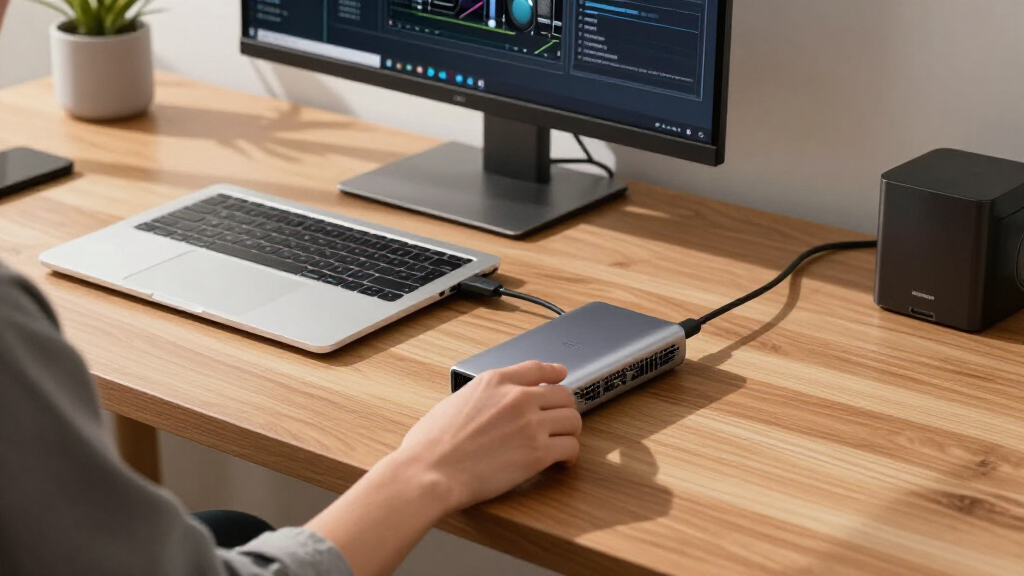

If you’re searching for the best eGPU docks, you’re likely balancing performance, compatibility, and cost. The top pick for overall excellence is the AOOSTAR AG03, which offers robust power delivery and broad GPU support. For those prioritizing raw power, the UGREEN External Graphics Dock stands out with its 850W PSU, ideal for high-end GPUs. Meanwhile, the Plugable Thunderbolt 5 AI eGPU Enclosure provides future-proof connectivity. Every option comes with tradeoffs—whether it’s size, price, or compatibility—so continue reading for a full breakdown of how these docks compare and who they’re best suited for.
Open a free Amazon Business account
Business pricing, bulk buying and tax-exempt orders.
Create a free accountAs an affiliate, we earn on qualifying purchases.
Complete the kit



Key Takeaways
- High wattage PSUs are essential for supporting the latest high-performance GPUs, but they often come with increased size and cost.
- Thunderbolt 5 docks tend to offer better future-proofing and faster data transfer, yet may be more expensive or less compatible with older systems.
- Oculink support and PCIe 4.0 x4 interfaces provide excellent bandwidth for demanding applications, making them preferable for power users.
- Compact designs are appealing for portability but can limit power delivery and GPU size options, so they suit lighter workloads.
- Price often correlates with features like power capacity, connectivity options, and build quality—prioritize your needs to avoid overspending or underperforming.
| AOOSTAR AG01 External GPU Docking Station with 800W Power Supply and Oculink Support |  | Best Overall for High-Power Flexibility | Power Supply: 800W | Maximum Graphics Card Power: 600W | Interface: OCuLink | VIEW LATEST PRICE | See Our Full Breakdown |
| PE LADN S-3 eGPU Dock with Thunderbolt 5 Cable and Dual PCIe Slots |  | Best for High-Speed Expansion and Compatibility | Thunderbolt Ports: 2 (Thunderbolt 5) | Bandwidth: 80 Gbps | PCIe Slots: PCIe 4.0 x4, PCIe 3.0 M.2 | VIEW LATEST PRICE | See Our Full Breakdown |
| AOOSTAR AG02 OCuLink eGPU Dock with 800W PSU and USB4 Port |  | Best for High-Power GPU Support with Multiple Ports | Power Supply: 800W | GPU Power Support: up to 600W | Ports: OCuLink, USB4 | VIEW LATEST PRICE | See Our Full Breakdown |
| AOOSTAR EG01 OCuLink eGPU Dock | External GPU Enclosure with PCIe 4.0 x4 Interface |  | Best for PCIe 4.0 Performance in Compact Form | Interface: OCulink PCIe 4.0 x4 | Dimensions: 26.8 x 17.5 x 2.2 cm | Power Supply Compatibility: ATX and SFX | VIEW LATEST PRICE | See Our Full Breakdown |
| AOOSTAR EG01 eGPU Docking Station with OCuLink, External GPU Graphics Card Enclosure | | Best for Compact High-Power GPU Support | Power Supply Support: ATX/SFX | OCuLink Bandwidth: 64 Gbps | Maximum GPU Power: 350W | VIEW LATEST PRICE | See Our Full Breakdown |
| AOOSTAR EG02 External GPU Docking Station with Dual Thunderbolt 5 and PCIe 4.0 x4 Support |  | Best Connectivity and Versatility | Ports: Dual Thunderbolt 5, OCuLink (PCIe 4.0 x4) | PCIe Slot: PCIe x16 (PCIe 4.0 x4) | Power Supply Compatibility: ATX/SFX | VIEW LATEST PRICE | See Our Full Breakdown |
| AOOSTAR AG02 OCuLink eGPU Dock with 800W PSU and USB4 Port |  | Best for Power and Compatibility | Power Supply: 800W | GPU Power Support: up to 600W | Ports: OCuLink, USB4 | VIEW LATEST PRICE | See Our Full Breakdown |
| UGREEN External Graphics Dock 850W Power Supply, 80 Plus Gold Certified, ATX 3.1 PSU, OCuLink & USB4, 64Gbps/40Gbps, Compatible with NVIDIA/AMD/Intel GPUs for Laptops and Mini PCs |  | Best for High-End Desktop GPU Support | Power Supply: 850W, 80 Plus Gold | Connectivity: OCuLink (64Gbps), USB4 (40Gbps) | GPU Compatibility: NVIDIA, AMD, Intel desktop GPUs | VIEW LATEST PRICE | See Our Full Breakdown |
| eGPU Enclosure Thunderbolt 3/4 USB4 40Gbps PD 85W Charging External GPU Dock Compatible with NVIDIA/AMD Graphics Cards |  | Best for AI and Deep Learning Applications | Connectivity: Thunderbolt 3/4, USB4 | Supported GPUs: NVIDIA/AMD RTX 50 Series, RX 7000 series | Power Delivery: 85W | VIEW LATEST PRICE | See Our Full Breakdown |
| AOOSTAR AG03 eGPU Docking Station with 800W Built-in PSU, Thunderbolt 5 & OCuLink, Supports Up to 500W GPUs, PCIe 4.0 x4, 140W PD, Windows 11 |  | Best for High-Power GPU Expansion | Power Supply: 800W | GPU Support: Up to 500W | Ports: 2× Thunderbolt 5, 1× OCuLink | VIEW LATEST PRICE | See Our Full Breakdown |
| Plugable Thunderbolt 5 AI eGPU Enclosure & Dock |  | Best for High-End AI and Offline GPU Processing | Bandwidth: 80Gbps | Power Supply: 850W ATX 3.1 PSU | Power Delivery: 96W | VIEW LATEST PRICE | See Our Full Breakdown |
| PCIe 3.0 x16 22Gbps eGPU Dock with Thunderbolt 4 Cable for Windows Laptops and Consoles |  | Best for Versatile Gaming and Creative Work | Transfer Speed: 22Gbps | Compatible Devices: Windows 10/11, Linux, consoles with Thunderbolt 3/4 or USB4 | Graphics Card Compatibility: NVIDIA RTX 5090 to GTX 450, AMD cards | VIEW LATEST PRICE | See Our Full Breakdown |
More Details on Our Top Picks
AOOSTAR AG01 External GPU Docking Station with 800W Power Supply and Oculink Support
The AOOSTAR AG01 stands out for supporting most high-wattage graphics cards up to 600W, making it a versatile choice for demanding GPU setups. Its open metal design allows for unlimited card length, unlike the more restricted AOOSTAR AG02, which is limited by its enclosure size. However, the reliance on OCuLink without hot-plugging support means it requires powering down before connection, which could be inconvenient during frequent upgrades. Its compatibility with both Mac and Windows broadens its appeal, but the need for an Oculink port limits compatibility with some devices. The 800W power supply ensures sufficient power for high-end cards, making this a solid pick for users needing maximum GPU flexibility and power. The tradeoff is that hot-swap capabilities are only available on certain devices like TGX, adding some setup complexity.
Pros:- Supports most high-power graphics cards up to 600W
- Open metal design allows for unlimited card length
- Compatible with both Mac and Windows systems
Cons:- No hot-plugging support via OCuLink, requiring device shutdown for connection
- Limited compatibility due to Oculink port dependency
Best for: High-end content creators and gamers who need to run demanding GPUs with maximum flexibility and high power capacity.
Not ideal for: Users with laptops lacking Oculink ports or those who prioritize hot-swapping during frequent GPU upgrades.
- Power Supply:800W
- Maximum Graphics Card Power:600W
- Interface:OCuLink
- Graphics Card Power Connectors:2×8-pin
- Dimensions:22.5 x 11 x 6 cm
- OS Compatibility:Mac, Windows 11 22H2 or higher
Our verdict“Ideal for power users who prioritize flexibility and high wattage support over hot-swap convenience.”
PE LADN S-3 eGPU Dock with Thunderbolt 5 Cable and Dual PCIe Slots
The PE LADN S-3 offers cutting-edge connectivity with dual Thunderbolt 5 ports supporting up to 80 Gbps bandwidth, making it ideal for users who need rapid data transfer and expandability. Its support for PCIe 4.0 and 3.0 slots, along with multiple storage options, surpasses the capabilities of the more basic AOOSTAR EG01. However, this dock’s bulkier design makes it better suited for desktop setups rather than portable use, and installation may require some technical knowledge. The inclusion of a Thunderbolt 5 cable and comprehensive accessories simplifies setup, but the price point and potential complexity may be barriers for beginners. Compared to other docks, this one prioritizes raw bandwidth and expandability, making it perfect for power users needing maximum performance.
Pros:- Dual Thunderbolt 5 ports with 80 Gbps bandwidth
- Supports a wide range of graphics cards and storage options
- Flexible power supply support with ATX/SFX compatibility
Cons:- Requires technical knowledge for installation
- Bulkier design not suited for portability
Best for: Advanced users who need rapid data transfer, multi-card support, and expandability for high-performance workflows.
Not ideal for: Laptop users seeking a portable solution or beginners unfamiliar with high-speed hardware setup.
- Thunderbolt Ports:2 (Thunderbolt 5)
- Bandwidth:80 Gbps
- PCIe Slots:PCIe 4.0 x4, PCIe 3.0 M.2
- Supported Graphics Cards:RTX 3050-5090, RX 7000/9000 series
- SD Card Slot:SD 4.0
- Ethernet:2.5G RJ45
Our verdict“Best suited for tech-savvy users demanding high-speed data transfer and extensive expandability in a stationary setup.”
AOOSTAR AG02 OCuLink eGPU Dock with 800W PSU and USB4 Port
The AOOSTAR AG02 combines high wattage support with versatile connectivity, featuring an 800W power supply and USB4 along with OCuLink ports. Its support for demanding GPUs up to 600W and multiple high-speed ports makes it comparable to the AG01 but adds USB4’s flexibility for data and display transfer. Unlike the AG01, it includes additional port options but shares the same limitation: the OCuLink port does not support hot-plugging, requiring the host device to be powered off during connection or disconnection. This makes it better suited for permanent setups rather than frequent upgrades. Its compatibility varies depending on host device BIOS, which could be a concern for some users. This dock is ideal for those who need high power and multiple connectivity options but can accept some setup complexity.
Pros:- Supports GPUs up to 600W with an 800W PSU
- Includes USB4 for fast data and display transfer
- Multiple high-speed ports for peripherals
Cons:- No hot-plugging support via OCuLink, requires shutdown for connection
- Compatibility depends on host BIOS, which can vary
Best for: Power users with demanding GPUs who need multiple high-speed ports and a stable connection for stationary workstations.
Not ideal for: Laptop users who need hot-swap capabilities or those seeking a plug-and-play portable dock.
- Power Supply:800W
- GPU Power Support:up to 600W
- Ports:OCuLink, USB4
- Supported Graphics Cards:up to 600W
- Dimensions:22.5 x 11 x 6 cm
- Weight:1.5 kg
Our verdict“Best for stationary setups where high power and multiple ports are more important than hot-swapping convenience.”
AOOSTAR EG01 OCuLink eGPU Dock | External GPU Enclosure with PCIe 4.0 x4 Interface
The AOOSTAR EG01 provides PCIe 4.0 x4 connectivity, supporting high-speed graphics cards and demanding workflows. Its compact size makes it suitable for tight spaces, and the support for both ATX and SFX power supplies offers flexibility. However, its reliance on an Oculink PCIe 4.0 x4 port limits compatibility to specific host devices, and hot-plugging is not supported, requiring powering down before connecting or disconnecting. The absence of any support for expansion with three or more slots can restrict multi-GPU setups. Compared to the AG02, it is more streamlined but sacrifices some expandability and ease of use. This dock is best for users who need PCIe 4.0 speed in a small footprint but have compatible hardware and are comfortable with setup requirements.
Pros:- Supports PCIe 4.0 x4 for fast graphics performance
- Compact, space-saving design
- Supports ATX and SFX power supplies
Cons:- Requires device with Oculink PCIe 4.0 x4 port, limiting compatibility
- No hot-plugging support
Best for: Enthusiasts and professionals needing PCIe 4.0 performance in limited space with specific host device compatibility.
Not ideal for: Users seeking universal compatibility or hot-swap capability for frequent GPU changes.
- Interface:OCulink PCIe 4.0 x4
- Dimensions:26.8 x 17.5 x 2.2 cm
- Power Supply Compatibility:ATX and SFX
- Graphics Card Size Limitation:No expansion brackets with 3 or more slots
- Cable Length:80 cm
Our verdict“Best for PCIe 4.0 users with compatible hardware seeking a compact, high-speed enclosure.”
AOOSTAR EG01 eGPU Docking Station with OCuLink, External GPU Graphics Card Enclosure
The AOOSTAR EG01 offers a compact, professional cooling solution supporting external graphics cards up to 350W via OCuLink. Its space-efficient design makes it suitable for mini PCs and laptops needing a power boost without bulk. The high-speed OCuLink connection ensures stable data transfer, but hot-plugging remains unsupported, requiring shutdowns for connections, which could hinder quick upgrades. Its compatibility depends on the host system, and the need for a suitable power supply adds setup complexity. Compared to the larger AG01, this model prioritizes portability and professional cooling, making it perfect for space-conscious users who don’t need maximum GPU wattage but still want high performance in a small package.
Pros:- Supports high-power GPUs up to 350W
- High-speed OCuLink connection for stable performance
- Compact and space-efficient design
Cons:- No hot-plugging support, requires power off for connection
- Limited maximum GPU wattage compared to larger docks
Best for: Mini PC and laptop users needing a compact, high-performance GPU enclosure with professional cooling.
Not ideal for: Users who frequently swap GPUs or require hot-plugging for rapid upgrades.
- Power Supply Support:ATX/SFX
- OCuLink Bandwidth:64 Gbps
- Maximum GPU Power:350W
- Dimensions:26.8 x 17.5 x 2.2 cm
- Weight:0.9 kg
- Compatibility:Mini PCs, Laptops, External Graphics Cards
Our verdict“Ideal for space-constrained setups where high-power GPU support and professional cooling are priorities.”
AOOSTAR EG02 External GPU Docking Station with Dual Thunderbolt 5 and PCIe 4.0 x4 Support
This model stands out for combining dual Thunderbolt 5 ports with a PCIe 4.0 x4 interface, offering remarkably high data transfer speeds that surpass many competitors like the AOOSTAR AG02, which relies on a single Thunderbolt port. Its support for both ATX and SFX power supplies provides flexibility for different setups, making it ideal for users who want a customizable, space-efficient solution. The durable full-metal chassis and stackable mini PC stand add to its practicality, though it requires high-end components to perform at its best, and lacks detailed compatibility info for specific GPUs. Compared to simpler docks, the EG02’s support for dual Thunderbolt 5 and PCIe 4.0 x4 makes it suitable for demanding workflows, but it’s less ideal for those seeking plug-and-play simplicity or budget options. This dock is best for advanced users who need fast, flexible GPU connectivity in a compact form.Pros:- Supports ultra-fast dual Thunderbolt 5 and PCIe 4.0 x4 data transfer
- Compatible with both ATX and SFX power supplies for versatility
- Full-metal chassis with space-efficient stackable stand
Cons:- Requires high-end components for optimal performance
- Limited info on GPU compatibility, potential installation complexity
Best for: Power users upgrading high-performance workstations with custom GPU and power supply options.
Not ideal for: Beginners or users with limited technical knowledge, since setup involves compatible power supplies and potential compatibility issues.
- Ports:Dual Thunderbolt 5, OCuLink (PCIe 4.0 x4)
- PCIe Slot:PCIe x16 (PCIe 4.0 x4)
- Power Supply Compatibility:ATX/SFX
- Chassis Material:Full-metal aluminum alloy
- Included Accessories:Thunderbolt 5 data cable, 6-pin to DC cable, mini PC holder, instruction manual
- Stand:Stackable mini PC stand
Our verdict“This is a strong choice for experienced users who need maximum bandwidth and customization in their eGPU setup.”
AOOSTAR AG02 OCuLink eGPU Dock with 800W PSU and USB4 Port
Compared to the AOOSTAR EG02, the AG02 emphasizes raw power with its 800W PSU and supports high-power GPUs up to 600W, making it ideal for demanding graphics tasks. Its inclusion of USB4 ports alongside OCuLink enhances compatibility with modern devices, though it sacrifices some of the ultra-fast Thunderbolt 5 capabilities found on the EG02. This dock excels for users who prioritize high wattage support and broad device compatibility, yet it doesn’t support hot-swapping on OCuLink and requires careful setup, especially considering GPU size and power needs. While the AG02 is less suited for those seeking the latest Thunderbolt standards or plug-and-play simplicity, its focus on high power makes it perfect for high-end workstation upgrades. It’s best for professionals needing robust GPU power with flexible connectivity options.Pros:- Supports high-power GPUs up to 600W with 800W PSU
- Includes both OCuLink and USB4 ports for versatile connectivity
- Designed for compatibility with Windows 11 and high-performance hardware
Cons:- GPU not included, additional purchase required
- No hot-swapping support for OCuLink, complicating installation
Best for: Creative professionals or gamers demanding high wattage and broad device support for demanding GPUs.
Not ideal for: Beginners or casual users who want a straightforward, plug-and-play eGPU experience without complex setup.
- Power Supply:800W
- GPU Power Support:up to 600W
- Ports:OCuLink, USB4
- GPU Slot:PCIe x16
- GPU Power Connectors:3 x 8-pin
- Supported Voltages:AC 100–240V
Our verdict“This dock is best for users who need serious GPU power and flexible port options for demanding tasks.”
UGREEN External Graphics Dock 850W Power Supply, 80 Plus Gold Certified, ATX 3.1 PSU, OCuLink & USB4, 64Gbps/40Gbps, Compatible with NVIDIA/AMD/Intel GPUs for Laptops and Mini PCs
The UGREEN dock stands out for supporting oversized GPUs up to 370mm and combining high-capacity power with high-speed connectivity, making it ideal for turning laptops into full desktop gaming setups—much more capable than many compact docks. Its 850W power supply and cooling features ensure stable operation even under heavy load, outperforming smaller, less powerful docks like the AOOSTAR AG02 in raw performance. However, its size and complexity may overwhelm casual users, and installation can be challenging due to space constraints and compatibility considerations. Compared with smaller docks, it offers more versatility at the cost of increased setup effort. This pick makes the most sense for those seeking a future-proof, high-performance GPU enclosure capable of handling large, power-hungry cards.Pros:- Supports large, high-end GPUs up to 370mm in length
- High-capacity 850W, 80 Plus Gold certified PSU for demanding GPUs
- Supports multiple systems including Windows, Linux, macOS
Cons:- Complex setup requiring sufficient space and compatibility checks
- Limited support for triple-slot GPUs due to PCI-E bracket constraints
Best for: Enthusiasts upgrading laptops or mini PCs into high-performance gaming or creative workstations.
Not ideal for: Users with limited space or those who prefer simple, minimal setups without extensive configuration.
- Power Supply:850W, 80 Plus Gold
- Connectivity:OCuLink (64Gbps), USB4 (40Gbps)
- GPU Compatibility:NVIDIA, AMD, Intel desktop GPUs
- Supported GPU Length:up to 370mm
- Cooling:Large low-RPM fan
- Chassis:Semi-open all-aluminum
Our verdict“This dock is perfect for power users who need maximum GPU size support and high bandwidth for demanding creative and gaming workloads.”
eGPU Enclosure Thunderbolt 3/4 USB4 40Gbps PD 85W Charging External GPU Dock Compatible with NVIDIA/AMD Graphics Cards
Unlike the other docks, this enclosure emphasizes compatibility with Thunderbolt 3/4 and USB4, supporting NVIDIA and AMD cards including RTX 50 series, making it ideal for AI developers and researchers rather than pure gaming. Its 85W PD charging complements workloads requiring portability and quick setup, but it doesn’t support the ultra-fast Thunderbolt 5 found in newer models like the AOOSTAR EG02. While its open-frame design maximizes airflow, it’s less suited for high-end gaming or rendering tasks that demand maximum GPU power and bandwidth. Compared to the AOOSTAR AG02 or AOOSTAR AG03, this option prioritizes lightweight, versatile deployment over raw power, making it a good fit for professional AI workflows. It’s best for users focusing on deep learning or AI development who value broad compatibility and airflow.Pros:- Supports latest NVIDIA and AMD RTX 50 series cards
- High 32Gbps bandwidth with Thunderbolt 3/4 and USB4
- Lightweight, open-frame design with excellent airflow
Cons:- Limited to 85W power delivery, not ideal for power-hungry GPUs
- Less suitable for gaming or rendering tasks requiring maximum bandwidth
Best for: AI researchers, deep learning practitioners, or professionals needing a portable GPU solution for AI workloads.
Not ideal for: Gamers or 3D artists seeking maximum GPU power and gaming-specific features, as it’s optimized for AI workloads.
- Connectivity:Thunderbolt 3/4, USB4
- Supported GPUs:NVIDIA/AMD RTX 50 Series, RX 7000 series
- Power Delivery:85W
- Material:Anodized aluminum alloy
- Bandwidth:32Gbps
- Compatibility:Windows 10/11, Linux, macOS
Our verdict“This enclosure suits AI and deep learning professionals prioritizing portability and broad system compatibility.”
AOOSTAR AG03 eGPU Docking Station with 800W Built-in PSU, Thunderbolt 5 & OCuLink, Supports Up to 500W GPUs, PCIe 4.0 x4, 140W PD, Windows 11
The AOOSTAR AG03 combines Thunderbolt 5 and OCuLink for high-speed GPU expansion, making it a compelling choice for those who need to support demanding graphics cards up to 500W. Its 800W built-in power supply and 8K display support cater to high-end creative and gaming applications, setting it apart from less powerful docks like the AOOSTAR EG02. Its compact aluminum design supports efficient cooling, though device compatibility must be verified before purchase, and the OCuLink port isn’t hot-swappable, which could complicate upgrades. Compared to the AOOSTAR AG02, the AG03 offers higher GPU wattage support and display capabilities, but with a more complex setup. This dock is ideal for power users who want broad GPU support with fast connection options in a portable form.Pros:- Supports GPUs up to 500W with 800W PSU
- Dual Thunderbolt 5 and OCuLink ports for fast expansion
- Supports 8K display output and 140W charging
Cons:- Device compatibility verification required prior to purchase
- OCuLink port does not support hot-plugging, complicating upgrades
Best for: Professionals and gamers seeking to upgrade high-performance laptops with robust GPU support and 8K display capability.
Not ideal for: Beginners or users with limited technical expertise, due to compatibility verification and setup complexity.
- Power Supply:800W
- GPU Support:Up to 500W
- Ports:2× Thunderbolt 5, 1× OCuLink
- Bandwidth:80Gbps (Thunderbolt 5), 64Gbps (OCuLink)
- Display Output:DisplayPort 2.1, supports 8K
- Dimensions:22.5 × 11 × 6 cm
Our verdict“This dock suits power users needing high GPU wattage support and high-resolution display output in a portable package.”
Plugable Thunderbolt 5 AI eGPU Enclosure & Dock
The Plugable TBT5-AI stands out for its ability to support large, high-performance GPUs with an 850W PSU and Thunderbolt 5 bandwidth of 80Gbps, making it ideal for offline AI workloads that require maximum GPU power and data transfer speeds. Compared with the PCIe 3.0 x16 dock, it offers superior bandwidth and power delivery, but at the cost of limited compatibility—it’s incompatible with macOS and Linux, which might restrict some users. Its secure, offline processing capabilities are a key advantage for professionals needing privacy and control, yet the need for specific GPU dimensions and the absence of a GPU included can add to setup complexity. This dock is best suited for AI researchers, data scientists, or enterprise users who prioritize GPU capacity and speed over broad OS compatibility or plug-and-play simplicity.
Pros:- Supports large, high-performance GPUs up to 346mm in length
- 850W PSU provides ample power for demanding GPUs
- Supports secure, offline AI processing without cloud dependency
- Thunderbolt 5 bandwidth ensures swift data transfer
Cons:- Limited compatibility—does not support macOS or Linux
- Requires specific GPU size and power specifications, limiting flexibility
- GPU not included, increasing total cost and setup effort
Best for: High-end AI developers and researchers needing maximum GPU performance in a secure, offline environment
Not ideal for: Mac users or Linux-based professionals who require compatibility beyond Windows and Thunderbolt 5, or those seeking an all-in-one solution with included GPU
- Bandwidth:80Gbps
- Power Supply:850W ATX 3.1 PSU
- Power Delivery:96W
- Ethernet:2.5Gbps
- USB Ports:10Gbps USB-A and USB-C
- Compatibility:Windows 11, Thunderbolt 5, 4, USB4
- GPU Max Size:346mm x 170mm x 77mm
- GPU Power Limit:600W
Our verdict“This dock makes the most sense for professionals who need maximum GPU power, bandwidth, and privacy for AI workloads and don’t mind specialized hardware and OS limitations.”
PCIe 3.0 x16 22Gbps eGPU Dock with Thunderbolt 4 Cable for Windows Laptops and Consoles
The PCIe 3.0 x16 eGPU dock offers a flexible solution supporting a wide array of NVIDIA and AMD graphics cards, with transfer speeds up to 22Gbps that ensure smooth gaming, video editing, and AI tasks. Unlike the Plugable TBT5-AI, it supports Thunderbolt 4 and USB4, making it compatible with Windows laptops, desktops, Linux devices, and some consoles—though it’s less ideal for users requiring ultra-high bandwidth or the latest GPU features. Its support for a broad range of GPUs, including NVIDIA RTX 5090 and AMD cards, makes it highly adaptable, but the need for Thunderbolt or USB4 ports limits compatibility to newer systems. Its multiple power input options add setup flexibility, yet it’s not recommended for Intel-integrated graphics cards, and some USB4 devices may require BIOS updates, which could be a hurdle for less tech-savvy users. This dock is best suited for gamers, video editors, or AI hobbyists with compatible systems looking for a versatile, high-speed external GPU solution.
Pros:- Supports a wide range of NVIDIA and AMD graphics cards
- High transfer speed of 22Gbps ensures smooth performance
- Flexible power input options enable diverse setup configurations
- Compatible with multiple devices including laptops and consoles
Cons:- Not recommended for Intel integrated graphics cards
- Some USB4 devices may need BIOS updates for optimal compatibility
- Requires Thunderbolt 4 or USB4 port, limiting compatibility with older systems
Best for: Gamers, video editors, and AI hobbyists with Windows or Linux systems seeking broad GPU support and flexible connectivity
Not ideal for: Mac users or those with older systems lacking Thunderbolt 4 or USB4 ports, due to compatibility and performance limitations
- Transfer Speed:22Gbps
- Compatible Devices:Windows 10/11, Linux, consoles with Thunderbolt 3/4 or USB4
- Graphics Card Compatibility:NVIDIA RTX 5090 to GTX 450, AMD cards
- Power Input Options:CPU (4+4-pin), Molex, PD 3.0, DC5521
- Cable Included:Thunderbolt 4 cable (23.6 inches)
Our verdict“This dock is ideal for users who want broad GPU support, high transfer speeds, and flexible setup options on newer Windows and Linux devices, but it may fall short for Mac users or very old hardware setups.”
How We Picked
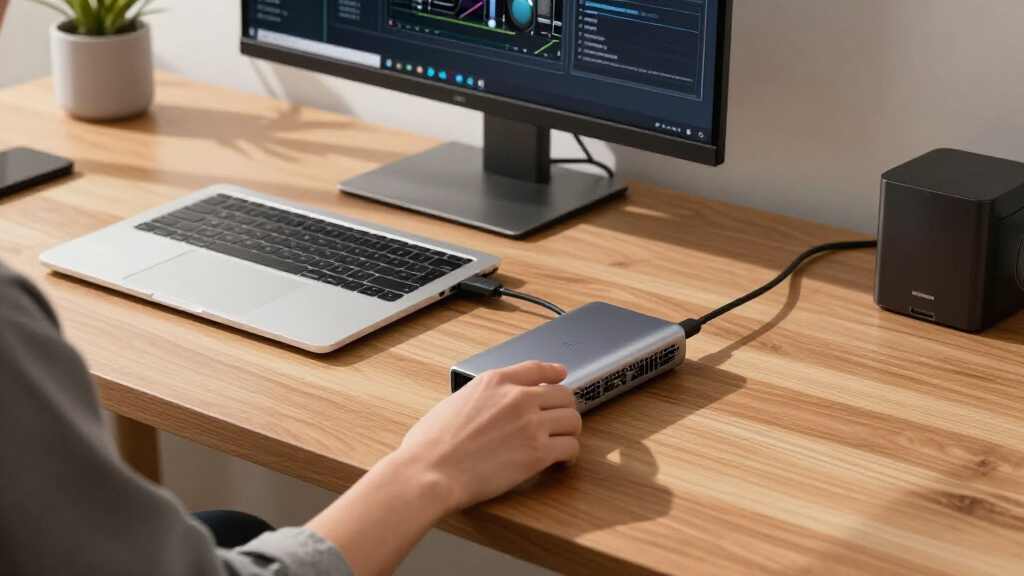
To evaluate these eGPU docks, I focused on core factors that influence a buyer’s experience: performance potential, compatibility, build quality, ease of setup, and value for money. I compared specifications like power supply wattage, data transfer speeds, and supported GPU sizes to ensure each dock could handle demanding workloads. Reliability and future-proofing, such as support for Thunderbolt 5 and PCIe 4.0, were also key. The ranking reflects a balance of these elements, emphasizing versatility and long-term usability over just raw features.Factors to Consider When Choosing Best EGPU Docks
Choosing the best eGPU dock involves more than just looking at specs; it’s about matching features to your specific use case and setup. Understanding key factors like power delivery, connectivity, and build compatibility can prevent costly mistakes and improve your overall experience. Here are the main considerations to keep in mind before making your decision.Power Delivery and PSU Capacity
The wattage of the power supply in an eGPU dock determines which GPUs it can support. High-performance, modern GPUs often demand 450W or more, so opting for a dock with at least 800W is safer if you plan to run top-tier cards. Lower wattage docks may be more affordable and compact but limit your options to mid-range GPUs. Always check the GPU manufacturer’s recommended power requirements and match them with the dock’s PSU to avoid performance issues or hardware damage.
Connectivity Standards and Data Transfer Speeds
Thunderbolt 4 and Thunderbolt 5 are the most common standards, with the latter offering faster data transfer rates up to 40Gbps. USB4 support is also common and provides good bandwidth, but may not match Thunderbolt’s performance or latency. For demanding tasks like 4K gaming or professional workloads, higher transfer speeds and low latency matter. Be mindful of compatibility with your laptop or PC’s ports—an older system might not support the latest standards, limiting your dock’s potential.
GPU Compatibility and Form Factor
Some docks support only certain GPU sizes or require specific PCIe slots, so verify the maximum GPU length and power requirements before buying. Compact docks are easier to carry but often support fewer or smaller GPUs, suitable for light gaming or creative work. Larger, more robust docks provide better support for high-end cards but are less portable. Matching your intended GPU with the dock’s supported specifications is essential to avoid installation frustrations or performance bottlenecks.
Build Quality and Ease of Setup
A well-constructed dock with quality materials ensures durability and long-term reliability. Features like tool-less GPU installation and straightforward cable management make setup more user-friendly. Additionally, look for docks with solid cooling solutions if you plan to run demanding workloads for extended periods. A poorly designed or flimsy dock can lead to overheating, connection issues, or a shorter lifespan, so prioritize quality and ease of maintenance.
Price and Future-Proofing
While higher-priced docks typically offer better power, connectivity, and build quality, they may not be necessary for casual users. Conversely, budget options can limit your GPU choices or performance. Consider your long-term plans—investing in a future-proof dock with support for Thunderbolt 5 or PCIe 4.0 can save money and hassle later, especially if you plan to upgrade your GPU or system down the line. Balance your budget against your performance needs to find the best value.
Frequently Asked Questions
Can I upgrade my GPU later with these docks?
Yes, most eGPU docks are designed to support a range of GPU sizes and types, allowing you to swap out or upgrade your graphics card later. However, it’s essential to check the dock’s maximum GPU length and power capacity beforehand. Docks with higher wattage PSUs and larger PCIe support are better suited for future upgrades, especially if you plan to move to high-end cards later on. Always verify compatibility with your new GPU before purchasing to avoid surprises.
Is Thunderbolt 3 enough, or should I upgrade to Thunderbolt 5?
Thunderbolt 3 offers solid performance for most gaming and professional workflows, with data transfer speeds up to 40Gbps. However, Thunderbolt 5 provides even faster speeds and improved future compatibility, making it a better choice if you want a more future-proof setup. Keep in mind that Thunderbolt 5 docks are typically more expensive and may require newer laptops or PCs. If your system supports it, investing in Thunderbolt 5 can extend the lifespan of your eGPU dock and improve overall performance.
What’s the biggest mistake people make when choosing an eGPU dock?
The most common mistake is focusing solely on features like price or size without considering compatibility with your GPU and system. Buying a dock that doesn’t support your GPU’s power requirements or physical dimensions results in frustration or hardware limitations. Another frequent error is neglecting future compatibility, especially regarding data transfer standards, which can lead to needing an upgrade sooner than expected. Carefully matching your workflow, GPU needs, and connectivity standards helps avoid these pitfalls.
Are higher wattage PSUs always better?
Higher wattage PSUs provide more headroom for power-hungry GPUs and future upgrades but often come at a higher cost and size. If you’re using mid-range or older GPUs, a lower wattage dock might suffice, saving space and money. For high-end, modern GPUs, an 800W or higher PSU ensures stability and performance. Balance your current GPU’s needs with potential future upgrades to choose the right wattage, rather than defaulting to the highest capacity available.
Do I need a dedicated eGPU dock or can I use a simple enclosure?
While simple enclosures can support GPUs, dedicated eGPU docks typically include integrated power supplies, multiple connectivity options, and optimized cooling, making them more reliable and easier to use. Docks often come with multiple ports and support for various standards, simplifying the connection process. If you want a plug-and-play experience with guaranteed compatibility and performance, investing in a purpose-built eGPU dock is generally the better choice, especially for demanding tasks.
Conclusion
The best overall pick for most users remains the AOOSTAR AG03, thanks to its balanced power, connectivity, and affordability. Those seeking the best value should consider the Plugable Thunderbolt 5 AI eGPU Enclosure, which offers excellent future-proofing at a reasonable price. For users aiming for premium performance and maximum power support, the UGREEN External Graphics Dock stands out with its 850W PSU. Beginners or casual users will find the simpler, more compact docks easier to set up, while power users with demanding workflows should prioritize docks with Thunderbolt 5 and PCIe 4.0 support. Matching your specific needs to these strengths will help you get the best experience.
College move-in / dorm season Picks
dorm essentials
As an affiliate, we earn on qualifying purchases.